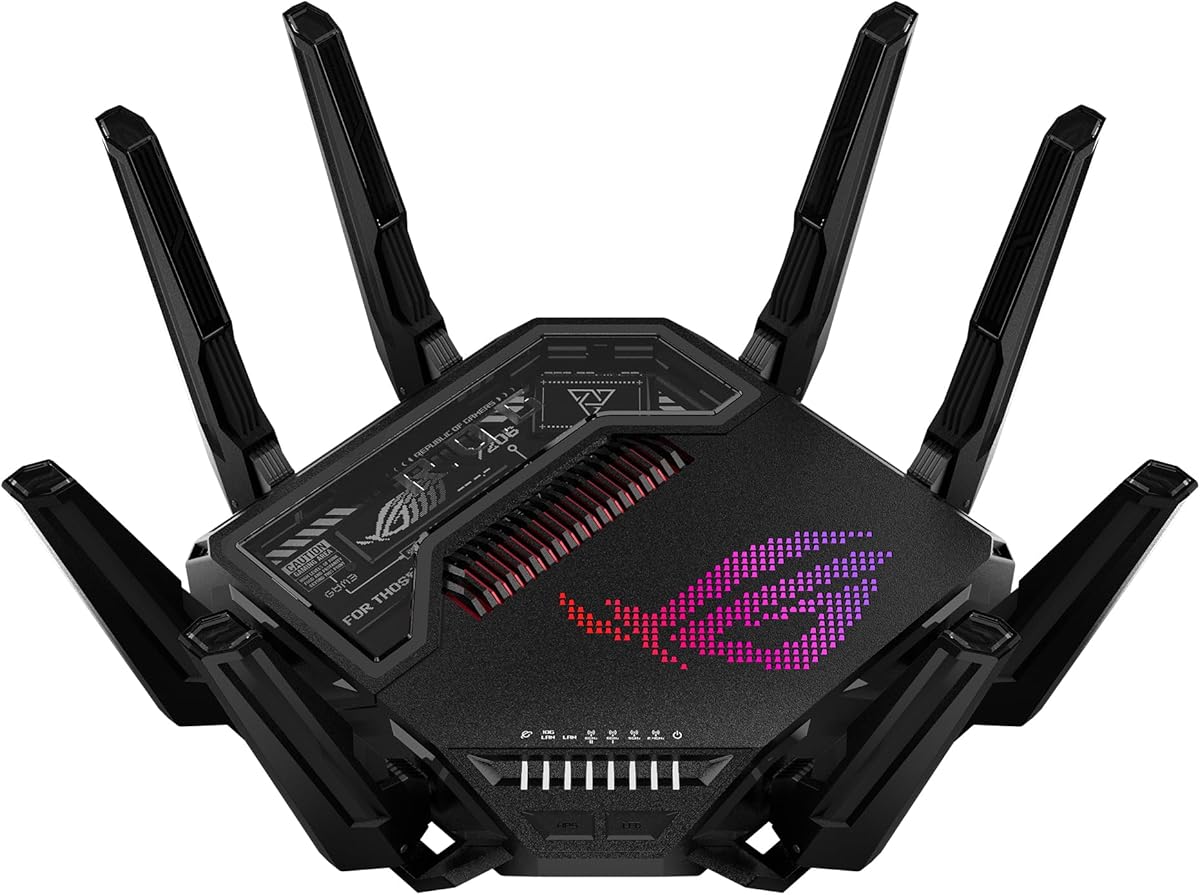
ASUS ROG Rapture GT-BE98 Pro
4.3Editor score
30 Gbps Wi-Fi 7 speeds
Dual 10G and quad 2.5G ports
Triple-Level Game Acceleration
This guide compares the top 10 gaming routers for 0 ping based on latency, speed, coverage, and gaming features to help you choose the best network solution.
Finding a gaming router for 0 ping requires balancing speed, latency, and stability. Modern gamers need routers that minimize delay and maximize throughput for competitive play and seamless streaming experiences.
We compared ten top-rated routers using real-world performance data and expert analysis. Our list covers the latest Wi-Fi 7 and Wi-Fi 6E models that prioritize low-latency features and robust connectivity.
Each pick highlights key strengths and trade-offs for different needs. Prices and availability change frequently, so verify current deals before purchasing to ensure you get the best value for your setup.
4.3Editor score

4.6Editor score

4.3Editor score
This side-by-side comparison highlights the key specifications and features of the ten best gaming routers available in November 2026. Each entry focuses on latency reduction, bandwidth capacity, and unique gaming optimizations.




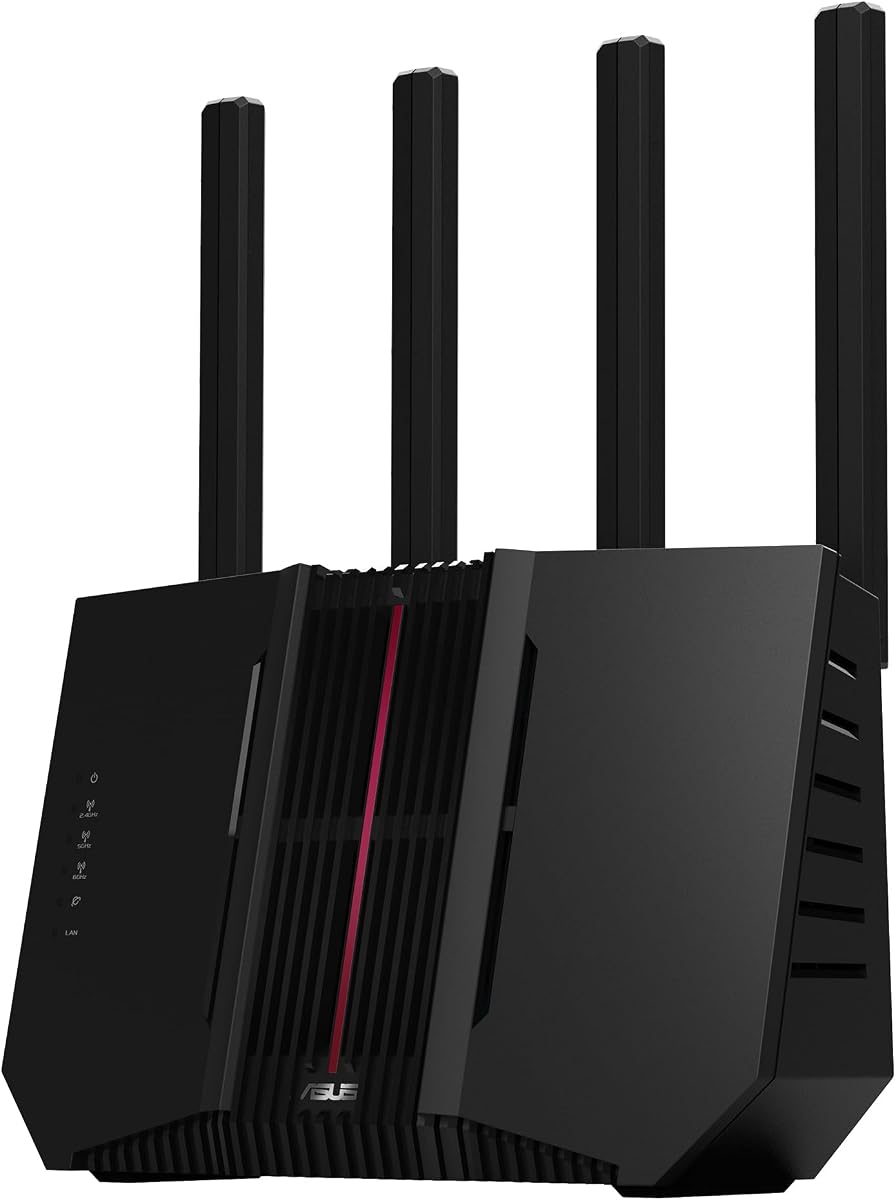

The GL.iNet GL-MT6000 Flint 2 stands out with its dual 2.5G ports and robust Wi-Fi 6 performance. It achieved a 4.6 rating for its balance of speed and customization options for gamers needing precise control over bandwidth allocation.
We may earn a commission when you buy through this link, at no additional cost to you.
Its standout features include high-speed WireGuard and OpenVPN connections up to 900 Mbps and 880 Mbps respectively. The router also supports AdGuard Home for blocking tracking and filtering ads. This ensures your gaming traffic is prioritized without external interference from unwanted content.
Users should note that an initial firmware update is essential for optimal performance. The web admin panel offers deep control but may require time to master. These trade-offs are acceptable given the level of network optimization available for competitive play.
This router is ideal for tech-savvy gamers who want full control over their network environment. It supports over a hundred devices and allows plugin installations. Choose this if you need dual 2.5G speeds and advanced VPN capabilities without sacrificing gaming stability.
The dual 2.5G ports allow you to connect your modem and gaming PC directly for maximum throughput without bottlenecks.
Built-in DNS filtering blocks ads and trackers at the network level keeping your environment clutter-free and faster.
We may earn a commission when you buy through this link, at no additional cost to you.
The ASUS ROG Rapture GT-BE98 Pro leads the pack with extreme 30 Gbps Wi-Fi 7 performance and a 4.3 rating. It offers professional-grade connectivity with dual 10G and quad 2.5G ports designed for maximum throughput in demanding gaming setups.
We may earn a commission when you buy through this link, at no additional cost to you.
Its Triple-Level Game Acceleration optimizes traffic from your PC to the game server ensuring minimal latency. Multi-link Operation links multiple bands simultaneously for stable connections. The router also supports 320MHz channels in the 6 GHz band for significantly increased capacity and throughput.
Premium pricing is a consideration for this model and full benefit requires Wi-Fi 7 compatible devices. However the hardware investment ensures future-proofing and superior performance for users with multi-gig internet plans. These trade-offs are justified for competitive gamers seeking the absolute best.
This router is perfect for high-end gaming enthusiasts with large homes and many connected devices. It provides maximum flexibility for wired and wireless connections. Choose this if you need enterprise-level features and top-tier speeds for an uncompromised gaming experience.
This feature boosts PC gaming traffic at every step from your router to the game server for optimized latency.
Links multiple bands simultaneously ensuring stable internet connections and efficient data transfers across devices.
We may earn a commission when you buy through this link, at no additional cost to you.
The TP-Link AXE5400 Tri-Band router offers exceptional value with Wi-Fi 6E speeds up to 5400 Mbps and a 4.3 rating. It earned 2025 PCMag Editors' Choice recognition for its balanced performance and accessible price point for gamers on a budget.
We may earn a commission when you buy through this link, at no additional cost to you.
Key strengths include a dedicated 6 GHz band for near-zero latency and Tri-Band capacity. The router uses OFDMA to increase capacity by 4 times enabling simultaneous transmission to more devices. EasyMesh compatibility allows seamless range extension without dead zones or drops.
This model lacks 2.5G Ethernet ports which may limit wired connections for multi-gig internet plans. However the wireless performance and cost-effectiveness make it a top pick for most households. These limitations are acceptable given the robust features at this price level.
Ideal for budget-conscious gamers needing reliable low-latency connections this router supports multiple devices efficiently. It includes HomeShield security and parental controls. Choose this if you want Wi-Fi 6E benefits without breaking the bank while maintaining stable gaming performance.
The 6 GHz band brings more bandwidth and near-zero latency enabling more responsive gaming and video chatting.
Extend network range with EasyMesh-compatible routers or extenders for a seamless whole-home connection.
We may earn a commission when you buy through this link, at no additional cost to you.
The NETGEAR Nighthawk RS90 delivers solid mid-range Wi-Fi 7 performance with speeds up to 3.6 Gbps and a 4.3 rating. It covers up to 2000 sq ft and supports 50 devices making it suitable for busy households requiring reliable streaming and gaming.
We may earn a commission when you buy through this link, at no additional cost to you.
A 2.5G WAN port unlocks multi-gig internet plans ensuring wired connections don't bottleneck your plan speeds. The dedicated dual-band design keeps up when everyone is online. MU-MIMO and OFDMA allow multiple devices to send and receive data simultaneously without congestion.
LAN ports are limited to 1 Gigabit which may slow wired devices on ultra-fast plans. The Nighthawk app simplifies management but requires active internet for certain features. These trade-offs are acceptable for most users seeking straightforward setup and broad coverage.
This router is well-suited for users upgrading from older WiFi 6 routers without needing extreme speeds. It offers easy setup via the app and compatible with most providers. Choose this if you want a reliable WiFi 7 upgrade with good coverage and app control.
Plug your modem into the 2.5 Gig WAN port to unlock multi-gig internet plans for faster wired throughput.
Download the free Nighthawk app for guided setup remote network management and speed tests from anywhere.
We may earn a commission when you buy through this link, at no additional cost to you.
The TP-Link BE6500 Dual-Band router features latest Wi-Fi 7 technology with Multi-Link Operation and a 4.3 rating. It provides 6500 Mbps total bandwidth with 6 streams supporting seamless 4K/8K streaming and AR/VR gaming without lag or interruptions.
We may earn a commission when you buy through this link, at no additional cost to you.
MLO technology simultaneously transfers data across bands delivering enhanced throughput and lower latency. The router includes a 2.5G WAN/LAN port for multi-gig modem integration. Beamforming ensures reliable connections up to 2400 sq ft for remote workers and students.
This model is dual-band only which limits capacity compared to tri-band options. It also cannot integrate with TP-Link Deco mesh systems. However it offers excellent performance for single-home setups needing future-ready features and strong wired options at a mid-range price.
Ideal for users upgrading to Wi-Fi 7 without needing tri-band complexity this router supports up to 90 devices. It includes robust cybersecurity measures. Choose this if you want a balanced upgrade with multi-gig wired ports and broad coverage for everyday use.
Simultaneously transfers data across frequency bands delivering enhanced throughput lower latency and improved reliability.
2.5G WAN/LAN and LAN ports integrate with multi-gig modems for high-speed data transmissions and future-proofing.
We may earn a commission when you buy through this link, at no additional cost to you.
The TP-Link BE9300 Tri-Band router offers blazing-fast speeds up to 9300 Mbps with Wi-Fi 7 features and a 4.0 rating. It ensures seamless 4K/8K streaming and ultra-fast downloads for optimal user experience in bandwidth-intensive households.
We may earn a commission when you buy through this link, at no additional cost to you.
It includes a full suite of 2.5G ports with one WAN and four LAN for peak device performance. Multi-Link Operation and 320 MHz channels provide unprecedented throughput and reduced interference. Private IoT Network feature boosts security by isolating smart devices from main traffic.
User ratings are slightly lower than some competitors but features remain robust. It requires EasyMesh routers for mesh expansion which may limit flexibility for some brands. These are acceptable trade-offs for the high bandwidth capacity and security focus provided by this model.
This router is perfect for homes with many high-bandwidth devices and a need for wired gigabit speeds. It supports VR gaming and large file transfers efficiently. Choose this if you prioritize total throughput and security isolation for your network.
Equipped with one 2.5G WAN and four 2.5G LAN ports enabling peak device performance and multi-gig readiness.
Set up a separate WiFi network for IoT devices boosting security and protecting your main network from threats.
We may earn a commission when you buy through this link, at no additional cost to you.
The TP-Link GXE75 brings exclusive game acceleration features to Tri-Band Wi-Fi 6E with speeds up to 5400 Mbps and a 4.4 rating. It keeps PS5 Xbox PC and mobile devices ready for fierce battles with a dedicated 6 GHz band for congestion-free gaming.
We may earn a commission when you buy through this link, at no additional cost to you.
Support for game application gear and server acceleration optimizes connections for headsets mice and controllers. The intuitive Game Panel provides real-time insights into your battle environment and network status. A 2.5G WAN port delivers ultra-fast speeds from multi-gig modems.
LAN ports are limited to 1G which may bottleneck wired gaming on faster internet plans. The Game Panel features require access through the Tether app or web interface. These trade-offs are acceptable given the strong wireless gaming focus and easy setup process.
Ideal for console and PC gamers needing prioritized traffic this router minimizes jitter and lag for Steam or Origin. It includes robust security via HomeShield. Choose this if you want specific game optimization and reliable 6GHz performance.
Supports game application gear and server acceleration optimizing connections for gaming headsets mice and controllers.
The intuitive game panel provides real-time insights into your battle environment network status and router performance.
We may earn a commission when you buy through this link, at no additional cost to you.
The ASUS RT-BE9700 delivers 9700 Mbps speeds with Tri-Band Wi-Fi 7 and versatile WAN options rated 4.0. It supports always-on internet through AI WAN detection and a USB port ready for 4G LTE and 5G Mobile tethering for failover.
We may earn a commission when you buy through this link, at no additional cost to you.
AiMesh extendable routers enable whole-home seamless roaming with rich advanced features. Subscription-free Triple-Level Protection uses a commercial-grade cloud database for 24/7 safeguarding. 4096-QAM and 320MHz channels significantly increase network capacity and throughput for demanding tasks.
LAN ports may not support 2.5G which limits wired performance compared to other models. AiMesh integration works best with other ASUS routers which could add cost. These trade-offs are acceptable for users prioritizing flexible WAN failover and seamless mesh expansion.
This router suits users needing redundant internet sources and expansive mesh coverage. It offers robust security without subscriptions. Choose this if you want advanced failover options and strong Wi-Fi 7 performance with flexible networking options.
Establish always-on internet through AI WAN detection and a USB port for 4G LTE and 5G mobile tethering.
AiMesh extendable routers enable whole home seamless roaming with rich advanced features without dead zones.
We may earn a commission when you buy through this link, at no additional cost to you.
The ASUS RT-AX1800S is a budget-friendly entry into Wi-Fi 6 offering dual-band speeds up to 1800 Mbps and a 4.3 rating. It supports MU-MIMO and OFDMA for better efficiency and throughput while enabling simultaneous communication with multiple devices.
We may earn a commission when you buy through this link, at no additional cost to you.
It features 5 Gigabit ports with one WAN and four LAN enabling wired connections 10X faster than older standards. AiProtection Classic powered by Trend Micro provides commercial-grade security anywhere without additional subscriptions. AiMesh compatibility allows extendable coverage.
Speeds are limited to 1800 Mbps which may not suit large homes or multi-gig plans. Wi-Fi 6 is older than Wi-Fi 6E or 7 but remains sufficient for many users. These trade-offs are acceptable for a cost-effective and reliable solution for basic gaming needs.
This router is ideal for small to medium homes needing dependable connectivity without overspending. It includes parental controls and built-in VPN. Choose this if you want an affordable upgrade to Wi-Fi 6 with solid security and mesh expansion options.
Supporting MU-MIMO and OFDMA efficiently allocates channels and communicates with multiple devices simultaneously.
Protect your home network with AiProtection Classic powered by Trend Micro with commercial-grade security anywhere.
We may earn a commission when you buy through this link, at no additional cost to you.
The TP-Link BE11000 GE650 offers tri-band Wi-Fi 7 speeds up to 11000 Mbps with a dedicated 5GHz gaming band rated 3.8. It ensures lag-free gaming by separating game traffic from family streaming like Netflix 4K to reduce interference significantly.
We may earn a commission when you buy through this link, at no additional cost to you.
Multi-Link Operation uses 3 frequency bands simultaneously for stable connections. It includes 5Gbps WAN/LAN ports for maximum throughput on ultra-fast plans. WTFast accelerates game traffic optimizing devices servers and applications like Steam Twitch and Origin for seamless online play.
User ratings are lower due to complexity and potential confusion with port speeds. The game-style design with RGB is appealing but adds cost. These trade-offs are acceptable for enthusiasts wanting high-speed throughput and visual flair without compromising gaming performance.
This router suits gamers who want both performance and aesthetic customization. It supports EasyMesh for coverage and robust HomeShield security. Choose this if you need extreme bandwidth and prefer a standout centerpiece with powerful game acceleration features.
Use WTFast to accelerate game traffic by optimizing game devices servers and applications like Steam and Origin.
Enjoy lag-free gaming with the dedicated 5GHz gaming band free from interference by your family's streaming.
We may earn a commission when you buy through this link, at no additional cost to you.
Selecting the right gaming router involves evaluating latency, speed, wired ports, and advanced optimization features. This guide outlines the key factors to ensure your network supports competitive play without lag.
Wi-Fi 6 offers solid speeds and multi-device efficiency but may suffer from congestion in crowded areas. Wi-Fi 6E introduces a dedicated 6GHz band for clearer signals and lower latency. Wi-Fi 7 provides massive bandwidth with MLO technology for simultaneous band usage ensuring the lowest possible ping.
Choose Wi-Fi 7 for future-proofing and ultimate performance or Wi-Fi 6E if budget is a concern but you still need low-latency gaming bands.
Wired connections always beat wireless for stability. Look for routers with at least one 2.5G LAN port to connect your gaming PC or console directly. If your internet plan exceeds 1Gbps multi-gig ports prevent bottlenecks that increase latency during peak usage.
Prioritize models with 2.5G or higher LAN ports to ensure your devices can utilize your full internet speed without throttling.
Many gaming routers include features like WTFast or Game Accelerator to prioritize gaming packets. These tools route your traffic through optimized servers reducing hop counts and improving response time. Check if the router offers dedicated app control or hardware acceleration.
Look for built-in game acceleration tools that allow you to prioritize specific devices or game types for better network control.
MU-MIMO allows simultaneous data streams to multiple devices while OFDMA divides channels efficiently for better performance. Both technologies are essential for busy households to prevent latency spikes when others stream or download. Without them congestion can cause lag during matches.
Ensure the router supports both MU-MIMO and OFDMA to maintain low latency when multiple devices are active on the network.
A strong signal is critical for wireless gaming. Larger homes may require mesh systems or routers with high-gain antennas. Check the square footage coverage and whether the router supports extenders to eliminate dead zones where latency might spike.
Choose a router with coverage matching your home size or support for mesh expansion to ensure stable connections throughout your space.
Security features like network firewalls and parental controls protect your network from threats that could cause slowdowns. Routers with subscription-free protection save money while maintaining safety. Look for built-in antivirus and device isolation features.
Select a router with robust security features that do not require expensive subscriptions to keep your gaming environment safe and stable.
User-friendly apps and guided setup save time configuring your network. Routers with web interfaces or app dashboards make it easy to monitor traffic and prioritize gaming. Check for features like speed tests and device management.
Prioritize models with intuitive apps for easy setup and real-time network monitoring to manage your gaming traffic efficiently.
Internet plans are getting faster and devices more demanding. Choosing a router with Wi-Fi 7 and multi-gig ports ensures longevity. Consider models that support firmware updates to maintain compatibility with new standards over time.
Invest in a router with future-ready features like 2.5G ports and latest Wi-Fi standards to protect your investment as technology evolves.
Place your router in a central elevated location to maximize signal coverage and reduce latency. Keep it away from thick walls microwaves and large metal objects that interfere with wireless signals.
Regularly update firmware to ensure performance optimizations and security patches are applied. Most routers offer automatic updates or alerts through their mobile apps.
Use wired connections for stationary gaming devices like consoles or PCs to minimize jitter. Prioritize gaming traffic using Quality of Service settings to ensure low ping during matches.
0 ping refers to minimal latency in gaming where your actions are reflected almost instantly on the server. While truly zero latency is impossible due to physical limits, low ping ensures responsive gameplay without lag or delays.
Not strictly, but gaming routers offer better stability and latency controls for competitive play. Standard routers work for casual gaming but may struggle with multiple devices or prioritize traffic efficiently.
Wi-Fi 7 offers the lowest latency and highest speeds but requires compatible devices to fully benefit. If you have future-ready hardware and high-speed internet it provides the best wireless performance available today.
The 6GHz band has more bandwidth and less congestion than 5GHz leading to lower latency. It is exclusive to Wi-Fi 6E and Wi-Fi 7 devices meaning older devices cannot access it.
Yes most gaming routers work with existing modems via Ethernet. Check if your modem needs bridge mode or if the router supports the same internet service provider standards for proper setup.
Use the router's Quality of Service settings to prioritize specific devices or game applications. Many gaming routers include a dedicated game panel or app to manage traffic prioritization easily.
For internet over 1Gbps look for 2.5G or higher ports. For standard plans 1G ports suffice. Wired connections are always more stable and faster than wireless gaming.
Our top picks include the GL.iNet FL-MT6000 for customization and the ASUS ROG Rapture GT-BE98 Pro for raw speed. The TP-Link AXE5400 offers the best budget option with Wi-Fi 6E support.
Prioritize wired ports and Wi-Fi generation over raw speed. Look for game acceleration and MU-MIMO features to ensure your network can handle modern gaming demands.
Prices and availability change frequently. Check current deals before purchasing to ensure you get the best value for your specific gaming and networking needs.