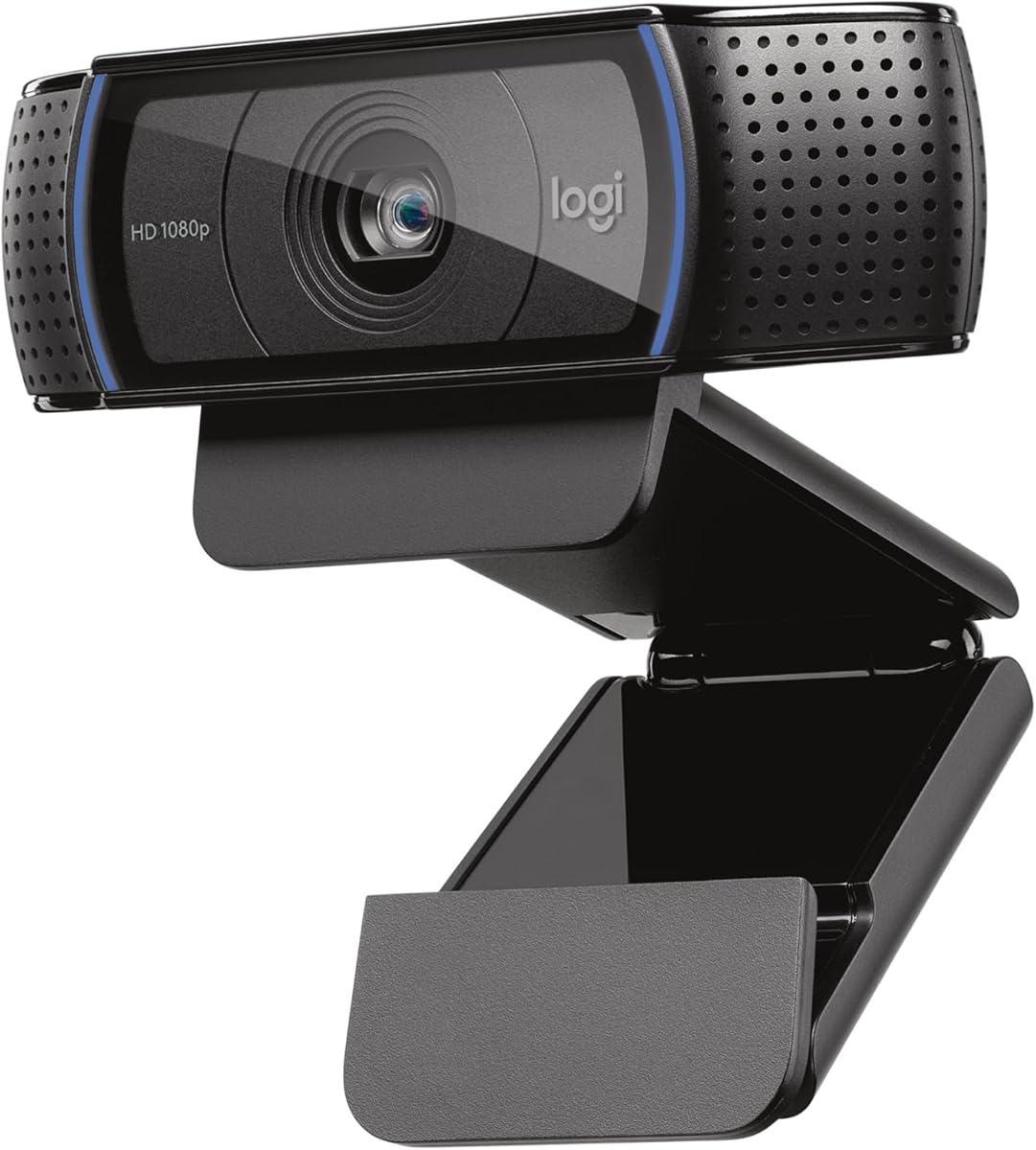
Logitech C920x HD Pro
4.6Editor score
Full HD 1080p video
Dual stereo microphones
Autofocus and lighting adjust
This guide compares the top 10 Logitech conference cameras for small huddle rooms and large enterprise spaces to help you choose the right video conferencing
Selecting the right video conferencing hardware is critical for seamless remote collaboration and professional client interactions across diverse business environments.
We evaluated ten distinct Logitech camera models based on resolution quality audio performance, field of view, and integration capabilities with major platforms.
Each section details specific strengths and trade-offs so you can match the device to your room size and budget while noting that prices fluctuate.
4.6Editor score

4.3Editor score

4.4Editor score
The following comparison table outlines the core specifications and capabilities of each selected Logitech camera model for side by side evaluation of features.


The Logitech MeetUp stands out as a robust video conferencing system designed specifically for huddle and small rooms with high-resolution capabilities.
We may earn a commission when you buy through this link, at no additional cost to you.
It delivers Ultra HD 4K video with a wide 120-degree field of view ensuring all participants are captured clearly during meetings and presentations.
The beamforming microphones capture voices effectively up to 4 meters away providing superior audio performance without needing additional hardware in most setups.
Ideal for teams needing quick setup and high quality visual clarity without complex cabling or separate camera and audio component configurations.
The Ultra HD 4K sensor with 5x HD zoom ensures crisp visuals whether focusing on individual participants or whiteboard content effectively.
Multiple mounting options allow easy installation on walls or credenzas making it adaptable to various office layouts and display setups.
We may earn a commission when you buy through this link, at no additional cost to you.
The BCC950 integrates HD video and high-quality audio into one compact desktop unit perfect for individual offices or very small meeting areas.
We may earn a commission when you buy through this link, at no additional cost to you.
Its Carl Zeiss lens delivers professional business-quality video with 1080p resolution and 30 fps ensuring sharp and clear visual communication.
The full duplex speakerphone and noise-cancelling microphone allow clear hearing up to 8 feet away making conversations sound natural and direct.
Best suited for professionals needing a reliable plug-and-play webcam and speakerphone combo without extra peripherals or complex configuration steps.
The Carl Zeiss lens ensures professional-grade video capture with precise color reproduction and clarity for business meetings.
Remote control and base buttons allow quick adjustments to camera pan tilt and volume during calls for better user experience.
We may earn a commission when you buy through this link, at no additional cost to you.
The PTZ Pro 2 is designed for larger conference rooms and events requiring precise camera movement and high-quality video output capabilities.
We may earn a commission when you buy through this link, at no additional cost to you.
It delivers brilliant image resolution and color reproduction with enhanced motor performance allowing smooth movement between presets or specific areas.
Advanced technology processes video within the camera to free bandwidth ensuring smoother streams on platforms like Skype for Business or Zoom.
An excellent choice for training rooms or large events where detailed visual coverage and flexible camera positioning are essential for all attendees.
Enhanced pan tilt and zoom motors allow seamless transitions between views and presets for dynamic and professional meeting coverage.
Processing video within the camera reduces bandwidth usage and ensures smoother video performance across common business conferencing applications.
We may earn a commission when you buy through this link, at no additional cost to you.
This renewed version of the MeetUp provides a cost-effective alternative with all core features including HD camera integrated microphones and speakers.
We may earn a commission when you buy through this link, at no additional cost to you.
The ultra-wide 120 degree field of view captures everyone at the table while motorized pan tilt covers the entire room effectively.
Bluetooth technology lets you connect smartphones or tablets to the speaker for wireless audio conferencing options during meetings sessions.
Perfect for budget-conscious buyers needing top tier video conferencing performance with professional inspection and testing for reliable operation.
Professionally inspected and tested to work like new this renewed option offers sustainable value without compromising performance.
Bluetooth support enables easy connection to mobile devices for enhanced wireless audio conferencing experiences during meetings.
We may earn a commission when you buy through this link, at no additional cost to you.
The Rally Plus is a premium video conference solution designed for large enterprise spaces needing studio quality visual and audio performance.
We may earn a commission when you buy through this link, at no additional cost to you.
Its professional design includes a white mic pod delivering exceptional clarity and color reproduction suitable for high-stakes executive meetings.
Built with scalability in mind this system supports modular expansion to adapt to changing room layouts or added connectivity needs easily.
Recommended for large organizations requiring reliable high performance conferencing equipment that integrates seamlessly with professional communication platforms.
Designed for large spaces with studio quality video ensuring professional communication and collaboration across enterprise environments.
Modular architecture allows easy expansion and customization to meet evolving business communication and meeting space requirements.
We may earn a commission when you buy through this link, at no additional cost to you.
This bundle includes an HD camera speakerphone and expansion mics offering a complete solution tailored for large conference rooms up to twenty people.
We may earn a commission when you buy through this link, at no additional cost to you.
The wide 90 degree field of view and extended 28 foot audio range ensure everyone hears and sees clearly regardless of seating position.
Plug-and-play HD audio lets participants hear and be heard clearly around the conference table without additional configuration software or hardware.
Ideal for large meeting rooms needing all components for seamless conferencing setup with minimal effort and professional business grade performance.
Expansion mics and extended audio range guarantee clear communication even across larger tables in big conference room settings.
Razor sharp 1080p video with autofocus delivers clear visual detail for all participants and shared content presentation needs.
We may earn a commission when you buy through this link, at no additional cost to you.
The C920x is a versatile Full HD webcam suitable for individual conferencing with strong autofocus and light adjustment capabilities.
We may earn a commission when you buy through this link, at no additional cost to you.
It delivers crisp 1080p video at 30 fps with dual microphones capturing natural sound making calls feel more personal and direct.
Advanced capture software simplifies sharing video content and background removal without requiring additional hardware or physical green screens setup.
Best for individual professionals or small teams needing a reliable high quality camera without full conference room speaker or mic hardware.
Autofocus and HD lighting adjustment ensure bright razor-sharp images even in varying low light settings for clearer calls.
Stereo audio with dual mics captures natural sound during calls and recorded videos for a more personal audio experience.
We may earn a commission when you buy through this link, at no additional cost to you.
The Brio Ultra supports up to 4K video with advanced light adjustment providing spectacular quality for streaming and high-fidelity meetings.
We may earn a commission when you buy through this link, at no additional cost to you.
Three field of view presets allow framing flexibility from head and shoulders to wider room views based on meeting needs.
Windows Hello facial recognition adds secure fast login support enhancing usability for security-conscious enterprise and professional users.
Ideal for high-end individual conferencing and streaming where 4K resolution and smart features justify the investment and hardware requirements.
Supports up to 4K video with advanced autofocus and 5x digital zoom delivering spectacular resolution frame rate and color.
Windows Hello facial recognition provides fast secure login making it convenient for users needing secure device access.
We may earn a commission when you buy through this link, at no additional cost to you.
The BCC950 offers quick plug and play functionality on PC and Mac without requiring software installation for immediate video conferencing setup.
We may earn a commission when you buy through this link, at no additional cost to you.
It includes a remote control for easy meeting management and a full duplex speakerphone allowing natural hearing and being heard.
Compatible with most UC and video conference applications making it a flexible choice for users who switch between platforms frequently.
A solid option for users seeking straightforward simple video conferencing equipment without complex setup or additional software management steps.
Quick plug and play functionality on both PC and Mac ensures instant usability without software installation or configuration delays.
Easily control meeting functions with the included remote simplifying mute volume and camera adjustments during calls.
We may earn a commission when you buy through this link, at no additional cost to you.
The Rally Camera delivers premium performance with Ultra HD imaging and automatic camera control tailored for professional meeting spaces of any size.
We may earn a commission when you buy through this link, at no additional cost to you.
Breakthrough technologies ensure sharp video and exceptional optical accuracy making it a strong centerpiece for large or irregular meeting rooms.
It can be mounted on a table tripod or wall with included hardware offering flexibility to adapt to different room layouts easily.
Suitable for organizations building modular conferencing systems needing high-end PTZ capabilities without bundled speaker or microphone components.
Ultra HD imaging system with breakthrough technologies delivers sharp video color and optical accuracy for professional meeting spaces.
Mount on table tripod or wall with included hardware for adaptable installation in any meeting room shape or size.
We may earn a commission when you buy through this link, at no additional cost to you.
Choosing the right camera depends on room size participants and platform needs to ensure seamless collaboration.
Smaller huddle rooms benefit from compact all-in-one units like MeetUp while large rooms require systems like Group or Rally with mics for 20+ people.
Matching camera range and mic pickup distance to your room ensures everyone is heard and seen without awkward gaps or missed voices.
Resolution ranges from 1080p to 4K depending on model; higher resolution improves clarity for sharing details but requires more bandwidth.
Prioritize 4K if your meeting space needs crisp visual content or if participants often share detailed documents and whiteboards.
Integrated mics and speakers in all-in-one models reduce clutter but separate expansion mics offer better reach for larger tables.
Beamforming technology helps focus on active speakers reducing background noise and improving call clarity significantly.
Wide fields like 120 degrees capture more people or content at once while narrower ones focus tighter on individual speakers.
Select a wider angle for group meetings and a narrower one if your primary use case is focused individual calls or presentations.
Ensure the camera works seamlessly with Teams Zoom Google Meet or other apps your organization uses daily to avoid connection issues.
Certified models guarantee optimized performance and feature support within specific platforms for smoother meetings.
USB plug-and-play options simplify setup for laptops while HDMI may suit dedicated PCs but require extra hardware or adapters.
Choose USB for flexibility and BYOD environments where participants connect via personal devices frequently.
Consider available mounting options like wall or desk mounts to fit your room layout and aesthetic needs cleanly.
Models with flexible mounting allow you to position cameras above displays or on tables for optimal framing.
Entry-level webcams suit individual users whereas all-in-one units provide value for small groups with balanced features.
Define your spending limit early and prioritize essential features like audio or resolution that impact meetings most.
Begin by connecting the camera to your computer or conferencing device using the appropriate cable and mounting it securely.
Install any required software like Logitech Sync or Options+ to configure settings such as resolution and audio levels.
Clean the lens gently with a soft cloth regularly and avoid exposing the device to extreme temperatures or humidity.
Logitech cameras are optimized for leading platforms like Teams and Zoom ensuring seamless integration. They offer plug-and-play USB connectivity advanced audio and visual technologies making setup effortless and calls clear.
All-in-one models like MeetUp include mics and speakers sufficient for small rooms. Larger spaces benefit from expansion mics like Group which cover more area effectively.
Yes many models including MeetUp and Rally offer wall mounting kits allowing placement above or below displays for better viewing angles and integration.
4K provides sharper image detail and better for for whiteboards but requires more bandwidth. 1080p is often sufficient for standard meetings and uses less resources.
Most models feature plug-and-play USB connectivity requiring no complex software installation. This makes them user-friendly for quick deployment in office environments.
With proper care and updates Logitech cameras offer years of reliable use. Business-grade hardware and firmware updates help maintain performance and security.
The Logitech MeetUp stands out as an all-in-one solution for small huddle rooms with excellent clarity and flexibility for varied meeting needs.
Select based on your room size required video resolution and audio range to ensure all participants feel engaged and visible.
Always check current pricing and availability before purchase since discounts and bundle offers can change quickly online or at retailers.