Yxk Zero1 Pro
4.4Editor score
Affordable price point
Intel N100 CPU
Easy setup process
This comprehensive guide compares the top 4 Bay NAS devices for home and office, evaluating performance, storage capacity, media support, and security features
Network attached storage devices have become essential for modern households and small offices needing reliable data management. A good 4 Bay NAS offers flexible expansion, robust redundancy options, and seamless access to files from any device connected to your network.
We evaluated ten leading models based on processor power, memory capacity, network interfaces, and software ecosystems. Each product was assessed for its ability to handle media streaming, backup tasks, and multitasking workloads without sacrificing energy efficiency or operational quietness.
Every selection below highlights unique strengths suited to different user needs, from budget-friendly home storage to power-user workstation hubs. Please note that availability and pricing may fluctuate, so verify current details before finalizing your purchase decision for your specific setup.
4.4Editor score

4.6Editor score

4.4Editor score
The following table provides a side-by-side view of key specifications across all ten selected network attached storage units to help you quickly identify which model aligns with your performance requirements and budget constraints.





The Synology DS425+ stands out as a top contender for those prioritizing professional-grade data management in a home or office environment. With a robust rating of 4.6 stars, users appreciate its ability to facilitate rapid file sharing across teams while maintaining secure access protocols for sensitive documents.
We may earn a commission when you buy through this link, at no additional cost to you.
Its standout qualities include support for concurrent access from over ten users without significant lag, making it ideal for small collaborative workspaces. The centralized repository feature allows for granular access controls and detailed audit logs, ensuring that only authorized personnel can view or modify critical company files.
Honest trade-offs involve the need to purchase hard drives separately, which can increase the initial setup cost. However, this design choice allows users to select storage capacities that match their specific growth plans, providing long-term flexibility that pre-installed drive options often lack.
This unit is best suited for business owners or power users who need enterprise-level security features without investing in a full rack-mounted server. We recommend it for teams requiring stable, multi-user access to shared media and documents with reliable backup and surveillance capabilities built directly into the operating system.
The DS425+ enables smooth collaboration by allowing multiple team members to access shared folders simultaneously at high speeds.
Combined RAID redundancy and automated backups ensure your critical assets remain safe even during unexpected hardware failures.
We may earn a commission when you buy through this link, at no additional cost to you.
The UGREEN DXP4800 GT is designed for creators and tech enthusiasts who demand raw performance from their storage solutions. Boasting a 4.6-star rating, this model excels in multitasking environments where media processing, virtual machines, and heavy backups run simultaneously without system bottlenecks.
We may earn a commission when you buy through this link, at no additional cost to you.
Its AMD Ryzen Embedded R2514 processor paired with expandable RAM allows for smooth handling of demanding workloads like 4K editing directly from the NAS. The dual 10GbE networking ensures data transfers happen at blistering speeds, reducing wait times for large file operations significantly.
While the performance is exceptional, the complexity of setup might be overwhelming for casual users unfamiliar with network configurations. Additionally, the premium price tag reflects its high-end specifications, which may not be necessary for basic photo backup or simple file sharing needs.
Power users and video editors will find the extensive app ecosystem and local privacy controls particularly valuable. We suggest this model for those building a home server that acts as a central hub for smart home automation, media hosting, and robust data redundancy.
With eight threads and high-speed RAM options, this device handles sustained workloads like video encoding efficiently.
Store files locally instead of on third-party clouds to maintain full control over your sensitive digital assets.
We may earn a commission when you buy through this link, at no additional cost to you.
The TERRAMASTER F4-425 offers a compelling mix of performance and usability for home media enthusiasts on a moderate budget. It achieves a solid 4.0 rating, with users particularly valuing its ability to handle 4K transcoding smoothly thanks to its capable Intel x86 quad-core processor.
We may earn a commission when you buy through this link, at no additional cost to you.
A key strength is its hardware-level 4K H.265 decoding which ensures compatibility with popular streaming apps like Plex and Jellyfin without overtaxing the CPU. The tool-free Push-Lock design simplifies drive installation to under ten seconds, making it accessible even for those with minimal technical experience.
However, the lower rating suggests potential software limitations or occasional connectivity issues compared to top-tier competitors. While adequate for basic tasks, users might find the operating system less polished or intuitive than other major brands in the same price segment.
This NAS is ideal for home theater setups where silent operation and efficient media streaming are priorities. We recommend it for users who need a quiet, energy-efficient server for storing movies and photos without breaking the bank on unnecessary enterprise features.
Supports hardware decoding for smooth video playback on various devices including TVs and mobile phones.
Initialize setup via mobile app without needing a PC for a streamlined initial configuration experience.
We may earn a commission when you buy through this link, at no additional cost to you.
The UGREEN DXP4800 Plus is tailored for families and creators needing centralized storage that is both secure and easy to manage. Its high 4.6 rating reflects user satisfaction with features like the AI-powered photo album which automatically organizes memories by faces and locations.
We may earn a commission when you buy through this link, at no additional cost to you.
Key strengths include super-fast transfer speeds via 10GbE ports and robust encryption to keep private cloud data safe from unauthorized access. The device supports a massive 144TB capacity, allowing users to store vast libraries of high-resolution videos and documents without worrying about space limits.
Some users may find the lack of Wi-Fi support a limitation if they cannot run a wired Ethernet cable to the device location. Additionally, the high-performance hardware comes with a cost that might be steep for basic home office needs without advanced media editing requirements.
This model is best for households wanting a comprehensive private cloud solution with smart organization features. We suggest it for families who want to automate photo backups and access media securely from any device without relying on monthly subscription services.
The AI recognizes faces and scenes to sort photos instantly saving hours of manual organization time.
Advanced encryption ensures that your files remain private and only accessible to authorized family members.
We may earn a commission when you buy through this link, at no additional cost to you.
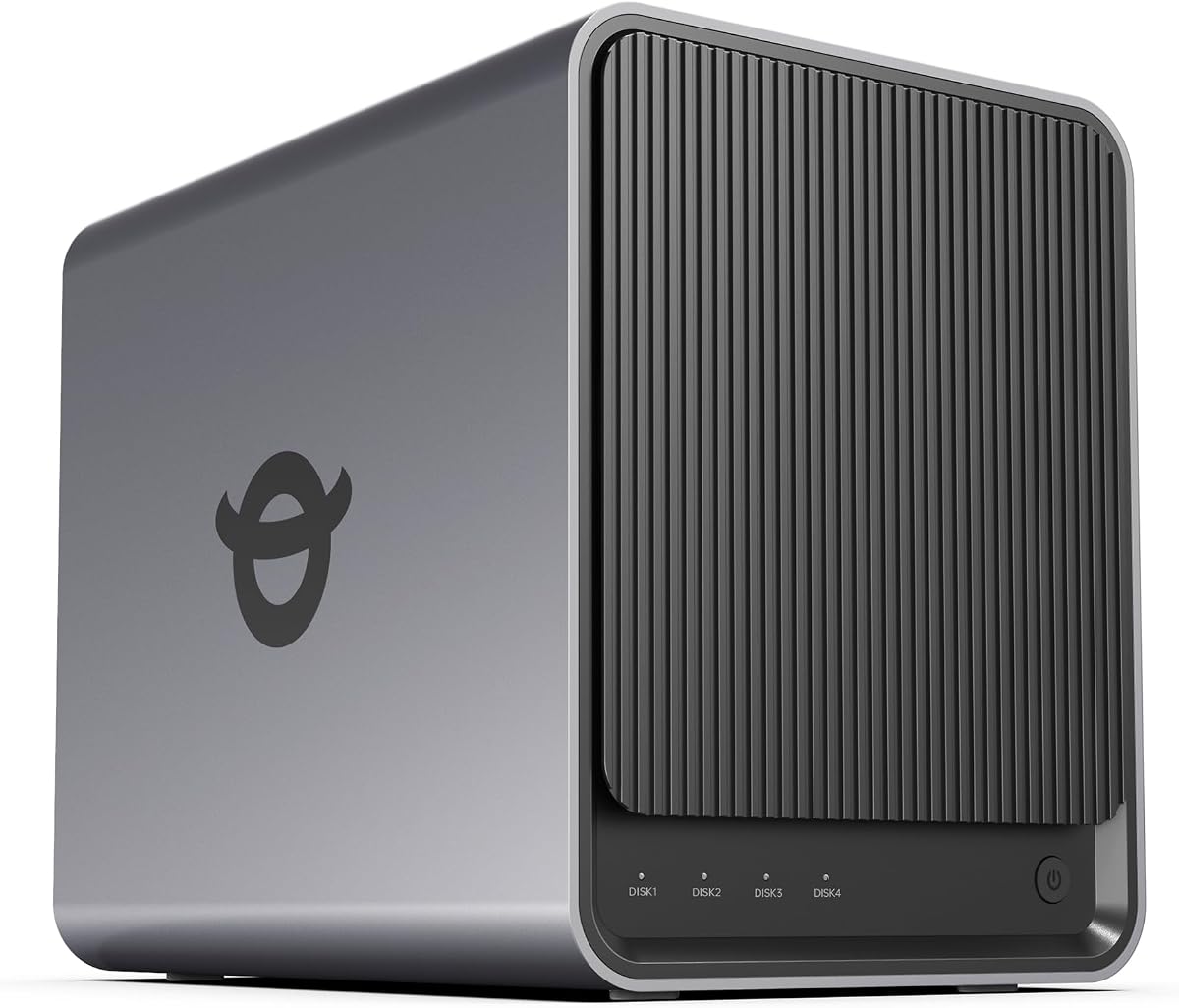
The Yxk Zero1 Pro is a standout option for budget-conscious users seeking reliable home storage without unnecessary frills. With a 4.4 rating, it appeals to those who want a straightforward device for backing up photos and storing school files across multiple devices.
We may earn a commission when you buy through this link, at no additional cost to you.
Its Intel N100 processor provides enough power for everyday tasks like media streaming and file sharing while maintaining low power consumption. The guided mobile app setup ensures that even first-time NAS users can get started quickly without complex network configuration steps.
The main drawback is the limited official support compared to established brands which could be challenging if issues arise post-purchase. Also, the lack of advanced enterprise features means it may not scale well for growing business needs requiring complex user permissions.
We recommend this unit for families and students who need a simple, cost-effective private cloud. It is an excellent choice for anyone who wants to move away from monthly cloud subscriptions while still having reliable access to their personal media library.
First-time users can register and start sharing files immediately using the intuitive mobile app guided steps.
Support for Docker and third-party OS allows experienced users to customize their environment significantly.
We may earn a commission when you buy through this link, at no additional cost to you.
The UGREEN NAS DH4300 Plus is designed for beginners transitioning from cloud storage to a more affordable private solution. Its 4.2 rating indicates reliable performance for basic home tasks like storing family photos and providing remote access to work documents.
We may earn a commission when you buy through this link, at no additional cost to you.
Key strengths include smart photo backup features and a magnetic dust cover that simplifies physical maintenance of the device. The built-in manual and video instructions ensure that new users can navigate setup without frustration or technical assistance.
However, the lack of virtual machine support limits its utility for advanced users wanting to run complex server applications. The basic interface may lack the depth needed for power users looking for intricate workflow automation options beyond simple file management.
This model is best for casual home users and remote workers needing a secure and simple private cloud. We suggest it for individuals who prioritize ease of use and cost savings over high-end technical capabilities or extensive customization.
AI-powered photo albums help keep memories organized by faces and events automatically over time.
Strong encryption ensures that your personal data remains private even if the device is lost or stolen.
We may earn a commission when you buy through this link, at no additional cost to you.
The Synology DS925+ is a versatile choice for small offices requiring reliable file management and backup capabilities. With a 4.2 rating, users appreciate its ability to deliver consistent performance for shared workflows while maintaining robust security protocols.
We may earn a commission when you buy through this link, at no additional cost to you.
Its dual 2.5GbE ports ensure stable data transfers and provide redundancy in case one port fails or gets damaged. The built-in software suite simplifies tasks like photo management and virtualization making it easy to integrate into existing business environments.
On the downside, the initial cost can be high compared to entry-level models, and setup requires some technical knowledge to optimize fully. Users may also find the interface dense if they only need basic file storage without advanced features.
We recommend this device for small businesses that need dependable storage with good expandability. It is suitable for teams who want a balanced mix of performance, software integration, and long-term warranty support.
High throughput speeds ensure that large project files move quickly between users and the storage server.
Built-in file and photo management tools reduce the need for additional third-party software subscriptions.
We may earn a commission when you buy through this link, at no additional cost to you.
The Asustor Drivestor 4 Gen 2 delivers impressive raw performance at a reasonable price point for home use. Rated at 4.0, it offers a solid experience for daily storage needs with fast processing power and efficient energy consumption.
We may earn a commission when you buy through this link, at no additional cost to you.
Its key strength lies in the 2.5GbE network upgrade which provides faster file transfers than standard gigabit systems. Btrfs snapshots add enterprise-grade protection by allowing instant restoration to previous points in time if files are accidentally deleted.
However, the lower memory may restrict multitasking capabilities during heavy system loads. The software interface can also be less intuitive compared to other major brands, potentially requiring a steeper learning curve for new users.
This model is ideal for home users seeking a budget-friendly yet powerful private cloud. We suggest it for those who want high-speed transfers and good protection features without paying for enterprise-level pricing.
Btrfs snapshots allow you to recover lost data quickly without needing a full backup restore process.
Smooth 4K streaming ensures that your home theater experience is uninterrupted and high quality.
We may earn a commission when you buy through this link, at no additional cost to you.
The Synology DS423 focuses heavily on security and reliable backup for families and small businesses. With a 4.4 rating, users trust its ability to protect sensitive documents and photos against malware and accidental deletion effectively.
We may earn a commission when you buy through this link, at no additional cost to you.
Key strengths include immutable snapshots which prevent ransomware from encrypting your data. The comprehensive data protection features ensure that you can always revert to a safe state even if your files are compromised or corrupted.
While excellent for security, the hardware is less powerful than higher-end models making it better for light use cases. Users also need to purchase camera licenses separately for full surveillance functionality which adds to the initial setup cost.
We recommend this unit for those prioritizing data safety over raw speed. It is best for households needing a private cloud with robust defenses against common digital threats and reliable backup strategies.
Immutable snapshots ensure that even if malware attacks your system your files remain protected and recoverable.
Monitor your home or business directly from the NAS using up to thirty IP cameras.
We may earn a commission when you buy through this link, at no additional cost to you.
The UGREEN DXP4800 Pro is engineered for IT professionals and developers who need a high-performance workstation hub. It holds a 4.4 rating for its ability to run virtual machines and Docker containers smoothly thanks to its powerful Intel Core i3 processor.
We may earn a commission when you buy through this link, at no additional cost to you.
Key strengths include DDR5 memory support and high-speed networking which eliminate bottlenecks during complex workflows. The local AI features keep processing private while managing large media libraries efficiently for creative professionals.
For average home users the cost and complexity may be unnecessary compared to simpler alternatives. The advanced feature set is tailored for those with specific technical requirements rather than basic file storage needs.
We recommend this model for developers and power users needing serious compute power. It is ideal for those who want to run private development environments or heavy media editing tasks directly from their storage server.
The powerful CPU handles virtualization and development tasks effectively without needing a separate computer.
AI processing happens locally on the device ensuring that your sensitive content never leaves your premises.
We may earn a commission when you buy through this link, at no additional cost to you.
Selecting the right 4 Bay NAS involves understanding your storage needs processing power requirements and future growth plans.
The processor determines how quickly your NAS can handle file transfers media transcoding and multitasking tasks. Look for quad-core CPUs or higher if you plan to run multiple applications or stream high-resolution video simultaneously.
Choose a processor that matches your workload intensity to ensure smooth operation without lag during peak usage times.
Memory or RAM affects how many users can access your NAS at once without slowdowns. Models with 8GB or more RAM are better for heavy multitasking and advanced features like virtualization.
Prioritize expandable memory options if you anticipate growth in user numbers or more complex software applications in the future.
Network ports define the maximum speed at which data can be transferred to and from your NAS. Faster ports like 2.5GbE or 10GbE are crucial for large file transfers and media streaming.
Ensure your router supports the port speed of your chosen NAS to take full advantage of faster transfer capabilities.
A robust software platform provides essential tools for backups photo management and user access controls. Consider how easy the interface is to navigate for all users in your household or office.
Look for systems that support third-party apps and frequent security updates to keep your data protected.
Evaluate how much storage you need now versus what you might need in the future. 4 Bay models allow you to add more drives as your data grows providing flexibility.
Remember to calculate total usable space based on the RAID configuration you plan to use for redundancy.
Features like snapshots and immutable storage help protect against ransomware and accidental file deletion. These are critical for business environments where data loss is not an option.
Select a model that offers robust backup tools and version control to maintain data integrity over time.
Energy-efficient NAS units reduce electricity costs and heat output which is important for 24/7 operation. Look for sleep modes or power-saving features if the device will sit idle frequently.
Balancing performance with power consumption ensures your NAS runs economically without sacrificing speed.
A good warranty and reliable customer support give peace of mind if hardware fails. Check if the manufacturer provides long-term software updates and responsive technical assistance.
Investing in a reputable brand with strong support channels helps minimize downtime during critical issues.
Begin by installing compatible hard drives into the drive bays following the tool-free locking mechanisms provided. Once the drives are securely in place connect the NAS to your router using an Ethernet cable for the fastest connection.
Power on the device and access the setup wizard via a web browser on your computer. Follow the prompts to create an administrator account and initialize the RAID array to ensure your data is protected from the start.
Regularly update the NAS operating system to patch security vulnerabilities and add new features. Monitor drive health through the system dashboard and clean dust from vents periodically to maintain optimal cooling and performance.
A 4 Bay NAS allows multiple users to access files simultaneously from any device on the network. It also offers RAID redundancy so if one drive fails your data remains safe on the others.
Yes most NAS units are sold diskless meaning you must purchase compatible hard drives separately. This gives you the freedom to choose storage capacity and drive types that suit your specific needs.
Most modern NAS devices support remote access via secure mobile apps or web portals. You can configure port forwarding or use built-in cloud services to reach your files from anywhere safely.
RAID configurations mirror or distribute data across multiple drives so if one fails the system can rebuild it from the others. This prevents data loss and maintains uptime without requiring immediate drive replacement.
A NAS offers faster local access and no monthly subscription fees but lacks offsite physical protection. The best approach is often using the NAS for daily backups combined with cloud sync for critical files.
Your NAS will still function on the local network allowing devices to access files stored on it. Remote access will be unavailable until the internet connection is restored but local operations continue uninterrupted.
We have reviewed ten top-rated 4 Bay NAS solutions ranging from entry-level home units to high-performance servers for developers. Each model offers unique strengths in processing power network speed and software features to fit different needs.
When making your decision prioritize what matters most whether it is data security transfer speed or ease of setup. Ensure the chosen unit supports your specific software requirements and offers room for future expansion.
Please remember to check the latest pricing and availability before purchasing as these details can change frequently. Select the model that aligns best with your current requirements to enjoy reliable and efficient network storage.