
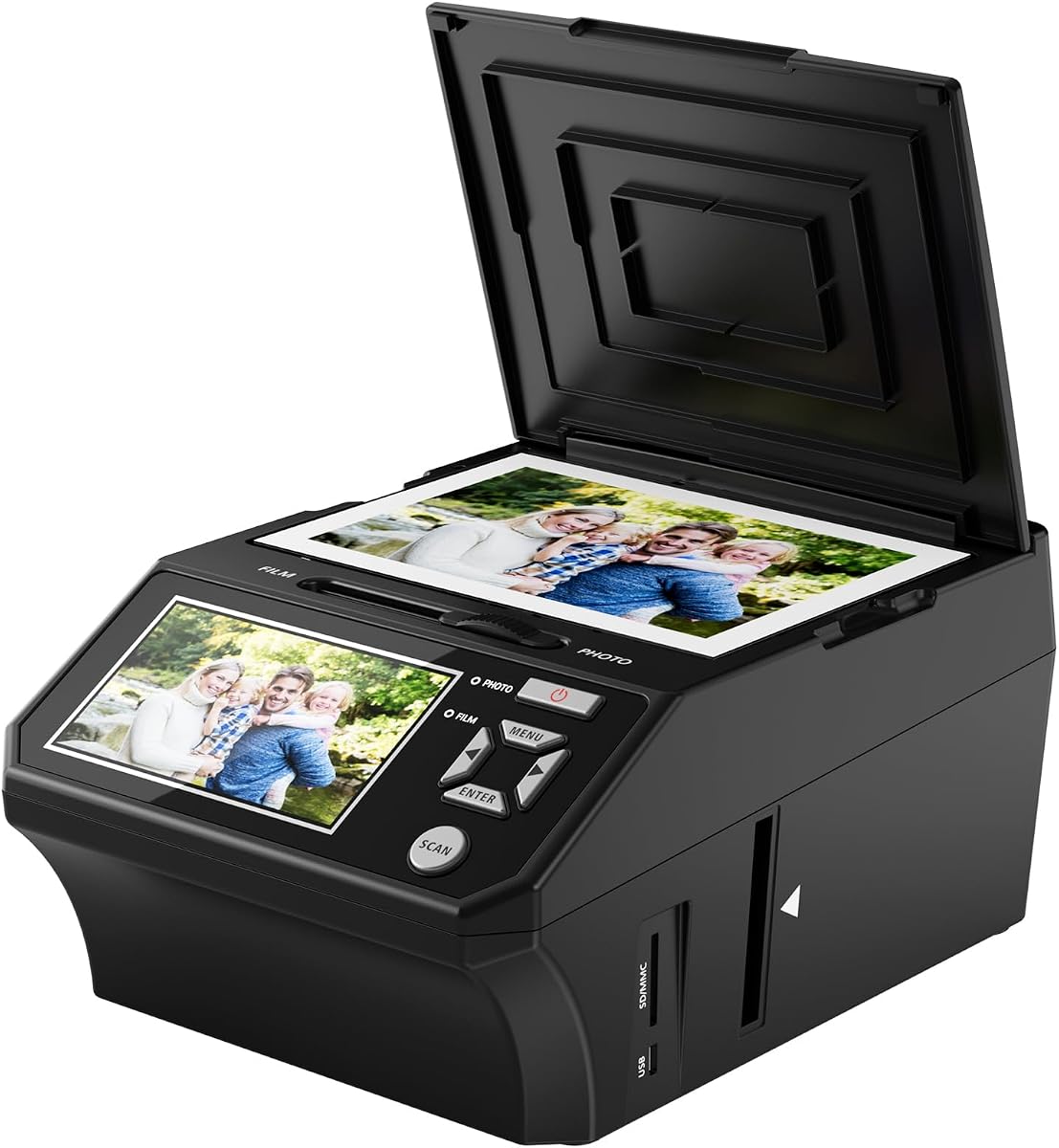
22MP Film & Slide Scanner with 5 LCD LCD
4.3Editor score
Affordable price point
5 inch large display
Includes full accessory kit
This guide compares the best 35mm slide scanners for digitizing old photos. We review features, image quality, and ease of use to help you choose.
Preserving memories from old film is essential today. A good 35mm slide scanner converts negatives and slides into digital files easily. Look for high resolution, simple controls, and reliable performance for best results.
We compared ten top models based on features, ease of use, and image quality. Each scanner offers unique benefits like large screens, direct SD saving, or touch interfaces. This list covers options for every budget and technical skill level.
Each pick shows key specs and real-world performance details. Prices change frequently so check current listings before buying. We aim to help you find the perfect scanner to digitize your family archive efficiently and affordably.
4.3Editor score

4.3Editor score

5.0Editor score
This table provides a quick side by side comparison of all ten scanners. Review key specs like screen size, resolution, and supported formats to find the right match for your needs quickly and efficiently.






The KODAK Slide N Scan offers a balanced mix of performance and ease of use. It earns high marks for its 5 inch LCD screen which lets you preview images instantly. The 22MP resolution captures fine details from old slides and negatives effectively.
We may earn a commission when you buy through this link, at no additional cost to you.
This scanner stands out for its intuitive workflow. You load the film tray press scan and save directly to an SD card. The editing tools let you adjust brightness and color without needing external software. This makes it ideal for seniors or non tech savvy users.
While it lacks some advanced features found in pricier models it delivers consistent results. The only downside is the need to buy an SD card separately. Overall the convenience and speed make it a top choice for digitizing family archives.
Buy this if you want a reliable standalone scanner that handles multiple formats easily. Its gallery mode even turns it into a picture frame for sharing memories. We recommend it for most households looking to preserve film collections.
The large LCD screen allows you to view scans immediately without connecting to a computer. Adjust brightness and color right on the device for better quality prints.
Works with 135 110 and 126mm films plus 50mm slides. Includes adapters and a cleaning brush to ensure every scan looks its best.
We may earn a commission when you buy through this link, at no additional cost to you.
This scanner proves you do not need to spend a lot to get good results. It comes with a full kit including cables and holders so you can start scanning right away. The 5 inch screen is bright and clear for easy viewing.
We may earn a commission when you buy through this link, at no additional cost to you.
The one touch scanning feature makes it very simple to use. You can adjust settings like date and time on the device itself. It supports a wide range of film types including Super 8 which is rare at this price point.
Image quality is solid for home archiving though it may not match professional scanners. The only minor issue is buying an SD card separately. For the price it offers excellent value and complete functionality for casual users.
Get this if you are on a tight budget but still want a complete solution. It handles the basics well and includes all necessary adapters. It is a great starter scanner for families beginning their digitization journey.
Everything from cables to film holders is in the box. This saves time and money since you do not need to buy extra accessories separately.
Handles 35mm 126 110 and Super 8 formats. This flexibility ensures you can digitize different types of old films with one device.
We may earn a commission when you buy through this link, at no additional cost to you.
The ClearScan T7 leads with its large 7 inch touch screen which simplifies navigation significantly. It is designed specifically to reduce confusion for first time users or seniors. The 24MP output ensures your digital copies are crisp and detailed.
We may earn a commission when you buy through this link, at no additional cost to you.
Having an SD card included in the box is a nice touch that saves immediate cost. The interface feels modern and responsive allowing quick adjustments before saving. It supports multiple film formats so you can digitize your entire collection with one device.
While it costs more than basic models the ease of use justifies the price. Some users might need time to adjust to a touch screen instead of buttons. However the clarity and speed make it a superior choice for quality preservation.
Choose this if you want the best user experience and highest resolution output. It is perfect for those who value simplicity and modern features. We highly recommend it for families prioritizing ease of use.
The 7 inch screen replaces confusing buttons with clear icons. This reduces mistakes and makes scanning faster and more enjoyable for everyone.
Includes a 16GB SD card so you can start scanning immediately. This convenience adds significant value to the premium purchase.
We may earn a commission when you buy through this link, at no additional cost to you.
Magnasonic delivers a powerful scanner with 24MP resolution for sharp digital photos. The 5 inch screen provides a clear view of your scans before saving. It supports up to 128GB SD cards giving you plenty of space for large collections.
We may earn a commission when you buy through this link, at no additional cost to you.
This model shines for its HDMI capability letting you view photos directly on a TV. It simplifies sharing memories with family during gatherings. The setup is straightforward with no driver installation needed on your computer.
The Super 8 compatibility is a strong bonus for those with vintage film. While the HDMI cable is not included the port adds significant utility. It balances performance and features well for a mid-range price.
Pick this if you want to display scanned photos on a big screen. It handles various formats well and offers high resolution. It is a great option for families who enjoy viewing photos together.
Connect directly to your television via HDMI for family viewing. This feature turns your scanner into a sharing tool for memories.
Supports SD cards up to 128GB for massive archives. You won't run out of space when digitizing years of photos.
We may earn a commission when you buy through this link, at no additional cost to you.
The Max version focuses on efficiency with a smooth moving tray that feeds film automatically. This reduces manual handling and speeds up the digitization process significantly. The 42MP interpolated output captures exceptional detail from old slides.
We may earn a commission when you buy through this link, at no additional cost to you.
It supports a wide range of film formats including 110 and 126mm easily. The single touch editing simplifies adjustments for brightness and color. You can save directly to an SD card without needing a computer at all.
While the resolution is high it relies on interpolation which is standard for this category. The tray design is a major upgrade for users with many rolls to process. It balances speed and quality well for home use.
Buy this if you have a large volume of film to digitize quickly. The automated tray saves time and reduces fatigue during scanning. It is a practical choice for serious hobbyists.
The moving tray loads film automatically for continuous scanning. This saves effort when processing many rolls of film at once.
The 42MP interpolated resolution ensures every detail is preserved. Your digital files will be crisp enough for large prints.
We may earn a commission when you buy through this link, at no additional cost to you.
This model is unique because it scans printed photos up to 5R size besides film. It makes it a true all in one solution for old memories. The 5 inch HD screen ensures clear previews of every scanned item.
We may earn a commission when you buy through this link, at no additional cost to you.
It comes with an 8GB SD card so you can use it right away. The 3 year warranty provides peace of mind for long term use. The interface is designed to be completely standalone without needing a computer.
The ability to scan printed photos adds significant value for mixed collections. It is very fast and efficient for decluttering a photo box quickly. The only limitation is that it cannot handle larger prints beyond 5R.
Choose this if you have both slides and printed photos to digitize. It simplifies your workflow by handling multiple types in one device. It is highly recommended for general home archiving.
Handles 35mm slides and printed photos like 3R or 4R. This removes the need for separate devices for different photo types.
A 3 year warranty covers the device for extended use. This reflects confidence in the build quality and longevity.
We may earn a commission when you buy through this link, at no additional cost to you.
HP brings a modern touch interface to the scanning world with this model. The 7 inch screen makes navigating menus intuitive for all users. It supports batch scanning which helps when you have many negatives to process.
We may earn a commission when you buy through this link, at no additional cost to you.
You can edit and crop images directly on the screen without software. This convenience saves time and simplifies the workflow. It supports both USB and HDMI so you can transfer or display photos easily.
While the resolution is lower than some competitors the touch ease makes up for it. The batch tray is efficient for handling mixed collections quickly. It is a solid option for those who prioritize user experience.
Get this if you want a sleek interface and reliable performance. It is designed to be comfortable for beginners. We recommend it for users who value modern design features.
The quick feed tray allows you to scan multiple slides rapidly. This saves time when digitizing large collections efficiently.
Crop and adjust images directly on the 7 inch screen. You do not need a computer to finalize your scans.
We may earn a commission when you buy through this link, at no additional cost to you.
This HP model stands out for its modern USB-C connectivity which is convenient for many users. The 5 inch touch screen allows easy previewing and editing on the go. It offers 22MP interpolation for sharp digital files from old negatives.
We may earn a commission when you buy through this link, at no additional cost to you.
The gallery mode transforms the device into a picture frame for viewing memories. You can save directly to an SD card without needing a computer. It is lightweight and portable making it easy to carry around the house.
The USB-C power is a nice upgrade over older micro USB ports. While it does not include an adapter it works well with standard chargers. It is a great fit for modern setups wanting simplicity.
Pick this if you want a compact scanner with modern charging. The touch screen is responsive and easy to use. It is suitable for casual users wanting reliable results.
Powered via USB-C for compatibility with modern adapters. This reduces cable clutter and simplifies charging or power.
Use gallery mode to display scanned photos on the screen. This keeps your memories visible even when not scanning.
We may earn a commission when you buy through this link, at no additional cost to you.
The SCANZA is a robust model known for supporting older 8mm film formats. It is one of the few devices that handles this niche format well. The 3.5 inch screen tilts for comfortable viewing during setup.
We may earn a commission when you buy through this link, at no additional cost to you.
It comes with multiple adapters for different film types making it versatile. The included cleaning brush helps maintain quality by removing dust. You can adjust RGB and resolution directly on the device easily.
While the screen is smaller the utility for 8mm film is unmatched. It is a solid choice for those with vintage movie collections to preserve. The controls are simple and straightforward for basic use.
Buy this if you have 8mm or Super 8 film to digitize. It offers specialized support not found in standard scanners. It is a niche but valuable tool for collectors.
Handles 8mm and Super 8 film along with standard slides. This makes it ideal for preserving unique home movie collections.
Includes a brush to clean the light box and film. This helps ensure scans are free from dust marks and speckles.
We may earn a commission when you buy through this link, at no additional cost to you.
This is a compact portable option designed for easy transport. It fits easily in a bag making it ideal for travel or different rooms. The 2.4 inch screen allows instant previews without needing a monitor.
We may earn a commission when you buy through this link, at no additional cost to you.
It supports batch scanning for 135 film which speeds up the process. The plug and play design means no software installation is ever required. It works well for simple digitization tasks on the go.
The screen is small so you might prefer using a TV for better viewing. It is a great budget option for those who just need basic functionality. It keeps things simple for casual use without complications.
Choose this if portability is your main priority. It is affordable and does the job for basic scanning needs. It is a good tool for quick transfers.
Small and lightweight enough to carry anywhere easily. Perfect for scanning in different locations without power outlets.
No software needed so you just plug and play. This makes it accessible for any age group or skill level.
We may earn a commission when you buy through this link, at no additional cost to you.
Choosing the right scanner depends on your needs and budget. Here are key factors to consider before making a purchase.
Higher resolution ensures your scans look sharp and detailed. Look for at least 20MP to capture fine details from old film.
Prioritize higher MP for better quality in the output.
A larger LCD screen makes it easier to preview and edit images. Screens of 5 inches or more are recommended for comfort.
Bigger screens improve visibility and reduce eye strain.
Check which formats the scanner supports like 35mm 110 or 126mm. Some models also handle slides or printed photos separately.
Ensure the device covers all film types you own.
Look for simple controls like one touch scanning for beginners. On device editing tools save time without needing a computer.
Choose intuitive interfaces to simplify the workflow.
Most scanners save to SD cards so check the maximum supported size. Some come with included cards which adds immediate value.
Ensure compatibility with large capacity storage needs.
USB and HDMI ports allow transfer to computers or TV displays. Modern models may use USB-C for faster charging options.
Pick connectivity that matches your current devices.
A longer warranty period indicates trust in the device quality. Look for reliable brands that offer support for repairs.
Warranty coverage protects your investment over time.
Price often reflects feature depth but budget models work well for basics. Compare included accessories to see where value truly lies.
Balance cost with essential features you actually need.
To start place your film on the included adapter tray carefully. Align the edges so the scanner captures the image correctly.
Press the scan button and wait for the device to process the image. You can view the result on the screen immediately.
Clean the light box regularly with a soft brush to remove dust. Keep the covers closed when not in use to avoid debris.
Most modern 35mm slide scanners work independently without a computer. You can save directly to an SD card and edit images on the device.
Almost all standard slide scanners save files as JPEG images. This format is universally compatible for sharing or printing.
Light scratches might be reduced with software tools but heavy damage is hard to fix. Always clean film before scanning for best results.
A 16GB card can store thousands of photos depending on resolution. Larger cards are useful for extensive digitization projects.
HDMI allows viewing photos on a TV which is convenient for sharing. It is not essential if you prefer transferring to a computer.
Yes many models feature large buttons and simple interfaces. Touch screens also help reduce confusion during setup.
The KODAK Slide N Scan offers the best balance for most users today. It combines ease of use with solid performance for home archiving.
For those on a budget the 22MP Film Scanner provides excellent value. It includes essential accessories so you can start immediately.
Always check current listings for price changes before buying. Technology advances quickly so features may improve over time.