
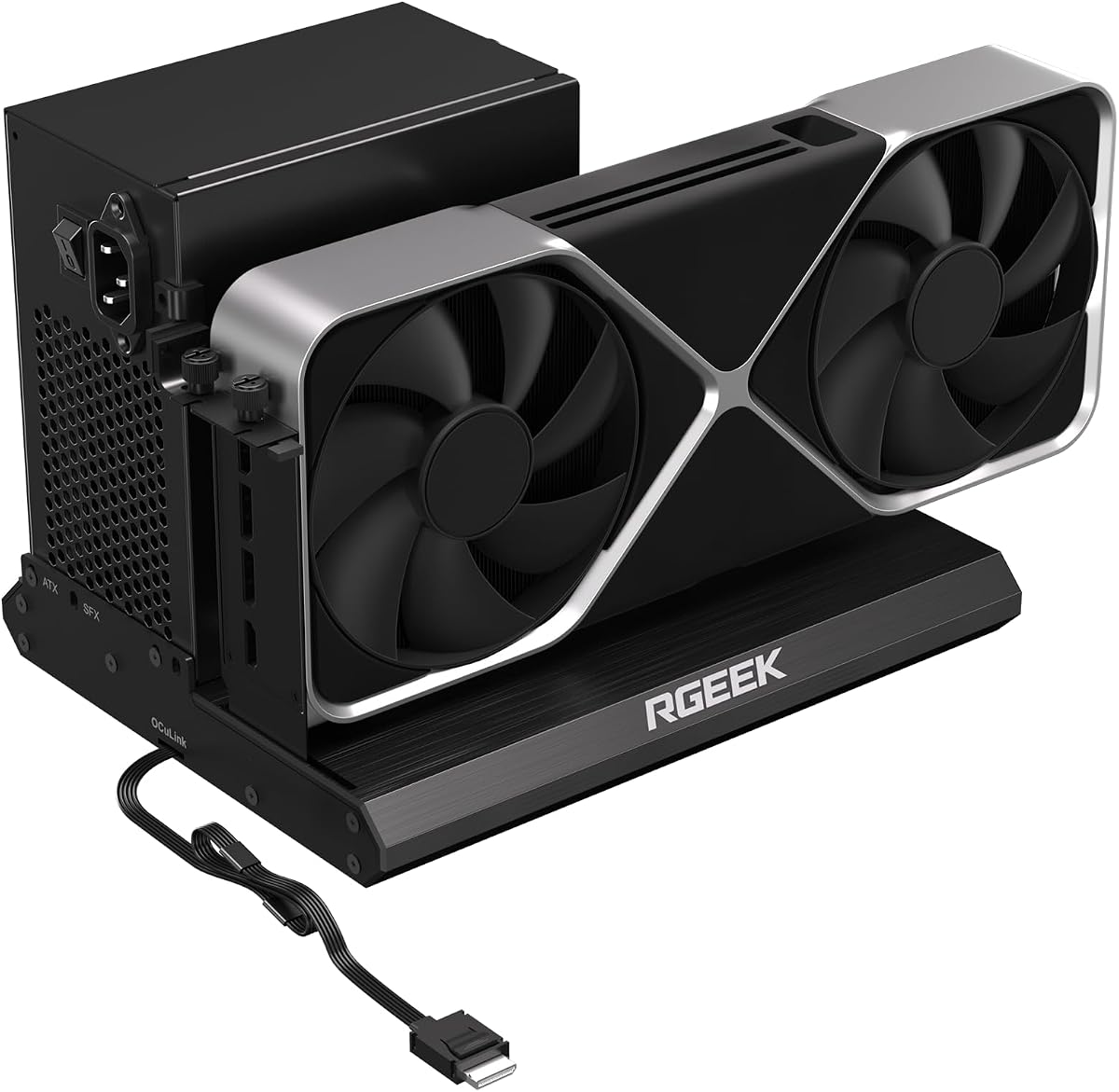
MINISFORUM DEG1 Docking Station
4.5Editor score
Compact Portable Design
OCuLink 4i Interface
ATX SFX Power Compatible
This guide compares the top ten Egpu Docks available in October 2026 to help you find the best external GPU enclosure for your laptop or mini PC setup.
External GPU docks have become essential for users who need desktop-level power in a portable form factor. These devices allow laptops and mini PCs to connect to full-size graphics cards, dramatically boosting performance for gaming, rendering, and AI tasks.
We evaluated ten leading Egpu Docks based on connectivity options, power compatibility, build quality, and real-world performance potential. Our analysis covers Thunderbolt, USB4, and OCuLink interfaces to ensure you find a solution that matches your specific hardware needs.
Each pick highlights unique strengths like dual mode support, storage integration, or compact designs. Please note that product availability and pricing can change frequently, so verify details on the manufacturer page before making your final purchase decision.
4.5Editor score

4.4Editor score

4.8Editor score
The following table provides a side-by-side comparison of all ten selected Egpu Docks to help you quickly identify the right model for your workflow and hardware requirements.


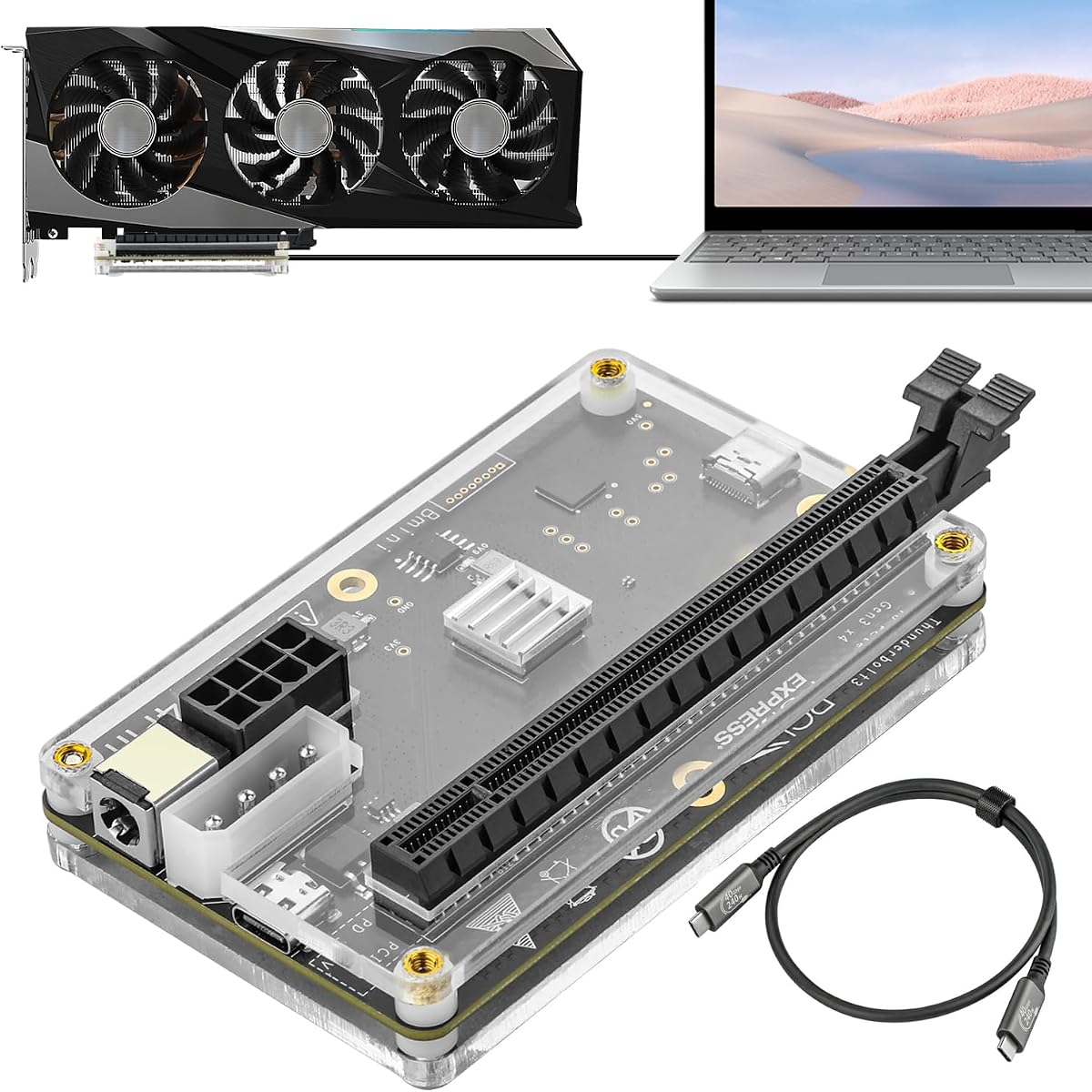


This dock stands out as a top choice for users needing versatile high-speed connectivity. It combines USB4 V2 and OCuLink interfaces to maximize performance across different host devices.
We may earn a commission when you buy through this link, at no additional cost to you.
The integrated M.2 NVMe slot is a unique feature that allows storage expansion directly on the dock. This reduces file transfer times when moving between host machines.
While powerful, users must ensure they have compatible power supplies and cables. The specific requirements mean careful planning is needed before installation.
Ideal for power users and professionals, this model offers a robust solution for demanding creative and gaming workloads.
Switch between TB5 and OCuLink instantly to optimize bandwidth based on your current task needs.
Keep AI models and project files locally on the dock for faster access during intensive GPU tasks.
We may earn a commission when you buy through this link, at no additional cost to you.
This model is praised for its ability to support both OCuLink and USB4 V2 protocols seamlessly. It offers a rich set of ports for various peripheral connections.
We may earn a commission when you buy through this link, at no additional cost to you.
The physical toggle switch makes changing modes easy without software configuration. This simplicity is a major plus for workflow efficiency.
Some users find the variety of ports slightly complex to manage initially. Proper documentation is recommended to utilize all features effectively.
Recommended for users who need flexible connectivity options across multiple devices without compromise.
Change connection modes instantly with a simple hardware toggle for optimal performance.
The dock powers on automatically with your host device for a true plug-and-play experience.
We may earn a commission when you buy through this link, at no additional cost to you.
Razer delivers a premium enclosure designed for stability and performance. It supports modern Thunderbolt 5 connections for top-tier bandwidth.
We may earn a commission when you buy through this link, at no additional cost to you.
The steel chassis and active cooling ensure thermal management under heavy loads. This is crucial for long rendering sessions or gaming marathons.
The cost is higher than many competitors, which might be a barrier for budget-focused buyers. However, the build quality justifies the investment for many.
Perfect for those seeking a high-end, durable solution for professional creative workflows.
A built-in 120 mm fan ramps up during heavy loads to maintain consistent performance.
140W PD via USB C ensures your laptop stays charged during extended usage.
We may earn a commission when you buy through this link, at no additional cost to you.
This dock is ideal for users who prioritize portability and performance. Its tiny footprint fits easily into any backpack.
We may earn a commission when you buy through this link, at no additional cost to you.
It uses the OCuLink interface to deliver high bandwidth without Thunderbolt limitations. This makes it a favorite for gaming on the go.
The lack of extra USB ports limits peripheral expansion. Users may need a separate hub for additional devices.
An excellent budget-friendly choice for travelers and students needing a powerful GPU boost.
Weighing little and measuring only 14 cm in length, it travels with ease.
Leverages PCIe 4.0 x4 for efficient data transfer and gaming.
We may earn a commission when you buy through this link, at no additional cost to you.
This enclosure offers essential eGPU functionality at a very competitive price. It supports most standard graphics cards without issues.
We may earn a commission when you buy through this link, at no additional cost to you.
The gold plated contacts ensure reliable connection over time. This detail helps prevent oxidation and signal loss.
The design is basic, lacking advanced features like storage or extra ports. It is strictly for GPU expansion.
A great entry-level option for those who want to upgrade their graphics power cheaply.
Gold plating ensures superior conductivity and reduces system crash risks.
Works with various GPU sizes including high-end models like RTX 4090.
We may earn a commission when you buy through this link, at no additional cost to you.
This model positions itself for the future with PCIe 5.0 compatibility. It supports up to 128Gbps bandwidth if your host can match it.
We may earn a commission when you buy through this link, at no additional cost to you.
The aluminum body helps dissipate heat effectively. This ensures stability during long gaming or computing sessions.
Current hosts may not fully utilize the PCIe 5.0 speed. Users should check host compatibility before buying.
A forward-looking choice for enthusiasts who want to prepare for upcoming hardware generations.
Backward compatible with 4.0 but ready for 5.0 speeds on supported hosts.
Factory soldered cables and aluminum body ensure long-term reliability.
We may earn a commission when you buy through this link, at no additional cost to you.
This dock offers a unique blend of OCuLink and USB4 for versatile performance. It supports a wide range of GPUs without major issues.
We may earn a commission when you buy through this link, at no additional cost to you.
The semi-open chassis provides excellent cooling and quiet operation. This makes it suitable for office environments.
The higher cost might deter some users. However, the build quality and features justify the expense for power users.
Ideal for professionals who need both performance and a polished, organized desk setup.
Choose between OCuLink for speed or USB4 for compatibility easily.
Integrated cable storage keeps your workspace clean and organized.
We may earn a commission when you buy through this link, at no additional cost to you.
This dock focuses on essential functionality and flexible power inputs. It works with Thunderbolt 3/4 and USB4 devices.
We may earn a commission when you buy through this link, at no additional cost to you.
While bandwidth is lower than newer models, it remains sufficient for many creative tasks. It offers a cost-effective solution.
Power users needing maximum FPS might find the speed limiting. It is better for lighter workloads.
A solid choice for those with older laptops or limited budgets.
Choose from CPU, Molex, or PD power inputs for your setup needs.
JHL6340 controller ensures better stability across Win10 and Win11.
We may earn a commission when you buy through this link, at no additional cost to you.
This unit emphasizes workflow optimization with storage and mode switching. It aims to streamline tasks for professionals.
We may earn a commission when you buy through this link, at no additional cost to you.
While features are strong, some users report minor compatibility hiccups. Checking device lists before buying is crucial.
The price is higher than similar models, but features may justify it. Consider your specific needs carefully.
Suitable for users who value integrated storage and dual-mode flexibility.
Store assets locally to avoid file transfer delays during creative work.
Engineered to minimize signal drops across diverse cables and hosts.
We may earn a commission when you buy through this link, at no additional cost to you.
This dock acts as a hub and GPU dock combined. It supports Thunderbolt 3 and 4 with useful peripheral ports.
We may earn a commission when you buy through this link, at no additional cost to you.
It provides decent charging power and data transfer. Good for light gaming and general productivity.
Heavy users may find the bandwidth limiting. It is best for mixed-use scenarios.
A practical option for users needing multiple ports alongside graphics expansion.
Use extra ports for peripherals without cluttering your laptop connections.
Charges your laptop efficiently while driving external graphics tasks.
We may earn a commission when you buy through this link, at no additional cost to you.
Selecting the right dock depends on your device compatibility, performance needs, and budget. This guide covers critical factors to help you make an informed choice.
The connection interface determines speed and compatibility. Thunderbolt 5 offers up to 80Gbps but requires specific hardware. OCuLink provides similar speed with better efficiency and fewer protocol overheads.
Check your laptop or mini PC ports before buying. Ensure the dock matches your available interface for optimal performance.
Most docks require external power supplies. Verify if the dock supports ATX, SFX, or other standards. A flexible PSU option allows easier upgrades and maintenance.
Always factor in the cost of a compatible PSU. Some docks exclude it entirely, adding to the total setup cost.
Not all GPUs fit in all enclosures. Measure your graphics card length and slot width before purchasing. Some docks support up to 4 slots wide, others are more restrictive.
Choose a dock with ample clearance for airflow. Oversized GPUs may need specific models designed for larger footprints.
GPU performance depends on cooling. Docks with active fans or vented designs prevent thermal throttling. This is crucial for sustained workloads like rendering.
Prioritize models with adjustable fan curves. Good thermal design ensures stability under load.
Bandwidth impacts real-world performance. Aim for docks supporting PCIe 4.0 or higher. Speeds below 64Gbps may limit GPU potential significantly.
Higher speeds allow smoother 4K gaming and faster data transfers. Match speed to your workload demands.
Some docks include extra USB, LAN, or M.2 slots. These add value by reducing cable clutter and expanding storage options.
Consider if you need these features. Integrated storage or LAN can simplify your desktop setup.
Materials like aluminum or steel improve durability and heat dissipation. Look for sturdy chassis designs that protect internal components.
Solid construction ensures longevity. Avoid cheap plastic cases for heavy usage.
Cost varies widely from budget to premium. Balance features against your budget. Higher prices often bring better build quality and features.
Invest in quality where it matters. A good dock protects your GPU investment.
Connect the dock to your host device using the correct cable. Ensure the connection is secure before powering on any component to avoid data loss.
Install necessary drivers before connecting the GPU. This ensures the system recognizes the external hardware properly without errors.
Keep the dock clean and well-ventilated to prevent overheating. Dust buildup can block airflow and lead to thermal throttling over time.
Yes, most docks require a separate power supply. Check if it supports ATX, SFX, or other standards. Ensure the wattage meets your GPU requirements for stable performance.
No, your laptop must support Thunderbolt 3/4 or USB4. Some laptops with USB-C may not have the necessary bandwidth. Check your device specifications before purchasing.
Many docks do not support hot plugging for safety. Always shut down your system before connecting or disconnecting the dock to prevent hardware damage.
OCuLink offers higher bandwidth efficiency and fewer protocol overheads compared to Thunderbolt. Thunderbolt provides wider compatibility and charging features, while OCuLink focuses on raw GPU performance.
Many newer Macs with Apple Silicon do not support external GPUs. Check compatibility lists carefully as support is often limited to Intel-based Macs.
Measure the length and width of your GPU. Compare these to the dock's specifications. Look for clearance for airflow and connector access.
At least PCIe 4.0 x4 bandwidth or equivalent is recommended. Higher speeds ensure smooth frame rates and reduce latency during gameplay.
Some docks include extra USB ports and LAN. These allow you to connect keyboards, drives, or monitors directly to the dock.
We have reviewed ten top eGPU docks covering diverse needs from budget-friendly to premium models. Each option offers unique strengths to suit different workflows and device types.
Prioritize interface compatibility and power requirements first to ensure a smooth setup. Consider peripheral ports and thermal management to support long-term usage and stability.
Always check current prices and product availability before finalizing your purchase. Product specs may change, so verifying details helps you secure the best deal available.