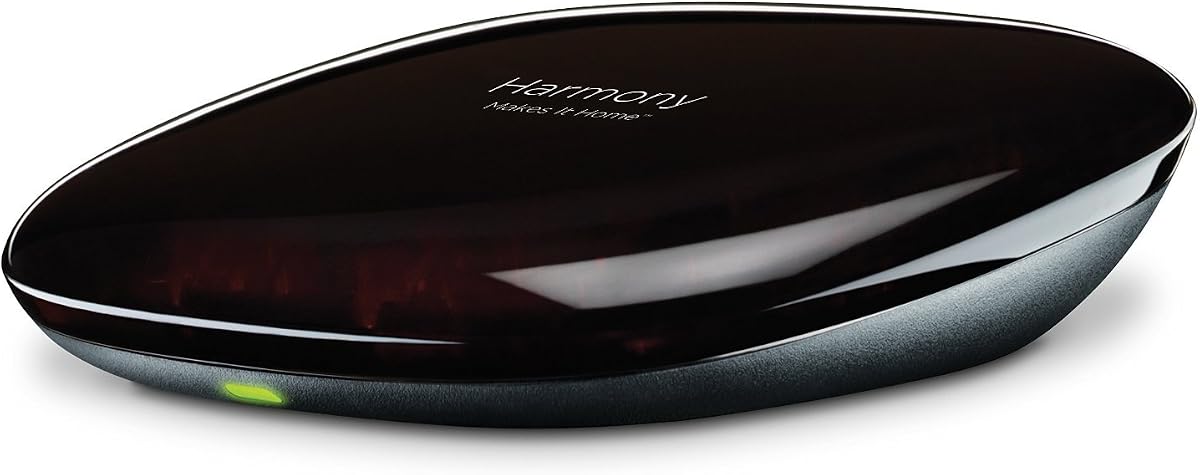
Logitech Harmony Home Hub
3.9Editor score
Voice control with Alexa
Smartphone app integration
Closed cabinet control
Compare the top Logitech Harmony Home Hub models to find the best universal remote control system for your entertainment and smart home devices today.
Choosing the right universal remote control can transform how you interact with your home entertainment system. The Logitech Harmony Home Hub series offers powerful automation and seamless device integration for modern living rooms.
We have evaluated ten distinct models based on their compatibility, control range, app functionality, and overall user experience. This guide helps you understand which hub fits your specific setup and automation needs.
Each pick highlights key features, pros, and cons to simplify your decision process. Please note that product availability and pricing may vary over time, so check current listings before purchasing.
3.9Editor score

3.7Editor score

3.8Editor score
This side-by-side comparison highlights the core specifications and unique capabilities of each Logitech Harmony Home Hub model to help you identify the best fit.
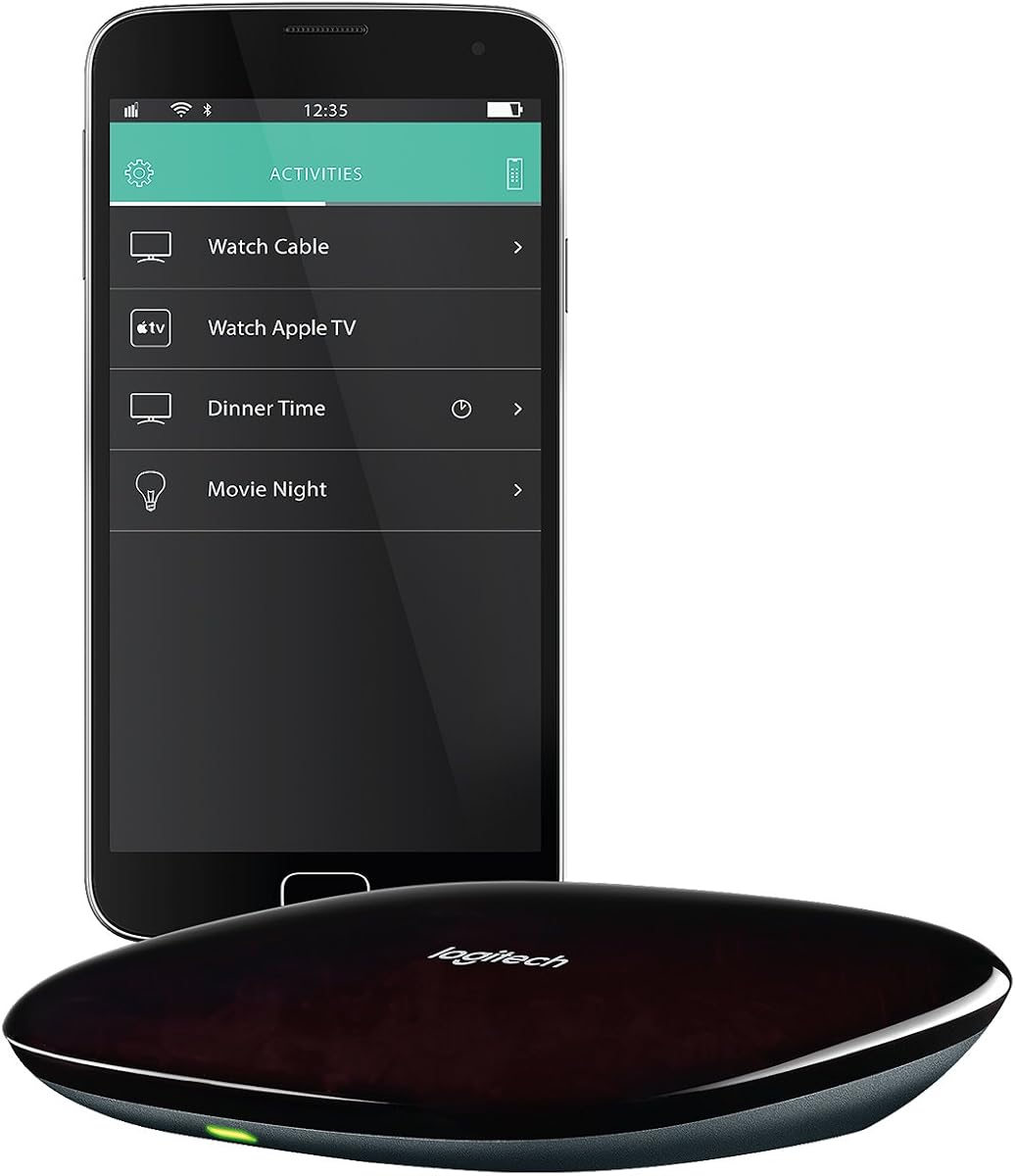


This renewed hub offers a cost-effective entry point into the Harmony ecosystem with a strong rating from verified buyers. It supports voice commands and integrates seamlessly with your smartphone for daily control tasks.
We may earn a commission when you buy through this link, at no additional cost to you.
The device allows you to combine up to eight remotes and countless apps into a single easy-to-use smartphone application. You can create customized activities to control your home entertainment system efficiently.
While it lacks the premium physical remote of higher models, the app functionality compensates well for most users. The closed cabinet control ensures devices behind doors remain accessible via IR mini-blaster technology.
If you are looking for an affordable way to automate your entertainment setup without spending heavily on new hardware, this renewed hub is a solid choice to consider.
Compatible with Alexa to easily control your home entertainment devices with your voice commands for hands-free operation.
Create customized activities like Date Night to automatically dim lights and launch streaming apps with a single tap.
We may earn a commission when you buy through this link, at no additional cost to you.
The Harmony Elite stands out as the most powerful and user-friendly option available in the current market. It combines a physical remote, hub, and app to provide ultimate control over your entertainment and connected home devices.
We may earn a commission when you buy through this link, at no additional cost to you.
Its interactive full-color touchscreen allows effortless management through simple swipes and taps. You can adjust channels, volume, and settings for up to 50 favorite channels including Philips Hue light compatibility.
One-touch Activities features let you initiate tasks like watching a movie with a single touch. This powers on devices and adjusts them to ideal settings automatically for a streamlined experience.
For users who want centralized control and advanced automation features, this model offers the best balance of performance and convenience despite the higher investment.
Manage your entertainment and smart home devices effortlessly with simple swipes and taps on the interactive full-color touchscreen.
Works with over 270,000 devices including your TV, satellite box, Apple TV, Roku, and connected lights or thermostats.
We may earn a commission when you buy through this link, at no additional cost to you.
This premium remote offers a classic high-end experience with a robust 3.5-inch full-color touch screen. It supports RF wireless capability which allows control even when devices are hidden or behind obstacles.
We may earn a commission when you buy through this link, at no additional cost to you.
The remote features one-touch activity-based controls that simplify complex setups. You can customize commands, icons, and screens to match your personal preferences and usage patterns.
A rechargeable battery comes complete with a charging stand ensuring the device is always ready when you need it. Support spans 5,000 brands and 225,000 devices for broad compatibility.
Despite the high price tag, the build quality and wireless reliability make it a compelling choice for users who prioritize premium hardware over cost.
Use RF wireless capability to control devices hidden behind cabinets or walls without needing direct line of sight.
Customize commands, icons, and screens to create a personalized control interface that fits your specific needs.
We may earn a commission when you buy through this link, at no additional cost to you.
The Harmony Smart Control emphasizes mobile interaction by allowing you to use your smartphone as the primary control interface. It includes an app that supports swipe and tap controls for easy navigation.
We may earn a commission when you buy through this link, at no additional cost to you.
This model controls up to eight devices including game consoles hidden behind cabinet doors. The included Harmony Hub extends control to devices that are not visible in your main room.
It is future-proof for various devices like Apple TV, Roku, and Philips Hue. The smartphone app works with iOS and Android making it versatile for most users.
If you prefer managing your home entertainment via your phone rather than a dedicated remote, this system offers a flexible and modern approach to control.
Use your smartphone or the included Harmony Remote to control your entertainment devices with intuitive app features.
Included Harmony Hub lets you control devices hidden behind cabinet doors or walls including game consoles.
We may earn a commission when you buy through this link, at no additional cost to you.
This hub is specifically designed for users with devices hidden behind closed cabinet doors. It turns your iOS or Android smartphone into a powerful universal remote using simple touch gestures.
We may earn a commission when you buy through this link, at no additional cost to you.
The Hub works with an IR mini-blaster to control devices sitting behind doors. You can access internet services like Netflix and YouTube on various streaming devices seamlessly.
It supports over 225,000 devices including TVs and cable boxes. The interface allows you to select favorite channels and movies directly on your phone screen.
For home theater enthusiasts who need to control hidden hardware without opening cabinets, this hub provides a practical and effective solution.
Turn your iOS or Android smartphone or tablet into a powerful universal remote for centralized control.
Access Internet services like Netflix and YouTube on your Apple TV, Roku, Amazon Fire TV, and more.
We may earn a commission when you buy through this link, at no additional cost to you.
This renewed remote focuses on the Ultimate Home experience with a touchscreen interface for direct control. It brings back the legacy of Harmony remotes in a cost-effective renewed format.
We may earn a commission when you buy through this link, at no additional cost to you.
While it lacks newer smart home features, it delivers solid control for standard entertainment devices. The black finish fits well in modern living room setups.
The device allows you to manage channels and settings without needing additional hardware. Its renewed status offers savings compared to buying new models.
If you need a dedicated physical touchscreen remote and are comfortable with older generation specs, this option provides good value for your setup.
Ultimate Home Touch Screen Remote Control in Black provides intuitive navigation for your entertainment system.
We may earn a commission when you buy through this link, at no additional cost to you.
This renewed Elite model delivers the full power of the Harmony ecosystem at a lower price point. It supports Alexa for voice control and includes a full color touchscreen for navigation.
We may earn a commission when you buy through this link, at no additional cost to you.
You can touch an Activity like Watch a Movie to automatically power on and switch devices to the right settings. This automation streamlines your viewing experience significantly.
The Harmony app turns your iOS or Android smartphone into a personal universal remote. It works with over 270,000 devices for broad compatibility.
For users seeking premium features without paying full retail price, this renewed option offers a practical way to get advanced automation capabilities.
The most powerful and intuitive Harmony remote works with Alexa for voice control of up to 15 devices.
We may earn a commission when you buy through this link, at no additional cost to you.
This complete kit includes the hub, remote, and smartphone app for controlling home entertainment devices. It ensures you have all components necessary for a full Harmony experience.
We may earn a commission when you buy through this link, at no additional cost to you.
The system integrates seamlessly with existing home setups. Users report good ratings due to the comprehensive nature of the package provided.
Smart home readiness means you can connect lights, locks, and sensors alongside your entertainment devices. The app provides centralized control for everything.
If you need a complete set out of the box without buying separate hubs or remotes, this kit is an efficient choice for automation.
The Logitech Harmony Elite universal remote control kit includes the hub, remote and smartphone app for controlling home entertainment devices.
We may earn a commission when you buy through this link, at no additional cost to you.
This model focuses on the remote itself with full color touch screen capabilities. It controls up to 15 home entertainment and connected home devices efficiently.
We may earn a commission when you buy through this link, at no additional cost to you.
Simply swipe and tap to control channels, movies, volume, and 50 favorite channels. The device supports lights, locks, and sensors for expanded functionality.
One-touch activities help you manage tasks easily. This streamlined interface reduces the need to hunt for physical buttons on multiple remotes.
For those who primarily need the remote interface and already have a hub, this specific model provides a reliable replacement or upgrade option.
The most powerful and intuitive Harmony remote: all-in-one control of up to 15 Home entertainment and connected home devices.
We may earn a commission when you buy through this link, at no additional cost to you.
This original hub model allows control of up to eight home entertainment devices through a centralized unit. It is a discontinued product but still functional for many users.
We may earn a commission when you buy through this link, at no additional cost to you.
The hub serves as the core of the Harmony ecosystem, enabling app-based control. It handles signal translation between your device and various entertainment equipment.
While manufacturer support has ceased, community resources and existing devices can still use this hub effectively. It remains a functional choice for basic automation needs.
If you are looking for a simple way to start your Harmony system without advanced physical remotes, this hub offers the essential connectivity.
Discontinued by Manufacturer but still capable of controlling up to 8 home entertainment devices.
We may earn a commission when you buy through this link, at no additional cost to you.
Selecting the right Logitech Harmony Home Hub depends on several key factors ranging from device count to smart home integration.
Check how many devices the hub can control simultaneously. Most models support between 8 to 15 devices, including TVs, consoles, and smart lights.
Ensure the hub supports the specific brands and models you own to avoid pairing issues.
Evaluate the quality of the smartphone app and how well it syncs with the hub. A responsive app makes daily control much easier.
Choose a model that offers both app and physical remote options for flexibility.
If your devices are hidden behind doors, ensure the hub supports closed cabinet control via IR mini-blaster technology.
This feature is essential for maintaining a clean living room aesthetic without losing functionality.
Look for hubs that integrate with smart home ecosystems like Alexa or Philips Hue. Voice control adds significant convenience to your routine.
Verify that the hub supports the automation protocols you use for lights and thermostats.
Models with full-color touchscreens allow for more intuitive navigation and activity selection compared to button-only remotes.
Consider if the touchscreen responsiveness and interface match your preference for daily use.
Renewed models offer cost savings but may have variable battery life or cosmetic wear. Check seller ratings and return policies before purchasing.
If reliability is a priority, purchasing a new unit might be worth the extra investment.
Some hubs require extensive configuration to map all devices and activities. Ensure you are comfortable with the initial setup process.
Simpler hubs may have fewer features but are quicker to get running if you are not tech savvy.
Compare the price against the features included. Higher-end models offer more devices and better remotes but may cost significantly more.
Select a model that balances your specific needs with what you are willing to spend.
Begin by connecting the hub to your Wi-Fi network and downloading the Harmony app on your smartphone. This allows the app to communicate with the hub for setup and daily control.
Follow the on-screen instructions to add your devices. The app will guide you through selecting device types and testing signals to ensure they are responding correctly.
To maintain the hub, keep it in a well-ventilated area away from direct sunlight. Periodically check for firmware updates to ensure optimal performance and compatibility.
The Hub supports over 270,000 devices including TVs, cable boxes, Apple TV, Roku, and game consoles. It also integrates with smart home products like lights and locks.
Yes, you can transform your smartphone into a comprehensive universal remote using the Harmony app. This allows you to control your entire home entertainment system digitally.
Discontinued models like the original Hub still function but may not receive firmware updates. You can rely on existing infrastructure and community support for troubleshooting.
Closed cabinet control uses an IR mini-blaster to send signals through cabinet doors. This lets you control devices hidden from view without opening the cabinet.
Not all models support voice control natively. The Elite and newer Home Hub versions work with Alexa for convenient voice commands and integration.
Activities combine multiple device actions into one command like Watch Movie. You can set these up in the app to power on devices and adjust settings simultaneously.
Harmony offers seamless automation and unified control for hundreds of devices. It simplifies complex setups through activities and advanced app integration.
Firmware updates are delivered through the Harmony app when connected to the hub. Keep your app updated to ensure compatibility with new device types.
The top picks like the Elite and Home Hub offer the best balance of features and usability. They cover most needs from basic control to advanced smart home automation.
Prioritize models that fit your device count and preferred control method. Whether you prefer a touchscreen or app, there is a Harmony hub designed for your setup.
Always check current listings for availability and pricing. Renewed options can save money but verify their condition and functionality before committing to a purchase.