
K7 Total Security Antivirus
4.2Editor score
Affordable single user license
Blocks unauthorized webcam access
Protects files from ransomware
This guide compares the top laptop protection software options available in October 2026 to help you secure your devices against viruses, scams, and identity
In today's digital landscape, securing your laptop is more critical than ever before. Laptop protection software provides essential layers of defense against evolving cyber threats including malware, ransomware, and phishing attacks that target personal data and financial information daily.
We have evaluated ten leading solutions based on threat detection capabilities, device coverage, privacy tools, and user experience. Each product was selected for its reputation, feature set, and ability to deliver comprehensive security across multiple platforms including Windows and macOS systems.
Every selection below highlights key strengths and considerations to help you match the right tool to your needs. Note that pricing and promotional offers change frequently so always verify current terms before completing your purchase decision online.
4.2Editor score

4.2Editor score

4.3Editor score
The following table offers a side-by-side view of key specifications and features across all ten selected products so you can quickly identify which option aligns with your security requirements and device ecosystem.



This solution delivers robust protection for up to five devices with a focus on keeping personal information safe from identity theft and scams. It holds a solid rating among users who value all-in-one security suites that handle everything from antivirus to secure connections automatically.
We may earn a commission when you buy through this link, at no additional cost to you.
Key strengths include automatic detection of suspicious links and risky sites before they reach you. The identity monitoring component watches for exposed personal data and guides you on next steps. Secure connections protect your info every time you connect to public Wi-Fi networks without requiring manual intervention.
Some users report that the software can be resource intensive during full scans and the auto renewal terms require attention to avoid unexpected charges. These trade-offs are generally acceptable given the breadth of protection and the ease of guided action alerts that simplify complex security tasks.
It is ideal for households needing coverage across multiple laptops and phones who want a single dashboard for security management. If you prioritize identity protection alongside traditional antivirus capabilities this remains a top recommendation for consistent reliable performance.
The identity monitoring tools scan for your personal data online and alert you if it appears on compromised sites so you can act quickly to secure your accounts.
Public Wi-Fi networks often lack proper encryption and this feature automatically secures your traffic when connecting to ensure your browsing remains private and safe from interception.
We may earn a commission when you buy through this link, at no additional cost to you.
This package focuses on core security essentials with the added benefit of unlimited VPN access and a password manager. It is well rated for users who want privacy tools alongside antivirus protection without needing extensive device coverage.
We may earn a commission when you buy through this link, at no additional cost to you.
Strengths include the ability to protect online privacy automatically on public Wi-Fi and the generation of complex passwords for your accounts. Dark web monitoring helps you stay aware if your credentials are sold on hidden forums allowing timely responses to potential breaches.
The three device limit may not suit larger families and there is no cloud backup for your files which some competitors include. These are manageable trade-offs for those who already have separate backup solutions or only need protection for a few key devices.
Choose this if you value privacy features like VPN and password management as much as threat prevention. It offers a balanced mix of security and privacy tools at a competitive entry point for new users.
Unlimited VPN access ensures your data is encrypted when you browse on public networks protecting your identity from prying eyes on unsecured connections.
The built-in password manager generates and stores complex passwords reducing the risk of account takeovers due to reused or weak credentials across your digital life.
We may earn a commission when you buy through this link, at no additional cost to you.
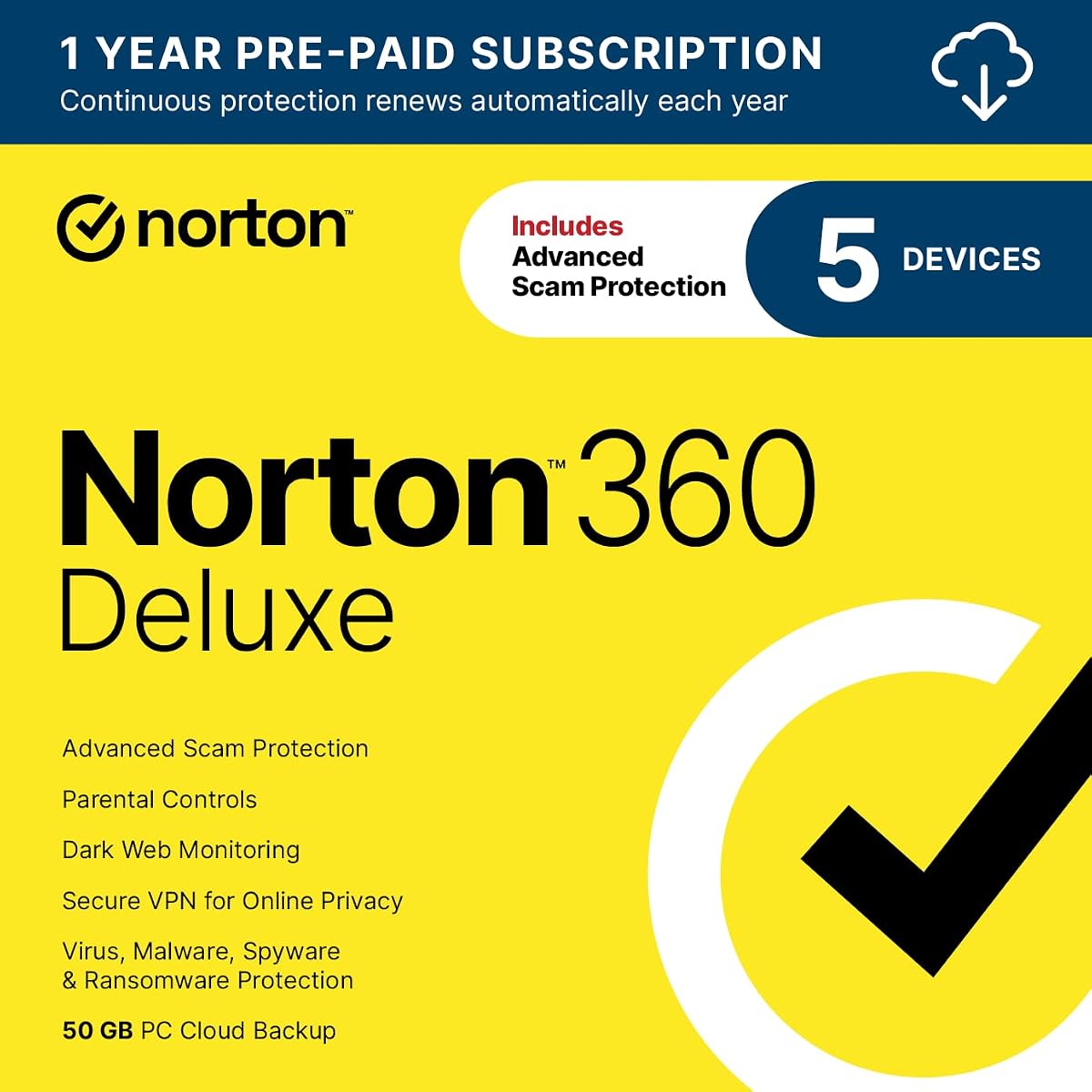
Norton 360 Deluxe stands out with its inclusion of cloud backup to safeguard your photos and files against ransomware or hardware failures. It offers solid real-time protection and earns praise for its AI-driven scam detection tools.
We may earn a commission when you buy through this link, at no additional cost to you.
The Genie AI assistant helps you identify suspicious messages and emails automatically reducing the risk of falling for phishing attempts. Dark web monitoring and fifty gigabytes of secure cloud storage add valuable layers of protection beyond standard antivirus capabilities.
Some users note that renewal prices can jump after the first year and the backup storage may fill up quickly for large media libraries. These are common considerations for subscription security services but are offset by the convenience of integrated backup and identity tools.
This is a strong choice if you want a comprehensive suite that includes file backup alongside antivirus. It works well for home users who need protection for multiple devices and value automated scam detection features.
Secure cloud storage helps prevent loss of important files during ransomware attacks or drive failures ensuring your memories and documents remain accessible when you need them most.
The Genie AI assistant analyzes messages and emails for signs of fraud so you can make informed decisions without guessing whether a sender is legitimate or malicious.
We may earn a commission when you buy through this link, at no additional cost to you.
McAfee+ Premium offers unlimited device coverage making it ideal for households with many laptops phones and tablets. It holds the highest rating among the selection and includes unique social privacy tools that adjust settings across your accounts.
We may earn a commission when you buy through this link, at no additional cost to you.
Standout features include personal data scans that find your info on sites selling it and guide removal steps. The social privacy manager detects buried settings and fixes them to limit oversharing. Identity monitoring and VPN round out the comprehensive protection suite.
The price is higher than standard plans and the auto renewal terms require careful management to avoid unexpected charges. These are reasonable trade-offs for the breadth of coverage and the privacy-focused tools that go beyond typical antivirus offerings.
Choose this if you need protection for many devices and value advanced privacy controls. It is the best option for users who want to limit their digital footprint while maintaining strong security across all platforms.
The social privacy manager scans your accounts for settings that expose too much info and helps you lock them down to prevent unwanted data sharing on social networks.
Personal data scans locate your information on data broker sites and provide step-by-step guidance to remove it reducing the risk of identity theft and targeted scams.
We may earn a commission when you buy through this link, at no additional cost to you.
K7 Total Security delivers essential protection at a very accessible price point for individual users. It includes safeguards against ransomware and unauthorized webcam access which are critical concerns for laptop owners.
We may earn a commission when you buy through this link, at no additional cost to you.
The software prevents hackers from spying through your webcam and blocks files from being encrypted by ransomware. Email delivery of activation codes ensures you can start protecting your device quickly without waiting for physical media.
It offers protection for just one user and lacks the broader brand support of larger vendors. These constraints are acceptable for budget-conscious individuals who need core security without extra bells and whistles or multi-device plans.
Select this if you need reliable antivirus and ransomware protection on a tight budget. It is a practical choice for single laptop owners who prioritize affordability and essential threat blocking.
The ransomware shield monitors file activity and blocks unauthorized apps from encrypting or deleting your photos and documents to keep your data safe from malicious attacks.
Webcam protection blocks unauthorized apps from accessing your camera so you can use your laptop without worrying about private surveillance or spying by malicious software.
We may earn a commission when you buy through this link, at no additional cost to you.
This plan complements software security by protecting your physical laptop from accidents and malfunctions. It is highly rated for its coverage of drops spills and cracked screens which are common risks for portable computers.
We may earn a commission when you buy through this link, at no additional cost to you.
Coverage starts from the date of purchase and includes parts labor and shipping for repairs. Claims can be filed online or by phone and are often approved quickly. If a device cannot be repaired you may receive a replacement or gift card.
It does not prevent viruses or cyber threats so it should be paired with antivirus software. The eligibility requires purchase with the product or within thirty days which limits flexibility for older devices.
This is best for those worried about physical accidents rather than digital threats. It provides peace of mind for valuable laptops that see heavy use and are prone to spills or drops.
Drops spills and cracked screens due to normal use are covered from day one reducing the financial risk of accidental damage to your laptop hardware.
The claims process is straightforward and supported by real experts available around the clock to help with setup troubleshooting and repair approvals quickly.
We may earn a commission when you buy through this link, at no additional cost to you.
This variant of McAfee Total Protection focuses on three devices with adaptive alerts that tune to your usage patterns. It maintains the same identity monitoring and secure connection features as other versions.
We may earn a commission when you buy through this link, at no additional cost to you.
Guided action alerts simplify security tasks by telling you exactly what matters and what to do next. Adaptive protection ensures detection keeps up as threats change so you remain protected without constant manual updates.
Some users find the software can slow down devices during scans and the three device limit may be tight for growing households. These are typical trade-offs for bundled security suites and are manageable for smaller families.
Choose this if you need mid-range coverage with strong identity tools and support. It works well for users who want guided security steps without committing to unlimited device plans.
Adaptive protection adjusts alerts based on your habits so you are only notified when necessary reducing noise while keeping threats detection up to date.
Guided action provides clear alerts and simple steps to take when threats are detected making security management easy even for users without technical expertise.
We may earn a commission when you buy through this link, at no additional cost to you.
Bitdefender offers world-class antivirus across Windows Mac iOS and Android with strong focus on safe online banking. It includes essential privacy tools like webcam protection and parental controls for household users.
We may earn a commission when you buy through this link, at no additional cost to you.
The dedicated secure browser protects your online transactions and the product includes two hundred megabytes of VPN data per day. Advanced threat defense covers malware ransomware and phishing attempts with real-time protection.
The activation code comes by mail which may delay setup compared to digital downloads. VPN data is limited to two hundred megabytes daily which may not suit heavy streaming users.
This is a solid pick for mixed-platform households needing banking protection. It balances cross-device coverage with strong anti-fraud tools and controls suitable for families.
A dedicated secure browser isolates your financial transactions from other browsing activity ensuring sensitive data remains safe during online banking and shopping sessions.
Parental controls help you manage screen time and content access for younger users protecting them from inappropriate material while keeping oversight on their digital activities.
We may earn a commission when you buy through this link, at no additional cost to you.
This version of Norton 360 provides essential tools for three devices with cloud backup and scam protection. It offers real-time malware defense and dark web monitoring to keep your data secure from theft.
We may earn a commission when you buy through this link, at no additional cost to you.
The Genie AI assistant helps identify suspicious emails and the twenty five gigabytes of backup helps recover files after ransomware or hardware failure. Dark web monitoring alerts you if your info is found on hacker forums.
Some users find the rating lower than competitors and the backup storage may fill quickly with large media files. The auto renewal terms require attention to avoid higher rates after the first year.
Choose this if you need core Norton security features for fewer devices. It suits users who value scam detection and backup but do not need extensive storage capacity.
The Genie AI assistant simplifies safety checks by analyzing incoming messages and emails for signs of fraud so you can avoid risky links or requests.
Secure cloud storage keeps copies of your photos and files safe from loss due to ransomware or hard drive failures ensuring critical data remains recoverable.
We may earn a commission when you buy through this link, at no additional cost to you.
This premium tier from Norton supports up to ten devices with seventy five gigabytes of cloud backup. It is well rated for households needing extensive coverage across phones tablets and computers with strong privacy tools.
We may earn a commission when you buy through this link, at no additional cost to you.
Features include dark web monitoring and Genie AI scam protection alongside real-time malware defense. The generous cloud backup ensures you can recover large amounts of data if ransomware or hardware failure occurs.
The subscription renews at current rates after one year which can be higher than the intro price. This is a consideration for long-term planning but is standard for most security services in the market.
Select this if you need coverage for many devices and want substantial cloud backup. It is the best fit for larger families or multi-device users who prioritize Norton's toolset.
Protection for ten devices ensures every laptop phone and tablet stays secured without needing separate subscriptions for each item in your digital ecosystem.
Seventy five gigabytes of secure storage provides ample room to back up photos documents and files ensuring you can recover large data sets after loss.
We may earn a commission when you buy through this link, at no additional cost to you.
Selecting the right laptop protection software requires balancing features cost and device needs. The following factors help you evaluate options to ensure comprehensive security without unnecessary costs.
Check how many devices a plan supports before purchasing. Some options cover only one or three devices while others offer unlimited coverage. Matching this to your household size prevents the need for multiple subscriptions.
Choose a plan that covers all your laptops phones and tablets in one package to simplify management and reduce total cost.
Look for real-time protection against malware ransomware and phishing attacks. Strong suites include automated scanning and alerts for suspicious links or websites before you interact with them.
Prioritize software with proven detection rates and regular updates to stay ahead of new threats.
Identity monitoring tools scan for exposed personal data online and alert you if your info is found on dark web markets. Some plans also include VPNs to protect your traffic on public Wi-Fi.
These features are essential if you handle sensitive information or shop frequently online.
Some protection suites include cloud storage to back up your files. This helps recover data after ransomware attacks or hardware failure. Check the storage limits to ensure they meet your needs.
Opt for higher storage if you work with large media files or important documents regularly.
Reliable support channels like 24/7 chat or phone can help resolve setup issues or threats quickly. Check what support options are included and how easy it is to contact them.
Select a provider with responsive support if you are not comfortable managing security alone.
Many plans offer introductory rates that renew at higher annual prices. Review the renewal terms and cancellation policies to avoid unexpected charges. Some allow easy online cancellation while others require steps.
Set calendar reminders before the subscription ends to manage renewals actively.
Ensure the software supports your operating system including Windows macOS iOS or Android. Cross-platform protection lets you use one suite for all your devices without compatibility issues.
Choose a universal solution to keep security consistent across your entire device ecosystem.
Some security software can slow down your laptop during scans or updates. Look for lightweight options with performance modes for gaming or work to minimize disruption.
Test the software or read reviews to confirm it does not hinder your daily tasks.
Install the software immediately after setting up your laptop and complete the activation process using the code provided. Run an initial full scan to check for existing threats before you start using your device for daily tasks.
Keep the software updated automatically to ensure it has the latest virus definitions and protection features. Enable real-time scanning so threats are caught as you browse or download files rather than waiting for scheduled scans.
Review your subscription settings monthly to manage renewal alerts and check which devices are protected. Adjust privacy settings and notifications based on your needs to keep the experience smooth without missing critical alerts.
Yes a firewall alone cannot stop malware or phishing attacks. Protection software adds layers like antivirus ransomware defense and identity monitoring that a firewall does not provide. Together they offer complete security for your laptop.
Many suites support both operating systems allowing you to manage all devices from one dashboard. Check the product details to confirm Mac support since some plans focus only on Windows devices.
Protection stops after the subscription ends leaving your device vulnerable. Most providers send reminders before expiration but it is wise to set your own calendar alert to avoid gaps in coverage.
Some suites can impact performance during scans but modern options include gaming or work modes to reduce this effect. Choosing lightweight software and scheduling scans for idle times minimizes any noticeable slowdown.
Not all plans include identity monitoring. It is often a feature in higher tiers or specific suites. Review the product details to ensure this tool is included if you want dark web monitoring.
Most products provide a digital code via email that you enter in the software dashboard. Follow the activation instructions included with your purchase to unlock full features and begin protection.
The top picks include McAfee Total Protection 2027 for all-around coverage K7 Total Security for budget needs and McAfee+ Premium for unlimited device support. Each offers strong detection and privacy tools tailored to different household sizes.
Prioritize features like identity monitoring cloud backup and cross-platform support based on your specific risks. Matching the right suite to your device count and privacy needs ensures you stay protected without overspending on unused tools.
Remember that prices and promotional terms change frequently so verify current details before purchasing. Selecting a plan with transparent renewal terms will help you maintain consistent protection over the long term.