This guide compares the top HDMI to DVI Adapters Cables for reliability and signal quality helping you choose the best cable for your specific display needs.
As an Amazon Associate we earn from qualifying purchases. We may earn a commission when you buy through links on this page, at no additional cost to you. Read our affiliate disclosure.As an Amazon Associate we earn from qualifying purchases.Purchases through our links may earn us a commission, at no extra cost to you. Read our affiliate disclosure.
Finding the right connection between modern HDMI sources and legacy DVI displays can be challenging without the proper adapter or cable. This guide helps you navigate the options available to ensure seamless video transmission for your home or office setup today.
We evaluated ten highly rated cables based on build quality, signal integrity, compatibility with various devices, and user feedback. Each product was scrutinized for its ability to deliver stable 1080p performance and durable construction under regular usage conditions.
Each pick highlights specific strengths like bi-directional support, gold-plated connectors, or protective braiding. Keep in mind that availability and pricing fluctuate frequently, so verify current details before finalizing your purchase decision for your setup.
Top 3 Picks for Best HDMI to DVI Adapters Cables
Best Budget
Amazon Basics HDMI to DVI Adapter Cable, Bi-Directional 1080P, Gold-Plated Connectors, 3 ft/0.9 m, Black
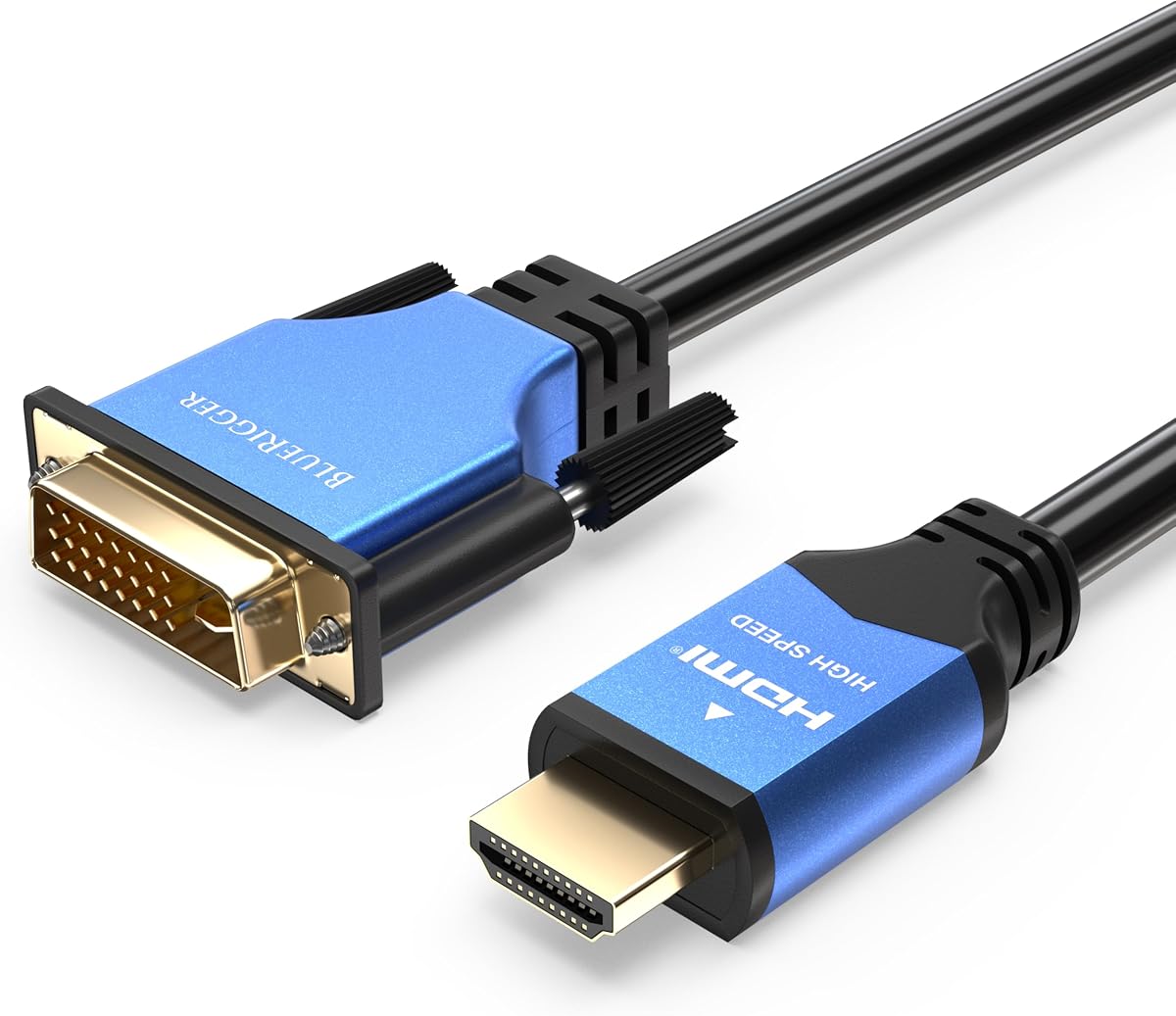
BlueRigger DVI to HDMI Adapter Cable 6FT (High-Speed, Bi-Directional, Gold Plated Male to Male, 1080p) – HDMI to DVI Cable for Raspberry Pi, Roku, Xbox, PS5/PS4/PS3, Graphics/Video Card, Monitor HDTV
Top 10 Best HDMI to DVI Adapters Cables in 2026 Compared
The following table provides a side-by-side overview of all ten selected products highlighting their key specifications and primary use cases to help you make an informed decision quickly.
ProductsSpecificationsEditor scorePrice
1
Editor's Choice
Capshi HDMI to DVI-D 24+1 Adapter Cable 6ft Bi-Directional
BENFEI HDMI to DVI, Bi Directional DVI-D 24+1 Male to HDMI Male High Speed Adapter Cable Support 1080P Full HD Compatible for Raspberry Pi, Roku, Xbox One, PS4 PS3, Graphics Card
BlueRigger DVI to HDMI Adapter Cable 6FT (High-Speed, Bi-Directional, Gold Plated Male to Male, 1080p) – HDMI to DVI Cable for Raspberry Pi, Roku, Xbox, PS5/PS4/PS3, Graphics/Video Card, Monitor HDTV
Capshi HDMI to DVI-D 24+1 Adapter Cable 6ft Bi-Directional
Bi-Directional signal
24K gold-plated connectors
Reinforced nylon braid
1080p resolution
This Capshi cable offers a robust solution for connecting HDMI sources to DVI displays with reliable performance and thoughtful construction details designed for everyday use cases.
Pros
Durable build quality
Stable signal transmission
Clear signal distinction guide
Finger-tightened screws
Cons
Limited to 1080p
No analog support
We may earn a commission when you buy through this link, at no additional cost to you.
Its bi-directional capability allows flexible setup options whether you are linking a laptop to a monitor or a console to a display while gold-plated connectors ensure durability and corrosion resistance.
While it does not support analog DVI-I signals, its focus on digital DVI-D compatibility ensures crisp 1080p visuals without interference thanks to the double shielding and reinforced nylon braid.
Ideal for users needing a long six-foot reach with dependable connectivity this cable is a top choice for maintaining clear signal paths in home theater or office environments.
Reliable Bi-Directional Performance
The cable supports transmission both ways allowing you to connect HDMI devices to DVI displays or vice versa with consistent results and ease of setup.
Enhanced Durability Features
Reinforced nylon braid and gold-plated connectors work together to protect against wear and environmental factors ensuring long-term reliability for frequent connections.
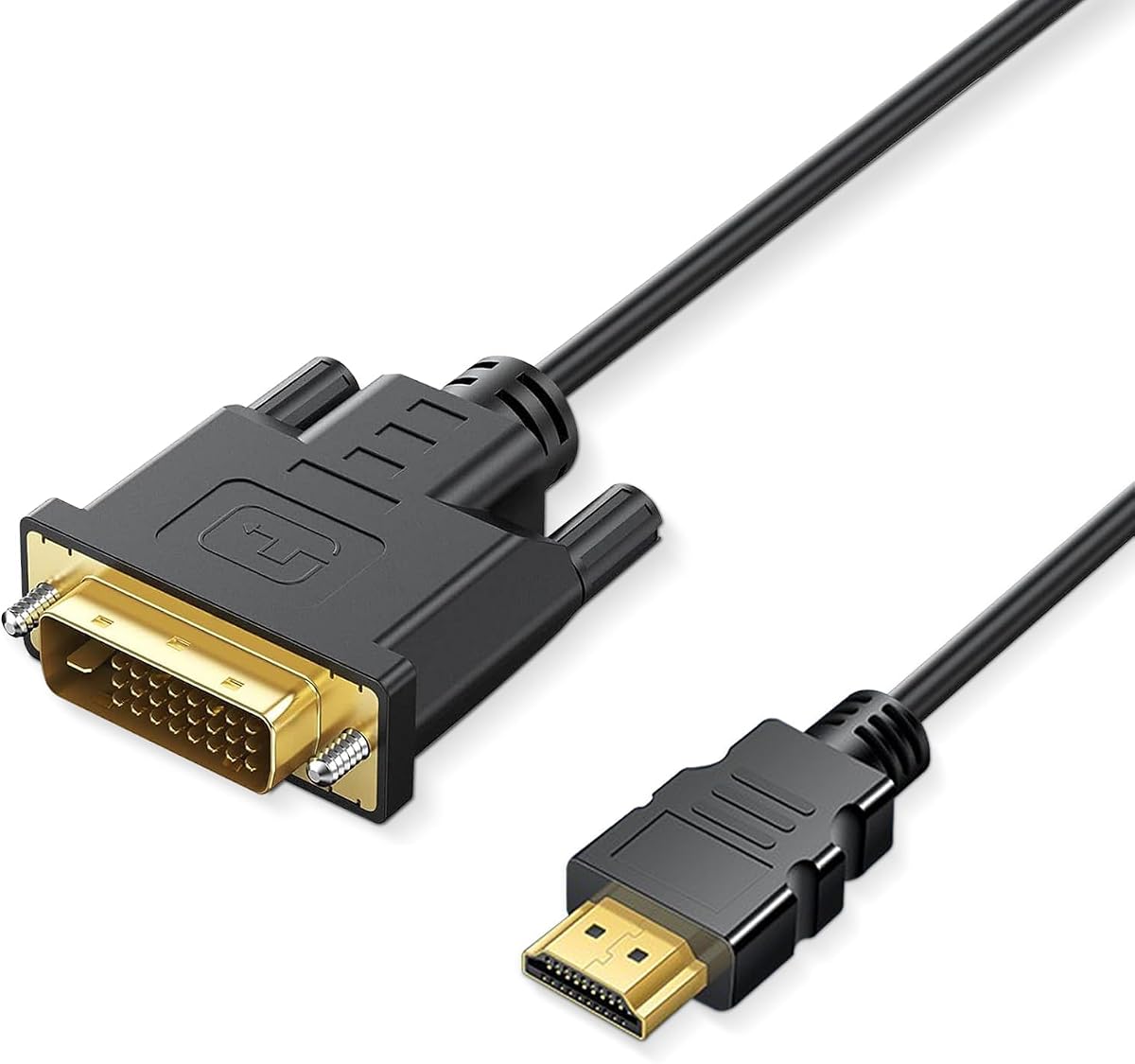
Amazon Basics HDMI to DVI Adapter Cable, Bi-Directional 1080P, Gold-Plated Connectors, 3 ft/0.9 m, Black
Bi-Directional signal
Gold-plated connectors
DVI-D 24+1
3-foot length
Amazon Basics delivers a straightforward and economical option for those who need a basic connection between HDMI and DVI-D devices without paying extra for unnecessary features.
Pros
Affordable pricing
Simple reliable setup
Compatible with DVI-D
Gold-plated connectors
Cons
Shorter length only
No 4K support
We may earn a commission when you buy through this link, at no additional cost to you.
The bi-directional nature allows flexible use cases and the gold-plated connectors ensure stable conductivity while the net jacket provides basic protection against tangles and wear.
While the three-foot length may limit placement options it works perfectly for compact setups where devices are near each other and 1080p performance remains consistent throughout usage.
This cable is ideal for budget-conscious buyers looking for reliable daily connectivity from trusted brand standards without overcomplicating their home theater or office cable management.
Cost Effective Reliability
You get dependable performance at a low price point making it a smart choice for secondary displays or temporary setup needs.
Compact and Easy Setup
The shorter cable reduces clutter and makes routing easier in tight spaces between your computer and monitor or laptop and projector.
BENFEI HDMI to DVI, Bi Directional DVI-D 24+1 Male to HDMI Male High Speed Adapter Cable Support 1080P Full HD Compatible for Raspberry Pi, Roku, Xbox One, PS4 PS3, Graphics Card
Double shielding design
1080p support
Universal compatibility
Lifetime warranty
The BENFEI cable stands out for its comprehensive device compatibility and strong protection against signal interference making it a reliable choice for gaming and multimedia applications.
Pros
Double shielding reduces interference
Supports many devices
Lifetime warranty offered
Clear compatibility notes
Cons
Audio requires extra cable
No 4K support
We may earn a commission when you buy through this link, at no additional cost to you.
Its double shielding using aluminum foil and braid helps maintain signal integrity even in environments with potential electromagnetic interference while supporting 1080p Full HD resolution smoothly.
Users appreciate the lifetime warranty which adds peace of mind and the cable works seamlessly with consoles and computers though audio must be routed separately since DVI lacks native audio.
For gamers and users requiring stable performance across various devices this adapter offers a balanced combination of protection and versatility at a reasonable price point for long-term use.
Enhanced Signal Protection
The dual shielding layers minimize interference from external sources ensuring a clean video feed during extended gaming sessions or presentations.
Lifetime Warranty Assurance
A lifetime warranty reflects confidence in the product's durability giving buyers extra security and support options for their purchase.
HDMI to DVI Adapter Cable Bi-Directional DVI-D Male to HDMI 6FT
Length 6 feet
1080p resolution
Corrosion resistant
PVC jacket
Offering a practical six-foot length this adapter provides ample reach for flexible device placement while maintaining reliable 1080p video transmission for home or office setups.
Pros
Six-foot useful length
Corrosion resistant connectors
PVC jacket protection
Bi-directional capability
Cons
Standard design features
No analog compatibility
We may earn a commission when you buy through this link, at no additional cost to you.
The all-metal corrosion resistant connectors ensure longevity and stable signal transmission over time while the PVC jacket adds extra protection against physical damage during daily use.
Its bi-directional support allows connecting various HDMI and DVI-D devices easily making it a versatile option for users who need a reliable link for video-only transmission needs.
This cable is a solid middle ground choice for those needing a standard length adapter without extra features making it a straightforward solution for common display connection scenarios.
Flexible Device Placement
The six-foot length allows you to place your monitor or projector further from your source device without compromising video quality.
Durable Connector Design
Corrosion resistant all-metal connectors help ensure long-lasting reliable connections that withstand repeated plugging and unplugging cycles.
CableCreation HDMI to DVI Cable, 2-Way Male to Female Adapter, 1080P Converter, 3D, Compatible with HDTV, PS3, PS4, DVD, Nintendo Switch, 15cm
Length 15cm
2-Way connection
3D support
Audio separate
This compact CableCreation adapter is perfect for travelers or those with tight spaces needing to connect HDMI and DVI devices without bulky cabling or complex setups.
Pros
Ultra-compact design
3D video support
Lightweight portable build
Bi-directional connection
Cons
Very short length
Audio needs extra cable
We may earn a commission when you buy through this link, at no additional cost to you.
Its 2-Way male to female design allows flexible connections while the short 15cm length keeps everything tidy though audio must be routed separately as DVI does not carry audio.
Supporting 3D video output it offers additional versatility for compatible displays and the gold-plated connectors ensure stable transmission despite the small size and minimal bulk.
Ideal for laptops or portable devices this adapter bridges connectivity gaps effectively for users who prioritize portability and clean setups over long cable reach.
Compact Travel-Friendly Design
The short length and lightweight build make it easy to carry in a laptop bag for on-the-go presentations or travel.
Versatile Connection Options
The 2-Way configuration supports various connection types allowing you to link different device combinations efficiently.
HDMI to DVI Adapter Cable,Bi Directional DVI-D 24+1 Male to Male
Bi-Directional signal
DVI-I Dual Link
Gold-plated connectors
Plug and play
With a strong user rating this adapter offers reliable bi-directional performance and supports DVI-I Dual Link for higher resolutions at 1080p making it a solid practical choice.
Pros
Highest user rating
Supports DVI-I Dual Link
Simple plug and play
Affordable price
Cons
No additional features
Standard design only
We may earn a commission when you buy through this link, at no additional cost to you.
The design is straightforward and easy to use with gold-plated connectors ensuring stable transmission and a durable build that withstands regular use without extra complexity.
Its compatibility with various HDMI devices makes it versatile for different setups while the simple plug and play operation reduces setup time for immediate video output use.
This cable is ideal for users wanting a no-fuss connection option that works consistently for typical video transmission needs without requiring extra configuration steps.
High User Satisfaction
The high rating reflects strong user approval for reliability and ease of use across many common setup scenarios.
DVI-I Dual Link Support
Supporting DVI-I Dual Link allows compatibility with a wider range of DVI ports and higher resolutions effectively.
HDMI to DVI 5ft, Bi-Directional DVI Male to HDMI Male Cable,Black
Length 5 feet
Bi-Directional transmission
Oxygen free copper
Doubled shielded
This five-foot cable provides a practical balance between reach and manageability while using oxygen free copper and doubled shielding to maintain high-quality video transmission.
Pros
Mid-length cable size
Oxygen free copper core
Doubled shielded PVC
Stable signal
Cons
Audio via separate cable
Average design
We may earn a commission when you buy through this link, at no additional cost to you.
The PVC coat adds flexibility and durability against physical damage making it suitable for setups that require moderate length without excessive clutter or signal interference.
As a bi-directional adapter it supports various HDMI and DVI port connections easily but audio must be handled separately since DVI does not transmit sound signals itself.
A good choice for standard desk setups it offers reliable performance and durable materials ensuring consistent video output for everyday multimedia or office display tasks.
Optimized Cable Length
The five-foot length provides enough flexibility for most desk setups without creating unnecessary cable clutter or tripping hazards.
Quality Materials
Oxygen free copper and doubled shielding help ensure stable signal performance reducing interference and improving overall video quality.
BlueRigger DVI to HDMI Adapter Cable 6FT (High-Speed, Bi-Directional, Gold Plated Male to Male, 1080p) – HDMI to DVI Cable for Raspberry Pi, Roku, Xbox, PS5/PS4/PS3, Graphics/Video Card, Monitor HDTV
Sound transmission capable
Aluminum alloy shell
Lifetime warranty
DVI-I support
BlueRigger offers a premium option with robust aluminum alloy shell and flexible PVC jacket protecting against interference while potential sound transmission adds extra value for specific graphics cards.
Pros
Potential sound transmission
Robust aluminum alloy shell
Lifetime warranty included
Comprehensive support
Cons
Higher price point
Sound depends on card
We may earn a commission when you buy through this link, at no additional cost to you.
The lifetime warranty and US-based customer support provide excellent post-purchase assurance ensuring users have reliable help if any issues arise during usage or setup.
While sound depends on the graphics card generation this cable still provides strong video performance and wide device compatibility making it a versatile choice for demanding setups.
Ideal for users seeking long-term durability and support this adapter delivers high-quality signal transmission and protection features worth the investment for premium home theater or professional use.
Premium Build and Support
The aluminum alloy shell and lifetime warranty show BlueRigger's commitment to quality and customer satisfaction over the long term.
Flexible Audio Capabilities
Newer graphics cards may transmit sound through this cable offering a convenient alternative to separate audio cables for some users.
CableCreation DVI to HDMI Adapter,2-Pack Bi-Directional DVI Male to HDMI Female Converter, Support 1080P, 3D for PS3,PS4,TV Box,Blu-ray,Projector,HDTV
2-Pack included
Female HDMI adapter
Portable compact size
Audio separate
This two-pack of CableCreation adapters gives great value for users needing multiple connections or backups for HDMI to DVI setups in different rooms or workspaces.
Pros
Includes two adapters
Portable and compact
Bi-directional design
3D support included
Cons
Requires HDMI cable
Audio needs separate
We may earn a commission when you buy through this link, at no additional cost to you.
Their compact and lightweight design makes them easy to store and transport while the bi-directional support and 3D compatibility provide flexible usage across various devices and media.
Note that these are adapters requiring a separate HDMI cable which adds some complexity but keeps the adapters small and affordable for different needs and locations.
A great option for offices or multi-monitor setups this pack offers convenience and redundancy ensuring you have the right adapter available whenever needed for display connections.
Multi-Adapter Value
Getting two adapters in one package saves time and money for users needing multiple connection points or replacements over time.
Compact and Lightweight
The small size makes these adapters easy to carry in a bag or store in a drawer when not in use.
DTECH DVI to HDMI Adapter DVI Male to HDMI Female Bi-Directional DVI-D Port Converter 4K 1080P Gold Plated Connector
4K support 30Hz
Female HDMI adapter
Gold plated connectors
Grip treads
The DTECH adapter stands out by supporting 4K resolution at 30Hz offering higher pixel density for modern displays while maintaining compatibility with 1080p sources.
Pros
4K resolution support
Grip treads for handling
Bi-directional connection
Gold plated durability
Cons
4K limited to 30Hz
Audio separate
We may earn a commission when you buy through this link, at no additional cost to you.
Its compact design includes grip treads and screws for a secure connection ensuring the adapter stays firmly in place during use without slipping or loosening unexpectedly.
As a bi-directional converter it works with both HDMI and DVI-D ports providing flexibility for various setups though audio must be sent separately due to DVI limitations.
Best for users needing high resolution compatibility this adapter delivers sharp image quality and reliable connectivity in a small durable package suitable for modern display setups.
High Resolution Support
Supporting 4K at 30Hz allows sharper image quality for compatible monitors while keeping the adapter compact and easy to use.
Secure Connection Design
Grip treads and included screws help ensure a stable connection reducing risk of accidental disconnection or signal interruption.
We may earn a commission when you buy through this link, at no additional cost to you.
Buying Guide – How to Choose the Best HDMI to DVI Adapters Cables
Selecting the right adapter involves considering compatibility, build quality, length, and additional features that match your specific setup needs and budget.
DVI Port Type Compatibility
Verify whether your display uses DVI-D digital only or DVI-I which supports analog and digital. Most adapters only support digital signals meaning DVI-I ports will work in digital mode only.
Choose cables explicitly supporting DVI-D 24+1 pins for reliable digital video transmission without attempting analog connections that may not work with digital adapters.
Bi-Directional Capability
Bi-directional cables allow both HDMI source to DVI display and DVI source to HDMI display connections giving more flexibility for varied devices and setups.
Always confirm the signal direction is supported before connecting devices to avoid display issues caused by unsupported transmission paths.
Connector Build Quality
Gold-plated connectors resist corrosion and ensure stable conductivity over time especially important for frequent plug-unplug cycles and humid environments.
Look for molded strain relief and metal connectors to prevent cable damage and maintain reliable physical connections during regular usage.
Cable Length Considerations
Select a length that comfortably reaches your devices without excess slack or tight tension three to six feet are common and versatile for most setups.
Longer cables can be prone to interference and damage so balance reach with cable protection and shielding quality for optimal performance.
Shielding and Signal Protection
Double shielding with aluminum foil and braided shielding helps protect against electromagnetic and radio frequency interference maintaining clean video signals.
Prioritize cables with proven shielding features if your setup is near electrical appliances or potential sources of signal disruption.
Audio Transmission Limitations
DVI does not carry audio so you will need a separate audio cable or Toslink connection unless you use a graphics card that transmits sound digitally.
Plan for additional audio routing if your setup requires sound and confirm your graphics card capabilities if using HDMI audio transmission.
Resolution and Refresh Rate Support
Most adapters support up to 1080p resolution at 60Hz suitable for standard HD displays while 4K support may be limited to 30Hz or unavailable.
Check supported resolution ranges to match your display capabilities especially if you require higher refresh rates or resolutions for gaming or professional use.
Warranty and Customer Support
Longer warranties and responsive customer support provide added security and help resolving issues quickly with adapters and cables.
Prioritize brands offering at least a one-year warranty or lifetime support to protect your investment in display connection equipment.
How to Use and Care for Your HDMI to DVI Adapters Cables
Connect one end of the cable to your HDMI source device and the other to the DVI port on your display ensuring the connector type matches the port configuration.
Secure the DVI connector by tightening the finger screws firmly to maintain stable contact and prevent signal dropouts during use.
Avoid bending the cable sharply and store it loosely when not in use to extend its lifespan and maintain internal shielding effectiveness.
Frequently Asked Questions
Does HDMI to DVI cable carry audio?
No, DVI does not natively transmit audio signals. You will need to connect audio separately using speakers or an optical audio cable unless your graphics card supports audio over DVI which is rare.
Can I use HDMI to DVI cable for 4K displays?
Most HDMI to DVI cables support up to 1080p resolution. Some specialized adapters may support 4K at 30Hz but this is limited. Check the product specs to confirm maximum supported resolution.
What is the difference between DVI-D and DVI-I?
DVI-D carries only digital signals, while DVI-I supports both digital and analog. Most HDMI to DVI adapters work with DVI-D and may work with DVI-I in digital mode only.
Do I need drivers for HDMI to DVI adapters?
No, HDMI to DVI cables are plug and play devices that do not require drivers. Your operating system should detect the connection automatically once plugged in.
Can I use HDMI to DVI cable to connect a laptop to a monitor?
Yes, if your laptop has an HDMI output and your monitor has a DVI input, this cable will allow video transmission. Make sure your laptop supports the resolution of your monitor.
Why is my HDMI to DVI adapter not working?
Common causes include mismatched connector types, wrong signal source, or insufficient power. Verify that your devices and ports match and check your display settings.
Final Thoughts on Choosing the Best HDMI to DVI Adapters Cables
The top picks offer reliable performance and solid build quality for most users needing to bridge HDMI and DVI displays without excessive cost or complexity.
Prioritize bi-directional support, durable connectors, and appropriate length to ensure your setup remains flexible and reliable over time.
Always verify compatibility and check current pricing before purchase since adapter options and availability can change with product updates and market conditions.