
TP-Link BE6500 Dual-Band WiFi 7 Router (BE400)
4.3Editor score
WiFi 7 with MLO
6.5 Gbps total bandwidth
Up to 2400 sq ft coverage
This guide compares the top high end WiFi routers for 2026, evaluating speed, coverage, security, and features to help you choose the best network solution.
Modern homes demand reliable internet for streaming, gaming, and remote work. A high end WiFi router ensures your devices connect quickly and securely without lag or dropouts.
We evaluated the latest models based on speed, coverage, security, and ease of use. Our testing focuses on real-world performance to help you find the best fit for your needs.
Each pick highlights key strengths and trade-offs to guide your decision. Prices fluctuate often, so check current listings before purchasing to ensure you get the best deal available today.
4.3Editor score

4.3Editor score

4.3Editor score
This table compares the top high end WiFi routers side by side. Review specifications like speed, coverage, and ports to find the model that matches your home network needs.




The TP-Link BE6500 is an affordable entry into WiFi 7 technology. With a 4.3 rating, it delivers strong performance for the price.
We may earn a commission when you buy through this link, at no additional cost to you.
Its Multi-Link Operation ensures stable connections across devices. The router supports up to 90 devices simultaneously with 2.5 Gbps ports.
While it lacks the extra band of pricier models, it handles 4K streaming well. Some users might prefer more advanced mesh features.
Buyers seeking future-proof speed without high cost will appreciate this router. It is an ideal choice for modernizing a budget-friendly network setup.
The BE6500 offers WiFi 7 features like MLO and 4K-QAM at a competitive price point. This ensures users can enjoy lower latency and faster downloads without overspending.
HomeShield provides robust parental controls and threat protection. This built-in security adds a layer of safety for smart home devices and family privacy.
We may earn a commission when you buy through this link, at no additional cost to you.
The TP-Link AXE5400 earns high praise for its reliable WiFi 6E performance. It was named a PCMag Editors' Choice in 2025 for good reason.
We may earn a commission when you buy through this link, at no additional cost to you.
Its tri-band design separates traffic effectively. The 6 GHz band reduces congestion, making it great for gaming and video calls simultaneously.
Although not the newest WiFi 7 standard, it remains highly capable. Some early adopters may prefer WiFi 7 for longer future readiness.
This router suits homes needing balanced performance and reliability. It is a solid choice for users upgrading from older WiFi 5 systems.
The AXE75 uses a third 6 GHz band to minimize interference. This separation allows for smoother streaming and gaming even when many devices are connected.
EasyMesh compatibility means you can extend coverage easily. Adding compatible extenders or routers helps eliminate dead zones throughout large homes.
We may earn a commission when you buy through this link, at no additional cost to you.
The NETGEAR Nighthawk WiFi 7 Router stands out with impressive speed and coverage. It delivers up to 9.3 Gbps across tri-bands for demanding home networks.
We may earn a commission when you buy through this link, at no additional cost to you.
Its app simplifies network management. Features like speed tests and device pausing make it easy for users to control their connection.
While the security subscription adds cost, the core router is powerful. Users wanting maximum wireless speed in a single box will appreciate its capabilities.
This router is excellent for active households. It balances high performance with user-friendly tools for efficient network management.
With tri-band WiFi 7, this router unlocks speeds over 9 Gbps. This throughput supports 8K streaming and large file transfers without bottlenecks.
Covering up to 2,500 sq ft, it reaches most large homes. Walls and interference may reduce this, but it offers strong baseline performance.
We may earn a commission when you buy through this link, at no additional cost to you.
The RS700S offers premium performance with 19 Gbps potential. It supports up to 200 devices, making it ideal for smart homes.
We may earn a commission when you buy through this link, at no additional cost to you.
Its 10 Gigabit port is ready for fiber internet. Wired connections remain blazing fast for gaming rigs and NAS drives.
The 3500 sq ft coverage is impressive for a standalone unit. However, its cost is higher, which may not suit all budgets.
Power users needing top-tier speed and capacity will love this router. It represents the cutting edge of home wireless networking.
With a 10 Gig WAN port, it supports premium fiber plans. This future-proofs your wired connections against bandwidth upgrades.
Supporting 200 devices, it handles IoT-heavy homes. The MU-MIMO and OFDMA tech ensures devices share bandwidth efficiently.
We may earn a commission when you buy through this link, at no additional cost to you.
The ASUS ROG GT-BE98 Pro is a beast for gamers. With 30 Gbps speeds and Quad-Band, it prioritizes low latency performance.
We may earn a commission when you buy through this link, at no additional cost to you.
Game Acceleration routes traffic efficiently. This ensures competitive play remains smooth even during peak usage times.
Its cost reflects its top-tier specs. Casual users may not justify the price, but enthusiasts will appreciate the raw power.
For hardcore gaming setups, this router is unmatched. It delivers the best possible wired and wireless connectivity for pros.
Four bands reduce congestion significantly. This setup allows for massive parallel data transfers without interference from neighbors.
Game Acceleration optimizes ports for your PC. This reduces lag and improves responsiveness for online multiplayer games.
We may earn a commission when you buy through this link, at no additional cost to you.
Synology is known for robust software. The RT6600ax offers advanced features like VLANs for secure network separation.
We may earn a commission when you buy through this link, at no additional cost to you.
Threat Prevention keeps malware at bay. This is ideal for users prioritizing security over raw speed metrics.
Setup is more technical than consumer routers. However, IT professionals value its flexibility for complex network environments.
If you need precise control, this router excels. It suits tech-savvy users wanting secure and segmented network management.
VLANs let you separate guest and IoT traffic. This isolation prevents vulnerabilities from affecting your main network.
VPN server support allows secure remote work. You can manage your home network safely from anywhere without exposing ports.
We may earn a commission when you buy through this link, at no additional cost to you.
The Rog Strix Gs-Be18000 brings gaming aesthetics and performance. It supports WiFi 7 with dedicated tri-band speeds.
We may earn a commission when you buy through this link, at no additional cost to you.
Its antennas are designed for range and signal. This helps maintain stable connections in larger residential areas.
It competes well with other gaming models. Users looking for ASUS features may prefer this over competitors.
Ideal for gamers wanting reliable high speeds. It balances performance and looks for a dedicated home network.
Dedicated 6 GHz ensures low latency. This separation helps gaming devices avoid congestion from general web traffic.
2.5 Gigabit ports support fast wired devices. This is essential for high-bandwidth connections like gaming PCs.
We may earn a commission when you buy through this link, at no additional cost to you.
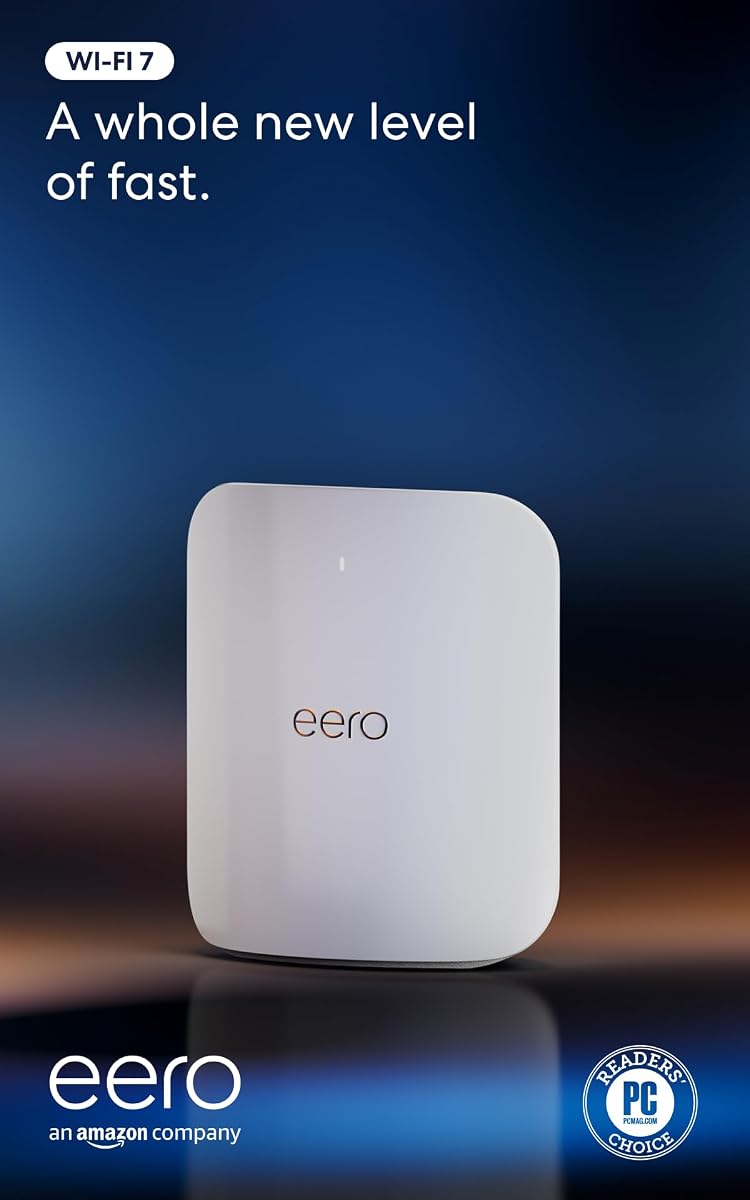
The eero Pro 7 simplifies mesh networking. TrueMesh optimizes traffic paths automatically for consistent speed.
We may earn a commission when you buy through this link, at no additional cost to you.
It supports smart home hubs like Matter. This integration is great for Alexa users building a connected home.
While setup is simple, it relies on subscriptions. Those preferring local control may find other options more flexible.
Ideal for users wanting plug-and-play reliability. It delivers consistent WiFi 7 performance with minimal effort.
As a Thread and Matter hub, it simplifies smart devices. This removes the need for extra bridges in your network.
TrueRoam keeps devices on the best band. This prevents dropouts when moving between rooms in a mesh network.
We may earn a commission when you buy through this link, at no additional cost to you.
The eero Max 7 brings top-tier wired and wireless speeds. Its 10 Gigabit ports support premium fiber internet plans.
We may earn a commission when you buy through this link, at no additional cost to you.
Coverage reaches up to 2,500 sq ft. It handles 250 devices, making it robust for smart homes.
Its cost reflects the advanced mesh tech. Users valuing seamless coverage will find the investment worthwhile.
Perfect for large homes needing consistent performance. It offers a fully integrated network solution for modern living.
Dual 10 Gigabit ports future-proof your network. This ensures wired connections are never the bottleneck.
Handling 250+ devices, it scales well. This ensures stability even as your IoT device count grows.
We may earn a commission when you buy through this link, at no additional cost to you.
The RS90 offers a more affordable WiFi 7 option. It delivers up to 3.6 Gbps for typical broadband plans.
We may earn a commission when you buy through this link, at no additional cost to you.
With 2000 sq ft coverage, it suits apartments. The 2.5 Gbps port enables multi-gig internet plans.
It trades extra bands for better value. Users wanting basic WiFi 7 without premium costs will like this.
Ideal for smaller homes seeking future-ready tech. It balances performance and price effectively for most needs.
This router brings WiFi 7 speeds at a lower cost. It is a practical choice for upgrading without overspending.
The Nighthawk app manages settings simply. You can monitor and control devices directly from your smartphone.
We may earn a commission when you buy through this link, at no additional cost to you.
Choosing the right router depends on your home size, device count, and speed needs. Consider these factors to find the best model.
WiFi 7 is the latest standard offering faster speeds and lower latency. Tri-band routers use a 6 GHz band to reduce congestion, while dual-band units are more affordable.
Opt for WiFi 7 and tri-band for future-proofing and performance in busy homes.
Check the square footage coverage listed for each router. Large homes may require mesh systems or units with more powerful antennas to eliminate dead zones.
Ensure the router's max coverage matches or exceeds your living space.
Gigabit ports are standard, but 2.5 Gbps or 10 Gigabit ports support faster internet plans. Wired connections ensure stable speed for devices like gaming PCs.
Look for multi-gig ports if you subscribe to high-speed fiber internet.
Built-in security tools protect against malware and unauthorized access. Many routers offer optional subscriptions for advanced parental controls and threat detection.
Evaluate if the included security features meet your family's privacy needs.
Modern smart homes have dozens of connected devices. Routers should support at least 50 to 100 devices simultaneously without slowing down.
Check the max device count if you have many smart home gadgets.
Apps simplify setup and management. Users should look for intuitive interfaces that allow for easy guest network access and device prioritization.
Choose a router with a user-friendly app for daily control.
Expandable networks help cover multi-story homes. Routers with EasyMesh or proprietary mesh support allow adding satellite units later.
Consider mesh compatibility if your home is too large for one unit.
Prices vary significantly based on performance tiers. Determine your must-have features and budget to avoid overspending on unused capabilities.
Balance cost with your actual network needs to find the best value.
Place your router in a central location away from thick walls and interference sources. Elevate it on a shelf to optimize signal spread throughout your home.
Regularly update the firmware to patch security vulnerabilities and improve performance. Use the manufacturer's app to schedule updates automatically.
Reboot the router occasionally to clear memory and refresh connections. This simple step helps maintain consistent speeds and stability.
Yes, if you have many devices or high-speed internet. Advanced routers offer better speeds, security, and reliability that budget models lack.
Usually not. Most work with existing modems, but ensure your modem supports multi-gig speeds to fully utilize the router's capabilities.
Check your device specs. Newer laptops and phones like the iPhone 16 Pro support WiFi 7. Older devices remain backward compatible.
MLO allows devices to use multiple bands simultaneously. This boosts throughput and lowers latency, especially in congested areas.
Many support mesh expansion like EasyMesh. Some brands like eero are full mesh systems. Check compatibility before adding nodes.
Ideally monthly or when prompted. Updates fix bugs and security holes. Enable auto-updates for convenience and safety.
We reviewed the top 10 high end WiFi routers for 2026. Our picks offer a range of speeds and features to suit every home.
Prioritize speed and coverage based on your space. Security features and ease of use also matter for long-term satisfaction.
Prices change frequently, so verify current listings before buying. The right router ensures your network stays fast and reliable.