
BENGOO Gaming Mouse Wired with RGB Backlit
4.6Editor score
4 adjustable DPI speeds
6 ergonomic buttons
Multi-color RGB lighting
Explore our expert guide comparing the top light up LED mouse models for gaming and office use, focusing on performance, design, and value.
Finding the right light up LED mouse can transform your computing experience. Whether you seek vibrant visuals or practical ergonomics, a quality mouse enhances both style and efficiency for daily tasks or intense gaming sessions.
We evaluated ten standout models based on connectivity, lighting options, battery life, and build quality. Our comparison highlights key features to help you choose the perfect device for your specific workflow and aesthetic preferences without unnecessary complexity.
Each pick showcases unique strengths tailored to different user needs. Note that availability and features may vary by retailer. We encourage checking current listings to ensure you get the latest version that matches your requirements and budget today.
4.6Editor score

4.3Editor score

4.5Editor score
This side-by-side comparison outlines the core specifications of all ten selected models. Use this table to quickly identify which device aligns with your connectivity preferences and lighting requirements.




This BENGOO model stands out as a highly affordable option for users wanting LED lighting without breaking the bank. With a strong 4.6 rating, it offers reliable performance for both casual gaming and daily computing tasks. The ergonomic design ensures comfort during extended use.
We may earn a commission when you buy through this link, at no additional cost to you.
The mouse features four adjustable DPI speeds ranging from 1200 to 3600, allowing users to fine-tune cursor sensitivity easily. Its six buttons include dedicated forward and back keys, plus a scroll wheel that supports smooth navigation. The multi-color lights match various styles and create a vibrant gaming atmosphere.
While it lacks wireless convenience, the wired connection ensures zero latency which is crucial for fast-paced gaming. The skin-friendly material provides a soft touch under the palm. Some users might prefer more durable build materials given the lower price point but this remains a solid entry-level choice.
Ideal for budget-conscious buyers or students needing a functional light up LED mouse, this model delivers exceptional value. It works across Windows systems and MacBooks without requiring extra drivers. If you prioritize performance and style over wireless freedom, this is a top contender.
The four DPI levels let you switch instantly between precision work and rapid gaming movements.
Multi-color lighting creates a dynamic environment that enhances your gaming setup without complex software.
We may earn a commission when you buy through this link, at no additional cost to you.
This wireless model earns our Editor's Choice for its balance of features and practicality. It delivers a stable connection up to 10 meters with minimal lag. The rechargeable battery ensures you avoid frequent battery replacements while maintaining consistent performance for daily work and gaming.
We may earn a commission when you buy through this link, at no additional cost to you.
Silent click buttons make it ideal for office environments or shared living spaces where noise is a concern. The 7-color LED light adds visual flair that can be turned off to save power. Its ergonomic design reduces hand fatigue during long sessions making it suitable for extended use.
The trade-off involves slightly lower maximum DPI compared to high-end gaming mice. However, the 2400 DPI limit covers most standard usage needs comfortably. The light mode does drain battery faster but the device supports wired use while charging ensuring continuous operation without interruption.
For users seeking a reliable light up LED mouse that works seamlessly across devices this is a top recommendation. It supports Windows and macOS easily with plug and play setup. Its quiet operation and vibrant lighting make it a versatile choice for both professional and personal settings.
Silent clicks prevent disturbance in quiet environments like libraries or open offices while maintaining responsiveness.
Built-in battery eliminates disposable waste and provides weeks of usage per charge with proper power management.
We may earn a commission when you buy through this link, at no additional cost to you.
This RGB model justifies its premium status through durable construction and advanced detailing. It features a metal chassis that resists drops and shocks better than typical plastic alternatives. The laser carving technology adds a distinct aesthetic that elevates its look beyond standard gaming peripherals.
We may earn a commission when you buy through this link, at no additional cost to you.
With 3200 DPI max resolution and four adjustable steps, it offers precise tracking for detailed tasks or competitive gaming. The breathing light effect provides a calm yet vibrant glow. Six function buttons support efficient workflows while the ergonomic shape ensures comfort during heavy use.
The wired connection guarantees stability without battery anxiety though it limits portability. While the price point is higher than budget options, the build quality and feature set provide long-term value. It remains compatible with various operating systems including Windows and Linux effortlessly.
Buyers prioritizing durability and precision should consider this premium light up LED mouse. Its unique surface coating prevents fading over time ensuring it looks good for years. If you want a device that combines robustness with style and high performance this model stands out.
Metal flanking and chassis offer superior durability against drops and crashes compared to standard plastic mice.
Laser carving and layered coating create a high-end feel that enhances your desk setup aesthetics.
We may earn a commission when you buy through this link, at no additional cost to you.
The HOTLIFE mouse offers unique versatility with both Bluetooth and 2.4G wireless modes in one sleek device. Its slim profile makes it highly portable for travelers or mobile workers. The LED lighting adds a touch of flair without compromising the minimalist design appeal.
We may earn a commission when you buy through this link, at no additional cost to you.
Silent clicks ensure quiet operation in shared spaces while the built-in rechargeable battery lasts days on a single charge. A dedicated desktop button enhances workflow efficiency allowing instant returns to your home screen. Three DPI levels provide enough sensitivity adjustment for standard tasks.
Its compact size might feel small for users with larger hands or those preferring heavy grip support. The lower max DPI limits precision for intensive gaming but suits everyday work well. The dual mode support ensures compatibility with almost any modern laptop or tablet.
Ideal for professionals who value mobility and clean aesthetics this light up LED mouse delivers practical innovation. It connects easily to MacBooks and Windows laptops alike. If you need a travel-friendly device with silent operation and useful shortcuts this model is a strong pick.
Slim dimensions allow easy storage in laptop bags making it perfect for commuters and remote workers.
The dedicated desktop button saves time when multitasking across multiple applications or browser windows.
We may earn a commission when you buy through this link, at no additional cost to you.
This gaming-focused model provides extensive features for users wanting maximum control and responsiveness. It includes six programmable buttons plus four DPI steps up to 3200 for versatile sensitivity settings. The optical tracking technology ensures accurate cursor movement across various surfaces.
We may earn a commission when you buy through this link, at no additional cost to you.
The 7-color breathing light creates a dynamic visual effect suitable for gaming setups or creative workspaces. Its ergonomic shape supports comfortable palm rest reducing strain during extended sessions. The plug and play design means no extra drivers are needed for instant usability on most systems.
Wired connectivity guarantees stable signal transmission without battery worries but limits physical range. While ideal for desktop users, those needing mobility might find the cord restrictive. The build quality is robust enough for daily wear though it leans heavily towards gaming aesthetics and functionality.
For gamers and power users needing precise control this light up LED mouse offers excellent functionality at a mid-range price. It works well on PCs and Macs without complex setup. If you prioritize performance features and visual customization over wireless convenience this is a top choice.
3200 DPI resolution allows fine-tuned cursor control for detailed design work or competitive gaming accuracy.
Six buttons enable quick access to common functions speeding up productivity and gaming workflows effortlessly.
We may earn a commission when you buy through this link, at no additional cost to you.
VersionTECH delivers a reliable wireless experience with a focus on quiet operation and durability. The 2.4G connection provides smooth signal transmission up to 10 meters. Its silent click buttons reduce noise making it perfect for shared workspaces or libraries.
We may earn a commission when you buy through this link, at no additional cost to you.
The RGB breathing light adds visual interest while the three DPI levels cover typical usage needs. Built-in power-saving technology ensures extended battery life with automatic sleep modes after inactivity. The unit withstands over five million clicks promising long-term reliability for daily heavy use.
One minor inconvenience is the internal receiver storage requiring careful handling to avoid loss. Lighting effects consume more battery but can be disabled when not needed. The ergonomic design fits comfortably for most hand sizes reducing fatigue over time.
Users prioritizing quiet and reliable wireless performance should consider this light up LED mouse. It connects easily to laptops and desktops without driver installation. If you need a durable device that keeps noise low and connectivity stable this model fits the bill well.
Extensive click testing ensures the buttons remain responsive and intact through years of daily usage.
Auto sleep modes extend battery life significantly when the mouse remains idle for several minutes.
We may earn a commission when you buy through this link, at no additional cost to you.
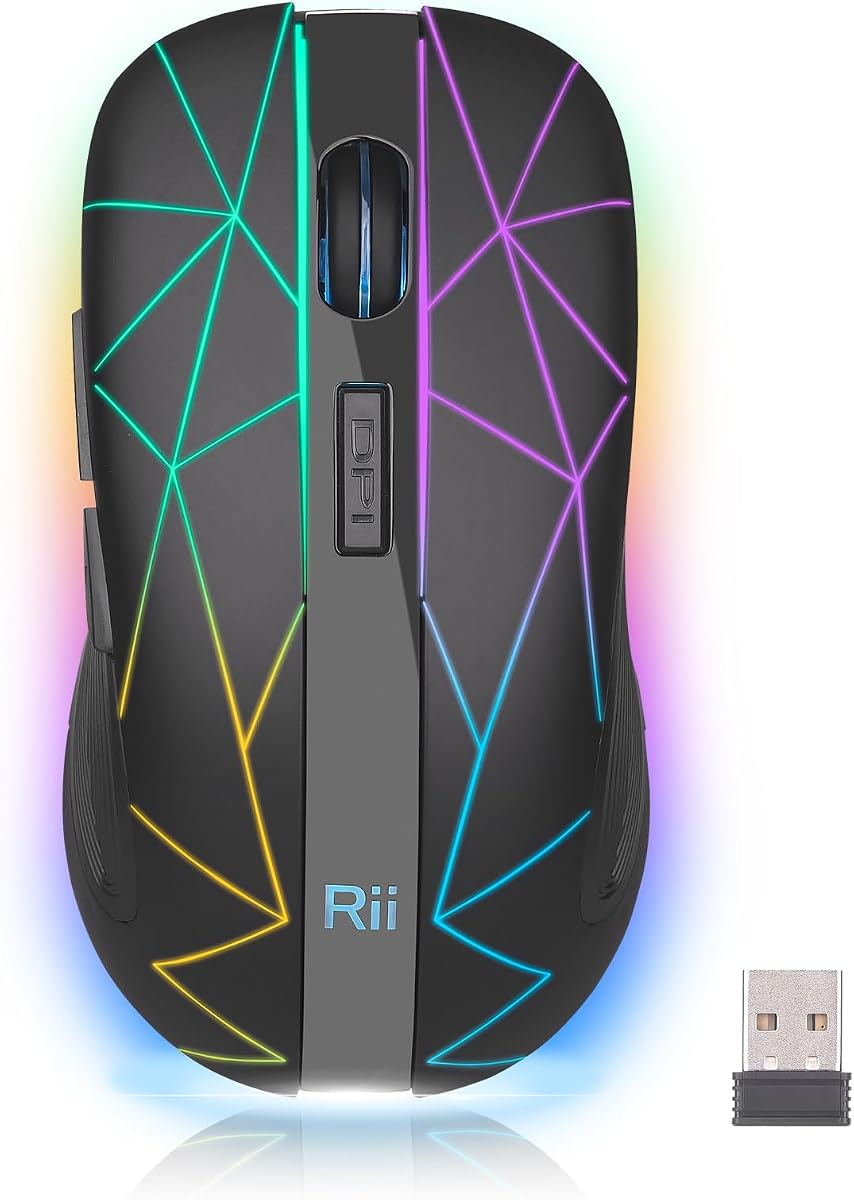
This Rii model excels in portability making it ideal for travelers and commuters. Its compact size fits easily into bags without adding bulk. The ergonomic contour helps it sit naturally in your hand despite the smaller footprint supporting decent comfort during use.
We may earn a commission when you buy through this link, at no additional cost to you.
LED backlighting adds a subtle glow to your workspace enhancing visibility and style. The rechargeable battery and intelligent sleep mode help conserve power for extended trips. Plug and play functionality means you can connect and start working immediately without configuration.
The compact design may not suit users with large hands or those needing extensive ergonomic support. Battery life is shorter than larger models though recharging is straightforward. Its reliability and convenience make it a practical tool for on-the-go productivity.
If you need a light up LED mouse that prioritizes size and convenience this option delivers. It works well with laptops and tablets across various operating systems. For users seeking a blend of portability and functional features this model is a solid choice.
Small dimensions allow seamless storage in any laptop sleeve ensuring you are always equipped to work.
Smooth cursor control ensures accurate navigation even on smaller surfaces or mobile workstations.
We may earn a commission when you buy through this link, at no additional cost to you.
The TENMOS M2 focuses on comfort and reliability for daily users. Its ergonomic shape fits the natural curve of your hand reducing fatigue during long work hours. The skin-friendly material provides a soft touch that enhances grip without causing irritation.
We may earn a commission when you buy through this link, at no additional cost to you.
Silent click buttons keep your environment quiet while the 7-color LED light adds a customizable touch. Accurate tracking with three CPI levels ensures smooth cursor movement across different surfaces. The rechargeable battery offers reliable runtime with easy charging via included cable.
The light effect is pleasant though less dynamic compared to advanced RGB systems. Fixed CPI switching is simple but lacks granular control for specialized tasks. Overall it offers strong value for those prioritizing comfort and silent operation in a wireless device.
For users seeking a comfortable and quiet light up LED mouse this model fits well. Its stable wireless connection supports seamless interaction with your system. If comfort and low noise are your main priorities this device delivers consistent performance without fuss.
Contoured shape aligns with hand anatomy reducing strain and improving grip for extended usage periods.
Advanced wireless technology maintains stable connection and precise cursor movement across various surfaces.
We may earn a commission when you buy through this link, at no additional cost to you.
This TENMOS V7 combines solid performance with a high user rating making it a trusted choice. The rainbow LED light provides a visually appealing glow for any desk setup. Silent clicks ensure you can work or play without disturbing others nearby.
We may earn a commission when you buy through this link, at no additional cost to you.
Power saving modes extend battery life significantly by entering sleep after inactivity. Wake-up is immediate with any button press ensuring responsiveness when needed. The wireless connection stays stable within standard working distances supporting seamless interaction with your computer.
While button layout is standard and DPI options are limited the device fulfills core needs effectively. Its price point makes it accessible for those seeking reliable wireless functionality. The build remains durable enough for regular daily use without issues.
For those seeking a dependable and affordable light up LED mouse this model stands out. It offers great value for students and home office users. If you want a quiet wireless option with pleasant lighting this device meets expectations well.
Automatic power saving extends battery life by shutting down functions when the mouse is not in use.
Any button click quickly resumes operation so you never face delays during critical tasks.
We may earn a commission when you buy through this link, at no additional cost to you.
Guiheng offers exceptional connectivity options supporting both Bluetooth and 2.4G wireless modes. This flexibility allows easy switching between devices without carrying multiple receivers. The ergonomic design ensures comfort while silent clicks reduce noise in shared workspaces.
We may earn a commission when you buy through this link, at no additional cost to you.
Six programmable buttons support efficient workflows and gaming actions. The 7-color LED light adds visual flair that can be customized or turned off. Rechargeable battery ensures you avoid disposable waste while maintaining steady performance over time.
Switching modes may require a brief learning period to manage effectively. While build quality is standard it holds up well under regular use. The broad OS support ensures compatibility with most modern laptops and tablets.
For users needing flexible connectivity and solid functionality this light up LED mouse provides strong value. Its silent operation and customizable buttons suit professional environments well. If you prioritize versatile connection options this model is worth considering.
Dual mode options let you connect via Bluetooth or USB receiver for maximum device compatibility.
Six buttons allow customization for faster workflows reducing repetitive clicking during intensive tasks.
We may earn a commission when you buy through this link, at no additional cost to you.
Choosing the right light up LED mouse involves weighing several technical and ergonomic factors. This guide breaks down key considerations to help you match the device to your specific needs.
Decide between wired and wireless options based on your priorities. Wired mice ensure zero latency and constant power but limit movement range. Wireless models offer freedom and reduced desk clutter though they require battery management and may have slight latency.
If you play competitive games or want simplicity choose wired. For office work or travel wireless with 2.4G or Bluetooth is more versatile.
DPI measures cursor sensitivity and affects how fast your cursor moves relative to hand motion. Higher DPI values allow precise control on large screens but may feel too sensitive on smaller setups. Look for adjustable DPI switches to fine-tune your experience.
For general office use 1600 DPI is sufficient. Gamers or graphic designers might need 3200 DPI or higher for accuracy and speed.
An ergonomic mouse reduces strain during long sessions by fitting the natural curve of your hand. Look for skin-friendly materials and adequate palm support. Poor ergonomics can cause fatigue or wrist pain over time.
Choose a shape that aligns with your grip style. If you use the mouse for hours daily prioritize models with deep contours and cushioned surfaces.
LED lighting ranges from fixed single-color to customizable RGB with multiple modes. Breathing or static effects suit aesthetic preferences. Some models allow you to turn lights off to save battery or reduce visual distractions.
Consider whether you want dynamic lighting or simple illumination. If battery life is critical choose a model with an easy on-off switch.
Rechargeable mice are eco-friendly and cost-effective over time. Check battery duration and charging time. Models with power-saving sleep modes extend usage between charges. Always verify if the mouse supports wired use while charging.
For extended daily use select batteries lasting weeks on a charge. Quick charging reduces downtime if you forget to charge regularly.
Standard mice offer left and right clicks plus a scroll wheel. Advanced models include extra buttons for navigation or macros. Ensure the button layout supports your typical tasks whether browsing or gaming.
Six buttons cover most needs. If you need specialized shortcuts look for programmable options though most budget models offer fixed functionality.
Look for robust materials like metal chassis or reinforced plastics. High click ratings indicate long-term durability. Lightweight builds aid portability but may feel less sturdy. Check for protective coatings to resist wear and fading.
Select a model with proven longevity. Metal elements enhance resilience against drops and impacts during daily handling.
Ensure the mouse works with your operating system. Most support Windows and macOS. Verify Bluetooth versions or USB requirements for seamless connection. Plug and play models save setup time and driver hassles.
Check system requirements before purchasing. Compatibility with your devices ensures instant functionality without extra software installation.
To get started plug the USB receiver or enable Bluetooth and match the device with your computer. Adjust DPI settings using the dedicated button to match your preferred cursor speed. Familiarize yourself with button placements for efficient navigation.
Keep the optical sensor clean by occasionally wiping the underside with a soft cloth. Avoid dusty environments and ensure your mouse pad provides a smooth surface. This prevents tracking issues and extends sensor lifespan.
Charge the mouse regularly to maintain battery health. If unused for long periods store it in a cool dry place. Turning off lights or enabling sleep mode preserves battery life when not in active use.
Most models feature a dedicated button near the scroll wheel to cycle through colors and modes. Press it briefly to switch effects. Some allow turning lights off entirely. Check the manual for specific key combos or software if available.
No, LED lights on mice are low intensity and pose no health risks. They serve aesthetic purposes and are not bright enough to cause discomfort. You can turn them off if they distract you during focused work.
For standard office tasks, 800 to 1600 DPI works well. Higher DPI like 3200 suits gaming or large monitors. Adjust DPI based on screen size and personal preference for cursor control.
Most rechargeable models allow use while plugged in. Check your specific device for this feature. Some turn off lighting while charging to conserve power or ensure faster charging rates.
Lag often comes from low battery, signal interference, or distance. Ensure the receiver is close to your device. Replace or recharge batteries. Avoid placing the receiver behind metal objects that block signals.
Standard optical sensors struggle on reflective surfaces like glass. Use a mouse pad for best tracking. Some high-end models have advanced sensors but generally a solid surface ensures reliable performance.
Our top picks cover a wide range of needs from budget-friendly wired models to versatile wireless options. Whether you want silent clicks or customizable RGB lighting there is a device for every setup and preference.
Prioritize ergonomics and connectivity based on your daily routine. Comfort during long sessions and reliable connection are more important than flashy features. Balance your needs with the device features that match your workflow.
Prices and features may vary by retailer. Always check current listings for the latest updates. We recommend reviewing our guide to find the light up LED mouse that brings both style and performance to your desk.