
acer SB240Y G0bi
4.6Editor score
1080p Full HD resolution
120Hz refresh rate support
Zero-frame edge-to-edge design
Edge to edge monitors offer seamless visuals without distracting bezels, creating an immersive experience for work and gaming. These displays maximize screen real estate, allowing users to focus entirely on content without interruptions from physical frames.
We evaluated ten top models based on resolution, refresh rate, panel type, and connectivity options. Our analysis considers real-world performance, ergonomic features, and value to ensure you find the right match for your specific needs and budget.
Each pick highlights unique strengths, from budget-friendly options to premium OLED displays. Remember that prices fluctuate frequently, so check current listings before purchasing to secure the best deal available for your chosen edge to edge monitor today.
4.6Editor score

4.4Editor score

4.3Editor score
As an Amazon Associate we earn from qualifying purchases.
This side-by-side comparison highlights key specifications across all ten selected monitors. Reviewing these details helps you identify which model offers the best balance of size, speed, and visual fidelity for your daily tasks and entertainment needs.





The Dell 34 Monitor S3425DW stands out as a top choice for users seeking a balanced mix of productivity and entertainment. With a 4.4 rating, it delivers smooth visuals and eye comfort features that make long sessions manageable.
We may earn a commission when you buy through this link, at no additional cost to you.
Its WQHD VA panel offers stunning depth with a 3000:1 contrast ratio, ensuring dark scenes look rich. The 120Hz refresh rate combined with FreeSync Premium eliminates tearing, making it ideal for casual gaming and media consumption.
While the VA panel has slightly slower response times than IPS, the trade-off is worth the superior contrast. The USB-C connectivity simplifies desk organization, allowing power and data through a single cable.
This monitor is perfect for professionals and gamers who value color accuracy and eye comfort. It provides a premium experience without the extreme cost of OLED options, making it a strong recommendation.
ComfortView Plus reduces harmful blue light emissions to under 35 percent without affecting color accuracy, ensuring healthier viewing habits during extended work sessions.
With 99 percent sRGB coverage and HDR readiness, this display brings vibrant true-to-life colors and deep contrast to every image and video you view.
We may earn a commission when you buy through this link, at no additional cost to you.
The acer SB240Y G0bi is an incredible value for those needing an edge-to-edge display without breaking the bank. Its 4.6 rating reflects high satisfaction with its slim design and performance capabilities.
We may earn a commission when you buy through this link, at no additional cost to you.
Despite the lower price, it offers a 120Hz refresh rate and adaptive-sync support for smooth gaming. The zero-frame design maximizes visibility, making it feel larger than its 23.8 inch physical size.
Trade-offs include basic connectivity with only VGA and HDMI, and limited ergonomic adjustments. However, for budget-conscious users, the visual quality and responsiveness are impressive.
This monitor is best for students or casual gamers wanting a clean look and fast motion handling. It proves you do not need to spend a fortune for a quality edge-to-edge experience.
The zero-frame design provides maximum visibility from edge to edge, creating a seamless look that enhances immersion for both work and gaming tasks.
With up to 120Hz refresh rates and 1ms VRB response time, fast-moving scenes render smoothly without smearing or ghosting artifacts.
We may earn a commission when you buy through this link, at no additional cost to you.
The LG 45GX950A-B redefines gaming with the world's first 5K2K OLED screen. Its 4.3 rating comes from users who crave ultimate visual fidelity and speed combined into one premium package.
We may earn a commission when you buy through this link, at no additional cost to you.
The dual-mode feature lets you switch between high resolution for story games or high refresh rates for competitive shooters. The 0.03ms response time ensures almost zero ghosting even in fast-paced action.
The main drawback is the high cost and inherent OLED burn-in risk, though modern tech mitigates this. The brightness and contrast levels are unmatched by traditional LCD panels.
This monitor is for serious gamers and professionals who demand the best possible picture quality. If budget allows, it delivers an immersive experience like no other edge-to-edge display.
With 125 PPI and an updated subpixel layout, text appears sharper with reduced color fringing, making it suitable for both creative work and play.
Switch between 5K2K at 165Hz for detail or Wide Full HD at 330Hz for speed, adapting instantly to your gaming session requirements.
We may earn a commission when you buy through this link, at no additional cost to you.
The Z-Edge 49 inch model offers a massive DQHD screen that replaces two standard monitors. With a 4.5 rating, it excels at multitasking and immersive gaming for users needing space.
We may earn a commission when you buy through this link, at no additional cost to you.
Features like PIP and PBP let you view multiple sources simultaneously. The KVM switch is a standout utility, allowing control of two computers with one keyboard and mouse.
The curved screen wraps around your field of view, enhancing immersion. However, the size requires a large desk and careful planning for optimal viewing distances.
This monitor is ideal for power users managing multiple systems or projects. Its versatility makes it a top contender for productivity-focused edge-to-edge setups.
Dual QHD resolution is equivalent to two QHD monitors side-by-side, delivering ultra-detailed visuals and seamless multitasking without bezels.
Built-in crosshair and shadow balance features provide a competitive edge, helping you aim better and see details in dark game scenes.
We may earn a commission when you buy through this link, at no additional cost to you.
The Dell UltraSharp U4924DW is designed for professional environments demanding reliability and clarity. Its 4.2 rating reflects satisfaction with its sturdy build and clear display performance.
We may earn a commission when you buy through this link, at no additional cost to you.
The USB-C connection allows powerful data transfer and power delivery, simplifying setup for laptops. The edge WLED backlight ensures smooth images without flicker.
While the response time is standard, it suits office tasks well. The 49-inch screen offers ample space for spreadsheets and documents simultaneously.
This monitor fits best in corporate offices or home setups prioritizing productivity over gaming. It delivers a consistent visual experience for heavy daily use.
USB Type-C allows powerful and efficient data transfer, maximizing productivity by connecting devices with a single cable solution.
Dual Quad HD mode provides visual clarity ensuring maximum productivity with a 5120 x 1440 resolution for sharp text and images.
We may earn a commission when you buy through this link, at no additional cost to you.
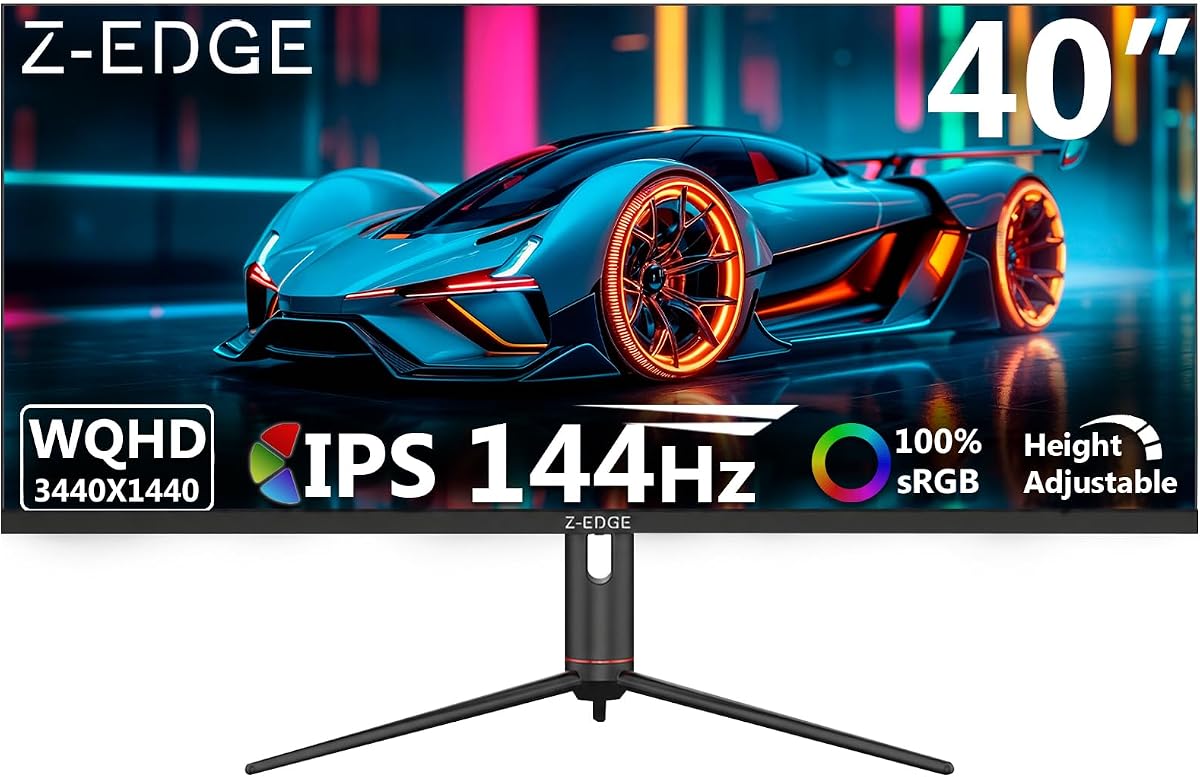
The Z-Edge 40 inch model strikes a balance between size and speed with an IPS panel. A 4.5 rating highlights its consistent colors and smooth motion handling for gaming.
We may earn a commission when you buy through this link, at no additional cost to you.
The 144Hz refresh rate via DP port ensures fluid gameplay. USB-C connectivity adds versatility for modern laptops needing efficient data transmission.
Built-in speakers save space, though audio quality is functional rather than premium. The ergonomic stand allows height and tilt adjustments for comfort.
This option suits gamers wanting wider screens without extreme curvature. It offers reliable performance for mixed use including content creation.
Advanced IPS panel delivers 178 degree wide viewing angles, ensuring consistent colors and brightness from nearly any perspective.
Advanced gaming modes like Shadow Balance and Hawk-eye Vision improve visibility, precision, and control during intense matches.
We may earn a commission when you buy through this link, at no additional cost to you.
The Corsair XENEON Edge offers a unique solution for PC builders wanting internal system metrics. Its 4.1 rating comes from users who appreciate its versatility and ease of use.
We may earn a commission when you buy through this link, at no additional cost to you.
You can install it inside a PC case or use it as a standalone monitor. The multi-touch capacitive touchscreen makes interacting with apps feel like using a smartphone.
The resolution is unusual but fits internal dashboards well. Mounting is easy with magnets or screws, fitting various fan positions.
This display is niche, targeting tech enthusiasts wanting to showcase their builds. It stands out as a creative edge-to-edge accessory rather than a primary screen.
Take your build to the next level by showcasing system metrics, weather apps, and calendars directly inside your PC case.
Five-point multi-touch capacitive technology makes interacting with applications as easy as using your daily smartphone.
We may earn a commission when you buy through this link, at no additional cost to you.
The Sceptre Curved 34-inch delivers fast 240Hz performance at a competitive price. A 4.4 rating indicates good satisfaction for gamers prioritizing speed over premium build.
We may earn a commission when you buy through this link, at no additional cost to you.
With 100 percent sRGB color gamut, visuals are accurate for creative work too. Blue-light shift technology protects eyes during long sessions.
The 1ms response time minimizes motion blur effectively. Multiple connectivity options ensure compatibility with various systems.
This monitor is best for budget-conscious gamers needing high refresh rates. It offers solid performance for competitive titles without premium costs.
Two HDMI and two DisplayPort links up to 240Hz ensuring versatile connectivity and smooth visual experiences for work and play.
Experience vibrant true-to-life colors with 100 percent sRGB performance ensuring accurate visuals for multimedia tasks.
We may earn a commission when you buy through this link, at no additional cost to you.
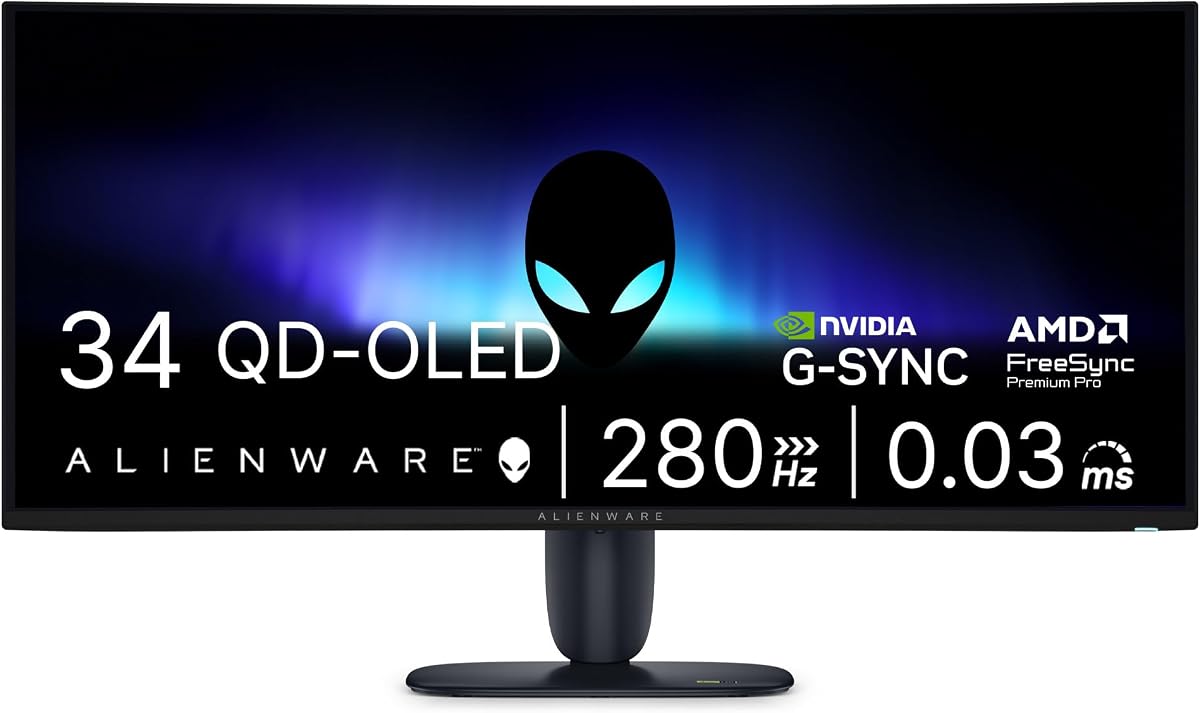
The Alienware 34 Gaming Monitor offers elite performance with QD-OLED technology. Its 4.2 rating reflects high-end capabilities that match competitive gaming demands perfectly.
We may earn a commission when you buy through this link, at no additional cost to you.
The 280Hz refresh rate and 0.03ms response time make motion incredibly sharp. G-SYNC ensures tear-free visuals even at high frame rates.
QD-OLED provides deep blacks and vivid colors, enhancing immersion. However, the price is high compared to standard LED monitors.
This monitor is for professionals and enthusiasts wanting the fastest response. It sets the standard for high-speed edge-to-edge gaming experiences.
Ultra-fast 280Hz refresh rate combined with 0.03ms response time delivers buttery smooth motion ideal for competitive shooters.
QD-OLED panel provides rich contrast and accurate colors ensuring every scene looks vibrant and detailed.
We may earn a commission when you buy through this link, at no additional cost to you.
The Samsung 57" Odyssey Neo G9 offers the widest edge-to-edge experience available. Its 4.3 rating highlights the stunning visuals for those with space and budget.
We may earn a commission when you buy through this link, at no additional cost to you.
As the world's first dual UHD monitor, it rivals two 4K screens. The 1000R curve wraps around your vision for total immersion.
Quantum Mini LED technology delivers high contrast and brightness. CoreSync projects game colors into your room for added immersion.
This monitor is for ultimate home theater or gaming setups. It redefines what an edge-to-edge display can achieve visually.
57 inch DUHD resolution brings a display as wide as two UHD monitors with incredibly detailed pin-sharp images.
CoreSync technology projects game colors into the real world enhancing immersion with dynamic ambient lighting effects.
We may earn a commission when you buy through this link, at no additional cost to you.
Selecting the right edge to edge monitor involves understanding key factors like panel type, resolution, and refresh rate. This guide breaks down what matters most to help you make an informed decision.
Panel technology dictates color accuracy and speed. IPS offers wide viewing angles, VA provides deep blacks, and OLED delivers perfect contrast and speed.
Choose IPS for color work, VA for contrast, or OLED for ultimate gaming performance.
Resolution determines image sharpness while size impacts immersion. 1080p suits 24 inches, but 1440p or 4K is better for 32 inches or more.
Match resolution to screen size to ensure text remains crisp at typical viewing distances.
Higher refresh rates like 144Hz or 240Hz make motion smoother for gaming. Standard 60Hz is enough for office work or video watching.
Prioritize high refresh rates if you play competitive games regularly.
Look for USB-C for laptop power delivery and DP for high refresh rates. HDMI is standard but check versions for bandwidth needs.
Ensure the monitor has enough ports for all your devices.
Adjustable stands for height, tilt, and swivel reduce strain during long sessions. VESA mount compatibility allows flexible wall or arm mounting.
Prioritize ergonomic adjustments to maintain healthy posture over time.
Gamut coverage like 99 percent sRGB or DCI-P3 ensures vibrant true-to-life colors. Look for factory calibration if color precision is critical.
Check color specs if you create content or need accurate visuals.
Response time affects ghosting and motion blur. 1ms or lower is ideal for fast-paced games while higher values suit general use.
Keep response time under 5ms if you play action games regularly.
Extra features like KVM switches, built-in speakers, or lighting effects add utility but may raise cost. Decide what extras you actually need.
Balance features with budget to avoid paying for unnecessary functions.
Proper setup ensures best performance. Connect high-bandwidth cables like HDMI 2.1 or DP for full refresh rates. Adjust brightness and contrast to match your room lighting.
Maintain screen health by enabling night modes to reduce blue light. Clean the panel gently with microfiber cloth avoiding harsh chemicals. Use screen savers to prevent burn-in on OLED models.
Update drivers and firmware regularly for stability. Adjust OSD settings for your specific usage like gaming or reading. Monitor temperature to ensure it stays cool during long sessions.
Edge to edge refers to a design where the display panel extends nearly to the physical bezels of the frame. This minimizes borders for a seamless viewing experience.
Curved screens can enhance immersion by wrapping around your field of view. However, they are less ideal for straight lines and productivity tasks.
For general use 60Hz is fine. Gamers should look for 144Hz or higher to see smoother motion. Competitive players may prefer 240Hz or more.
High refresh rates and resolutions require high bandwidth cables. HDMI 2.1 or DisplayPort 1.4 are recommended to support faster data transfer.
Use a soft dry microfiber cloth to gently wipe the surface. Avoid spraying liquid directly on the screen to prevent damage to internal components.
A KVM switch lets you control multiple computers with one keyboard and mouse. It is useful for multitasking between work and personal devices.
Eye comfort features like blue light reduction help reduce strain during long use. They are especially useful for users working late at night.
Most models support VESA mounts for flexible installation. Check the manual for specific hole patterns and weight limits before mounting.
We reviewed ten top edge to edge monitors ranging from budget picks to premium models. Each offers unique strengths in visual quality, speed, or design.
Consider your primary use case when choosing. Gamers benefit from high refresh rates while professionals may prefer color accuracy and resolution.
Prices change frequently so check current listings before buying. Use this guide to find the best value and performance for your needs.