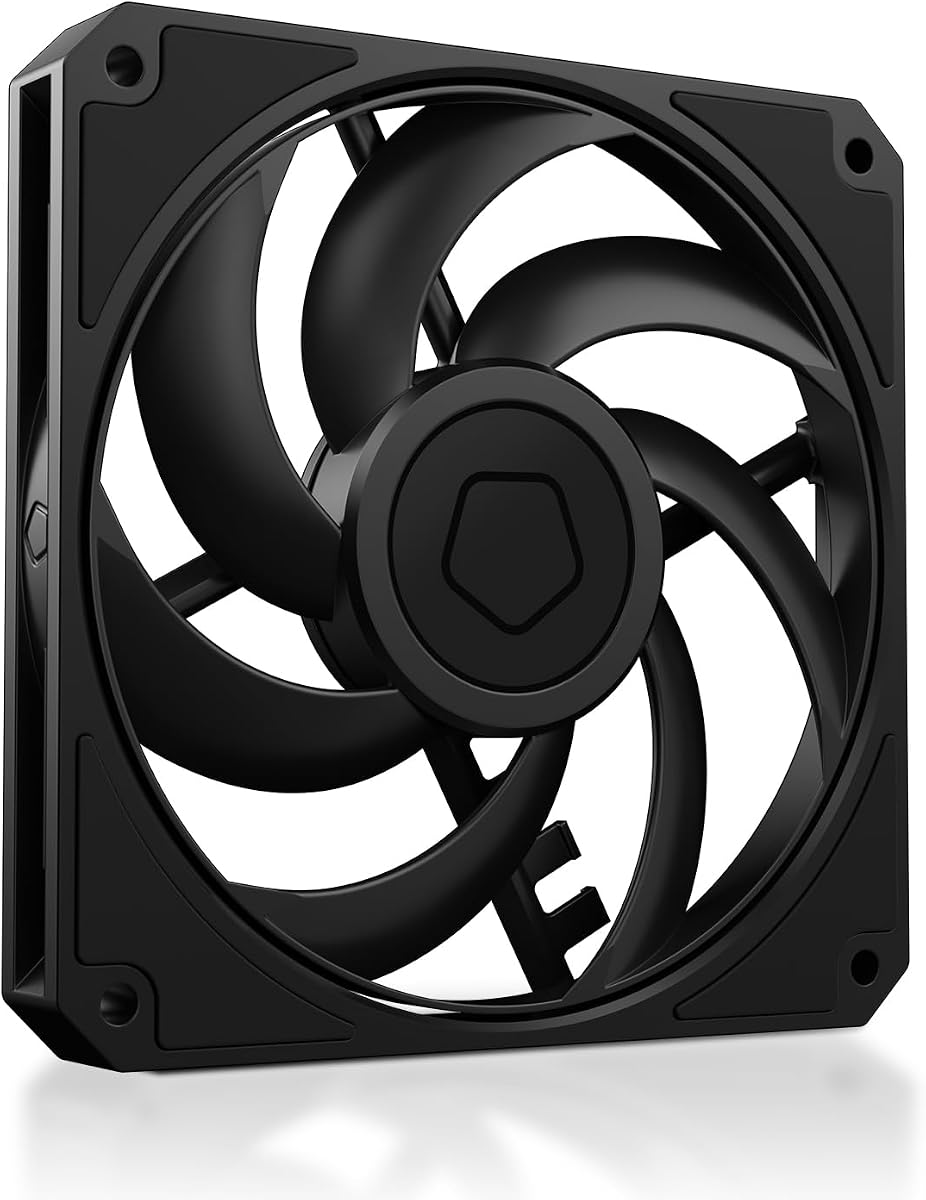
ID-COOLING AM-120-SLIM
4.8Editor score
15mm slim design
High static pressure
Quiet hydraulic bearing
This guide compares the top low profile case fans for SFF builds, detailing airflow, noise levels, and compatibility to help you choose the right cooling
Building a compact PC requires careful component selection, especially for cooling. Low profile case fans offer the perfect balance of size and performance for small form factor enclosures.
We analyzed ten top-rated models based on static pressure, airflow, noise levels, and build quality. Our selection includes trusted brands known for reliability in constrained thermal environments.
Each pick highlights specific strengths like PWM control or slim designs. Note that availability and pricing change frequently, so verify details before purchasing your next cooling upgrade.
4.8Editor score

4.9Editor score

4.8Editor score
The table below presents a side-by-side comparison of the ten selected low profile fans. It highlights key specifications like dimensions, RPM, and airflow to assist your decision-making process.



This premium fan sets the standard for 120mm slim cooling solutions. With a 4.9 rating, it delivers exceptional silence and airflow for ITX builds.
We may earn a commission when you buy through this link, at no additional cost to you.
Its award-winning A-series design features Flow Acceleration Channels that improve efficiency. The Advanced Acoustic Optimisation frame reduces turbulence significantly.
While expensive, the reliability and included accessories justify the cost. The low-noise adaptor allows even quieter operation at 1400 RPM when needed.
Buy this if you prioritize silence and thermal performance. It is the ideal choice for high-end small form factor systems.
Advanced frame technology minimizes air turbulence for whisper-quiet operation even at full speed.
Includes screws, anti-vibration mounts, and extension cables for easy installation in tight spaces.
We may earn a commission when you buy through this link, at no additional cost to you.
This fan offers incredible value for builders on a budget. It delivers high performance with a slim 15mm design suitable for compact cases.
We may earn a commission when you buy through this link, at no additional cost to you.
It moves up to 59.6 CFM of air and maintains good static pressure. This makes it effective for radiators or restrictive coolers.
Noise levels remain acceptable but may be audible at maximum speed. However, PWM control allows you to balance noise and cooling.
Ideal for cost-conscious builds needing reliable cooling. It proves you do not need to spend a lot for quality airflow.
Provides top-tier airflow specifications at a fraction of the price of premium competitors.
Designed to push air through dense fins without significant performance loss or backpressure.
We may earn a commission when you buy through this link, at no additional cost to you.
This black edition combines top-tier cooling with modern aesthetics. It retains the acoustic excellence of the standard version while looking sharper.
We may earn a commission when you buy through this link, at no additional cost to you.
The chromax.black.swap edition includes colored anti-vibration pads for customization. This adds a personal touch to your interior build.
Like its brown counterpart, it stops at 0% PWM for silent semi-passive operation. This is excellent for light workloads where noise is a concern.
Choose this for stylish high-performance systems. It ensures your compact PC looks as good as it cools.
Allows you to match fan vibration pads to your case color scheme easily.
Delivers the same award-winning cooling performance in a modern monochrome finish.
We may earn a commission when you buy through this link, at no additional cost to you.
Buying a three-pack reduces the cost per fan significantly. It is perfect for setups requiring multiple low profile units for balanced cooling.
We may earn a commission when you buy through this link, at no additional cost to you.
These fans are optimized for static pressure. They perform well on radiators and heat sinks where resistance is high.
They operate slightly louder than top-tier models but offer excellent reliability. The daisy chain PST feature simplifies cable management.
Best for budget builds needing multiple fans. This pack ensures consistent cooling across your compact chassis.
Allows daisy chaining multiple fans to a single motherboard header for easier wiring.
Engineered to maintain airflow efficiency even when pushing through dense components.
We may earn a commission when you buy through this link, at no additional cost to you.
This fan offers the benefits of a larger 140mm unit in a slim form factor. It provides more airflow than standard 120mm options.
We may earn a commission when you buy through this link, at no additional cost to you.
The low profile allows it to fit in tight spots where bulkier fans fail. It maintains efficient cooling even with high resistance.
While slightly noisier than premium options, it offers great performance for the price. Ideal for cases that support 140mm slim mounts.
Ideal for cases needing larger air movement. It bridges the gap between size constraints and cooling efficiency.
Delivers 140mm-sized airflow while keeping a slim profile for restricted spaces.
Designed to push air effectively through radiators and restrictive cases.
We may earn a commission when you buy through this link, at no additional cost to you.
This fan focuses on pure, simple performance and silence. It features optimized blades that reduce noise while maintaining airflow.
We may earn a commission when you buy through this link, at no additional cost to you.
Its rifle bearing ensures long life and quiet operation over time. It can run at very low RPMs for ultra-silent usage.
While less feature-rich than premium rivals, it delivers solid cooling. German engineering ensures durability and consistent performance.
Great for users wanting simplicity and silence. It is a reliable choice for standard low profile applications.
Frame design directs air flow efficiently for peak performance on radiators.
Low minimum RPM settings allow for near silent idle speeds.
We may earn a commission when you buy through this link, at no additional cost to you.
This slim fan is perfect for small CPU coolers and cases. It features vibration absorbing pads to reduce noise effectively.
We may earn a commission when you buy through this link, at no additional cost to you.
The S-FDB bearing extends service life and maintains low noise. It delivers balanced performance for its low profile.
It might not match high RPM fans in raw speed but offers reliability. The price point makes it accessible for many builds.
Excellent for budget CPU cooling upgrades. It fits neatly into low profile coolers without sacrificing silence.
Absorbing pads minimize friction and vibration for quieter operation.
Provides a good mix of airflow and quiet performance for standard usage.
We may earn a commission when you buy through this link, at no additional cost to you.
Ideal for 9cm low-profile CPU coolers like the NH-L9 series. It packs premium performance into a tiny footprint.
We may earn a commission when you buy through this link, at no additional cost to you.
The 2500 RPM allows strong airflow despite the small size. It remains quiet thanks to acoustic optimizations.
Semi-passive support ensures zero noise at idle. It is perfect for systems needing extreme cooling in small spaces.
Buy for 92mm cooler requirements. It solves the size issue without compromising cooling performance.
14mm thickness fits easily into tight 92mm cooler constraints.
Auto control via PWM ensures efficient speed balancing automatically.
We may earn a commission when you buy through this link, at no additional cost to you.
This version offers classic 3-pin connectivity for older or specific headers. It comes with adaptors to tune speeds manually.
We may earn a commission when you buy through this link, at no additional cost to you.
Speeds range from 1850 down to 950 RPM. You choose the balance between airflow and silence using the adaptor.
It is ideal for systems without PWM support. The build quality ensures longevity and consistent performance.
Perfect for legacy systems or custom setups. It offers flexibility where modern PWM fans cannot.
Supplied adaptors let you fine-tune speed settings for specific needs.
Works with both modern and older motherboard headers easily.
We may earn a commission when you buy through this link, at no additional cost to you.
The standard PWM version offers automatic speed control via motherboard headers. It balances noise and cooling without manual intervention.
We may earn a commission when you buy through this link, at no additional cost to you.
It includes all necessary mounting hardware for easy installation. The design ensures quiet operation even at maximum capacity.
Reliable and efficient, it suits most slim cooling needs. It provides peace of mind for critical system components.
Choose this for reliable automatic cooling. It is a solid choice for any slim fan application.
Uses PWM signals to adjust fan speed based on system temperature.
Includes cables and mounts for immediate and easy installation.
We may earn a commission when you buy through this link, at no additional cost to you.
Selecting the right low profile fan requires balancing several technical factors. This guide outlines the key aspects to consider for optimal performance.
Always verify your case or cooler supports slim profiles like 15mm. Standard 25mm fans often block components in small builds. Check manufacturer clearance specs carefully.
Ensure the physical size matches your mounting points to avoid fit issues.
High airflow is key for open intake while high pressure helps resist restricted radiators. Check CFM and mmH2O values to match your use case.
Prioritize static pressure for radiators and airflow for general case ventilation.
Look for fans rated under 25 dB(A) for silent operation. Noise increases significantly at high RPMs so consider PWM control for balancing.
Check max noise ratings and look for noise-reduction features like fluid bearings.
PWM fans allow automatic speed control via 4-pin headers. Non-PWM models often use adapters or 3-pin connectors which limit speed flexibility.
Choose PWM for better automation and quieter operation across load ranges.
Fluid dynamic bearings offer longer lifespans and lower noise than sleeve bearings. High MTTF ratings indicate better long term reliability.
Opt for fluid dynamic or rifle bearings for quiet durable operation.
High quality plastic and secure mounting reduce vibration and rattling. Premium brands often include anti-vibration pads to isolate noise.
Look for sturdy frames and included vibration mounts in the package.
Check if screws and extension cables are included to save hassle. Some models come with Y-cables or multiple connectors for easier setup.
Ensure all necessary mounting hardware is available before purchase.
Premium models cost more but offer better acoustic performance. Budget fans may need to be louder to move the same air.
Weigh the cost against the required performance levels for your build.
Install the fans ensuring airflow direction matches case ventilation needs. Check mounting screws are tight to prevent vibration.
Regularly remove dust with compressed air to maintain performance. Dust buildup can increase noise and reduce airflow over time.
Monitor fan speeds via BIOS or software to ensure PWM headers are active. Adjust curves to keep noise low during light tasks.
Generally yes due to optimized blades and better bearings. However, if pushed to high RPMs they can still be noisy. PWM control helps manage this effectively.
120x120x15mm offers the best balance of airflow and fit. 140mm provides more air but is harder to fit. 92mm suits specific compact coolers.
PWM is recommended for auto speed control. It allows the fan to stop or slow down when cooling isn't needed. This improves silence significantly.
Use the provided screws to secure the fan frame. Ensure airflow direction points outward or towards components. Connect to headers carefully.
Yes but choose fans with high static pressure. Thin fans on radiators can struggle with resistance if not pressure optimized.
It limits max voltage to lower RPM and noise. It is useful for near silent operation when full power isn't needed.
We have reviewed ten top options ranging from budget to premium. Noctua leads in performance while ID-COOLING offers excellent value.
Prioritize static pressure for radiators and low noise for desktop usage. Verify your case clearance to ensure a proper fit.
Prices change frequently so check current listings before buying. Choose a fan that matches your specific cooling requirements.