
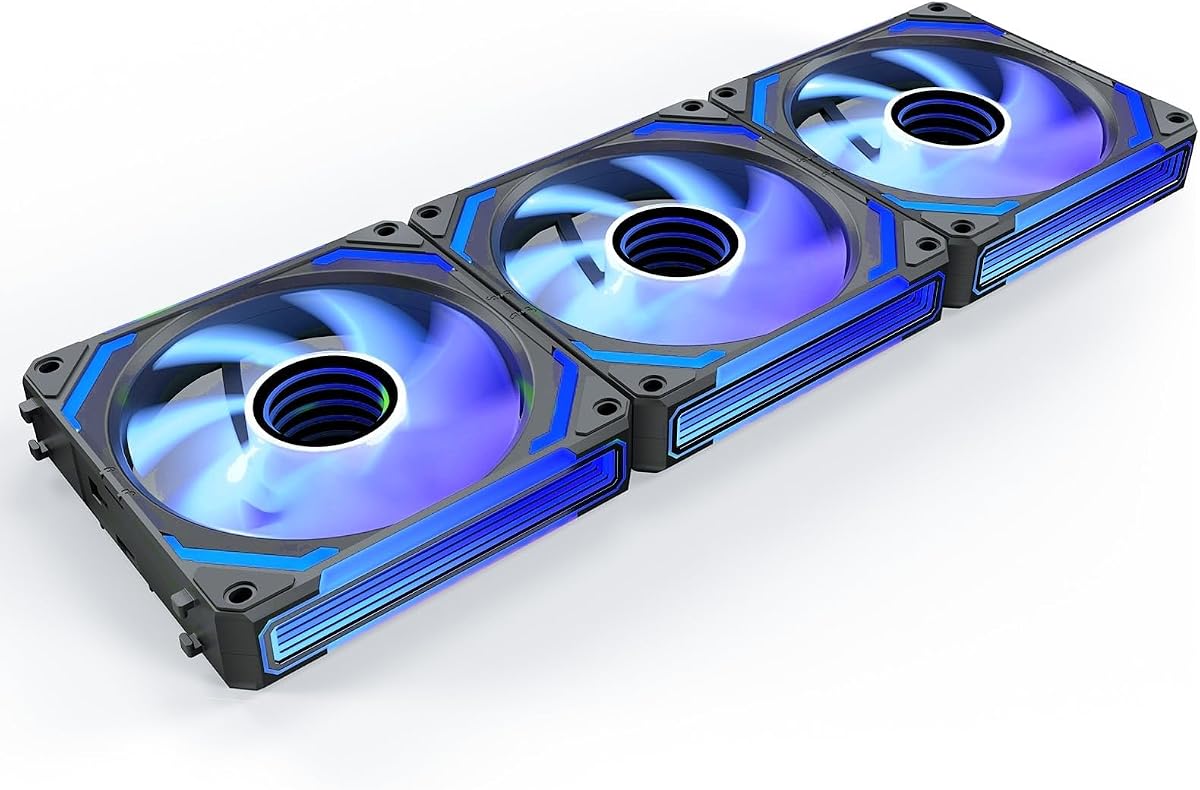
Thermalright TL-C12C-S X3
4.6Editor score
S-FDB Bearing Technology
1550 RPM Max Speed
Silent Operation Under 26 dBA
This guide compares the top 10 addressable RGB fans for PC cooling, highlighting performance, noise levels, lighting effects, and installation features for
Addressable RGB fans bring vibrant lighting and efficient cooling to modern PC builds. They allow precise color control and seamless synchronization with other components.
We evaluated ten top models based on airflow, static pressure, noise levels, and lighting quality. Our selection includes options for budget builders and premium enthusiasts alike.
Each pick highlights key strengths and ideal use cases for your system. Prices and availability change frequently, so check current listings before purchasing.
4.6Editor score

4.7Editor score
4.8Editor score
This side-by-side comparison highlights the core specifications and unique features of each selected fan model to help you make an informed decision.





This five-pack from Thermalright offers exceptional value for builders needing multiple cooling points. Rated 4.7 stars, it combines silent operation with solid airflow capabilities.
We may earn a commission when you buy through this link, at no additional cost to you.
The S-FDB bearings minimize vibration noise while the high-brightness LED blades provide a soft ARGB glow. With 66.17 CFM airflow, these fans handle case exhaust and radiator intake well.
While they lack proprietary sync software, the standard 5V ARGB interface ensures broad motherboard compatibility. The included cables are long enough for most mid-tower cases.
Ideal for budget-conscious gamers and DIYers wanting reliable cooling without sacrificing aesthetics. The performance per dollar makes this a top contender in the market.
The S-FDB bearings ensure smooth rotation, keeping noise levels under 25.6 dBA even at full speed while maintaining optimal airflow for system stability.
With 17 light effect modes and standard 5V control, you can customize your build's look without needing expensive proprietary hubs or software.
We may earn a commission when you buy through this link, at no additional cost to you.
For those needing just three fans at the lowest possible cost, this model delivers reliable performance. It shares the same core specs as the five-pack option.
We may earn a commission when you buy through this link, at no additional cost to you.
The 1550 RPM speed provides adequate cooling for standard cases, and the S-FDB bearing keeps noise minimal. The ARGB lighting is effective without overpowering the build.
Cable management might require extra care due to shorter wires compared to some premium models. However, for standard layouts, they are sufficient.
This is the perfect starter pack for first-time builders or small form factor systems where budget and noise matter most. It proves you don't need to spend much for decent quality.
This three-pack provides the same performance and bearing quality as higher-tier models at a fraction of the price, making it ideal for tight budgets.
The fluid dynamic bearing ensures long lifespan and quiet operation, reducing maintenance needs and ensuring consistent performance over years of use.
We may earn a commission when you buy through this link, at no additional cost to you.
This premium option stands out with its infinity mirror design and music sync capabilities. It turns your PC into a dynamic light show synchronized with audio.
We may earn a commission when you buy through this link, at no additional cost to you.
The high 2000 RPM speed and 68.5 CFM airflow ensure even demanding systems stay cool. The reverse fan design hides blades while keeping the lighting visible from all angles.
Installation is simplified by the daisy chain connection, reducing cable clutter significantly. However, the setup may be more involved than basic standard fans.
Best for enthusiasts who prioritize aesthetics and advanced features over pure cost efficiency. It offers a unique visual experience that few other fans can match.
The built-in microphone allows the fans to change colors based on game sounds or music, adding an immersive layer to your gaming experience.
Unlike standard rings, this mirror effect creates depth and richness in your build, making it a centerpiece of any gaming setup.
We may earn a commission when you buy through this link, at no additional cost to you.
Corsair fans are known for quality control and reliability. This triple pack offers robust airflow and a streamlined connection system via daisy-chaining.
We may earn a commission when you buy through this link, at no additional cost to you.
With 72.8 CFM airflow, these fans excel at moving air through restrictive radiators. The magnetic dome bearing reduces vibration and extends operational life.
Optimal lighting control requires iCUE software, which adds complexity for users without a full ecosystem. Noise levels can rise slightly at maximum RPM compared to silent options.
Recommended for users already invested in the Corsair ecosystem who want seamless integration and high performance for liquid cooling setups.
AirGuide technology directs airflow precisely to hot spots, ensuring maximum cooling efficiency when mounted on radiators or heatsinks.
The daisy-chain design reduces connector usage, keeping cable runs cleaner and easier to manage inside tight PC cases.
We may earn a commission when you buy through this link, at no additional cost to you.
The Arctic P12 Pro is designed for challenging environments where airflow resistance is high. It features a wide speed range up to 3000 RPM.
We may earn a commission when you buy through this link, at no additional cost to you.
Its high static pressure ensures air penetrates dense radiators and filters effectively. The precision manufacturing minimizes gaps, resulting in smoother, quieter operation.
The bearing system is self-lubricating, reducing maintenance needs significantly. However, the design is specialized for specific high-performance scenarios rather than general use.
Ideal for liquid cooling loops where traditional fans struggle. It offers professional-grade performance for builders prioritizing thermal limits over simple aesthetics.
New blades balance performance and low noise especially at lower speeds, providing efficient cooling without excessive acoustic output during idle.
Automated balancing and minimal gaps ensure vibration is reduced, leading to quieter and longer-lasting performance under stress.
We may earn a commission when you buy through this link, at no additional cost to you.
Thermaltake introduces magnetic connectivity to simplify daisy-chaining. This system allows multiple fans to be connected with minimal wiring hassle.
We may earn a commission when you buy through this link, at no additional cost to you.
The 9 addressable LEDs provide rich color options controlled via 5V sync software. Hydraulic bearings ensure quiet and reliable long-term performance.
Vibration is reduced through the embedded mounting system, keeping noise levels low during operation. The magnetic design is innovative but requires compatible accessories.
This pack is excellent for users looking for a balance of visual appeal and ease of installation. It offers unique connectivity features not found elsewhere.
The MagForce 2.0 design allows fans to connect securely with fewer cables, streamlining the build process and reducing clutter.
Embedded anti-vibration mounts reduce noise transmission to the chassis, maintaining a quiet environment even under heavy cooling loads.
We may earn a commission when you buy through this link, at no additional cost to you.
This six-pack includes both forward and reverse blades, offering complete airflow flexibility for any case layout. The reverse fans hide blades for a cleaner look.
We may earn a commission when you buy through this link, at no additional cost to you.
With 28 LEDs per fan, brightness is significantly higher than standard models. The controller simplifies managing both PWM speed and ARGB lighting simultaneously.
Build quality is decent for the price but not exceptional. It serves well for basic upgrades where visibility and variety matter more than premium materials.
Perfect for users needing a full set of fans for case intake and exhaust. The reverse blades are a standout feature that adds value to this bundle.
Reverse blades allow intake fans to show lighting without exposing dark motor hubs, maintaining visual consistency across all fan positions.
The included controller manages both PWM speed and RGB lighting, reducing the need for separate motherboards or external controllers.
We may earn a commission when you buy through this link, at no additional cost to you.
This five-pack focuses on silent cooling with intelligent temperature control. It automatically adjusts speed based on motherboard readings to optimize noise.
We may earn a commission when you buy through this link, at no additional cost to you.
The 1550 RPM speed delivers 66.17 CFM of airflow while keeping noise below 25.6 dBA. The S-FDB bearing ensures smooth, long-lasting operation.
The soft LED lighting matches well with other components without being too bright. It is a practical solution for cases requiring many fans.
Ideal for silent PC builds needing bulk cooling without sacrificing quiet performance. The automatic speed adjustment makes it convenient for various usage scenarios.
PWM control adjusts fan speed automatically based on temperature, reducing noise during idle and increasing airflow under load without manual tweaking.
The blade design reflects light effectively for a softer ARGB glow, preventing harsh spots and ensuring consistent illumination across the fan.
We may earn a commission when you buy through this link, at no additional cost to you.
This dual pack offers reliable performance for small builds or replacements. The 7-blade design is optimized for balanced airflow and air pressure.
We may earn a commission when you buy through this link, at no additional cost to you.
Daisy-chain compatibility simplifies wiring for multiple units. The hydraulic bearing maintains smooth operation and reduces maintenance requirements over time.
While not the most powerful, it is dependable for general cooling needs. The lighting is bright and supports standard motherboard sync protocols.
Great for users needing a simple two-fan setup for case intake and exhaust. It provides consistent quality at a competitive price point.
Redefined blades optimize airflow and static pressure, ensuring efficient cooling even in cases with restricted ventilation areas.
Connecting multiple fans reduces the number of headers needed on the motherboard, making cable management simpler and cleaner.
We may earn a commission when you buy through this link, at no additional cost to you.
This three-pack is highly rated for its reliability and ease of setup. It includes a PWM splitter for quick installation without extra purchases.
We may earn a commission when you buy through this link, at no additional cost to you.
With 66.1 CFM airflow, these fans deliver consistent cooling for standard cases. The 500 to 1500 RPM range ensures smooth operation across different loads.
The daisy-chain ARGB cables leave room for other devices, aiding in clean cable management. They are a straightforward choice for basic RGB needs.
Recommended for users who want a no-fuss solution for cooling and lighting. It balances quality and simplicity well for average PC builds.
A built-in splitter simplifies installation by connecting multiple fans to one header, reducing the need for additional hubs or adapters.
Cables connect fans in series, leaving more internal space and ensuring all RGB lights are controlled through a single connector.
We may earn a commission when you buy through this link, at no additional cost to you.
Choosing the right fans requires balancing airflow, noise, and lighting features. Here are the key factors to consider before buying.
Airflow measured in CFM indicates how much air a fan moves, while static pressure measures its ability to push through resistance like radiators. High static pressure is vital for liquid cooling setups.
Look for higher static pressure for radiators and higher CFM for case ventilation.
Bearings affect longevity and noise. S-FDB and hydraulic bearings reduce friction and vibration. They are ideal for silent builds and long-term reliability.
Prioritize fluid dynamic or magnetic dome bearings for quiet operation.
PWM fans offer better speed control based on temperature. DC fans are simpler but less precise. Ensure your motherboard supports 4-pin PWM headers for best performance.
Always choose PWM for better thermal management and control.
Addressable RGB uses 5V 3-pin connectors for individual LED control. Standard RGB uses 12V 4-pin. Verify your motherboard headers match the fan type.
Match the RGB connector type to your motherboard to avoid damage.
Daisy-chaining reduces cable clutter by connecting multiple fans in series. This simplifies wiring and saves motherboard headers for other devices.
Opt for daisy-chain compatible fans for cleaner builds.
Noise is measured in decibels (dBA). Fans under 25 dBA are generally silent. Check noise ratings at max speed to ensure they fit your environment.
Check max noise ratings to ensure acceptable acoustic levels.
Some fans offer advanced lighting features like music sync or infinity mirrors. Standard fans provide basic color cycles. Decide how much visual customization you need.
Choose advanced lighting only if you want specific visual effects.
Buying in packs is often cheaper than single units. Ensure the pack quantity matches your case slots to avoid mismatched fan setups.
Calculate the number of needed fans to buy the right pack size.
Install fans ensuring the arrows on the frame match your airflow direction. Intake fans bring cool air in while exhaust fans remove hot air.
Connect the 4-pin PWM cable to the motherboard header and the 5V ARGB cable to the corresponding RGB header. Ensure polarity matches the pinout.
Use motherboard software to sync colors across devices. Dust fans regularly with a compressed air duster to maintain performance and longevity.
Standard RGB fans have a single color at a time for the whole fan. Addressable RGB fans have individual LEDs that can be controlled separately for complex patterns. You must ensure your motherboard supports 5V 3-pin for addressable fans.
No, most modern fans connect directly to motherboard 5V 3-pin headers. However, some budget packs include a physical controller to manage lights without motherboard software. Check if your motherboard has enough headers before deciding.
Check if the fans spin and the LEDs light up when the system boots. Use monitoring software to view RPM values. If one fan is silent or shows no color, check its cable connection.
Yes, as long as they use the same 5V 3-pin protocol. However, lighting control will depend on which software you use. Some motherboards support multiple vendor profiles for seamless control.
Fans with maximum speeds around 1500 RPM or lower tend to be quieter. Look for fluid dynamic bearings and airflow optimized designs. Low RPM ensures less noise even under full load.
RGB fans use slightly more power due to the lighting elements but the difference is negligible for total system consumption. The 5V ARGB line draws minimal current from the motherboard.
We reviewed ten top addressable RGB fans ranging from budget-friendly packs to premium options. Each model offers a unique balance of cooling power, noise control, and visual appeal.
Prioritize airflow and bearing type for performance. Select fans with daisy-chain capabilities if you plan to install multiple units. Ensure your motherboard supports the required headers.
Prices and stock levels change frequently. Always verify current listings and compatibility before purchasing to get the best deal for your specific build needs.