
MXZ Intel Core i7 13700F
4.5Editor score
Core i7 13700F Processor
RTX 4070 GPU
16GB DDR4 Memory
Compare the top Gaming Pcs with Rtx 4070 for performance and value. Our expert guide reviews ten prebuilt desktops to help you choose the right machine for
Finding the right machine for gaming requires balancing power and cost. Prebuilt desktops with powerful graphics cards offer an excellent starting point for enthusiasts. These systems handle modern titles smoothly and support future software updates with ease.
We evaluated ten distinct models to find the best options available today. Each unit was assessed for processor speed, memory capacity, and cooling efficiency. Our analysis focuses on real-world performance and build quality across various price tiers.
This guide details what each pick offers for gamers and creators alike. We highlight key strengths and potential trade-offs to inform your decision. Remember that availability and configurations may change over time as models update.
4.5Editor score

4.6Editor score

5.0Editor score
This side-by-side comparison highlights the core specifications of each desktop listed below. Use these details to identify which system best matches your performance requirements and aesthetic preferences for your setup.



The Skytech Gaming King 95 stands out as a top contender for serious gamers. It combines a modern Ryzen 7 processor with an RTX 4070 Super graphics card. This pairing ensures smooth performance across demanding titles at high resolutions.
We may earn a commission when you buy through this link, at no additional cost to you.
Its 16GB of DDR5 memory running at 6000MHz provides excellent bandwidth for multitasking and gaming. The 1TB NVMe SSD ensures rapid boot times and quick asset loading. The 750W Gold PSU delivers reliable power for stability during long sessions.
While the white case looks stunning, it lacks customizable RGB lighting on the fans. Additionally, users seeking massive storage might need to add more drives later. These are minor compromises given the strong core performance and included peripherals.
This desktop is ideal for players wanting high fidelity gaming without building a custom rig. The free accessories save money and simplify setup. It is a robust choice for both work and play in a modern home office.
The RTX 4070 Super supports ray tracing and DLSS for enhanced visuals and frame rates alongside the efficient Ryzen 7 7700 processor.
Maximum airflow is achieved through high-performance air cooling and ARGB fans that keep temperatures stable during intense gaming marathons.
We may earn a commission when you buy through this link, at no additional cost to you.
The MXZ Intel Core i7 13700F offers an accessible entry into high-end gaming. It features a 16-core processor paired with a capable RTX 4070. This combination allows for excellent multitasking and modern game performance at a lower cost.
We may earn a commission when you buy through this link, at no additional cost to you.
Users receive Windows 11 Pro and a year of parts and labor coverage. The 16GB DDR4 RAM handles everyday tasks well although it is not the latest standard. The 1TB M.2 SSD provides fast storage for operating system and applications.
The use of DDR4 memory slightly limits future upgrade paths compared to DDR5 systems. Component sourcing can vary so specific internal parts may differ. Still, the lifetime tech support and included RGB fans add significant value for budget-conscious buyers.
This PC is perfect for gamers looking for a reliable machine without overspending. The 13700F processor ensures longevity for years of use. It remains a solid choice for those prioritizing performance per dollar above all else.
The 16-core 24-thread CPU handles streaming and gaming simultaneously with ease thanks to its high clock speeds.
This configuration maximizes budget efficiency by using proven technology like DDR4 while still offering top-tier graphics performance.
We may earn a commission when you buy through this link, at no additional cost to you.
The MSI Aegis RS2 represents the pinnacle of prebuilt performance in this category. It features the powerful Intel Ultra 7 processor and RTX 4070 Super graphics. The 32GB DDR5 memory ensures ample headroom for heavy creative and gaming workloads.
We may earn a commission when you buy through this link, at no additional cost to you.
Its 360mm liquid cooler keeps temperatures low even under full load. This thermal efficiency prevents throttling during extended play. The AI features in the GPU enhance frame rates and image quality significantly for modern titles.
The system uses Windows 11 Home instead of Pro which limits some business features. The price is higher than many competitors but justified by the superior build and cooling. Users get a future-proof machine ready for demanding VR applications.
This desktop is ideal for professionals and enthusiasts who need top specs and stability. The standardized components make upgrades easier over time. It is a luxury choice for those who want the best thermal and performance metrics available.
DLSS 3.5 uses AI to create additional frames and improve image quality powered by fourth-gen Tensor Cores in the GPU.
The exclusive 360mm liquid cooler dissipates maximum heat allowing the CPU to sustain high performance without overheating.
We may earn a commission when you buy through this link, at no additional cost to you.
This Gaming Desktop PC is designed for users needing raw power for work and play. The Core i7-14700KF offers exceptional processing speed for creative applications. Paired with the RTX 4070 it handles modern games smoothly without compromise.
We may earn a commission when you buy through this link, at no additional cost to you.
The 16GB DDR5 memory provides responsiveness for heavy multitasking workflows. A 1TB SSD ensures quick startup and application launches. The built-in WiFi 6 connects you reliably to modern networks for online gaming and meetings.
Lack of specific ratings makes it hard to judge build quality instantly. The design is functional but lacks flair compared to other gaming rigs. Still, the core components offer great value for productivity and gaming combined.
It is a practical choice for students and professionals who game occasionally. The hardware supports streaming and content creation effectively. Consider this model if you prioritize CPU performance over flashy external design.
The 14th Gen i7 processor delivers powerful performance for demanding games streaming content creation and productivity tasks seamlessly.
Fast WiFi 6 ensures reliable wireless connectivity for streaming and online gaming without needing extra network hardware.
We may earn a commission when you buy through this link, at no additional cost to you.
The MXZ Gaming PC R7 9700X brings the latest Ryzen architecture to the table. Its 8-core 16-thread processor supports modern workloads efficiently. The RTX 4070 Super adds high-end graphics capability for immersive gaming experiences.
We may earn a commission when you buy through this link, at no additional cost to you.
Windows 11 Pro is pre-installed for enterprise and advanced features. The 16GB DDR5 RAM and 1TB NVME SSD ensure speed. Six RGB fans provide decent airflow and aesthetic customization for your setup.
A lower rating suggests potential quality control or support inconsistencies. Users should verify specific component quality upon arrival. However, the lifetime tech support offers a safety net for hardware issues that may arise.
This desktop suits those wanting the latest AMD tech at a competitive price. It handles gaming and daily tasks well with room for upgrades. Check current reviews before purchasing to ensure consistency in build quality.
The Ryzen 7 9700X processor offers efficient high performance with a range of 3.8 to 5.5GHz for demanding apps.
Multiple RGB fans deliver maximum air flow and lighting effects to enhance the visual appeal of your desktop setup.
We may earn a commission when you buy through this link, at no additional cost to you.
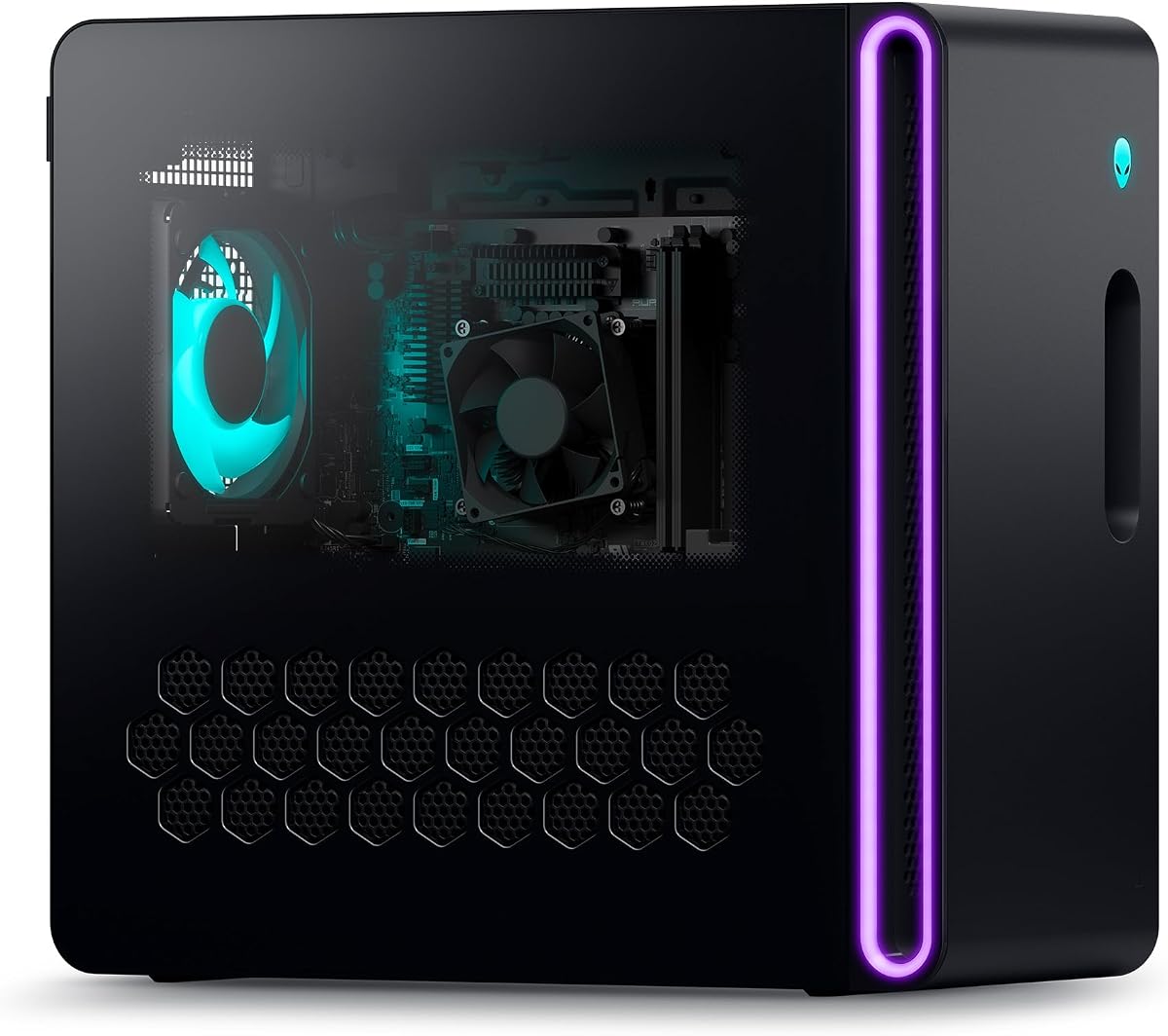
The Alienware Aurora Gaming Desktop pushes boundaries with its RTX 5070 graphics. Powered by the Blackwell architecture it promises a massive generational leap in rendering. The Intel Core Ultra 7 265F ensures clean energy for long sessions.
We may earn a commission when you buy through this link, at no additional cost to you.
Design features include a matte basalt black finish and customizable AlienFX lighting zones. This modern chassis offers a sleek look for any desk. The onboard service ensures support is available whenever needed for peace of mind.
The price is high reflecting the cutting-edge technology inside. Internal upgrades may be restricted by proprietary designs. Yet for those who want the latest tech and reliable service this unit stands out.
This PC is perfect for enthusiasts chasing the highest frame rates. The lighting and design elevate the setup aesthetics significantly. It is an investment in future gaming with top-tier components from day one.
The RTX 5070 graphics powered by Blackwell architecture delivers massive generational leaps in rasterization and ray tracing performance.
Modern design with a matte basalt black finish in an optimized chassis with customizable AlienFX lighting zones for style.
We may earn a commission when you buy through this link, at no additional cost to you.
The MSI Codex Z2 Gaming Desktop offers vast storage for extensive libraries. Its 2TB SSD ensures you rarely need to delete games. The AMD R7-8700F processor handles multiple threads with ease for smooth gameplay.
We may earn a commission when you buy through this link, at no additional cost to you.
Powered by the Blackwell architecture the RTX 5070 brings advanced features to the table. The 32GB DDR5 RAM keeps performance high during multitasking. A four-fan cooling system pushes heat out effectively to maintain stability.
The premium price reflects the high end GPU and storage combination. Internal cooling may require care during upgrades. However the raw capacity and performance make it a strong contender for power users.
This system suits gamers with large collections and demanding workflows. The generous storage and RAM prevent bottlenecks during heavy use. Consider it if you value capacity and speed over budget constraints.
The 2TB SSD provides ample space for many games and large files without constant management or external drives.
Four system cooling fans pull in cool air and push heat out to ensure consistent performance while gaming.
We may earn a commission when you buy through this link, at no additional cost to you.
The MSI Codex R2 Gaming Desktop focuses on VR readiness and future scaling. Its RTX 5070 GPU delivers 1440p and 4K gaming with ray tracing. The 32GB DDR5 RAM ensures smooth gameplay even under full load.
We may earn a commission when you buy through this link, at no additional cost to you.
WiFi 6E provides lower latency on the less congested 6GHz band for wireless play. The system is built on standard components making upgrades straightforward without expertise. MSI Center software offers full control of fans and performance.
The i5 processor may bottleneck top GPU performance in some scenarios. The rating is lower than some competitors suggesting variable quality. Still the 32GB RAM and GPU make it great for immersive experiences.
This desktop is ideal for VR users and streamers needing memory. The scalable design allows easy future improvements. Consider it if you prioritize memory and graphics over raw CPU cores.
The RTX 5070 delivers 1440p and 4K gaming with ray tracing and DLSS 4 Multi-Frame Generation for immersive virtual reality.
WiFi 6E delivers lower latency on the less congested 6GHz band for wireless gaming without lag.
We may earn a commission when you buy through this link, at no additional cost to you.
The Alienware Aurora R16 Gaming Desktop offers robust power regulation and support. Its 12-phase voltage design ensures clean energy for the Intel Core i7 14700F. The RTX 4070 Super provides strong performance with double the power efficiency.
We may earn a commission when you buy through this link, at no additional cost to you.
Larger passageways and cable management improve airflow for quieter acoustics. The Alienware Command Center allows intuitive control of lighting and performance settings. This model includes 1 Year onsite service for rapid in-home assistance.
The high price reflects brand value and service rather than raw power alone. Rating is average which may indicate variable user satisfaction. However the power delivery and cooling are excellent for stable long-term use.
This system suits those valuing brand reliability and service options. The clean energy ensures top performance during streaming. It is a strong choice if support matters more than budget savings.
Aurora R16s are equipped with a 12-phase voltage regulation design ensuring clean energy is consistently available for top level power.
Larger passageways and optimized internal cable management result in more productive airflow and quieter acoustics during gaming.
We may earn a commission when you buy through this link, at no additional cost to you.
The iBUYPOWER Y40 Black Gaming PC offers a high-end package out of the box. It includes a Core i7 14700F and RTX 4070 Super for strong gaming. The 32GB DDR5 5600 RAM ensures fast data processing speed.
We may earn a commission when you buy through this link, at no additional cost to you.
A tempered glass RGB gaming case showcases your setup with 16 color lighting. You also get a free iBuyPower keyboard and mouse to start playing immediately. The system comes ready with Windows 11 Home and no bloatware.
The price is on the higher end for these components. The RGB may distract from pure utility if you prefer minimalism. Still the included accessories save money and the 2TB SSD offers plenty of space.
This PC is great for gamers who want a complete ready to use solution. The lighting and peripherals simplify setup. It is a solid choice for those valuing aesthetics and full bundles.
Includes a free iBuyPower gaming keyboard and RGB gaming mouse along with the system for a ready to use setup.
A 2TB NVMe SSD provides massive space for games and media ensuring you never run out of room.
We may earn a commission when you buy through this link, at no additional cost to you.
Selecting the right prebuilt desktop involves weighing multiple factors beyond just the graphics card. This guide breaks down the essential elements to consider for your specific needs and goals.
The RTX 4070 offers excellent performance for 1440p gaming with ray tracing. Ensure the card is the Super variant for better frame rates and longevity. This GPU supports modern titles and creative apps effectively.
Look for RTX 4070 Super models when possible for higher throughput. Avoid older generations if you want future proofing for next-gen games.
Choose a CPU that matches the GPU to avoid bottlenecks. Intel Core i7 or AMD Ryzen 7 processors are ideal for high-end gaming. Higher core counts help with streaming and multitasking tasks.
Opt for 14th Gen Intel or latest Ryzen chips for better efficiency. A strong CPU ensures the graphics card reaches its full potential.
16GB DDR5 is the minimum for modern gaming. 32GB DDR5 is recommended for heavy multitasking and future titles. Faster speeds like 5600MHz or 6000MHz improve system responsiveness significantly.
Prioritize DDR5 over DDR4 for better bandwidth and upgrade paths. More RAM allows smoother performance when running background apps.
NVMe SSDs are essential for fast loading and boot times. Aim for at least 1TB to store multiple large games easily. Larger 2TB drives reduce the need for external storage solutions.
Ensure the system has extra slots for future drive expansions. Check for M.2 slots to add more storage later without hassle.
Air cooling is common and effective for most builds. Liquid cooling offers lower temps for high-end CPUs. Proper fan layout ensures heat is expelled during intense sessions.
Look for systems with multiple fans or liquid solutions. Good cooling prevents thermal throttling and maintains stable performance.
A quality PSU ensures stable power delivery to components. Gold rated PSUs are more efficient and reliable. Capacity should match the system requirements to avoid overload.
Check the PSU rating and wattage for upgrade potential. High efficiency power supplies save energy and run cooler.
Reputable brands offer solid warranties for peace of mind. Look for one year parts and labor coverage as standard. Onsite service options save time on technical troubleshooting.
Prioritize brands with known support and repair networks. Clear warranty terms ensure you are covered for hardware defects.
Check if the case allows easy access to internal parts. Standard components make upgrades easier over time. Verify slots for additional RAM or storage drives.
Choose cases with standard parts for better future customization. Modular designs reduce upgrade costs in the long run.
Connect your monitor and peripherals carefully to the correct ports. Use high-speed cables for best display and audio quality. Configure Windows settings for gaming mode to maximize performance.
Place the PC in a well-ventilated area with dust free air. Avoid blocking intake and exhaust vents. Dust buildup can reduce cooling efficiency and cause overheating.
Run regular system updates to maintain stability. Monitor temps and fan speeds with software tools. Restart the system periodically to clear memory and optimize performance.
Yes 16GB DDR5 is sufficient for most modern games and general multitasking. It provides adequate bandwidth for the GPU. For heavy streaming or content creation 32GB is better.
1440p is the ideal sweet spot for this card. It offers excellent image quality and high frame rates. 4K gaming is also supported with DLSS for better performance.
Drivers come pre-installed with Windows but updates are recommended. Download the latest from NVIDIA or manufacturer sites for fixes. Keeping drivers current ensures compatibility with new games.
Many prebuilt systems allow RAM and storage upgrades easily. GPUs and CPUs may be limited by power supply or sockets. Check model specifics for upgrade limits before purchase.
Cooling systems vary by model with most being moderate. Air cooled units can be louder under load. Liquid cooled systems tend to be quieter and stable.
Yes most models support VR with their RTX cards. Ensure the GPU has enough video outputs and power. VR Ready labels indicate verified support for major headsets.
We explored ten top options ranging from budget to premium models. The Skytech Gaming King 95 stands out for its balanced performance and features. It delivers strong gaming capability without breaking the bank.
Prioritize your specific needs when making a decision. If you value raw power look at the MSI Aegis RS2. For pure budget efficiency the MXZ Intel Core i7 is a solid contender.
Remember to check current prices and availability before buying. Prices fluctuate often so waiting for a deal can save money. Choose the system that fits your budget and gaming goals.