
Pankia Auto Keyboard Clicker
3.2Editor score
15 random click speeds
Adjustable clicking arm
USB powered operation
This guide compares the top automated keyboard clicker models for gaming and productivity, evaluating speed, durability, and ease of use.
Automated keyboard clickers are essential tools for gamers and professionals who need to maintain activity without constant manual input. These devices simulate physical presses to keep systems awake or execute repetitive tasks efficiently.
We compared ten leading models based on build quality, customization options, and reliability. Each product was analyzed for its ability to handle diverse scenarios from gaming assists to office productivity tasks.
Each pick highlights unique strengths and ideal use cases. Note that product availability and pricing may vary over time, so verify details before purchasing to ensure you get the right solution for your needs.
3.2Editor score

4.0Editor score

4.3Editor score
Explore the detailed side by side comparison of all ten models to find the perfect fit for your specific automation and gaming requirements.




The Pankia Auto Keyboard Clicker offers a straightforward solution for users needing basic automation without complex setups. With a rating of 3.2 stars it provides a functional entry point for those testing physical clickers.
We may earn a commission when you buy through this link, at no additional cost to you.
Its standout feature is the 15 different random click speeds accessible via physical ports. The device uses a simple button interface to switch modes making it accessible for users who prefer hardware controls over software.
While affordable the build feels utilitarian and may not withstand heavy daily abuse over long periods. The lack of advanced programming limits its use to simple repetitive tasks rather than complex automation sequences.
This model is best suited for gamers or workers needing occasional hand freeing on a budget. Its simplicity ensures reliability for basic tasks without the overhead of configuring digital settings.
Five random speeds are available for each of the three ports ensuring varied activity patterns.
Physical buttons and ports allow quick adjustments without needing a computer interface.
We may earn a commission when you buy through this link, at no additional cost to you.
This Physical Keyboard Clicker stands out for its programmable nature allowing users to define loop times and click intervals precisely. It received a 4.0 rating reflecting its balance between flexibility and reliability.
We may earn a commission when you buy through this link, at no additional cost to you.
The device allows independent speed adjustment for each of its three ports enabling multiple tasks to run simultaneously. It includes features like random time ranges and click counts to mimic human activity effectively.
Users must be mindful not to exceed five clicks per second to avoid heat related damage to the device. While powerful the mechanical nature requires physical positioning which might be less convenient than software solutions.
Ideal for power users needing precise control over automation tasks this tool excels in gaming and repetitive office work. Its physical design ensures it works even if software is restricted or banned.
Define loop times and intervals to suit specific task requirements accurately.
Guidelines prevent exceeding click limits to protect the device from overheating.
We may earn a commission when you buy through this link, at no additional cost to you.
The Pankia Box Physical Click provides a reliable method for keeping laptops and computers active through simulated tapping. It earned a 3.6 rating indicating solid performance for specific use cases.
We may earn a commission when you buy through this link, at no additional cost to you.
Its three ports can adjust speed separately allowing diverse clicking needs to be met on a single device. The design focuses on releasing hands by physically pressing keys or mouse buttons.
Users should note that exceeding five clicks per second may cause heat damage limiting its use in extremely high speed scenarios. The arm requires manual adjustment to ensure consistent contact with the target key.
This model is well suited for users needing a dedicated hardware solution for activity maintenance without software risks. Its design prioritizes reliability and compatibility with standard peripherals.
Independent speed adjustments on three ports provide versatility for different tasks.
Physical placement allows users to step away while the device manages activity.
We may earn a commission when you buy through this link, at no additional cost to you.
This model offers an advanced digital display that shows click speeds in numbers for precise monitoring. With a 3.8 rating it serves users who need detailed control over automation timing and execution.
We may earn a commission when you buy through this link, at no additional cost to you.
It supports configurable groups allowing different execution logic such as fixed or random times. The device can operate with latencies ranging from fractions of a second to many hours offering immense flexibility.
The interface requires some setup time to define groups and timing which may be daunting for casual users. However for complex tasks the granularity of control provided is unmatched in this category.
Best for tech enthusiasts needing granular control over physical clicking this tool bridges the gap between simple hardware and complex software scripts.
Sequential group execution allows for complex multi step automation routines.
Real time display of click speed ensures accuracy during operation.
We may earn a commission when you buy through this link, at no additional cost to you.
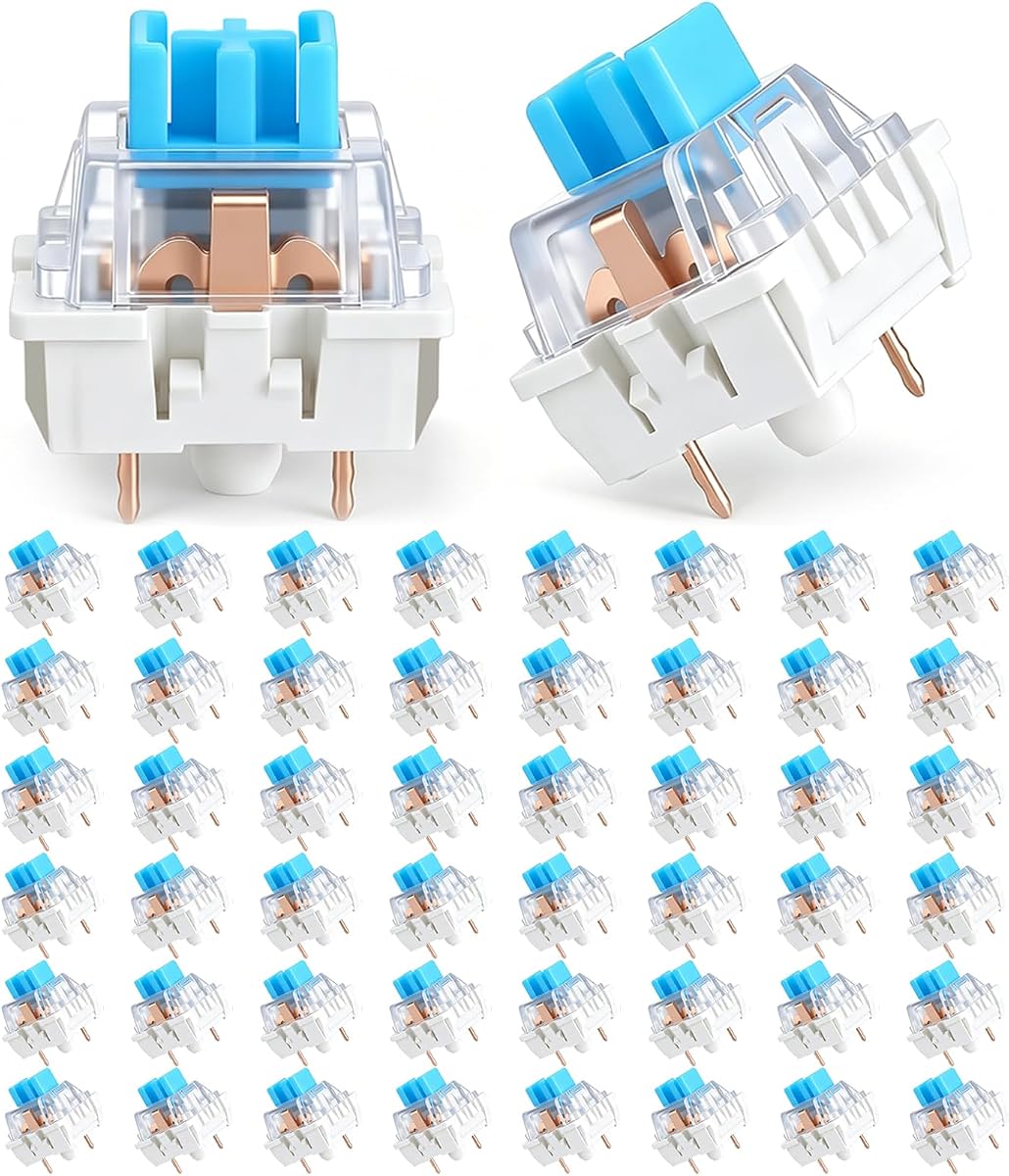
These mechanical switches serve as replacements for building or repairing clickers rather than being standalone tools. Their high 4.7 rating reflects excellent build quality and reliability for custom projects.
We may earn a commission when you buy through this link, at no additional cost to you.
They offer crisp tactile feedback and are rated for up to 50 million cycles ensuring longevity. The dustproof housing and transparent blue casing make them ideal for custom 3D printed devices.
While durable they require technical skill to install and integrate into a working system. They are not ready to use out of the box for automation tasks without a controller.
Ideal for DIY enthusiasts building custom clickers these switches provide the core mechanism for reliable physical input simulation.
With 50 million cycles these switches are built to last long periods.
Perfect for 3D printed clickers requiring reliable mechanical input.
We may earn a commission when you buy through this link, at no additional cost to you.
This device has achieved a perfect 5.0 rating making it a standout choice for users seeking reliable offline prevention tools. It focuses on mimicking human activity to keep games or applications active.
We may earn a commission when you buy through this link, at no additional cost to you.
It features random click setup to enhance effectiveness on various platforms avoiding detection by anti automation systems. The physical nature means no software installation is needed ensuring consistent performance.
Users can adjust the height and position of the click head to fit different keyboards or mice. The motor is designed to run without heating up ensuring long term stability during use.
Best for gamers needing a dependable way to stay active without manual input this tool offers peace of mind with its high reliability.
Random intervals help avoid detection by automated activity monitoring.
No installation ensures the tool works independently of software issues.
We may earn a commission when you buy through this link, at no additional cost to you.
This clicking arm is a component designed to work with the Pankia Box system rather than a standalone tool. Its 3.2 rating reflects its specialized nature and dependency on other parts.
We may earn a commission when you buy through this link, at no additional cost to you.
It features three adjustable parts making it easier to position correctly for clicking keyboards or mice. The arm is designed to release hands by mechanically pressing input devices.
Users must purchase the corresponding box unit to make use of this arm effectively. Without the main device this arm cannot function independently for automation tasks.
Ideal for users upgrading an existing Pankia setup this part provides the necessary mechanical interface for physical clicking.
Requires the main Pankia Box unit to operate effectively.
Three parts allow fine tuning for accurate key targeting.
We may earn a commission when you buy through this link, at no additional cost to you.
This model stands out for its adjustable height and wide range time settings offering flexibility for different keyboard types. It received a 4.3 rating indicating strong performance in realistic simulation tasks.
We may earn a commission when you buy through this link, at no additional cost to you.
The rubberized cover protects keyboards from damage during clicking ensuring long term safety of your hardware. It simulates manual clicking with fixed drops and random times to appear natural.
Users can set times directly without programming making it accessible while still offering precision. The wide range allows for intervals from fractions of a second to longer periods.
Best for users needing a safe adjustable solution for varied keyboards this tool balances protection with effective automation.
Rubberized covers prevent scratching or damaging key surfaces.
Wide time range allows for diverse automation scenarios.
We may earn a commission when you buy through this link, at no additional cost to you.
This fidget set provides tactile satisfaction for stress relief rather than system automation. It includes two profiles one silent and one clicky making it versatile for different environments.
We may earn a commission when you buy through this link, at no additional cost to you.
The compact design with keychain clips allows users to carry it easily for breaks or commutes. The mechanical style keys offer a familiar pressing feel similar to typing.
While not designed for automating tasks it serves as a personal tool for maintaining focus and reducing anxiety. The quiet option ensures it is suitable for office environments.
Ideal for office workers needing a discreet way to relieve stress this tool offers a portable mechanical typing experience.
Choose between quiet or loud depending on your current environment.
Keychain design ensures you can take it anywhere.
We may earn a commission when you buy through this link, at no additional cost to you.
These switches provide a robust foundation for custom clicker projects with an impressive 80 million cycle life. The 4.5 rating highlights their quality and distinct tactile feedback.
We may earn a commission when you buy through this link, at no additional cost to you.
They feature a clear mechanical click sound that provides immediate feedback during use. The waterproof design and durable materials ensure they withstand demanding usage over time.
Users should note that the loud sound may disturb others in quiet environments. As replacement parts they require integration into a larger mechanical system to function.
Best for builders creating custom mechanical clickers these switches offer the precision and feedback needed for high quality devices.
80 million cycles ensure long term reliability for custom builds.
Distinct click sound provides satisfying tactile confirmation of input.
We may earn a commission when you buy through this link, at no additional cost to you.
Selecting the right automated keyboard clicker involves considering your specific automation needs and technical comfort level.
Decide whether you need a physical device or software solution. Physical clickers operate independently of your OS making them useful where software is restricted.
Physical devices ensure compatibility and avoid detection risks while software offers deeper customization for complex tasks.
Look for models that offer adjustable speeds or random intervals to mimic human activity effectively. Customizable settings help prevent detection by anti automation systems.
Higher customization allows the tool to adapt to various games or software environments seamlessly.
Check for sturdy materials and protective features like rubberized covers to avoid damaging your keyboard. High cycle counts indicate components that can withstand continuous use.
Durable materials ensure the tool lasts through repeated tasks without mechanical failure.
Choose a device that matches your technical comfort level. Simple physical buttons are easier to manage while programmable options require more initial configuration.
Simpler setups reduce the risk of errors and save time during daily use.
USB powered devices are convenient for desktop use but consider battery options for portability. Ensure the device does not require complex adapters or extra hardware.
Standard USB power ensures the tool works with most computer setups without extra cables.
Prioritize models with heat protection and limits on click speed to avoid damaging hardware. Overheating can lead to device failure or damage to your keyboard.
Built-in safety mechanisms protect both the tool and your hardware from physical stress.
Ensure the clicker fits your specific keyboard or mouse layout. Adjustable arms or heads help accommodate different sizes and shapes.
Universal compatibility ensures the tool works across multiple devices without extra adapters.
Consider the sound generated by the clicker especially if working in shared spaces. Some models offer silent options or dampening features.
Low noise operation prevents distractions to coworkers or other users nearby.
Position the clicking arm securely on the target key or mouse button. Ensure the device is stable and will not shift during operation.
Configure the speed and timing settings according to your needs. For random activity select mixed intervals to mimic natural behavior effectively.
Clean the device regularly to prevent dust buildup. Avoid using it in extreme temperatures to maintain performance.
Physical clickers are generally safer than software tools because they do not modify system files. However always check game policies to avoid violations of service terms.
Most physical clickers do not require drivers since they operate as USB peripherals. This makes them plug and play with most systems.
Yes provided the clicking arm can be adjusted to fit the keys. Ensure the device does not press keys too hard to avoid damage.
Avoid setting click speeds above the recommended limits. Most devices have built-in limits but using them within safe ranges extends life.
Random intervals mimic human activity more closely making them harder to detect. Fixed intervals may trigger activity detection systems.
Yes it can help automate repetitive clicks like data entry. This frees your hands for other tasks during long work sessions.
The top picks offer a balance of customization and ease of use for various needs. Selecting the right model depends on your specific automation requirements.
Prioritize durability and safety features to protect your hardware during use. A robust device ensures reliable performance over time.
Always check current availability and specifications before purchasing to ensure the tool meets your needs. Automation technology evolves quickly so stay informed.