
CENMATE Aluminum 8 Bay Hard Drive Enclosure
4.3Editor score
USB 3.0 5Gbps
Hot Swappable Design
Aluminum Cooling Build
Choosing the right 8 bay hardware RAID enclosure is critical for professionals needing robust external storage solutions. These devices consolidate multiple drives into a single unit offering redundancy and speed for demanding workflows. We evaluate key features like connection types cooling systems and drive compatibility to help you find the perfect fit.
Our comparison process involves analyzing technical specifications user feedback and real-world performance metrics across the leading models available today. We focus on enclosure build quality data transfer speeds and ease of setup to ensure a comprehensive overview. This list covers both budget-friendly options and high-performance enterprise-grade arrays for varied use cases.
Each pick highlights specific strengths and weaknesses to guide your decision-making process effectively. Note that availability and specifications may change over time so verify details before purchasing. We aim to provide clear actionable insights for photographers videographers and IT professionals seeking reliable scalable storage expansion.
4.3Editor score

5.0Editor score

3.7Editor score
As an Amazon Associate we earn from qualifying purchases.
The following table provides a side-by-side comparison of all ten featured 8 bay hardware RAID enclosures to help you identify key differences at a glance.

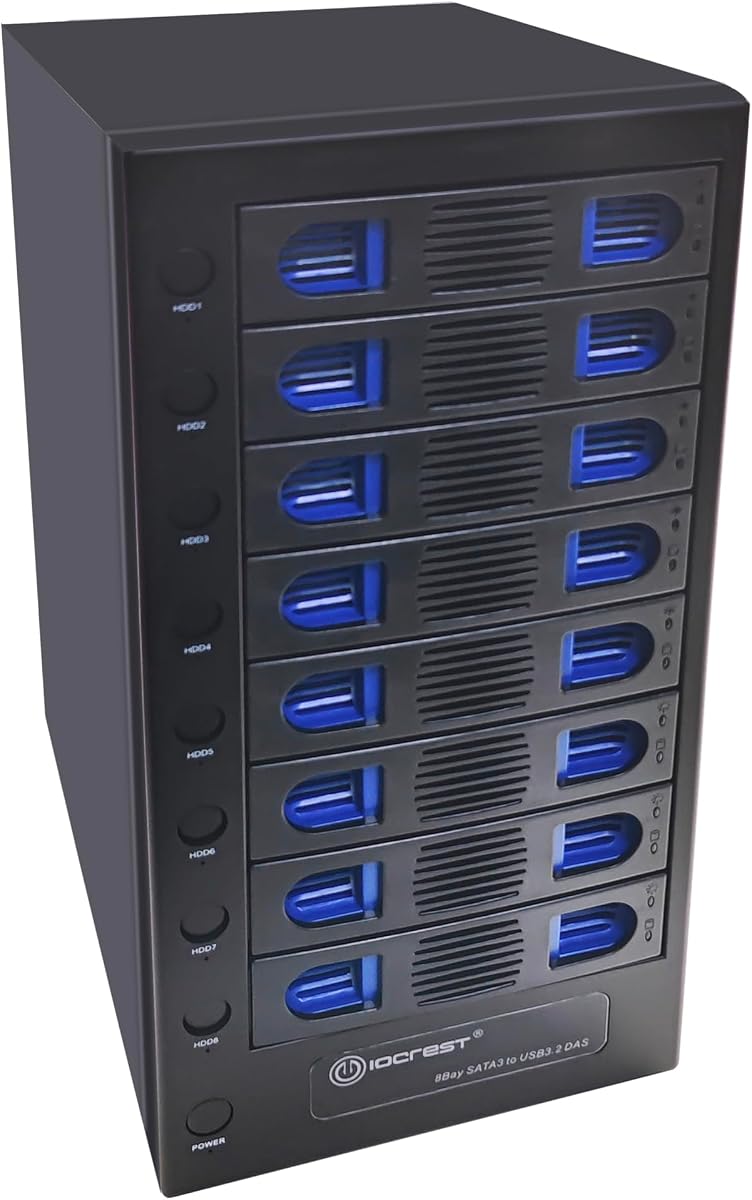


The CENMATE Aluminum 8 Bay Hard Drive RAID Enclosure offers a compelling option for users seeking hardware RAID flexibility at an accessible price point. With a rating of 3.8 stars this model balances performance and cost effectively for small businesses or enthusiasts. Its standout feature is the support for eight distinct RAID modes providing versatility for data redundancy or speed optimization.
We may earn a commission when you buy through this link, at no additional cost to you.
Key strengths include robust cooling systems with two 2.9 inch fans and a sturdy aluminum chassis designed to dissipate heat efficiently during heavy workloads. The enclosure supports both 2.5 and 3.5 inch SATA drives allowing for a wide range of storage capacities up to 160TB total. Connectivity is handled via USB 3.0 ports ensuring reliable data transfer speeds suitable for most external storage needs.
Honest trade-offs involve the complexity of switching RAID modes which requires disconnecting power and using a screwdriver to toggle paddles. Additionally while the cooling fans are necessary for data safety they produce around 40 to 50 decibels of noise which may be noticeable in quiet environments. These factors are acceptable considering the extensive features provided for the investment level.
This enclosure is ideal for individuals or small enterprises looking to consolidate multiple drives without investing in expensive enterprise arrays. It is particularly well-suited for backup scenarios or media storage where RAID flexibility is required without breaking the bank. We recommend it for users comfortable with basic hardware configuration seeking value over speed.
This model supports CLONE LARGE NORMAL and various RAID levels offering flexibility to tailor storage performance to your specific workflow needs.
Built-in dual fans and aluminum alloy construction ensure that drives stay cool even during prolonged data transfer sessions maintaining hardware longevity.
We may earn a commission when you buy through this link, at no additional cost to you.
The SanDisk Professional G-RAID Shuttle 8-Bay is a powerhouse designed for demanding workflows requiring massive storage and rapid data access. With a perfect 5.0 rating it stands out as a premium choice for professionals handling 4K 8K and VR content. Its key strength lies in the high-speed data transfers enabled by Thunderbolt 3 technology ensuring minimal wait times.
We may earn a commission when you buy through this link, at no additional cost to you.
Strengths include pre-configured RAID 5 for balanced performance and removable Ultrastar hard drives that enhance reliability during transport. The enclosure offers options to switch to other RAID modes like RAID 0 1 or 10 for ultimate flexibility based on user needs. Daisy-chaining capability allows up to five additional devices to connect directly expanding your workspace efficiently.
Trade-offs involve the significant cost associated with enterprise-grade components and the necessity for Thunderbolt ports on host computers. The device is also relatively heavy due to its robust construction which may impact portability despite its transportable design. These factors are acceptable given the unparalleled performance and durability provided for professional-grade tasks.
This solution is best suited for video editors photographers and creative professionals needing large fast and reliable external storage arrays. It is an excellent choice for those working in studios or on location where consistent high-speed performance is non-negotiable. We recommend it for users prioritizing speed and capacity over budget considerations.
Achieve read speeds up to 1900MB/s and write speeds up to 2000MB/s making it ideal for multi-stream high-resolution video editing workflows.
Powered by eight removable Ultrastar hard drives this enclosure offers enhanced reliability perfect for demanding and mission-critical footage storage.
We may earn a commission when you buy through this link, at no additional cost to you.
This CENMATE enclosure provides a reliable Direct Attached Storage solution for users who do not require RAID features. With a solid 4.3 rating it is well-regarded for its build quality and ease of use in personal or enterprise settings. The standout quality here is the hot-swappable design allowing you to replace drives without powering off the device.
We may earn a commission when you buy through this link, at no additional cost to you.
Key strengths include support for both 2.5 and 3.5 inch drives and a robust aluminum alloy build that aids in cooling. The enclosure is equipped with two fans to manage heat effectively and offers daisy chain expansion to increase storage capacity up to 480TB. Plug-and-play compatibility ensures it works seamlessly with Windows Mac and Linux systems.
Trade-offs involve the lack of hardware RAID which means data redundancy must be handled at the software level. Additionally as noted in user feedback careful testing of drives before full installation is recommended to avoid drive detection issues. These factors are acceptable for users prioritizing simplicity and direct access over complex redundancy setups.
Ideal for photographers and IT administrators needing flexible and expandable storage without the overhead of NAS or RAID management. It is a strong choice for backup repositories or media libraries where speed and capacity take precedence. We recommend it for users seeking a robust and straightforward external storage expansion.
The enclosure supports hot swapping allowing users to replace hard drives without powering off the device enhancing convenience and efficiency.
Add a USB HOST port to daisy chain up to three devices expanding total storage capacity to a massive 480TB.
We may earn a commission when you buy through this link, at no additional cost to you.
The OWC ThunderBay 8 is a professional-grade enclosure designed for seamless integration into high-performance workflows. With a rating of 3.9 it is recognized for its reliability and speed across Mac and Windows platforms. The standout quality is its Thunderbolt 3 certification ensuring certified speeds and stable data transfer for demanding applications.
We may earn a commission when you buy through this link, at no additional cost to you.
Key strengths include eight universal drive bays supporting 2.5 and 3.5 inch drives and thumb screw release trays for quick drive swaps. The daisy chain capability allows six units to be connected for up to 1152TB of storage capacity making it highly scalable. It includes Thunderbolt cables and requires no drivers making setup straightforward for users.
Trade-offs involve the reliance on Thunderbolt 3 ports which may not be available on all computers without adapters. The price point is also higher compared to USB-based options reflecting its premium connectivity and build. These factors are acceptable for users needing the highest external bandwidth for large file transfers.
This enclosure is best for creative professionals and studios needing massive external storage with high-speed access. It is perfect for those working with video editing or large datasets where time is money. We recommend it for users investing in a long-term storage solution with proven reliability.
Certified for Mac and Windows ensuring reliable high-speed connectivity and seamless plug-and-play operation without extra drivers.
Connect up to five additional Thunderbolt devices or chain six units together to expand your total storage capacity significantly.
We may earn a commission when you buy through this link, at no additional cost to you.
This CENMATE enclosure distinguishes itself with USB 3.2 Gen 2 connectivity offering double the speed of standard USB 3.0. With a rating of 4.1 it is a favored choice for those needing faster data transfers without jumping to Thunderbolt. The standout quality is the 10Gbps under UASP control allowing efficient file movements for active workloads.
We may earn a commission when you buy through this link, at no additional cost to you.
Key strengths include support for both 2.5 and 3.5 inch drives and hot-swappable design for easy maintenance. It features a robust aluminum build and dual fans to manage heat and offers daisy chain expansion up to three devices. The Type-C interface supports various computer connections including Thunderbolt ensuring broad compatibility across modern systems.
Trade-offs involve the lack of hardware RAID which means you must rely on software for data protection. Additionally fan noise levels should be considered for quiet office environments. These factors are acceptable given the high data transfer speeds and build quality offered at a competitive price point.
Ideal for users upgrading from older USB enclosures who want a balance of speed and affordability. It is well-suited for media storage backup and general file transfer tasks. We recommend it for individuals and small businesses seeking fast reliable DAS expansion.
Transfer 1G movie in 3-5 seconds with USB 3.2 ports which is 20 times faster than USB 2.0 for rapid file access.
Supports hot swapping allowing users to replace hard drives without powering off the device for better workflow efficiency.
We may earn a commission when you buy through this link, at no additional cost to you.
This 8 Bay Tool Less Tray enclosure is designed for users who want precise control over drive power and cooling. With a 4.3 rating it is praised for its smart fan function and independent drive control switches. The standout quality is the ability to power off drives individually aiding in maintenance and heat dissipation.
We may earn a commission when you buy through this link, at no additional cost to you.
Key strengths include USB-C 3.2 connectivity delivering 10Gbps speeds and a robust steel housing for durability. It supports a wide range of operating systems including Windows Mac and Linux ensuring broad utility. The smart fan function with thermal sensors allows for auto or manual modes to keep drives cool during operations.
Trade-offs involve the absence of RAID functionality and the need for careful drive loading to ensure detection. While the individual switches are helpful they add complexity to the setup process. These factors are acceptable for users prioritizing control and speed over data redundancy features.
This solution is ideal for power users and admins needing granular control over drive states and power. It is well-suited for data centers or offices requiring flexible external storage arrays. We recommend it for those valuing operational flexibility and build quality.
Built-in thermal sensor supports Auto and Manual modes with 3 level of fan speed ensuring efficient heat dissipation.
Independent control switch for each drive allows drives to be powered off individually to manage power and cooling effectively.
We may earn a commission when you buy through this link, at no additional cost to you.
The OWC ThunderBay Flex 8 is a versatile storage dock offering both storage and expansion capabilities. With a rating of 3.7 it serves as a comprehensive hub for creative professionals needing multiple connectivity options. The standout quality is the PCIe x16 connector allowing for audio video capture or network cards alongside storage.
We may earn a commission when you buy through this link, at no additional cost to you.
Key strengths include front-mounted USB-C and USB-A ports card readers and real-world speeds up to 2750MB/s. The enclosure supports a wide range of drives including U.2 and M.2 NVMe for future readiness. SoftRAID compatibility provides advanced management features ensuring drive integrity and data protection.
Trade-offs involve the complex setup process and higher cost compared to standard enclosures. The specific drive requirements for some bays may limit flexibility for general users. These factors are acceptable for users needing a multi-functional hub rather than simple storage.
This enclosure is best for creators and professionals needing a consolidated solution for storage and peripheral connectivity. It is perfect for studios requiring fast access and expansion options. We recommend it for users seeking a robust and flexible workflow station.
Convenient front mounted USB-C and USB-A ports along with SD and CFexpress card readers offer quick access for peripherals.
A PCIe x16 connector allows for expansion with audio video capture networking or storage cards enhancing device functionality.
We may earn a commission when you buy through this link, at no additional cost to you.
The QNAP TL-D810TC4-US is a dedicated DAS solution designed for seamless integration with QNAP NAS systems and workstations. With a 4.0 rating it is valued for its ease of use and robust management tools. The standout quality is the free JBOD Manager utility providing intuitive system information and configuration.
We may earn a commission when you buy through this link, at no additional cost to you.
Key strengths include a USB 3.2 Gen 2 port delivering 10Gbps speeds and a sturdy desktop tower design. It supports plug-and-play expansion for Windows MacOS and Linux ensuring broad compatibility. The enclosure allows for easy monitoring of drive health and system status for proactive maintenance.
Trade-offs involve the lack of hardware RAID and reliance on software utilities which may require initial configuration. While straightforward it may not be as flexible as full NAS systems. These factors are acceptable for users needing quick storage expansion without full NAS complexity.
This solution is ideal for users of QNAP systems seeking to expand storage without buying a new NAS. It is perfect for media libraries and backup repositories. We recommend it for those prioritizing simplicity and software integration.
Monitor drive health and manage configurations using the free utility or Storage Snapshots app for proactive system management.
Provides plug-and-play expansion for NAS or workstations instantly scaling up storage capacity without extra expense.
We may earn a commission when you buy through this link, at no additional cost to you.
This Mini ITX Micro ATX NAS Case is perfect for enthusiasts building custom storage solutions. With a 4.0 rating it is praised for its sturdy build and flexible assembly options. The standout quality is the dual independent air channel design ensuring efficient cooling for drives and motherboard separately.
We may earn a commission when you buy through this link, at no additional cost to you.
Key strengths include support for Mini ITX and Micro ATX motherboards and eight hot-swap bays for easy drive management. It comes with three mute fans and a steel chassis for durability and protection. The inclusion of accessories like SATA cables and stands simplifies the build process.
Trade-offs involve the need for DIY skills and separate purchase of components like the motherboard. Assembly takes time compared to plug-and-play enclosures. These factors are acceptable for users wanting total control over hardware configuration and customization.
This case is best for users building Plex Jellyfin servers or private cloud solutions. It is ideal for small businesses needing custom storage setups. We recommend it for those willing to invest effort in a tailored build.
Upper and lower separated independent air ducts dissipate heat without mutual interference maintaining low temperature.
Wide compatibility with motherboards and power supplies brings high freedom for customized DIY assembly and expansion.
We may earn a commission when you buy through this link, at no additional cost to you.
The ICY DOCK MB998SK-B is a specialized backplane cage designed for integrating eight 2.5-inch drives into a system. With a perfect 5.0 rating it is highly reliable for server upgrades and enterprise storage needs. The standout quality is its locking trays ensuring drives stay secure during transport or vibration.
We may earn a commission when you buy through this link, at no additional cost to you.
Key strengths include full metal construction and SATA SAS compatibility for broad drive support. The external 5.25-inch bay design allows for easy installation into desktops or servers. It offers robust build quality and is designed for professional environments requiring secure and stable storage expansion.
Trade-offs involve the restriction to 2.5-inch drives and the requirement for an external bay slot. It is less flexible for general desktop use but ideal for server contexts. These factors are acceptable for users needing secure compact server storage.
This solution is best for IT professionals upgrading server storage or securing SSD arrays. It is perfect for enterprise environments needing reliable and secure drive solutions. We recommend it for specialized server and rack integrations.
Locking trays ensure drives are secure and stable during transport or vibration enhancing data protection in mobile or rack settings.
Constructed from full metal this backplane offers durability and heat dissipation for professional and enterprise use.
We may earn a commission when you buy through this link, at no additional cost to you.
Choosing the right 8 bay hardware RAID enclosure requires careful consideration of your specific storage needs and workflow. Here are the key factors to evaluate before making a decision.
The interface you choose dictates your data transfer speeds and overall performance. USB 3.0 is cost-effective and widely supported but USB 3.2 Gen 2 and Thunderbolt 3 offer significantly higher bandwidth essential for large media files and high-speed workflows. Ensure your host computer supports the chosen interface to avoid bottlenecks.
Prioritize Thunderbolt for high-speed professional tasks and USB for general storage needs.
Decide whether you need built-in hardware RAID for redundancy and performance or Direct Attached Storage for simplicity. RAID options provide data protection but may complicate setup. DAS is simpler and often cheaper but requires software management for redundancy.
Select RAID for data safety and DAS for straightforward direct access storage.
Check if the enclosure supports 2.5 inch SSDs 3.5 inch HDDs or both. Some models allow for larger capacity drives up to 22TB per drive which is critical for future-proofing your storage. Confirm compatibility with specific drive types to avoid detection issues.
Ensure support for your current and future drive sizes and capacities.
Effective cooling is vital to prevent drive throttling and extend hardware lifespan. Look for models with multiple fans and quality materials like aluminum or steel. Consider noise levels especially if the device will be used in quiet office environments.
Choose enclosures with active cooling and balanced noise performance.
Robust construction protects your data against physical shock and environmental stress. Aluminum alloy and full metal chassis are preferred for durability. Tool-free trays simplify drive installation and maintenance enhancing long-term usability.
Opt for solid metal builds and tool-free designs for reliability.
Daisy chaining allows you to connect multiple enclosures to expand total capacity. Ensure the enclosure supports this feature if you anticipate growing storage needs. Check for additional ports like USB hubs or card readers for broader connectivity.
Look for daisy chain capability to support scalable storage growth.
Plug and play compatibility simplifies setup across different operating systems. User-friendly interfaces and clear indicators help manage drive status efficiently. Consider if specialized software is required for RAID management and if it matches your workflow.
Select user-friendly models with broad OS support and minimal setup complexity.
Prices vary widely based on features build quality and connection speed. Set a budget that balances performance requirements with cost. Remember that enterprise-grade options offer higher reliability but cost significantly more than consumer models.
Balance cost with your performance and reliability needs.
Before installing drives verify each disk is functioning correctly by testing individually before placing them in the enclosure. This prevents confusion when a drive fails to mount after installation. Follow the manufacturer instructions carefully to avoid data loss during setup.
Maintain clean air paths around the enclosure to ensure optimal cooling and prevent overheating. Dust can accumulate quickly in multi-drive systems so regularly inspect fans and vents. Ensure the enclosure is placed in a well-ventilated area away from direct sunlight.
If using RAID regularly back up critical data to another location before switching modes. Be aware that changing RAID levels typically erases existing data so proceed with caution. Monitor drive health periodically using included utilities or third-party software.
RAID enclosures handle redundancy and performance internally while DAS offers direct connection without RAID. RAID protects data but complicates setup whereas DAS is simpler. Choose based on your data safety and workflow needs.
Most enclosures require disconnecting power using a tool to toggle settings and resetting via a button. Always back up data before switching modes as it typically wipes drives. Follow manufacturer steps carefully to avoid data loss.
Many 8 bay enclosures support mixing SSD and HDD types but performance may vary. Check your specific model compatibility and ensure all drives are detected properly. It is often safer to use uniform drive types.
Thunderbolt enclosures offer much higher speeds ideal for 4K and 8K media workflows. They are expensive and require compatible ports on your host. Consider your file sizes and transfer needs before investing.
Look for models with variable fan speed or silent fan technology. Position the enclosure in areas less sensitive to noise or use software to control fan curves if available. Dust maintenance helps reduce fan noise too.
Most standalone enclosures do not include drives and require you to purchase separately. Some professional models may offer bundled drive options. Always confirm the product listing details before buying.
We reviewed ten 8 bay hardware RAID enclosures highlighting the SanDisk Professional G-RAID Shuttle for performance and CENMATE for budget and DAS flexibility. Each option brings distinct strengths for different professional and personal storage needs.
When selecting prioritize connection speed and reliability based on your workload volume. Ensure the enclosure supports your drive sizes and offers the cooling and build quality necessary for longevity.
Always check current product availability and specifications before purchasing as models may update over time. Verify compatibility with your existing hardware and workflow requirements to make a confident investment.