
LONELY BINARY Logic Analyzer Kit
4.2Editor score
8 Channel 24MHz sampling
Includes breakout boards
Dual USB connectivity
This guide compares the top 10 Logic Analyzer for Electronics Projects available in 2026, evaluating features, sampling rates, and compatibility to help you
Selecting the right Logic Analyzer for Electronics Projects is crucial for successful debugging and development. Whether you are working on embedded systems or complex protocols, having the right tool ensures you can capture and interpret digital signals accurately.
We evaluated ten top models based on sampling rates, channel counts, software compatibility, and ease of use. Our analysis includes budget-friendly options and high-end professional tools to cover every need and skill level in the electronics community.
Each pick highlights specific strengths and ideal use cases to guide your decision. Please note that product availability and pricing can change frequently, so verify current details before purchasing to ensure you get the best value today.
4.2Editor score

4.5Editor score
4.8Editor score
This table provides a side-by-side comparison of all ten Logic Analyzer for Electronics Projects reviewed in this guide to help you quickly identify the best fit for your specific technical requirements and budget constraints.




The LONELY BINARY Logic Analyzer Kit stands out as an excellent entry point for hobbyists and students needing reliable debugging tools. With a 4.2-star rating, it offers substantial value by including breakout boards and clips right out of the box.
We may earn a commission when you buy through this link, at no additional cost to you.
Its 24MHz sampling rate across 8 channels allows for precise debugging of complex protocols like I2C and SPI. The included breadboard adapter simplifies connections significantly, making it ideal for advanced STEM projects without typical limitations.
While it lacks the deep memory of professional units, the flexible connectivity and organized storage make it highly practical for regular use. Users appreciate the dual USB options ensuring compatibility with older PCs and modern laptops alike.
This kit is best suited for educational settings and prototype testing where cost-effectiveness is key. It provides everything needed for immediate use, reducing setup time and extra accessory costs for new electronics enthusiasts.
The bundled test clips and storage case mean you can start debugging immediately without buying extra accessories separately.
Supporting both USB-A and Type-C ensures you can connect to virtually any computer system without needing adapters.
We may earn a commission when you buy through this link, at no additional cost to you.
The LA1010 USB Logic Analyzer earns our Editor's Choice award for balancing performance and affordability. It captures 16 digital signals at 100MHz, converting them into clear waveforms instantly on your PC screen for precise analysis.
We may earn a commission when you buy through this link, at no additional cost to you.
It excels at protocol decoding for extracting human-readable data from complex systems like ARM and FPGAs. The KingstVIS software supports Windows, macOS, and Linux, making it a versatile tool for diverse development environments.
Although it relies on PC processing power, the low power consumption allows for long-term monitoring without draining host resources. Users find the handheld form factor excellent for field debugging and quick circuit checks.
This unit is perfect for engineers needing robust tools without enterprise costs. It accelerates debugging significantly and supports a wide range of standard protocols out of the box.
Simultaneous capture of 16 signals lets you observe interaction between lines without missing critical timing issues.
Automatic decoding of 30+ protocols saves hours of manual interpretation during complex embedded system debugging.
We may earn a commission when you buy through this link, at no additional cost to you.
The Saleae Logic Pro 16 is the gold standard for professional electronics development. It offers 500 MS/s digital sampling and analog capture, using your PC memory to store over 10 billion samples for deep analysis.
We may earn a commission when you buy through this link, at no additional cost to you.
Its software is renowned for ease of use, decoding SPI and I2C alongside 23+ other protocols seamlessly. The 16-channel mix of digital and analog inputs provides unparalleled flexibility for mixed-signal debugging tasks.
While the investment is significant, the time saved on debugging complex issues often justifies the cost. Users highlight the ultra-portable design and consistent performance across all major operating systems.
This device is essential for advanced R&D teams working on high-speed embedded systems. It delivers reliability and speed that cheaper alternatives simply cannot match in demanding environments.
Combining digital logic with analog capture helps diagnose issues where power integrity affects digital timing.
Accessing over 10 billion samples allows for long-duration captures without data loss during extended testing.
We may earn a commission when you buy through this link, at no additional cost to you.
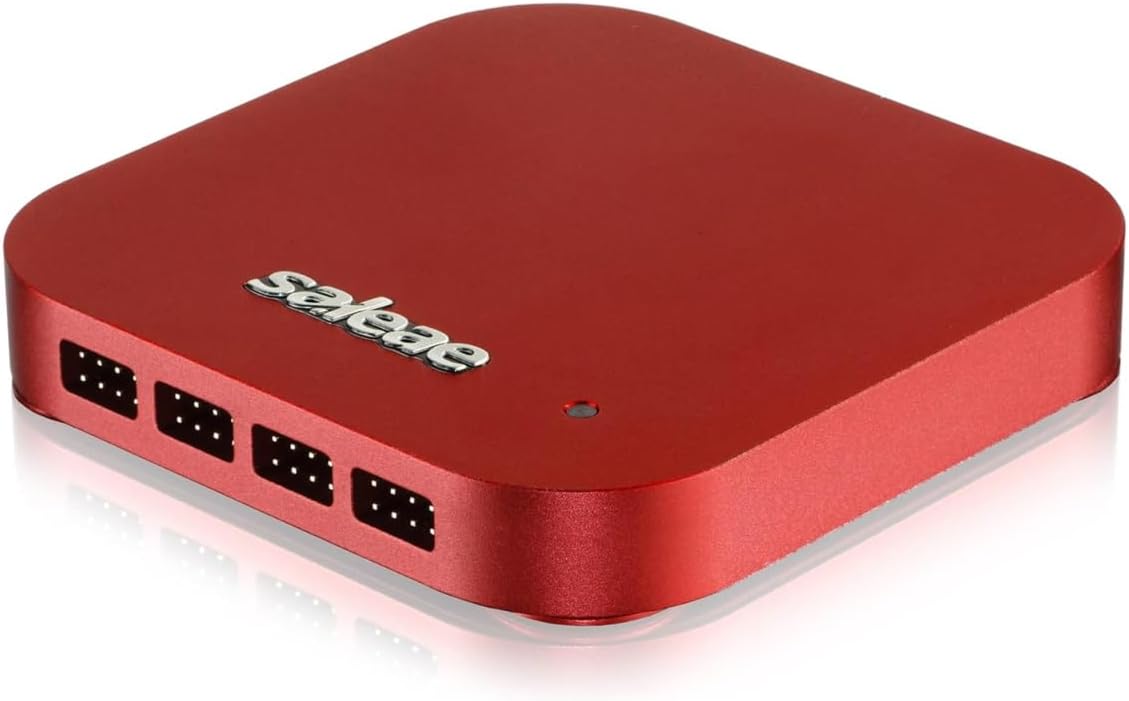
The Saleae Logic Pro 8 brings premium capabilities to a more compact 8-channel format. It matches the Pro 16 with 500 MS/s digital sampling and analog support, making it a strong choice for high-speed projects.
We may earn a commission when you buy through this link, at no additional cost to you.
Its interface is designed to save time and frustration with intuitive controls and robust protocol decoding. The 10 billion digital samples leverage PC memory effectively for detailed analysis without extra hardware costs.
Users appreciate the consistency with the Pro 16 but at a slightly lower entry price. It remains a top choice for teams that prioritize software quality and ease of integration over channel count.
Ideal for developers needing professional accuracy without 16 channels. This unit bridges the gap between hobbyist tools and full enterprise solutions effectively.
The user interface simplifies complex debugging tasks with visual clarity and easy navigation.
Its small form factor fits easily in laptop bags, making it perfect for on-site fieldwork.
We may earn a commission when you buy through this link, at no additional cost to you.
This USB Logic Analyzer is designed for broad compatibility with popular open-source software. It supports Saleae Logic Analyzer software and PulseView, making it a versatile tool for users who prefer flexible software environments.
We may earn a commission when you buy through this link, at no additional cost to you.
With a 24MHz sampling rate and 8 channels, it handles standard UART SPI and IIC debugging efficiently. The adjustable sampling rates allow for customization based on specific signal needs during testing.
While the build is generic, the wide voltage tolerance from 0V to 5.5V ensures safety across various microcontroller logic levels. Users value the ability to use existing software without needing proprietary drivers.
It is an excellent choice for developers who already have established workflows. It provides essential features without forcing a switch to expensive proprietary software ecosystems.
Supporting PulseView and Saleae software allows integration into existing automated testing scripts easily.
A 5.5V input range ensures safe connection to both 3.3V and 5V logic systems without risk.
We may earn a commission when you buy through this link, at no additional cost to you.
The DSLogic Plus offers high-speed analysis with 400MHz sampling in buffer mode. Its on-board SDRAM memory ensures data capture remains stable even when PC transfer rates might lag during complex operations.
We may earn a commission when you buy through this link, at no additional cost to you.
It supports adjustable thresholds and comes with shielded fly wires to reduce noise interference. The DSView software is compatible across Windows, macOS, and Linux, offering nearly a hundred protocol decoders for diverse analysis.
Users appreciate the dual-mode support allowing for both long-duration streaming and high-speed capturing. This flexibility makes it suitable for troubleshooting both timing issues and intermittent signal failures.
This unit is ideal for engineers needing high sampling rates without premium costs. It balances performance and affordability effectively in the mid-range market.
Switching between stream and buffer modes adapts the tool to different testing scenarios seamlessly.
Shielded wires and adjustable thresholds ensure clean waveforms even in noisy electrical environments.
We may earn a commission when you buy through this link, at no additional cost to you.
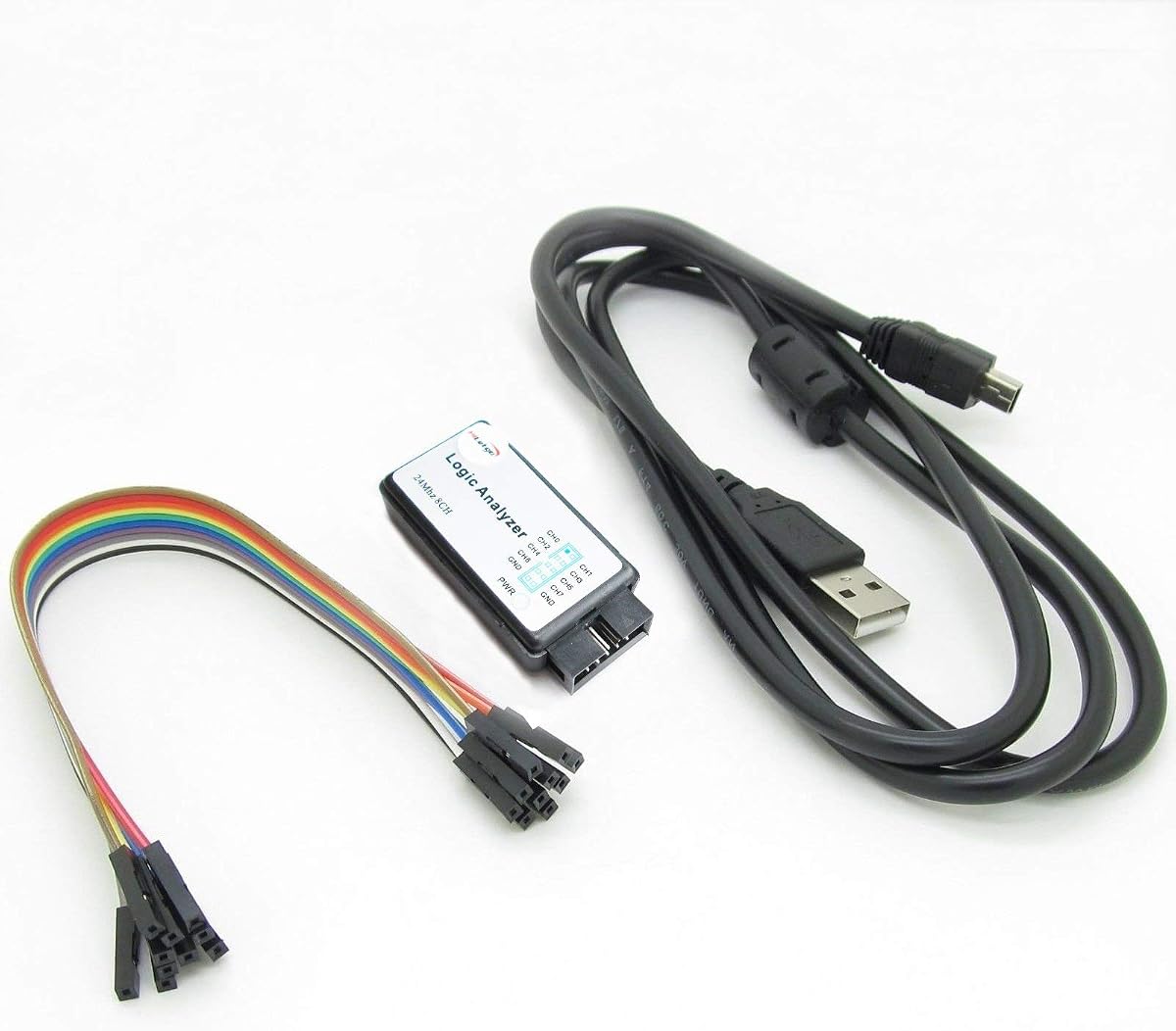
The HiLetgo USB Logic Analyzer is a compact tool designed for standard debugging tasks. It features a 24MHz sampling rate and 8 channels, sufficient for most UART IIC and SPI protocols used in hobbyist projects.
We may earn a commission when you buy through this link, at no additional cost to you.
Its input range from -0.5V to 5.25V makes it safe for various logic levels. The included EMI ferrite ring helps reduce interference from the USB cable, ensuring cleaner signal capture during tests.
While it lacks advanced features of higher-end models, its simplicity is its strength. Users find it reliable for quick checks and educational experiments where budget is a primary concern.
This device is perfect for students and hobbyists needing basic logic analysis. It offers essential functionality at an affordable price point for entry-level users.
The ferrite ring helps minimize electromagnetic interference from the USB connection during capture.
Supporting a wide voltage range ensures compatibility with both 3.3V and 5V systems.
We may earn a commission when you buy through this link, at no additional cost to you.
The Logic 8 brings Saleae's renowned software to a more accessible 8-channel device. It provides up to 100 MS/s digital sampling and uses PC memory to store billions of samples for comprehensive analysis.
We may earn a commission when you buy through this link, at no additional cost to you.
Its ability to decode over 23 protocols ensures you can quickly interpret data from complex embedded systems. The multi-use digital and analog inputs allow for mixed-signal debugging in compact projects.
While slower than the Pro series, it remains a reliable choice for general development. The ultra-portable design and consistent software experience make it easy to integrate into daily workflows.
This is a smart choice for those wanting brand reliability without the Pro price. It serves well for small teams and individual developers needing consistent performance.
Users benefit from the same intuitive interface found in the premium Pro models.
Digital and analog inputs on the same device simplify troubleshooting mixed signal boards.
We may earn a commission when you buy through this link, at no additional cost to you.
This USB Logic Analyzer excels at capturing long signal sequences with 16G sampling depth in stream mode. Its 400MHz buffer rate ensures high-speed analysis when needed, providing versatility for complex protocols.
We may earn a commission when you buy through this link, at no additional cost to you.
Compatible with DSView software, it supports nearly 100 protocol decoders and offers open-source transparency for advanced users. Adjustable thresholds and shielded wires help maintain waveform clarity across various conditions.
Users value the dual-mode support for both streaming and buffering. This allows them to optimize data capture strategies depending on whether speed or duration is the priority.
This tool is ideal for testing intermittent issues over time. It combines high-speed performance with the ability to record long sequences effectively.
Long-duration captures help identify rare glitches that occur over extended testing periods.
Open-source software allows for custom modifications to suit specialized debugging needs.
We may earn a commission when you buy through this link, at no additional cost to you.
The Analog Discovery 3 is not just a logic analyzer but a full portable instrument suite. It combines a 125 MS/s oscilloscope, logic analyzer, waveform generator, and power supply into one USB device.
We may earn a commission when you buy through this link, at no additional cost to you.
Its 16 digital I/O channels support configurable logic inputs, allowing detailed analysis of protocols like SPI and JTAG. The SDK for Python and C++ enables advanced automation and testing workflows.
Users find the ability to power circuits and generate signals while analyzing data invaluable. This eliminates the need for multiple separate instruments on a crowded workbench.
This device is best for those needing comprehensive lab capabilities in a portable form. It replaces traditional benchtop equipment effectively for field and student use.
Combining scope, generator, and power supply reduces desk clutter significantly.
Support for C and Python allows deep customization for automated testing environments.
We may earn a commission when you buy through this link, at no additional cost to you.
Selecting the right tool requires considering sampling rates channel counts, and software features to match your specific projects needs.
Sampling rate determines how accurately you can capture high-speed signals. For modern microcontrollers and communication protocols, a rate of at least 100MHz is recommended to avoid missing timing details.
Higher sampling rates allow for more precise signal reconstruction which is critical when working with SPI and I2C buses.
The number of channels you need depends on the complexity of your system. While 8 channels work for simple debugging, complex embedded systems may require 16 channels to monitor multiple bus lines simultaneously.
Ensure you choose a model that allows expansion if your projects grow in complexity over time.
Modern analyzers decode signals into human-readable formats saving you hours of manual analysis. Look for support for standard protocols like UART SPI I2C and CAN to streamline your debugging process.
Software that supports custom protocols offers flexibility for proprietary communication systems you might encounter.
Memory depth determines how much data you can store during a capture. Large buffers are essential for capturing long sequences or intermittent glitches that occur sporadically.
Tools with on-board memory ensure you capture data before transfer bottlenecks affect your analysis.
Check that the analyzer supports your operating system. Cross-platform tools are valuable if you work across Windows Mac and Linux environments.
Open-source software options provide transparency and the ability to customize tools for specific needs.
USB 3.0 offers faster data transfer rates compared to USB 2.0. Ensure the interface matches your computer ports for efficient data handling.
Dual USB connectivity provides flexibility if you need to use older or newer laptop ports.
A complete kit with cables clips and a storage case saves you from buying extras. This is especially helpful for beginners starting out with embedded development.
Check if breakout boards are included to simplify connections to breadboards and prototypes.
If you work outside the lab a portable design is essential. Handheld devices allow you to carry your tools easily to various locations.
A compact form factor ensures you can fit your analyzer in a laptop bag without taking up too much space.
First connect the analyzer to your computer using the provided USB cable. Install the necessary drivers and software to ensure proper communication between the device and your PC system.
Attach the probe clips to the circuit points you wish to monitor ensuring correct voltage levels to avoid damaging the device. Always double-check polarity before connecting.
After capturing your data use the protocol decoder features to interpret the signals. Regularly update your software to access new features and bug fixes from the manufacturer.
An oscilloscope displays continuous analog signals over time while a logic analyzer focuses on digital logic states. Logic analyzers are better for decoding complex digital protocols.
For simple projects an Arduino might not need one but debugging complex communication protocols like SPI benefit greatly from a logic analyzer to visualize data streams accurately.
Some advanced models like the Saleae Pro support mixed signals combining digital and analog inputs. However basic logic analyzers typically focus only on digital states.
You generally need at least ten times the signal frequency for accurate capture so a 10MHz sampling rate is a safe minimum for 1MHz signals in your circuits.
Most modern analyzers support Windows Mac and Linux. Always check the specific software requirements to confirm compatibility with your current OS version before buying.
With proper care these devices can last for many years. Avoid exposing them to excessive heat or moisture and handle probes gently to maintain their longevity over time.
Most require a PC for processing data though some handheld units have internal storage. Check product specs to confirm if standalone operation is supported for your needs.
Yes logic analyzers are ideal for debugging IoT communication protocols like Wi-Fi or Zigbee modules. They help visualize data exchange between the microcontroller and wireless modules.
We highlighted top picks like the LONELY BINARY Kit for budget and the LA1010 for mid-range performance. Each option offers distinct advantages depending on your project complexity and budget constraints.
Consider your specific needs regarding sampling rates and channel counts. High-speed applications benefit from premium tools while educational projects may thrive with entry-level options.
Always verify current prices and availability before purchasing to ensure you get the best value. Tools evolve quickly so checking the latest models ensures you stay ahead of technical requirements.