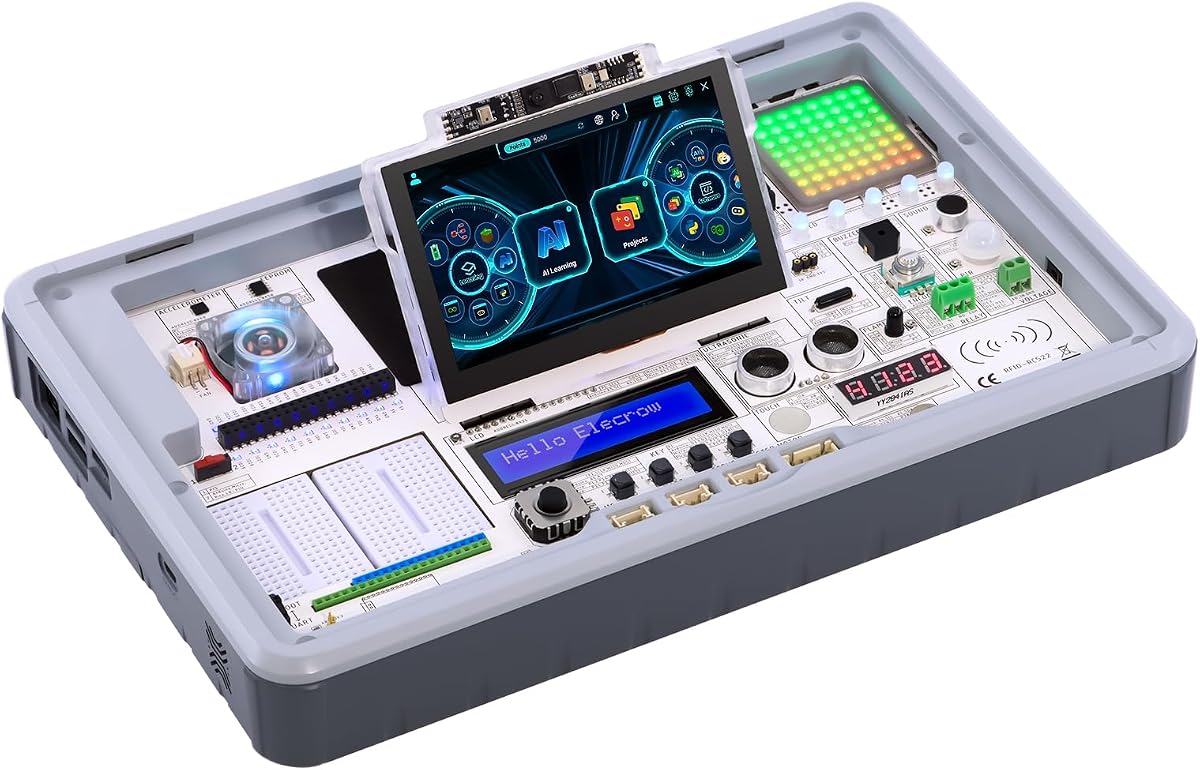
ELECROW CrowPi3 Basic Kit
4.3Editor score
41 integrated sensors
4.3-inch touch display
200 programming lessons
Explore our expert guide comparing the top AI Raspberry Pi kits for 2026, featuring hardware specs, learning resources, and AI capabilities for developers and
Artificial intelligence is transforming how we interact with technology, and the Raspberry Pi ecosystem offers an accessible entry point for enthusiasts. These kits combine powerful hardware with educational resources to help users build real-world AI projects. Selecting the right kit depends on your skill level and specific project goals.
We evaluated ten leading AI Raspberry Pi kits based on hardware capabilities, included sensors, software support, and educational content. Our analysis focuses on models that support modern AI frameworks like OpenCV, YOLO, and large language models. This comparison highlights the strengths of each option for different user needs.
Each product review details specific features, pros, cons, and ideal use cases to help you make an informed decision. The list covers budget-friendly learning tools and advanced development stations with dedicated AI accelerators. Please note that availability and pricing may change over time.
4.3Editor score

4.6Editor score

5.0Editor score
This side-by-side comparison provides an overview of the key specifications and capabilities across all ten kits analyzed in this guide to help you quickly identify the best fit.
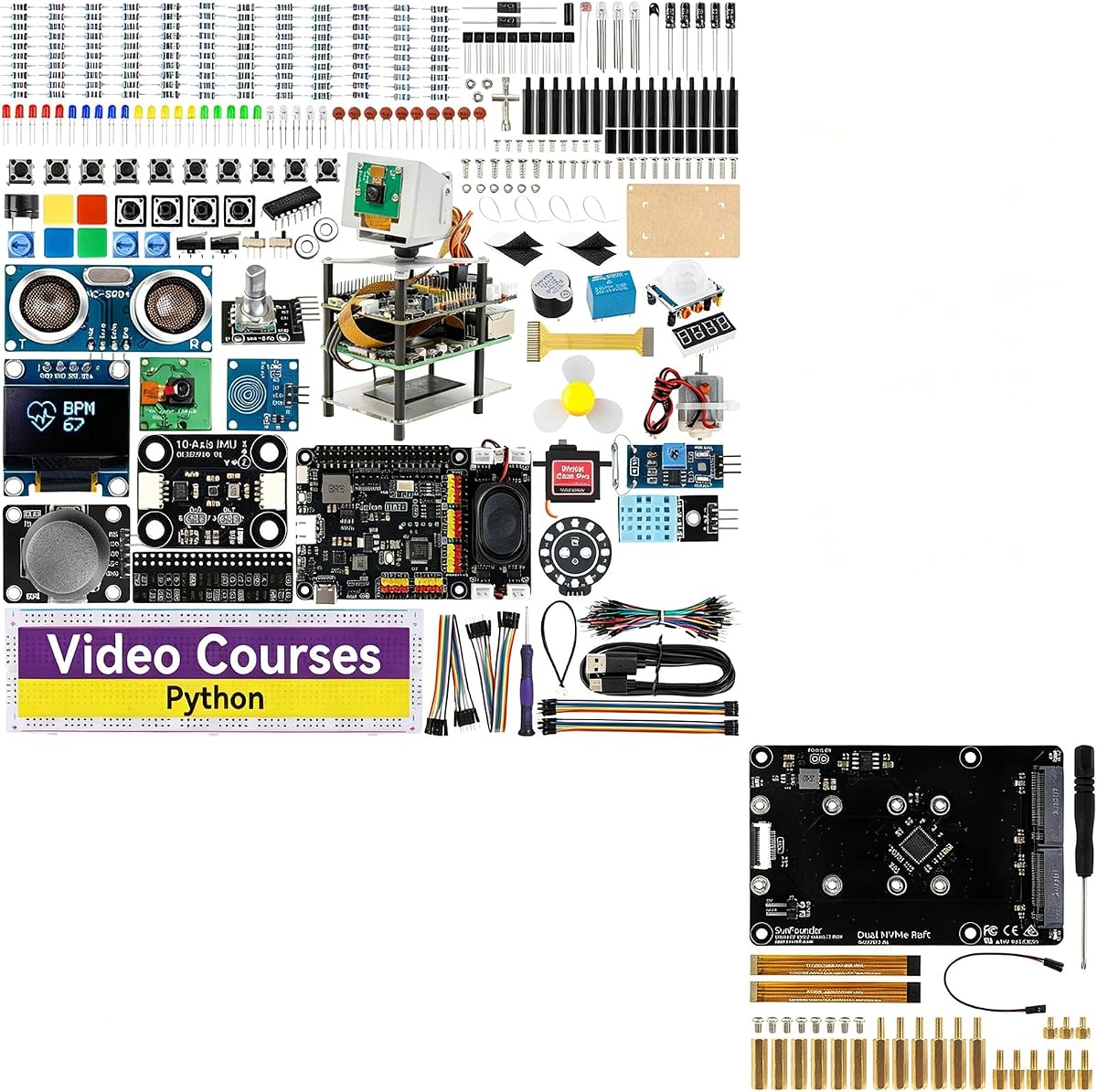


The SunFounder AI Fusion Lab Kit stands out as the top choice for learners seeking a comprehensive introduction to artificial intelligence using Raspberry Pi. With a strong rating and support for various large language models, it bridges the gap between theory and practical application effectively.
We may earn a commission when you buy through this link, at no additional cost to you.
This kit enables users to build projects that integrate voice recognition, vision tracking, and sensor data. The inclusion of Pan-Tilt HAT and OpenCV support allows for sophisticated object tracking and facial recognition tasks. The video courses created by Paul McWhorter provide clear guidance for beginners.
While the Raspberry Pi board is not included, the value lies in the specialized hardware and curriculum that transforms a standard Pi into a powerful AI workstation. The Fusion HAT+ power system simplifies hardware management, ensuring reliable operation during intensive tasks.
This kit is ideal for students, educators, and hobbyists who want a structured path to mastering AI concepts. The combination of guided lessons and hands-on projects makes complex topics accessible. It represents a solid investment for those serious about learning AI hardware integration.
Support for ChatGPT, Gemini, and Grok allows users to experiment with diverse AI models directly on local hardware.
Combine voice, vision, and sensors to create engaging applications that respond to real-world inputs dynamically.
We may earn a commission when you buy through this link, at no additional cost to you.
The Vilros Raspberry Pi 5 AI Kit offers premium performance with its dedicated AI HAT+ and high-capacity RAM configuration. Rated highly for its completeness, this kit ensures users have everything needed to start building complex AI applications immediately without sourcing extra components.
We may earn a commission when you buy through this link, at no additional cost to you.
Featuring a powerful processor and up to 26 TOPS of AI performance, this kit handles demanding tasks like real-time object detection efficiently. The preloaded operating system and included case reduce setup time, allowing developers to focus on coding rather than configuration.
The active cooling system ensures stability during prolonged usage, which is crucial for AI workloads that generate heat. While it is priced higher than basic kits, the value comes from the robust hardware and reliability provided by the bundle.
This option suits professional developers and serious hobbyists requiring top-tier performance. It is perfect for projects that demand speed and precision. Investing in this kit provides a solid foundation for high-end AI development tasks.
The AI HAT+ delivers significant speed boosts for neural network tasks compared to standard CPU execution.
Everything from power supply to storage is included, removing the guesswork from hardware assembly.
We may earn a commission when you buy through this link, at no additional cost to you.
The ELECROW CrowPi3 Basic Kit offers an impressive array of features at a budget-friendly price point. With 41 sensors and a built-in touchscreen, it simplifies the learning process by eliminating the need for breadboarding and complex wiring for beginners.
We may earn a commission when you buy through this link, at no additional cost to you.
This kit focuses on education, providing 200 lessons that guide users through coding and component identification. The touch display allows for intuitive interaction with projects, making it suitable for classrooms or self-paced learning environments. It supports mainstream development boards effectively.
While the Raspberry Pi board is not included, the kit's value lies in its ready-to-use design. The sensors are integrated into the board, reducing potential errors in assembly. However, this limits flexibility for users who prefer custom wiring setups.
Ideal for educators and students, this kit lowers the barrier to entry for AI and coding. It provides a structured path to learning electronics and programming. The balance of features and cost makes it a strong contender for beginners.
Pre-integrated components mean learners can focus on code and logic rather than circuit assembly.
The capacitive display enables interactive projects like touch-based menus or visual feedback systems.
We may earn a commission when you buy through this link, at no additional cost to you.
This variant of the SunFounder AI Fusion Lab Kit enhances the original by adding a Dual NVMe Raft for extensive storage needs. It supports two SSDs for RAID configurations, making it suitable for NAS setups or data-intensive AI applications requiring fast read speeds.
We may earn a commission when you buy through this link, at no additional cost to you.
The inclusion of AI vision components like the Pan-Tilt HAT and camera remains intact, allowing for multi-modal projects. The power system and HAT simplify hardware control. The NVMe support adds a layer of performance not found in standard SD card storage.
The added complexity and price make this better suited for advanced users. It balances the learning curriculum of the original kit with server-grade capabilities. This makes it a unique option for those looking to build a home AI server.
Buyers interested in storage-heavy tasks will appreciate the flexibility. It combines educational value with practical server features. It is a versatile choice for makers who need both learning tools and production capabilities.
NVMe speeds significantly reduce load times for large datasets used in machine learning training.
Support for RAID 0 and 1 allows users to optimize for speed or redundancy based on their needs.
We may earn a commission when you buy through this link, at no additional cost to you.
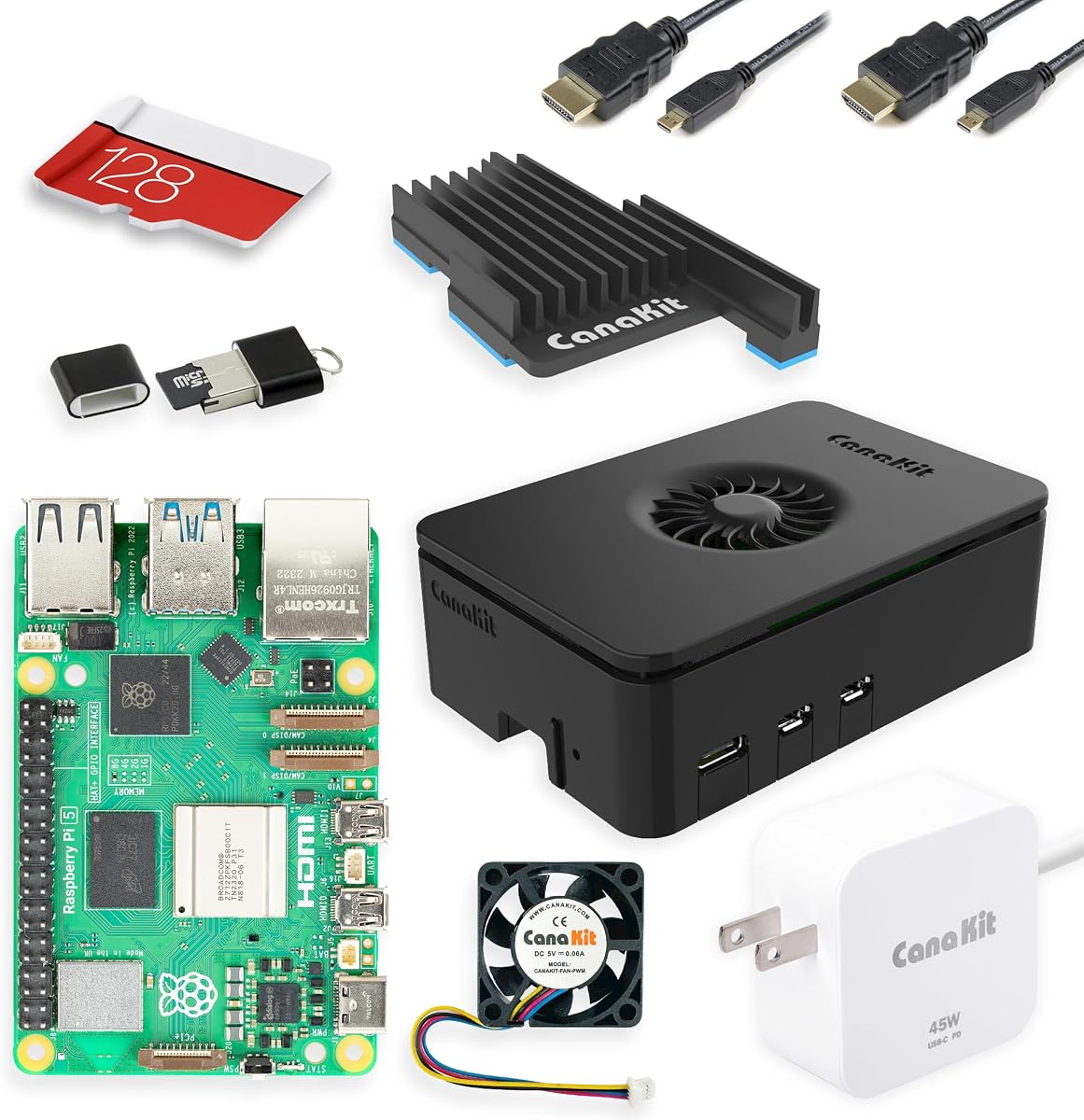
The CanaKit Raspberry Pi 5 Starter Kit PRO provides a solid foundation with an official Pi 5 board and high-quality components. While it lacks specialized AI hardware out of the box, it serves as an excellent starting point for those planning to add AI capabilities later.
We may earn a commission when you buy through this link, at no additional cost to you.
Its rating reflects high reliability, with a turbine case ensuring proper airflow for the Pi 5. The 45W power supply is robust enough for peripherals, and the preloaded OS simplifies initial setup. It covers all essential needs for general computing tasks.
For AI specifically, users may need to source HATs and cameras separately. However, the stability and build quality make it a trustworthy choice. It ensures the base system performs well before adding more complex layers.
Recommended for general makers and DIY enthusiasts who need a reliable board to build upon. The included components are top-tier. It is best for users who prefer to customize their AI setup gradually.
A reliable Pi 5 base ensures that any added AI components will have sufficient power and stability.
The Turbine case and fan design provide superior thermal management compared to standard enclosures.
We may earn a commission when you buy through this link, at no additional cost to you.
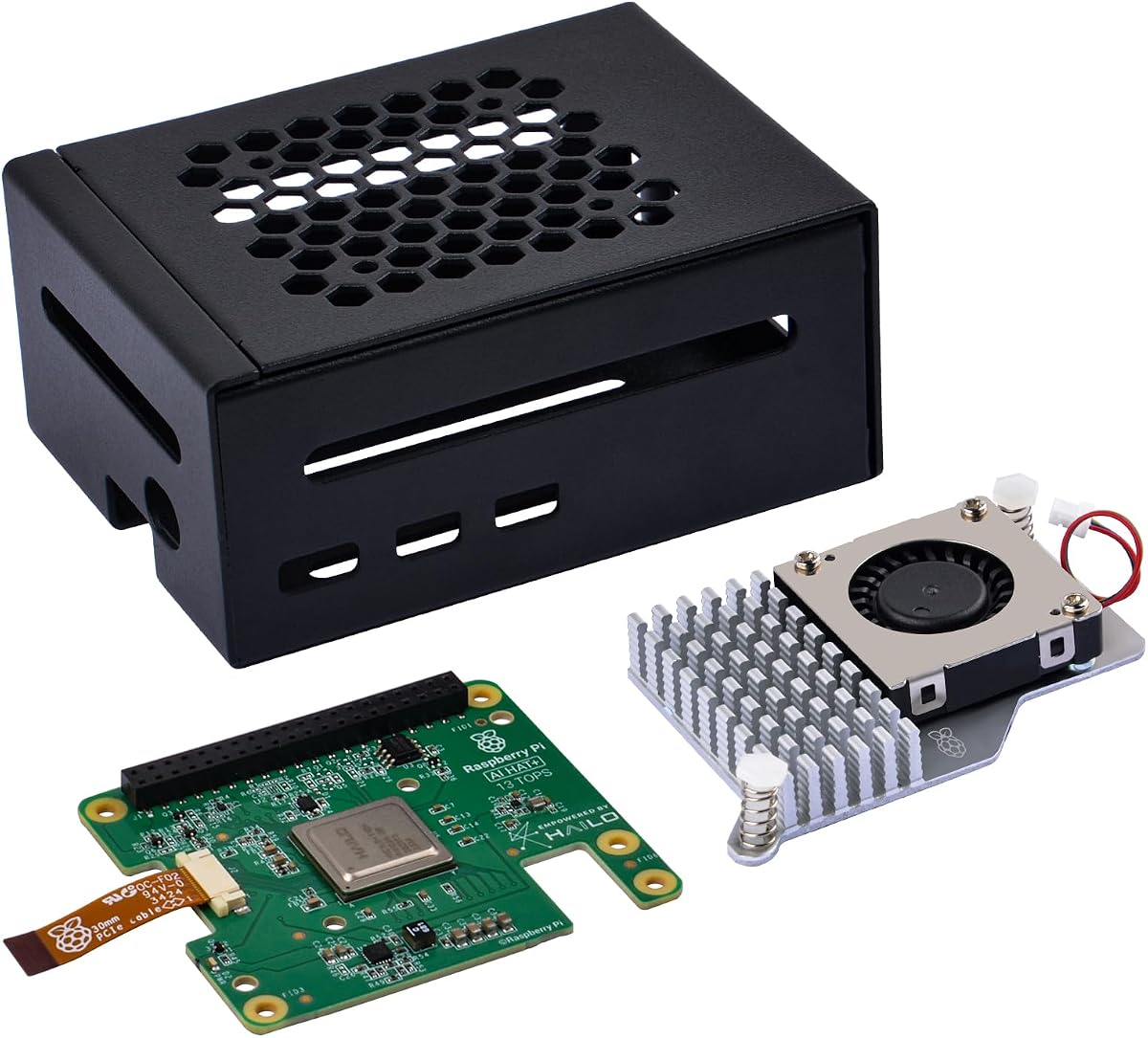
The GeeekPi AI HAT+ Kit focuses on adding dedicated neural network acceleration to the Pi 5. With a built-in Hailo accelerator, it significantly boosts performance for tasks like object detection. The metal case protects the board while ensuring a sleek look.
We may earn a commission when you buy through this link, at no additional cost to you.
This kit communicates via PCIe Gen 3, offering high-speed data transfer for the accelerator. It is compatible with Raspberry Pi OS updates that support the NPU automatically. The active cooler keeps temperatures in check during intensive processing.
It is a specialized choice for those who need to run heavy AI workloads. The hardware is designed to work seamlessly with the OS. However, it requires a Pi 5 board to function effectively.
Best for developers who need to optimize inference speed. The inclusion of the case and cooler adds value. It is a focused upgrade path for existing Pi 5 owners looking to add intelligence.
The onboard NPU handles specific AI operations faster than a standard CPU.
The metal case ensures all ports remain accessible while protecting the hardware from physical damage.
We may earn a commission when you buy through this link, at no additional cost to you.
The Seeed Studio Pi 5 Kit PRO offers a complete and stable environment for development. It includes official components like the case and power supply, ensuring reliability. The preloaded OS saves time, allowing users to start working immediately.
We may earn a commission when you buy through this link, at no additional cost to you.
The active cooling case is designed to maintain performance during demanding tasks like running Docker containers or edge AI. The 27W power supply is optimized for the Pi 5, preventing voltage drops. This makes it a robust platform for various projects.
While it lacks specific AI peripherals, its focus is on providing a high-quality base system. The warranty and technical support from Seeed Studio add confidence to the purchase. It is ideal for those needing a reliable workstation.
Recommended for users prioritizing system stability and support. It provides the essential hardware with minimal hassle. It serves as a strong base for those who prefer to add AI add-ons as needed.
Using official components ensures compatibility and long-term support for the hardware.
The active cooling design ensures the Pi 5 does not throttle under load.
We may earn a commission when you buy through this link, at no additional cost to you.
This kit transforms the Raspberry Pi into a fully functional AI robot with 12 servos and advanced sensors. It features integration with ChatGPT-4o, allowing for natural language interactions. The robot can recognize voice commands and perform complex movements.
We may earn a commission when you buy through this link, at no additional cost to you.
The FPV capability lets users see what the robot sees in real-time, adding an immersive layer to control. The rich sensor suite including touch and gyroscope provides comprehensive feedback. It supports Python programming for customization.
While the Pi Zero 2 is less powerful than the Pi 5, it is sufficient for the robot's tasks. The kit focuses on interactive experiences rather than raw computation. It is fun and engaging for users interested in robotics.
Best for hobbyists wanting to build an interactive companion. The included resources help beginners learn robotics quickly. It provides a rewarding hands-on experience with AI and mechanical engineering.
ChatGPT-4o enables the robot to understand and respond to complex queries in real time.
With 12 servos, the robot can perform diverse actions like walking or shaking its head.
We may earn a commission when you buy through this link, at no additional cost to you.
The ELECROW CrowPi 3 Development Station features a built-in capacitive touchscreen that simplifies project interaction. It includes 41 sensors and offers over 200 guided courses covering AI and programming. It supports multiple development boards for flexibility.
We may earn a commission when you buy through this link, at no additional cost to you.
The touch display makes it easy to visualize AI outputs like facial recognition or object detection. The high-sensitivity microphone enables voice interaction projects. It is designed to be an all-in-one station for exploration without external peripherals.
Users must provide their own Raspberry Pi 5 board. The pre-installed sensors save time on wiring. The courses are comprehensive, ranging from beginner to advanced levels. It is a strong educational platform.
Ideal for educators who need a structured environment. It supports various learning styles. It is best for those who value a visual interface and guided curriculum.
The touch display allows for intuitive control and immediate feedback during development.
Over 200 lessons ensure users can progress from basics to complex IoT projects.
We may earn a commission when you buy through this link, at no additional cost to you.
This premium version includes the Raspberry Pi 5 16GB board along with the CrowPi 3 development station. It offers the highest performance available in a pre-configured AI learning setup. Users get access to all sensors and the touchscreen immediately.
We may earn a commission when you buy through this link, at no additional cost to you.
The inclusion of 16GB RAM is perfect for running large language models or multitasking. It supports complex AI tasks without the need for external configuration. The 200+ courses cover everything needed to master the platform.
The price reflects the high-end hardware and completeness. It is designed for professionals and serious learners. There is no assembly required. It is the most convenient way to get started with high-performance AI.
Best for those who want a plug-and-play high-end solution. It saves time on setup. It is the ultimate choice for professional prototyping and advanced learning.
The 16GB RAM ensures smooth operation for memory-intensive AI models and datasets.
Combining hardware and software in one package simplifies the learning curve significantly.
We may earn a commission when you buy through this link, at no additional cost to you.
Choosing the right kit involves assessing your current skills, budget, and project goals to find a solution that balances capability with usability.
Evaluate the processing power of the kit. Some kits include dedicated accelerators for neural networks which speed up inference tasks. Consider the RAM and storage options for handling datasets.
Look for boards with high RAM and dedicated AI chips if you plan on heavy machine learning workloads.
The number of sensors like cameras and touch panels affects project possibilities. Kits with integrated sensors reduce wiring time and complexity for beginners. Ensure the sensors match your intended application area.
Prioritize kits with pre-integrated sensors if you want to avoid complex circuit assembly.
Structured courses and documentation are vital for educational kits. Look for video tutorials and step-by-step guides that align with the hardware provided. Quality resources help users progress from basics to advanced projects.
Check if the kit includes extensive lesson plans and community support for learning.
Software ecosystem compatibility ensures you can run modern frameworks like OpenCV and TensorFlow. Check for pre-installed OS images or official support. Seamless software integration saves time and frustration.
Ensure the kit supports standard operating systems and common AI libraries out of the box.
Future-proofing requires available ports and compatible HATs. A kit with good expansion capabilities allows for growing projects. Consider USB ports and GPIO headers for adding external modules.
Choose a kit with robust connectivity options if you plan to add more components later.
Reliable power supplies are critical for stable operation. High-performance kits often require specific wattage adapters. A power management system helps prevent shutdowns during intense AI computations.
Look for kits that include official power supplies to ensure voltage stability.
Active cooling is necessary for sustained performance in AI tasks. Kits with built-in fans or metal cases handle heat better. Thermal management is key for maintaining consistent performance.
Select kits with active cooling or metal enclosures for better thermal efficiency.
Active communities provide solutions to common problems. A product with strong technical support ensures issues are resolved quickly. Forums and user groups enhance the learning experience significantly.
Check for active forums and responsive customer support before purchasing.
Start by installing the provided software and updating the system to the latest version. This ensures compatibility with the latest AI libraries and drivers. Follow the setup guide for connecting sensors and external devices properly.
Keep the kit clean and free of dust to prevent overheating. Regularly check the cooling fans and ensure vents are clear. Proper maintenance extends the lifespan of the hardware components significantly.
Experiment with sample projects to understand the capabilities before building your own. Use the provided code examples to learn how to interface with sensors and cameras. Document your progress to track learning milestones effectively.
Most kits are designed for beginners and include step-by-step tutorials that teach programming from scratch. While Python knowledge is helpful, you can learn as you go. The visual interfaces and pre-made code examples simplify the learning process for non-coders.
Some high-performance kits with dedicated AI accelerators can run smaller large language models locally. Standard boards may struggle with heavy models but can connect to cloud APIs. Check the RAM and processor specs to ensure compatibility with LLM requirements.
Most kits are optimized for Raspberry Pi OS or similar Linux-based distributions. While some may support Windows or macOS via external connections, the core functionality relies on the standard OS. Always check the documentation for OS support details.
Always use the recommended power supply to ensure stable voltage. AI tasks draw more power than standard computing tasks. Using an undersized power supply can lead to system instability or shutdowns during processing.
Yes, most kits support connecting multiple sensors via GPIO or I2C interfaces. Kits with integrated sensor boards simplify this by mounting them on a single PCB. Ensure you check the pinout limits to avoid overloading the controller.
Most kits include online documentation and community forums. Manufacturers often provide video tutorials and GitHub repositories with code examples. Joining maker communities can also provide extra tips and project inspiration.
Many kits allow for external storage via USB or SSD connections. Some high-end models include slots for M.2 drives. Check the specifications to see if internal upgrades are supported by the motherboard.
Core functionality like running local scripts or controlling hardware does not require internet. However, features like cloud-based AI models or API updates may need connectivity. Many models operate fully offline for local processing.
The best AI Raspberry Pi kit for you depends on your budget and technical goals. Kits like the SunFounder AI Fusion Lab offer comprehensive learning, while the Vilros kit provides top-tier performance. Each option serves different needs from education to professional development.
Prioritize hardware capabilities if you need to run heavy AI models or prioritize the educational resources if you are a beginner. The included sensors and software support are key factors that determine the ease of starting projects.
Prices and availability change frequently so check the current listings before making a purchase decision. Ensure you have all the necessary components to run your chosen kit smoothly. Investing in a quality setup will yield better learning outcomes and project success.