
Creality Ender 3 V3 SE
4.1Editor score
Auto leveling for easy setup
Direct drive extruder
Quiet 32-bit mainboard
This guide compares the easiest 3D printers for beginners and kids, highlighting auto-leveling, speed, and safety features to help you choose the right model.
Finding an easy to use 3D printer can transform how you approach creativity and manufacturing at home. Modern machines now offer automatic calibration, intuitive interfaces, and fast speeds that reduce the technical barriers historically associated with this technology. Whether you are a parent looking for a STEM tool or a hobbyist seeking reliability, the right choice simplifies the entire workflow from design to physical object.
To compile this list, we analyzed current market offerings focusing on setup time, user interface complexity, and automation features. We prioritized models that minimize manual adjustments like bed leveling and filament loading. Our selection covers a range of budgets and sizes, ensuring that whether you need a compact desktop unit or a robust workstation, there is a suitable option available for your specific needs.
Each pick in this guide showcases key specifications, pros, cons, and detailed insights into real-world performance. You will find information on build volumes, print speeds, and safety features crucial for home environments. Please note that pricing and availability can change frequently, so always check the latest details on the product pages before making your final purchase decision.
4.1Editor score

4.7Editor score

4.5Editor score
The following table provides a side-by-side comparison of all ten selected printers, highlighting their key specifications, build volumes, and unique features to help you quickly identify the best match for your requirements.




The Bambu Lab A1 stands out as a top choice for anyone seeking an easy to use 3D printer. With a stellar rating of 4.7 out of 5, this model delivers on its promise of seamless operation from the moment you unbox it. Its standout qualities include high-speed precision printing and a comprehensive full-auto calibration system that eliminates the guesswork often associated with bed leveling and nozzle alignment.
We may earn a commission when you buy through this link, at no additional cost to you.
One of the key strengths of the A1 is its ability to maintain exceptional accuracy while printing at impressive speeds. The acceleration of 10,000 mm/s² ensures that even complex geometries are handled with care. Additionally, the active flow rate compensation algorithm guarantees smooth prints by adjusting the extrusion rate in real time based on sensor readings. This level of automation reduces failed prints significantly.
While the A1 is highly capable, there are some trade-offs to consider. The multi-color printing feature requires an AMS lite unit, which is not included in the standard package. Furthermore, the device relies heavily on cloud connectivity and software integration, which might be a hurdle for users with strict offline requirements. However, for most home users, these factors are minor compared to the benefits.
This printer is ideal for beginners who want a professional result without the technical steep learning curve. It is also perfect for families looking for a safe and quiet device. If you value speed, reliability, and a user-friendly interface, the Bambu Lab A1 is the ultimate recommendation for your next 3D printing journey.
The full-auto calibration takes care of all settings including Z-offset and bed leveling, ensuring optimal performance for every single print.
Active motor noise canceling allows for a quiet environment, while the simplified touchscreen makes operation effortless.
We may earn a commission when you buy through this link, at no additional cost to you.
The FLASHFORGE Adventurer 5M is designed for users who prioritize speed without sacrificing too much ease of use. It offers a robust CoreXY structure and a direct extruder capable of reaching 280°C, making it versatile for various materials. With a rating of 3.9, it appeals to those who want rapid prototyping capabilities and a solid build quality right out of the box.
We may earn a commission when you buy through this link, at no additional cost to you.
Key strengths include its incredible 600mm/s travel speed and 20,000mm/s² acceleration, which significantly reduce production cycles. The one-click automatic printing feature ensures flawless first layers by handling bed leveling automatically. Additionally, the quick 3-second nozzle changes and 35-second warm-up time allow for efficient workflow management. The dual-sided PEI platform also makes removing prints easy and reliable.
One honest trade-off is the lower rating compared to some competitors, which may indicate occasional firmware quirks or user experience hurdles. While the app monitoring is a strong feature, it requires a stable Wi-Fi connection. Users should also be prepared to manage settings carefully to get the most out of the high-speed capabilities. Despite this, it remains a powerful tool for fast production.
This printer is best suited for makers who need to prototype quickly or produce parts in larger quantities. If you are comfortable with a bit of technical tuning and want raw speed, the Adventurer 5M is a compelling option. It balances performance and accessibility well for intermediate users seeking a reliable workhorse.
The CoreXY structure and 600mm/s travel speed maximize efficiency and reduce production cycles for rapid prototyping.
Monitor print progress and receive alerts remotely with the Flash Studio app for a seamless printing experience.
We may earn a commission when you buy through this link, at no additional cost to you.
The Bambu Lab A1 mini is a fantastic entry point for those new to 3D printing. With a rating of 4.4, it is praised for its simplicity and reliability. This model comes with an LED Lamp Kit, making it especially appealing for creative projects that require immediate tangible results. Its design ensures that setup is minimal, allowing you to focus on creating rather than troubleshooting.
We may earn a commission when you buy through this link, at no additional cost to you.
One of the main strengths of the A1 mini is its integration with the Bambu ecosystem. You get access to MakerWorld's huge library of ready-to-print models and can manage everything through the Bambu Handy app. The printer is fast, quiet, and reliable, fitting naturally into home environments. It delivers high-quality prints consistently, which is a huge plus for beginners who may lack the skills to fix errors.
The primary trade-off is the smaller build volume compared to the standard A1, which limits the size of objects you can print in one go. Additionally, while the included kit is great for creativity, it might not satisfy those looking for large-scale engineering parts. However, for everyday creativity and small projects, these limitations are negligible. It remains a top pick for educational use.
This printer is ideal for students, hobbyists, and families who want a safe and easy device for DIY projects. Whether you are making toys, home décor, or personalized gifts, the A1 mini makes it easy to turn ideas into reality. Its seamless experience and reliable performance make it a standout choice for beginners.
Designed to make 3D printing easy from day one with automatic calibration and simple setup.
Bring your ideas to life by printing compatible lamp models and creating functional decorative lights.
We may earn a commission when you buy through this link, at no additional cost to you.
The Bambu Lab P1S is a premium choice for users who need an enclosed printer for more advanced materials. With a rating of 4.5, it combines speed, reliability, and versatility. The fully enclosed body significantly improves performance for filaments like ABS and ASA, which are sensitive to temperature fluctuations. This makes it a robust option for functional parts and durable objects.
We may earn a commission when you buy through this link, at no additional cost to you.
Key strengths include its lightning-fast printing speed of 500mm/s and the ability to support up to 16 colors with the AMS system. The automatic bed leveling simplifies the printing process, ensuring high-quality prints with minimal manual intervention. Users can set up the printer in as little as 15 minutes, which is a huge time saver for those new to the technology. The user-friendly design ensures a hassle-free assembly.
One honest trade-off is the higher price point compared to open-frame models. Additionally, achieving the full multi-color experience requires purchasing the AMS separately. However, for those who need an enclosure for safety or material compatibility, the investment is often worth it. It offers a professional-grade experience that is easy enough for home use while capable of serious production.
This printer is best for makers who want to expand beyond PLA and create stronger, more durable parts. If you are looking for a reliable, fast, and enclosed solution that balances ease of use with advanced capabilities, the P1S is the top recommendation. It is a fantastic investment for serious hobbyists.
The fully enclosed body improves print performance for advanced filaments like ABS and ASA.
Bring your designs to life with vibrant multi-color printing capabilities perfect for showcasing creativity.
We may earn a commission when you buy through this link, at no additional cost to you.
The AOSEED AI 3D Printer is a unique device tailored specifically for children and educational settings. With a rating of 4.5, it integrates AI tools that allow kids to design models using voice or text. The enclosed safe design and TÜV Rheinland ISO certified PLA ensure that the printing process is secure. It effectively brings a toy factory home for endless DIY fun.
We may earn a commission when you buy through this link, at no additional cost to you.
Key strengths include the AI Doodle and MiniMe features that transform photos into 3D figures without design skills. The one-tap printing process in the app makes it incredibly easy for kids to start projects. Additionally, the built-in camera and real-time monitoring allow parents to watch progress and create time-lapse videos. The package includes filament rolls and tools, making it an all-in-one starter kit.
One honest trade-off is that it supports single-color printing only, meaning multi-color designs require separate parts and assembly. The device also relies heavily on the app, which might be a limitation for offline use. Despite these constraints, its focus on safety and creativity makes it an outstanding educational tool. It keeps kids engaged and inspires long-term interest in STEM.
This printer is ideal for parents who want a safe, engaging, and creative gift for their children. Whether for school projects or home fun, the AOSEED AI printer simplifies the process while encouraging imagination. It is a smart choice for families looking to introduce kids to the world of 3D design.
AI Doodle allows children to create custom models using voice or image prompts without design skills.
Designed with an enclosed pinch-resistant design and one-tap printing for a smooth experience.
We may earn a commission when you buy through this link, at no additional cost to you.
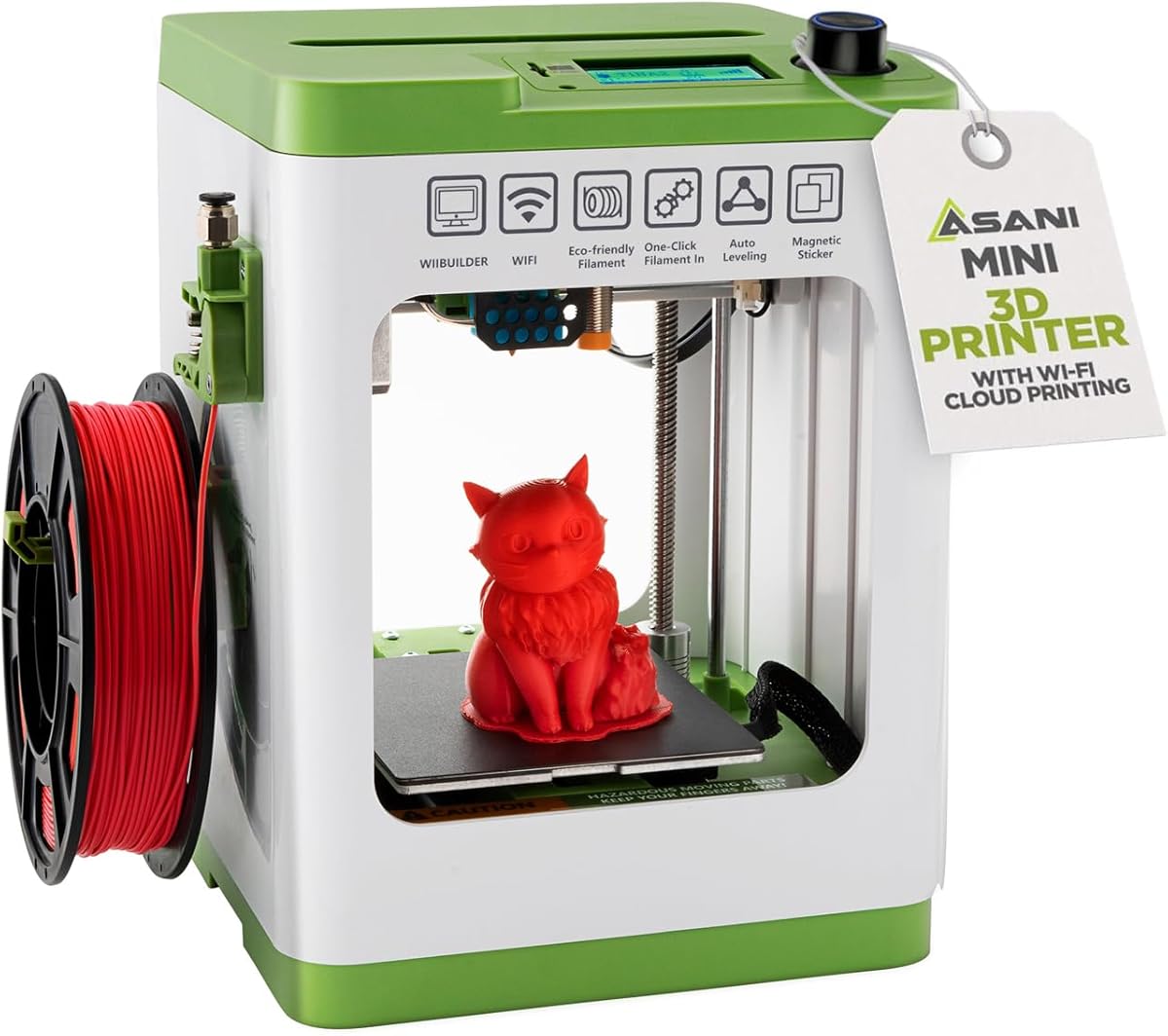
The Entina Tina2C is a mini 3D printer designed specifically for first-time users and kids. With a rating of 4.4, it focuses on simplicity and education. The guided setup through the Poloprint Cloud app allows users to start their first print in just 8 minutes. This ease of use makes it an excellent choice for classrooms or home learning environments where setup time must be minimized.
We may earn a commission when you buy through this link, at no additional cost to you.
One of the key strengths is the integration of AI creativity and STEM learning. The app offers 20+ creative modules and interactive tools that turn printing into an educational experience. Whether through WiFi or offline TF card, users have flexible ways to create. The flexible magnetic build plate and self-cleaning nozzle design reduce maintenance time, ensuring more focus on creativity than repair.
A trade-off to consider is the very small print volume, which limits the size of objects you can print at once. This might be a constraint for larger projects or adult hobbyists. However, for STEM education and small models, this size is perfectly adequate. The quiet operation and compact body also mean it fits easily on desks without causing much noise.
This printer is best for educators, parents, and beginners who prioritize learning over large-scale production. If you are looking for a safe, quiet, and engaging tool that introduces 3D printing concepts effectively, the Tina2C is a strong candidate. It simplifies the process and makes technology accessible to young minds.
Guided setup through the app allows users to start their first print in just 8 minutes.
Access AI-powered search, photo-to-print features, and regularly updated STEM learning courses.
We may earn a commission when you buy through this link, at no additional cost to you.
The FLASHFORGE AD5M is a reliable performer that combines high-speed capabilities with precise calibration. With a rating of 4.2, it appeals to users who need a robust machine for both beginners and experts. The CoreXY structure ensures stable and smooth motion even at high speeds. The fully automatic one-click leveling system ensures a flawless first layer every time without manual adjustments.
We may earn a commission when you buy through this link, at no additional cost to you.
Key strengths include the quick-release nozzle which can be swapped in 3 seconds, simplifying maintenance significantly. The printer supports multiple nozzle diameters to cater to various precision needs. Additionally, the power loss recovery function saves ongoing layers and resumes printing after a shutdown, preventing material waste. The flexible double-sided PEI plate makes removing printed models easy and consistent.
One honest trade-off is that while it supports common filaments, it may not be the first choice for highly specialized composites. The software interface might require a bit of learning for new users to unlock full potential. However, the build quality and speed make up for these minor limitations. It is a solid workhorse for general production and hobbyist use.
This printer is ideal for those who want a balance of speed, reliability, and ease of maintenance. If you are looking for a machine that reduces manual setup and handles a variety of standard prints well, the AD5M is a great choice. It turns ideas into reality with minimal stress and technical headaches.
The automatic one-click leveling system ensures a flawless first layer every time.
Tool-free nozzle swap simplifies maintenance for novices and experts alike.
We may earn a commission when you buy through this link, at no additional cost to you.
The TINA2S Mini 3D Printer is a comprehensive starter kit designed for ease of use. With a rating of 4.6, it stands out for being fully assembled, eliminating the frustration of complex setup. It comes with 10M of PLA filament, a microSD card, and essential accessories. This makes it a plug-and-play solution for kids and beginners who want to start creating immediately.
We may earn a commission when you buy through this link, at no additional cost to you.
One of the key strengths is its open-source compatibility, allowing use with popular slicers like Cura and Simplify3D. The auto-leveling and dual z-axis rail ensure high-precision prints despite its compact size. The one-touch filament loading and active pause/resume functions put control in your hands. This flexibility makes it suitable for learning and experimentation without locking you into a proprietary ecosystem.
A trade-off to note is the requirement to use the specific TINA2S platform plate to ensure the proximity sensor works correctly. The small footprint also limits print size. However, these restrictions are minor compared to the benefits of a fully assembled and reliable device. It is an excellent choice for dorms or small home workspaces.
This printer is best for students and beginners who want a complete solution without assembly hassles. If you value convenience, open-source flexibility, and reliable performance in a small package, the TINA2S is a top recommendation. It delivers consistent prints and a smooth learning curve for new users.
Everything is included just bring the imagination with filament and software pre-installed.
Compatible with Windows, Mac, Linux, and most slicing software for flexible customization.
We may earn a commission when you buy through this link, at no additional cost to you.
The Creality Ender 3 V3 SE is a budget-friendly option that brings automation to entry-level printing. With a rating of 4.1, it simplifies the experience with CR Touch auto leveling and automatic Z-offset calibration. This reduces manual adjustments, making printing easier for beginners and experienced users alike. It offers reliable performance at an affordable price point.
We may earn a commission when you buy through this link, at no additional cost to you.
One of the key strengths is the upgraded Sprite Direct Drive Extruder, which provides smooth filament feeding for various materials like PLA, PETG, and TPU. The 32-bit silent mainboard helps reduce operating noise, creating a more comfortable environment. Additionally, the build speed of up to 250mm/s allows for efficient project completion without sacrificing consistency.
A trade-off compared to premium models is that some assembly is still required and it lacks some advanced features like enclosed chambers. However, for the price, it offers a fantastic entry point into the hobby. The dual synchronized Z-axis lead screws help reduce vibration for consistent quality. It is a proven choice for those on a budget.
This printer is ideal for beginners who want a reliable machine without spending a fortune. If you are looking for a balance of cost, performance, and ease of use, the Ender 3 V3 SE is a great choice. It proves that high-quality results do not have to come with a high price tag.
CR Touch Auto Leveling and automatic Z-offset calibration help achieve a reliable first layer.
The upgraded Sprite Direct Drive Extruder provides smooth and consistent filament feeding.
We may earn a commission when you buy through this link, at no additional cost to you.
The Anycubic Kobra X is a unique printer that offers native 4-color printing right out of the box. With a rating of 4.2, it allows users to create vibrant models without complex external systems. The LeviQ 3.0 auto bed leveling system ensures 100% bed flatness with a 49-point calibration. This makes achieving flawless first layers simple and efficient.
We may earn a commission when you buy through this link, at no additional cost to you.
Key strengths include its large print size of 260mm x 260mm x 260mm and the ability to expand palette up to 19 colors with additional units. The hardened steel nozzle and vibration compensation ensure smooth layers even at high speeds up to 600mm/s. Features like Spaghetti detection and remote control via app enhance usability. A vast library of models is available for download.
One honest trade-off is that filament is not included in the package, requiring an extra purchase. The multicolor system adds complexity compared to single-color printers. However, the convenience of native multi-material printing is a major plus for creative users. It balances advanced features with ease of setup for home environments.
This printer is best for makers who want to explore multicolor printing without third-party upgrades. If you need a large volume machine that handles flexible and rigid filaments well, the Kobra X is a strong contender. It offers a smart, connected experience for modern 3D printing.
Comes born with 4 colors built-in to turn every idea into reality.
Features remote control, spaghetti detection, and foreign object detection for easy operation.
We may earn a commission when you buy through this link, at no additional cost to you.
Choosing the right 3D printer depends on your skill level, budget, and specific needs. This guide outlines key factors to consider to ensure a smooth experience.
Look for printers with auto-leveling and auto-calibration features. These systems remove the need for manual bed leveling, which is a common frustration for beginners. Automated calibration ensures consistent first layers and reduces the risk of failed prints due to user error.
Always choose a model with at least one-click automatic calibration to save time and ensure reliability.
The time required to assemble the printer varies significantly between models. Some come fully assembled or require minimal steps. For a truly easy to use experience, check if the manufacturer provides clear instructions or pre-assembled units. This can save hours of work before you even print your first object.
Opt for fully assembled kits or quick assembly options to start printing faster.
Consider the physical size of the printer and the size of objects you intend to print. Compact models are easier to place on desks but may limit the size of your projects. Ensure the build volume meets your needs without compromising on the ease of use or desk space.
Match the build volume to your intended project scale to avoid unnecessary limitations.
Faster printers reduce waiting times but may sometimes sacrifice quality if not well-engineered. Look for models that balance high speeds with vibration compensation and direct drive extruders. This ensures that quick prints still look good and do not require extensive post-processing.
Balance speed with quality features like vibration compensation for the best results.
User-friendly software is crucial for an easy workflow. Check if the printer offers a mobile app or web interface for remote monitoring and control. Good connectivity allows you to manage prints from anywhere and troubleshoot issues without being tethered to the machine.
Prioritize printers with intuitive apps and remote monitoring capabilities.
While beginners often start with PLA, you may want to print stronger materials like PETG or ABS later. Ensure the printer can handle these materials if you plan to grow your skills. Look for features like enclosed chambers or high-temperature extruders for versatility.
Choose a printer that supports a range of filaments to accommodate future needs.
Safety is paramount, especially in homes with children. Look for enclosed designs, pinch-resistant mechanisms, and thermal protection. Certifications like TÜV Rheinland ensure that the materials used are safe for indoor environments.
Always prioritize enclosed and certified safe designs for home use.
A strong community and reliable customer support make troubleshooting much easier. Active user forums mean you can find solutions to common issues quickly. Manufacturers with dedicated support teams can resolve technical problems efficiently.
Select a brand with a large community and responsive support network.
First, always start by leveling your bed properly even if the printer has auto-leveling. Use the provided manual instructions to calibrate the nozzle height accurately to ensure the first layer adheres well. This simple step prevents the majority of print failures and ensures a smooth surface on your models.
Second, regularly clean the build plate and check the nozzle for clogs. Remove any leftover filament from previous prints and use isopropyl alcohol to wipe the surface. Keeping the print path clear ensures that the extruder does not clog and that the extrusion remains consistent throughout your print jobs.
Third, monitor your prints regularly especially during the first few minutes. Use the camera or app if available to ensure the first layer is printing correctly. If you notice any warping or shifting, stop the print and adjust settings before the waste of materials continues. This proactive approach saves time and resources.
No, you do not need to know CAD to use a modern easy to use 3D printer. Many models come with libraries of pre-designed files ready to print. Some even offer AI tools or templates that allow you to create models using text or images instead of drawing. It is a great way to start without technical design skills.
Many of the printers listed above are designed with safety in mind for children. They often feature enclosed bodies, pinch-resistant mechanisms, and non-toxic filaments. Always check for safety certifications and ensure supervision during operation. Using child-safe models and tools is the best practice for educational settings.
Easy to use 3D printers require minimal maintenance such as cleaning the build plate and checking the nozzle. Regular care like removing old filament and ensuring the bed is level can prevent most issues. With automatic calibration features, the daily workload is significantly reduced compared to older models.
PLA is widely considered the best filament for beginners because it is easy to print with and comes in many colors. It does not require an enclosed chamber or high temperatures to work well. Starting with PLA allows you to focus on learning the process rather than troubleshooting complex material issues.
Some of the recommended printers support large build volumes suitable for big objects. However, others are more compact for smaller models. Check the specifications of each model to ensure the build volume meets your needs. If you need larger prints, consider models with expandable build areas.
Many of these printers support offline modes via SD cards or local networks. This allows you to print without constant internet access. While apps enhance features like monitoring, core printing functions usually work locally. Check specific connectivity options if offline use is a priority for your setup.
Choosing the right easy to use 3D printer can seem challenging but focusing on automation and ease of setup makes it straightforward. The Bambu Lab A1 stands out as a top all-around choice, while budget-conscious users may prefer the Creality Ender 3 V3 SE. Each model offers unique strengths tailored to different needs and environments.
Consider your primary use case whether it is for education, prototyping, or creative fun. Features like enclosed designs for safety or high-speed printing for efficiency should guide your decision. Investing in a model that grows with your skills ensures you get the most value and enjoyment from the experience.
Remember that prices and availability change frequently so always verify current offers before buying. Check customer reviews and warranty details to ensure you are making a sound purchase. With the right choice, you will unlock endless possibilities for creativity and innovation.