
Logitech H390 Wired Headset
4.4Editor score
Digital stereo sound drivers
Rotating noise canceling mic
Plug-and-play USB-A connector
Find the best headsets for Teams Meetings with our expert guide comparing top-rated models for clarity, comfort, and connectivity to boost your hybrid work.
Modern workspaces demand reliable audio gear to ensure seamless collaboration. A good headset must offer clear voice pickup and noise cancellation to keep you focused during critical calls without distracting background noise.
We evaluated ten top-rated models based on microphone quality, comfort, and platform compatibility. Each entry highlights key specs and real-world performance to help you choose the right device for your specific workflow and environment.
Each pick shows what makes the device stand out in a crowded market. Please note that stock and pricing can change frequently, so check the official product pages for the most current availability before making your final purchase decision today.
4.4Editor score

4.1Editor score

4.5Editor score
This side-by-side comparison table lists every featured model with key specifications to help you quickly identify the most suitable headset for your professional needs and office setup.


This Lenovo headset stands out as an Editor's Choice because it is fully certified for Microsoft Teams, guaranteeing reliable audio performance during critical work calls. It offers a balanced mix of wireless freedom and long battery life that supports extended workdays without interruption.
We may earn a commission when you buy through this link, at no additional cost to you.
The standout feature is its Microsoft Teams Open Office certification, which means you get dedicated call controls and optimized audio specifically tuned for enterprise environments. The three-mic noise suppression technology blocks distractions, ensuring your voice remains clear even in noisy offices.
While the headset is lightweight at 140g, some users might prefer additional padding for extreme marathon sessions. The reliance on the USB-A receiver for full Teams functionality adds a small dependency compared to pure Bluetooth models.
If you need a professional-grade headset that works flawlessly with your existing Microsoft Teams setup and offers incredible battery endurance, this Lenovo model is the top recommendation for hybrid workers.
Full Microsoft Teams certification ensures you get access to all platform-specific features and optimized audio tuning for seamless enterprise collaboration.
With up to 31 hours of talk time, this headset ensures you stay connected through multiple shifts or international travel without needing constant recharging.
We may earn a commission when you buy through this link, at no additional cost to you.
The Logitech H390 is the best budget option for users who need reliable audio without breaking the bank. It delivers solid stereo sound and clear voice pickup through a rotating boom mic that minimizes background noise effectively for small meetings.
We may earn a commission when you buy through this link, at no additional cost to you.
Its simplicity is its biggest strength, featuring a straightforward USB-A connection that works instantly with most computers including Chromebooks. The in-line volume controls make it easy to manage calls without interrupting your workflow.
The main drawback is the wired connection, which restricts movement to the length of the USB cable. While good for desk-bound workers, it lacks the wireless flexibility found in premium models.
Choose this model if you need a no-fuss headset for home office use that provides consistent performance and great value for everyday tasks.
The plug-and-play USB-A connector allows you to start using the headset immediately without installing software or configuring settings.
In-line controls on the cable let you adjust volume or mute your microphone without fumbling with computer buttons.
We may earn a commission when you buy through this link, at no additional cost to you.
This headset excels at noise management with both Hybrid Active Noise Cancellation for listening and Environmental Noise Cancellation for your voice. It is perfect for busy households or open offices where distractions are common.
We may earn a commission when you buy through this link, at no additional cost to you.
The innovative flip-to-mute microphone boom allows you to mute conversations instantly by flipping the mic arm up, ensuring privacy without fumbling for buttons. This physical control is reliable and intuitive during heated discussions.
While it offers a 35-hour talk time and fast charging, the dedicated Qualcomm USB dongle is not compatible with landlines, limiting some office setups. Users must also note that the MFB button controls smartphone calls only.
If your priority is blocking out background noise completely while maintaining professional clarity, this Upgrade model provides excellent value for the advanced features.
Hybrid ANC blocks ambient noise from your ears while ENC filters background noise from your voice for clear two-way communication.
The flip-to-mute boom mic allows you to silence yourself physically and immediately, protecting your privacy during meetings.
We may earn a commission when you buy through this link, at no additional cost to you.
The Jabra Evolve 20 is designed for users who want simplicity and reliability without the need for batteries or pairing. Its dual USB-A and USB-C options make it compatible with almost any laptop or desktop setup.
We may earn a commission when you buy through this link, at no additional cost to you.
It features advanced noise-canceling microphones that ensure your voice is heard clearly even in moderately noisy environments. The lightweight design prevents fatigue during long meetings, and the foam cushions are soft enough for extended wear.
The main limitation is the wired nature which restricts mobility compared to wireless options. Additionally, it lacks features like multi-device pairing found in higher-end models.
This model is ideal for professionals who prefer a stable wired connection and certified Teams audio without worrying about charging cycles.
Support for both USB-A and USB-C connectors ensures compatibility with a wide range of devices and older laptops.
Microsoft Teams certification guarantees optimized audio performance and clear communication specifically tuned for Teams platforms.
We may earn a commission when you buy through this link, at no additional cost to you.
The Zone Vibe 100 combines style and function with a super lightweight design that feels almost invisible on your head. It is perfect for users who prioritize comfort during back-to-back meetings and prefer a modern aesthetic.
We may earn a commission when you buy through this link, at no additional cost to you.
Its multipoint Bluetooth connectivity lets you switch between a laptop and phone without disconnecting. The beamforming technology captures your voice clearly while reducing background noise effectively.
However, the 18-hour battery life is modest compared to other models, and it does not come with a charging cable. This means you must source your own cable if you need to charge the headset remotely.
If you want a stylish and comfortable wireless headset for hybrid work that looks great on camera, this Logitech option is a strong contender.
Featherweight construction with memory foam earpads ensures you can wear the headset for hours without feeling weighed down.
Multipoint Bluetooth technology lets you answer calls from two devices without the hassle of re-pairing manually.
We may earn a commission when you buy through this link, at no additional cost to you.
This headset is a powerhouse for endurance, offering a massive 40-hour talk time that can last days without charging. It is ideal for remote workers or travelers who need reliability without constant power access.
We may earn a commission when you buy through this link, at no additional cost to you.
The Environmental Noise Cancelling technology blocks most background distractions like pets or children, ensuring your voice remains the focus during calls. A 2-hour full charge delivers the full 40-hour experience.
The dual pairing feature allows you to stay connected to both your computer and phone, switching seamlessly between calls. However, the MFB button is limited to smartphone functions and the dongle does not work with landlines.
For those who need long battery life and clear voice clarity in noisy home environments, this headset offers exceptional value and performance.
With 40 hours of talk time, you can go days or even a week without needing to recharge your device.
Connect to your laptop and phone simultaneously to manage work calls and personal chats without interruption.
We may earn a commission when you buy through this link, at no additional cost to you.
The Zone 301 offers an impressive 98-foot wireless range, allowing you to move freely around your home or office without dropping your connection. It is perfect for larger spaces where mobility is essential.
We may earn a commission when you buy through this link, at no additional cost to you.
Dual beamforming microphones work together to isolate your voice and suppress noise, ensuring clear communication. The lightweight design with enlarged earpads makes it comfortable for all-day usage.
While it requires LogiTune software to access all features like sidetone adjustment, the quick charge feature offers a handy boost of an hour of talk time after just 5 minutes. Replaceable earpads help maintain comfort over years.
If you need a wireless headset that lets you roam freely while staying connected to your meeting, this model provides excellent range and convenience.
A wireless range of up to 98 feet means you can walk around your room or office without being tethered to your laptop.
A 5-minute quick charge delivers up to 1 hour of talk time, perfect for urgent meetings when battery is low.
We may earn a commission when you buy through this link, at no additional cost to you.
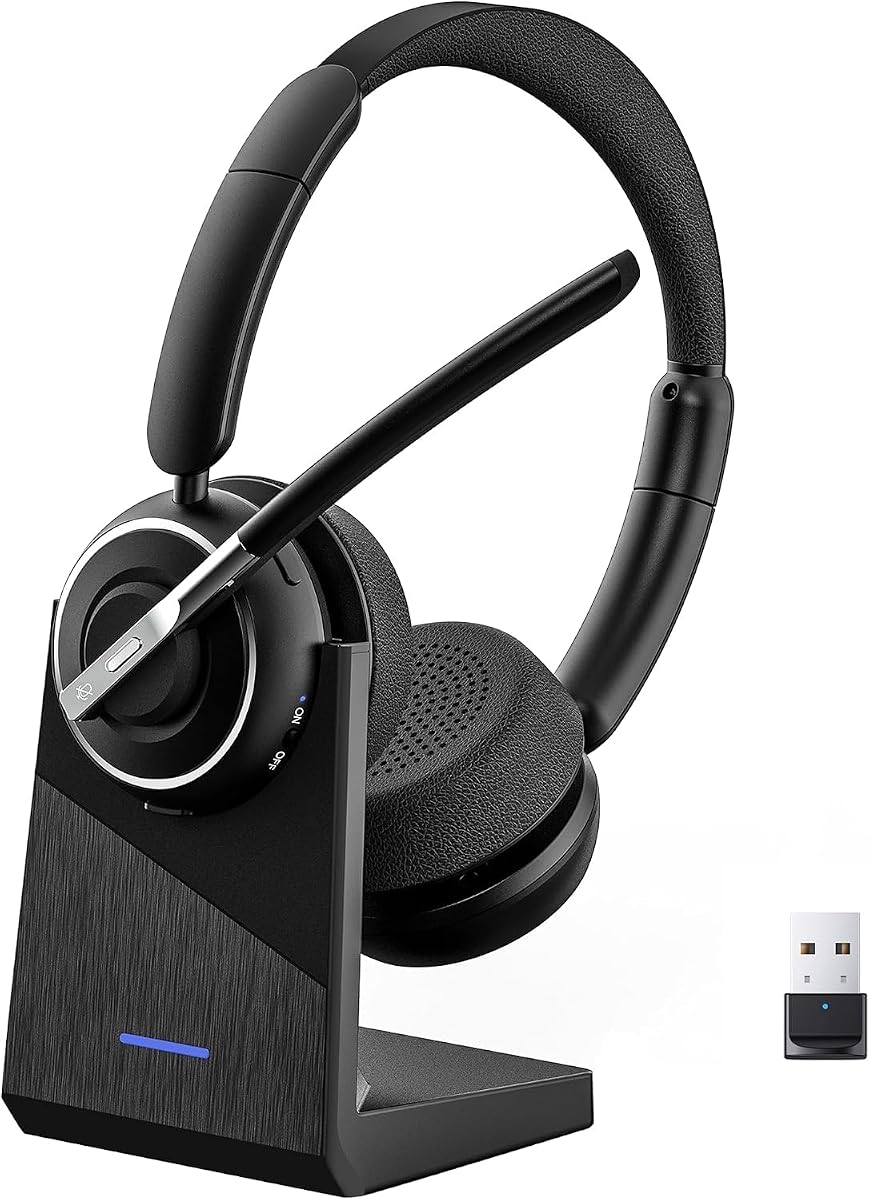
This headset stands out by including a dedicated charging base that keeps your headset and USB dongle organized and within reach. The AI noise cancelling microphone reduces distractions like keyboard clicks for professional clarity.
We may earn a commission when you buy through this link, at no additional cost to you.
With a 65-hour battery life, you can work for weeks without charging. The reversible ear hook lets you wear it on either ear, which is great for those who need to hear ambient sounds with one ear open.
The main consideration is that the dongle is required for non-Bluetooth computers and may add bulk to the setup. Additionally, the design is slightly larger than minimalist earphones.
Choose this model if you want a complete setup with a charging dock and AI-enhanced clarity that adapts to your preferred wearing style.
The included charging base keeps the headset powered and stores the USB dongle neatly on your desk for easy access.
AI noise cancelling filters out background distractions so your voice sounds natural and professional during every call.
We may earn a commission when you buy through this link, at no additional cost to you.
This headset features advanced noise reduction technology that filters out 99.9% of surrounding interference, making it perfect for noisy environments. It ensures your voice comes through perfectly crisp even in bustling coffee shops.
We may earn a commission when you buy through this link, at no additional cost to you.
The 270-degree rotatable earcups are a thoughtful design feature that prevents hair entanglement and relieves pressure. A high-capacity battery supports up to 35 hours of continuous operation for cross-country trips.
Users should note that the USB dongle is exclusive to Windows systems and must be removed when not in use. Also, the manual instructs to power off the headset before charging for safety.
If you need professional-grade noise blocking and a design that accommodates long hair or extended wear, this PrancyBt model delivers excellent performance.
The noise reduction tech filters out 99.9% of interference to ensure your voice is heard clearly in loud environments.
270-degree rotatable earcups help prevent hair entanglement and relieve pressure on ears during long daily use.
We may earn a commission when you buy through this link, at no additional cost to you.
This Lenovo headset is the premium choice for professionals who demand top-tier audio quality and noise isolation. It combines hybrid ANC and ENC to help you stay focused in busy offices or travel environments.
We may earn a commission when you buy through this link, at no additional cost to you.
It is fully certified for Microsoft Teams with dedicated call controls, ensuring smooth collaboration. The USB-C receiver provides modern connectivity, and the 60-hour music playback ensures weeks of use on one charge.
The pressure-relieving headband and plush memory foam cushioning provide all-day comfort. While the higher price is a consideration, the build quality and battery life justify the investment for business users.
If you need a reliable high-performance headset for intensive business use and travel, this Lenovo model is the ultimate premium solution.
Hybrid Active Noise Cancellation combined with Environmental Noise Cancellation isolates your voice in busy offices and cafes.
Includes a USB-C receiver for modern laptop compatibility alongside Bluetooth for flexible wireless connections.
We may earn a commission when you buy through this link, at no additional cost to you.
Choosing the right headset involves balancing comfort features and platform compatibility to suit your specific work environment.
Microsoft Teams certification ensures that your headset works seamlessly with Teams features like call answering and audio optimization. Look for 'Teams Certified' or 'Open Office' labels to avoid compatibility issues.
Always verify certification before purchasing to guarantee full functionality on your business platform.
A high-quality microphone with noise cancellation is critical for professional communication. Features like Environmental Noise Cancellation help filter out background noise so your voice is heard clearly.
Prioritize headsets with dedicated noise-canceling microphones for clear conversations.
Decide between Bluetooth for wireless freedom or a USB dongle for stable connection on older PCs. Some models offer dual connectivity to switch between devices easily.
Choose the connection type that best fits your devices and office setup.
Long battery life ensures you stay connected through all your meetings without interruptions. Look for models offering 30 hours or more of talk time for daily use.
Opt for extended battery capacity if you work long shifts or travel frequently.
Comfortable earcups and headbands are essential for long workdays. Lightweight designs with memory foam or soft cushions reduce fatigue.
Select a headset that feels light and secure to avoid discomfort during calls.
Active Noise Cancellation helps you focus by blocking distracting sounds from your environment. This is key for busy home offices or open-plan offices.
Ensure the headset offers effective ANC to maintain focus.
Quick access to mute is vital for privacy during meetings. Physical mute buttons or flip-to-mute mechanisms offer reliable control without fumbling.
Prioritize intuitive mute controls for seamless meeting management.
A sturdy build with replaceable parts extends the lifespan of your headset. Look for models with replaceable earcups to save costs over time.
Invest in a durable headset with replaceable components for long-term value.
To ensure optimal performance, start by connecting your headset to your device using the recommended USB receiver or Bluetooth. Pair the device and select it as your default microphone and speaker in your Teams settings.
Clean the headset regularly with a soft dry cloth to remove dust and oils. Avoid using harsh chemicals that could damage the ear cushions or electronic components.
Store the headset in a cool dry place when not in use. If using a wireless model, recharge it regularly to maintain battery health and prevent unexpected shutdowns during calls.
The best headset depends on your needs but the Lenovo Wireless VoIP Headset is highly recommended for its full Teams certification and long battery life. It balances comfort with professional audio quality for reliable communication.
Wireless headsets offer freedom to move around while on calls which is great for larger offices or home setups. However, wired options like the Logitech H390 provide stable audio at a lower cost if you stay at your desk.
Teams certification means the headset has been tested to work seamlessly with Teams features like call controls and optimized audio. It ensures reliable performance without needing complex software configurations.
Most headsets have a dedicated mute button on the earcup or cable. Some models offer flip-to-mute features where raising the mic boom mutes your audio automatically for convenience.
For professional use aim for at least 30 hours of talk time to cover multiple workdays without charging. Models with 40 hours or more are ideal for travelers and remote workers with limited charging access.
Look for noise-canceling microphones that block background distractions. Features like Environmental Noise Cancellation ensure your voice sounds clear and natural to others during meetings.
We recommend the Lenovo Wireless VoIP Headset for hybrid workers who need certified audio and long battery life. The Logitech H390 remains the top budget option for reliable wired performance without frills.
When prioritizing comfort and features consider the Lenovo Dual Mode Wireless ANC Headset for premium noise cancellation. Ensure the model offers the connectivity and comfort you need for daily meetings.
Prices and availability change frequently so verify current details on the official product pages before making your purchase decision today.