
LG 32U990A-S
3.8Editor score
Thunderbolt 5 Connectivity
Nano IPS Black Panel
6K Resolution 224 PPI
Finding the right display for professional workflows requires balancing resolution color accuracy and connectivity. The 32 inch 6K monitor category offers exceptional pixel density for detailed creative work and immersive gaming experiences.
We evaluated ten leading models based on panel technology connection options and color performance. Each entry provides real-world insights into how these displays handle demanding tasks like video editing and design.
Every selection highlights unique strengths from Thunderbolt integration to touch capabilities. Please note that product availability and pricing may change frequently so verify details before purchasing.
3.8Editor score

3.9Editor score

3.7Editor score
As an Amazon Associate we earn from qualifying purchases.
The following table provides a side-by-side comparison of all ten selected models to help you quickly identify key specifications and unique selling points for each display.


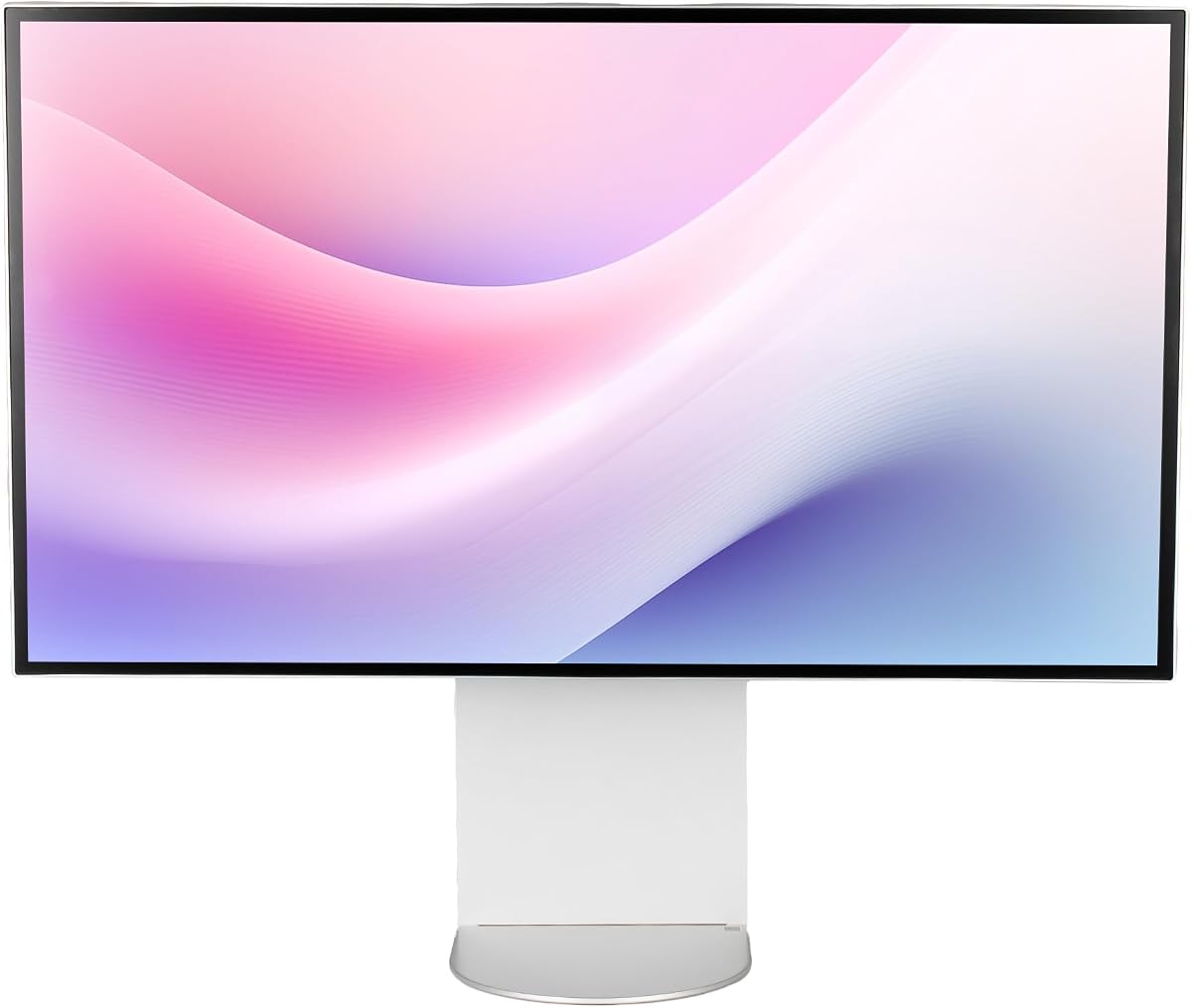
This monitor leads the pack with its Thunderbolt 5 integration and Nano IPS Black technology. It delivers industry-leading contrast and color accuracy for critical creative workflows.
We may earn a commission when you buy through this link, at no additional cost to you.
The 6K resolution provides over 21 million pixels for sharp text and detailed image editing. You can view full resolution content without zooming while keeping tools visible.
While the refresh rate caps at 60Hz it excels in stationary work. The price reflects its premium build and next-gen connectivity standards.
Ideal for video editors and designers who need precise color and fast data transfer. It justifies its cost through unmatched visual fidelity and connectivity options.
Thunderbolt 5 offers transfer speeds twice as fast as Thunderbolt 4 ensuring rapid file access for large creative projects.
Nano IPS Black technology enhances dark scene detail providing deeper blacks and richer shadows than standard IPS panels.
We may earn a commission when you buy through this link, at no additional cost to you.
The ProArt series is trusted by professionals for color accuracy. This model adds factory calibration and MacBook specific color matching for seamless workflow integration.
We may earn a commission when you buy through this link, at no additional cost to you.
With dual Thunderbolt 4 ports it simplifies multi-device setups. You can connect two laptops and use a single keyboard and mouse via KVM switching.
The included Adobe Creative Cloud subscription adds value. It ensures you have immediate access to industry standard editing tools upon setup.
Best for graphic designers seeking reliable color out of the box. The warranty and calibration make it a safe investment for professional use.
Factory calibration ensures Delta E less than 2 so colors match your final print or digital output accurately.
Built-in Auto KVM allows effortless switching between two connected computers without extra peripherals.
We may earn a commission when you buy through this link, at no additional cost to you.
This monitor is the first 6K gaming display offering high refresh rates alongside high resolution. It caters to gamers who want sharp visuals during fast action.
We may earn a commission when you buy through this link, at no additional cost to you.
Dual Mode allows switching between 6K at 165Hz and 3K at 330Hz. This flexibility lets you prioritize speed or detail based on the game.
G-Sync and FreeSync Premium compatibility reduce screen tearing. The Fast IPS panel ensures quick response times to minimize motion blur.
Choose this if you need a 6K display for gaming and content consumption. It balances high resolution with the performance needed for fluid motion.
Dual Mode optimizes performance by trading resolution for speed when rapid movements are critical to gameplay.
HDR10+ Gaming optimizes brightness and contrast to ensure vivid colors and deeper shadows in supported titles.
We may earn a commission when you buy through this link, at no additional cost to you.
Dell designed this model for office and home office environments. It integrates a 4K webcam directly into the bezel to reduce desk clutter.
We may earn a commission when you buy through this link, at no additional cost to you.
The 6K resolution provides exceptional clarity for text and spreadsheets. It handles general productivity tasks with ease and maintains sharpness over long periods.
While it lacks the color fidelity of ProArt models it offers reliable performance. The USB-C hub allows quick connection of peripherals and charging.
Best suited for remote workers needing a clean setup. The built-in webcam simplifies video conferencing without extra peripherals.
The integrated webcam eliminates the need for external cameras streamlining your workspace for virtual meetings.
USB-C connectivity allows quick transmission of data and power through a single cable.
We may earn a commission when you buy through this link, at no additional cost to you.
This bundle includes essential accessories like cable ties and a cleaning kit. It ensures you have everything needed to set up a clean professional workspace immediately.
We may earn a commission when you buy through this link, at no additional cost to you.
The monitor supports KVM functionality in Picture by Picture modes. You can control two computers with one keyboard and mouse for efficient multitasking.
Ergonomic adjustments like tilt and pivot help reduce strain during long sessions. The 99.5 percent Adobe RGB coverage supports color critical tasks.
Ideal for studios wanting a comprehensive solution. The extra accessories and KVM switch enhance workflow efficiency beyond standard monitors.
Cable ties and cleaning kits help maintain a tidy desk and clear display surface.
Built-in KVM functionality lets you control two connected computers using one keyboard and mouse.
We may earn a commission when you buy through this link, at no additional cost to you.
This model emphasizes a minimalist design with a premium aluminum body. It offers high brightness and wide color coverage suitable for various content types.
We may earn a commission when you buy through this link, at no additional cost to you.
The 500-nit brightness ensures visibility even in bright environments. Its CNC-machined build gives it a durable and sleek appearance.
Ergonomic stands and universal mount compatibility provide setup flexibility. It fits well in home studios or offices requiring aesthetic consistency.
Perfect for users prioritizing build quality and brightness. The design and specs make it a solid choice for entertainment and editing.
CNC-machined aluminum body ensures premium durability and sleek aesthetics.
Ergonomic stand includes height adjustment swivel tilt and pivot.
We may earn a commission when you buy through this link, at no additional cost to you.
This monitor features a glossy finish and honeycomb design for visual appeal. It delivers high pixel density and strong color accuracy for detailed work.
We may earn a commission when you buy through this link, at no additional cost to you.
The honeycomb cooling system helps manage heat during intensive usage. It is particularly suited for setups where aesthetics are a priority.
You may need to purchase a separate stand as this version excludes it. The glossy panel enhances color depth but reflects light more than matte.
Best for enthusiasts wanting a unique display look. The specs support high-end creative work with vibrant and detailed visuals.
Glossy honeycomb design enhances visual appeal.
Honeycomb cooling ensures premium durability and sleek aesthetics.
We may earn a commission when you buy through this link, at no additional cost to you.
This bundle extends the value with an enhanced protection plan. It ensures your investment is covered against defects or accidental damage for two years.
We may earn a commission when you buy through this link, at no additional cost to you.
Cables are included so you can set up immediately without buying extra adapters. The monitor delivers 6K clarity for general work.
It focuses on dependability rather than advanced creative features. The build quality aligns with Dell's reputation for office equipment.
Best for businesses needing reliable displays with warranty support. The extended protection adds significant value for critical environments.
Two year premium extended service protection plan provides peace of mind.
Cables included allow immediate setup.
We may earn a commission when you buy through this link, at no additional cost to you.
This is the world's first 6K touchscreen allowing for intuitive multitouch control. It includes an active stylus making it perfect for digital artists.
We may earn a commission when you buy through this link, at no additional cost to you.
The fold stand enables you to rest the monitor flat as a drawing board. This versatility bridges the gap between a standard screen and a graphics tablet.
Touch control supports pinch to zoom for faster navigation on macOS and Windows. You can annotate directly on screen for presentations or drafting.
Ideal for architects and artists seeking large touch capability. The combination of 6K resolution and touch offers unique creative freedom.
Active stylus with 4096 levels of pressure sensitivity empowers you to sketch and draft.
Clarity Fold Stand makes it easy to switch the monitor from an upright mode to an ergonomic drawing tablet.
We may earn a commission when you buy through this link, at no additional cost to you.
This variant of the UltraFine line focuses on standard connectivity. It offers multiple USB-C ports for straightforward laptop integration.
We may earn a commission when you buy through this link, at no additional cost to you.
The anti-glare panel reduces reflections in bright office spaces. It is well suited for static work like text editing and coding.
Adjustments include tilt height and pivot to accommodate different viewing angles. It maintains LG's build quality at a standard configuration.
Suitable for users needing reliable 6K resolution without advanced features. It serves as a dependable secondary or primary monitor for general tasks.
Multiple USB-C ports enable flexible device integration.
Stand supports tilt height and pivot adjustments.
We may earn a commission when you buy through this link, at no additional cost to you.
Choosing a 32 inch 6K monitor requires evaluating several technical factors to match your specific work needs and environment.
Resolution determines how much detail you can see on screen. 6K displays provide roughly 21 million pixels offering text clarity that 4K screens cannot match.
Look for monitors with at least 218 PPI to ensure that text remains sharp without scaling issues.
Professional work requires accurate color reproduction. Monitor color gamut coverage like DCI-P3 and Adobe RGB to ensure your edits match print or digital outputs.
Choose models with factory calibration and Delta E values under 2 for trustworthy color performance.
Connectivity determines how easily you can attach your computer and peripherals. Thunderbolt 4 and 5 provide high-speed data and video over a single cable.
Ensure your laptop supports the same connection standard to take advantage of features like daisy chaining and power delivery.
Refresh rates affect smoothness especially if you play games or watch video. While creative work favors 60Hz gaming monitors may offer 165Hz or higher.
A lower response time reduces motion blur and ghosting for a clearer viewing experience during fast action.
Panel types like Nano IPS Black offer better contrast than standard panels which helps with deep blacks in dark scenes.
Select IPS panels for wide viewing angles and color consistency across the screen.
Adjustable stands with tilt swivel pivot and height help reduce strain during long work sessions.
Check VESA mount compatibility if you plan to use a third-party arm for a cleaner desk layout.
Some monitors include webcams KVM switches or touchscreen capabilities. These features can simplify your setup and reduce the number of separate peripherals needed.
Consider whether these extras provide real value for your workflow or if you prefer a simpler dedicated hardware approach.
A solid warranty protects your investment. Many models offer extended coverage that can save you money on repairs.
Always verify the length of coverage and what it includes before purchase.
Connect your device using a high bandwidth cable that supports the desired resolution. If using Thunderbolt ensure you select a certified cable to maintain transfer speeds.
Calibrate your monitor regularly using software tools to maintain color accuracy. Factory presets are good starting points but ambient light can affect perception.
Clean the screen with a microfiber cloth and approved solution. Avoid harsh chemicals or abrasive materials that could damage the anti-glare coating.
A 6K monitor has significantly more pixels than a 4K model. This increased pixel density results in sharper text and finer details without needing to zoom in. It provides a larger effective workspace for multi-window setups.
Yes running a 6K resolution requires a powerful GPU and CPU to render graphics smoothly. Without enough processing power you may experience slow performance in demanding applications.
Most monitors with Thunderbolt 5 are compatible with standard USB-C if they support DisplayPort alt mode. However you will not get the full transfer speeds of Thunderbolt 5 without the specific protocol.
Monitors with high Adobe RGB coverage and factory calibration are best for photo editing. Look for models with Delta E values under 2 to ensure precise color reproduction.
Yes some models like the ALOGIC Clarity Touch Series offer 6K touch screens. These provide unique functionality for artists and designers who want direct interaction with their workspace.
IPS panels provide the best viewing angles meaning colors remain consistent even when viewed from the side. VA panels may suffer from color shifts when viewed off center.
The LG UltraFine evo leads with its Thunderbolt 5 integration and high contrast capabilities. It is ideal for professionals who need the latest connectivity standards.
Prioritize color accuracy if you work in design or video. Monitors with factory calibration ensure your work translates correctly across different devices.
Always check current product availability and confirm compatibility with your system before purchasing to ensure a seamless setup.