
Comu Action Pro
4.8Editor score
Auto-generated AI docs
70-hour battery life
MagSafe compatible design
Discover the top AI meeting transcription devices for 2026. Compare features, accuracy, battery, and privacy to choose the perfect recorder for your workflow.
Modern professionals need reliable tools to capture every detail during meetings. AI meeting transcription devices convert speech to text instantly, saving hours of manual note-taking and ensuring no critical information is lost.
We evaluated ten leading devices based on transcription accuracy, battery life, audio quality, and privacy features. Each product was analyzed against real-world use cases including boardroom discussions, remote calls, and field interviews.
This guide highlights key strengths and weaknesses for every model. Prices and availability change frequently, so please check current listings before purchasing to ensure you get the best deal available today.
4.8Editor score

4.5Editor score

4.4Editor score
This comparison table provides a quick overview of the technical specifications and core capabilities for each of the top ten AI meeting transcription devices available in October 2026.



The Plaud Note Pro stands out as the top choice for professionals requiring high-fidelity audio capture and robust AI analysis. With a 4.5-star rating, it delivers on its promise of seamless recording and intelligent summarization for complex meetings.
We may earn a commission when you buy through this link, at no additional cost to you.
Its enhanced context features allow users to type notes, add images, and highlight key moments simultaneously. The AI directional audio minimizes noise effectively, ensuring crystal clear voice capture even in noisy environments up to 16.4 feet away.
The device includes a free Starter Plan with 300 transcription minutes per month. Users can upgrade to Pro or Unlimited plans for extended needs. The slim aluminum body with an AMOLED display provides excellent battery visibility at a glance.
This device is ideal for legal, medical, and business professionals who handle sensitive information. It adheres to strict privacy standards like ISO 27001 and HIPAA. If you need reliability and advanced features, this is the leading option.
Capture audio alongside typed notes and photos for richer context that standard recorders cannot match. This helps the AI understand the full scope of your meetings better.
Built to comply with ISO 27001 and HIPAA standards ensuring your conversations remain secure and encrypted locally and in the cloud.
We may earn a commission when you buy through this link, at no additional cost to you.
The Comu Action Pro achieves a remarkable 4.8-star rating by automating document creation from voice recordings. It transforms conversations into slides, emails, and action items without requiring prompts or AI expertise.
We may earn a commission when you buy through this link, at no additional cost to you.
Its adaptive six-mic setup includes bone-conduction and directional mics for clear sound. The dedicated AI button lets users request follow-up emails or reminders instantly. This functionality streamlines workflows significantly for busy executives.
With up to 70 hours of recording on a single charge, it outlasts most competitors. The MagSafe compatible design ensures it stays attached to your phone during hands-free recording sessions. USB-C charging adds to its modern convenience.
Ideal for teams needing automated documentation, this device offers core features without hidden fees. The 113-language support makes it a powerful tool for international business communication. If you want maximum automation, choose this premium model.
Turn conversations into editable presentation slides and email drafts automatically. The AI selects the suitable model to create professional outputs without your input.
The six-mic setup with motion sensors ensures precise sound capture. This reduces background noise and isolates voices for higher accuracy.
We may earn a commission when you buy through this link, at no additional cost to you.
EurekaMind offers an impressive value proposition with its free Starter Plan featuring unlimited transcription. This makes it accessible for students and professionals who need extensive recording without monthly subscriptions.
We may earn a commission when you buy through this link, at no additional cost to you.
The device integrates web search to provide deeper insights beyond recordings. You can ask the AI follow-up questions or search for external data instantly. This turns simple recordings into powerful research tools effectively.
Its ultra-slim 3mm design allows it to slide easily into wallets or adhere magnetically to phones. Security standards like ISO 27001 protect your data with enterprise-grade privacy. This balance of features and price is rare in the market.
Best for budget-conscious users seeking unlimited capabilities, this device handles daily productivity well. The Ask AI feature enhances the experience by turning notes into structured insights. If cost is a priority, this is the top choice.
Enjoy unlimited transcription and AI summaries included with the free Starter Plan. No monthly bills or subscription traps block your access to core features.
Weighing just 1.02 oz and measuring 3mm thin, it fits easily in card holders. This ensures you never miss a meeting due to a missed device.
We may earn a commission when you buy through this link, at no additional cost to you.
Comulytic Note Pro is designed for professionals requiring robust storage and fast data transfer. With 64GB internal storage and unlimited cloud backup, it ensures no data is lost during critical sessions.
We may earn a commission when you buy through this link, at no additional cost to you.
The device features a vertical knowledge base for specific industries like law and real estate. This improves accuracy by capturing professional jargon precisely. The AI reduces noise and switches modes automatically during calls.
Wi-Fi sync is ten times faster than Bluetooth, allowing real-time uploads. The battery lasts 45 hours continuously with 107 days of standby. It includes a free Starter Plan with unlimited transcription and basic summaries.
If you work in specific industries needing precise terminology, this device adapts well. The CCPA compliance ensures your data remains secure under strict privacy laws. It is a strong contender for corporate environments.
Vertical knowledge bases for real estate, finance, and law ensure precise transcription of technical terms. This reduces errors in critical professional communications.
Wi-Fi sync pushes recordings to the cloud at 10x Bluetooth speed. You keep talking while data backs up instantly without interruption.
We may earn a commission when you buy through this link, at no additional cost to you.
Pocket AI Voice Recorder integrates seamlessly with Apple devices via MagSafe. This makes it effortless to attach to your iPhone for hands-free recording during calls and meetings.
We may earn a commission when you buy through this link, at no additional cost to you.
It functions as a personal assistant that captures conversations and extracts key insights. The Ask Pocket feature allows you to query recordings for next steps or summaries instantly. Organization features turn audio into clear action items.
The device offers a 4-day battery life on a single charge. This suits travelers who cannot access outlets frequently. Core features are included out of the box without needing subscriptions.
Ideal for iPhone users wanting a streamlined workflow, this device minimizes setup time. The simple tap-to-record mechanism ensures you never miss a moment. If you value ease of use, this is a top pick.
Easily attach Pocket to your iPhone or other MagSafe devices for convenient recording. This eliminates the need to hold the device during meetings.
Capture meetings instantly with a simple tap without typing or interruptions. This ensures effortless note-taking anywhere you go.
We may earn a commission when you buy through this link, at no additional cost to you.
RECPOINT utilizes the GPT-5.5 engine to deliver 98% accuracy in transcription. It supports an industry-leading 150 languages for global collaboration and research. The device generates structured mind maps and action lists automatically.
We may earn a commission when you buy through this link, at no additional cost to you.
The hardware is rugged with a unibody high-strength aluminum alloy build. It resists drops and bends while maintaining a slim credit card profile. Users get 1080 free AI minutes monthly without hidden subscription fees.
End-to-end encryption ensures data sovereignty for sensitive meetings. Desktop software is included for advanced audio management. This offers a complete ecosystem beyond just the hardware recorder.
For international teams needing broad language coverage, this device excels. The free AI package adds significant value. If you require detailed analysis and global support, RECPOINT is a strong choice.
Supports 150 languages for accurate transcription and translation. This ensures you never miss a nuance in international meetings.
High-strength aluminum alloy body achieves a slim profile with excellent resistance. It is ready for the demands of on-the-go productivity.
We may earn a commission when you buy through this link, at no additional cost to you.
The Plaud Note Non-Pro provides core AI transcription features in an ultra-slim design. With 30 hours of continuous recording and 64GB local storage, it is perfect for lectures and long sessions.
We may earn a commission when you buy through this link, at no additional cost to you.
It uses a Vibration Conduction Sensor to ensure clear call recordings on phones. Users can access leading models like GPT-5.5 via the Plaud App. Over 10,000 professional templates help generate mind maps quickly.
Multimodal input allows typing notes and adding images during audio capture. This unifies inputs to deliver role-specific summaries. The device syncs seamlessly across desktop, web, and mobile apps.
Best for students needing reliable recording and summaries, this device balances cost and utility. The Starter Plan includes 300 minutes monthly. If you want a lightweight option for academic or daily use, this works well.
VCS ensures clear call recordings by capturing internal phone sounds. This solves the common problem of poor speaker quality on phone calls.
Capture audio, notes, and images simultaneously. Press the record button to highlight key moments in real time.
We may earn a commission when you buy through this link, at no additional cost to you.
This device prioritizes offline processing and hardware-level security. It supports offline transcription and translation for five languages without internet. This is crucial for secure cross-border business meetings.
We may earn a commission when you buy through this link, at no additional cost to you.
Equipped with an 8-microphone array, it captures audio from 20 meters away. This makes it ideal for large halls and speeches. It includes a 5-year Pro Membership for premium features.
Hardware encryption secures sensitive data with three tiers. Cross-device sync allows instant cloud access when online. The device also supports real-time projection during meetings.
Best for security-conscious professionals requiring offline capabilities, this device is a robust option. The large pickup range handles noisy environments. If privacy is your main concern, consider this specialized recorder.
Process information anywhere without internet dependency. This ensures secure cross-border communication without data exposure.
The 8-mic array captures audio from up to 20 meters. This ensures professional-grade recording in large halls.
We may earn a commission when you buy through this link, at no additional cost to you.
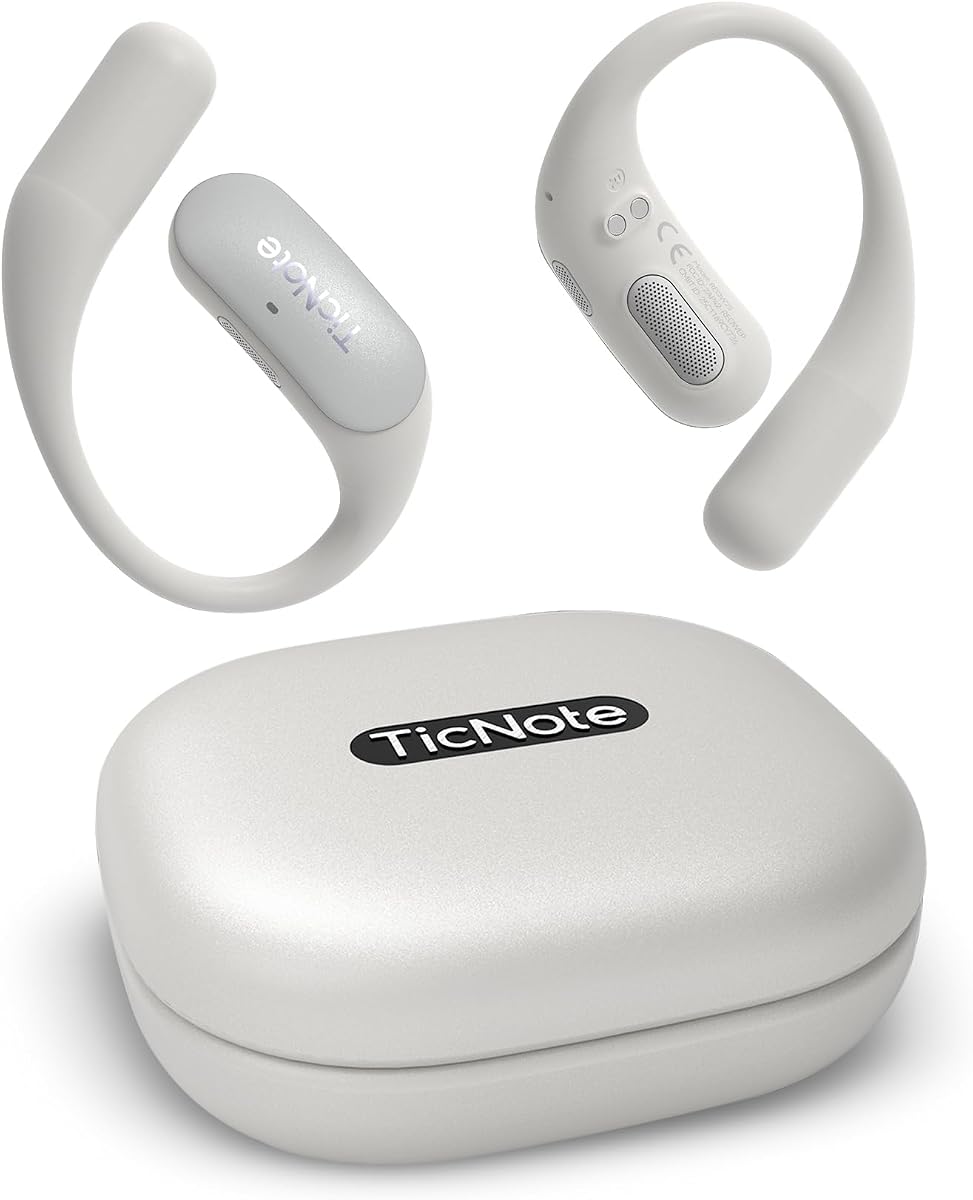
TicNote Pods are designed as a wearable device for collaborative environments. It generates structured summaries and meeting notes automatically. Shadow AI helps organize information into useful outputs for work.
We may earn a commission when you buy through this link, at no additional cost to you.
The device supports 120+ languages for translation and transcription. It works best in WiFi environments with 5 hours of battery life. Team features allow shared notes and collaborative editing.
Encrypted cloud storage on US servers ensures privacy. It records continuously for up to 2150 hours locally. This device keeps teams aligned on outcomes and next steps.
Best for teams needing shared access, this device supports version history. The wearable aspect allows discreet recording during meetings. If you value collaboration over raw battery life, this is a solid choice.
Share notes and transcripts through TicNote Cloud. The system supports collaborative editing and version history for teamwork.
Designed for meetings and daily communication. It helps you stay focused on discussion instead of note-taking.
We may earn a commission when you buy through this link, at no additional cost to you.
This model delivers 98% accuracy across 113 languages with a free Starter Plan. It offers unlimited transcription and basic summaries for professional terms. It is a personal client engagement partner.
We may earn a commission when you buy through this link, at no additional cost to you.
Transfer files ten times faster than Bluetooth with real-time Wi-Fi sync. The triple-mic array captures audio up to five meters away. It charges fully in 90 minutes for 45 hours of recording.
Data is encrypted with AES technology and protected under CCPA. The device includes magnetic accessories and an OTG adapter. This package provides a complete start for professionals.
Best for those needing unlimited access at a lower cost, this device balances value and utility. The free plan supports core needs well. If you seek cost-effective transcription without limits, this is ideal.
All users get a free Starter Plan with unlimited transcription. Upgrade for advanced features like Instant Abstract.
Automatically captures meetings and calls without mode switching. Three microphones deliver clear audio in various environments.
We may earn a commission when you buy through this link, at no additional cost to you.
Choosing the right AI transcription device requires balancing features like battery life, accuracy, and privacy. This guide explains the critical factors to consider before purchasing.
High accuracy is critical for reducing manual edits. Look for devices claiming 98% accuracy and support for multiple languages if you work globally.
Prioritize models that specify language counts and translation capabilities to ensure they meet your needs.
Devices vary from 5 hours to over 70 hours on a single charge. Consider your meeting frequency and travel needs.
Long battery life ensures you can record all-day events without interruption.
More microphones generally mean better noise cancellation. Look for directional or bone-conduction mics for clear voice pickup.
Ensure the device performs well in noisy environments like crowded rooms.
Encryption and compliance with standards like HIPAA or CCPA are vital for sensitive data. Ensure files are encrypted at rest and in transit.
Choose brands that guarantee no third-party data sharing.
Some devices require paid plans for unlimited features. Check if free tiers include unlimited transcription.
Avoid hidden costs by reviewing subscription terms before buying.
Internal storage should be sufficient for long sessions. Wi-Fi sync speeds matter for quick data transfer.
Look for 64GB storage or cloud backup options.
Slim credit card designs are easy to carry. Magnetic attachments help keep the device attached to your phone.
Portability ensures you never leave your recorder behind.
Some devices create slides, emails, or action items. Evaluate if the AI summaries meet your workflow requirements.
Advanced AI outputs save significant post-meeting time.
Charge your device fully before the first use to ensure maximum battery capacity. Place it on a flat surface and connect the USB-C cable. Avoid using the device while it charges if possible.
Activate recording by pressing the designated button or using voice commands. Ensure the device is positioned close to the conversation source. Check the LED indicator or screen to confirm recording status.
After meetings, sync your recordings via Wi-Fi or Bluetooth to the companion app. Review transcripts and edit any errors. Export files to your preferred format for storage or sharing.
Laws vary by region, but generally, you must inform participants. Consent is often required for audio recording in private settings. Always check local privacy laws before recording conversations.
Some devices work offline, but most AI features need internet. Offline models process transcription locally. Ensure you have connectivity for cloud sync and advanced AI.
Most modern devices claim 98% accuracy in clear environments. Background noise may reduce precision. Review transcripts manually to fix potential errors.
Yes, most devices offer Wi-Fi sync or cloud access. You can download transcripts directly to your computer. USB-C cables may also be supported.
Some models detect calls and switch modes. Others require manual activation. Check if the device supports call recording modes for phone calls.
Enable encryption settings and review privacy policies. Ensure data is stored securely. Avoid sharing login credentials for access to recordings.
Recording stops immediately. Always carry a portable charger for long sessions. Check battery levels before critical meetings to prevent data loss.
The Plaud Note Pro leads with its multimodal input and secure privacy features. It remains the top recommendation for professionals seeking reliability.
Prioritize battery life and accuracy based on your daily workflow. Devices like Comu Action Pro excel in automation while EurekaMind offers unbeatable value.
Prices fluctuate frequently so check current listings for the best deals. Investing in the right tool can save countless hours on manual note-taking.