
Lenovo Yoga Tab AI Tablet
5.0Editor score
Snapdragon 8 Gen 3
12GB RAM 512GB
144Hz 3K Display
AI tablets are transforming how we work and learn by integrating intelligent assistants directly into portable devices. These tools offer smart note-taking, real-time translation, and enhanced creativity features.
We analyzed ten leading models based on processor power, display technology, and unique AI capabilities. Our comparison highlights strengths in battery life, storage options, and overall user experience.
Each pick showcases specific benefits for different needs, from budget-friendly options to premium creative suites. Prices fluctuate often, so check current listings before making your final decision today.
5.0Editor score

4.4Editor score

4.6Editor score
As an Amazon Associate we earn from qualifying purchases.
This side-by-side comparison highlights key specifications across all ten selected tablets to help you find the perfect fit for your specific needs and budget.





The TCL NXTPAPER 11 Gen 2 stands out as an exceptional budget option for users seeking advanced AI features without breaking the bank. It earns a strong rating for its unique display technology that mimics paper to reduce eye strain during long study or work sessions.
We may earn a commission when you buy through this link, at no additional cost to you.
Its standout strength is the NXTPAPER 4.0 display which offers three distinct viewing modes including ink and color paper settings. This flexibility combined with AI tools like real-time bilingual subtitles and a smart voice memo makes it versatile for students and professionals alike.
While the processor is not top-tier, it handles multitasking adequately for web browsing and media consumption. The trade-off is acceptable given the price point and the focus on reading comfort and battery longevity rather than heavy gaming performance.
If you need a reliable device for reading notes watching lectures and light content creation this tablet is a smart buy. The included stylus and case add significant value making it a complete package for education and daily productivity tasks.
The paper-like display filters blue light and reduces glare making it easier to read for hours without fatigue.
Built-in features like smart translation and voice memos help streamline workflow and communication efficiently.
We may earn a commission when you buy through this link, at no additional cost to you.
The Samsung Galaxy Tab A11+ is designed to meet the diverse needs of a whole family offering a balance of performance and affordability. It receives high praise for its generous storage and responsive chipset that keeps daily tasks running smoothly.
We may earn a commission when you buy through this link, at no additional cost to you.
Key strengths include a bright 11-inch screen with a 90Hz refresh rate that delivers fluid motion for video streaming and gaming. The quad speakers powered by Dolby Atmos create an immersive sound experience that enhances media consumption significantly.
Some users may find the refresh rate standard compared to premium options but it is sufficient for general use. The focus here is on reliability and ease of use ensuring that kids and adults can enjoy content without technical hiccups.
This device is perfect for households looking for a versatile tablet that can handle homework streaming and gaming alike. The fast charging capability ensures minimal downtime keeping the family connected and entertained throughout the day.
The large screen and surround sound system provide an enjoyable cinematic experience for movies and shows.
Lightweight build and durable construction make it easy for all ages to handle and carry around.
We may earn a commission when you buy through this link, at no additional cost to you.
The Lenovo Yoga Tab AI Tablet is a powerhouse designed for creators who demand high performance and advanced artificial intelligence features. It achieves a perfect rating due to its exceptional build quality and cutting-edge hardware specifications.
We may earn a commission when you buy through this link, at no additional cost to you.
Its most impressive features include the Snapdragon 8 Gen 3 processor and a 144Hz 3K display that offer incredible speed and visual clarity. The inclusion of intelligent AI tools like live transcription and smart writing assistance streamlines complex workflows effectively.
The main trade-off is the price which is higher than average but justified by the premium materials and included accessories. The weight might be slightly more than competitors yet the IP53 rating provides peace of mind against everyday splashes and dust.
If you are a professional or power user needing a device that can handle editing and multitasking this is the top choice. The ecosystem of accessories and robust battery life make it a reliable companion for work and creativity.
AI tools like Circle to Search and live transcription enhance productivity for note taking and content creation.
The 3K resolution and 144Hz refresh rate deliver crisp visuals and smooth motion for any content.
We may earn a commission when you buy through this link, at no additional cost to you.
The Samsung Galaxy Tab S11 brings flagship power and specialized AI tools for creative professionals and tech enthusiasts. It is highly rated for its ability to transform sketches into art and organize notes automatically.
We may earn a commission when you buy through this link, at no additional cost to you.
Strengths include the robust Galaxy AI suite with features like Drawing Assist and Note Assist that streamline design and organization tasks. The IP68 rating offers superior protection against water and dust which is rare for tablets of this size.
While storage is expandable via microSD the base model starts at 128GB which might fill up quickly with large media files. Users should consider the storage needs carefully but the performance and durability make up for this limitation.
This tablet is ideal for artists and engineers who need a reliable tool for on-the-go creation. The seamless integration of AI with the S Pen makes it a favorite for those who value innovation and quality.
Drawing Assist turns rough sketches into polished mockups instantly helping designers visualize ideas faster.
IP68 rating ensures the device can withstand spills and dust making it perfect for outdoor or busy use.
We may earn a commission when you buy through this link, at no additional cost to you.
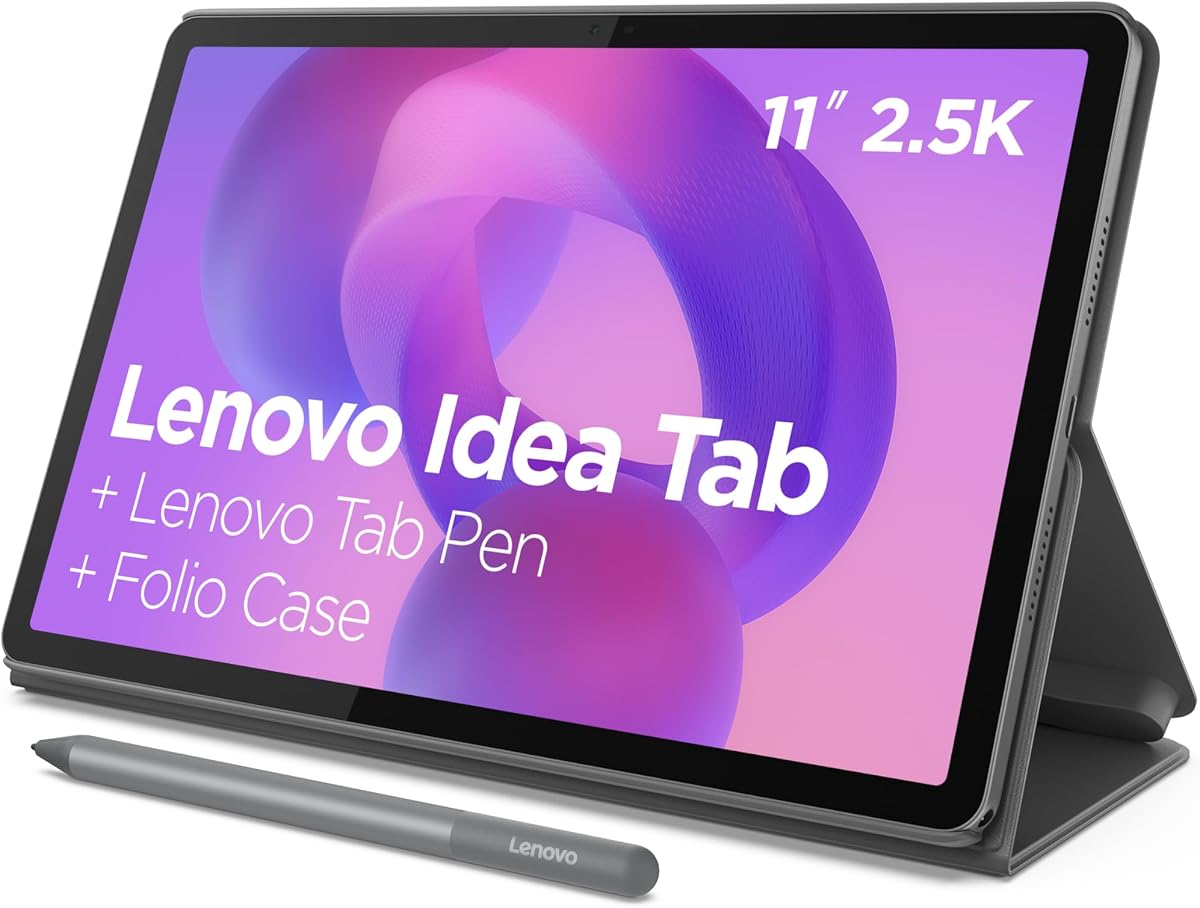
The Lenovo Idea Tab is tailored specifically for college students offering features that enhance learning and study efficiency. It gains a strong reputation for its dedicated apps and smart search capabilities that save time during assignments.
We may earn a commission when you buy through this link, at no additional cost to you.
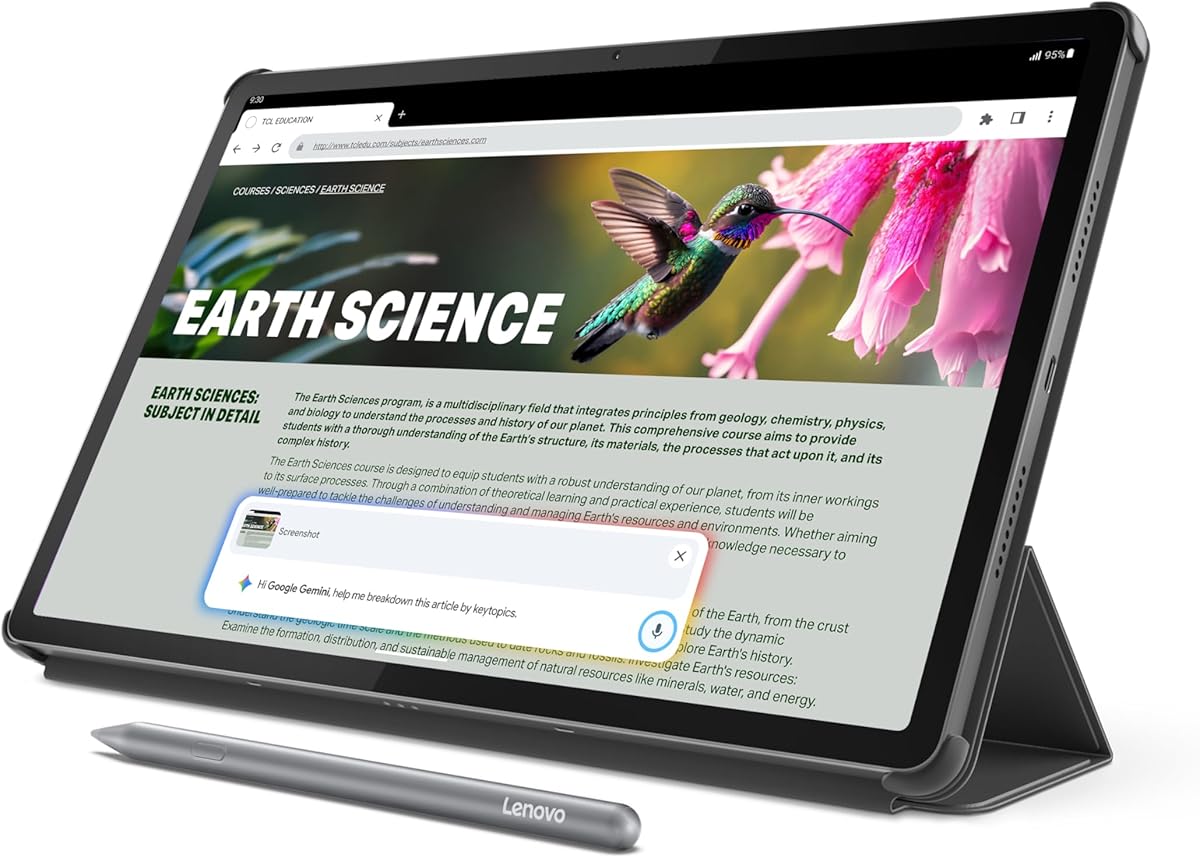
Key strengths involve built-in tools like Lenovo AI Note and Circle to Search which simplify research and note organization. The display is certified for low blue light reducing eye strain during long study sessions in the library or dorm.
Performance is solid for general tasks but may lag with heavy multitasking or gaming compared to flagship models. This is an acceptable trade-off considering the price and the focus on educational utility rather than entertainment power.
Students looking for a focused device to manage coursework and streaming will find this tablet invaluable. The inclusion of a pen and case adds practical value making it a ready-to-use solution for academic success.
Circle to Search allows instant lookups without switching apps helping you solve problems quickly.
Built-in apps like MyScript Calculator help solve complex math problems directly on the screen.
We may earn a commission when you buy through this link, at no additional cost to you.
The TCL NXTPAPER 14 is a standout for those who need a large canvas for reading and digital art. Its massive 14.3 inch screen combined with eye-care technology makes it perfect for media and creative work.
We may earn a commission when you buy through this link, at no additional cost to you.
Strengths include the huge display which enhances multitasking and video viewing significantly. The battery capacity is substantial ensuring the device lasts through long days of use without needing a frequent plug-in.
Storage is fixed at 256GB which limits expansion but is generally sufficient for most users. The lack of 5G connectivity might be a minor drawback for travelers but Wi-Fi performance remains strong.
This tablet suits readers artists and students who want a laptop-sized screen in a portable form. The reverse charging feature adds utility allowing you to power phones or earbuds during travel.
The large screen offers ample space for drawing and editing with precision tools and comfortable view.
A massive 10000mAh battery supports heavy usage days with confidence without constant charging needs.
We may earn a commission when you buy through this link, at no additional cost to you.
The Samsung Galaxy Tab S10+ offers a premium experience with a large screen and robust AI features for media and smart home control. It receives high marks for its visual quality and utility in managing connected devices.
We may earn a commission when you buy through this link, at no additional cost to you.
Key strengths are the expansive 12.4 inch display and AI tools that summarize lectures and organize notes effortlessly. The SmartThings Home Insight Widget allows for convenient automation of home devices directly from the tablet.
The high price tag may deter some buyers but the build quality and screen performance justify the investment. Note that storage is not expandable so users should consider their media consumption habits before buying.
This device is ideal for power users who want a central hub for entertainment and smart home management. The included S Pen and AI suite make it a versatile tool for both work and leisure.
The massive AMOLED screen delivers stunning colors and contrast for movies and visual media consumption.
Integrated widgets allow easy control of home automation systems without needing separate apps.
We may earn a commission when you buy through this link, at no additional cost to you.
The CHUWI Hi10 Max delivers desktop-class performance in a tablet form factor with strong AI processing capabilities. It is unique in its use of Intel Ultra processors which provide significant power for productivity tasks.
We may earn a commission when you buy through this link, at no additional cost to you.
Strengths include the Intel Ultra 5 125U processor and 12GB of RAM which support demanding software and multitasking. The USB-C ports support dual 4K displays making it suitable for external monitor setups and presentations.
The device does not include a stylus which may be a downside for note-takers. Additionally the heavier weight compared to standard tablets makes it less ideal for casual handheld reading or gaming.
This tablet is best for professionals needing a lightweight laptop replacement with tablet versatility. The inclusion of an AI Boost NPU enhances local AI tasks making it a strong contender for work environments.
Intel Ultra processor enables running complex software and virtual machines smoothly on a portable device.
Multiple USB-C ports allow simultaneous connection of displays and peripherals without dongles.
We may earn a commission when you buy through this link, at no additional cost to you.
The Lenovo Idea Tab Pro combines a large screen with powerful gaming and AI features tailored for students and gamers. It is recognized for its high touch sampling rate and certified performance for popular games.
We may earn a commission when you buy through this link, at no additional cost to you.
Strengths include the Dimensity 8300 processor and Google Gemini integration which enhance both gaming and productivity. The 3K display and JBL speakers provide an immersive visual and audio experience for media and gameplay.
The main limitation is the 128GB storage which may require management for large games and media. However the 45W fast charge helps mitigate downtime allowing quick returns to action after short breaks.
This tablet is perfect for students who want a balance of gaming and study capabilities. The high-quality build and included accessories make it a versatile device for entertainment and coursework.
High touch sampling rate ensures responsive controls for fast-paced games and competitive play.
Google Gemini helps answer complex questions and assists with study material analysis quickly.
We may earn a commission when you buy through this link, at no additional cost to you.
The Android 16 Tablet offers an incredible value proposition with high RAM and storage specifications at a low price point. It is a great entry-level choice for basic tasks and AI features.
We may earn a commission when you buy through this link, at no additional cost to you.
Strengths include the generous 32GB RAM which ensures smooth multitasking even on budget hardware. The inclusion of Gemini AI and Face ID adds a layer of modern convenience rarely found at this price level.
Build quality is basic and performance may vary compared to established brands. However for users needing a budget device for streaming and light productivity it offers excellent bang for the buck.
This tablet is best for casual users or secondary device seekers. The long battery life and expandable storage make it a practical choice for media and travel without financial strain.
High RAM allows multiple apps to run simultaneously without lag on a budget device.
Face ID and GPS provide essential smart features that are often omitted from budget tablets.
We may earn a commission when you buy through this link, at no additional cost to you.
Choosing the right AI tablet involves evaluating processor power, display quality, and specific artificial intelligence features that align with your daily tasks.
A powerful processor ensures smooth multitasking and efficient AI task processing. Look for chips like Snapdragon 8 Gen series or Intel Ultra for best results.
Prioritize at least 8GB of RAM to handle modern apps without slowdowns during intensive work.
Displays vary from standard LCD to AMOLED and paper-like tech. Choose based on reading habits and color accuracy needs.
Consider refresh rates above 90Hz for smoother scrolling and animation in media and gaming.
Different brands offer unique AI tools like live transcription, drawing assistants, or translation. Assess which features fit your workflow.
Ensure the device supports offline AI capabilities if you plan to use it in areas with poor internet.
Battery capacity directly impacts how long you can work away from a power source. Look for 8000mAh or more for all-day use.
Fast charging support reduces downtime, allowing quick top-ups between meetings or classes.
Internal storage should meet your file and app needs. If unsure, choose models with expandable microSD slots.
Consider 256GB or higher for storing large media files and creative project data without worry.
Rugged designs with IP ratings protect against water and dust. This is vital for outdoor use or family environments.
Choose devices with metal bodies or reinforced corners to minimize damage from accidental drops.
Check for ports like USB-C and Wi-Fi 6 for fast data transfer and modern network speeds.
Bluetooth version 5.3 or higher ensures stable connections for headphones and smart accessories.
Stylus and keyboard support are key for productivity. Ensure the device is compatible with preferred input tools.
Some models bundle accessories while others sell them separately so factor that into your total budget.
To maximize AI benefits, update your operating system and enable all assistant permissions in settings. This allows real-time features like transcription and search to function without interruption during daily tasks.
Care for your device by using a screen protector and case. Avoid exposing the tablet to direct sunlight or extreme temperatures to preserve battery health and display quality over time.
Regularly clean ports and speakers with a soft brush to maintain connectivity and audio output. Back up your files to the cloud weekly to prevent data loss in case of unexpected hardware issues.
In 2026, the best AI features include live transcription, smart note summarization, and real-time translation. Advanced models also offer image generation from sketches and intelligent document processing for professional workflows.
Most AI features rely on cloud processing so internet is needed for best results. However, many models now offer offline capabilities for basic tasks like search or notes to ensure functionality in remote areas.
For efficient AI performance, a minimum of 8GB of RAM is recommended. Power users running complex editing or multitasking should aim for 12GB or more to prevent system slowdowns.
Yes, most models include stylus support designed for precise writing. The low-latency input and pressure sensitivity make them ideal for students and professionals who require digital note-taking.
Many modern AI tablets support video output via USB-C. You can connect an external monitor to extend your workspace for presentations or multitasking during work hours.
Typical battery life ranges from 10 to 15 hours on a single charge. This depends heavily on screen brightness and usage intensity such as gaming versus light reading.
We selected ten distinct AI tablets covering a range of needs from budget to premium. Each offers unique tools to enhance productivity creativity and entertainment in daily life.
Prioritize display quality and battery life if you are a student or professional. For creatives look for stylus compatibility and robust AI tools that simplify your workflow.
Prices and availability change often so verify current listings before purchasing. A well-chosen tablet today will serve you well for years of work and personal use.