
ASUS Vivobook Laptop Business
4.1Editor score
24GB RAM and 1TB Storage
Lifetime Microsoft Office included
10-Core Intel i5 CPU
Choosing the right ASUS Business Laptop ensures productivity and reliability for professionals who demand high performance and security in their daily workflows.
We compared ten top models based on processor power, memory capacity, display quality, and security features to help you find the perfect fit for your needs.
Each pick highlights unique strengths and trade-offs so you can make an informed decision while keeping in mind that prices and stock availability may change.
4.1Editor score

5.0Editor score

As an Amazon Associate we earn from qualifying purchases.
This side-by-side comparison highlights the key specifications and unique features of each ASUS Business Laptop to help you quickly identify the best match for your specific work requirements.

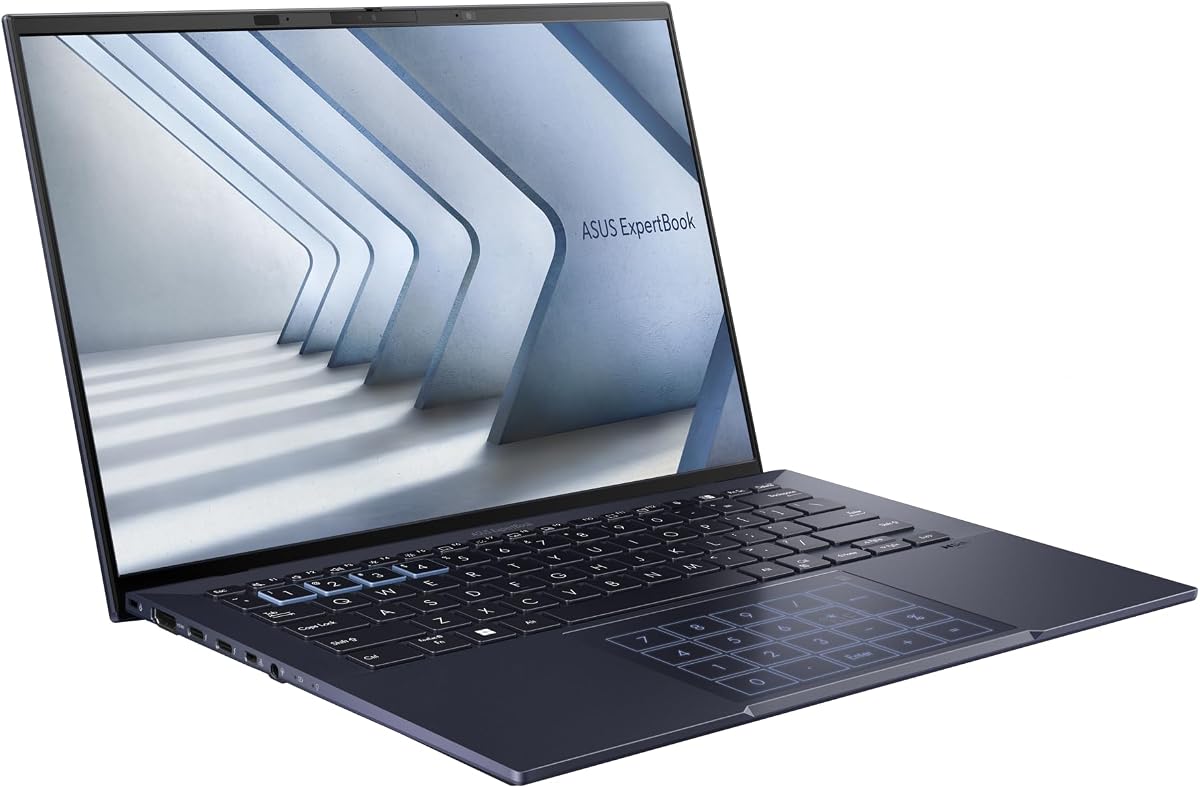


The ASUS ExpertBook B9 OLED stands out as the top choice for professionals seeking a premium, lightweight business laptop. With a perfect 5.0 rating, it combines cutting-edge Intel Core 7 technology with a vibrant OLED screen for exceptional visual clarity.
We may earn a commission when you buy through this link, at no additional cost to you.
Its standout quality is its ultra-lightweight chassis at just 2.18lbs, making it ideal for frequent travelers. The OLED display delivers deep blacks and vivid colors, enhancing presentations and multimedia consumption. The dedicated Copilot key offers quick access to AI features for streamlined workflows.
While the price is higher than average, the build quality and display justify the investment for users prioritizing portability. The trade-off is a smaller selection of ports, but the included adapters usually suffice for most office setups.
This model is best suited for executives and consultants who need a reliable, high-performance machine that is easy to carry. If you value screen quality and weight above all else, the B9 OLED is the definitive choice.
Weighing only 2.18lbs, this laptop is designed for executives who travel daily and need a device that fits easily in a shoulder bag without adding bulk.
The OLED panel ensures true-to-life colors and perfect blacks, which is essential for designers and media professionals who rely on accurate color representation.
We may earn a commission when you buy through this link, at no additional cost to you.
This ASUS Vivobook model offers incredible value by combining robust specs with essential accessories. With a 4.1 rating, it appeals to small businesses looking for a powerful machine without overspending on enterprise features.
We may earn a commission when you buy through this link, at no additional cost to you.
It features a generous 24GB of RAM and a mix of SSD and external storage, ensuring smooth multitasking. The inclusion of a lifetime Microsoft Office license and a USB-C docking station adds significant value, reducing the need for additional purchases.
The external drive is a minor limitation compared to full internal SSDs, but the 512GB NVMe SSD handles daily tasks efficiently. The display is crisp and functional, suitable for most business applications and video conferencing needs.
Ideal for startups and freelancers, this laptop provides the necessary horsepower for productivity at an accessible price. If budget constraints are a priority, this bundle offers a compelling solution for immediate deployment.
The package includes a docking station, mouse, and Office license, meaning you can start working immediately without spending extra on peripherals or software subscriptions.
With 24GB of RAM, you can run multiple heavy applications and dozens of browser tabs simultaneously without experiencing slowdowns or performance bottlenecks.
We may earn a commission when you buy through this link, at no additional cost to you.
The ExpertBook B3 is a powerhouse designed for demanding corporate environments. It lacks a user rating but promises top-tier specs with an AI-optimized processor and massive storage for data-heavy workflows.
We may earn a commission when you buy through this link, at no additional cost to you.
Its 32GB of RAM and 2TB SSD allow for extensive multitasking and local data storage. The AI Boost NPU enhances video conferencing and productivity tools, making it ideal for remote teams and heavy data users.
While the price is high, the durability certification and security features like TPM 2.0 justify the cost for enterprises. The build is robust but heavier than ultralights, which may be a trade-off for those who travel frequently.
Choose this model if you need raw power, security, and longevity. It is perfect for IT departments and professionals who handle large datasets and require a device that can withstand rugged daily use.
The Intel AI Boost NPU optimizes conferencing apps and background tasks, ensuring smooth performance even during complex multitasking sessions.
Features like TPM 2.0 and Secured-core PC support protect sensitive business data from unauthorized access and modern cyber threats.
We may earn a commission when you buy through this link, at no additional cost to you.
The B1 model focuses on stability and connectivity. With a 32GB RAM configuration and an optimized cooling system, it ensures consistent performance even during long hours of intensive computing without overheating.
We may earn a commission when you buy through this link, at no additional cost to you.
Its ExpertCool system maintains steady temperatures, crucial for reliability. The full selection of I/O ports, including Ethernet and HDMI, makes it a great hub for office environments without needing extra dongles.
Although it lacks a fingerprint reader, robust security features like BIOS protection are included. The trade-off is a higher cost compared to standard models, but the durability and thermal reliability are worth it.
Ideal for users who prioritize stability and connectivity over portability, this laptop suits office setups where peripherals are common. It is a reliable workhorse for consistent daily operation.
The ExpertCool system prevents thermal throttling, ensuring that your CPU performs at peak levels even during extended usage periods.
With a full range of ports including Ethernet and HDMI, you can connect to legacy peripherals and networks easily without adapters.
We may earn a commission when you buy through this link, at no additional cost to you.
This ExpertBook variant is distinguished by its exceptional display. With a 4.6 rating, it delivers a 2.8K OLED panel that offers vibrant visuals, making it a top choice for media consumption and creative work.
We may earn a commission when you buy through this link, at no additional cost to you.
The 2.8K resolution provides sharp text and deep contrast. The lightweight magnesium-lithium alloy chassis ensures durability without adding weight. A 180-degree hinge adds versatility for collaborative presentations.
The trade-off is a non-touch display, which limits some interactive features. Battery life depends on usage intensity, so carrying a charger is recommended. However, the visual quality remains a strong selling point.
Best for creatives and analysts who need a clear, color-accurate screen, this model offers a premium viewing experience. If visual fidelity is your primary concern, this OLED option stands out.
The high-resolution OLED screen ensures detailed data and text are crisp and easy to read, reducing eye strain during long work sessions.
The magnesium-lithium alloy chassis provides structural integrity while keeping the device light enough for daily commuting or travel.
We may earn a commission when you buy through this link, at no additional cost to you.
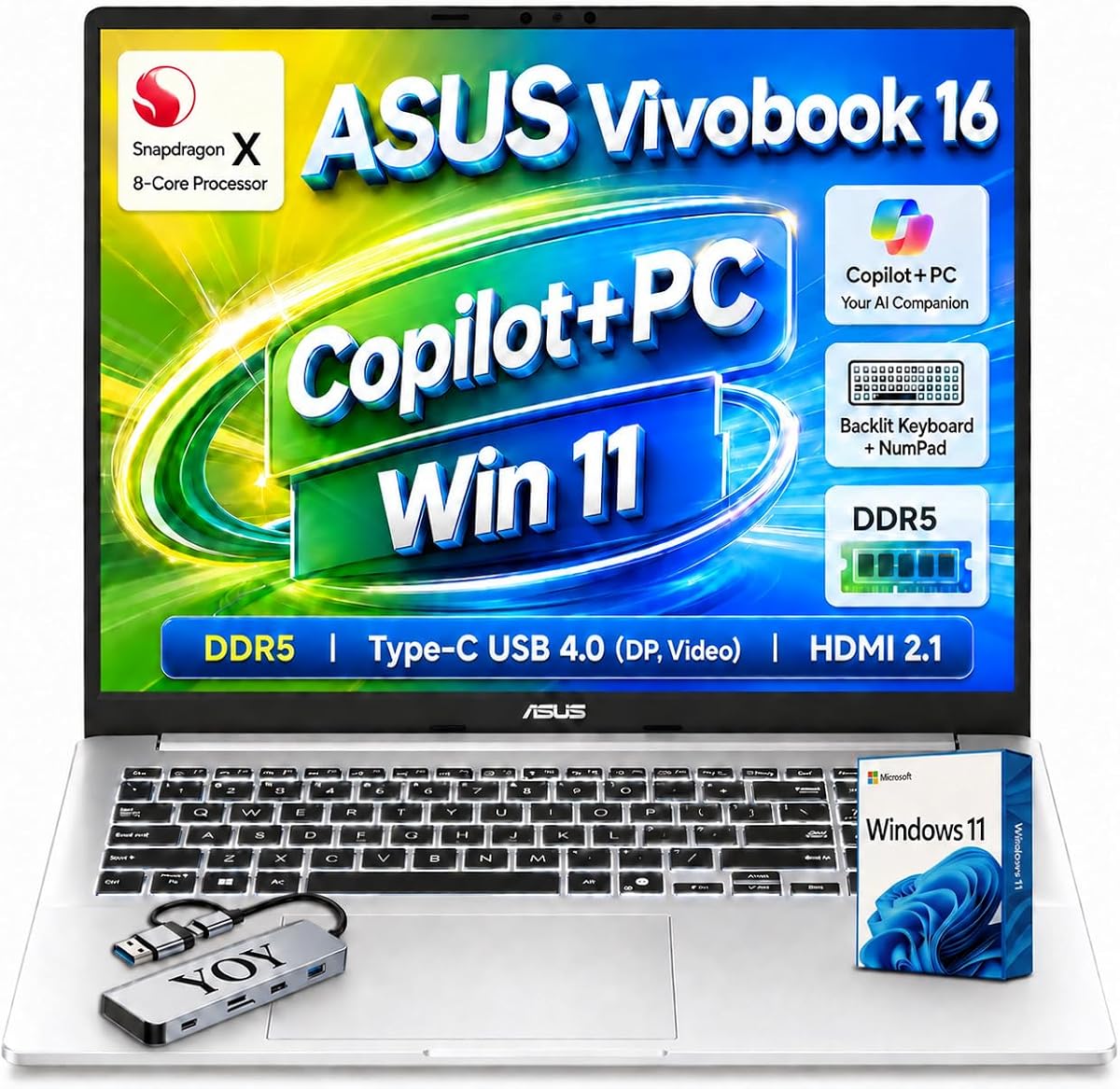
The Vivobook 16 Snapdragon introduces next-generation AI capabilities via the Snapdragon X platform. It aims to provide superior efficiency and AI performance, targeting users who want the latest PC innovations.
We may earn a commission when you buy through this link, at no additional cost to you.
The Hexagon NPU handles compatible AI workloads with high efficiency. The 16-inch WUXGA display offers ample screen real estate for multitasking. It supports multiple external monitors via USB4 and HDMI 2.1.
While promising, users should be aware of potential software compatibility nuances with ARM-based Windows systems. It is a forward-looking choice for those ready to embrace new hardware standards.
Best suited for early adopters and power users interested in AI acceleration, this laptop represents the future of Windows computing. If you need modern AI features, this model is worth considering.
The NPU is designed to accelerate AI tasks efficiently, potentially extending battery life while delivering powerful local AI features.
The 16-inch display with a 16:10 aspect ratio provides more vertical space, ideal for spreadsheets and document editing.
We may earn a commission when you buy through this link, at no additional cost to you.
With a 4.8 rating, this model delivers strong performance for users needing a larger screen. It balances Intel i7 power with practical storage and software bundles, making it a robust choice for general business needs.
We may earn a commission when you buy through this link, at no additional cost to you.
The 16-inch display offers a comfortable workspace, while the 10-core processor handles multitasking effortlessly. The included lifetime Office license adds significant value, reducing long-term software costs.
The external drive addition is a trade-off for price, but the primary SSD remains fast. The SonicMaster tuned speakers ensure clear audio for calls. It is heavier than smaller units but worth the screen size.
Ideal for office workers and students needing a larger display, this laptop provides excellent reliability. If you prefer more screen space and don't want to carry external software licenses, it is a great pick.
SonicMaster tuned speakers provide clear audio output, ensuring meetings and media playback are enjoyable without external speakers.
The combination of a large screen and a capable processor ensures smooth operation for complex spreadsheets and multitasking scenarios.
We may earn a commission when you buy through this link, at no additional cost to you.
This Ryzen variant impresses with a perfect 5.0 rating and efficient performance. It offers a balanced mix of specs and practical features, appealing to users looking for value and reliable AMD architecture.
We may earn a commission when you buy through this link, at no additional cost to you.
The Ryzen 7 processor delivers solid multi-core performance for everyday business tasks. The fingerprint scanner adds convenience for secure logins. The included portable hub aids in connecting devices quickly.
The battery life is average, so keeping a charger handy is recommended. The standard DDR4 RAM is sufficient for most users, though upgradable. It is a reliable choice for daily office workflows.
Best for budget-conscious professionals who prefer AMD processors, this laptop offers strong value. If you want a hassle-free experience with essential security and connectivity features, this model is highly recommended.
The integrated fingerprint scanner allows for quick and secure Windows Hello sign-ins without needing a password every time.
The Ryzen 7 processor handles multiple applications smoothly, ensuring responsiveness even during heavy multitasking sessions.
We may earn a commission when you buy through this link, at no additional cost to you.
This model offers a competitive entry into 16-inch laptops with Ryzen power. While the rating is lower, the professional upgrades and included accessories provide a functional setup for basic business needs.
We may earn a commission when you buy through this link, at no additional cost to you.
The Ryzen 7 processor ensures decent multitasking capability. The USB hub inclusion aids connectivity for external peripherals. Professional upgrades aim to enhance performance out of the box.
Quality control can vary with third-party upgrades, so checking reviews is advised. It is an excellent choice for tight budgets where a larger screen is essential. The fingerprint reader adds a nice touch.
Ideal for students or startups with budget limits, this laptop offers a cost-effective solution. If you need a larger workspace and are comfortable with third-party customization, it is worth a look.
Getting a 16-inch screen at this price point offers a significant advantage for productivity without straining your budget.
Professional upgrades aim to optimize hardware and software configurations, potentially improving responsiveness over standard units.
We may earn a commission when you buy through this link, at no additional cost to you.
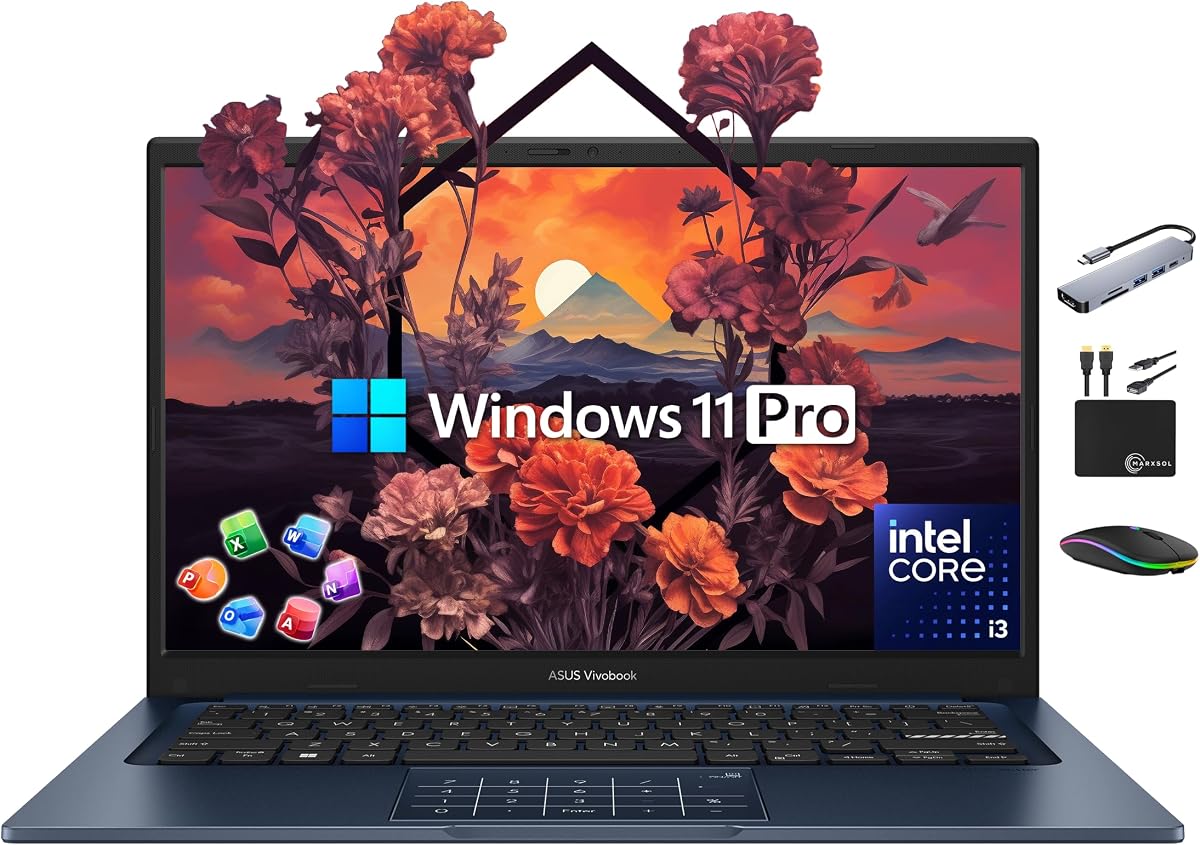
This portable variant focuses on lightweight design and essential software inclusion. With a 4.2 rating, it suits light business users who need high RAM and software without heavy performance demands.
We may earn a commission when you buy through this link, at no additional cost to you.
The 24GB RAM ensures smooth multitasking despite the entry-level i3 CPU. The inclusion of Office 2024 is a major advantage for administrative tasks. The bundle includes accessories to save costs.
The i3 processor is best for web browsing and documents. If you plan to run heavy software, consider a higher-tier model. For light office work and travel, this setup offers great convenience.
Ideal for administrative assistants and light users, this laptop balances portability with practical features. If you prioritize weight and software inclusion over raw processing speed, this is a smart choice.
The ultra-portable design ensures you can carry this device effortlessly during commutes or business trips.
Having a lifetime Office 2024 license means you can start working on documents immediately without purchasing software separately.
We may earn a commission when you buy through this link, at no additional cost to you.
Selecting the right business laptop involves weighing several critical factors that align with your specific professional requirements and daily tasks.
The processor is the brain of your laptop. For general business tasks, Intel Core i5 or AMD Ryzen 5 is sufficient. For heavy multitasking or data analysis, opt for Core i7 or Ryzen 7. AI-enabled processors like Core Ultra offer future-proofing for modern workloads.
Prioritize newer generation chips to ensure longevity and performance efficiency.
RAM is critical for multitasking. 16GB is the sweet spot for most professionals, but 32GB provides headroom for heavy users. Storage should be at least 512GB SSD for speed. External storage can supplement but is less convenient.
Aim for at least 16GB RAM and a 512GB NVMe SSD to avoid slowdowns.
A good screen reduces eye strain. Look for Full HD or higher resolution. OLED displays offer better contrast but may have higher power consumption. Size depends on portability needs; 14-inch is portable, 16-inch offers more workspace.
Choose a screen size and resolution that balances mobility with visual clarity.
Business laptops require robust security. TPM 2.0 chips and Secured-core PC support are essential for enterprise data protection. Fingerprint readers and privacy shutters add layers of security for user convenience.
Ensure the device has TPM 2.0 and physical security features to protect sensitive data.
Look for military-grade certifications like MIL-STD-810H if you travel frequently. This ensures the device can withstand drops and temperature changes. A sturdy chassis prevents damage and extends the laptop's lifespan.
Certified durability is crucial for users who are constantly on the move.
Check for ports you need like USB-C, HDMI, and Ethernet. USB4 or Thunderbolt support is great for fast data and docking stations. Wi-Fi 6E ensures stable connections in busy office environments.
Ensure the laptop has the necessary ports to connect to your existing peripherals and networks.
Windows 11 Pro is recommended for business due to enhanced security and management tools. Home versions may lack features like BitLocker or Remote Desktop. Always verify the OS edition before purchasing.
Opt for Windows 11 Pro to access essential business management and security features.
For travelers, battery life is key. Look for models with efficient processors like Snapdragon or Core Ultra. Weight matters if you carry the laptop daily; ultralights are under 3 lbs but may sacrifice ports.
Balance battery capacity with device weight to suit your commuting needs.
To maximize performance, keep your drivers updated via the ASUS Support app. Regular updates ensure compatibility with new software and maintain system stability.
Use the built-in privacy features like webcam shutters and fingerprint scanners to protect your identity. These tools are designed to keep your business data secure from physical threats.
Clean the screen with a soft microfiber cloth and avoid harsh chemicals. Store the laptop in a padded case during travel to prevent accidental damage to the chassis.
The ASUS ExpertBook B9 OLED is the best travel option due to its incredibly light weight of 2.18lbs and durable magnesium-lithium alloy build. It offers premium features without the bulk.
Some models include a lifetime Microsoft Office license as part of a bundle, while others require you to purchase a subscription separately. Always check the product details before buying.
Models with OLED displays and high RAM like the ExpertBook B1 are suitable for light design work. For heavy rendering, consider the ExpertBook B3 with 32GB RAM and powerful cooling.
Many ASUS Business Laptops have soldered RAM, meaning it cannot be upgraded later. Check the specific model's specifications before purchasing to ensure it meets future needs.
Most models include TPM 2.0 for hardware encryption. Higher-end models add Secured-core PC support, fingerprint readers, and physical webcam privacy shutters for extra data protection.
Standard warranty is typically one year. Professional upgrades or third-party bundles may offer different terms, so verify the seller's warranty policy on the product page.
We selected the ExpertBook B9 as the overall winner for its perfect balance of performance and portability. The ExpertBook B3 stands out for power users needing high storage and AI features.
For budget-conscious buyers, the Vivobook bundles offer significant value with included accessories and software. Prioritize your specific needs like screen size or battery life when making a choice.
Remember that prices and stock can change frequently. Always check the current listings and user reviews before finalizing your purchase to ensure you get the best deal available.