
ASUS RT-AX1800S
4.3Editor score
WiFi 6 standard
5 Gigabit ports
AiProtection Classic
This guide compares the top ASUS WiFi routers for home and business, evaluating speed, security, mesh capabilities, and gaming features to help you choose the
Finding the right wireless network hardware is essential for modern connectivity. ASUS offers a wide range of routers that cater to different needs, from basic browsing to high performance gaming and smart home management.
We have evaluated ten distinct models based on their technical specifications, user ratings, and feature sets. This list covers everything from entry level dual band units to high end tri band systems with advanced mesh support.
Each selection highlights key strengths and potential trade offs for various household sizes. Note that product availability and pricing can fluctuate over time, so verify current details before making a final purchase decision.
4.3Editor score

4.5Editor score

4.3Editor score
The following table provides a side by side overview of each router's core capabilities, allowing you to quickly identify which model aligns with your specific network requirements.
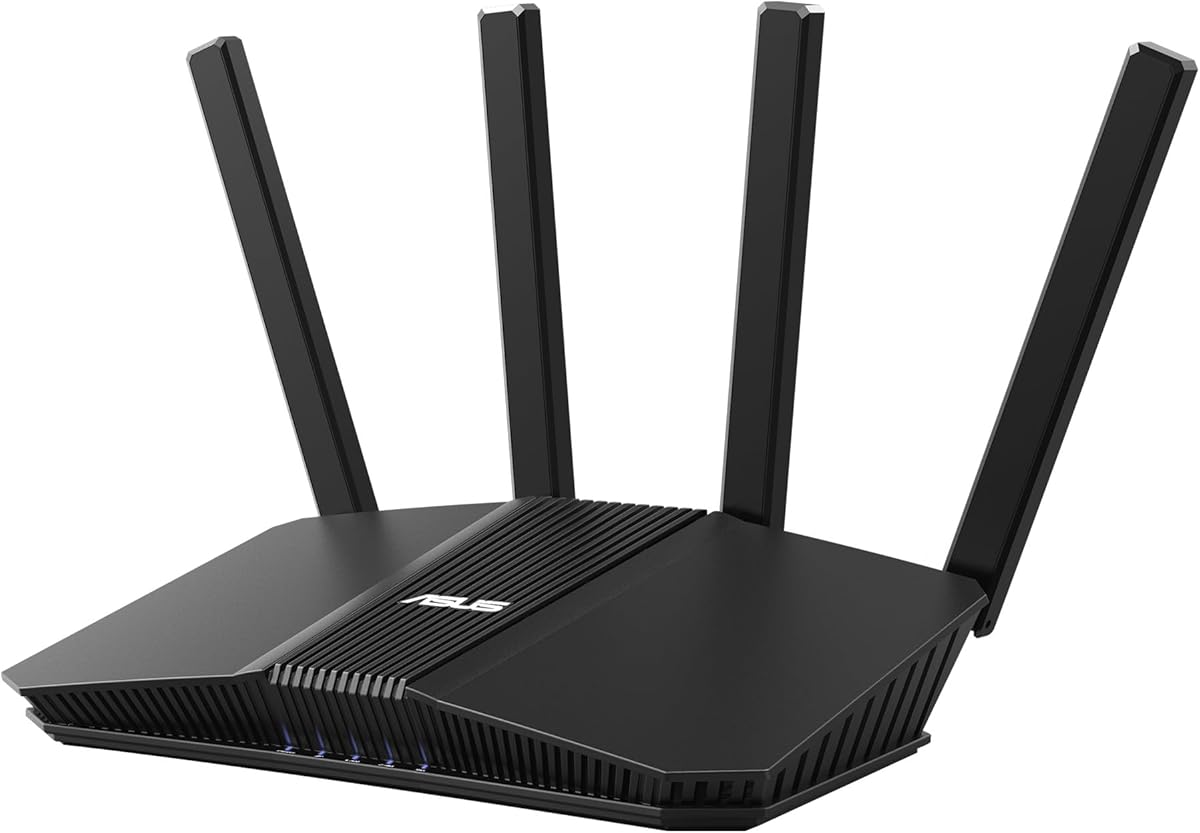

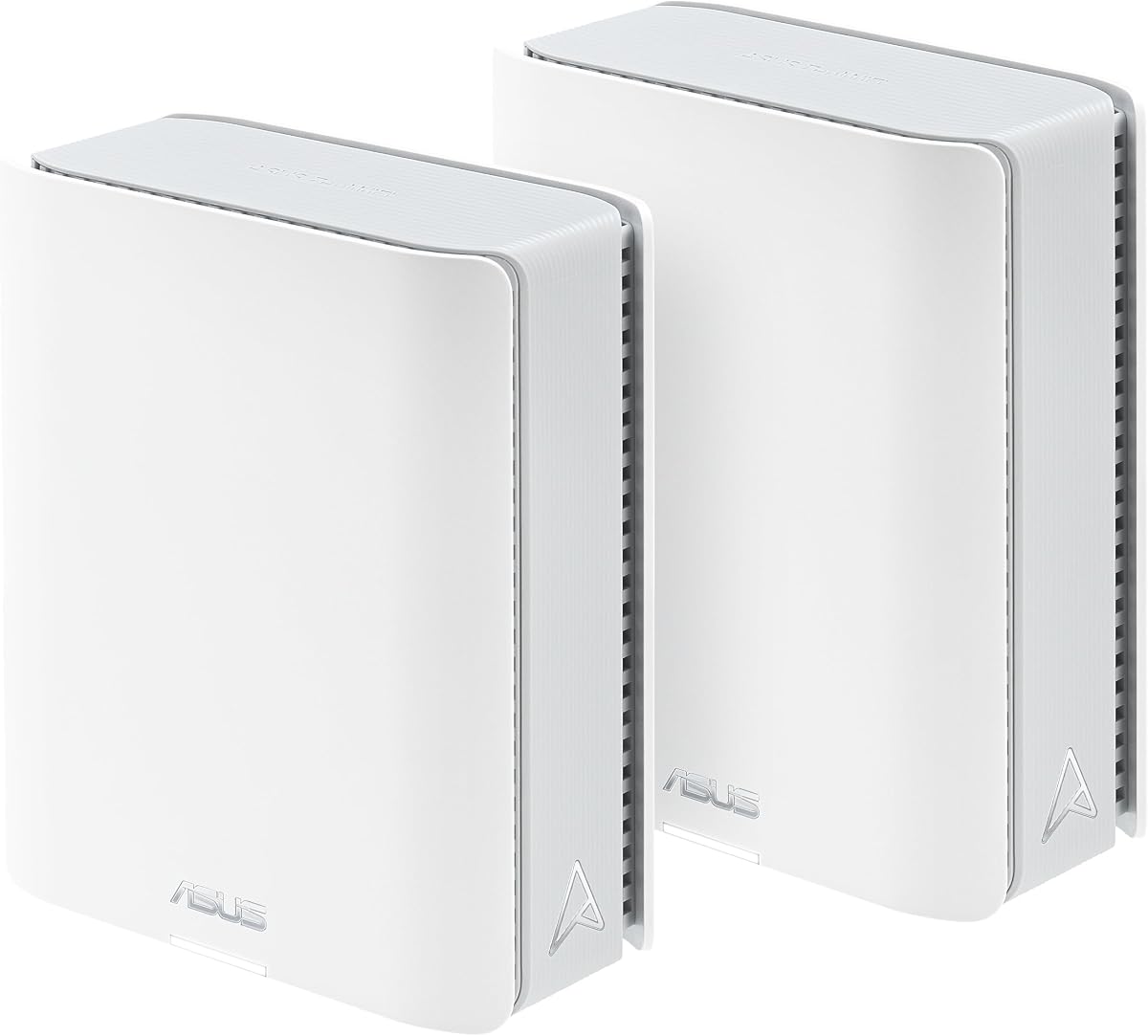



The ASUS RT-AX3000 stands out as a highly reliable choice for modern homes needing substantial coverage and speed. It holds a strong user rating reflecting consistent performance across various connected devices and daily usage patterns.
We may earn a commission when you buy through this link, at no additional cost to you.
This model leverages WiFi 6 technology to deliver speeds up to 3000 Mbps with efficient channel allocation. The inclusion of AiMesh compatibility ensures you can expand your network easily without replacing existing hardware.
While it lacks the latest WiFi 7 standard, the 160MHz bandwidth provides ample throughput for streaming and gaming. Users may find the LAN ports limited to 1Gbps which could bottleneck ultra fast broadband connections.
Households seeking a balance between performance and future proofing will find this unit highly suitable. It offers a stable foundation for smart home ecosystems and general internet usage without unnecessary complexity.
AiMesh technology allows this router to work with other compatible ASUS devices to create a unified whole home network.
AiProtection Pro powered by Trend Micro provides multi-stage protection against online threats for all connected devices.
We may earn a commission when you buy through this link, at no additional cost to you.
For users seeking essential WiFi 6 performance without a high price tag the ASUS RT-AX1800S is a compelling option. It maintains a solid reputation for reliability among users needing standard connectivity improvements.
We may earn a commission when you buy through this link, at no additional cost to you.
This router supports 1024-QAM for faster wireless connections and includes commercial grade security without a subscription fee. The five Gigabit ports offer versatile wired connectivity for stationary devices.
Performance is adequate for most streaming and gaming needs but may not support the densest device environments as well as higher end units. The design is functional but lacks the visual flair of gaming oriented models.
It is an ideal choice for small to medium homes or office setups needing cost effective modernization. The built-in VPN and parental controls add significant value for family safety and privacy.
This model brings next gen efficiency to budgets that cannot accommodate top tier pricing while still delivering core benefits.
AiProtection Classic powered by Trend Micro ensures your network remains safe from common threats without extra costs.
We may earn a commission when you buy through this link, at no additional cost to you.
The ASUS ROG Rapture GT-BE98 Pro represents the pinnacle of consumer networking technology with its quad-band WiFi 7 architecture. It is designed for users who demand the absolute maximum speed and lowest latency possible.
We may earn a commission when you buy through this link, at no additional cost to you.
With speeds up to 30Gbps and Triple-Level Game Acceleration it optimizes traffic for gaming and high fidelity streaming. Dual 10G ports ensure that wired connections can handle the fastest available internet plans.
The premium price point is justified by its raw performance but may be excessive for typical household usage. The complex features require technical knowledge to fully leverage to their intended potential.
Professional gamers or power users with extensive smart home ecosystems will appreciate this level of engineering. It offers a future proof solution that ensures network bottlenecks do not limit device capabilities.
The 320MHz channels in the 6GHz band provide significantly higher capacity and throughput for dense device environments.
Triple Level Game Acceleration ensures gaming traffic gets priority from your PC all the way to the game server.
We may earn a commission when you buy through this link, at no additional cost to you.
The ASUS RT-BE58U brings WiFi 7 technology to a dual band platform with specific focus on versatile WAN configurations. It is suitable for users needing multiple internet sources or advanced mobile tethering capabilities.
We may earn a commission when you buy through this link, at no additional cost to you.
Multi-link Operation ensures stable connections by linking to multiple bands simultaneously. Smart Home Master simplifies device management allowing easy setup for IoT networks without complex networking knowledge.
As an early WiFi 7 model it may have fewer long term reviews compared to mature options. The specific WAN detection features require proper setup to function as intended for continuous connectivity.
It is a strong contender for small businesses or tech enthusiasts needing redundancy. The commercial grade security provides peace of mind for those managing sensitive business data at home.
This feature allows you to establish up to three SSIDs for easy IoT device setup and management and instant VPN connections.
Always-on internet is established through AI WAN detection and a convenient USB port ready for mobile tethering.
We may earn a commission when you buy through this link, at no additional cost to you.
The ZenWiFi BT10 offers a powerful mesh solution capable of covering up to 6000 square feet. It uses WiFi 7 technology to ensure that even large spaces maintain high throughput and low latency.
We may earn a commission when you buy through this link, at no additional cost to you.
Eight internal antennas and ten high-power modules eliminate dead zones in all directions. The dual 10G ports provide ample capacity for wired backhaul or high speed local storage access.
While the coverage is extensive the current user rating suggests a learning curve or initial setup challenges. The higher price reflects the inclusion of two units necessary for full mesh functionality.
Large estates or multi-story homes needing a unified network will find this system ideal. The Smart Home Master feature ensures that IoT devices do not clutter the main network traffic.
Ultimate AiMesh powered by AI delivers robust backhaul connections and seamless connectivity for all devices.
Dual 10G WAN and LAN ports allow for ultrahigh-speed wired backhaul to maintain mesh performance.
We may earn a commission when you buy through this link, at no additional cost to you.
The ASUS RT-AX82U combines gaming performance with distinctive design elements that appeal to gamers. It delivers strong speeds up to 5400 Mbps with specific features optimized for mobile and PC gaming.
We may earn a commission when you buy through this link, at no additional cost to you.
Mobile Game Mode minimizes latency for phone gaming via the router app. The Aura RGB lighting allows users to customize the visual vibe of their setup to match their room aesthetics.
As a renewed product availability and warranty terms may vary depending on the seller. It lacks the latest WiFi 7 standards but provides sufficient power for most current gaming needs.
Gamers looking for a visually striking router that performs well will appreciate this model. The robust security and parental controls ensure safe internet usage for the whole household.
Mobile Game Mode allows you to minimize lag and latency for mobile gaming with just a tap on the app.
Feature Aura RGB lighting effects that you can choose from a variety of lighting effects and customize to align with specific modes.
We may earn a commission when you buy through this link, at no additional cost to you.
The ZenWiFi BT8 is a streamlined mesh unit that delivers tri-band speeds in a compact package. It is well suited for mid-sized homes requiring a robust and easy to manage WiFi 7 solution.
We may earn a commission when you buy through this link, at no additional cost to you.
Seven internal antennas and front-end modules eliminate dead zones effectively. Smart Home Master SSIDs make it easy to segregate IoT devices for better network security and management.
While single pack coverage is good large homes may need additional units to maintain optimal performance. As a newer technology WiFi 7 features are still maturing through updates.
It is a great starting point for upgrading to modern mesh without a complex multi-node setup. The commercial grade security ensures all devices remain protected from external threats automatically.
IoT Network parental controls and VPN easy setup on multiple devices with Smart Home Master SSIDs.
24/7 end-to-end protection with commercial-grade AiProtection Pro and advanced VPNs.
We may earn a commission when you buy through this link, at no additional cost to you.
This model offers a proven performance profile with consistent user ratings reflecting stable daily operation. It provides a straightforward upgrade from older generation routers to modern WiFi 6 efficiency.
We may earn a commission when you buy through this link, at no additional cost to you.
The 160MHz bandwidth ensures high throughput for streaming and general browsing. AiProtection Pro protects all connected devices on your home network while advanced parental controls manage family internet usage.
It is not the fastest router available but offers reliable performance for typical household tasks. The USB 3.0 port allows for local file sharing which adds utility for home media storage.
Families prioritizing security and ease of use will find this unit highly effective. It balances modern features with straightforward management suitable for non-technical users.
AiMesh technology allows you to establish an even stronger mesh WiFi system with other ASUS AiMesh compatible routers.
AiProtection Pro protects all the connected devices on your home network against security threats automatically.
We may earn a commission when you buy through this link, at no additional cost to you.
The RT-AC68U is a legacy model that continues to receive high marks for stability and performance. It is ideal for users who prefer mature software and proven hardware over the latest specs.
We may earn a commission when you buy through this link, at no additional cost to you.
A 1GHz dual-core CPU enables smart multitasking by dedicating separate lanes for Wi-Fi and USB data. This ensures that file transfers or backups do not disrupt internet browsing or streaming.
While it lacks the latest WiFi 6 and 7 standards it still delivers reliable speeds for most needs. Users should be aware that firmware support may eventually be reduced as newer models take precedence.
It remains a strong choice for small offices needing reliable wired and wireless connectivity. The comprehensive security suite keeps network traffic safe from external threats and malicious sites.
1GHz dual-core CPU enables smart multitasking by dedicating separate lanes for Wi-Fi and USB data efficiently.
Five X Gigabit LAN Ports provide ample wired connections for stationary devices like consoles or PCs.
We may earn a commission when you buy through this link, at no additional cost to you.
The ExpertWiFi EBR63 is designed for professional environments requiring secure and manageable networks. It brings enterprise features to smaller setups providing flexibility for guests and staff alike.
We may earn a commission when you buy through this link, at no additional cost to you.
Separate secure usage up to five SSIDs to separate and prioritize devices for different business scenarios. This segregation ensures that guest access does not compromise internal network data or resources.
Customizable guest portals allow businesses to maintain a professional image while controlling access. The free subscription to commercial-grade security ensures that business data remains protected from external threats.
Small businesses needing reliable connectivity with advanced management tools will find this unit valuable. It offers a scalable path for network expansion as the business grows.
Customize the SSID portal type brand name and templates to fit your business style effectively.
Backup WAN for stable connectivity via USB port connecting to a mobile phone with hotspot.
We may earn a commission when you buy through this link, at no additional cost to you.
Selecting the right router involves balancing speed requirements with specific features like mesh support and security to ensure your network meets your needs efficiently.
WiFi 6 and WiFi 7 offer better efficiency and speed for multiple devices. If you have many smart home gadgets a newer standard ensures you do not run into bottlenecks.
Choose a newer generation if you want future-proofing for the next several years of network demands.
For large homes a single router may not cover the entire space. AiMesh allows you to expand your network using compatible ASUS units for seamless coverage.
Prioritize mesh compatible models if you experience dead zones in corners or multi-story layouts.
Wired connections are faster and more stable than wireless. Check the number of Gigabit ports available for consoles PCs and smart TVs.
Ensure the router has enough LAN ports to meet your wired device needs without needing extra switches.
Network security protects your personal data and connected devices. Look for built-in subscriptions like AiProtection Pro which scan for threats and vulnerabilities.
Commercial grade security is essential for households storing sensitive data or with vulnerable smart devices.
Gamers benefit from features like Game Acceleration and low latency modes. These features prioritize traffic to gaming consoles or PCs for smoother play.
If you play online regularly check for specific gaming enhancements that match your platform needs.
Different models support different square footage. Ensure the router you select covers your home's area to avoid signal drops in remote rooms.
Look for antenna configuration and power ratings to gauge how well a router will perform in your space.
Managing internet usage for children is a priority for many families. Robust parental controls allow you to set schedules and filter content easily.
Select a model with advanced control features if you need to manage family usage across all devices.
A user-friendly app or web interface simplifies setup and troubleshooting. Modern routers offer mobile apps for quick status checks and control.
Choose a router with intuitive software to save time during configuration and maintenance.
Place your router in a central location away from physical obstructions to maximize signal coverage. Avoid placing it directly on the floor or inside enclosed cabinets.
Keep the firmware updated through the ASUS app or web interface to ensure you have the latest security patches. Updates often improve performance and stability over time.
Regularly reboot your router to clear temporary memory issues and maintain smooth performance. This simple step can often resolve minor connectivity glitches without further technical troubleshooting.
Yes. ASUS routers are AiMesh compatible which allows you to create a seamless whole-home network using different models. You can simply add an existing compatible router to expand coverage.
WiFi 7 offers higher speeds and lower latency with features like 320MHz channels. It is designed for future bandwidth needs while WiFi 6 remains sufficient for most current users.
Most ASUS routers work with any standard cable or fiber modem via the WAN port. Ensure your modem is activated and your ISP plan supports the speeds the router can deliver.
Yes. Most models include AiProtection Pro or Classic which are free for the lifetime of the router. This provides continuous threat scanning without extra recurring costs.
Parental controls are managed through the ASUS router app or web interface. You can create profiles for family members to set time limits and restrict specific content types easily.
Gaming routers prioritize gaming traffic over other downloads. While they do not increase raw internet speed they reduce latency and lag for a smoother online gaming experience.
Whether you need a budget-friendly unit or a premium WiFi 7 system ASUS offers options for every home. The top three picks highlight distinct strengths for speed security and overall value.
Focus on matching the router's speed and features to your specific usage needs. A powerful unit is less useful if your internet plan does not support its maximum throughput.
Always verify current pricing and availability before purchasing as these factors change over time. Investing in a reliable network today ensures smooth connectivity for years to come.