
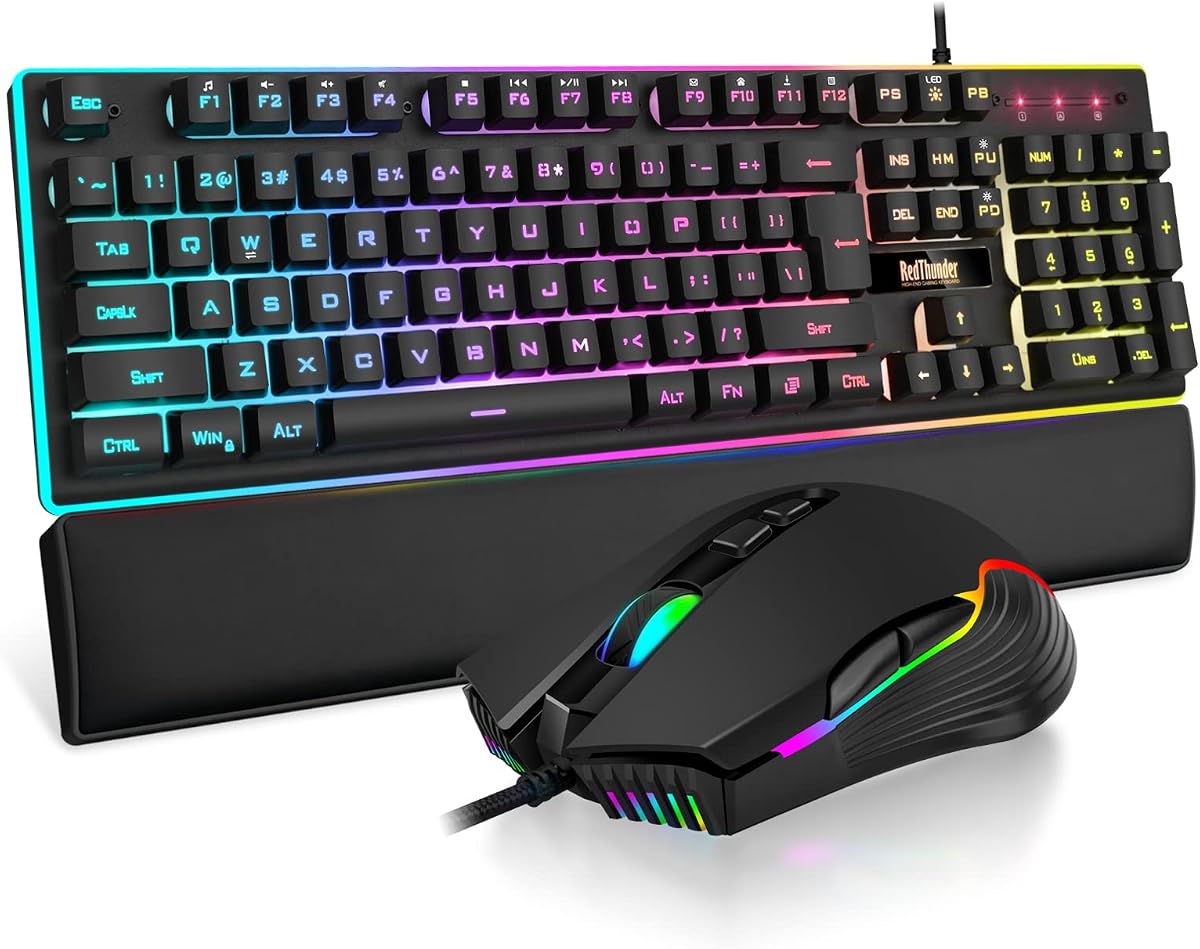
Redragon S101-3 PRO
RGB Backlit Programmable
Independent Macro Record Keys
Ergonomic Wrist Rest
Discover the top ten keyboards and mice for Baldurs Gate 3 in this expert guide comparing durability, performance, and comfort for every gamer.
Finding the right peripherals can transform your gaming sessions into unforgettable adventures. A reliable keyboard and mouse setup ensures precise commands and comfortable typing during long raids.
We compared ten popular combos based on build quality, lighting effects, and ergonomic design. Each product offers unique features to suit different play styles and budget requirements.
Every selection highlights key strengths and potential trade-offs to help you decide. Prices may vary over time, so check current listings before making your final purchase.
4.4Editor score

4.2Editor score
This table presents a side-by-side comparison of all ten selected keyboard and mouse combinations. Review key specifications to find the perfect fit for your setup.


This budget friendly keyboard and mouse combo offers an impressive array of features for gamers seeking affordable peripherals. It stands out with its full size RGB backlit keyboard and high precision mouse designed for responsive gaming sessions.
We may earn a commission when you buy through this link, at no additional cost to you.
The inclusion of dedicated macro record keys allows players to customize complex command sequences easily. The soft touch membrane keys provide satisfying feedback while remaining quiet enough for shared spaces or late night gaming.
While it requires software installation for full customization, the hardware stores settings directly. This ensures your lighting and DPI preferences remain consistent even after restarting your system without repeated adjustments.
Ideal for first time gamers or students needing a reliable upgrade from basic peripherals. The ergonomic wrist rest reduces fatigue during marathon sessions making this a solid choice for daily use.
The keyboard features six vibrant backlight modes while the mouse boasts ten lighting effects for full personalization. You can record complex sequences with five dedicated macro keys for a competitive edge.
Soft touch membrane keys offer satisfying feedback while remaining quiet during use. The anti ghosting keyboard ensures every key press registers instantly even during intense action moments.
We may earn a commission when you buy through this link, at no additional cost to you.
This professional gaming keyboard and mouse combo delivers performance through its mechanical feel keys and high precision optical sensor. The 7200 DPI mouse supports fast tracking speeds ideal for dynamic gameplay scenarios.
We may earn a commission when you buy through this link, at no additional cost to you.
The built in steel plate provides structural integrity while the anti ghosting feature allows multiple key presses simultaneously. Soft leather wrist rest adds comfort reducing fatigue during extended use.
Adjustable tripod keyboard legs facilitate easier key access and ergonomic positioning. The anti-slip material on the mouse enhances grip ensuring precise control when maneuvering cursor movements.
Best suited for gamers prioritizing durability and ergonomic comfort. The combination of responsive keys and reliable mouse tracking makes this a top contender for serious play sessions.
High precision optical sensor offers 7200 DPI sensitivity with 12000fps scan rate. The mouse withstands 40G acceleration and 400IPS tracking speed for fast browsing.
Soft leather wrist rest made from smooth faux leather and memory foam provides extra relaxation. The anti slip mouse material is more suitable for hand comfort.
We may earn a commission when you buy through this link, at no additional cost to you.
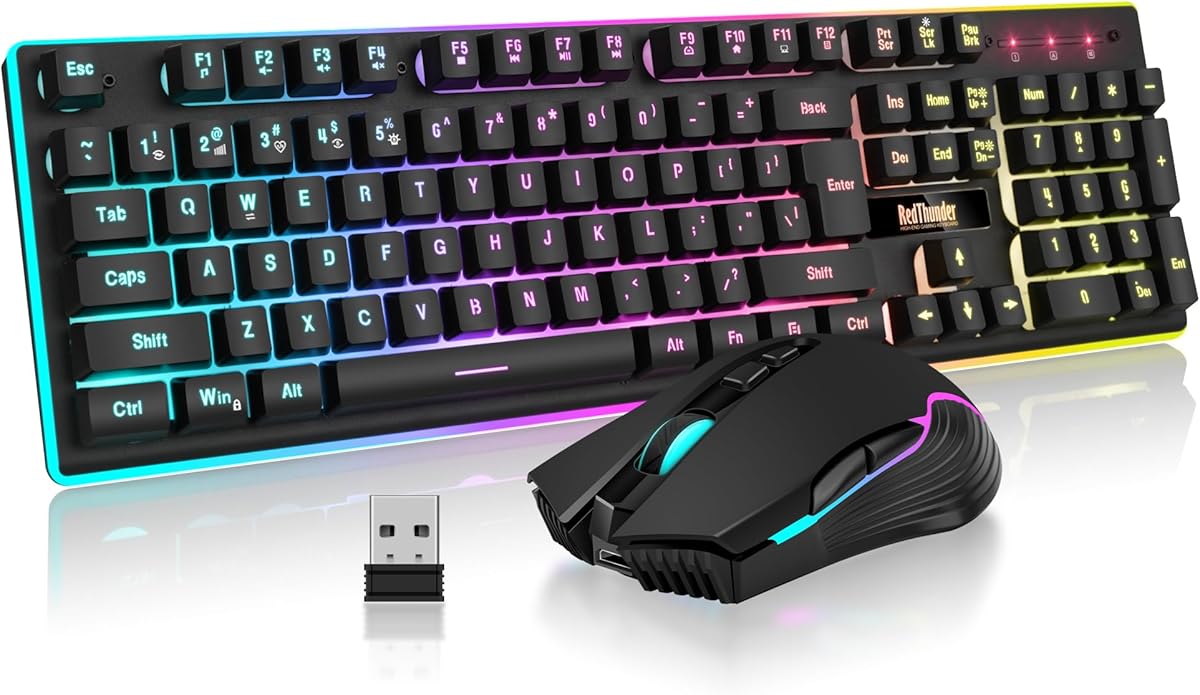
This wireless keyboard and mouse combo balances work and gaming with high speed 2.4G transmission. The rechargeable design eliminates battery worries while maintaining stable connections during intense battles.
We may earn a commission when you buy through this link, at no additional cost to you.
The keyboard features three groups of rainbow backlight effects with adjustable brightness and the mouse includes seven color lighting effects. Two color injection molding ensures characters never fade over time.
Smart energy saving functions automatically put devices to sleep after two minutes of inactivity. The thick metal cover prevents deformation and ensures long service life for daily use.
Ideal for users seeking a clutter free setup without sacrificing performance. The ergonomic mouse fits the palm perfectly and offers anti sweat design for complete control.
High speed 2.4G wireless transmission ensures stability during intense battles. The keyboard includes 3000mAh battery while mouse has 800mAh for continuous use up to 8 hours.
Keys have ten million keystrokes lifetime so you can hold on for the next decade. ABS keycaps adopt two color injection molding process with thick metal cover.
We may earn a commission when you buy through this link, at no additional cost to you.
This gaming keyboard and mouse set offers comfortable usage with ergonomic design that relieves hand fatigue. The professional mechanical feeling brings a cool usage experience suitable for work or gaming.
We may earn a commission when you buy through this link, at no additional cost to you.
Cool visual effects include three LED backlit keys and seven color breathing light for the mouse. Laser carved characters and non-slip design enhance durability and usability in dark environments.
Support for multiple operating systems ensures versatility across devices. The easy installation without drivers makes it accessible for users needing immediate setup.
A practical choice for those needing a reliable set without complex configurations. The durable key life and comfortable design make it suitable for regular daily use.
Ergonomic design releases your hand from fatigue while providing professional mechanical feeling. Keyboard keys last for five million clicks and mouse for three million clicks.
Three LED backlit for keyboard and seven color breath light for mouse make the combo cool and beautiful. This allows you to use it in the dark.
We may earn a commission when you buy through this link, at no additional cost to you.
This full size keyboard and mouse combo features standard layout with F keys and numeric pad for efficient typing. The floating keycaps are removable and feel good in the hand for comfortable use.
We may earn a commission when you buy through this link, at no additional cost to you.
RGB LED backlight offers eight light colors and five light modes adjustable via function keys. The double-shot injection molding process ensures letters never fade for clear visibility in dark settings.
High resolution mouse with six speed levels meets needs of different scenarios. Waterproof USB cable and gold-plated interface ensure stable data transmission for reliable performance.
A solid choice for modern office use or gaming with ergonomic design. The non-slip pads on the bottom enhance stability and prevent movement during use.
Scientific layout of high and low keycaps fits hands naturally bringing maximum comfort. This effectively reduces hand fatigue after prolonged use and work or gaming.
Six levels of speed meet needs of different scenarios. High speed transmission technology makes the mouse move faster and more accurately during games.
We may earn a commission when you buy through this link, at no additional cost to you.
This large print keyboard and mouse combo features letter characters larger than usual with bold command keys. It helps visually impaired users identify keys easily for more accurate typing.
We may earn a commission when you buy through this link, at no additional cost to you.
The wired keyboard has a colorful backlit design with seven color options and three brightness levels. Unfolding the feet at the back reduces hand fatigue and improves typing position.
Full QWERTY layout provides superior comfort without forcing users to relearn how to type. The kickstand construction and wrist rest keep hands comfortable during long work hours.
Perfect for schools libraries or home offices where visibility is a priority. The plug and play feature simplifies setup for quick and convenient daily use.
With letter characters larger than usual and command keys in larger bold font these keys help those who have trouble seeing. Perfect for elderly and visually impaired.
Unfold the feet at back of the keyboard to reduce hand fatigue and enjoy long hours of playing. Kickstand construction and wrist rest make hands comfortable.
We may earn a commission when you buy through this link, at no additional cost to you.
This RGB gaming keyboard and mouse combo features rainbow backlit keys that are easy to turn on or off. All letters glow and never fade making typing in dark rooms easier.
We may earn a commission when you buy through this link, at no additional cost to you.
The keyboard has a built-in steel plate for anti-fall protection and uses a durable sixty-one inch braided wire. Nineteen non-conflict keys allow you to press multiple keys simultaneously for gaming.
The mouse is ergonomically designed with quality ABS construction and features four different LED breathing lights that change automatically. The included mouse pad provides large space for comfortable wrist support.
Ideal for users needing a complete setup with essential gaming features. Wide compatibility ensures it works well with PCs laptops and various console setups.
Built-in steel plate ensures anti-fall durability with durable sixty-one inch USB braided wire. Nineteen non-conflict keys allow pressing or holding multiple keys simultaneously.
The mouse pad provides large space for mouse moving with smooth exquisite cloth on surface. Rubber at the bottom ensures mouse pad does not slip during use.
We may earn a commission when you buy through this link, at no additional cost to you.
This USB keyboard and mouse combo features large print keys printed three times larger than standard for better visibility. Silent low-profile keys reduce typing noise letting you concentrate on office work without distractions.
We may earn a commission when you buy through this link, at no additional cost to you.
The adjustable DPI mouse offers four-level settings and dynamic RGB lighting for personalization. An integrated wrist rest supports extended use on PCs and laptops relieving fatigue during prolonged sessions.
Twelve multimedia hotkeys quickly adjust audio volume and email settings for efficiency. The slim compact spill-resistant keyboard ensures durability and functionality for daily tasks.
Ideal for seniors students and office workers needing clarity and comfort. The combination of large keys and ergonomic design enhances productivity and reduces strain.
Keys are printed three times larger than standard keys for better visibility and effortless typing. Silent low-profile keys reduce typing noise letting you concentrate on office work.
Features a four-level adjustable DPI and dynamic RGB lighting which can be turned off. Twelve multimedia hotkeys quickly adjust audio volume and email settings for efficiency.
We may earn a commission when you buy through this link, at no additional cost to you.
This keyboard and mouse combo features four times larger characters making typing easier and more accurate for seniors and students. The integrated palm rest helps reduce wrist fatigue during long work or study sessions.
We may earn a commission when you buy through this link, at no additional cost to you.
Comfortable ergonomic mouse with anti-slip base reduces misclicks and hand fatigue. Seven-color adjustable backlight allows customization for comfortable typing in dim or low-light environments.
Plug and play wired connectivity simplifies setup without drivers or charging. The five point two foot USB cable ensures reliable connection for daily use across devices.
Ideal for home office or online classes where visibility and comfort are paramount. This set is a practical gift for families and students seeking everyday usability.
Integrated palm rest and foldable stand provide a comfortable seven degree typing angle. This helps reduce wrist fatigue during long work study or daily typing sessions.
Choose from seven colors and four lighting modes to adjust brightness or turn backlight off. Comfortable ergonomic mouse with anti-slip base reduces hand fatigue.
We may earn a commission when you buy through this link, at no additional cost to you.
This wireless keyboard and mouse combo maintains a cleaner workspace with reliable 2.4G connection. The rechargeable design eliminates battery changes while offering weeks of use between charges.
We may earn a commission when you buy through this link, at no additional cost to you.
Silent keyboard features increased key stability that reduces noise and optimizes responsiveness. The mouse reduces noise significantly ensuring you do not disturb others while working.
Ergonomic mouse design follows the natural curve of your hand for improved grip and control. Includes a phone holder and wrist rest to keep hands comfortable during long days.
Perfect for users wanting a tidy setup without sacrificing functionality. The silent operation and rechargeable battery make it an efficient choice for office or home work.
Wireless keyboard features increased key stability that reduces noise and optimizes responsiveness so you feel but not hear keystrokes. Mouse reduces noise by ninety nine percent.
No disposable batteries needed. Keyboard mouse combo lasts weeks between charges saving you expense and hassle. Quick charge with the included USB C charging cable.
We may earn a commission when you buy through this link, at no additional cost to you.
Selecting the right peripherals involves evaluating connectivity, ergonomics, and specific features that enhance your gaming experience.
Decide between wired and wireless options based on your preference for reliability versus freedom of movement. Wired combos offer consistent performance without latency while wireless sets reduce cable clutter.
Consider the connection range and battery life if opting for wireless models to avoid interruptions during gameplay.
Look for designs with ergonomic curves and wrist rests to support your hands during extended sessions. Comfort reduces fatigue and helps prevent repetitive strain injuries over time.
Adjustable legs and soft materials enhance comfort so you can focus on gameplay without discomfort.
Check for programmable keys and adjustable RGB lighting to match your aesthetic and functional needs. Customization allows you to set macros and lighting that enhance your setup.
Ensure software support is available if you want deep personalization of keyboard and mouse settings.
Materials like steel plates and ABS keycaps contribute to a product's lifespan. Strong build quality ensures peripherals withstand heavy use over many years.
Prioritize models with durable cables and construction to avoid wear and tear during daily operations.
Confirm the combo supports your operating system and that minimal driver installation is required. Plug and play options offer convenience for quick setup.
Check for multimedia key support to ensure all functions work seamlessly on your device.
A high DPI mouse with adjustable settings allows for precise cursor control in various scenarios. Look for optical sensors that track smoothly without lag.
Adjustable sensitivity ensures the mouse meets different needs from general tasks to gaming.
Assess the feature set against the cost to determine overall value. Extras like included mouse pads or wrist rests add practicality to the purchase.
Focus on essential features that enhance your experience rather than unnecessary extras.
Read feedback from other buyers to gauge real world performance and reliability. Ratings can reveal strengths and weaknesses not apparent in product descriptions.
Use reviews to validate claims and ensure satisfaction with your chosen keyboard and mouse.
Plug the keyboard and mouse into available USB ports and allow the system to install drivers automatically. For wireless models insert the receiver and enable devices using the power switches.
Customize RGB lighting and DPI settings through included software or function keys according to your preferences. Adjust wrist rests or stand angles to find a comfortable typing position.
Clean keys and mouse surfaces regularly with a soft cloth to remove dust and residue. Store peripherals in a dry place when not in use to prolong their lifespan.
Most combos support Windows systems fully while Mac support varies. Check specific product descriptions for compatibility details as multimedia keys may not function on macOS.
Use the function keys like FN plus K or similar combinations to cycle through lighting effects. Some models include dedicated software for deeper customization of color and patterns.
Many wireless models use a single USB receiver for one device at a time. You can switch receivers but simultaneous multi device pairing is not supported on most consumer combos.
Battery life depends on usage and lighting settings but generally ranges from several hours to weeks. Smart energy saving features help extend runtime when devices are idle.
Some models include soft leather or foam wrist rests while others may bundle a mouse pad. Check product details to see what accessories are included with your selection.
Look for a dedicated DPI button on the mouse usually near the scroll wheel. Pressing this cycles through preset DPI levels allowing quick adjustment for different tasks.
This guide highlights ten reliable keyboard and mouse combos suited for gamers and everyday users. Each option balances performance, comfort, and value to enhance your setup.
Prioritize ergonomics and customization to match your play style and workspace needs. The right peripherals can transform routine tasks into immersive experiences.
Prices and availability may change so verify current listings before purchasing. A well chosen keyboard and mouse combo delivers lasting satisfaction and productivity.