
USB Charger Cord Compatible with Beats Micro
4.6Editor score
Aluminum alloy shell protection
Micro USB connector focus
Affordable replacement solution
This guide compares ten top-rated Beats Headphones Charging Cable Replacement options to help you choose the right compatible charger for your specific model
Finding the right replacement cable for your Beats headphones can be challenging given the variety of connectors used over the years. Whether you need micro USB or USB-C, the correct match ensures safe and efficient charging without damaging your device.
We evaluated ten highly rated replacement cables based on compatibility, build quality, charging speed, and user feedback. Our analysis focuses on ensuring each option works seamlessly with your specific Beats model to avoid costly mistakes or connectivity issues.
Each pick below highlights key strengths and limitations to help you make an informed decision quickly. Please note that availability and pricing may change frequently, so verify details before purchasing to ensure you get the exact item you need.
4.6Editor score

4.4Editor score

4.6Editor score
The following table provides a side-by-side comparison of all ten selected replacement cables. It highlights key specifications and compatibility notes to help you quickly identify the right fit for your headphones or speakers.
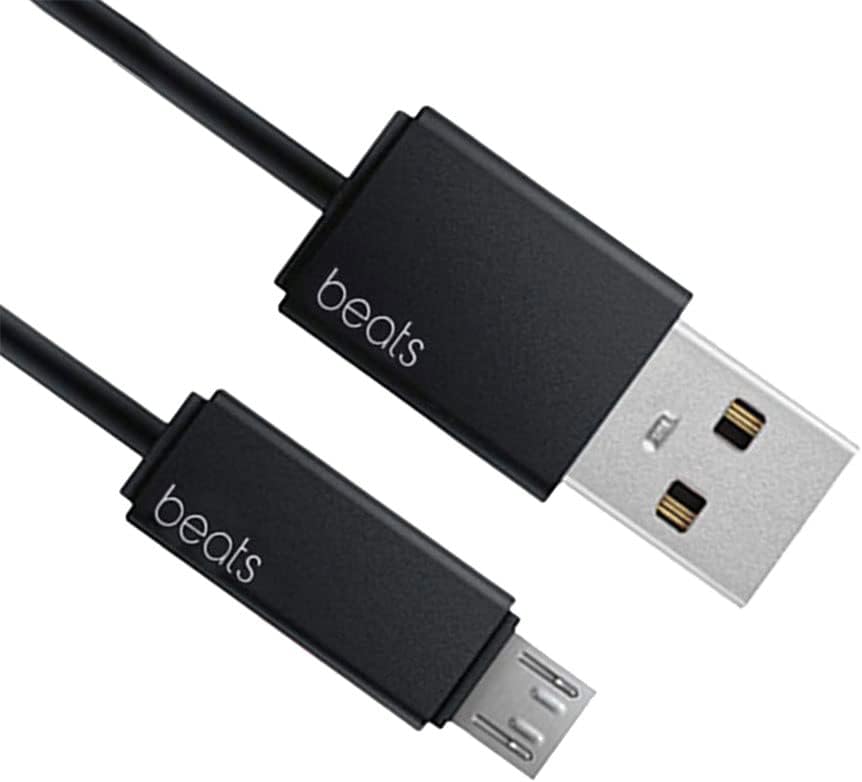


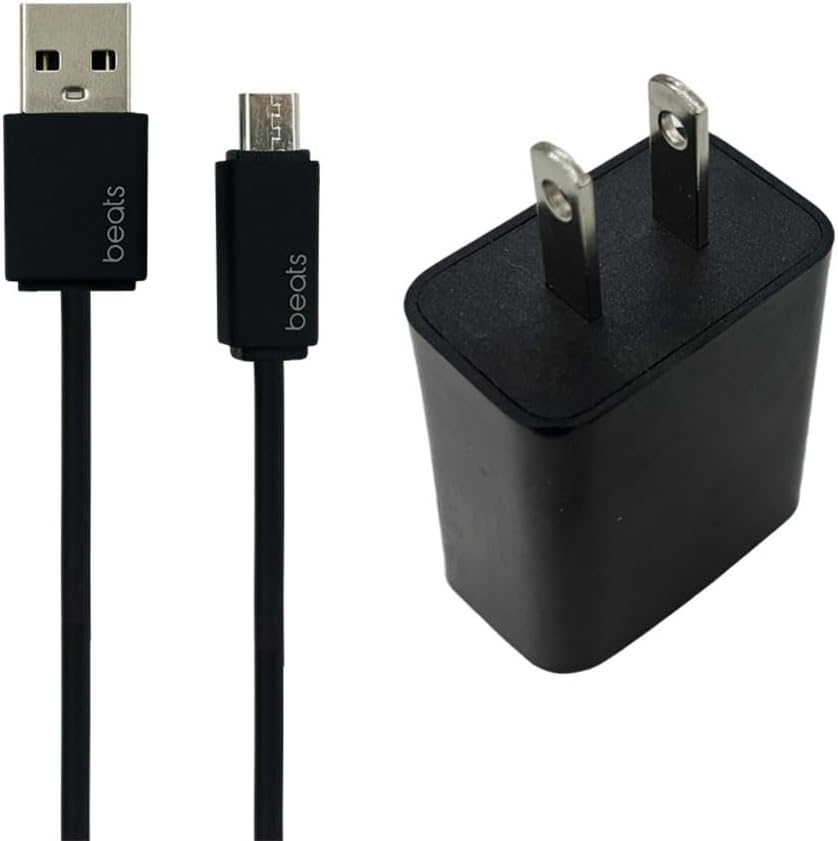


This cable stands out for its broad compatibility across the Beats lineup. It supports a wide range of wireless headphones and speakers with automated current matching for safety.
We may earn a commission when you buy through this link, at no additional cost to you.
The 1.2 meter length provides flexibility for charging on desks or beds without constant adapter reach. Users appreciate the worry-free warranty and responsive technical support team.
While it covers most models, older devices with unique jacks may not fit perfectly. The universal claim is strong but verify your specific connector type before ordering.
Buy this if you want a versatile option that reduces the risk of buying the wrong cable type. It is a reliable choice for most Beats owners seeking a safe replacement.
The cable automatically matches the current your device needs to prevent battery damage during overnight charging.
At 1.2 meters, you have enough slack to charge from a distance while still accessing your headphones comfortably.
We may earn a commission when you buy through this link, at no additional cost to you.
This option offers excellent value for owners of older Beats models that use the micro USB connector. It features a built-in safety chip to protect against battery aging.
We may earn a commission when you buy through this link, at no additional cost to you.
The aluminum alloy shell and flame retardant PVC material ensure durability and safety during charging cycles. It is ideal for daily use without breaking the bank.
However, it will not work with newer models that have switched to USB-C. Ensure your device requires the micro jack before purchasing this specific cable.
Choose this budget-friendly cable if you need a reliable replacement for Solo or Studio models without paying for unnecessary features or brand names.
The outer shell uses aluminum alloy to withstand daily wear and tear better than standard plastic cables.
A built-in chip protects your headset battery from loss and aging by managing power delivery safely.
We may earn a commission when you buy through this link, at no additional cost to you.
This kit is designed for the latest USB-C Beats models including Solo 4 and Studio Buds Plus. It delivers fast charging speeds to get you back to listening quickly.
We may earn a commission when you buy through this link, at no additional cost to you.
The included 18W block and 5FT cord provide convenience for both home and travel use. Users note the high durability after thousands of fold tests.
It is not suitable for older devices that rely on micro USB. Confirm your headphone generation to ensure this fast charger will fit correctly.
Invest in this set if you want premium performance and speed for your newer Beats hardware. It is a complete solution that avoids buying accessories separately.
With 18W output, this cord charges earbuds from zero to eighty percent in just thirty minutes efficiently.
The cable has been folded over ten thousand times during testing with no change in performance or damage.
We may earn a commission when you buy through this link, at no additional cost to you.
This cable targets owners of older Studio and Solo models specifically. It ensures safety with flame retardant materials and a built-in chip to protect battery health.
We may earn a commission when you buy through this link, at no additional cost to you.
Users confirm it works well with the micro jack found on these older devices. The aluminum alloy shell adds a layer of physical durability.
It is incompatible with newer models like Studio Buds or Solo Pro. Always check the interface picture to avoid purchasing the wrong connector type.
Select this for your Solo 2 or Powerbeats 2 needs. It provides a straightforward and safe way to keep your device powered up.
A built-in safe and quick charging chip protects battery loss and aging of the headset over time.
Made with flame retardant PVC material to reduce fire risks during charging sessions at home.
We may earn a commission when you buy through this link, at no additional cost to you.
This cable supports data transfer speeds up to 480Mbps which is useful for syncing music files. It also delivers quick charging up to 10W for faster power recovery.
We may earn a commission when you buy through this link, at no additional cost to you.
Safety features include a flame-retardant shell and built-in safeguards against overheat or overload. The product comes with a 365 days after-sales guarantee service.
While effective for charging, it focuses on micro USB connectors primarily. Ensure your device is not a USB-C model before buying.
Use this if you need both data sync and charging for older Beats headphones. It offers a balanced feature set for standard daily tasks.
Supports data transfer speeds up to 480Mbps alongside charging for versatile connectivity options.
Products are sold after strict testing with a full year of after-sales guarantee service for customers.
We may earn a commission when you buy through this link, at no additional cost to you.
Getting two cables in one pack offers convenience for home and office setups. This set covers both micro USB and USB-C options for broader compatibility across models.
We may earn a commission when you buy through this link, at no additional cost to you.
Each cable features a built-in safety chip and flame retardant materials to protect your device from damage during charging. Users value the extra cable for travel.
Check the specific connector type in the product description to ensure both match your needs. Some models like Studio Buds are not supported.
Choose this pack if you want backup cables for multiple devices. It is an efficient way to keep your headphones charged everywhere you go.
A two pack set allows you to keep one cable at home and another in your bag easily.
Compatible with micro USB and USB-C headset and speaker charging jack for various models.
We may earn a commission when you buy through this link, at no additional cost to you.
This cable is compact and easy to carry for travel or daily commuting. It supports quick charging up to 10W for fast power recovery on the go.
We may earn a commission when you buy through this link, at no additional cost to you.
Built-in safeguards protect against overheat and short-circuit to ensure ultimate protection for you and your devices. It is a reliable companion for Solo 3.
Note that it is not applicable to Apple H1 Headphone Chip version headphones. Verify your model compatibility before purchasing.
Pick this for its portability and safety features. It is a practical choice for maintaining your headphones without bulky equipment.
Charging power can reach up to 10W 5V 2A for faster recharge times than ordinary cables.
Built-in safeguards protect against overheat, overload, over-charging, and short-circuit issues effectively.
We may earn a commission when you buy through this link, at no additional cost to you.
This specialized cable uses a 3.5mm to USB connection for certain Beats Studio and Solo wireless headphones. It ensures safe and reliable charging with gold-plated connectors.
We may earn a commission when you buy through this link, at no additional cost to you.
The tangle-free design makes it easy to store and carry in your pockets or bags. It has passed electronic safety certification to avoid over-voltage issues.
Note that it is a charging cord not an audio cable for listening. Verify your device requires this specific connector type before ordering.
Use this for older models that rely on the 3.5mm jack for power. It offers a secure connection to keep your device functioning properly.
Made of high quality gold-plated connector to provide super high speed charging and reliable connection.
This USB to 3.5 mm charging cord has passed the electronic safety certification and meets relevant standards.
We may earn a commission when you buy through this link, at no additional cost to you.
This cable offers a replacement audio cord with microphone control for various Beats Studio and Solo models. It features two male plugs for easy connection to devices.
We may earn a commission when you buy through this link, at no additional cost to you.
The wire is ultra quality and soft to provide a perfect sound performance during listening sessions. Users note its durability and in-line controls.
It is designed for audio and charging via 3.5mm on some devices. Ensure it meets your specific needs before purchasing.
Select this if you need a versatile audio replacement cable with mic functions. It serves well for wired listening and control.
Includes in-line microphone and control to provide a perfect sound performance and ease of use.
Ultra quality and soft wire ensures a comfortable fit and operation for your music daily.
We may earn a commission when you buy through this link, at no additional cost to you.
This option includes a 5FT cable for greater reach during charging. It comes with a power adapter to ensure you have everything needed right out of the box.
We may earn a commission when you buy through this link, at no additional cost to you.
The fiber material provides tensile force increased by 200% for enhanced durability. Users appreciate the 1 year after-sales service and email support.
It fits Beats Studio and Solo models but not the Pro line. Verify your device type to ensure compatibility with this specific cord.
Choose this for its length and included adapter. It is a practical choice for users who want extended range and convenience.
Total length is approximately 5 feet to offer more flexibility and reach for charging locations.
Strong fiber material makes tensile force increased by 200% and can bear 10000+ bending tests.
We may earn a commission when you buy through this link, at no additional cost to you.
Selecting the right replacement cable requires attention to connector types, build quality, and safety features. Use this guide to evaluate key factors before purchasing.
Verify if your device uses micro USB, USB-C, or 3.5mm charging. Using the wrong connector can damage the port or fail to charge.
Always check your model name and the specific jack type on the device before selecting a cable.
Look for cables supporting quick charge standards if your device allows it. Faster charging reduces downtime and improves convenience.
Ensure the cable supports the required wattage to avoid slow charging issues during use.
Choose cables with metal shells or braided fiber to withstand bending and daily wear. Plastic options may break faster over time.
High quality materials ensure longer life and better protection for your device connections.
Select cables with built-in safety chips to prevent overheat, overload, and short circuits. This protects your headphones from damage.
Certified materials like flame retardant PVC reduce fire risks during charging sessions.
Consider your charging environment to decide on the ideal length. Shorter cables work well on desks while longer ones suit beds or travel.
Aim for at least 1 meter to provide flexibility without restricting movement.
Some sets include wall adapters or multiple packs which add convenience. This saves you from buying separate power blocks.
Check the package contents to ensure you have everything needed for immediate use.
Look for products offering a warranty or responsive customer support. This ensures peace of mind if issues arise with the cable.
A reliable seller provides better after-sales service for replacements or questions.
Compare prices relative to build quality and included features. The cheapest option may not last as long as a slightly more expensive one.
Balance your budget with the expected lifespan and functionality of the cable.
Before connecting the cable, inspect the ports on both the charger and the headphone for dust or debris. Clean gently with a soft brush to ensure a good connection.
Plug the cable firmly into the device and the power source. Avoid bending the cable near the connector which can damage the internal wires over time.
Unplug the cable when fully charged to preserve battery life. Store the cable loosely coiled to prevent tangles and unnecessary strain on the material.
No. You must match the specific connector type like micro USB or USB-C to your model. Using the wrong cable will not fit or could cause damage.
Check your device model number on the official Beats website. Older models often use micro USB while newer ones use USB-C.
Only if the cable lacks safety features. Choose a cable with built-in protection to avoid overheat or overload issues during charging.
Yes. Audio cables often have 3.5mm plugs and mics but may not charge. Charging cables are designed for power delivery only.
With proper care, most quality cables last at least a year. Durability depends on frequency of use and storage methods.
Some USB-C models need a dedicated adapter block. Others charge directly via standard USB ports. Check your manual for details.
Our top picks include the Abysssea universal cable for broad compatibility and the USB-C kit for fast charging. Each option offers distinct benefits based on your device model.
Prioritize connector type and safety features when making your selection. Avoid cheap cables without protection to ensure your headphones remain safe.
Prices and availability change frequently so check the product pages for the latest details. Verify compatibility before purchasing to avoid returns.