
HUE Animation Studio Pro
4.0Editor score
Full HD 1080p native video
Built-in LED lights and mic
Manual focus lens included
Stop motion animation requires precise control and consistent image quality to bring static objects to life frame by frame. Selecting the right camera is crucial for achieving smooth playback and professional results. We evaluated various options ranging from dedicated kits to versatile webcams and high-end mirrorless cameras.
Our selection process focused on essential features like manual focus capabilities, resolution quality, and software compatibility. We considered budget-friendly kits for beginners alongside professional gear for serious filmmakers. Each product was assessed based on its ability to maintain stability and clarity during extended shooting sessions.
Each pick in this list highlights key specifications and ideal use cases to guide your decision. Prices and availability can change frequently so always verify the latest details before purchasing. These recommendations cover a wide spectrum of needs from classroom projects to cinematic productions.
4.0Editor score

4.1Editor score

4.5Editor score
As an Amazon Associate we earn from qualifying purchases.
The following table provides a side-by-side overview of all ten cameras evaluated in this guide to help you quickly compare key specifications and features.



The HUE Animation Studio Pro offers a comprehensive entry point for aspiring animators seeking a dedicated camera kit. It receives a solid rating for its all-in-one approach combining hardware and software seamlessly. The manual focus lens ensures that once framed, the shot remains stable throughout your project.
We may earn a commission when you buy through this link, at no additional cost to you.
Its built-in LED lights provide consistent illumination which is vital for stop motion where lighting changes ruin continuity. The included software supports both Windows and macOS making it accessible for most users. The 64-page book teaches techniques like rotoscoping and time-lapse helping you learn as you create.
While the camera is designed for close-up work it may not suit wide-angle scenes without additional lenses. The fixed field of view limits flexibility compared to interchangeable lens cameras. These constraints are acceptable given the low price and ease of use for beginners.
Educators and hobbyists should buy this if they need a plug-and-play solution for classroom or home projects. It simplifies the technical barriers to entry allowing you to focus on creativity rather than settings. This remains a top recommendation for anyone starting their stop motion journey.
Built-in LED lights ensure consistent brightness across every frame reducing post-production fixes.
Includes a project book and software tutorials to teach animation fundamentals effectively.
We may earn a commission when you buy through this link, at no additional cost to you.
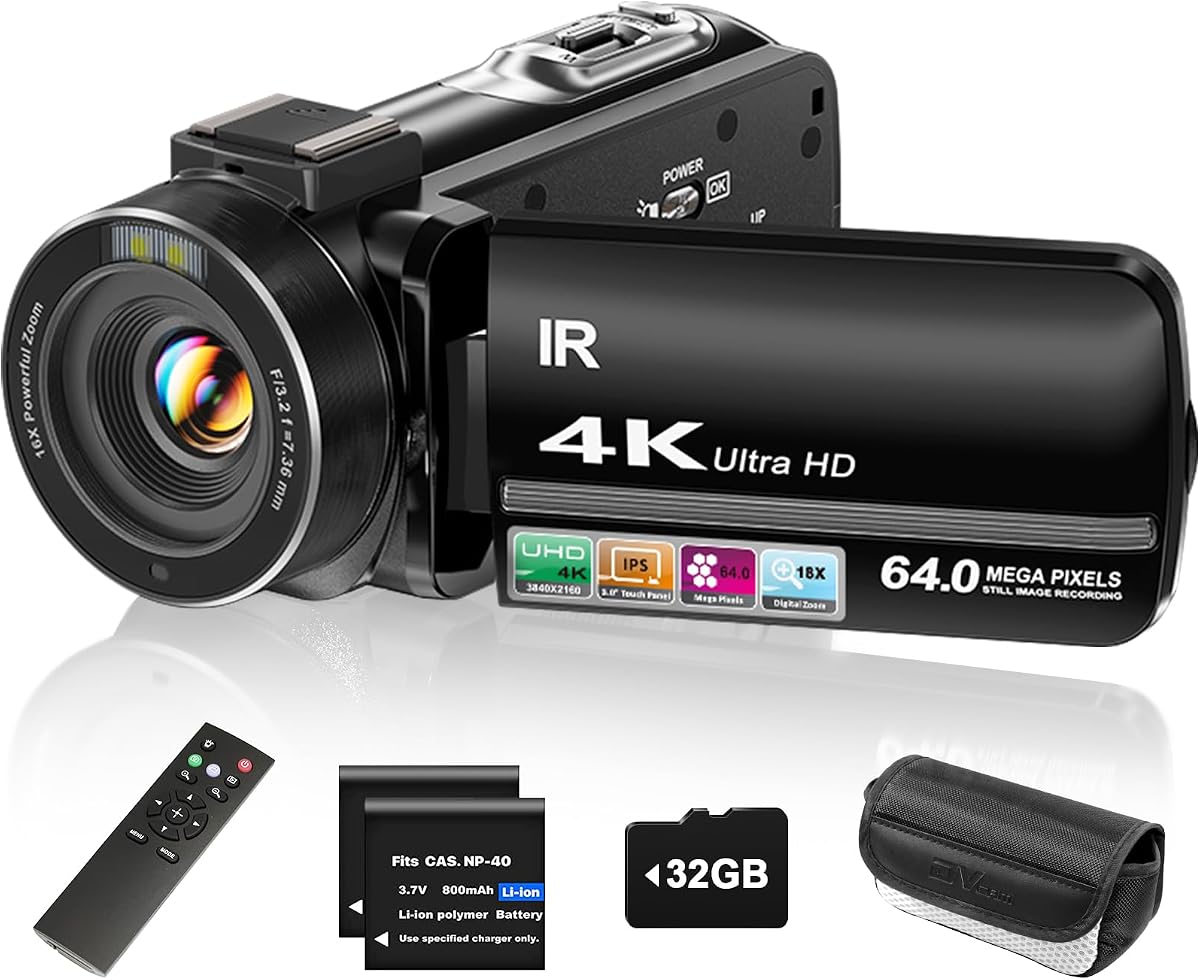
The ZYDIIE 4K Video Camera brings high resolution capabilities to stop motion animation at an affordable price point. Its 4K recording ensures crisp images even when cropping or zooming in post. The remote control allows you to trigger shots without touching the device maintaining frame stability.
We may earn a commission when you buy through this link, at no additional cost to you.
The rotating touchscreen makes it easy to frame overhead or low-angle shots essential for many animation techniques. Night vision capabilities add versatility for projects requiring dark environments or specific lighting effects. Two batteries and a memory card ensure you can shoot for extended periods without interruption.
However the autofocus system may hunt between frames causing slight focus shifts. Users should switch to manual modes if available or use a tripod to minimize adjustments. The digital zoom is useful but degrades resolution so relying on physical movement is preferred for quality.
This camera suits creators needing higher resolution than standard webcams offer without a professional budget. It balances vlogging features with animation needs making it a dual-purpose tool. Buy it if you want flexibility and high detail in your stop motion projects.
Wireless remote allows hands-free shooting preventing accidental camera movement.
270-degree rotating screen simplifies framing difficult angles like overhead shots.
We may earn a commission when you buy through this link, at no additional cost to you.
The Canon EOS R6 Mark II stands out with its stop motion animation firmware designed specifically for frame-by-frame work. It features a full-frame sensor that provides exceptional image quality and low-light performance. The electronic shutter allows silent shooting which prevents vibration during capture.
We may earn a commission when you buy through this link, at no additional cost to you.
Frame consistency is enhanced by features like focus position memory and aperture lock included in the firmware. You can capture RAW bursts to ensure every detail is preserved for grading. The fast continuous shooting speeds help in testing movements quickly before locking in the sequence.
The premium cost and weight make it less accessible for casual users or educational settings. It requires a dedicated tripod and setup to manage its bulk effectively. These are acceptable trade-offs given the professional results and advanced control options available.
Professionals and serious creators should buy this camera for cinematic stop motion productions. It offers the reliability and image quality needed for commercial or high-end personal projects. This is the top recommendation for those seeking the best possible results.
Custom firmware includes tools like aperture lock to maintain frame consistency.
Larger sensor captures more light and detail for superior image quality.
We may earn a commission when you buy through this link, at no additional cost to you.
The FlyFrost 8K Video Camera offers extreme resolution which is beneficial for detailed stop motion work. It allows you to crop significantly in post while maintaining sharp quality. The app control via WiFi lets you adjust settings without touching the camera body.
We may earn a commission when you buy through this link, at no additional cost to you.
Features like the lens hood and external mic improve visual and audio quality for professional outputs. You can transfer footage quickly to mobile devices for quick previews. The stabilization helps reduce minor jitters during setup adjustments.
However 8K files consume storage space rapidly and may stress the camera battery. Not all software supports 8K raw inputs so converting may be necessary. These factors require planning for storage and processing capabilities before buying.
Creators needing maximum detail and future-proofing should buy this camera for high-end projects. It balances advanced features with accessible controls for a vlogging hybrid. It is a strong choice for those wanting top-tier resolution specs.
Smartphone app allows remote control and view without physical access.
8K resolution retains detail even after heavy post-production cropping.
We may earn a commission when you buy through this link, at no additional cost to you.
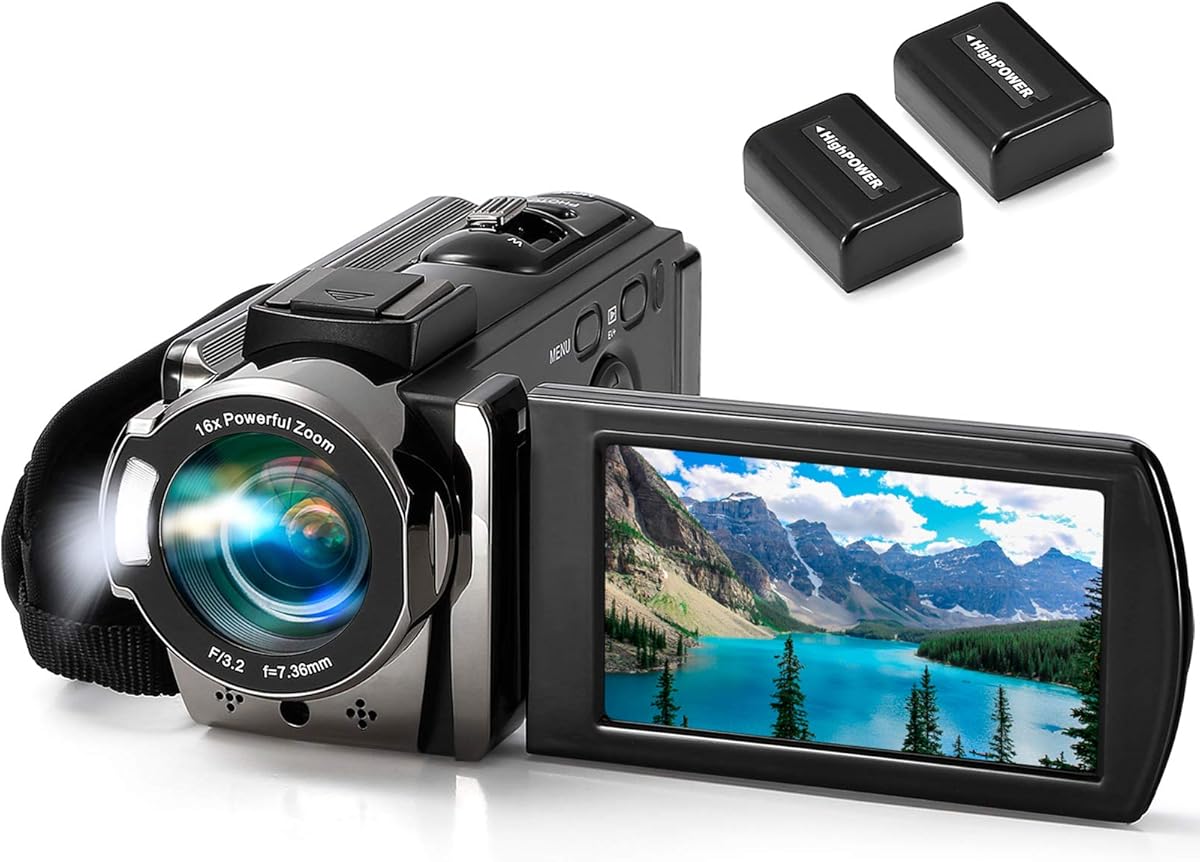
The kimire Video Camera Camcorder provides a simple and affordable tool for basic stop motion animation. Its pause function lets you stop recording between frames without cutting the clip. This simplifies the editing process significantly compared to continuous recording methods.
We may earn a commission when you buy through this link, at no additional cost to you.
Recording while charging ensures you never run out of power during long takes. The webcam mode allows you to connect directly to software for live preview. The rotating screen helps frame shots from various angles easily.
The fixed 15FPS recording rate may require speeding up footage in post for standard 24FPS playback. Autofocus can struggle in changing lighting conditions leading to inconsistent frames. These limitations are acceptable for beginners prioritizing ease of use.
Students or hobbyists on a tight budget should buy this camera to start learning animation. It removes technical barriers and lets you focus on storytelling basics. This is a practical entry point for casual creators.
Pause recording feature helps manage frame-by-frame shots efficiently.
Supports recording while plugged in for uninterrupted production sessions.
We may earn a commission when you buy through this link, at no additional cost to you.
The DJI Osmo Pocket 3 brings cinematic capabilities to stop motion with its 1-inch sensor and stabilization. Its 4K recording at 120fps allows you to test movements and speed changes effectively. The gimbal ensures any manual adjustments stay smooth and consistent.
We may earn a commission when you buy through this link, at no additional cost to you.
ActiveTrack 6.0 helps keep subjects centered if you use camera moves in animation. The 10-bit color depth offers rich grading options for final outputs. It is incredibly portable making setup quick for on-the-go shoots.
Some features like ActiveTrack are designed for video and might need disabling for static frame work. Manual controls are less extensive than DSLR options. These are minor trade-offs for the stability and portability provided.
Mobile creators needing high quality and ease of use should buy this camera. It bridges the gap between phone recording and professional rigging. This is the premium choice for those wanting stability and style.
Built-in gimbal ensures smooth movement without manual camera shake.
Enhanced color data allows for richer grading in post-production.
We may earn a commission when you buy through this link, at no additional cost to you.
This Canon EOS R6 Mark II kit comes prepared with a card and backpack for immediate production use. The firmware includes specialized tools like aperture lock and focus position memory for consistency. These features streamline the animation process significantly.
We may earn a commission when you buy through this link, at no additional cost to you.
The included accessories reduce the need for additional purchases. The camera handles dynamic lighting scenarios well due to its sensor quality. The vari-angle touchscreen simplifies framing for complex setups.
The investment is high but the comprehensive nature adds value compared to buying items separately. The camera complexity may require time to master fully. These are acceptable for those ready to commit to professional workflows.
Production teams or schools buying a turnkey solution should consider this kit. It offers reliability and necessary gear in one purchase. This is the top option for structured and professional needs.
Includes memory card and backpack for immediate production readiness.
Firmware adds specific features for frame-by-frame precision.
We may earn a commission when you buy through this link, at no additional cost to you.
The 4K Digital Camera offers lens expandability with included macro and wide options for diverse shots. The macro lens is essential for capturing textures and small object movements. Wide angle covers broader setups without needing to move the camera back.
We may earn a commission when you buy through this link, at no additional cost to you.
Time-lapse support allows hybrid projects mixing animation styles. Webcam mode lets you test framing on your computer screen easily. The battery supports recording while charging which helps in long sessions.
Auto focus may be tricky with macro close-ups so manual adjustment is needed. Battery life is sufficient but carrying spares is wise for full shoots. These issues are manageable with proper planning.
Creators who need flexible framing options should buy this camera for variety. It bridges the gap between fixed cameras and complex setups. This is a strong recommendation for diverse project needs.
Includes macro and wide lenses for different framing needs.
Time-lapse mode allows mixing animation types in one workflow.
We may earn a commission when you buy through this link, at no additional cost to you.
The Complete HD Stop Motion Kit is designed specifically for educational environments and beginners. It includes software that runs on Windows and macOS making it classroom friendly. The camera features an easy focus ring to help students frame shots properly.
We may earn a commission when you buy through this link, at no additional cost to you.
The included book guides users through techniques like creating armatures and lighting. It simplifies the setup process significantly for group projects. Secure connections ensure the camera stays in place during active sessions.
The camera hardware may not match modern resolution standards but the workflow is smooth. Software longevity depends on developer support but remains functional for basics. These trade-offs fit the intended budget-conscious educational use case.
Teachers and parents should buy this kit for structured learning environments. It provides everything needed to start animating without extra research. This remains a reliable choice for STEM education programs.
Cross-platform software supports school and home learning needs.
Upgraded ring design helps students adjust framing precisely.
We may earn a commission when you buy through this link, at no additional cost to you.
The USB 2.0 HD Pro Webcam offers a simple and effective solution for basic animation needs. It features a manual focus lens which is critical for maintaining consistent focus. The noise-canceling microphone captures clear sound for voice-overs.
We may earn a commission when you buy through this link, at no additional cost to you.
The flex stand allows you to position the camera exactly where needed without a tripod. It works plug and play with most computers requiring no drivers. The output is HD which is adequate for web-based projects.
Exposure control is limited meaning lighting must be stable to avoid flicker. The stand might need support for long sessions to stay rigid. These limitations are minor for low-cost entry-level use cases.
Those needing a basic webcam for stop motion should buy this as a budget option. It simplifies setup for quick tests and small projects. This is a practical tool for casual animators.
Fixed focus lens ensures consistent sharpness across all frames.
Adjustable stand allows flexible camera placement without extra gear.
We may earn a commission when you buy through this link, at no additional cost to you.
Selecting the right camera involves balancing resolution, control, and budget. This section breaks down the key factors to consider.
Manual focus is crucial because autofocus can shift between frames causing unwanted blur. Look for cameras with dedicated focus rings or the ability to lock focus settings.
Always choose a camera that allows you to set focus manually to maintain consistency throughout your project.
Higher resolution like 4K or 1080p ensures you have room to crop or stabilize footage in post-production. However ensure your computer can handle the data rate of high-resolution files.
Prioritize at least 1080p for professional results and 4K for future-proofing your work.
While most cameras record at 30fps or higher you need to ensure consistent exposure. Shutter speed should be adjustable to avoid flickering under artificial lights.
Select a camera with adjustable shutter speed to prevent light flicker in your animation sequence.
USB or HDMI connectivity is necessary for capturing images directly to software. Check compatibility with your operating system and preferred animation apps like Dragonframe.
Ensure the camera has compatible drivers for your OS to streamline the capture process.
Built-in lights are helpful but external lighting offers more control. Check if the camera can withstand heat from strong studio lights.
Look for cameras that work well with external lighting setups for better scene control.
Some cameras come with bundled software while others rely on third-party tools. Verify that the software supports your workflow needs such as onion skinning.
Choose a camera that supports the software tools you already use or plan to use.
Weight and size matter if you plan to move the camera or use it in different locations. A sturdy tripod mount is essential for stability.
Select a camera that balances portability with the need for a stable mounting system.
Price varies widely from under 100 to thousands. Determine if you need a specialized kit or a versatile camera for multiple uses.
Balance the cost against the specific features you need to ensure you get value for money.
Set your camera on a stable tripod to prevent shaking between frames. Adjust the focus ring manually and lock it if possible so it does not shift.
Use consistent lighting throughout the shoot. Avoid moving lights or shadows changing between frames which can disrupt the illusion of movement.
Clean the lens regularly and store the camera in a dry place. Use a blower to remove dust and avoid touching the glass with fingers.
Not necessarily. Many successful projects use webcams or budget cameras like the HUE Animation Studio. Professional cameras are only needed for higher resolution and cinematic requirements.
Yes smartphones can work with apps like Stop Motion Studio. However fixed focus and stability are harder to achieve compared to dedicated cameras on tripods.
Software like Stop Motion Studio and Dragonframe are widely compatible. Ensure your camera supports UVC or driver installation for seamless connection.
Adjust your shutter speed to match the lighting frequency such as 50Hz or 60Hz. Manual exposure settings help maintain consistent brightness across frames.
Yes for stop motion. Autofocus may hunt between frames causing focus shifts. Manual focus ensures the subject remains sharp throughout the sequence.
1080p is standard for YouTube uploads. 4K provides better quality but requires more processing power and storage space for your files.
Most modern webcams and DSLRs support live view. This helps you see changes in real-time on your computer screen during setup.
Battery life varies by model. Continuous recording drains batteries fast so having spares or power adapters is recommended for long shoots.
The top picks in this guide cover a wide range of needs from the HUE Studio for beginners to the Canon EOS R6 for professionals.
Prioritize manual control and stability over high resolution if you are just starting out. Consistency in lighting and focus matters more than megapixel count.
Always check the latest prices and availability before making your purchase. Our list is designed to help you find the right tool for your creative vision.