
GETPALS Wireless Charger
4.2Editor score
3 in 1 wireless charging
Foldable lightweight design
Multiple safety protections
This guide compares the top 10 charging docks for multiple Apple devices including iPhone, Watch, and AirPods to help you find the perfect desk or nightstand
Modern households rely heavily on smartphones smartwatches and earbuds which all require consistent power throughout the day. A dedicated charging dock consolidates cables and reduces clutter on desks and nightstands making it easier to organize your tech ecosystem efficiently.
We evaluated ten real products based on port count wireless capabilities safety features and build quality to find the best solutions. Each model was assessed for compatibility with current iPhone Apple Watch and AirPods generations to ensure seamless integration into your daily routine.
Every pick below highlights specific strengths like foldable designs fast charging speeds or multi-device support tailored to different user needs. Please note that product availability and pricing may change so always verify current details before making your final purchase decision online.
4.2Editor score
4.3Editor score

4.6Editor score
The following table provides a side-by-side comparison of all ten reviewed charging stations highlighting their key specifications and unique features to help you quickly identify the best option for your specific setup requirements.


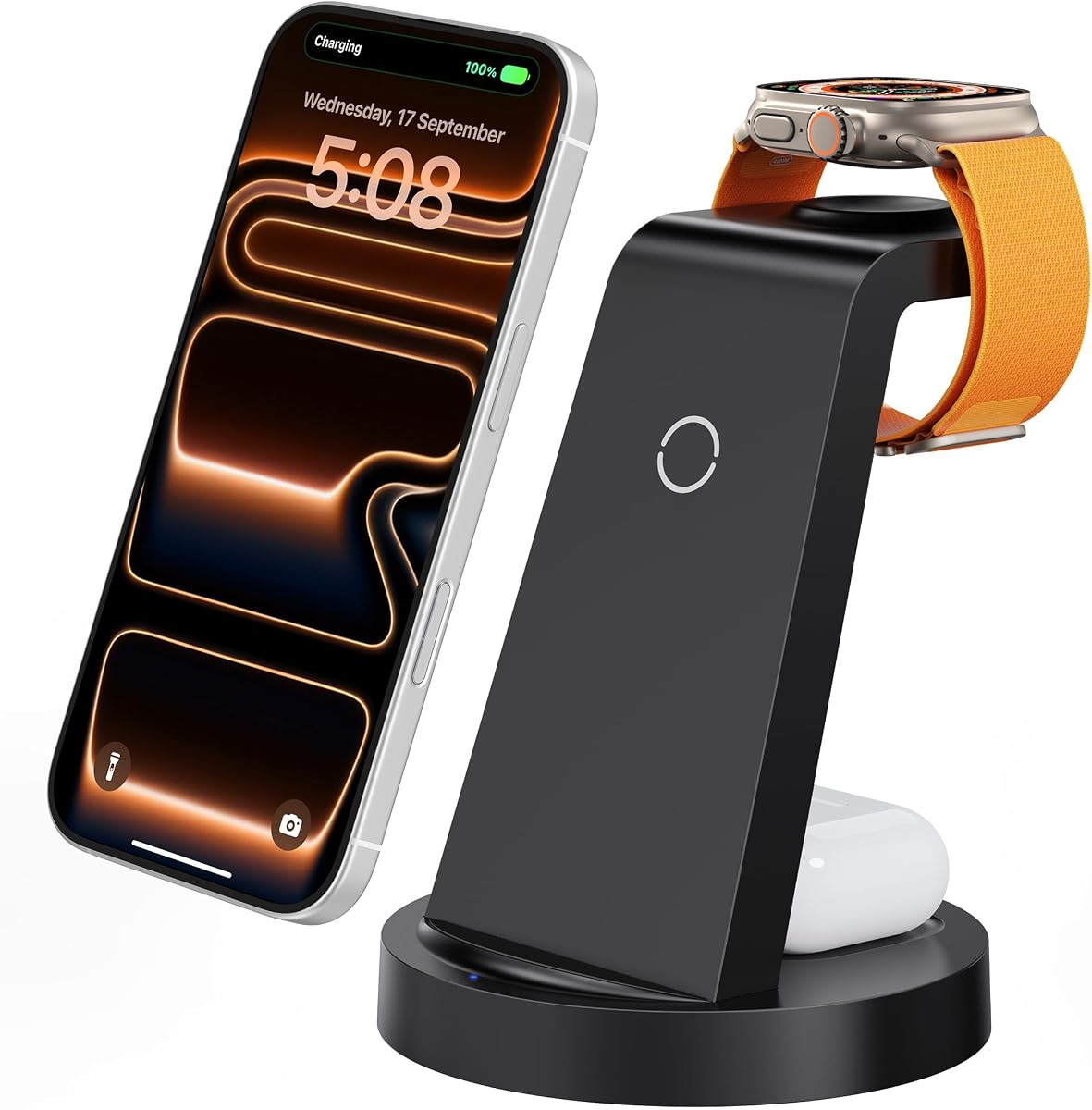


The GETPALS Wireless Charger stands out as an affordable entry point for anyone seeking a clean charging setup. It supports iPhone Apple Watch and AirPods simultaneously with a simple 3-in-1 wireless design. Its lightweight foldable build makes it a strong candidate for travelers who need reliability without bulk.
We may earn a commission when you buy through this link, at no additional cost to you.
This station delivers up to 7.5W for phones and includes essential safety features like overcurrent and overheating protection. The non-slip surface keeps devices secure while the LED lights confirm charging status clearly. It is case-friendly for covers under 0.16 inches ensuring convenience for most users.
While it lacks magnetic alignment found in premium models the basic wireless pads work effectively for daily use. The power delivery is sufficient for overnight charging but may be slower for rapid top-ups. Its simplicity ensures fewer points of failure compared to complex multi-port hubs.
Budget-conscious buyers who need a tidy bedside or desk setup will find this model highly satisfying. It offers the core functionality required to organize Apple devices without demanding a significant financial investment.
Its foldable structure allows it to fit easily into bags making it ideal for trips or office commuting.
Built-in protections against overvoltage and overheating ensure safe charging even when left plugged in overnight.
We may earn a commission when you buy through this link, at no additional cost to you.
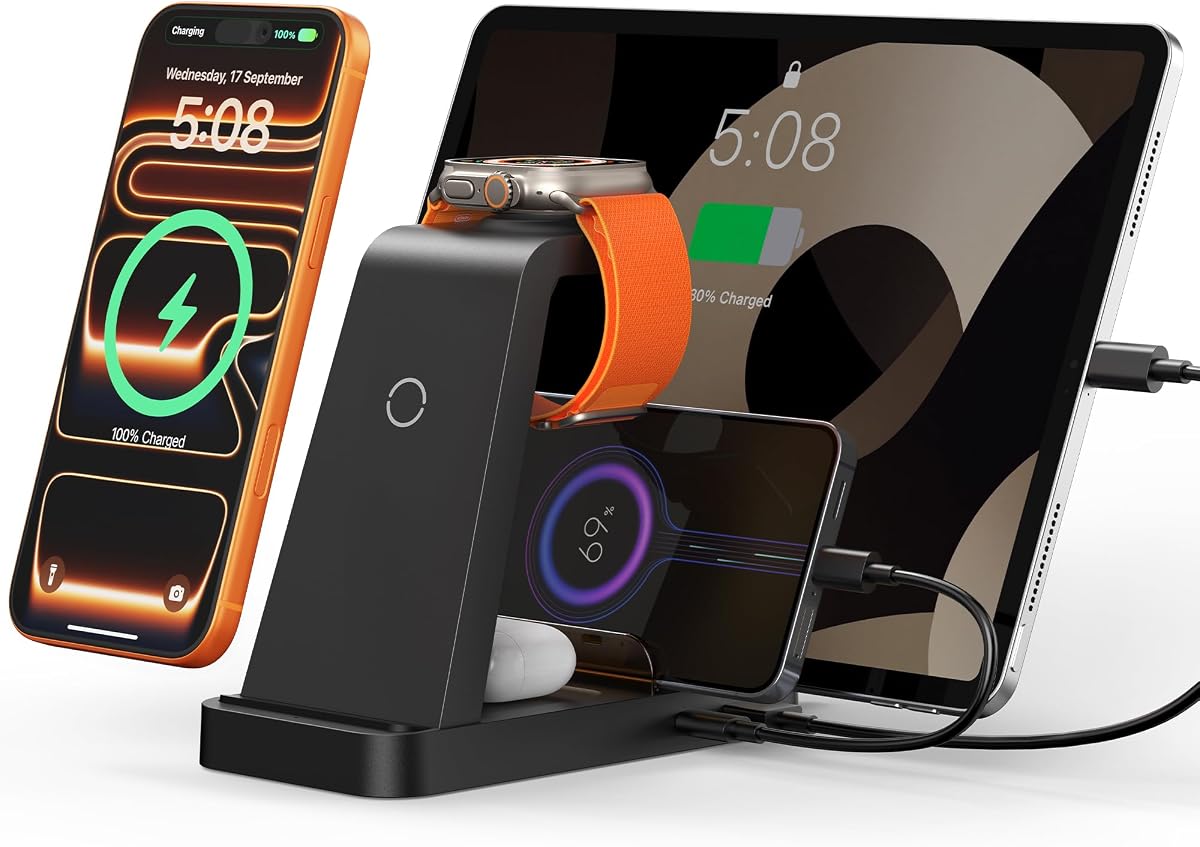
This 5-in-1 station offers a compelling balance of speed and versatility for Apple users who also rely on other tech. The included 36W adapter provides rapid power delivery across multiple connected devices simultaneously. It supports a wide range of iPhone and Watch models ensuring broad compatibility for most households.
We may earn a commission when you buy through this link, at no additional cost to you.
Beyond wireless pads it includes USB and Type-C ports for additional devices like tablets or accessories. The design features 16 air vents to manage heat effectively during heavy load charging sessions. Non-slip pads on the base keep the unit stable on smooth desk surfaces.
To achieve optimal speed users must remove phone cases thicker than 5mm which might be a minor inconvenience. The physical size is larger than single-device chargers so it requires dedicated space on a nightstand or desk. Despite this it remains a robust solution for managing clutter.
It earns our editor choice for its comprehensive connectivity and inclusion of necessary cables in the box. Families with mixed device needs will appreciate the flexibility to charge phones earbuds and accessories from one central hub.
The 36W adapter ensures devices charge faster than standard low-power USB ports found on most computers.
Comes with both USB to Lightning and Type-C to Type-C cables reducing the need for extra purchases.
We may earn a commission when you buy through this link, at no additional cost to you.
The Anker MagGo represents the gold standard for wireless charging with its Qi2 certification enabling full 15W speeds. It aligns perfectly with MagSafe technology ensuring your phone snaps into place securely every time. The design allows you to adjust the phone angle up to 45 degrees for comfortable viewing.
We may earn a commission when you buy through this link, at no additional cost to you.
This unit delivers fast charging for the Apple Watch Series 10 which can go from zero to full in roughly an hour and a half. The included 40W adapter provides ample headroom for efficient power delivery without throttling. The construction feels solid and durable compared to budget alternatives in the market.
Premium pricing means this is a significant investment compared to simpler plastic stands. It relies on MagSafe compatible cases so users without magnetic cases might need to purchase an accessory ring. These constraints are minimal given the superior performance and reliability it offers over the long term.
Users who value speed and sleek design will find this dock worth the extra cost. It transforms the daily charging ritual into a seamless experience that feels truly premium and well engineered for daily use.
Qi2 standard guarantees consistent 15W charging speed which is twice as fast as older Qi wireless standards.
Optimized for newer Apple Watch models to deliver rapid top-ups overnight or during morning routines.
We may earn a commission when you buy through this link, at no additional cost to you.
This massive station offers an incredible amount of charging power with ten ports that can handle a full family of devices. Two of the USB-C ports deliver 65W allowing you to charge laptops and tablets at high speeds simultaneously. It is ideal for power users who need to plug in many gadgets at once.
We may earn a commission when you buy through this link, at no additional cost to you.
The package includes eight complimentary cables in various types which helps you get started immediately without buying extras. The widened slots accommodate thick cases and larger devices ensuring they fit securely without slipping. Anti-slip rubber pads protect your desk surface from scratches during use.
Its size is substantial and will take up significant space on a desk or counter compared to smaller docks. Managing ten cables can be messy if you do not have a plan to route them neatly. However the sheer number of ports ensures you rarely need a second charger.
Families or offices with many users will benefit most from this high-capacity hub. It eliminates outlet shortages and keeps all essential devices powered up efficiently throughout the day.
Dual 65W ports mean you can charge a MacBook Pro and an iPad at full speed simultaneously.
Included assortment of Type-C Lightning and Micro USB cables makes it ready for almost any device immediately.
We may earn a commission when you buy through this link, at no additional cost to you.
This station combines charging utility with a smart clock feature that syncs time via Bluetooth for perfect accuracy. It supports up to six devices including wireless pads for phones and earbuds plus wired ports for other accessories. The ambient lighting allows you to customize the look to match your room decor.
We may earn a commission when you buy through this link, at no additional cost to you.
The clock display shows time day and temperature providing functional value beyond just charging. You can choose warm or cool lighting to create the right mood for your space. The base is compact enough for a nightstand while offering substantial functionality for daily needs.
To use the clock fully you must connect your phone via Bluetooth which may be seen as extra setup. The case thickness limit of 2mm is stricter than other options meaning you might need to remove certain cases. These minor constraints are balanced by the added utility of the clock and lights.
Users who want a nightstand clock that also manages their devices will love this hybrid design. It keeps your desk tidy while providing useful information and ambiance all in one place.
Bluetooth pairing ensures the clock always shows the correct time without manual adjustments or Wi-Fi dependency.
Adjustable LEDs let you set a soft glow that serves as a gentle nightlight when charging at night.
We may earn a commission when you buy through this link, at no additional cost to you.
This unit is a straightforward solution for those who want to charge their core Apple devices with minimal fuss. It fits neatly on a nightstand and uses a single USB-C cable to deliver power to all connected devices. The soft blue LED indicator is gentle on the eyes making it ideal for bedroom use.
We may earn a commission when you buy through this link, at no additional cost to you.
It handles standard wireless charging for iPhones and Apple Watches without requiring specific magnetic cases. The housing is designed to dissipate heat effectively so it stays cool even during long charging sessions. The non-slip pads ensure your phone does not slide off the stand during the night.
The lack of magnetic alignment means you must place the phone carefully to get charging started. It is not the fastest option available but it prioritizes reliability and simplicity over raw speed. This makes it a quiet reliable companion for daily sleep cycles.
If you want a no-nonsense charger that blends into your bedroom decor this model fits the bill. It offers essential functionality without any complex features that might distract from its primary purpose.
The soft blue light is dim enough not to disrupt your sleep cycle while still showing charging status.
ABS housing promotes airflow and heat dissipation to keep the unit safe during overnight charging.
We may earn a commission when you buy through this link, at no additional cost to you.
Designed specifically for portability this dock folds flat to fit inside a laptop bag or carry-on easily. The magnetic alignment ensures your phone locks into place quickly on the pad without guessing the center. It supports Apple Watch and AirPods simultaneously so you only need one plug for all three items.
We may earn a commission when you buy through this link, at no additional cost to you.
The stand function allows you to use the phone horizontally while charging which is great for watching videos. It is lightweight enough that it adds minimal weight to your travel kit. The included adapter ensures you do not need to hunt for extra power sources at hotels.
Build quality is functional but lighter than heavy desktop units to prioritize weight savings. It offers no extra USB ports so it is strictly for wireless charging needs. For travelers this trade-off is well worth the convenience of having a complete kit in one hand.
Frequent visitors or remote workers will find this model indispensable for keeping devices charged on the go. It solves the clutter problem in temporary accommodations by consolidating all your charging needs into one slim piece.
When folded out the base acts as a sturdy phone stand for viewing content while power flows.
Magnets ensure the phone stays aligned even if bumped so charging never gets interrupted by movement.
We may earn a commission when you buy through this link, at no additional cost to you.
This station focuses on high-speed wired charging with eight ports that can handle laptops and tablets efficiently. The dual 65W USB-C ports allow you to charge two high-demand devices without compromising on speed. Its solid housing does not have removable flimsy dividers ensuring long term structural integrity.
We may earn a commission when you buy through this link, at no additional cost to you.
The middle slots are wider than average to accommodate thicker tablets or phones with protective cases. It uses GaN technology to keep the unit cool even under full load for extended periods. The included six cables help you connect multiple devices right out of the box.
Because it lacks wireless pads you will still need to place phones on the dock directly. The fixed slots offer convenience but limit how you can arrange devices compared to open trays. This model excels in environments where speed and stability are more important than wireless convenience.
Tech enthusiasts or office users who prefer wired connections will find this a reliable workhorse. It keeps your desk organized and fully powered without the risk of loose pads or weak magnets.
The non-disassembled design prevents parts from breaking off or becoming loose over time with heavy use.
Multiple high-wattage ports ensure your laptop or tablet charges as fast as its original wall charger.
We may earn a commission when you buy through this link, at no additional cost to you.
This massive unit delivers up to 600W of total output across thirteen different charging points for maximum flexibility. It includes a dedicated wireless section for Apple devices while offering high wattage USB-C ports for laptops and other hardware. The GaN 5 technology ensures efficiency and safety even when all ports are active.
We may earn a commission when you buy through this link, at no additional cost to you.
The base features non-slip points to prevent sliding when many heavy devices are plugged in. The wireless section uses green LED lights to confirm connection which turns off quickly to avoid light pollution at night. It supports both Apple and Android ecosystems making it universally useful for mixed tech groups.
Its size is significant and best suited for large desks rather than small nightstands. Setup requires plugging in multiple cables which might be overwhelming for casual users. However for power users it offers unmatched versatility for a single charging solution.
Offices or large families with many devices will find this dock eliminates all outlet anxiety permanently. It provides a comprehensive solution that ensures every gadget gets the power it needs instantly.
Next generation GaN materials allow this unit to stay smaller and cooler than traditional bulky chargers.
The indicator light turns off automatically so it does not bother your sleep during overnight charging.
We may earn a commission when you buy through this link, at no additional cost to you.
This all-in-one hub combines a wireless 3-in-1 base with twelve wired ports to handle a vast number of devices. The laptop slot is extra wide to accept thick cases or multiple devices without struggling to fit. GaN III technology keeps the internal temperature low even when pushing full output continuously.
We may earn a commission when you buy through this link, at no additional cost to you.
The wireless section handles Apple needs efficiently while the wired side supports the rest of your electronics. Eight layers of safety protection guard against heat short circuits and overvoltage to protect your expensive equipment. The LED indicator confirms connection quickly and then turns off to maintain a dark room.
Size is the main constraint here so ensure your desk can accommodate this unit comfortably. It is a significant investment compared to smaller stands but offers total power independence for your whole setup. This is the ultimate solution for power users who cannot tolerate any cable clutter.
If you need a single source of truth for all your charging requirements this model delivers unmatched capacity. It simplifies your workspace by replacing dozens of adapters with one intelligent and robust central station.
The 1.57 inch wide slot accommodates most laptops and tablets even with bulky protective cases on them.
Multi-layer safety features ensure safe charging overnight without risking overheating or battery damage.
We may earn a commission when you buy through this link, at no additional cost to you.
Choosing the right charging dock requires balancing power output device compatibility and physical space to match your specific needs.
Determine how many devices you need to charge simultaneously to decide between a simple 3-in-1 station or a larger multi-port hub. If you have many gadgets or family members a station with USB-A and USB-C ports ensures everyone can charge at once.
Always check if the dock supports wireless charging for your specific phone model and the Apple Watch generation you own to avoid compatibility issues.
Wireless pads offer convenience and reduce cable clutter but may be slower than wired connections. If speed is critical for your daily routine look for a dock that offers both wireless and wired options for maximum flexibility.
Ensure the dock includes magnetic alignment like MagSafe if you want your phone to snap into place automatically for easy use.
Check the total wattage of the charger to ensure it can deliver enough power when all ports are in use. Higher wattage is necessary if you plan to charge laptops or tablets alongside your phone and watch.
Select a model with a strong power adapter included so you do not have to buy a separate block to get full charging speeds.
Measure your available space on the nightstand or desk before buying a multi-port station as some models are quite large. Compact and foldable designs are ideal if you frequently move your setup between home and office.
Look for anti-slip pads and sturdy construction to ensure the dock stays stable when multiple heavy devices are placed on it.
Safety is crucial when charging multiple high-power devices so look for certifications like FCC and built-in protections against overheating and overcurrent.
A good dock will include temperature control and foreign object detection to prevent damage to your devices and ensure safe overnight charging.
Check if the product comes with necessary cables like USB-C and Lightning to avoid extra expenses upon purchase.
A kit with multiple cable types allows you to connect various devices immediately without hunting for the right wire.
Verify the maximum case thickness the dock supports to ensure your current phone case works without removing it every time.
Thick cases can interfere with wireless charging so choose a dock with generous clearance if you use a rugged or thick cover.
Some docks offer extra functions like built-in clocks ambient lighting or Bluetooth sync which can enhance your desk utility.
Consider if these features are worth the extra cost compared to a basic charger that focuses solely on power delivery.
Place your charging dock on a flat stable surface away from direct sunlight to prevent overheating during use. Ensure the area around the vents is clear to allow air to flow freely around the unit.
When connecting devices remove metal rings or magnetic cases that might interfere with wireless charging if required by the specific model. Align your phone carefully on the wireless pad to ensure a secure connection before starting the charge.
Clean the charging pads regularly with a soft dry cloth to remove dust or debris that could reduce efficiency. Avoid using harsh chemicals or liquid cleaners that could damage the sensitive electronic components inside the dock.
Most docks work with cases up to 5mm thick but thicker cases or those with metal rings may block the wireless connection. Check the specific thickness limits in your product description and remove the case if charging fails to ensure contact.
Many models include USB-A and USB-C ports that support Android phones and tablets even if the wireless pads are Apple specific. Always check the compatibility list to confirm that non-Apple devices work with the wired ports provided.
Yes reputable docks include built-in protection against overcharging and overheating making overnight charging safe for most devices. The charger will switch to a maintenance mode once the battery is full to prevent any damage.
Total power is shared among connected devices so the speed may drop if many gadgets are plugged in at once. Try connecting fewer devices at a time or use the dedicated high wattage ports for your primary phone.
Some models include a power adapter in the box but others require you to provide your own. Always check the packaging details before purchasing to ensure you have the right power source ready.
Standard magnetic cases without metal plates usually work fine but metal rings can block the charging signal. Use a non-metal case or a MagSafe compatible cover to maintain full charging speed and reliability.
Look for LED indicators that turn green or blue to show active charging and verify the device screen lights up. If the light does not change or the battery percentage stays the same adjust the device position or check the cable.
Yes most docks have ports that can accept input from a portable power bank to charge devices on the go. Check if your model supports pass-through charging to keep your dock powered while you travel.
We have reviewed ten top options ranging from compact travel solutions to powerful multi-port hubs to suit various needs. The GETPALS model offers great value for budget buyers while the Anker MagGo sets the standard for premium wireless performance.
Prioritize the features that matter most to you such as magnetic alignment port count or physical size to find the right fit. Whether you need a simple nightstand helper or a full desktop hub there is a model here for every scenario.
Product availability and specifications can change over so verify the latest details and current prices on the official product pages. Choose a dock that ensures your devices are always powered and ready for use.