
HP Chromebook 14 Laptop
4.4Editor score
Intel Celeron N4000 Processor
4 GB RAM
32 GB eMMC Storage
Dual Array Digital Microphones
Finding the right tools for music production can be daunting when you are on a tight budget. A cheap laptop for recording music doesn't have to compromise on the essential performance needed for audio work. We focus on models that offer reliable processing and sufficient memory for digital audio workstation tasks.
Our team analyzed ten top-rated laptops currently available on the market to find the best value for producers. We compared processor speeds, memory capacity, and storage options to ensure these devices can handle recording sessions. The list covers a range of brands and configurations suitable for entry-level musicians.
Each pick in this guide highlights specific strengths that make it a strong candidate for audio production. You will find detailed breakdowns of pros and cons to help you make an informed decision. Keep in mind that prices and availability may change over time, so check current listings before buying.
4.4Editor score
4.3Editor score

5.0Editor score
As an Amazon Associate we earn from qualifying purchases.
The following table compares all ten laptops side by side to help you choose the right fit for your audio setup.


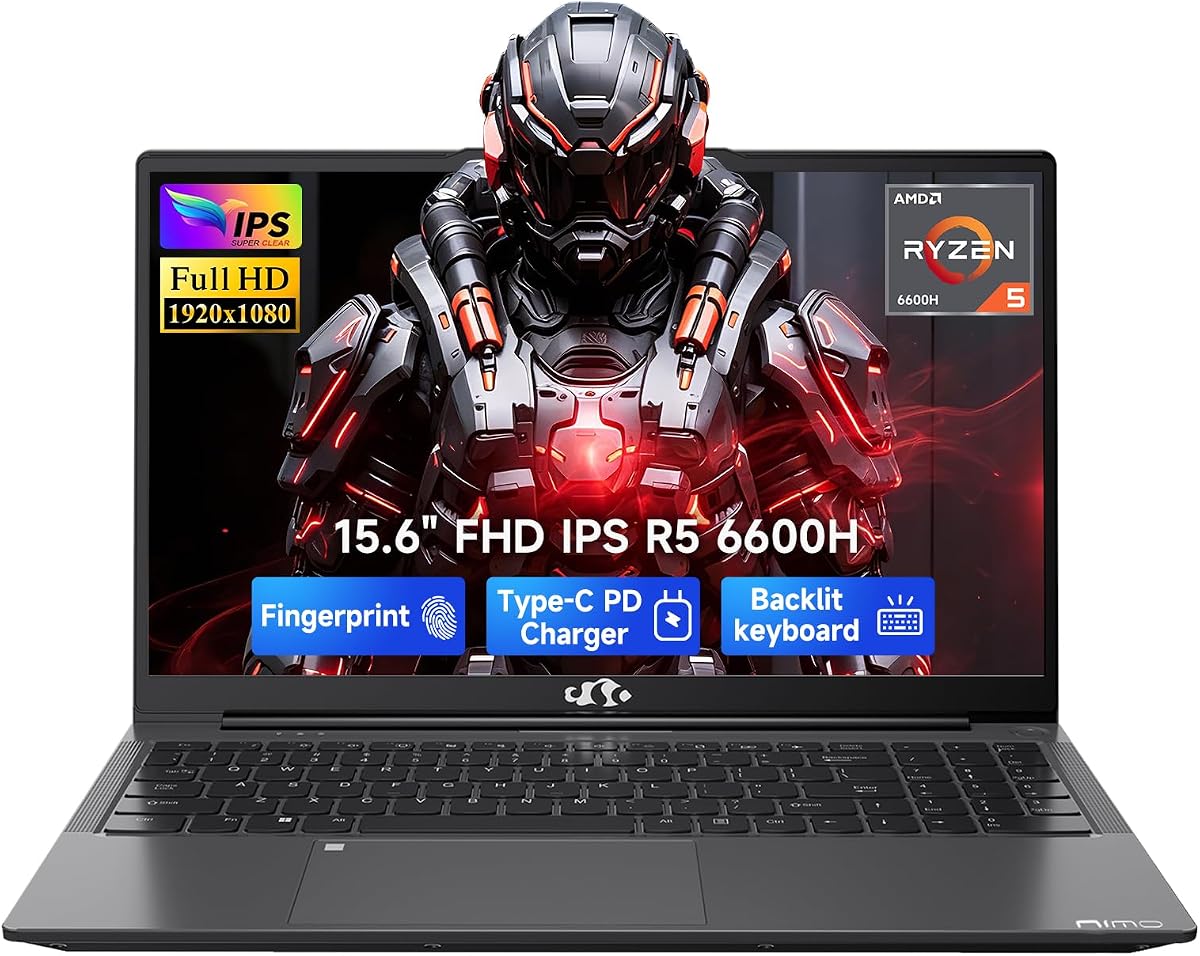
This laptop stands out for its powerful AMD Ryzen processor and generous RAM. It handles digital audio workstations smoothly without lag during recording sessions. The rating reflects its solid build quality and performance.
We may earn a commission when you buy through this link, at no additional cost to you.
The 16GB of memory ensures that you can run multiple tracks and plugins simultaneously. Storage is ample for project files and sample libraries. Connectivity includes USB-C and HDMI for external interfaces.
While the price is higher than some options, the performance justifies the cost for serious beginners. It may not be the absolute cheapest but offers great value. Thermal management is effective during long use.
Ideal for producers who need reliable performance without spending a fortune. This model is recommended for those prioritizing speed and capacity. Check current deals to maximize savings on this pick.
The processor handles recording software efficiently ensuring smooth playback and editing without delays.
Memory and storage slots allow future upgrades as your projects grow in size and complexity.
We may earn a commission when you buy through this link, at no additional cost to you.
This Chromebook is a great entry point for those needing a cheap laptop for recording music on a strict budget. It features dual microphones which can be useful for voice tracking. The lightweight design makes it easy to move between sessions.
We may earn a commission when you buy through this link, at no additional cost to you.
Battery life is impressive allowing you to work away from power sources for extended periods. The Chrome OS is simple but may require cloud storage for larger projects. Performance is adequate for basic tasks and light recording.
The storage is limited so external drives will be necessary for full libraries. It is best suited for beginners or those needing a secondary device. The price point makes it accessible for almost anyone.
Choose this if portability and cost are your main concerns. It is a functional tool for learning the basics of music production. Verify software compatibility before purchasing for specific needs.
Weighing under four pounds it slips easily into bags for mobile recording or practice sessions.
Built in microphones capture clear audio for voice notes or simple recordings without external gear.
We may earn a commission when you buy through this link, at no additional cost to you.
This model offers a rare combination of high user satisfaction and reasonable pricing. The 12GB RAM is a significant advantage for multitasking during recording sessions. The display provides clear visuals for viewing waveforms and mixing interfaces.
We may earn a commission when you buy through this link, at no additional cost to you.
The SSD slot allows you to upgrade storage capacity as your project files grow. Connectivity is robust with USB-C and HDMI for connecting monitors and interfaces. The build feels sturdy for daily use in a home studio.
While the processor is not top tier it handles most recording software well. It is a balanced choice for those who need reliable performance without breaking the bank. The high rating suggests consistent quality across units.
Ideal for users who need more than standard entry level specs. It supports better workflow efficiency than many cheaper competitors. Check current availability to secure this well rated model.
The IPS screen offers wide viewing angles essential for long mixing sessions and color accuracy.
An M.2 slot allows you to add larger SSDs for storing extensive audio samples and tracks.
We may earn a commission when you buy through this link, at no additional cost to you.
This laptop is designed with productivity in mind which translates well to music production tasks. The 12GB RAM helps keep multiple browser tabs and audio software running smoothly. The anti-glare screen reduces eye strain during long editing sessions.
We may earn a commission when you buy through this link, at no additional cost to you.
Ports are plentiful including USB-C which is useful for modern audio interfaces. The privacy slider adds a nice touch for security when not recording video. It is lightweight enough to move around a home studio easily.
The processor is adequate for basic recording but may struggle with heavy plugin chains. It is a practical choice for those focused on recording and light mixing. The price point is competitive for the memory included.
Best suited for students or home users needing a versatile machine. It handles daily tasks efficiently and supports external gear well. Compare it with similar models to ensure it meets your specific software needs.
The anti-glare coating helps maintain focus during long production sessions without visual fatigue.
Multiple USB ports ensure you can connect MIDI controllers and audio interfaces simultaneously.
We may earn a commission when you buy through this link, at no additional cost to you.
This model offers a modern design with USB-C charging which adds convenience for travel. The screen ratio provides more workspace for digital audio workstations on the go. It balances portability with the specs needed for light music recording.
We may earn a commission when you buy through this link, at no additional cost to you.
Bluetooth connectivity is up to date which is helpful for connecting wireless mice or speakers. The privacy slider is a thoughtful feature for secure work environments. It is thin enough to fit into most backpacks without bulk.
The memory is sufficient for recording but might need closing other apps when mixing heavily. It is a good option for producers on the move who need a reliable backup. The warranty support provides peace of mind for long term use.
Consider this if you need a secondary laptop for idea capture or editing. It handles basic DAW tasks well without issues. Check if it meets the minimum requirements for your preferred audio software.
The thin chassis makes it easy to transport between home studio and coffee shop locations.
USB-C and Bluetooth 5.2 ensure compatibility with newer peripherals and accessories.
We may earn a commission when you buy through this link, at no additional cost to you.
This version improves on the base model with more storage and memory which is crucial for music files. The extra space reduces the need for external drives immediately. It provides a smoother experience for storing project files and plugins.
We may earn a commission when you buy through this link, at no additional cost to you.
The keyboard is ergonomic making typing lyrics or notes comfortable during long sessions. Ports are sufficient for connecting external monitors and interfaces. It is a practical choice for students and home users alike.
The processor remains consistent with other models which limits heavy multi track recording. However for simple tracking and editing it performs well. The build quality is consistent with the brand standards.
Recommend this if you need more internal space without upgrading immediately. It is a good step up from lower spec models. Compare the price against the extra storage to see value.
256GB provides enough room for dozens of projects and sample packs without immediate upgrades.
A full size keyboard helps with quick edits and note taking during production workflows.
We may earn a commission when you buy through this link, at no additional cost to you.
This laptop offers a similar configuration to others but with a focus on value and ease of use. The privacy cover adds security which is appreciated when working in public spaces. It is lightweight and easy to carry around a studio.
We may earn a commission when you buy through this link, at no additional cost to you.
The 256GB storage helps manage growing audio libraries without external solutions. It supports dual USB-C ports for modern peripherals. The display is vibrant enough for visualizing waveforms clearly.
Performance is steady for entry level production needs. It may not handle complex orchestral tracks but is fine for basic mixes. The price makes it accessible for new musicians.
Ideal for beginners who want a complete package without high costs. It covers the essential needs for recording and editing. Check compatibility with your specific audio software before buying.
A built-in webcam cover protects privacy when the camera is not in use.
The IPS panel provides clear visuals even from angles during collaborative sessions.
We may earn a commission when you buy through this link, at no additional cost to you.
This model focuses on storage capacity which is great for archiving projects and samples. The SSD ensures quick boot times and file access. It is a reliable workhorse for daily tasks and light recording.
We may earn a commission when you buy through this link, at no additional cost to you.
The keyboard is full size which aids in typing scripts or lyrics. Connectivity includes USB-C which is convenient for modern chargers. The screen offers a wide view for better workflow.
While RAM is standard it works well for single track recording. It might lag with many simultaneous plugins. It is a practical choice for those who prioritize storage over power.
Best for users who need space for media files. It handles basic production tasks without issue. Ensure your software runs smoothly on 8GB RAM.
A 256GB SSD provides ample space for audio files and backups without external drives.
Quick boot and file access improve workflow speed during active recording sessions.
We may earn a commission when you buy through this link, at no additional cost to you.
This laptop is exceptionally light which is perfect for capturing ideas on the go. The fanless design means it is quiet which is ideal for recording in small rooms. It runs Windows 11 which supports most standard audio software.
We may earn a commission when you buy through this link, at no additional cost to you.
The Type-C charging is convenient and reduces cable clutter. It is thin enough to slip into a jacket pocket. The screen is clear for checking levels or notes.
Performance is limited to very basic tasks. It is best for lyric writing or simple demos. It is not suitable for heavy mixing but great for mobile use.
Consider this if you need a quiet and light device. It works well as a companion to a main studio PC. Verify if it meets your specific needs for recording tasks.
Fanless design eliminates background noise making it great for audio recording.
Weighing only 3.3 lbs it is easy to carry for mobile recording.
We may earn a commission when you buy through this link, at no additional cost to you.
This model offers reliable daily performance for general use and simple audio tasks. The expansion slot allows you to add storage as your library grows. It is a practical choice for those starting out.
We may earn a commission when you buy through this link, at no additional cost to you.
The display is crisp and clear for viewing interfaces. It has a range of ports for connecting peripherals. The lock slot adds security in shared spaces like libraries.
Memory is modest so it works best with limited plugins. It is a solid entry point for learning recording basics. The battery life supports full work sessions.
Best for users who want a reliable cheap laptop for recording music. It handles basic needs without issues. Compare it against models with more RAM for future proofing.
Add a TF card to expand storage for growing project files and samples.
A Kensington lock slot keeps the laptop safe when left in public spaces.
We may earn a commission when you buy through this link, at no additional cost to you.
Selecting a laptop for music production requires balancing budget with essential performance specs. This guide outlines key factors to consider.
The processor determines how many tracks and plugins you can run. Look for multi core options like Ryzen or Intel Core series for better multitasking.
Prioritize models with at least 4 cores to handle modern audio software efficiently.
RAM is critical for smooth playback and low latency recording. Aim for at least 8GB but 16GB is recommended for larger sessions.
Higher memory allows you to keep more applications open without slowing down the system.
Solid state drives are essential for quick boot times and loading samples. Avoid mechanical hard drives as they are slow and noisy.
Ensure there is room to upgrade storage as your project files will grow quickly.
You need USB ports for audio interfaces and MIDI controllers. USB-C is becoming standard and is useful for modern peripherals.
Check for HDMI to connect external monitors for a better workflow experience.
Most professional audio software runs best on Windows or macOS. Ensure compatibility with your preferred DAW before buying.
Chrome OS is limited for professional production but fine for basic tasks and cloud workflows.
Long battery life ensures you can work anywhere without searching for outlets. Look for models that last at least six hours.
Efficient power usage is vital for mobile recording and preventing interruptions.
A sturdy laptop will withstand frequent travel between studio and home. Check for durable hinges and chassis materials.
A robust build ensures longevity even with daily use in various environments.
Balance the cost with the performance needed. A cheap laptop for recording music should still have reliable support.
Look for warranty options to protect your investment from potential defects.
Connect your audio interface via USB to minimize latency. Ensure drivers are installed correctly for your operating system. Use high quality cables to prevent signal interference.
Keep your workspace cool and dry to maintain performance. Avoid placing the laptop on soft surfaces that block vents. Clean dust from ports regularly to ensure good connections.
Organize your projects in dedicated folders to save storage. Update software regularly to keep security and features current. Back up important recordings to an external drive for safety.
Yes, many affordable laptops can handle entry level professional tasks. Look for models with at least 8GB RAM and a solid state drive. These specs allow for smooth recording and basic mixing.
Most audio production does not require a dedicated graphics card. Integrated graphics are sufficient for most digital audio workstations. Focus resources on CPU and RAM instead.
USB 3.0 or USB-C ports are essential for audio interfaces. These provide fast data transfer for low latency recording. HDMI is useful for connecting external monitors.
8GB RAM is adequate for basic recording and simple projects. For larger sessions with many plugins, 16GB is recommended. It helps prevent lag during playback.
Use a dedicated audio interface and update drivers for better performance. Adjust buffer settings in your software for lower latency. Keep background apps closed to free up resources.
Chromebooks are limited for professional production due to software restrictions. They can handle basic tasks and voice notes. For full DAW support, consider Windows or macOS options.
The NIMO 15.6 AI Creator Laptop stands out for its performance and memory. It balances power with a reasonable price for serious beginners. The HP Chromebook offers a lightweight option for budget conscious users.
When choosing, prioritize memory and storage to support your growing projects. A cheap laptop for recording music should still handle daily tasks without slowing down. Consider future upgrades to extend its useful life.
Prices and availability change often so check the current listings before buying. Each model offers unique strengths depending on your workflow needs. Select the one that best fits your budget and technical requirements.