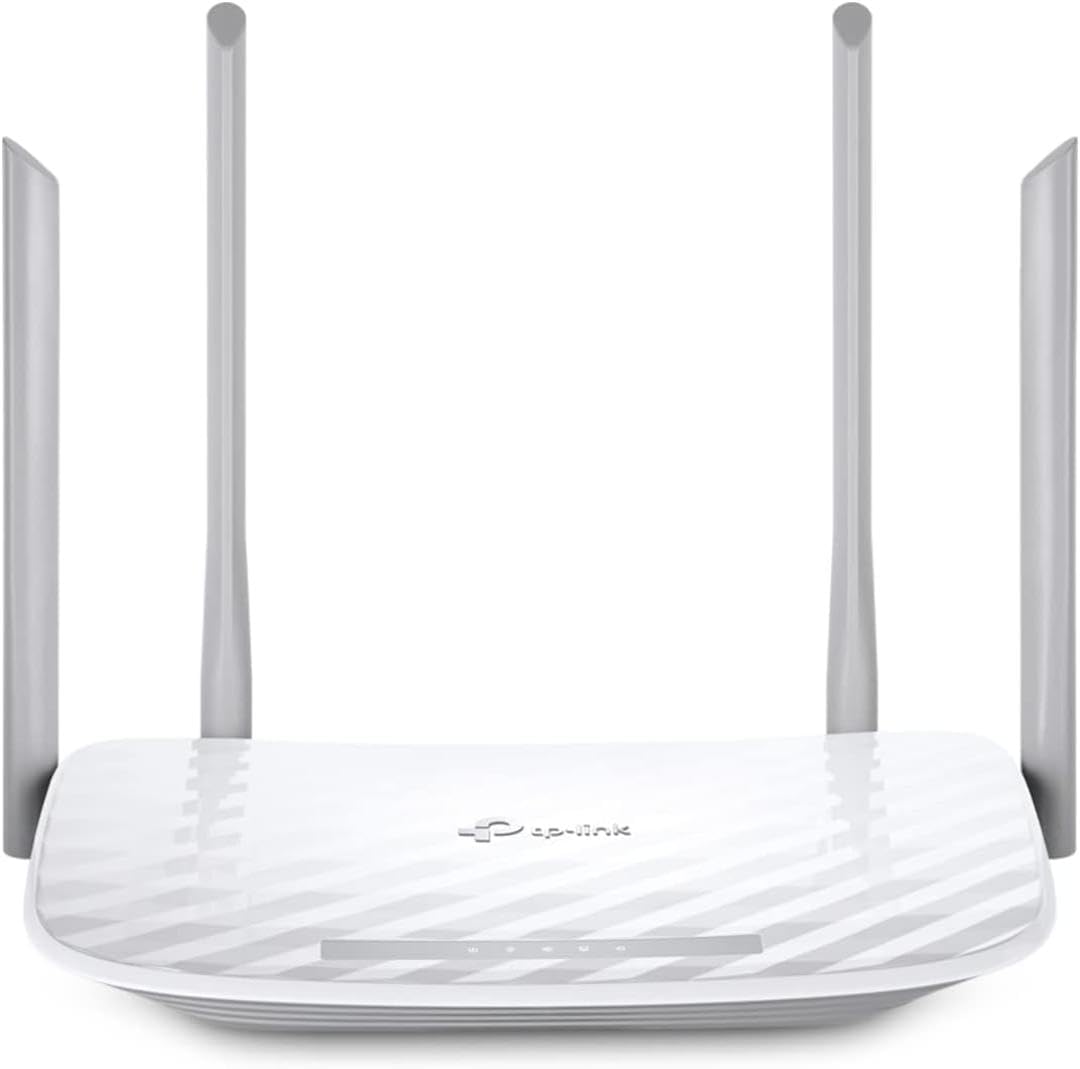
TP-Link AC1200 WiFi Router
4.3Editor score
Dual-band Wi-Fi speeds
Covers up to 1000 sq ft
WPA3 security protocol
This guide compares the top cheap WiFi routers for home use, focusing on speed, coverage, and security to help you find the best affordable networking solution
Finding a reliable and affordable WiFi router can be challenging with so many options on the market. You need a device that offers stable connectivity without breaking the bank. This guide explores the best budget-friendly routers that deliver strong performance for everyday tasks like streaming and gaming.
We evaluated each router based on key criteria including wireless speed, coverage area, security features, and ease of setup. Our team analyzed technical specifications and user feedback to ensure every recommendation provides genuine value. We prioritized models that support modern standards while keeping costs low for cost-conscious consumers.
Each pick in this list highlights specific strengths such as dual-band efficiency or advanced security protocols. Remember that prices and availability change frequently so check current listings before purchasing. This resource aims to simplify your decision process with clear insights into what matters most for home networking needs.
4.3Editor score

4.4Editor score

4.3Editor score
This side-by-side comparison highlights the core specifications of ten top-rated affordable routers. We focus on bandwidth, coverage, and key technologies to help you quickly identify the right model for your home setup.


The TP-Link AC1200 stands out as a top choice for budget-conscious buyers seeking reliable connectivity. With a solid 4.3-star rating it delivers consistent performance for everyday internet tasks. This dual-band router offers a balance of speed and stability suitable for small to medium-sized living spaces.
We may earn a commission when you buy through this link, at no additional cost to you.
Its dual-band architecture provides 5 GHz speeds up to 867 Mbps and 2.4 GHz speeds up to 300 Mbps for a total of 1200 Mbps. This setup reduces interference and improves streaming quality. The inclusion of WPA3 security ensures your network stays protected against modern threats without extra cost.
While it lacks the latest WiFi 6 standard its performance remains competitive for the price. The EasyMesh compatibility allows you to expand coverage if you move to a larger home later. Setup is straightforward using the Tether app which guides you through configuration quickly.
This model is ideal for users who need basic home networking without paying for premium features. It works with all major ISPs and includes access point mode for flexible deployment. If you prioritize value and simplicity this router is a strong starting point for your setup.
WPA3 encryption protects your data and devices from unauthorized access. This security standard is built directly into the firmware requiring no extra subscription fees.
EasyMesh compatibility lets you pair this router with other compatible devices. This feature helps you create a seamless network as your needs grow.
We may earn a commission when you buy through this link, at no additional cost to you.
The TP-Link AX1800 represents a significant upgrade with its inclusion of WiFi 6 technology. It achieves faster speeds and greater capacity compared to older models making it perfect for modern households. With a 4.4-star rating it is a favorite among users who want future-proof performance without high costs.
We may earn a commission when you buy through this link, at no additional cost to you.
OFDMA technology allows the router to communicate with multiple devices simultaneously reducing congestion. The total bandwidth reaches 1.8 Gbps ensuring smooth streaming and gaming. Beamforming technology focuses signals toward devices for stronger connections across the home.
Security is a core requirement here with TP-Link adhering to the Secure-by-Design pledge. The router includes a built-in VPN server for remote access needs. While it does not support the 6 GHz band its 5 GHz performance is highly efficient for most use cases.
This model is best for families with many connected devices who need reliability. The Tether app simplifies management and firmware updates. It works with all ISPs and offers excellent support for those who need help during setup.
OFDMA technology optimizes data transmission to multiple devices at once. This reduces lag and improves overall network efficiency significantly.
The built-in VPN server allows you to access your home network securely from anywhere. This feature adds a layer of control over your connectivity.
We may earn a commission when you buy through this link, at no additional cost to you.
The TP-Link AXE5400 is a powerhouse for users demanding top-tier performance. As a tri-band router it includes a dedicated 6 GHz band for minimal interference. Its 4.3-star rating reflects strong performance in handling heavy data loads like 4K streaming and VR gaming.
We may earn a commission when you buy through this link, at no additional cost to you.
With up to 5400 Mbps total bandwidth it handles simultaneous tasks effortlessly. The 6 GHz band enables near-zero latency which is crucial for competitive gaming. Its unique housing design ensures optimal heat dissipation for long-term reliability.
TP-Link HomeShield provides comprehensive security and parental control features. While it is more expensive than other options it justifies the cost with advanced tech. EasyMesh compatibility means you can expand your network easily without compatibility issues.
Choose this model if you have many smart devices and need the fastest possible speeds. It works with all major ISPs and supports both VPN server and client. This router is an investment in future-ready connectivity for tech-savvy households.
The 6 GHz band offers dedicated space for high-speed traffic. This results in near-zero latency for gaming and video chatting.
Tri-band design ensures you have enough capacity for many devices. This router supports the latest WiFi standards for years to come.
We may earn a commission when you buy through this link, at no additional cost to you.
The NETGEAR Nighthawk R6700AX delivers reliable WiFi across larger homes up to 1500 sq ft. Its 4.2-star rating highlights consistent performance for streaming and smart home devices. This router uses WiFi 6 technology to ensure smooth multitasking for up to 20 connected devices.
We may earn a commission when you buy through this link, at no additional cost to you.
The Nighthawk app simplifies setup and management allowing you to pause devices or run speed tests. Four Gigabit LAN ports provide wired connections for consoles and computers. Security is robust with WPA3 encryption and automatic firmware updates out of the box.
While the Armor security trial is included a subscription is needed for long-term protection. Some users might find the initial setup slightly more involved than others. However the coverage and speed make it a strong contender for families.
This model is ideal if you need wide coverage without mesh systems. It pairs with your existing modem via ethernet and works with most ISPs. The app offers remote control features which are convenient for managing guest networks.
Coverage extends to 1500 sq ft ensuring signals reach every room. This reduces dead zones in medium-sized homes effectively.
Four Gigabit LAN ports allow direct connections for gaming consoles and PCs. This ensures stable speeds for bandwidth-heavy devices.
We may earn a commission when you buy through this link, at no additional cost to you.
The Tenda AC1200 is a straightforward choice for basic home networking needs. With a 4.0-star rating it offers decent performance for streaming and browsing. This dual-band router delivers up to 1.2 Gbps total speed which is suitable for light to moderate internet usage.
We may earn a commission when you buy through this link, at no additional cost to you.
Four powerful antennas and beamforming technology ensure strong signal coverage. The app allows easy setup and network monitoring. Parental controls help schedule internet access for children which adds value for families. Access Point mode lets you extend existing wired connections wirelessly.
Note that this router uses 100 Mbps Ethernet ports which limits wired speed potential. If you have gigabit internet the wireless will be the bottleneck. However for wireless-only setups it remains an economical option.
This model is best for users needing a simple replacement router. It supports IPv6 and guest WiFi for flexible connectivity. If budget is your main concern this router provides essential features without unnecessary complexity.
Parental controls let you set time limits and block content. This helps maintain a balanced digital environment for kids.
The app guides you through setup in minutes. This reduces the technical barrier for non-expert users.
We may earn a commission when you buy through this link, at no additional cost to you.
The TP-Link Archer A6 earns a 4.5-star rating for its reliable performance and feature set. It upgrades to 1200 Mbps high speed internet reducing buffering during 4K streams. The full Gigabit ports allow you to connect wired devices at full speed.
We may earn a commission when you buy through this link, at no additional cost to you.
MU-MIMO technology ensures high speeds for multiple devices simultaneously. Beamforming technology extends and concentrates Wi-Fi signals for better coverage. WPA3 security is included to protect your data from modern threats effectively.
OneMesh compatibility means you can add extenders without changing your WiFi name. This simplifies network management as your home grows. Setup is intuitive using the Tether app for quick configuration and updates.
This model is excellent for users wanting gigabit wired speed without premium costs. It works with all ISPs and offers a balanced mix of speed and security. If you need stability and future expansion potential this router is a smart pick.
OneMesh lets you create a unified network with compatible extenders. You get seamless coverage without needing to switch networks manually.
Four Gigabit LAN ports support fast connections for PCs and consoles. This ensures your wired devices perform at their best.
We may earn a commission when you buy through this link, at no additional cost to you.
The TP-Link AX1450 offers a cost-effective entry into WiFi 6 technology as a renewed model. With a 4.2-star rating it delivers reliable speeds up to 1.45 Gbps. This dual-band router is ideal for users seeking modern performance without paying full price.
We may earn a commission when you buy through this link, at no additional cost to you.
OFDMA technology helps communicate more data to devices simultaneously reducing lag. Target Wake Time extends battery life by managing device power consumption efficiently. Four antennas ensure reliable coverage across your space with focused signal strength.
Since this is a renewed product check the specific warranty terms for your purchase. However it provides significant savings compared to new units. The Tether app makes setup easy and keeps firmware updated for security.
This model is great for budget shoppers who still want next-gen features. It is backward compatible with all previous WiFi standards. If you want a future-proof network at a low cost this router is worth considering.
Target Wake Time reduces power consumption for connected devices. This helps extend battery life on mobile gadgets effectively.
Renewed units offer significant savings on WiFi 6 routers. You get similar performance to new units at a lower cost.
We may earn a commission when you buy through this link, at no additional cost to you.
The TP-Link Archer A8 provides Wave 2 dual-band performance ideal for demanding users. Its 4.5-star rating reflects strong stability for multiple users streaming or downloading simultaneously. This router covers up to 1,200 sq ft efficiently with focused beamforming technology.
We may earn a commission when you buy through this link, at no additional cost to you.
Full Gigabit Ports ensure fast wired connections for PCs and TVs. MU-MIMO allows three simultaneous data streams for optimal device performance. Parental controls let you block content and set time limits easily.
OneMesh compatibility ensures seamless expansion with TP-Link extenders. The Tether App simplifies management and keeps firmware updated for security. Note that this model does not include a USB port for external storage.
Choose this router if you need high dual-band speeds on a budget. It works with all major ISPs and offers reliable security features. For standard AC connectivity without upgrading to WiFi 6 this is a top choice.
MU-MIMO allows three data streams for better efficiency. This means your devices communicate more effectively with the router.
Parental controls help manage screen time and online safety. This ensures a secure digital experience for the whole family.
We may earn a commission when you buy through this link, at no additional cost to you.
The TP-Link Archer BE230 brings the latest Wi-Fi 7 technology to the affordable segment. With a 4.2-star rating it offers enhanced performance via Multi-Link Operation and 4K-QAM. This dual-band router delivers up to 2882 Mbps on the 5 GHz band for high-speed streaming.
We may earn a commission when you buy through this link, at no additional cost to you.
Dual 2.5G Ethernet ports let you break the 1G barrier for wired devices. This is crucial for maxing out gigabit-plus internet plans. The quad-core processor manages high throughput efficiently to eliminate lag during heavy data transmissions.
Coverage extends up to 2000 sq ft ensuring connectivity in every corner. EasyMesh support allows you to build a seamless network across your home. Alexa and Google Assistant integration adds convenient voice control options.
This router is for early adopters wanting the fastest possible speeds now. Backward compatibility means it works with existing devices too. If you want future-proof performance and premium ports this model stands out.
2.5G ports allow wired devices to exceed standard gigabit speeds. This maximizes your internet plan potential significantly.
Compatible with Alexa and Google Assistant for easy control. You can manage settings using simple voice commands.
We may earn a commission when you buy through this link, at no additional cost to you.
The ASUS RT-AX1800S offers premium features at a competitive price point for a 4.3-star rating. It supports MU-MIMO and OFDMA technology to efficiently allocate channels for multiple devices. The dual-core processor handles high-speed traffic well for gaming and streaming tasks.
We may earn a commission when you buy through this link, at no additional cost to you.
AiProtection Classic provides commercial-grade security powered by Trend Micro without a subscription. AiMesh compatibility means you can create a seamless mesh network easily. Five Gigabit ports ensure all wired devices get maximum possible speed.
Instant Guard VPN gives you a one-click secure connection when away from home. This router is ideal for users concerned about privacy and network security. While setup might take time the features justify the effort.
Choose this model if you want robust security and expandability. It works with most internet providers and offers great flexibility. For a balanced mix of performance and protection this router is a strong contender.
AiProtection provides robust security without monthly fees. This saves money while keeping your network safe.
Create a seamless mesh network by adding compatible ASUS routers. This ensures consistent coverage as you add devices.
We may earn a commission when you buy through this link, at no additional cost to you.
Selecting the right router involves balancing cost with features that meet your specific needs. This guide breaks down the key factors to consider before making a purchase.
The wireless standard determines speed and capacity. WiFi 6 and WiFi 7 offer better efficiency and reduced latency. Older standards like AC are still viable for basic tasks but may struggle with many devices.
Choose the latest standard supported by your devices for future-proofing.
Coverage depends on antenna count and signal technology. Most budget routers cover around 1000 sq ft. Larger homes may need multiple units or mesh systems for consistent signal.
Estimate your home size to ensure the router reaches every room.
Look for total Mbps ratings that match your internet plan. Dual-band routers split traffic between 2.4 GHz and 5 GHz bands. Higher speed ratings ensure smoother streaming and downloading.
Match the router speed to your ISP plan to avoid bottlenecks.
Modern routers include protocols like WPA3 to protect data. Some models offer free security services while others require subscriptions. Strong security prevents unauthorized access to your network.
Prioritize models with up-to-date encryption and security tools.
Setup apps simplify configuration and firmware updates. Look for user-friendly interfaces that guide you through the process. Easy management saves time and reduces technical headaches.
Check for mobile app support to manage your network remotely.
Ethernet ports connect wired devices like consoles and PCs. Gigabit ports provide faster speeds than Fast Ethernet. Ensure the number of ports meets your wired device needs.
Count your wired devices to select a router with enough ports.
Parental controls allow scheduling and content filtering. This feature helps manage screen time for children. Most modern routers include these tools in their apps.
Look for built-in tools if you need to manage access times.
Ensure the router works with your ISP and modem. Most models are compatible with cable and fiber providers. Check for bridge mode support if using an existing modem.
Verify ISP compatibility to avoid connection issues during setup.
Position your router in a central elevated location to maximize signal. Keep it away from large appliances or metal objects that block signals. This ensures better coverage throughout your home.
Update firmware regularly through the router app to maintain security. These updates often include patches for vulnerabilities and performance improvements. Check for updates monthly to keep your network safe.
Secure your network with a strong password and WPA3 encryption. Avoid using default credentials that hackers can guess easily. This simple step protects your data and devices from unauthorized access.
Most budget routers work with major ISPs like Comcast and AT&T. Ensure you have a separate modem for internet connection. Check the product page for specific provider compatibility details.
Dual-band routers use two frequencies while tri-band adds a third. This helps reduce congestion in busy networks. Most home users find dual-band sufficient for daily needs.
Yes many models support gaming with low latency features. Look for QoS settings to prioritize gaming traffic. This ensures smooth gameplay even with other devices online.
Update firmware at least once a month to patch vulnerabilities. Most apps notify you when new updates are available. Regular updates keep your network secure and efficient.
Yes you still need a modem for internet access. The router creates your local WiFi network. Connect the router to the modem via ethernet cable.
Many models support mesh systems to expand coverage. You can pair them with compatible extenders. This creates a seamless network across large spaces.
WiFi 6 improves speed and efficiency for multiple devices. If you have many smart gadgets it is worth the investment. It future-proofs your network for new devices.
This guide highlights ten reliable routers offering strong performance at affordable prices. From the TP-Link AC1200 to the ASUS RT-AX1800S each model fits different home needs.
Prioritize features like security and speed based on your usage. A router that matches your plan and device count ensures smooth browsing and streaming.
Always check current listings before buying to confirm availability and pricing. These models are a great starting point for upgrading your home network.