
SANSUI 24 Inch Curved 160Hz Gaming Monitor
4.4Editor score
160Hz Refresh Rate
1500R Curvature
VA Panel Technology
FreeSync Compatible
Finding the perfect curved 160Hz gaming monitor can transform your gaming experience significantly. These displays offer immersive viewing angles and fast refresh rates for smooth gameplay without motion blur.
We compared ten top models based on panel quality, connectivity options, and ergonomic features. Each product was analyzed for performance metrics like response time and color accuracy to ensure reliability.
Each pick highlights unique strengths tailored to specific gaming needs. Please note that product availability and specifications may change over time so always verify details before purchasing.
4.4Editor score
4.5Editor score

4.6Editor score
As an Amazon Associate we earn from qualifying purchases.
The following table provides a side-by-side comparison of all ten selected curved gaming monitors to help you evaluate key specifications at a glance.






This SANSUI 24-inch monitor offers an accessible entry point into high-refresh curved gaming. With a 4.4 rating it delivers solid performance for its price class.
We may earn a commission when you buy through this link, at no additional cost to you.
It features a 160Hz refresh rate and 1ms response time ensuring smooth visuals during fast-paced games. The 1500R curvature helps reduce eye strain while increasing immersion.
The VA panel provides a strong contrast ratio of 3000:1 making dark scenes look deeper. However the lack of speakers and minimal stand ergonomics are trade-offs.
Budget gamers seeking a reliable curved display will find this model appealing. It balances performance and cost effectively for competitive play.
The 1500R curve wraps around your field of view enhancing focus on gameplay targets without distraction.
With FreeSync compatibility and high refresh rates screen tearing is minimized for fluid motion during intense matches.
We may earn a commission when you buy through this link, at no additional cost to you.
Expanding to 27 inches provides more visual real estate for multitasking and gaming. This model maintains the 160Hz refresh rate for fluid motion.
We may earn a commission when you buy through this link, at no additional cost to you.
Its 4000:1 contrast ratio ensures deep blacks and vibrant colors. The HDR mode enhances dynamic range though it requires HDMI connection to activate properly.
Anti-flicker and low blue light features support longer viewing sessions without discomfort. The monitor is versatile enough for both gaming and productivity tasks.
Users wanting a balance of screen size and performance will appreciate this option. It is a solid upgrade from standard flat displays.
The high contrast ratio delivers rich imagery making text and graphics stand out clearly against dark backgrounds.
HDMI 2.0 and DP 1.4 ports ensure compatibility with various PCs and consoles for flexible setup options.
We may earn a commission when you buy through this link, at no additional cost to you.
Rated 4.5 stars this monitor offers reliability and performance in a compact form factor. The MPRT 1ms response time is ideal for competitive shooters.
We may earn a commission when you buy through this link, at no additional cost to you.
Color accuracy is boosted by 97% DCI-P3 coverage which is rare at this price point. The 178-degree viewing angle ensures consistent color from different positions.
The inclusion of HDMI and DP ports supports most modern setups. VESA compatibility allows for wall mounting or arm installation if the stand proves limiting.
It serves well as a secondary monitor or primary display for budget builds. The high rating reflects user satisfaction with its daily performance.
With wide color gamut coverage games and media appear more vibrant and true to life.
VESA 75x75mm support lets users adapt the monitor to ergonomic preferences or space constraints easily.
We may earn a commission when you buy through this link, at no additional cost to you.
This monitor brings 4K resolution to curved gaming with a 160Hz refresh rate. It offers detailed visuals for open-world games and content creation alike.
We may earn a commission when you buy through this link, at no additional cost to you.
Built-in speakers reduce cable clutter while delivering decent audio quality. The 120% sRGB coverage ensures rich and accurate colors across the display.
Its 32-inch screen provides ample workspace for multitasking. FreeSync compatibility ensures smooth frame rates when paired with compatible graphics cards.
Gamers who prioritize resolution and screen size will find it compelling. It bridges the gap between high-end visuals and functional design.
The UHD resolution renders fine textures and UI elements with crisp precision for immersive gameplay.
Integrated speakers provide basic sound without needing external peripherals for casual listening.
We may earn a commission when you buy through this link, at no additional cost to you.
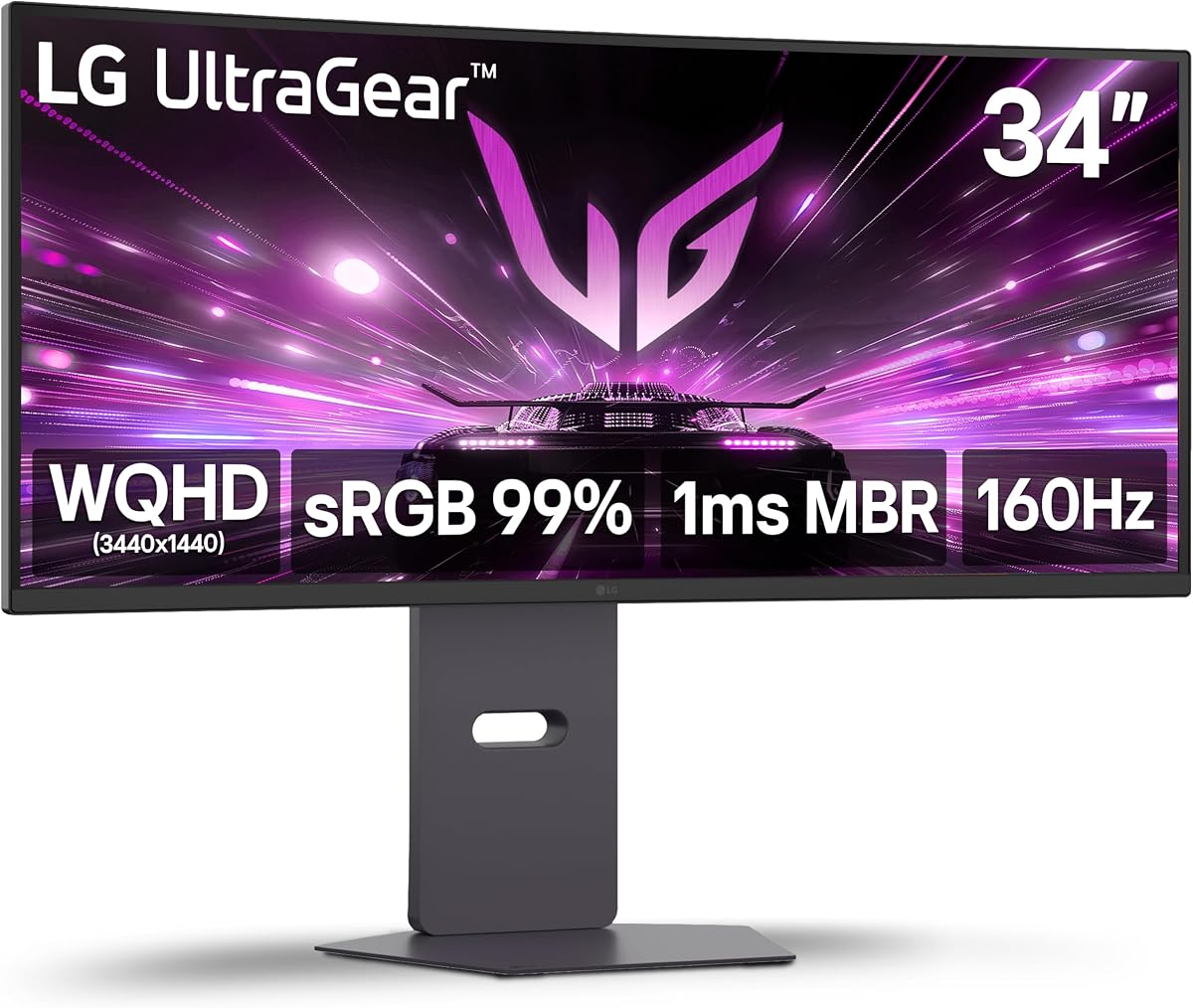
This LG UltraGear model combines ultra-wide WQHD resolution with a 160Hz refresh rate for a premium experience. Its ergonomic stand supports height and swivel adjustments comfortably.
We may earn a commission when you buy through this link, at no additional cost to you.
HDR10 support enhances color depth and contrast making scenes more vivid. AMD FreeSync Premium reduces tearing even during HDR gaming sessions effectively.
Dynamic Action Sync minimizes input lag ensuring your movements register instantly. The integrated stereo speakers with MaxxAudio add immersion without external hardware.
It is a top choice for serious gamers needing a balance of immersion and ergonomics. The feature set justifies its position as an all-around winner.
Adjustable stand allows precise positioning to reduce neck strain during extended use.
Built-in MaxxAudio speakers deliver rich soundscapes for a more complete gaming environment.
We may earn a commission when you buy through this link, at no additional cost to you.
This renewed version offers the same high-performance features as the new unit. It received a perfect 5.0 rating from users satisfied with its condition.
We may earn a commission when you buy through this link, at no additional cost to you.
With 160Hz refresh and WQHD resolution it meets modern gaming standards effortlessly. The renewed status makes these premium specs more accessible to more buyers.
Buyers can expect full functionality including ergonomic adjustments and HDR support. It is a smart option for those seeking value without compromise.
It provides a sustainable way to own a top-tier monitor. Just check the condition notes before purchase to confirm expectations.
The 5.0 rating indicates consistent quality and performance across all renewed units.
Choosing renewed hardware reduces electronic waste while delivering full performance capabilities.
We may earn a commission when you buy through this link, at no additional cost to you.
Samsung delivers a deeply curved 1000R display for unmatched immersion. This curvature fills your peripheral vision making games feel more realistic.
We may earn a commission when you buy through this link, at no additional cost to you.
QHD resolution provides sharp details with 1.7x pixel density over Full HD. The 165Hz refresh rate ensures fluid gameplay with minimal ghosting.
Eye Saver Mode reduces blue light helping maintain comfort during long sessions. The deep curve pairs well with wide-screen genres like racing games.
It is ideal for gamers prioritizing immersion above flat panel ergonomics. The design is bold and stands out in any setup.
The 1000R curvature matches the human eye's natural field of view for maximum focus.
High pixel density ensures textures look crisp and clean without visible artifacts.
We may earn a commission when you buy through this link, at no additional cost to you.
This Sceptre monitor offers 180Hz refresh for extremely smooth motion. The 21:9 ultrawide format gives 30% more horizontal space than standard screens.
We may earn a commission when you buy through this link, at no additional cost to you.
With 99% sRGB coverage and 1ms response time it handles fast gaming well. The LED backcover lights add a unique aesthetic touch to your desk.
Dual DisplayPort inputs allow daisy-chaining or multi-monitor flexibility. It is a cost-effective option for those needing high refresh ultrawide capability.
Budget-conscious gamers will appreciate the performance per dollar. It delivers solid specs without premium branding premiums.
The 3440×1440 resolution lets you view multiple windows side by side effortlessly.
Colorful LED lights enhance desk ambiance and match gaming setups nicely.
We may earn a commission when you buy through this link, at no additional cost to you.
Alienware delivers top-tier performance with a 180Hz refresh rate and WQHD clarity. Its hardware-based low blue light solution preserves color accuracy while reducing strain.
We may earn a commission when you buy through this link, at no additional cost to you.
The 95% DCI-P3 color coverage ensures stunning visuals for creators and gamers. Console Mode optimizes settings for next-gen consoles without needing PC hardware.
VESA DisplayHDR 400 certification adds contrast depth to supported content. It is a premium device built for enthusiasts who demand excellence.
Gamers seeking the best blend of speed and fidelity will choose this. It represents the high end of curved monitor engineering.
Dedicated console mode automatically configures settings for optimal next-gen console performance.
Wide color gamut and HDR support make images vibrant and true to original content.
We may earn a commission when you buy through this link, at no additional cost to you.
This AOC model pushes refresh rates to 200Hz via DisplayPort. The 0.3ms response time minimizes motion blur for competitive play.
We may earn a commission when you buy through this link, at no additional cost to you.
Height adjustment and swivel features ensure ergonomic comfort. HDR ready support and adaptive sync reduce tearing across varying frame rates effectively.
HDMI limits to 100Hz so DisplayPort is recommended for full performance. It is a high-performance choice for those prioritizing speed above all.
Competitive gamers with powerful rigs will benefit most from this speed. It sets a benchmark for fast curved monitors.
0.3ms response time ensures crisp motion during rapid movements without blur.
Height-adjustable stand allows you to find the most comfortable viewing position easily.
We may earn a commission when you buy through this link, at no additional cost to you.
Selecting the right monitor requires understanding several key factors that impact performance and comfort.
Screen size determines immersion level while resolution impacts visual sharpness. Larger 34-inch models offer panoramic views whereas 24-inch units suit smaller desks. Higher resolutions like WQHD or 4K demand powerful GPUs but look sharper.
Match resolution to your GPU capabilities to maintain high frame rates without bottlenecks.
A 160Hz refresh rate ensures fluid motion reducing motion blur in fast games. Response time near 1ms prevents ghosting and keeps action crisp during rapid movement.
Look for monitors with 160Hz or higher refresh and sub-2ms response times.
VA panels offer superior contrast ratios making dark scenes look richer than IPS. This suits single-player games with deep environments but may have slower gray transitions.
Prioritize VA panels for immersive gaming with deep blacks and high contrast.
Curved monitors like 1500R or 1800R wrap around your vision reducing distortion. Deep curves like 1000R provide intense focus but may limit flat viewing angles.
Choose 1500R for balanced immersion or deeper for maximum focus.
FreeSync and G-Sync technologies synchronize refresh rate with GPU output preventing screen tearing. Premium versions support HDR and wider frequency ranges for smoother visuals.
Ensure monitor supports FreeSync or G-Sync compatible with your graphics card.
DisplayPort 1.4 supports higher refresh rates than HDMI 2.0. Check for enough ports to connect consoles and PCs simultaneously without adapters.
Verify DisplayPort availability to unlock full refresh rates beyond 100Hz.
Adjustable stands improve posture by allowing height and tilt changes. VESA mounting offers flexibility to use arms or wall mounts for better space use.
Look for height adjustability and VESA compatibility to reduce physical strain.
HDR support increases dynamic range making brights brighter and darks darker. Good color coverage like 99% sRGB ensures visuals remain true to original content.
Prioritize HDR10 and wide color gamut for visually stunning games.
Begin by connecting the monitor using DisplayPort for best refresh rates. Adjust your GPU settings to match the 160Hz capability for smooth gameplay.
Calibrate brightness and contrast settings to reduce eye strain. Use blue light filters during nighttime sessions to maintain sleep quality.
Dust the screen with a soft cloth and keep vents clear. Proper ventilation extends the life of the panel and internal electronics.
Curved monitors enhance immersion by matching your field of view. They reduce peripheral distortion and help focus on central targets. However flat panels remain useful for productivity or wall mounting needs.
160Hz refresh rates are ideal for competitive titles balancing performance and cost. They provide smooth motion and low input lag. Higher rates like 200Hz help but require powerful hardware to support.
Curved monitors reduce eye strain by keeping pixels at consistent distances. However prolonged use still requires breaks and proper lighting. Use blue light filters to further minimize discomfort during long sessions.
Many curved monitors support VESA wall mounting standards. Always check the curvature radius to ensure it fits flat against the wall. Wall mounts may affect the viewing experience if too flat.
24-inch or 27-inch curved monitors work well in dual setups. Larger 34-inch models may dominate desk space when paired. Consider matching bezels and resolution for seamless alignment across screens.
Yes to consistently hit 160fps you need a strong GPU. Without it the monitor may show lower frame rates. Balance GPU and monitor performance to avoid bottlenecks in gameplay.
Our top picks range from budget-friendly 24-inch options to premium ultrawide displays. Each model delivers immersive curved visuals with fast refresh rates suitable for competitive play.
Prioritize factors like resolution, color accuracy, and ergonomic stand adjustments when choosing. These aspects define your daily comfort and visual experience over the long term.
Always verify current specifications and stock before purchasing. Technology evolves quickly so staying updated ensures you get the best performance available today.