
EZ AD Digital Signage Display Player
4.1Editor score
Free plan supports up to 50 slides
4K content delivery with video gallery
Cloud-based updates via mobile app
Digital menu displays have revolutionized how businesses communicate with customers. These screens offer dynamic content, real-time updates, and enhanced visual appeal compared to traditional printed signs. Choosing the right system depends on your specific needs, environment, and budget constraints.
We evaluated ten leading digital menu displays based on brightness, software capabilities, connectivity options, and build quality. Our analysis focuses on commercial-grade devices designed for continuous operation in high-traffic settings like cafes, restaurants, and retail stores.
Each pick highlights unique strengths, from compact countertop units to large wall-mounted screens. Prices and availability change frequently, so verify current details before purchasing. This guide helps you select a display that boosts engagement and streamlines operations effectively.
4.1Editor score

3.8Editor score

3.4Editor score
As an Amazon Associate we earn from qualifying purchases.
The following table compares key specifications across all ten products to help you identify the best fit for your business environment and operational requirements.




This 18.5-inch display stands out as a versatile option for small to medium businesses needing reliable digital signage. With a 3.8 rating, it offers strong commercial features like 700 nits brightness and a free lifetime CMS for remote updates.
We may earn a commission when you buy through this link, at no additional cost to you.
The built-in Android 12 system ensures stable playback for menus and promotions. You can manage content via PC, tablet, or smartphone, making it easy to adjust pricing or promotions in real time without physical access to the device.
While the rating suggests occasional hardware inconsistencies, the three-year warranty provides peace of mind for daily commercial operation. The compact design fits well on counters where space is limited but visibility remains critical for customer engagement.
Ideal for coffee shops or retail checkout areas, this display balances cost and functionality effectively. Businesses seeking a straightforward digital menu solution without expensive licensing fees will appreciate the included cloud CMS and flexible connectivity options.
Updates happen instantly via the cloud CMS, reducing the need for staff to manually change displays.
Designed for 24/7 operation, the unit manages heat dissipation to extend lifespan in busy environments.
We may earn a commission when you buy through this link, at no additional cost to you.
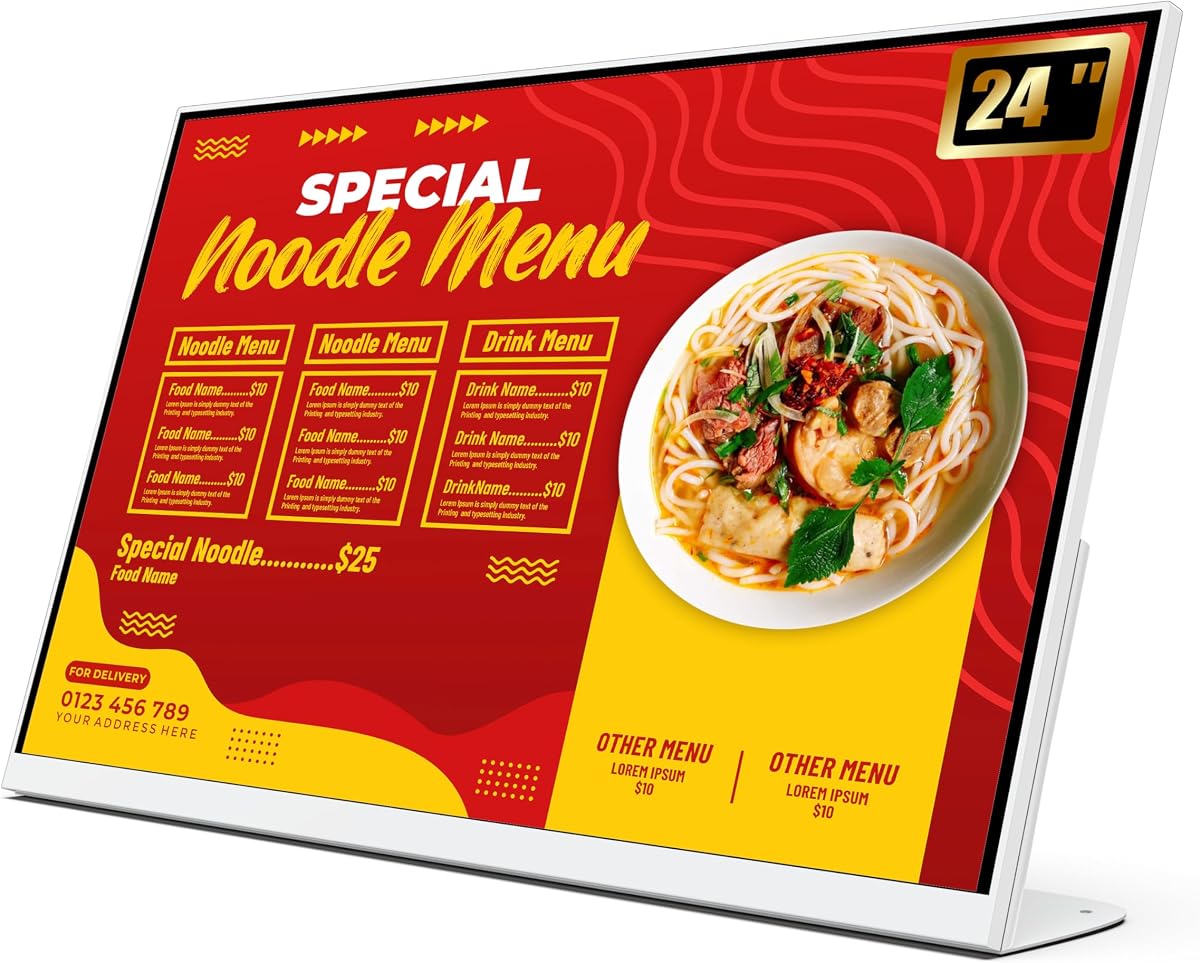
This 24-inch unit earns a perfect 5.0 rating, highlighting its reliability for businesses prioritizing image quality. The 1920×1080 resolution ensures colors pop, making food and products look more appealing to customers standing at the counter.
We may earn a commission when you buy through this link, at no additional cost to you.
It supports three content update methods including USB, app, and PC remote, offering flexibility for different technical skill levels. The Android system allows easy app installation, enabling more advanced features like loyalty programs or social media feeds.
The design saves counter space while providing clear visibility from various angles. Customers can easily view menus and promotions, which streamlines ordering processes and reduces staff workload during peak hours.
Highly recommended for milk tea shops or small restaurants, this display combines ease of use with professional results. The strong review count suggests consistent performance and reliable customer support from the manufacturer.
True color restoration ensures beverages and food look accurate and appetizing on screen.
No need for on-site computer operation makes content management faster and less error-prone.
We may earn a commission when you buy through this link, at no additional cost to you.
This 32-inch kiosk offers significant flexibility for businesses that host events or need temporary signage. With a 4.6 rating, it balances high-quality display features with mobility, allowing you to move content displays between locations easily.
We may earn a commission when you buy through this link, at no additional cost to you.
The IPS screen provides a 178-degree viewing angle, ensuring visibility from almost any direction. This is ideal for trade shows or mall areas where people approach from multiple sides. Auto loop playback keeps content running without manual intervention.
Timed power settings help manage energy use, turning the screen on only during business hours. This feature is practical for businesses that want to reduce costs or ensure fresh content appears at the start of each day.
Recommended for event planners or multi-location retailers, this unit combines advertising power with mobility. The 3-year warranty adds value, protecting your investment against quality defects during continuous commercial operation.
Built-in wheels and a foldable design make transport simple without specialized equipment.
Plug-and-play HDMI input allows quick setup for temporary promotional campaigns.
We may earn a commission when you buy through this link, at no additional cost to you.
For businesses seeking an affordable entry into digital signage, this player offers substantial value at a low cost. A 4.1 rating reflects its ease of use, allowing owners to create and schedule content without technical expertise or high monthly fees.
We may earn a commission when you buy through this link, at no additional cost to you.
The free plan supports all image and video formats with tech support, making it accessible for startups. You can add up to 50 slides and utilize template builders to professionalize menus quickly without hiring a designer.
Content updates wirelessly from a cloud-based website, enabling remote management even if you are away from the location. This connectivity is crucial for maintaining consistent messaging across multiple outlets without physical hardware changes.
Ideal for small cafes or home businesses, this player transforms existing TVs into dynamic menu displays. When paired with a suitable monitor, it delivers 4K content and robust management features that compete with pricier all-in-one units.
Pre-made templates help users create professional layouts quickly without graphic design skills.
Avoid expensive hardware by utilizing existing televisions as the display interface.
We may earn a commission when you buy through this link, at no additional cost to you.
This 10.1-inch unit is perfect for settings where space is at a premium. With a 4.0 rating, it provides a touchscreen experience that engages customers directly, allowing them to browse menus or information at close range.
We may earn a commission when you buy through this link, at no additional cost to you.
Its compact structure fits well on retail shelves or reception desks without cluttering the workspace. Touch control allows for interactive browsing, which can enhance customer engagement and reduce staff questions about basic information.
Updates are simple via WiFi or USB, making it easy for non-technical staff to manage content. This makes it ideal for clinics or offices where schedules change frequently but detailed graphic design is not required.
Recommended for waiting rooms or small retail counters, this display offers functionality in a portable form factor. While limited in size, it delivers clear text and images suitable for indoor business environments.
Customers can swipe and tap to view detailed info, improving satisfaction.
Fits on small desks without obstructing workflow or other equipment.
We may earn a commission when you buy through this link, at no additional cost to you.
Designed for high-traffic counter environments, this unit combines durability with high visibility. A 4.5 rating suggests robust construction, featuring a tempered glass front and metal housing to withstand daily commercial use.
We may earn a commission when you buy through this link, at no additional cost to you.
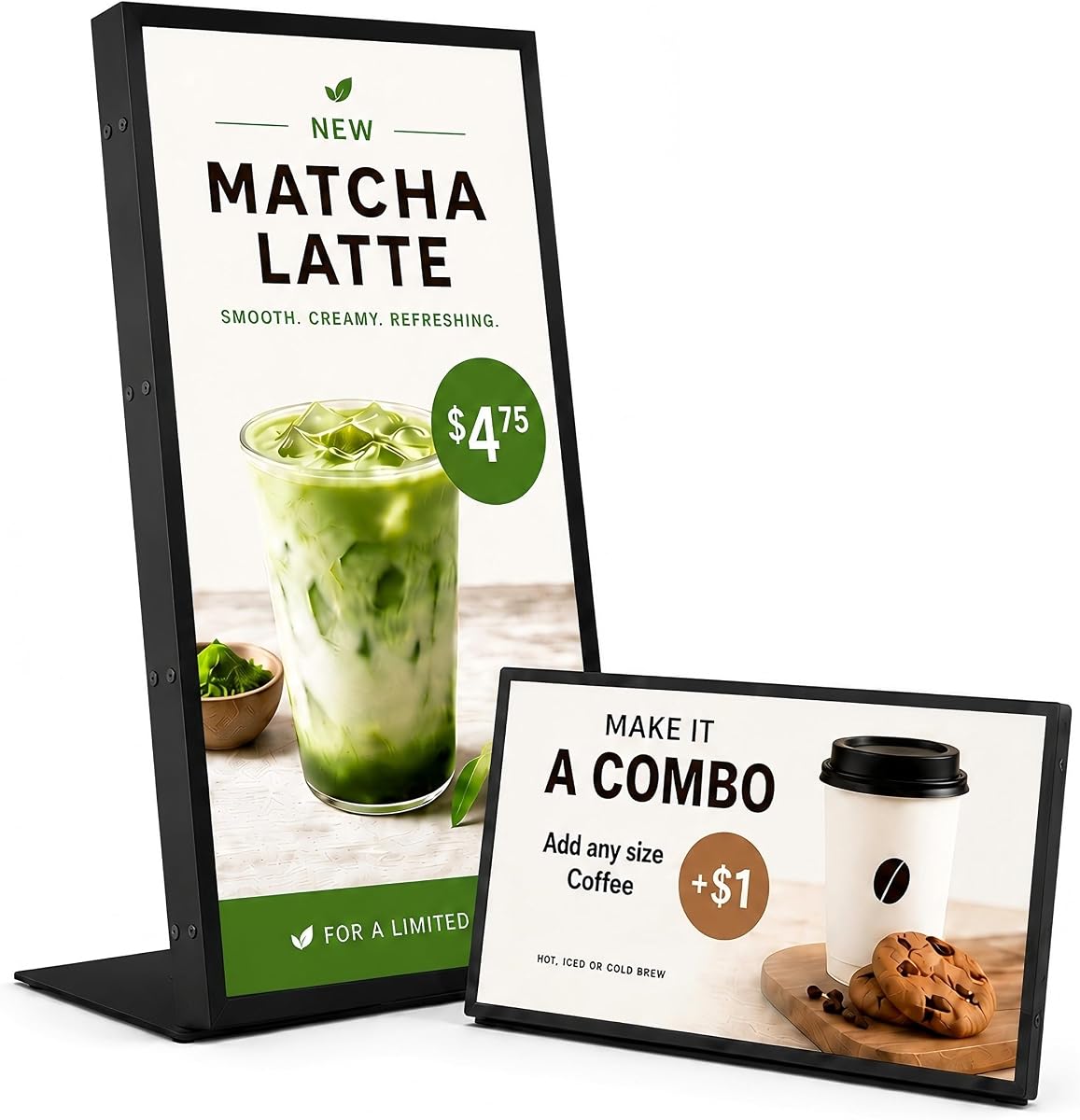
The 700-nit screen ensures menus remain clear even under strong indoor lighting. With both landscape and portrait stands, you can adapt the display to fit narrow or wide counter spaces effectively.
Content scheduling allows you to target messages at specific times, such as breakfast or lunch specials. This automated feature helps maximize engagement by showing the right content when customers are most likely to order.
Ideal for bakeries or salons, this display balances aesthetic appeal with practical functionality. The 3-year warranty with first-year replacement support ensures reliability, reducing downtime risks for busy businesses.
Switch between landscape and portrait to match your counter layout needs.
Metal housing protects internal components from heat and physical wear.
We may earn a commission when you buy through this link, at no additional cost to you.
This large-format screen delivers premium visual quality suitable for expansive commercial spaces. Although rated 3.4 due to complex setup needs, its 1000-nit brightness ensures menus remain visible even in sunlit atriums or large retail halls.
We may earn a commission when you buy through this link, at no additional cost to you.
The 4K UHD resolution and narrow bezels create a seamless, immersive viewing experience. You can divide the screen into multiple zones to show live feeds, menus, and promotions simultaneously for enhanced engagement.
Wall mounting and gap-free tiling allow for impressive digital wall installations. Pre-installed Google Play Store enables immediate operation, while remote scheduling keeps content synchronized across different times and locations.
Best for malls or flagship stores, this display justifies its cost with superior brightness and flexibility. It transforms large wall areas into dynamic content hubs that draw attention from afar.
High brightness ensures clarity even in well-lit or expansive environments.
Split the screen to show social feeds alongside menus simultaneously.
We may earn a commission when you buy through this link, at no additional cost to you.
This 29-inch unit offers a balanced size for medium-sized businesses needing more visibility than small units provide. While the 2.6 rating suggests some operational quirks, its 700-nit brightness and Android system allow for versatile content management.
We may earn a commission when you buy through this link, at no additional cost to you.
The 2GB RAM ensures smooth multitasking, switching between apps without lag. 2K resolution delivers clear visuals for menus, making it a solid option for retail stores or cafes with standard counter depths.
Pre-installed Google Play Store and remote scheduling simplify content management via mobile devices. The slim bezel design allows for wall mounting that blends into modern interiors without distraction.
Recommended for businesses seeking a middle ground in screen size, this display handles general advertising and menus well. The three-year warranty supports long-term reliability despite mixed user feedback.
32GB storage holds thousands of images for offline playback without internet.
Google Play Store allows installation of third-party content management apps.
We may earn a commission when you buy through this link, at no additional cost to you.
This player focuses on advanced content creation tools, including AI design and PowerPoint support. A 3.0 rating indicates variable user experience, but the features offer unique capabilities for those who want professional quality without design agencies.
We may earn a commission when you buy through this link, at no additional cost to you.
The Canvas Menu Designer and AI Enhancer let you create and optimize content directly on the cloud. Uploading presentations is straightforward, making it easier to convert existing print materials into digital formats.
Remote scheduling ensures your promotions update automatically at specified times. This automation is ideal for businesses running timed campaigns or rotating specials without manual intervention throughout the day.
Best for businesses needing design flexibility, this player pairs with existing TVs to deliver powerful digital signage. The template library accelerates content creation for users with limited graphic design skills.
Enhance image quality automatically to ensure professional presentation on screen.
Use pre-made templates to jumpstart content creation quickly.
We may earn a commission when you buy through this link, at no additional cost to you.
This player is designed for seamless cloud integration with a reputable digital signage service. A 4.3 rating highlights its reliability, featuring 4GB RAM and specialized watchdog technology to prevent playback interruptions during critical business hours.
We may earn a commission when you buy through this link, at no additional cost to you.
Local storage caching ensures smooth operation even with intermittent internet connections. This feature is vital for businesses relying on consistent displays, allowing content to buffer and play without requiring constant network access.
Compatible with vertical and horizontal screens, it offers flexibility in mounting configurations. The Android OS supports a wide range of content formats, making it adaptable for various promotional needs.
Ideal for businesses needing high uptime and cloud control, this player ensures your digital signage remains active. The free cloud service reduces ongoing costs while providing robust management tools.
4GB RAM allows smooth multitasking and fast content loading.
Local caching prevents display loss during network outages.
We may earn a commission when you buy through this link, at no additional cost to you.
Selecting the right digital menu display involves assessing your environment, content needs, and technical capabilities.
Brightness is critical for ensuring your menu remains legible in various lighting conditions. Look for displays with at least 700 nits of brightness for indoor counters, and consider higher values for spaces with strong natural light or large open areas.
Prioritize brightness specifications to ensure customers can read prices and items clearly without straining.
Choose a screen size that fits your counter or wall space without overwhelming the area. Smaller units like 10-18 inches suit tabletop displays, while 32-inch or larger screens are better for wall mounting in larger spaces.
Measure your available space and view angles to select a size that maximizes visibility.
A robust CMS allows you to update menus remotely without physical access to the device. Ensure the system supports scheduling, cloud control, and easy file transfers via USB or network connections.
Check for lifetime free CMS options to reduce ongoing software costs for your business.
Higher resolutions like Full HD or 4K ensure crisp text and vibrant images that attract attention. Avoid low-resolution displays that may appear pixelated or blurry, reducing the professional look of your brand.
Select FHD or 4K options for the best visual impact on customers.
Commercial units must withstand continuous operation and occasional physical contact. Look for metal housings, tempered glass, and warranty terms that cover defects for at least three years.
A strong warranty protects your investment against quality failures during daily use.
Multiple connection types like HDMI, USB, LAN, and WiFi provide flexibility for content sources. Ensure the device supports your preferred update methods, whether offline USB drives or online cloud platforms.
Verify ports match your current setup to avoid extra adapters or cables.
Android-based systems offer app integration and easy updates, making them versatile for modern businesses. Ensure the OS version supports the content management tools you plan to use.
Prefer Android devices for greater compatibility with third-party apps.
Energy efficiency and timed power settings help reduce electricity costs and manage display hours. Look for devices that allow automatic on/off scheduling to match business operating times.
Use scheduling features to ensure displays turn off during closed hours.
Place your digital menu display in a stable location where it is visible but not obstructed. Use the included stands or wall mounts to secure the unit, ensuring cables are managed to prevent accidental disconnections.
Keep the screen clean by wiping it gently with a microfiber cloth to remove dust and smudges. Avoid harsh chemicals that could damage the glass surface, and ensure the ventilation areas remain unblocked for proper cooling.
Regularly update content and firmware to maintain optimal performance and security. Check your CMS dashboard for notifications and schedule updates during slower hours to avoid interrupting service.
For indoor environments, a brightness level of at least 700 nits is recommended. This ensures text and images remain clear even under bright overhead lighting. If your space has windows or direct sunlight, consider units with 1000 nits or more.
While internet access is useful for remote updates via cloud CMS, many displays support offline playback via USB drives. You can upload content locally without needing constant network connectivity.
Yes, most modern displays support various video formats like MP4 or AVI. High-resolution models can deliver smooth playback, which is excellent for showcasing food preparation or promotional clips.
Use the cloud-based CMS provided with your display to log in from any device. Upload new files or edit existing content, then schedule the changes to apply immediately or at specific times.
Most units in this guide are designed for indoor commercial environments. Outdoor displays require weatherproofing and higher brightness. Ensure you check product specs before attempting outdoor installation.
Commercial-grade displays often have a lifespan of 50,000 hours. With proper maintenance and ventilation, you can expect years of reliable daily operation for business use.
We reviewed ten digital menu displays ranging from compact tabletop units to large wall-mounted screens. The 18.5-inch unit offers the best balance for most cafes, while the 50-inch display suits large retail spaces.
Prioritize brightness and CMS features to ensure your display remains effective and easy to manage. Choose a device that fits your specific counter space and supports your content strategy.
Prices and stock vary daily, so confirm current availability and warranty details before purchasing. With the right display, you can enhance customer engagement and streamline your operations.