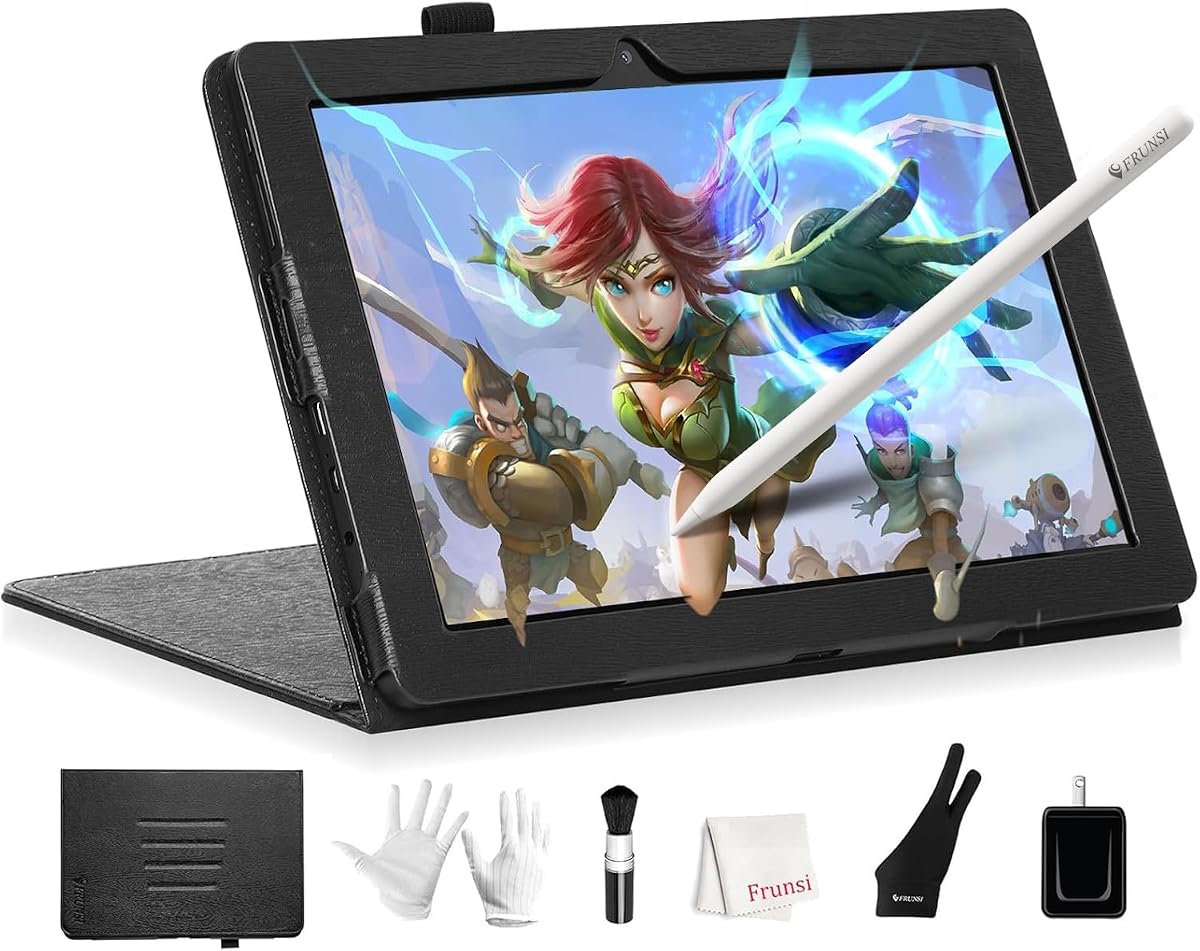
T8 Standalone Drawing Tablet 8inch Drawing Tablet No Computer Needed
4.4Editor score
Android 13 Operating System
4GB RAM and 64GB Storage
20 Hours Battery Life
Finding a drawing tablet with no PC needed changes how you create art. These devices let you sketch anywhere without carrying a heavy laptop or worrying about cables.
We evaluated ten popular standalone tablets based on screen quality, pressure sensitivity, battery life, and included software. This list helps you find the right tool for your style.
Each pick highlights key strengths and real-world use cases to guide your decision. Remember that prices can fluctuate frequently, so always check current offers before buying today.
4.4Editor score

4.4Editor score

4.2Editor score
As an Amazon Associate we earn from qualifying purchases.
This side-by-side comparison helps you quickly assess the key specifications of all ten standalone drawing tablets available in the market today.


The RubensTab T11 Pro stands out as a top choice for artists needing a true standalone experience. It rates highly for its immersive Full HD screen and reliable battery life.
We may earn a commission when you buy through this link, at no additional cost to you.
Its 10.1-inch display offers sharp details and vibrant colors perfect for sketching. The 5800mAh battery supports five hours of continuous creative work away from outlets.
While the pen is responsive, it lacks advanced tilt recognition found in higher-end models. However, this trade-off ensures a lightweight and budget-friendly package for most users.
This tablet is ideal for students and professionals who need mobility. It offers everything needed for serious digital art without the complexity of connecting to a computer.
The Full HD IPS screen ensures accurate colors and wide viewing angles for any creative work.
With USB-C charging and a power bank option, you can work longer without worrying about running out of power.
We may earn a commission when you buy through this link, at no additional cost to you.
The RubensTab T12 offers a spacious 12-inch display ideal for detailed illustrations. It earns a high rating for its premium software suite and powerful hardware.
We may earn a commission when you buy through this link, at no additional cost to you.
Its laminated screen minimizes parallax, creating a natural connection between pen and cursor. The included apps like Krita provide advanced tools right from the start.
The larger form factor might be bulky for some travel needs. However, the extra screen real estate justifies the size for serious artists requiring more workspace.
This device suits professionals wanting a powerful standalone hub. It handles complex tasks smoothly thanks to ample RAM and storage for large project files.
Pre-loaded apps like Sketchbook and Krita allow immediate professional creation without setup.
The octa-core processor ensures smooth operation even with multiple apps running simultaneously.
We may earn a commission when you buy through this link, at no additional cost to you.
The HUION KAMVAS Slate 11 delivers a fluid drawing experience with its 90Hz refresh rate. It is praised for its anti-glare screen and high-precision H-Pencil.
We may earn a commission when you buy through this link, at no additional cost to you.
The anti-glare coating mimics paper texture reducing eye strain during long sessions. With 8GB RAM and expandable storage, it handles multitasking and large files efficiently.
Some users might find the weight slightly high for extended handheld use. Despite this, the high performance and included software make it a strong value for enthusiasts.
This tablet is perfect for illustrators wanting a premium feel. It balances cost with high-end features like tilt support and a vibrant display.
The 90Hz refresh rate ensures lines appear instantly without lag or jitter during fast strokes.
The matte nano-etched surface reduces glare and provides a comfortable writing feel similar to paper.
We may earn a commission when you buy through this link, at no additional cost to you.
The T8 Standalone Drawing Tablet is a top budget choice offering an impressive 20-hour battery life. It is ideal for artists seeking portability and affordability.
We may earn a commission when you buy through this link, at no additional cost to you.
Its compact 8-inch screen makes it easy to carry anywhere. The 13 operating system supports popular apps like Sketchbook and ArtFlow out of the box.
The smaller display may be limiting for complex projects requiring fine detail. However, for sketching ideas or notes on the go, it is highly practical and reliable.
This tablet suits students or beginners starting digital art. It provides essential tools without a high cost or bulky hardware requirements.
With up to 20 hours of power, you can work through days without needing to recharge constantly.
Android 13 ensures compatibility with modern drawing apps and secure performance for daily tasks.
We may earn a commission when you buy through this link, at no additional cost to you.
The PicassoTab 12 provides a spacious 12-inch laminated display for detailed creative work. It is rated well for its powerful octa-core CPU and safety certifications.
We may earn a commission when you buy through this link, at no additional cost to you.
The included lifetime upgrades for Concepts and Artixo add significant value to the package. The large screen helps reduce eye strain during long design sessions.
The weight and thickness might be cumbersome for some users. However, the premium build and expansive canvas are well worth it for professional illustrators.
This tablet is a great option for animation and school projects. It offers a robust environment for multitasking and complex creative tasks.
Lifetime upgrades for Concepts and Artixo provide advanced tools that are usually separate paid subscriptions.
Certified by GMS, FCC, and CE, this device ensures safety and quality for daily creative use.
We may earn a commission when you buy through this link, at no additional cost to you.
This 12-inch standalone tablet offers exceptional specs with 16GB RAM and 256GB storage. It is praised for its high resolution and LTE connectivity for remote work.
We may earn a commission when you buy through this link, at no additional cost to you.
The 100% sRGB color gamut ensures accurate colors for print or web work. Magnetic attachment keeps the pen secure, reducing the risk of loss during transport.
Advanced features like LTE may complicate simple creative needs for some users. However, the high performance and connectivity make it a versatile mobile studio.
This model is best for professionals needing total independence. It combines high-end hardware with network flexibility for work anywhere.
With 100% sRGB coverage, your colors will match printed materials or other screens accurately.
4G LTE dual SIM lets you access the internet and call without needing a Wi-Fi signal.
We may earn a commission when you buy through this link, at no additional cost to you.
This alternative model provides a solid foundation for basic drawing needs. It is noted for its standard build quality and typical Android functionality.
We may earn a commission when you buy through this link, at no additional cost to you.
While specific specs are less detailed, it offers a reliable option for casual use. Users appreciate the basic support and accessibility through standard retail channels.
Lack of unique features might limit advanced users. Still, it remains a viable choice for those needing a simple standalone device without specific constraints.
This tablet works for quick sketches and general tasks. It is an option for users who want a basic drawing device with standard connectivity.
Runs on standard Android ensuring compatibility with most popular drawing apps from the Play Store.
We may earn a commission when you buy through this link, at no additional cost to you.
This model offers a straightforward solution for artists needing a portable tablet. It is recognized for its standard performance and functional Android OS.
We may earn a commission when you buy through this link, at no additional cost to you.
While it lacks detailed specs, it supports standard drawing apps effectively. The design focuses on usability and accessibility for everyday creative tasks.
Limited unique features might not appeal to power users. However, for basic sketching and note-taking, it delivers the expected performance level.
This tablet suits users who want a simple tool. It provides the necessary hardware to get started with digital art on the go.
Designed for general use, it covers the essential needs for casual digital drawing.
We may earn a commission when you buy through this link, at no additional cost to you.
This device serves as a functional alternative for digital artists. It offers standard performance suitable for basic creative tasks and general usage.
We may earn a commission when you buy through this link, at no additional cost to you.
While detailed specs are scarce, it maintains basic compatibility with popular apps. Users appreciate its role as a portable option for sketching ideas.
It lacks advanced features found in premium models. However, it remains a dependable choice for those needing a simple, affordable drawing tool.
This tablet is best for casual artists. It provides enough capability to get started with digital art without complex setup.
A practical option for users needing a basic tool without requiring high-end processing power.
We may earn a commission when you buy through this link, at no additional cost to you.
This final model offers a standard standalone tablet experience for users. It provides the necessary basic hardware for simple creative projects and general tasks.
We may earn a commission when you buy through this link, at no additional cost to you.
While specifics are not detailed, it functions as expected for basic Android apps. It is a viable choice for users needing a simple portable drawing tool.
It may not satisfy those looking for high-end features. Still, it works well for casual use and on-the-go note-taking.
This tablet is good for beginners. It supports essential drawing functions and integrates easily with your existing mobile apps.
Offers standard performance for everyday creative needs without complex features or high-end requirements.
We may earn a commission when you buy through this link, at no additional cost to you.
Choosing a standalone drawing tablet requires balancing screen quality, battery life, and processing power for your needs.
Screen size determines your available workspace. Larger screens like 12 inches are better for detailed work, while smaller ones are more portable.
Higher resolution ensures sharper lines and clearer visuals. Look for Full HD or better to avoid pixelation during your creative work.
Long battery life allows for uninterrupted creativity. Aim for models offering at least 5 to 10 hours of continuous use.
Check charging options like USB-C or power bank compatibility for longer trips. Good battery health is essential for portable use.
RAM affects how smoothly you can run multiple apps. More RAM ensures better performance when using heavy software like Photoshop or Procreate.
A strong processor helps with complex tasks. Look for models with good CPU benchmarks to avoid lag during intensive drawing sessions.
Pressure sensitivity controls stroke thickness and opacity. Higher levels like 4096 provide more natural control over line weight and brush size.
More sensitivity allows for detailed shading and line variation. It is a critical spec for realistic-looking digital art.
Pre-installed apps like Sketchbook or Krita save money and time. Look for models that offer a suite of professional tools right out of the box.
Compatibility with other apps via Play Store is also important. Ensure your chosen tablet supports the tools you already use.
Sturdy construction ensures the device survives travel. Check for durable materials and protective cases to keep your investment safe.
Portability depends on weight and thickness. Lighter models are better for carrying in a backpack during daily commutes.
Digital art files can take up significant space. At least 64GB is recommended for storing large projects and software apps.
Expandable storage via SD card is a bonus. It gives you room to grow your collection without needing to manage files constantly.
A quality pen with good ergonomics is crucial for long sessions. Look for pens that are comfortable to hold and have responsive tips.
Tilt recognition can add natural shading effects. Check if the pen supports tilt features if you plan to do more advanced work.
Start by calibrating the pen and screen to ensure accuracy. Follow the setup guide to match the cursor position with your pen movements.
Keep the screen clean using a soft microfiber cloth to prevent scratches and smudges. Avoid harsh chemicals that could damage the coating.
Store the device in a protective case when not in use. This prevents accidental drops and protects the screen from dust and dirt.
No, these tablets are designed to work independently. You can start drawing right out of the box without any cables or additional hardware.
Most models include apps like Sketchbook, Krita, or ibisPaint. You can also download additional apps from the Google Play Store.
Battery life varies but typically ranges from 5 to 20 hours depending on usage. You can extend it by using power-saving settings.
It is best to use the active stylus provided with the tablet for optimal pressure sensitivity and tilt features.
Yes, they are ideal for beginners who want to avoid the complexity of a computer setup. Many come with tutorials to help you get started.
Yes, you can use them for note-taking, browsing, or watching videos. They function like standard Android tablets for general use.
We have reviewed top options like the RubensTab T11 Pro and HUION KAMVAS Slate 11 for their performance and features.
Prioritize screen quality and battery life based on your creative needs and travel habits.
Remember to check current prices and offers before making a purchase decision.