
Canon Color imageCLASS LBP646Cdw
4.1Editor score
Fast 26 ppm print speed
Automatic duplex printing support
5-inch LCD screen navigation
Discover the top Duplex Color Laser Printer models for 2026. We compare speed, connectivity, and features to help you choose the perfect office printing
Finding the right Duplex Color Laser Printer can transform your office workflow significantly. These machines offer fast, vibrant output while saving paper through automatic two-sided printing capabilities essential for modern businesses.
We evaluated ten leading models based on speed, connectivity, and ease of use. Our analysis focuses on real-world performance metrics and user feedback to ensure you get reliable equipment for your specific needs.
Each selection below highlights unique strengths tailored to different work environments. Remember that availability and pricing can shift frequently, so verify current details before making your final purchase decision online.
4.1Editor score

4.2Editor score

4.4Editor score
This side-by-side comparison highlights the key specifications and capabilities of each top-rated model to help you make an informed decision for your office environment.


The Canon Color imageCLASS MF753Cdw II stands out as a versatile all-in-one solution for businesses needing comprehensive document handling. With a solid rating of 4.2 stars, users appreciate its ability to print, scan, copy, and fax efficiently.
We may earn a commission when you buy through this link, at no additional cost to you.
Its duplex laser technology ensures professional quality prints while reducing paper waste. Wireless connectivity allows seamless integration with various devices making it easy for teams to share tasks across the office.
While the price is higher than single-function units the convenience saves time and effort. The larger size might be a consideration for tight workspaces but the productivity gains usually justify the investment.
This model is ideal for small to medium offices requiring reliability and multifunctionality. We recommend it for teams prioritizing efficiency and consistent color output without compromising on essential scanning features.
Combining multiple tasks into one machine streamlines office operations significantly.
Easy connection to mobile devices allows flexible printing from anywhere.
We may earn a commission when you buy through this link, at no additional cost to you.
The Brother HL-L3220CDW offers a compelling entry point for those seeking affordable color laser performance. Its rating reflects reliable output for home offices needing crisp text and vibrant graphics without breaking the bank.
We may earn a commission when you buy through this link, at no additional cost to you.
With a print speed of 19 pages per minute and a 250-sheet tray it handles moderate volumes well. Wireless features ensure you can print from smartphones or tablets easily enhancing flexibility for remote workers.
Some users note basic interface controls but the core functionality remains robust. The automatic duplex feature helps save paper costs over time making it an eco-friendly choice for budget-conscious buyers.
This printer is perfect for home offices or small teams needing dependable color output. We suggest it for anyone prioritizing speed and capacity while keeping initial costs low.
A generous 250-sheet tray reduces frequent refills during busy periods.
Wireless capabilities enable effortless document printing from your preferred devices.
We may earn a commission when you buy through this link, at no additional cost to you.
The Canon Color imageCLASS LBP646Cdw focuses purely on high-speed printing tasks. With a 4.1-star rating it delivers quality output at 26 pages per minute ensuring quick turnaround for documents.
We may earn a commission when you buy through this link, at no additional cost to you.
The lack of scanning capabilities simplifies the machine reducing potential points of failure. Its 5-inch LCD screen makes navigating features intuitive while wireless setup gets you running in just a few steps.
This model is best for users who only need to print regularly. While it lacks multifunctionality the speed and reliability make it a strong contender for specific work environments.
Choose this printer if your priority is rapid color printing without extra functions. It suits professionals needing fast output and simple connectivity options for daily tasks.
Print up to 26 ppm in both color and monochrome and spend less time waiting.
Print from your compatible mobile devices using the free Canon PRINT app.
We may earn a commission when you buy through this link, at no additional cost to you.
The Brother MFC-L3720CDW offers a well-rounded feature set suitable for growing businesses. With a 4.0-star rating it combines printing scanning copying and faxing into one efficient unit.
We may earn a commission when you buy through this link, at no additional cost to you.
Its 3.5-inch color touchscreen simplifies navigation and allows quick access to cloud services. Dual-band wireless networking ensures stable connections even in busy office environments with multiple devices.
While not the fastest it handles standard tasks reliably. The auto duplex feature helps manage paper usage efficiently making it a practical choice for daily operations.
This model is recommended for small teams needing a versatile printer. It balances performance and connectivity well for users seeking a dependable all-around workhorse.
Maximize efficiency with the 20-sheet auto document feeder and 250-sheet adjustable paper tray.
Transform your workflow with direct access to popular cloud services including Google Drive and Dropbox.
We may earn a commission when you buy through this link, at no additional cost to you.
The Brother MFC-L8930CDW is a top-tier choice for demanding business environments. Its 4.4-star rating highlights robust performance and security features essential for sensitive document handling.
We may earn a commission when you buy through this link, at no additional cost to you.
Fast print and copy speeds of 33 ppm ensure high productivity. The 7-inch touchscreen simplifies management while advanced security protects data during transit and on the device.
Despite the higher price the long-term savings from low-cost printing options are significant. This model supports heavy workloads and integrates seamlessly with enterprise networks.
Choose this printer for large teams requiring speed and security. It is ideal for businesses prioritizing reliability and advanced management tools over initial cost.
High-speed two-sided scanning up to 104ipm with legal-size glass options.
Advanced security features to help keep devices secure and protect documents in transit.
We may earn a commission when you buy through this link, at no additional cost to you.
The Brother HL-L3280CDW is designed for small offices needing reliable laser output. With a 3.9-star rating it delivers consistent quality suitable for business documents and reports.
We may earn a commission when you buy through this link, at no additional cost to you.
Its 27 ppm speed keeps up with moderate demands. Ethernet connectivity provides stable connections while cloud-based apps enable easy printing from various platforms.
While not the most feature-rich it handles core tasks efficiently. The compact design fits well in smaller spaces making it a practical choice for home offices.
Select this model if you need a dependable workhorse without complex features. It suits users valuing speed and connectivity over extensive scanning capabilities.
A compact capable timesaver achieving print speeds up to 27 ppm with Automatic Duplex printing.
An integrated 2.7-inch touchscreen allows users to print from Cloud-based apps.
We may earn a commission when you buy through this link, at no additional cost to you.
The Canon Color imageCLASS MF665Cdw combines speed and versatility for home office tasks. Its 3.9-star rating indicates solid performance for users needing printing scanning copying and faxing.
We may earn a commission when you buy through this link, at no additional cost to you.
The 50-sheet duplex ADF speeds up multi-page scanning tasks. Wireless setup is straightforward and the color touchscreen makes navigation intuitive for all users.
Warranty support adds peace of mind for long-term use. While average in some areas it delivers consistent output for small business requirements effectively.
This model is ideal for those needing a compact all-in-one unit. We recommend it for users prioritizing speed and wireless ease of use.
Print up to 26 ppm in both color and monochrome with a quick first print time.
Print from your compatible mobile devices using the free Canon PRINT app.
We may earn a commission when you buy through this link, at no additional cost to you.
The Canon Color imageCLASS MF662Cdw offers solid printing and scanning in a compact form. With a 4.0-star rating it delivers consistent color output suitable for small workspaces.
We may earn a commission when you buy through this link, at no additional cost to you.
Its 26 ppm speed ensures quick job completion. The wireless setup is simple and mobile printing options provide flexibility for remote tasks.
Lack of faxing simplifies the device reducing costs. The 3-year warranty adds value for long-term reliability making it an attractive option for home users.
Choose this if you need scanning and printing without faxing. It suits small offices prioritizing speed and reliability over multifunctionality.
Print up to 26 ppm in both color and monochrome and spend less time waiting.
Print from your compatible mobile devices using Apple AirPrint and Mopria Print Service.
We may earn a commission when you buy through this link, at no additional cost to you.
The HP Color Laserjet Pro 3201dw is designed for small teams needing professional documents. With a 3.4-star rating it delivers vivid colors and reliable output for daily business tasks.
We may earn a commission when you buy through this link, at no additional cost to you.
Fast printing speeds ensure efficiency. Dual-band Wi-Fi with self-reset minimizes connection issues keeping workflows uninterrupted throughout the day.
Cartridge restrictions might limit flexibility but ensure original quality. The input tray handles standard volumes well making it suitable for moderate office use.
Consider this for teams prioritizing brand reliability and color vibrancy. It works best for environments with consistent printing needs and reliable network access.
Proficiency with every print next-generation TerraJet toner brings your business to life with vivid colors.
Stay connected with dual-band Wi-Fi with self-reset to detect and resolve connection issues.
We may earn a commission when you buy through this link, at no additional cost to you.
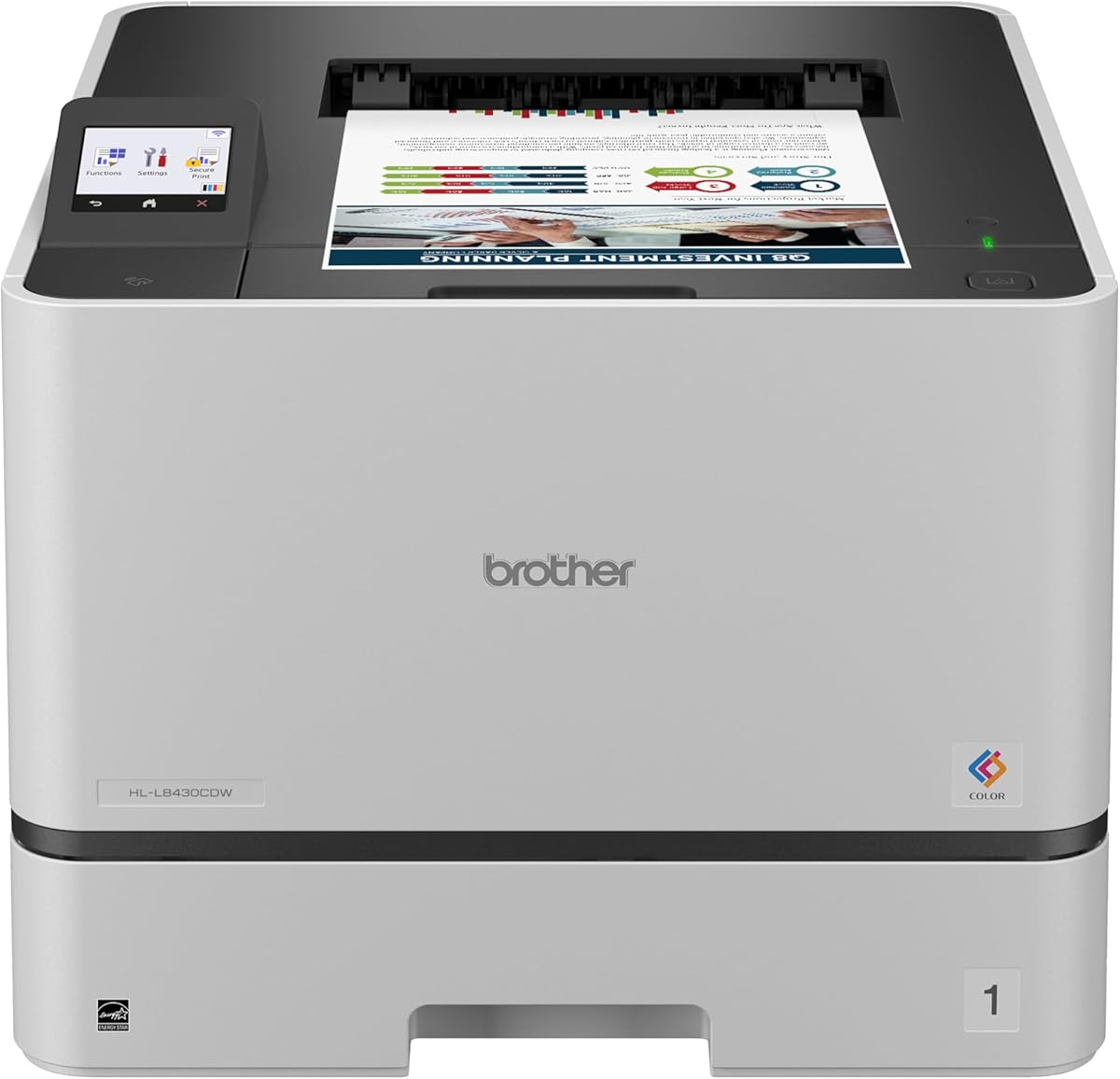
The Brother HL-L8430CDW is built for dependable business performance. With a 4.0-star rating it offers high speed and low-cost printing options ideal for growing teams.
We may earn a commission when you buy through this link, at no additional cost to you.
Fast 33 ppm output ensures quick results. Security features protect documents during transit while wireless connectivity supports flexible office arrangements.
Expandable tray capacity allows scaling as needs grow. While costs are higher the long-term savings and reliability make it a valuable investment.
Choose this for offices needing speed and security. It suits businesses prioritizing productivity and low operational costs over initial budget.
Offers built-in value with included Brother Genuine 3000-page black toner cartridges.
Advanced security features to help keep devices secure and protect documents in transit.
We may earn a commission when you buy through this link, at no additional cost to you.
Selecting the right printer involves evaluating speed, connectivity, and specific office needs to ensure efficient workflow integration.
Print speed is measured in pages per minute (ppm) and varies significantly between models. Higher ppm helps busy offices handle large volumes quickly without bottlenecks. Color quality depends on toner density and resolution ensuring sharp text and vibrant images.
Prioritize 20 ppm or higher for active workspaces needing fast turnaround.
Wireless connectivity allows seamless printing from laptops phones and tablets. Look for dual-band Wi-Fi to ensure stable connections in crowded networks. Ethernet options provide secure backup for critical business tasks.
Ensure the printer supports AirPrint or Mopria for easy mobile device integration.
Duplex printing automatically creates two-sided documents saving paper and costs. A 250-sheet tray reduces refills during busy periods enhancing efficiency. Higher capacity models support large teams with continuous printing needs.
Check for auto document feeders if frequent scanning is required daily.
All-in-One units combine printing scanning copying and faxing saving space. Single-function models are simpler and often faster if you only need printing. Touchscreen interfaces make navigation intuitive for all office users.
Choose multifunction units if document digitization is a core business task.
Advanced security features like NFC card readers protect sensitive data. Triple-layer security prevents unauthorized access and safeguards documents in transit. Regular firmware updates ensure protection against emerging cyber threats.
Look for EPEAT or ENERGY STAR ratings to meet environmental standards.
High-capacity toner reduces replacements and lowers long-term costs. Check page yield estimates to calculate total cost of ownership accurately. Reliable warranty terms provide peace of mind against unexpected hardware failures.
Opt for models with high-yield toner options for frequent usage scenarios.
Regularly update firmware to maintain connectivity and security standards. Ensure paper trays are correctly loaded and aligned to prevent frequent jams.
Keep the printer in a cool dry place to avoid toner clumping. Dust sensors gently to maintain scanning and printing quality.
Monitor toner levels early to avoid interruptions during critical tasks. Utilize duplex settings whenever possible to maximize paper savings.
A duplex color laser printer automatically prints on both sides of the paper saving resources and costs. This feature helps businesses reduce waste while producing professional documents efficiently.
Yes modern wireless duplex printers include encryption and security features to protect data. Look for models with advanced network security and authentication protocols for sensitive documents.
Check for paper jams toner levels and connection settings first. Updating drivers and ensuring correct paper types are loaded often resolves most common printing problems.
Standard office paper works for most prints but special coated paper may enhance color vibrancy. Always check the printer manual for recommended paper types to avoid jams.
With regular maintenance a quality color laser printer can last several years. High-volume models are designed for heavy use while keeping operational costs low.
Most printers support compatible toner but original cartridges ensure best performance. Check warranty terms as some manufacturers may restrict non-original supplies for support.
We reviewed ten top models offering reliable duplex color printing for various office needs. Each option balances speed connectivity and features to suit different professional environments.
Prioritize speed and security for large businesses or connectivity for home offices. Choose based on specific workflows to maximize efficiency and productivity.
Verify current stock and warranty terms before purchasing as details can change. Select the model that fits your budget and operational goals.