
EKWB EK-Quantum Vector3 Master RTX 5090 GPU Water Block
4.5Editor score
Optimized open split-flow design
Full coverage VRAM cooling
13 individually addressable RGB LEDs
This guide compares the top Ek waterblocks for Nvidia GPUs including the 5090 and 5080 series focusing on cooling performance and RGB features for custom loops.
Selecting the right liquid cooling solution is crucial for high-performance systems. Ek waterblocks offer superior thermal management and aesthetic appeal for enthusiasts.
We evaluated ten top models based on cooling efficiency compatibility and build quality. Each product was analyzed against current standards for next generation graphics cards.
Every pick highlights specific strengths like thermal performance or lighting. Prices fluctuate frequently so verify current listings before purchasing your components.
4.5Editor score

4.5Editor score

5.0Editor score
The following table provides a side by side overview of all ten products. Compare key specifications and features to find the ideal match for your specific GPU model.



The EK-Quantum Velocity 3 water block sets a new standard for CPU cooling performance. It delivers impressive thermal efficiency compared to its predecessor.
We may earn a commission when you buy through this link, at no additional cost to you.
Its optimized internal geometry ensures maximum heat transfer efficiency for demanding workloads. The nickel-plated copper cold plate provides superior thermal conductivity.
While it comes at a premium price point it delivers top-tier cooling. Users might need specific mounting hardware for older sockets.
This block is ideal for enthusiasts seeking maximum heat dissipation. It stands out as the top choice for next-gen processors.
The design achieves up to 2 degrees C improvement over previous models.
Exact mounting pressure ensures consistent contact with the processor surface.
We may earn a commission when you buy through this link, at no additional cost to you.
The Velocity 2 D-RGB block offers premium quality cooling with extensive lighting options. It features a next-generation cooling engine designed specifically for Intel LGA 1700.
We may earn a commission when you buy through this link, at no additional cost to you.
Its extensive D-RGB lighting is compatible with all popular software from major motherboard manufacturers. The included Hydronaut paste ensures maximum cooling performance.
Users should note that this block is socket specific for Intel 1700 systems. Care is needed to avoid scratching the Plexi top.
This block is perfect for those wanting high performance and vibrant lighting. It balances cooling efficiency with aesthetic control seamlessly.
Syncs easily with major motherboard RGB software ecosystems for unified control.
The next-gen engine provides socket specific optimization for better heat dissipation.
We may earn a commission when you buy through this link, at no additional cost to you.
The EK-Quantum Vector3 Master is engineered for specific Gigabyte RTX 5090 graphics cards. It offers advanced cooling with an optimized open split-flow design.
We may earn a commission when you buy through this link, at no additional cost to you.
This block actively cools the GPU core GDDR7 VRAM and power stages. The full-coverage backplate passively dissipates heat from critical PCB components.
While expensive the cooling capabilities justify the investment for high-end systems. It is designed exclusively for specific 5090 models.
This is the ultimate choice for serious gamers needing maximum cooling. It ensures thermal stability even under heavy overclocking loads.
Optimized split-flow design and enhanced fin array deliver superior thermal performance.
Cools core VRAM and power stages while backplate manages PCB hotspots.
We may earn a commission when you buy through this link, at no additional cost to you.
The Velocity 2 AM5 White Edition offers high-grade cooling with a stunning finish. It features digital RGB lighting and a coldplate made of pure electrolytic copper.
We may earn a commission when you buy through this link, at no additional cost to you.
This model is designed specifically for AMD AM5 sockets ensuring a perfect fit. The white edition adds a clean look to custom builds.
Users must ensure their system uses AMD AM5 as it is not compatible elsewhere. White finishes may show dust more easily over time.
This block is perfect for those building a white themed system. It combines excellent thermal performance with striking aesthetics.
Manufactured from 99.99% pure electrolytic copper for superior conductivity.
Features digital RGB lighting that enhances the visual appeal of the build.
We may earn a commission when you buy through this link, at no additional cost to you.
This block is precision-engineered specifically for ASUS TUF Gaming GeForce RTX 5080 cards. It features an optimized open split-flow design for enhanced cooling.
We may earn a commission when you buy through this link, at no additional cost to you.
The cooling engine actively cools the GPU core VRAM and power stages while maintaining low hydraulic restriction. It includes a full-coverage backplate.
It is designed only for the TUF model so compatibility is key. Installation is made easy with pre-cut thermal pads.
This is an excellent choice for TUF owners seeking a dedicated cooling solution. It ensures thermal performance without excessive flow resistance.
The open split-flow design improves coolant flow paths for better heat transfer.
Includes L-shaped backplate to passively cool PCB hotspots effectively.
We may earn a commission when you buy through this link, at no additional cost to you.
The EK-Quantum Surface S120 offers high cooling power in a compact package. It is designed with high-grade copper fins for optimal thermal transfer.
We may earn a commission when you buy through this link, at no additional cost to you.
Its compact design fits easily into smaller cases while providing essential cooling. The black finish provides a neutral look for most builds.
While it lacks advanced RGB features it performs its task efficiently. Users should expect standard performance for a 120mm radiator.
This is a great choice for budget-conscious users needing reliable cooling. It ensures efficient heat dissipation in tight spaces.
Designed to ensure optimal coolant flow with no stress on the cooling loop.
Provides the best balance between thermal transfer and air resistance.
We may earn a commission when you buy through this link, at no additional cost to you.
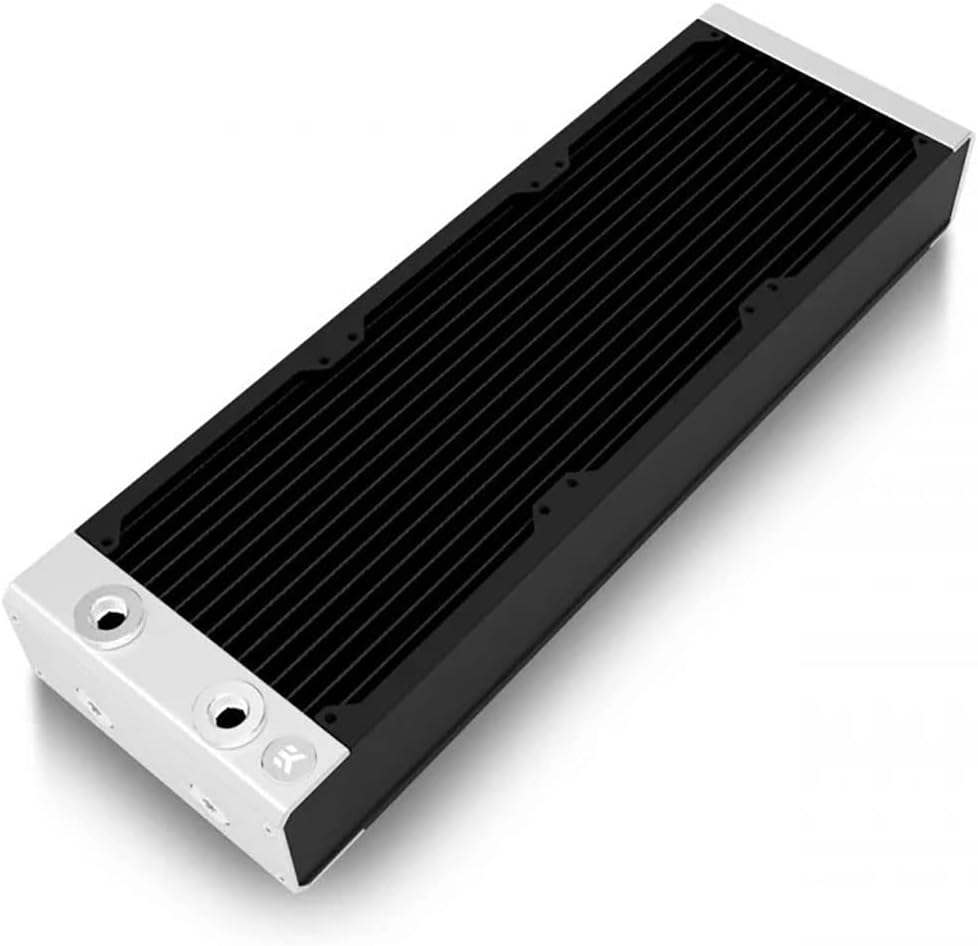
The EK-Quantum Surface X360M offers the most cooling power of any EK radiator. It features a thick design that benefits from high-speed fans.
We may earn a commission when you buy through this link, at no additional cost to you.
With a total of sixteen copper tubes it ensures optimal coolant flow. The non-louvered copper fins provide excellent thermal transfer efficiency.
Its thickness may require more case space so careful planning is needed. It is best used with medium or high-speed fan setups.
This radiator is ideal for high-performance systems needing maximum heat dissipation. It balances air resistance and thermal transfer perfectly.
The thick design delivers superior cooling power for demanding thermal loads.
Sixteen 2mm wide tubes ensure optimal coolant flow across the radiator.
We may earn a commission when you buy through this link, at no additional cost to you.
This block is designed exclusively for ASUS ROG Astral GeForce RTX 5080 graphics cards. It features an optimized open split-flow cooling engine.
We may earn a commission when you buy through this link, at no additional cost to you.
The block actively cools the GPU core VRAM and power stages. It follows EK-Matrix7 standardization for simplified loop planning.
Users should note that it fits only the Astral 5080 model. The cable length is standard but may require planning for specific setups.
This is the top choice for Astral owners wanting custom cooling. It offers seamless integration with other EK components.
Optimized flow paths and expanded fin array maximize heat dissipation capabilities.
Follows standardization for perfect integration with distro plates.
We may earn a commission when you buy through this link, at no additional cost to you.
The Volume 3 flat-shaped reservoirs revolutionize the way users think about loop building. It offers a total of nine ports for flexible setup options.
We may earn a commission when you buy through this link, at no additional cost to you.
Its digital RGB lighting adds visual appeal to the cooling loop. The size is compact enough for most desktop cases.
Lower reviews may indicate some design limitations worth considering before purchase. The capacity is small compared to standard reservoirs.
This is ideal for users needing maximum port flexibility. It simplifies loop building with versatile connection points.
Equipped with nine ports to allow optimal setup choices for your loop.
Features digital RGB lighting to enhance the aesthetics of your system.
We may earn a commission when you buy through this link, at no additional cost to you.
This custom water block is designed exclusively for ASUS ROG Astral GeForce RTX 5090 graphics cards. It features an enhanced cooling engine for maximum dissipation.
We may earn a commission when you buy through this link, at no additional cost to you.
The included L-shaped backplate passively cools PCB hotspots. It is compatible with EK-Matrix7 standardization for seamless integration.
While expensive the comprehensive thermal management justifies the cost. Users must ensure their GPU matches the specific Astral 5090 model.
This is the ultimate cooling solution for high-end ROG systems. It provides stability for extreme overclocking applications.
Actively cools core and VRAM while the backplate manages PCB hotspots.
Follows Matrix7 standardization for straightforward tube routing and planning.
We may earn a commission when you buy through this link, at no additional cost to you.
Choosing the right waterblock involves considering several technical factors. This guide breaks down the key elements to ensure compatibility and performance.
Ensure the waterblock is designed for your specific GPU model. Manufacturers like EK tailor blocks for exact designs such as ASUS ROG or Gigabyte AORUS.
Always verify the exact model number before purchasing to avoid fit issues.
Look for optimized flow designs and fin arrays that maximize heat transfer. High-performance blocks actively cool the GPU core VRAM and power stages.
Prioritize blocks with enhanced cooling engines for demanding workloads.
Nickel-plated electrolytic copper coldplates are standard for superior conductivity. Avoid blocks with inferior materials that may degrade over time.
High-quality materials ensure longevity and consistent cooling.
Many blocks include addressable D-RGB LEDs. Check compatibility with your motherboard's sync software for unified lighting control.
Ensure the cable length and connector type match your headers.
Blocks following the Matrix7 standard simplify loop planning. This ensures seamless integration with distro plates and tube routing.
Prioritize Matrix7 compliance for cleaner and more efficient builds.
Full coverage backplates help dissipate heat from critical PCB components. Look for L-shaped profiles that enhance structural integrity.
A good backplate contributes significantly to overall thermal management.
Blocks that include pre-cut thermal pads and captive screws save time. Seamless installation reduces the risk of errors during setup.
Check the included accessories to ensure all necessary parts are present.
Consider the top material like Plexi or Metal for visual appeal. White or Black finishes can match your system theme.
Choose a design that fits your personal style preference.
Before installation clean your GPU surface to ensure optimal contact. Apply thermal paste evenly according to manufacturer guidelines.
Regularly check your loop for leaks and coolant levels. A stable loop ensures consistent cooling performance over time.
Flush your cooling system annually to prevent buildup. Proper maintenance extends the lifespan of your components.
No these blocks are designed for specific models like ASUS ROG Astral or Gigabyte AORUS. Always check your exact GPU model before buying to ensure a perfect fit.
Yes a waterblock requires a pump to circulate coolant. Ensure your loop has sufficient flow rate to support the hydraulic requirements.
Connect the D-RGB cable to your motherboard header. Use your motherboard manufacturer software to sync the lighting effects with the rest of your system.
EK-Matrix7 is a standardization for tube routing and component placement. It ensures seamless integration between different EK components in a loop.
No these are liquid cooling blocks designed for use in a closed loop system. They require coolant flow to function effectively.
Most include pre-cut high-performance thermal pads for VRAM and power stages. Check the specific product details for confirmed inclusions.
Use a high-quality coolant to prevent corrosion. Clean the block annually to ensure thermal efficiency remains at peak levels.
It passively cools PCB hotspots and adds structural integrity. This helps maintain thermal stability under heavy loads.
The EK-Quantum Vector3 Master and Astral blocks lead in performance for 5090 cards. They offer advanced cooling and integration for high-end builds.
Prioritize compatibility and Matrix7 support to simplify your setup. The right block ensures your system runs cool and silent.
Always verify the current price and stock before purchase. Specifications and deals may change without notice.