
GLDRAM Cooling Fan for OLED Dock
4.4Editor score
14 game card storage slots
Compatible with 2021 OLED dock
Integrated blue LED lighting
This guide compares the top external cooling fan Nintendo Switch dock accessories to help you prevent overheating and extend your console lifespan during
External cooling fans for the Nintendo Switch dock are essential accessories for gamers who want to prevent overheating during long sessions. These devices help maintain optimal performance and protect your hardware from unnecessary wear.
We evaluated ten top-rated models based on cooling efficiency, build quality, noise levels, and additional features like LED displays or card slots. Our analysis focuses on real-world usability and compatibility with original and OLED docks.
Each pick in this list highlights specific strengths and potential trade-offs so you can choose the right solution for your setup. Note that product availability and prices may change frequently on major retail platforms.
4.4Editor score

4.6Editor score
4.4Editor score
The following table provides a side-by-side overview of all ten products examined in this guide. Each entry includes key specifications and direct links to product pages for quick reference and purchasing options.


This cooling fan ranks as the top choice for preventing overheating on the original Nintendo Switch dock. With a 4.6 rating, it balances performance and usability while offering clear digital feedback on temperature and fan speed. It is designed to plug directly into the back of the dock for power.
We may earn a commission when you buy through this link, at no additional cost to you.
The standout feature is the LED display that shows both RPM and exit air temperature in real time. Three physical buttons allow quick adjustments between low, medium, and high speeds. The included stabilizer pad ensures the unit stays secure and prevents scratches on your console during long sessions.
While the fan is nearly silent below 2400 RPM, higher speeds do produce audible noise. This is a reasonable trade-off given the powerful airflow and cooling performance. The Micro USB cable is straightforward to connect but may require a dedicated port on your power strip or dock setup.
Ideal for serious gamers who want reliable temperature control and visibility, this fan offers peace of mind during extended play. The lifetime warranty reinforces confidence in its durability. For most users seeking a straightforward external cooler for the original dock, this remains the most dependable option available.
The LED display provides immediate insight into console heat levels so you can adjust cooling before issues arise.
Included sponge pads keep the fan fixed in place while protecting your Switch from scratches or movement during use.
We may earn a commission when you buy through this link, at no additional cost to you.
This cooler uses three high-speed fans to deliver robust airflow for the original Switch dock. Its compact design fits neatly behind the dock without taking up much room. Installation is straightforward as it connects directly to the dock USB port for power.
We may earn a commission when you buy through this link, at no additional cost to you.
The turbo and normal modes give you flexibility depending on your gaming intensity. Turbo mode provides maximum airflow when needed while normal mode keeps noise lower during casual play. The solid build helps prevent overheating and system malfunctions over time.
Despite its performance advantages, the product has a lower overall rating. Some users may find the control scheme less refined compared to alternatives. However, if you prioritize raw airflow and simplicity over digital displays or advanced features, this remains a practical choice.
Recommended for users who want a no-fuss solution with triple fan power, this cooler handles heat well without complex setup. It suits those who value a clean TV stand layout and straightforward operation. For long gaming sessions where thermal performance matters most, it delivers consistent results.
Three integrated fans work together to maximize ventilation and pull heat away from the console faster than single-fan units.
No tools or extra cables are needed since it powers directly from the dock USB port for instant cooling setup.
We may earn a commission when you buy through this link, at no additional cost to you.
This dual-fan cooler is tailored for the Switch 2 dock and includes multiple extra features beyond cooling. It automatically starts with the console and offers three cooling levels to match different gaming needs. The unit doubles as a storage and connectivity hub.
We may earn a commission when you buy through this link, at no additional cost to you.
Six game card slots let you keep your favorite titles handy without cluttering shelves. Three USB ports allow charging controllers or connecting peripherals while gaming. The RGB lighting adds a vibrant aesthetic touch that syncs with your setup style.
While versatile, this product is specific to the Switch 2 hardware. Owners of the original dock cannot use it. For early adopters of the new console, it provides both protection and expanded functionality in a single compact unit.
Ideal for Switch 2 owners who want enhanced organization and cooling, this stand simplifies your desk setup. It balances performance with useful accessories like extra USB ports and card storage. If you value convenience and visual customization, this is a compelling forward-looking option.
Card slots and USB ports turn the cooler into a multi-functional stand that reduces peripheral clutter on your desk.
The fan starts automatically when the console connects so cooling begins the moment you start playing.
We may earn a commission when you buy through this link, at no additional cost to you.
This base integrates three cooling fans into a compact bracket designed for game consoles including the Switch dock. It is built to be small and easy to set up without requiring tools. A side switch allows quick toggling between turbo and normal modes.
We may earn a commission when you buy through this link, at no additional cost to you.
The three fans work together to dissipate heat efficiently while maintaining a clean look on your TV stand. The durable material helps protect the unit and the dock from wear over time. It is a straightforward choice for basic cooling needs.
Lacking a temperature display or advanced controls, this model focuses purely on airflow and simplicity. Some users may prefer more feedback or customization, but the value proposition remains strong. It suits those who want effective cooling without extra electronics.
Best for budget-conscious gamers needing reliable ventilation, this base delivers solid performance in a small package. If you prioritize function over features and want a no-nonsense cooler, it is a practical addition to your gaming setup.
Multiple internal fans increase air movement to cool the console quickly and maintain stable performance during play.
The small design fits behind most docks without blocking vents or taking up valuable shelf space.
We may earn a commission when you buy through this link, at no additional cost to you.
This dock replaces the standard unit with an all-in-one solution that includes cooling, card storage, and multiple ports. It supports seamless switching between eight game cards and features independent power switches to manage energy use. Both TV and desktop modes are supported.
We may earn a commission when you buy through this link, at no additional cost to you.
The built-in fan maintains optimal temperature during long play while the card system reduces physical swapping. Separate switches let you disable unused features to save energy and reduce noise. The compact design keeps everything organized in one place.
As a full dock, it costs more than standalone fans but provides greater functionality. It is ideal for users who want to consolidate accessories and simplify their setup. Some may prefer separate components but the integration is efficient.
Best for serious collectors and home setups, this dock streamlines your gaming environment with premium features. If you value organization and versatility alongside cooling, it delivers strong value for a complete station upgrade.
Switch between game cards without removing the console which protects your device from unnecessary wear.
Separate switches for the fan and card system allow tailored power use and quieter idle times.
We may earn a commission when you buy through this link, at no additional cost to you.
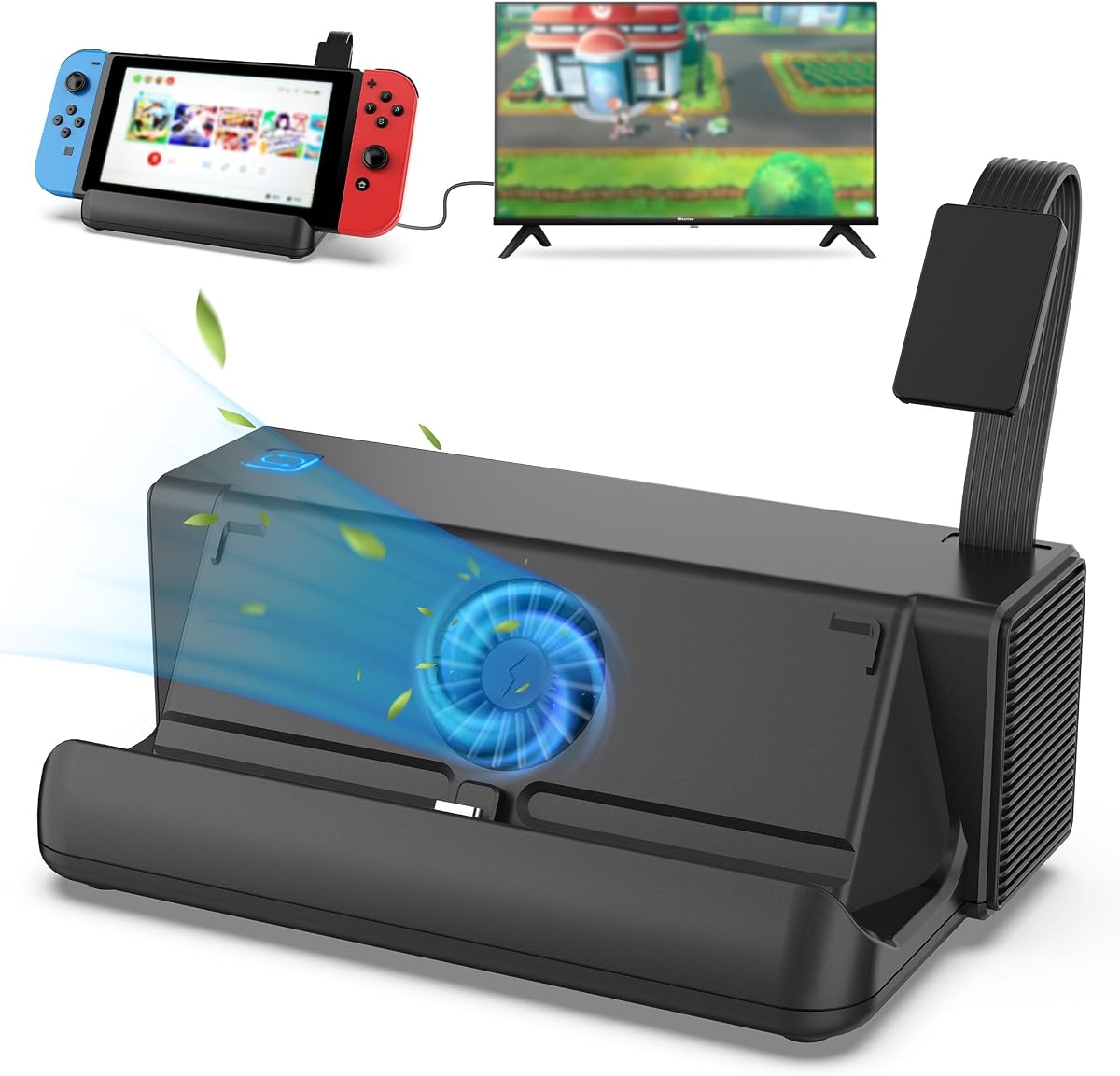
This cooler is designed specifically for the 2021 OLED dock and offers strong airflow with a turbo fan. The blue light adds visual flair while the high fan count of slots helps organize your collection. Type-C power makes installation simple.
We may earn a commission when you buy through this link, at no additional cost to you.
The turbo fan blows inward to circulate air across the base surface which speeds up heat removal. ABS construction keeps the unit lightweight yet durable. It is a convenient add-on that improves thermal performance without clutter.
While effective for OLED owners, it is not compatible with original docks. Some may prefer adjustable lighting or more control but the core cooling is reliable. For Switch OLED users it offers a stylish and functional upgrade to the stock dock.
Best for OLED console owners wanting enhanced cooling and storage, this fan combines utility with aesthetic appeal. If you value a tidy desk and extra card space alongside better thermal performance it is a practical choice.
Fan placement and direction are tuned to match the OLED dock vents for efficient cooling without gaps.
Fourteen slots provide generous space for your library so you can access cards quickly without searching.
We may earn a commission when you buy through this link, at no additional cost to you.
This fan is built for the Switch OLED model and uses a single high-speed unit for effective cooling. It connects via TYPE-C and features a blue LED that syncs with the power switch. Setup is simple with no tools required.
We may earn a commission when you buy through this link, at no additional cost to you.
The fan increases internal air circulation to reduce heat during extended play. Users report low delay and consistent temperatures. The LED adds a subtle design touch that matches the dock aesthetic. It remains cool after hours of use.
Compared to multi-fan options it lacks adjustable speed settings but offers reliable performance in a clean white shell. It is best suited for those who want simplicity and quiet operation over granular control. For OLED owners it is a straightforward thermal upgrade.
Ideal for minimalist setups on the OLED dock this fan delivers consistent cooling without noise or complexity. If you value a sleek profile and straightforward installation it remains a solid choice for everyday gaming.
The design prioritizes quiet operation so you can focus on gameplay without distracting fan noise.
TYPE-C input matches the dock header for a clean installation that fits the original design.
We may earn a commission when you buy through this link, at no additional cost to you.
This fan provides three distinct speed levels to match different gaming scenarios. It features a 45mm turbine fan that balances power and noise. The vertical air duct aligns with the console inlet for efficient heat removal. Auto on-off simplifies use.
We may earn a commission when you buy through this link, at no additional cost to you.
You can set the fan to low medium or max speed depending on the heat load. The turbine blades reduce operational noise while maintaining effective cooling. The minimalist look blends well with modern consoles. Nano tape ensures stable placement when needed.
While powerful it is designed for the Switch 2 so original dock users cannot use it. Some may prefer adhesive-free mounting but the tape option offers security. It is an excellent match for the next-gen console needs.
Best for Switch 2 owners who want precision cooling, this fan delivers tailored performance with minimal noise. If you value control and integration with the new console it is a strong pick for stable gaming.
Airflow direction is optimized to match the console intake for faster heat removal without wasted effort.
The fan starts and stops with the console so cooling is always ready when you begin playing.
We may earn a commission when you buy through this link, at no additional cost to you.
This stand offers passive cooling through an elevated hollowed-out structure that boosts air circulation around the dock. It requires no power and makes zero noise. The black acrylic construction is durable and looks premium. Non-slip pads keep the dock secure.
We may earn a commission when you buy through this link, at no additional cost to you.
By lifting the dock it creates natural airflow paths that reduce overheating risks. The design is tool-free and installs instantly. It is ideal for users who want cooling without added electronics or cables. The build quality supports long-term use.
While it lacks active fans, the passive design is effective for moderate heat loads and is completely silent. If you prefer quiet environments and simple setups this stand is an elegant solution. It pairs well with active cooling when needed.
Best for silent setups and minimalist aesthetics, this stand protects your dock without power or noise. If you value cleanliness and stability and want to reduce heat passively it is a reliable accessory.
No moving parts means absolutely no noise which is perfect for quiet rooms or night gaming.
The hollow structure increases air movement around the dock vents without using electricity.
We may earn a commission when you buy through this link, at no additional cost to you.
This cooler features an LED display for real time speed and temperature monitoring and adjusts from 510 to 6000 RPM. It includes a Micro USB cable and a stabilizer pad for secure placement. The design supports both the Switch original dock and the Steam Deck.
We may earn a commission when you buy through this link, at no additional cost to you.
The adjustable speed range lets you balance cooling power and noise based on needs. The sponge pad protects your console from scratches and prevents movement during use. It is versatile and works across multiple platforms including the OLED dock.
The rating is not yet available so long-term reliability is still being established. However the feature set is comprehensive for the price. It suits users who want flexibility and monitoring without a steep investment.
Best for multi-device owners seeking visibility and control this fan offers strong capabilities. If you want adjustable performance and a clear readout for heat it provides solid utility across devices.
Adjust from whisper quiet to max power to match different heat loads and noise preferences.
Supports both the Switch dock and Steam Deck so one fan can cool multiple gaming devices.
We may earn a commission when you buy through this link, at no additional cost to you.
Choosing the right external cooling fan requires balancing cooling performance, compatibility, noise, and additional features. The following factors will help you evaluate options objectively.
Ensure the fan matches your dock type. Many models are built for the original dock while others fit the OLED version or the new Switch 2. Mismatched units may not connect securely or power correctly.
Always check product descriptions for supported dock versions before purchasing to avoid fit issues.
Look for fans with strong airflow and effective heat dissipation designs. Multi-fan setups typically provide better cooling than single units. Consider whether the fan blows air directly toward hot vents or circulates air around the dock.
Higher airflow ratings and turbine designs often reduce internal temperatures more efficiently.
Fan noise can become distracting during immersive sessions. Many fans offer multiple speed settings so you can choose quieter lower speeds for casual play. Check if the unit remains acceptable at the performance levels you need.
Select models that stay silent at low speeds and limit noise when on maximum.
Most fans draw power from the dock USB or a nearby power outlet. Micro USB or Type-C cables determine how easily you can connect. Consider whether the dock has spare ports or if you will need a splitter.
Choose a power solution that fits your existing setup to minimize cable clutter.
Some coolers integrate game card slots and USB ports for controllers. These features can reduce clutter on your TV stand or desk. If you collect many games or use wired controllers, an all-in-one unit may save space.
Weigh extra features against cost and size to keep your setup efficient.
Durable materials like ABS or acrylic protect your console from scratches and improve longevity. A stable base prevents the unit from sliding during use. Check for non-slip pads or secure attachment methods.
Prioritize sturdy construction that protects your device over time.
LED displays and RGB lights can add flair to your setup. Physical buttons or automatic operation make control simpler. Decide whether you need real-time temperature info or prefer a plug-and-play design.
Balance aesthetics and control preferences with practical performance needs.
A strong warranty indicates confidence in durability. Look for vendors that offer responsive support and replacement policies. This is especially important for electronic accessories that see daily use.
Choose sellers that provide clear warranty terms to protect your purchase.
Place the fan so that its air path aligns with the dock vents. A misaligned unit may not reduce temperatures effectively. Secure the fan with included pads or tape to prevent movement during use.
Connect the power cable to a reliable source and test the fan before long gaming sessions. Adjust the speed to match the heat output of your current game. Monitor the LED display if available to ensure safe temperatures.
Keep the fan and dock free of dust to maintain airflow. Periodically wipe the surface with a soft dry cloth and avoid liquids. Check the cable for wear and replace it if necessary.
Using a third-party cooling accessory does not typically void the console warranty unless it causes damage. Keep the original packaging and receipts. If the manufacturer asks, note that the accessory only attaches externally and does not open the device.
Check the product listing for compatibility with the original dock, OLED dock, or Switch 2 dock. Many vendors specify the dock model number in the title or description. Compare your dock appearance to product images before buying.
Multiple fans usually provide stronger airflow and faster heat dissipation. However they can be louder and take more space. If noise is a concern, look for models with adjustable speeds to lower fan usage when full cooling is not needed.
Most use Micro USB or Type-C power cables. The dock may supply power via a USB port or you may need an external adapter. Check the package contents to confirm the included cable matches your power source.
Some cooling fans list compatibility with multiple handheld devices like the Steam Deck and Switch. Verify the dimensions and power requirements before using with non-Switch consoles. Universal models work best across platforms.
By keeping temperatures lower during long sessions, cooling fans reduce thermal stress on internal components. This can slow wear over time and help prevent performance throttling during extended play.
This guide highlights ten cooling options that range from simple single-fan units to feature-rich stands. Our top picks include a versatile choice with LED monitoring, a budget-friendly OLED-compatible cooler, and a premium all-in-one dock.
Prioritize compatibility with your dock, noise tolerance, and whether you need extra storage or ports. Simple fans suit basic thermal needs while integrated solutions help streamline your setup and protect your game collection.
Check current availability and shipping details before purchasing since stock varies by seller. The right cooling fan can improve your experience during long play by keeping your console stable and protected.