
HP x900w USB 3.0 Flash Drive
4.5Editor score
Compact lightweight design
USB 3.0 interface
2 year warranty included
Backward compatible USB 2.0
Discover the top flash drives for HP laptops comparing speed capacity and durability to ensure reliable data storage and seamless file transfer for your needs.
Choosing the right flash drive for your HP laptop is essential for efficient data storage and quick file transfers. A good drive offers fast read speeds reliable connectivity and a durable design that withstands daily use in various environments.
We compared ten top-rated USB drives based on performance capacity compatibility with HP systems and user feedback. Each product was evaluated for speed interface type build quality and value to help you find the perfect match for your workflow.
Each pick highlights key features strengths and potential drawbacks so you can make an informed decision. Prices and availability change frequently so please check current listings before purchasing to ensure you get the best deal today.
4.5Editor score

4.6Editor score

4.3Editor score
This side-by-side comparison highlights the key specifications of each drive to help you quickly identify which model fits your specific HP laptop requirements and storage needs.




This SANDISK 128GB Ultra Flair drive stands out as a top choice for HP laptop users needing reliable and fast storage. With a 4.6 rating it delivers impressive performance for everyday tasks and large file transfers alike.
We may earn a commission when you buy through this link, at no additional cost to you.
Its USB 3.0 interface supports read speeds up to 150MB/s which means you can move a full length movie in under thirty seconds. The sleek metal casing not only looks professional but also protects the drive from physical damage and heat.
While the drive offers excellent speed the password protection software requires a download for Mac users which might be a minor inconvenience. Additionally the lack of a physical cap means the connector is exposed when not in use though the swivel design helps manage this.
If you need a balance of speed capacity and durability this drive is highly recommended for students professionals and anyone managing media files on their HP laptop. It combines practical features with robust build quality to ensure long term reliability.
With read speeds up to 150MB/s this drive significantly reduces waiting times when moving large videos or datasets between your HP laptop and external storage.
Built in password protection uses 128-bit AES encryption to keep your private files safe from unauthorized access on shared or public computers.
We may earn a commission when you buy through this link, at no additional cost to you.
The Lexar D40E 256GB Dual USB drive is a premium solution designed for users who frequently switch between modern Type-C devices and traditional Type-A laptops like many HP models. Its dual connector design eliminates the need for adapters.
We may earn a commission when you buy through this link, at no additional cost to you.
Featuring USB 3.2 Gen 1 technology it offers transfer speeds up to 100MB/s which is sufficient for most daily backup and sharing tasks. The 256GB capacity provides ample space for high resolution photos and videos while the metal build ensures durability.
One potential drawback is that the write speed is not explicitly listed which may be a consideration for users transferring large datasets regularly. Additionally the premium price might be higher than other options but the convenience of dual connectivity justifies the cost for many.
This drive is ideal for professionals who need seamless file access across smartphones tablets and laptops without carrying extra cables. The robust security features and reliable performance make it a top choice for business and personal use.
The combination of Type-A and Type-C connectors ensures you can plug into almost any device directly without needing additional adapters or dongles.
Advanced security software with 256-bit AES encryption protects your sensitive business documents and personal photos from unauthorized access on shared devices.
We may earn a commission when you buy through this link, at no additional cost to you.
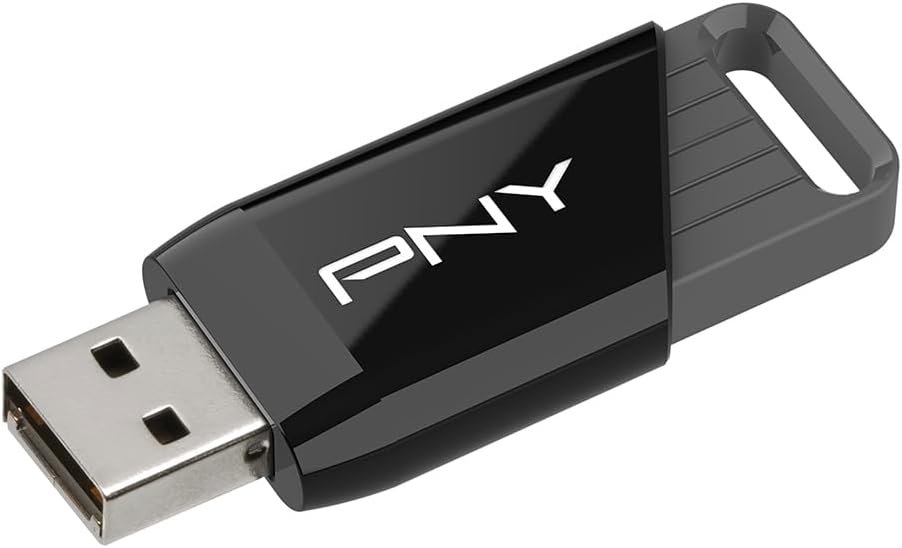
The HP x900w USB 3.0 Flash Drive is an excellent budget friendly option for HP laptop owners looking for a reliable and fast storage solution. With a 4.5 rating it offers solid performance at a very competitive price point.
We may earn a commission when you buy through this link, at no additional cost to you.
It utilizes USB 3.0 technology which provides transfer speeds up to 10 times faster than USB 2.0 drives making it easy to move files quickly. The compact and lightweight design ensures it fits easily in your pocket or laptop bag for everyday carry.
While 64GB may not be enough for extensive media libraries it is sufficient for documents presentations and essential files. The two year warranty adds peace of mind though the basic plastic design lacks the ruggedness of metal enclosures found in premium models.
For students or casual users who need a dependable drive for schoolwork and basic storage tasks this drive offers the best value. It is a practical choice for anyone who wants speed and reliability without spending extra.
This drive delivers the speed benefits of USB 3.0 technology at a budget friendly price making high performance storage accessible to everyone.
As an HP branded accessory it is specifically designed to work seamlessly with HP laptops ensuring optimal compatibility and reliable performance out of the box.
We may earn a commission when you buy through this link, at no additional cost to you.
The JOIOT 128GB USB C Flash Drive is a versatile option for users who need to share files between modern smartphones and traditional laptops. It supports both Type-C and Type-A connections which makes it highly adaptable for various devices.
We may earn a commission when you buy through this link, at no additional cost to you.
With read speeds up to 130MB/s it handles photos and videos efficiently while the plug and play functionality means no software installation is required. The compact size and protective caps help keep the connectors safe during travel.
One limitation is the plastic enclosure which can heat up during extended transfers and the write speed is lower than the read speed. However for typical use cases like backing up photos or transferring documents this drive performs reliably.
This drive is a great choice for Android users and iPhone 15 owners who also use HP laptops and need a single drive for all their devices. It offers excellent convenience and value for the price.
Supports Windows Android Linux and Mac OS systems which means you can use this drive across virtually any device you own without compatibility issues.
Included caps protect the connectors from dust and damage which extends the lifespan of the drive and ensures reliable connections over time.
We may earn a commission when you buy through this link, at no additional cost to you.
The PNY 256GB Attaché X USB 3.2 is designed for users who need to store large volumes of data in a portable format. With 256GB capacity it can hold hundreds of hours of video or thousands of high resolution photos.
We may earn a commission when you buy through this link, at no additional cost to you.
It uses USB 3.2 Gen 1 technology to deliver read speeds up to 130MB/s which ensures quick access to your files. The sliding collar cap design provides convenient protection for the USB connector without the need for a separate cap that could get lost.
While the drive offers good performance it does not include built-in encryption software so users needing high security should use third party tools. The sliding cap mechanism is generally reliable but may loosen over time with frequent use.
If you need a high capacity drive for creative work or extensive backups this model offers a great balance of space and speed. It is particularly useful for professionals who deal with large project files regularly.
With 256GB of space you can store entire project folders HD video clips or large music libraries without worrying about running out of room.
The sliding collar cap design keeps the connector safe from damage and dust while allowing quick access when you need to transfer files.
We may earn a commission when you buy through this link, at no additional cost to you.
This 2-Pack 128GB USB C Flash Drive bundle offers exceptional value for users who need multiple drives for backups or sharing files across different devices. Each drive supports both Type-C and Type-A connections making them versatile for laptops and phones.
We may earn a commission when you buy through this link, at no additional cost to you.
The USB 2.0 standard ensures stable and consistent performance across a wide range of devices although it is slower than USB 3.0 options. With a combined storage of 256GB you have plenty of space for photos videos and documents.
The main trade-off is the slower transfer speed which may take longer for large files but is adequate for general use. The basic plastic build is lightweight and portable but lacks the premium feel of metal enclosures.
If you need an affordable backup solution or want drives to share with family members this bundle is a practical choice. It provides double the storage options at a price point that fits any budget.
Getting two drives allows you to maintain redundant backups of your critical files ensuring you never lose important data due to drive failure.
Plug and play functionality means you do not need to install drivers or software making it easy to start transferring files instantly.
We may earn a commission when you buy through this link, at no additional cost to you.
The SANDISK 256GB Ultra USB 3.0 is a reliable high capacity drive that offers excellent performance for standard USB-A ports found on most HP laptops. Its 4.6 rating reflects consistent quality and speed in real world use.
We may earn a commission when you buy through this link, at no additional cost to you.
With read speeds up to 130MB/s it handles large file transfers efficiently while the included file encryption software provides extra security for your sensitive data. The backward compatibility with USB 2.0 ensures it works on older devices too.
While it lacks a Type-C connector for modern devices the standard USB-A design is sufficient for most laptop users. The plastic casing is practical but does not offer the same rugged protection as metal alternatives.
If you need a simple high capacity drive for storing and sharing large files this model is a solid choice. It combines trusted brand reliability with modern storage speeds and security features.
SANDISK is a trusted name in storage and this drive delivers consistent speeds and reliability that you can count on for daily tasks.
Built-in file encryption keeps your private documents and photos protected from unauthorized access when sharing the drive with others.
We may earn a commission when you buy through this link, at no additional cost to you.
The SANDISK 16GB Cruzer Blade is a classic choice for users who need a small compact drive for basic file transfers. Its tiny footprint makes it easy to carry in a keychain or pocket for everyday use.
We may earn a commission when you buy through this link, at no additional cost to you.
While it uses the older USB 2.0 interface it still provides reliable speeds for small files like documents and photos. The included SecureAccess software allows you to password protect your private files on Windows systems.
The limited capacity is not suitable for large media files but perfect for sharing small documents or bootable utilities. It is an excellent budget option for anyone who needs a spare drive for occasional use.
If you prioritize portability and simplicity over speed and capacity this drive is a great pick. It is reliable affordable and easy to use on virtually any computer.
The contoured compact design makes this drive one of the smallest on the market ensuring it does not get in the way when plugged in.
SecureAccess software lets you create a password protected vault for sensitive files ensuring only you can access them on shared computers.
We may earn a commission when you buy through this link, at no additional cost to you.
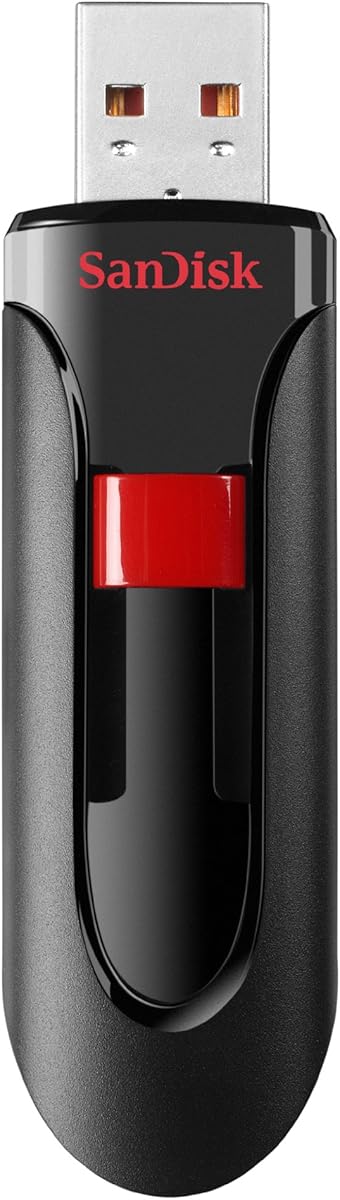
The SANDISK 128GB Cruzer Glide is a popular drive known for its convenient retractable design that eliminates the risk of losing a cap. With a 4.7 rating it is one of the most trusted drives for everyday storage.
We may earn a commission when you buy through this link, at no additional cost to you.
It supports USB 3.0 for fast file transfers and includes SecureAccess software for password protection. The 128GB capacity provides ample space for documents photos and media files making it versatile for many users.
Over time the retractable mechanism may wear out from frequent use but it remains reliable for most people. The design is practical and straightforward ensuring the connector stays protected when not in use.
If you want a no fuss drive that combines convenience reliability and good capacity this model is a strong candidate. It is a favorite among users who need a dependable drive for regular work and school tasks.
The retractable slider keeps the connector safe without a removable cap so you never have to worry about losing parts while traveling.
With a 4.7 rating this drive is one of the most highly rated options in its class reflecting consistent performance and user satisfaction.
We may earn a commission when you buy through this link, at no additional cost to you.
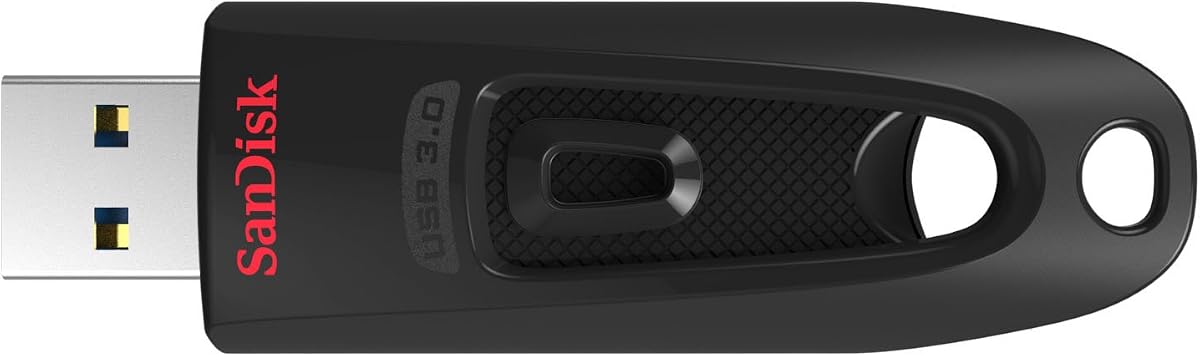
The SANDISK Ultra 32GB USB 3.0 is an older but still highly rated model that offers solid performance for small file storage needs. With a 4.7 rating it remains a reliable choice for those needing basic storage on a budget.
We may earn a commission when you buy through this link, at no additional cost to you.
It delivers read speeds up to 80MB/s which is four times faster than USB 2.0 and plenty quick for documents and photos. The 32GB capacity is modest but sufficient for essential files and presentations.
One standout feature is the five year limited warranty which is longer than most competitors and shows the manufacturer confidence in its durability. However the capacity may not suit users needing to store large video files.
If you need a reliable drive for backups or small transfers this model is an excellent value. It offers trusted brand quality and a robust warranty for a very affordable price.
A five year limited warranty provides peace of mind knowing you are protected against defects for a long time after purchase.
USB 3.0 speeds ensure your file transfers are quick and efficient saving you time compared to older USB 2.0 drives.
We may earn a commission when you buy through this link, at no additional cost to you.
Selecting the right flash drive involves evaluating several key factors to ensure compatibility speed and durability for your specific needs.
Storage capacity determines how much data you can keep on the drive. For simple document transfers 16GB to 64GB may suffice but for high resolution photos and videos 128GB or higher is recommended to avoid running out of space.
Choose a capacity that aligns with your typical file sizes and frequency of use to ensure you always have room for new data.
The interface speed affects how quickly files are transferred. USB 3.0 and USB 3.2 offer significantly faster speeds than USB 2.0 which is important for large files. Check your HP laptop ports to select the right interface for maximum performance.
Prioritize USB 3.0 or higher to minimize wait times during file transfers especially if you work with media or large datasets regularly.
Connector type determines compatibility with your devices. Most HP laptops use Type-A but newer models may include Type-C. Dual connector drives provide flexibility for phones and tablets without adapters.
If you need to connect to multiple device types consider a dual connector drive for seamless connectivity without carrying dongles.
Durability is crucial for a portable device that travels with you. Metal enclosures offer better protection against physical damage and heat compared to plastic. Look for water resistant or shock proof features if you often work in challenging environments.
Select a build that matches your usage habits to ensure the drive lasts through daily wear and tear.
Security features such as password protection and encryption help protect sensitive data from unauthorized access. Many drives include software that allows you to set passwords or encrypt specific files on the drive.
If you handle confidential documents or personal data choose a drive with robust security features to keep your information safe.
A warranty indicates the manufacturer confidence in their product. Common terms range from two to five years covering defects in materials or performance. Longer warranties provide extra assurance of reliability.
Check warranty terms before buying to ensure you have support in case the drive fails within the coverage period.
Price varies widely based on capacity and features. Higher capacity and better build quality often cost more but provide better long term value. Compare features against price to find the best fit for your budget.
Invest in a drive that balances cost with the performance and features you actually need to avoid overspending on unnecessary capabilities.
Portability affects how easily you can carry the drive. Compact and lightweight designs with protective caps or retractable connectors are ideal for everyday carry. Larger drives may be less convenient to keep on a keychain.
Choose a size and shape that fits comfortably in your pocket or bag for easy access whenever you need to transfer files.
To use your flash drive simply insert it into an available USB port on your HP laptop. Most drives are plug and play so they will appear as a removable drive in File Explorer or Finder without needing extra software.
To ensure data safety always use the safely remove hardware option before unplugging the drive. This prevents data corruption and protects your files by ensuring all operations are complete before disconnection.
For longevity store your flash drive in a cool dry place away from extreme heat or moisture. Avoid bending the connectors and keep them clean to prevent connection issues. If your drive has a cap always replace it when not in use.
USB 3.2 offers higher maximum transfer speeds and backward compatibility with older USB 3.0 devices. In practice both types will work in USB 3.0 ports but USB 3.2 drives may provide slightly faster performance with compatible hardware.
Yes if you have a USB-C flash drive or a USB-A to USB-C adapter. Most modern flash drives support USB-C natively which makes them compatible with newer HP laptop models that lack traditional Type-A ports.
Many flash drives include password protection software that encrypts files on the drive. Alternatively you can use built-in OS tools or third-party encryption software to secure your data before saving it to the flash drive.
Check the drive is properly inserted and try a different USB port. You may need to install drivers or update your system. If the drive is physically damaged you might need to replace it.
It is best to safely eject and unplug the flash drive when not in use to prevent data corruption. Leaving it plugged in for long periods can wear the port and increase the risk of accidental damage.
Flash drives can last several years with regular use but their lifespan depends on write cycles and storage conditions. Proper handling and avoiding exposure to heat and water can significantly extend their usable life.
Choosing the right flash drive for your HP laptop depends on balancing capacity speed and durability to suit your specific workflow. The top picks in this guide offer reliable performance whether you need budget friendly storage or high capacity options.
Consider factors like connector type security features and build quality to ensure compatibility with your devices and safety for your files. Prioritize drives that meet your speed needs and provide enough space for your typical file sizes.
Prices and availability change frequently so verify current deals before purchasing to get the best value for your money. A quality flash drive is an essential tool for efficient data management and portable storage on your HP laptop.