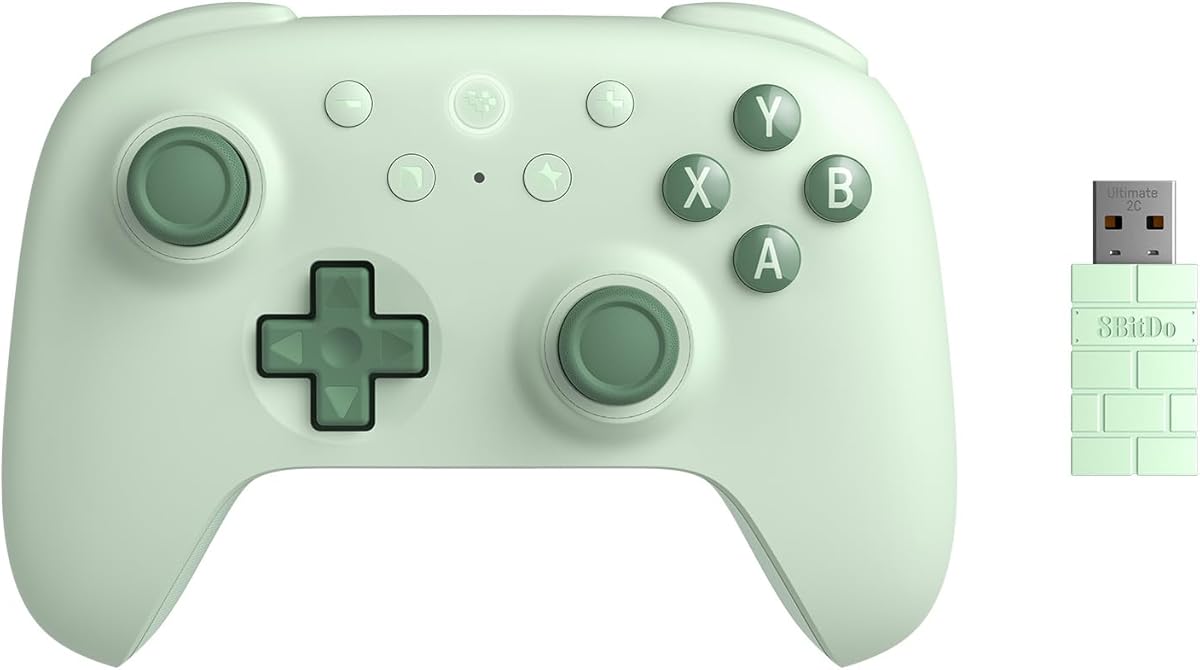
8Bitdo Ultimate 2C
4.4Editor score
Hall Effect sticks
1000Hz polling
Remappable bumpers
Discover the best gaming controllers for Windows in October 2026. This guide compares top models for performance, ergonomics, and value to help you choose.
Finding the right gaming controller for Windows can transform your PC gaming experience. A quality controller offers precision input, ergonomic comfort, and reliable connectivity for hours of play. Whether you prefer wired stability or wireless freedom, the market provides diverse options tailored to different budgets and playstyles.
We compared ten standout controllers based on build quality, feature sets, and user feedback. Our analysis covers Hall Effect sticks, polling rates, battery life, and compatibility across Windows and other platforms. This list highlights models that excel in specific areas to help you find the perfect match for your setup.
Each pick includes detailed insights into performance, customization options, and real-world usability. We focus on tangible benefits like anti-drift technology and responsive triggers. Note that product availability and pricing change frequently, so verify current details before making your final purchase decision today.
4.4Editor score
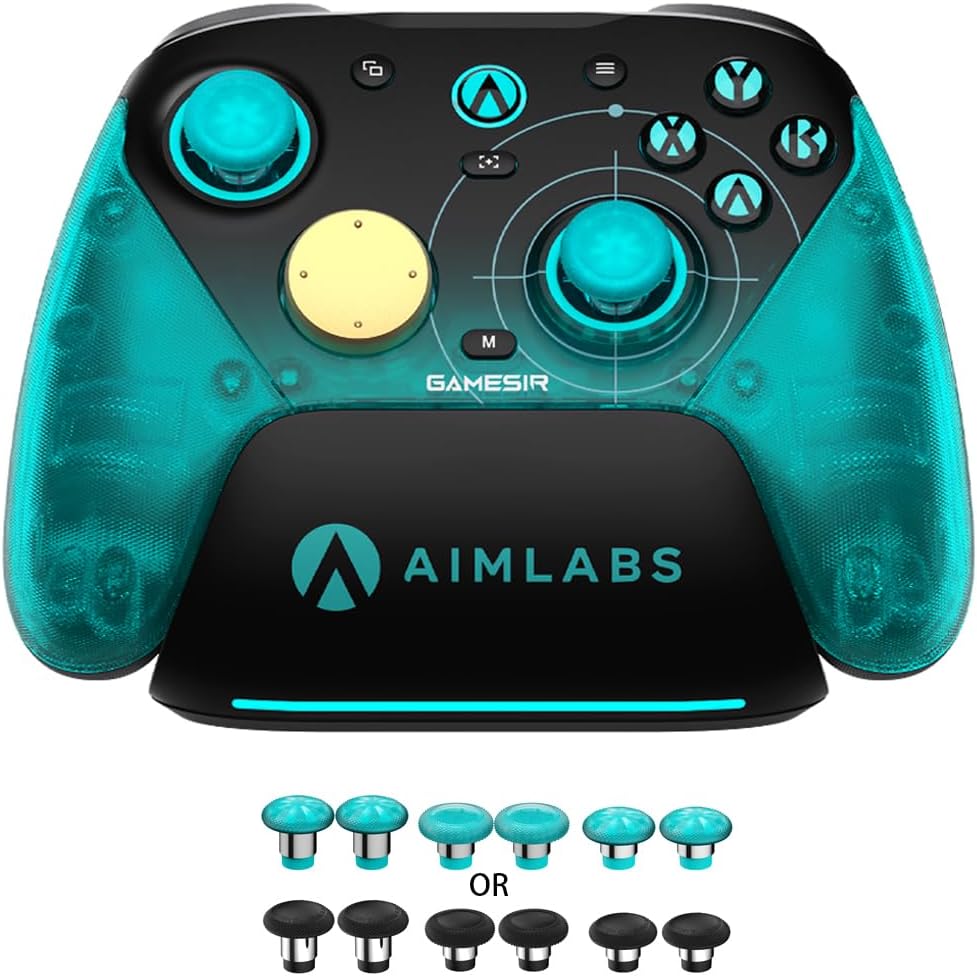
4.3Editor score
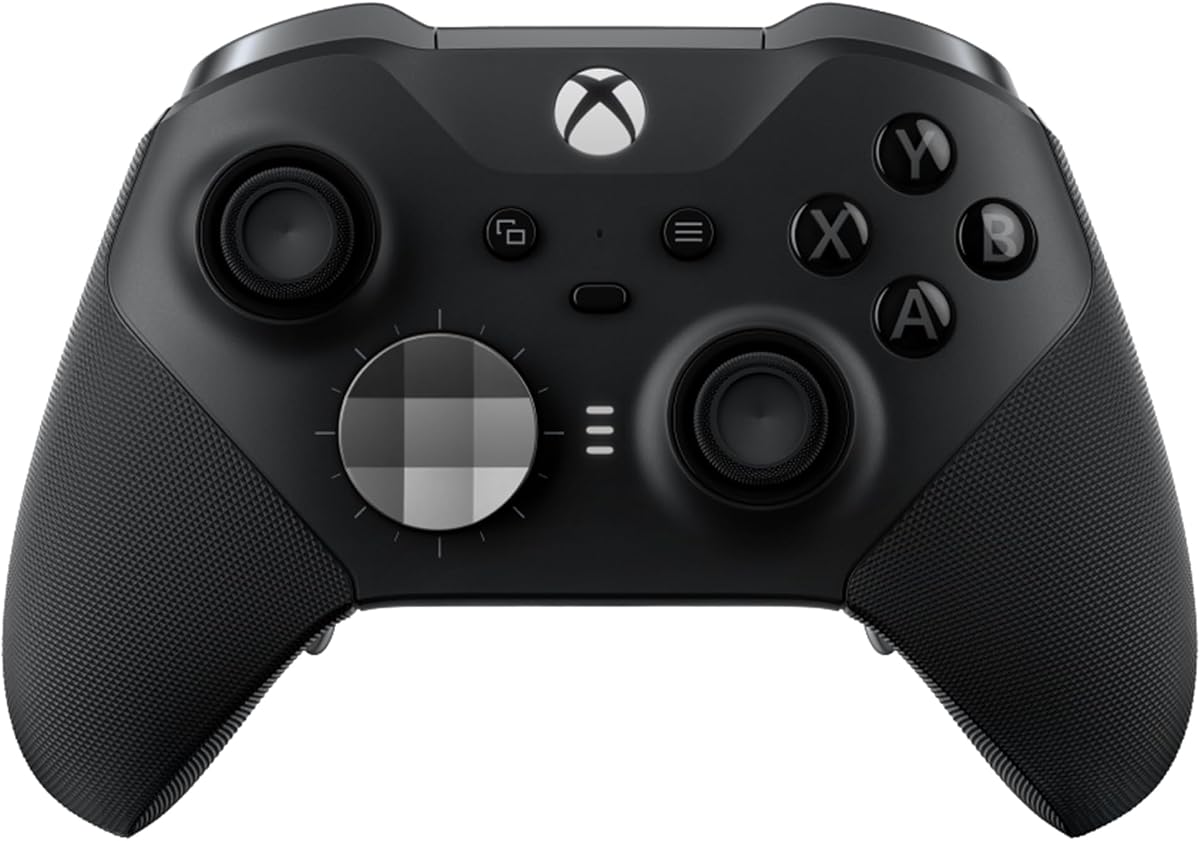
4.3Editor score
The following table provides a side-by-side overview of the ten selected controllers. Each entry highlights key specifications and unique features to help you quickly identify which model aligns with your specific gaming needs and platform preferences.


The GameSir G7 Pro 8K stands out as a dedicated PC gaming solution with unmatched responsiveness. Rated 4.3 stars, it brings esports-grade precision to competitive play. Its TMR joysticks ensure long-term durability while eliminating common drift issues found in standard controllers.
We may earn a commission when you buy through this link, at no additional cost to you.
Key strengths include an 8000Hz polling rate over both wired and wireless connections for near-zero latency. The dual-mode trigger system allows switching between linear Hall Effect and clicky micro switches instantly. This flexibility suits different genres from racing to shooters without needing separate hardware.
Trade-offs include incompatibility with Xbox consoles and a premium price point. These limitations are acceptable for PC-only users seeking high performance. The lack of Xbox support ensures focused optimization for Windows environments and Steam input.
This controller is ideal for serious PC gamers who prioritize input speed and customization. It delivers a tangible edge in competitive titles through its specialized design. If you need the fastest response times on Windows, this model is the top recommendation.
The 8000Hz rate ensures every input registers instantly for competitive advantage.
Built-in gyroscope enhances aiming accuracy for immersive gameplay experiences.
We may earn a commission when you buy through this link, at no additional cost to you.
The 8Bitdo Ultimate 2C offers exceptional value with premium features at an affordable price. With a 4.4 rating, it balances cost and performance effectively. Hall Effect joysticks and triggers provide precision usually reserved for higher-end models.
We may earn a commission when you buy through this link, at no additional cost to you.
Its standout features include a 1000Hz polling rate for smooth responsiveness. Remappable L4 and R4 bumpers add customization without software. The controller supports Windows and Android seamlessly, making it versatile for various platforms.
Trade-offs include a lighter plastic build and limited software mapping options. These are acceptable given the competitive pricing. The extra bumpers compensate for the lack of complex programmable macros found in pricier alternatives.
Budget-conscious gamers seeking Hall Effect tech should prioritize this model. It delivers reliable performance for casual and competitive play. If you want premium inputs without overspending, the Ultimate 2C is the smart choice.
Works across PC and Android without needing extra adapters for connectivity.
Hall Effect sensors prevent stick drift for long-lasting accuracy over time.
We may earn a commission when you buy through this link, at no additional cost to you.
The Xbox Elite Series 2 represents the pinnacle of controller customization and comfort. Rated 4.3 stars, it is designed for dedicated gamers. Adjustable tension thumbsticks allow fine-tuning for perfect accuracy in every match.
We may earn a commission when you buy through this link, at no additional cost to you.
Its strengths include interchangeable components like paddles and thumbsticks to tailor style. The controller saves three custom profiles for quick switching between games. With up to 40 hours of battery life, it supports long sessions without interruption.
Trade-offs involve the high price and heavier weight. These are justified by the build quality and versatility. The included carrying case and charging dock enhance portability and convenience for travelers.
Pro-level players or enthusiasts should choose this premium option. It offers unmatched personalization through the Xbox Accessories app. If you demand the best ergonomics and features, this controller delivers.
Save and switch between three custom profiles instantly for different games.
Rubberized grips and refined components ensure durability during extended use.
We may earn a commission when you buy through this link, at no additional cost to you.
The standard Xbox Wireless Controller delivers a reliable experience for general gaming. It features a modernized design with sculpted surfaces for comfort. Plug-and-play USB-C connection ensures instant setup on Windows without adapters.
We may earn a commission when you buy through this link, at no additional cost to you.
Key strengths include the hybrid D-pad and up to 40 hours of battery life. The textured grip on triggers and bumpers enhances stability during play. It works seamlessly across Steam, Xbox app, and other platforms.
Trade-offs include reliance on AA batteries and lack of advanced customization. These are acceptable for mainstream users wanting a no-fuss device. The included cable allows immediate wired play when battery runs low.
Casual gamers seeking familiarity should stick with this model. It matches the Xbox layout for easy transition to PC. If you prefer standard controls without extra frills, this is the safest pick.
Up to 40 hours of wireless life on standard AA batteries per charge.
Pairs quickly with PC mobile TVs and VR headsets seamlessly.
We may earn a commission when you buy through this link, at no additional cost to you.
The EasySMX X15 bridges multiple platforms with seamless switching capabilities. Rated 4.2 stars, it handles Windows, Switch, and mobile well. Hall Effect joysticks eliminate stick drift for consistent inputs across gaming sessions.
We may earn a commission when you buy through this link, at no additional cost to you.
Its main strength is three connection modes: wired, Bluetooth, and 2.4G wireless. This ensures stable connectivity whether you are using a PC or handheld console. Two back buttons allow mapping combos for shortcuts during intense gameplay.
Trade-offs involve missing a microphone jack and gyroscope. These may limit voice chat or motion control use. The 20-hour battery life supports extended play without needing frequent recharges.
Multi-device users should consider this controller for its flexibility. It balances performance and connectivity options effectively. If you switch between PC and handhelds often, this provides practical convenience.
Switch between PC and Switch modes with simple button combinations.
Zero dead zones and Hall tech deliver smooth responsive movement.
We may earn a commission when you buy through this link, at no additional cost to you.
The GameSir G7 SE offers reliable wired performance for focused gaming. With a 4.4 rating, it ensures stable connectivity for Windows users. Hall Effect joysticks and triggers provide precise control without drift risks.
We may earn a commission when you buy through this link, at no additional cost to you.
Key features include two custom back buttons to improve gameplay. The controller features a textured handle for non-slip grip during sessions. A 3.5mm audio jack allows direct headset connection for immersive sound.
Trade-offs include lack of wireless freedom due to the cord. This is acceptable for desk setups where latency matters most. Plug-and-play setup avoids driver installation hassles for immediate use.
Competitive PC gamers preferring zero latency should choose this model. It delivers precision through its wired design. If you value reliability over wireless flexibility, this controller is solid.
Wired USB connection ensures consistent input without wireless interference.
Laser-engraved texture provides comfortable non-slip hold during play.
We may earn a commission when you buy through this link, at no additional cost to you.
The Logitech G F310 offers a classic design at a budget-friendly price. Rated 4.4 stars, it works with old and new titles easily. Its familiar layout mimics the Xbox 360 controller for instant recognition.
We may earn a commission when you buy through this link, at no additional cost to you.
Strengths include broad game support and a six-foot cord for comfort. The unique floating D-pad allows quick direction changes. Profiler software enables keyboard commands for games lacking native support.
Trade-offs involve an older design and need for software installation. These are minor given the low cost and reliability. The layout is intuitive for those used to traditional Xbox standards.
Older PC setups or budget buyers should consider this controller. It delivers basic functionality without complex features. If you want a simple plug-and-play tool, this model fits the bill.
Program keyboard commands for games without native gamepad support.
Floating design rests on four switches for quick directional changes.
We may earn a commission when you buy through this link, at no additional cost to you.
The ManbaOne Interactive Screen controller introduces a unique visualization approach. Rated 4.3 stars, it allows direct settings adjustments via an embedded display. You can set vibration and buttons without needing external software or apps.
We may earn a commission when you buy through this link, at no additional cost to you.
Key strengths include four saved configurations and smart charging station. The Hall Effect joystick prevents drift while the 800Hz polling ensures responsiveness. Micro switches provide crisp feedback for precise input during competitive games.
Trade-offs involve exclusivity from Xbox platforms and added complexity. These suit tech-savvy users seeking customization. The dock manages battery life visually for convenience during long sessions.
Gamers wanting a distinct interface should explore this option. It simplifies complex settings through the screen. If you value visual control over physical buttons, this offers a fresh take.
Adjust vibration and buttons directly on the screen without apps.
Smart dock shows battery life and manages charging automatically.
We may earn a commission when you buy through this link, at no additional cost to you.
The FLYDIGI VADER 5S allows physical adjustments for personalized gaming. Rated 4.2 stars, it lets users tune joystick tension for different genres. This feature is rare in standard controllers and adds significant value.
We may earn a commission when you buy through this link, at no additional cost to you.
Its strengths include quick in-game adjustments via rear buttons and four-motor vibration. Hall Effect sticks ensure accuracy without dead zones. Switching profiles happens instantly without pausing gameplay for software changes.
Trade-offs include reliance on wired connections and lack of wireless options. This limits mobility but ensures stability. If you prefer a solid connection, the trade-off is worth the performance benefits.
Racing and FPS enthusiasts should pick this for its adaptability. It balances physical and digital controls effectively. If you need precise tension adjustments without software, this model excels.
Adjust stick tension from 40gf to 100gf without tools.
Four motors provide realistic recoil and impact sensations.
We may earn a commission when you buy through this link, at no additional cost to you.
The GameSir Nova Lite 2 balances wireless freedom with Hall precision. Rated 4.4 stars, it features a lightweight build for extended sessions. Two-way trigger locks allow toggling between hair trigger and standard modes.
We may earn a commission when you buy through this link, at no additional cost to you.
Strengths include mechanical circular D-pad and anti-friction rings on sticks. The 1000Hz polling rate minimizes lag during play. It works across PC Android and Switch via Bluetooth or wired connection.
Trade-offs involve basic back button functionality and limited software tools. These are acceptable for the price point. The build quality remains high despite the simplified feature set.
Lightweight seekers should prioritize this controller for comfort. It delivers reliable performance without excess bulk. If you want wireless simplicity with Hall tech, this is an excellent choice.
Toggle between short and long pull for different game genres.
Works with PC Switch and mobile via multiple connection options.
We may earn a commission when you buy through this link, at no additional cost to you.
Selecting the right controller involves evaluating features that match your playstyle and budget. This guide breaks down key factors to consider for optimal performance.
Hall Effect joysticks use magnets instead of physical contact to measure movement. This prevents stick drift over time and ensures consistent accuracy for years. Look for this feature if you plan to use the controller heavily.
Prioritize Hall Effect sensors to avoid replacement costs later.
Wired connections offer zero latency, while wireless provides mobility. High-end models now support both via Bluetooth or proprietary dongles. Decide based on whether you prefer a stable desk setup or couch gaming.
Choose wired for competitive play and wireless for comfort.
The polling rate determines how many times per second the controller reports inputs. A higher rate like 1000Hz or 8000Hz reduces latency significantly. Competitive gamers benefit most from rates above standard Bluetooth limits.
Look for at least 1000Hz for smooth input registration.
Comfort is crucial for marathon sessions. Controllers with textured grips and curved handles reduce hand fatigue. Adjustable tension sticks can also personalize the feel to your hand size.
Test ergonomic features if you play for long periods.
Programmable back buttons and remappable triggers enhance gameplay efficiency. Advanced models allow saving multiple profiles for different games. Check if the software supports mapping without needing complex setups.
Ensure programmable buttons exist if you need macros.
Wireless models vary widely in battery duration. Rechargeable batteries are common in premium units, while budget ones often use AA cells. A life expectancy of 20 to 40 hours is standard for quality devices.
Check battery type and capacity before buying.
A 3.5mm audio jack lets you connect headsets directly to the controller. This simplifies setup for voice chat and game audio. It is a useful feature for multiplayer gaming on PC.
Verify the presence of an audio port if needed.
Ensure the controller works with your operating system and games. Some models are optimized for Xbox apps while others support Steam universally. Check the manufacturer details for Windows support confirmation.
Confirm native Windows and XInput support before purchasing.
Connect your controller by pairing it via Bluetooth or inserting the dongle. If using wired mode, plug the USB cable directly into the PC port. Most Windows systems detect these controllers automatically without drivers.
Clean the device regularly with a dry cloth to remove dust from buttons. For sticky residues, use a damp cloth on the surface. Avoid using harsh chemicals that could damage plastic or rubber parts.
Store the controller in a cool dry place when not in use. If wireless, charge or change batteries after every few sessions. This extends battery health and prevents unexpected power loss during games.
Most modern controllers use standard XInput drivers built into Windows, meaning no extra software is needed. Plug-and-play models work instantly after connecting. However, advanced customization may require specific apps like Xbox Accessories or GameSir Connect.
Yes, Hall Effect joysticks use magnets to detect movement, which prevents wear and tear. This eliminates stick drift issues common with mechanical potentiometers. They offer superior longevity and precision for long-term use.
Many models support both PC and Xbox consoles simultaneously. However, some PC-specific controllers like the G7 Pro do not work with consoles. Always verify cross-platform compatibility before purchasing if you plan to switch devices.
Polling rate is how often the controller sends data to the computer per second. A higher rate like 1000Hz or 8000Hz reduces input lag. This ensures actions register instantly, providing a competitive edge in fast-paced games.
Bluetooth works well for casual gaming but may have higher latency than proprietary dongles. High-performance wireless controllers often include a 2.4G receiver for stability. Use the dongle if you experience interference or lag issues.
Stick drift is often caused by worn mechanical sensors. Using a controller with Hall Effect sticks prevents this entirely. For existing drift, check if cleaning around the joystick helps or if warranty replacement is available.
Yes, some models like the GameSir G7 Pro are optimized exclusively for PC. These offer features like macro buttons and specialized software not found on Xbox equivalents. They are great if you do not play on consoles.
We highlighted ten standout options for Windows gamers, from the budget-friendly 8Bitdo Ultimate 2C to the premium Xbox Elite Series 2. Each model offers distinct advantages depending on your needs and setup. The GameSir G7 Pro stands out for pure PC performance.
Prioritize Hall Effect technology for durability and reliability across years of use. Consider connection type and customization features based on your gaming habits. Choosing the right fit enhances comfort and responsiveness during play.
Always check current prices and availability before making a purchase decision. Product details may vary by region and retailer. Select the controller that best aligns with your performance goals today.