
MSI H270 Gaming PRO Carbon
4.0Editor score
Steel Armor PCIe slots
Audio Boost 4 technology
Mystic Light RGB support
This guide compares ten top H270 Motherboards for performance and value to help you choose the best motherboard for your next PC build.
Choosing the right H270 Motherboard is essential for building a reliable desktop system with solid performance. These boards support 6th and 7th generation Intel Core processors and offer key features like M.2 slots and USB 3.1 for modern connectivity needs.
We evaluated ten different H270 Motherboards based on build quality, connectivity options, and user ratings to find the top performers. Our analysis covers various price points and use cases to ensure you find a board that matches your specific requirements and budget constraints.
Each pick in this list highlights specific strengths and trade-offs so you can make an informed decision for your setup. Remember that product availability and pricing can change frequently, so always check the latest details before finalizing your purchase online.
4.0Editor score

4.4Editor score

4.2Editor score
The following table provides a side-by-side comparison of all ten H270 Motherboards to help you quickly identify key specifications and features for each model.




The ASUS Prime H270-PLUS stands out as a top choice for users seeking reliability and modern connectivity. It receives high marks from users for its stable performance and comprehensive feature set that caters to both productivity and gaming needs.
We may earn a commission when you buy through this link, at no additional cost to you.
This board features dual M.2 slots which allow for high speed storage configurations and compatibility with Intel Optane Memory. The inclusion of 5X Protection III ensures component longevity while the FanXpert 2 PLUS provides advanced control over system cooling fans.
While the board does not include extensive RGB lighting options it focuses on functional design and robust power delivery. The absence of dedicated RGB headers may be a downside for enthusiasts who prioritize aesthetic customization but is acceptable for most standard builds.
We recommend this motherboard for builders who value stability and future proofing over flashy aesthetics. It is an excellent choice for office workstations or home PCs where consistent performance and protection are the primary concerns for the system.
Dual M.2 slots allow for high speed storage and Intel Optane Memory support.
5X Protection III hardware safeguards ensure long term reliability and safety.
We may earn a commission when you buy through this link, at no additional cost to you.
The ASUS ROG Strix H270F delivers premium features tailored for gamers and enthusiasts who demand high performance. Its reputation is built on robust audio and visual customization options that elevate the overall user experience significantly.
We may earn a commission when you buy through this link, at no additional cost to you.
Key strengths include the SupremeFX S1220A audio codec which provides clear sound through Japanese capacitors and the AURA Sync RGB lighting system. The Safe Slot PCIe design ensures durability even with heavy graphics cards while dual M.2 slots offer fast storage speeds.
The main trade off is the higher cost which might not be justified for users who do not need advanced audio or lighting features. However for those building a high end system the quality of components justifies the investment over time.
This board is ideal for gaming rigs where audio fidelity and system aesthetics matter. It serves users who want a polished look and top tier performance capabilities in their desktop setup without compromising on build quality.
ROG SupremeFX audio with Japanese capacitors ensures high fidelity sound output.
AURA Sync RGB lighting allows for synchronized system wide aesthetic customization.
We may earn a commission when you buy through this link, at no additional cost to you.
The MSI H270 Gaming PRO Carbon offers a strong balance of performance and price for budget conscious builders. It is rated well for providing gaming oriented features like Steel Armor and Mystic Light without a steep cost increase.
We may earn a commission when you buy through this link, at no additional cost to you.
This board includes DDR4 boost and Audio Boost 4 technology which enhance performance and sound quality respectively. Gaming LAN with LAN protect helps prioritize traffic for a smoother online experience while Mystic Light sync allows for RGB customization.
While it lacks some advanced BIOS tuning options found in more expensive boards it covers the essentials well. The lower price point is a significant advantage though users may find fewer USB ports and basic software tools as limitations.
We recommend this motherboard for gamers on a budget who still want gaming specific features. It is a smart choice for those prioritizing value and durability in their system build without overspending on unnecessary extras.
Steel Armor and Gaming LAN provide durability and optimized network performance.
Mystic Light allows for synchronized lighting effects across compatible components.
We may earn a commission when you buy through this link, at no additional cost to you.
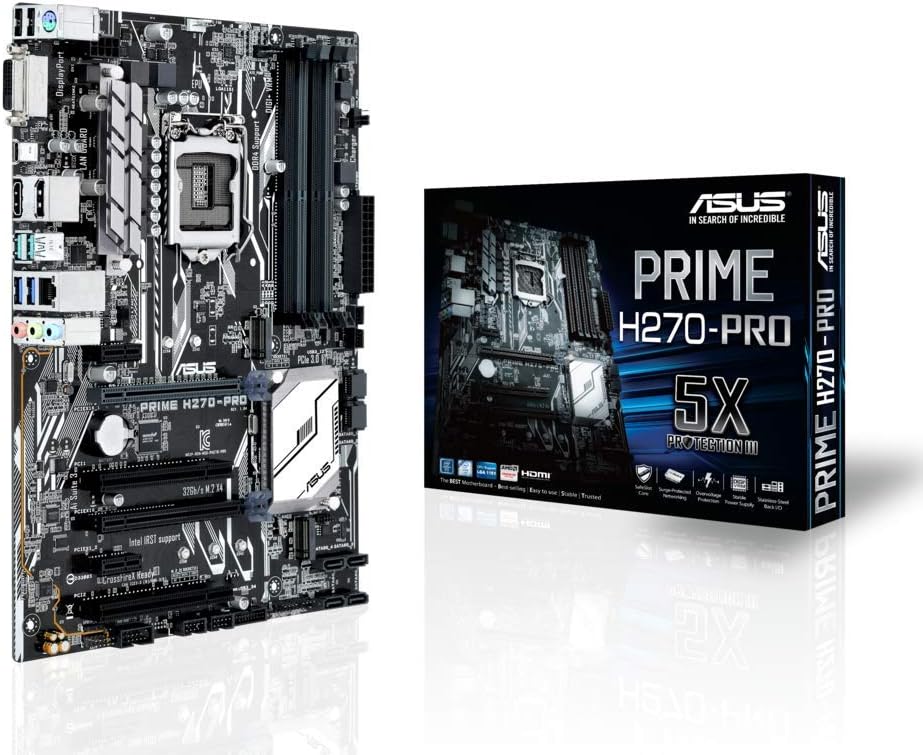
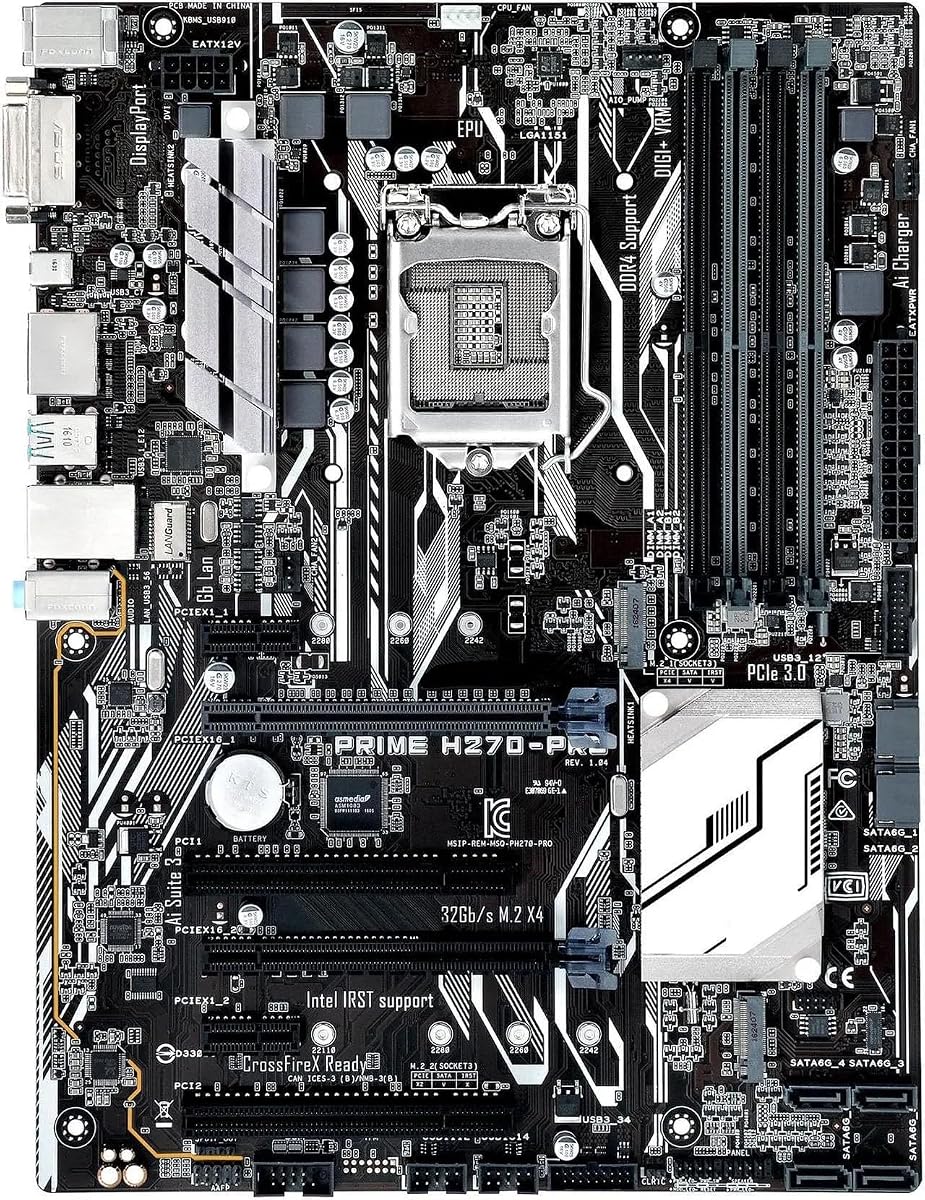
The Asus Prime H270-PRO is a reliable option for users seeking a balanced board with modern connectivity. It receives positive feedback for its robust build and the inclusion of USB 3.1 Type-C which is rare at this level.
We may earn a commission when you buy through this link, at no additional cost to you.
It supports up to 64GB of DDR4 memory making it suitable for memory intensive tasks like virtualization or heavy multitasking. The 5X Protection III safeguards ensure the board remains stable and safe from electrical issues over time.
The main disadvantage is the relatively high price compared to similar models and limited PCIe expansion slots. While the USB-C port is a plus the cost might deter budget focused buyers looking for the best value per dollar spent.
This board is recommended for users who prioritize modern connectivity and memory capacity. It suits professional workstations or advanced home users who need reliable performance and do not require extensive expansion capabilities.
Supports up to 64GB of DDR4 memory for demanding workloads.
Includes USB 3.1 Type-C for faster data transfer speeds.
We may earn a commission when you buy through this link, at no additional cost to you.
The GIGABYTE GA-H270 Gaming 3 brings strong networking features to the mid range segment. Users appreciate the Killer E2500 LAN for better game performance and the inclusion of USB 3.1 Type-C for future proof connectivity.
We may earn a commission when you buy through this link, at no additional cost to you.
This board supports 2-Way Crossfire allowing for multiple GPU setups if needed. It features a solid 4 DIMM layout for memory expansion and generally good audio quality that meets most user expectations for gaming and media.
Some users report that the software suite can be inconsistent but hardware performance remains stable. The RGB lighting is present but less customizable than top tier brands which might affect those who want a highly aesthetic system.
We suggest this motherboard for gamers who want reliable networking at a reasonable price. It is a good fit for builds where LAN quality is a priority and moderate visual customization is acceptable.
Killer E2500 LAN prioritizes gaming traffic for a smoother online experience.
2-Way Crossfire allows for increased graphical power when using multiple cards.
We may earn a commission when you buy through this link, at no additional cost to you.
The ASRock H270 PRO4 focuses on practical features for users who need standard connectivity. It is well rated for its simplicity and the inclusion of multiple SATA ports which benefit users with several storage drives.
We may earn a commission when you buy through this link, at no additional cost to you.
This board supports Dual Channel DDR4 memory and includes an Ultra M.2 slot for faster storage. The design is straightforward without excessive gimmicks which keeps costs down while still delivering reliable performance for daily tasks.
The lack of USB Type-C ports may be a limitation for newer peripherals and the audio is basic compared to premium options. However for a budget build these omissions are acceptable given the overall value proposition and price point.
This motherboard is best for standard office or home PCs where cost matters. It is a solid choice for users who do not need advanced gaming features and want a dependable board for general computing.
Includes six SATA3 ports and one Ultra M.2 slot for flexible storage.
Streamlined features reduce cost while maintaining core performance standards.
We may earn a commission when you buy through this link, at no additional cost to you.
This motherboard is designed as a replacement solution for damaged ASUS Prime H270 boards. It targets users looking to restore older systems by offering improved power design and heat dissipation features.
We may earn a commission when you buy through this link, at no additional cost to you.
The board features an advanced heatsink to manage thermal loads better and an optimized power layout for stability. It aims to resolve contact issues that may have caused previous failures ensuring the system operates normally.
As a third party replacement it may lack the official support and driver updates of original brands. While the hardware design looks promising users should verify compatibility carefully before installation to avoid potential fit issues.
We recommend this for users trying to repair a failed system without buying a new PC. It is a niche product for those with specific repair needs who want to extend the life of an existing chassis.
Designed to resolve contact issues and restore functionality to damaged systems.
Advanced heatsink design ensures better heat dissipation under heavy loads.
We may earn a commission when you buy through this link, at no additional cost to you.
The H270 Performance Motherboard offers a basic entry point for users needing standard functionality. It supports 64GB of memory and includes an M.2 slot which provides a baseline for modern storage needs.
We may earn a commission when you buy through this link, at no additional cost to you.
This board is designed to work with common Intel Core processors like the i5 and i3 series. Its layout is simple which can be beneficial for those who want a no fuss build without complex software requirements.
The limited documentation and features mean it is best suited for users with technical knowledge who can troubleshoot issues independently. It is not ideal for those seeking advanced BIOS tuning or extensive connectivity options.
We suggest this for very tight budgets where basic functionality is all that is needed. It is a viable choice for a simple office PC or media center where cost is the primary deciding factor.
Supports up to 64GB of DDR4 for ample memory capacity.
Includes essential M.2 slot for modern storage requirements.
We may earn a commission when you buy through this link, at no additional cost to you.
This H270 Motherboard provides a low cost option for users seeking standard functionality. It is highlighted for its high memory support and generic design which fits many basic computing needs without additional bells and whistles.
We may earn a commission when you buy through this link, at no additional cost to you.
The board uses the standard LGA 1151 socket and supports DDR4 memory. It appears to prioritize utility over advanced features making it a potential choice for simple builds where high performance is not the main priority.
Due to vague specifications it is important to verify compatibility with specific cases and components before purchasing. Users should expect a basic experience without extensive software tools or premium build materials.
We recommend this only for users with very strict budget constraints. It is a last resort option when standard boards are out of reach and basic functionality is all that is required.
Standard LGA 1151 socket allows use with many common Intel processors.
Supports up to 64GB of DDR4 memory for heavy multitasking.
We may earn a commission when you buy through this link, at no additional cost to you.
The H270-PLUS Motherboard is a low priced option that offers support for 64GB of DDR4 memory. It includes an M.2 slot and uses the standard LGA 1151 socket which provides basic modern compatibility.
We may earn a commission when you buy through this link, at no additional cost to you.
This board is designed to support various Intel Core processors including i3 and i5 models. Its simple layout focuses on essential functionality and keeps costs down for those building on a tight budget.
Limited documentation and unknown build quality are potential drawbacks that users should consider carefully. It may lack the reliability and support that come with established brand names in the motherboard market.
We suggest this only for users who need a cheap option for basic tasks. It is a candidate for budget builds where cost is the most important factor over long term reliability.
Supports various Intel Core processors for broad CPU options.
ATX size ensures compatibility with most standard PC cases.
We may earn a commission when you buy through this link, at no additional cost to you.
Selecting the right H270 Motherboard requires understanding your needs and the features available on the market.
Ensure the motherboard supports the LGA 1151 socket which is required for 6th and 7th generation Intel Core processors. Using the wrong socket will prevent the CPU from fitting properly.
Always verify the CPU list before buying to avoid incompatibility issues with your chosen processor.
Check the maximum memory capacity supported by the motherboard. Most H270 boards support up to 64GB of DDR4 which is sufficient for most users.
Look for the supported memory speed such as 2133 MHz to ensure optimal performance with your RAM modules.
Modern builds benefit from having M.2 slots for fast NVMe storage. Some boards offer single slots while others provide dual slots for more flexibility.
Count the number of SATA ports if you plan to use multiple traditional hard drives or SSDs in your system.
USB 3.1 and Type-C ports are becoming standard. A board with USB-C ensures compatibility with newer peripherals and faster data transfer.
Also check the rear panel I/O to ensure there are enough USB ports for your keyboard mouse and other devices.
If you plan to use a dedicated graphics card ensure the board has a full sized PCIe x16 slot. Some boards also support crossfire for multiple GPUs.
Additional PCIe x1 slots are useful for sound cards or Wi-Fi adapters if needed later.
Most H270 boards come in ATX size which fits standard cases. Smaller form factors are rare in this chipset category.
Confirm your case supports ATX to ensure physical fit before purchasing the board.
Look for features like solid capacitors and heatsinks which improve longevity and thermal stability. Brands often include protection features against power spikes.
Check for certifications or protection series like 5X Protection which indicate better component quality.
Integrated audio quality varies by board. Higher end models include dedicated codecs and shielding for better sound.
If you use headphones or speakers often consider a board with better audio specs.
Install the motherboard in a clean and static free environment. Use an anti static wrist strap to prevent damage to sensitive components during installation.
Ensure all power connectors are firmly seated and check that the CPU and RAM are correctly aligned before powering on. A single loose cable can prevent the system from starting.
Keep your motherboard cool by ensuring proper airflow inside the case. Regularly dust off the heatsinks and fans to prevent overheating issues over time.
H270 Motherboards support 6th and 7th generation Intel Core processors using the LGA 1151 socket. This includes i3 i5 and i7 models as well as Pentium and Celeron options.
Yes many H270 boards include at least one M.2 slot for NVMe SSDs. Check the specs to see if it supports PCIe or SATA based drives.
H270 chipsets generally do not support memory overclocking for non K processors. You should use memory at its rated speed for best stability.
Yes some models like the Prime H270-PRO include USB 3.1 Type-C ports. Others may need adapters or headers.
Most boards support one GPU but some allow 2-Way CrossFire for AMD. Intel graphics are supported via onboard video output.
Yes Windows 10 supports booting from M.2 NVMe drives directly. Check your BIOS settings to ensure the drive is set as bootable.
The ASUS Prime H270-PLUS is our top pick for its balance of features and reliability. It offers modern connectivity like M.2 and strong build quality that suits many users.
Gamers should consider the ROG Strix H270F for audio and RGB while budget builders may prefer the MSI H270 Gaming PRO Carbon for value.
Always verify your specific component needs and check current prices before buying to get the best deal available online.