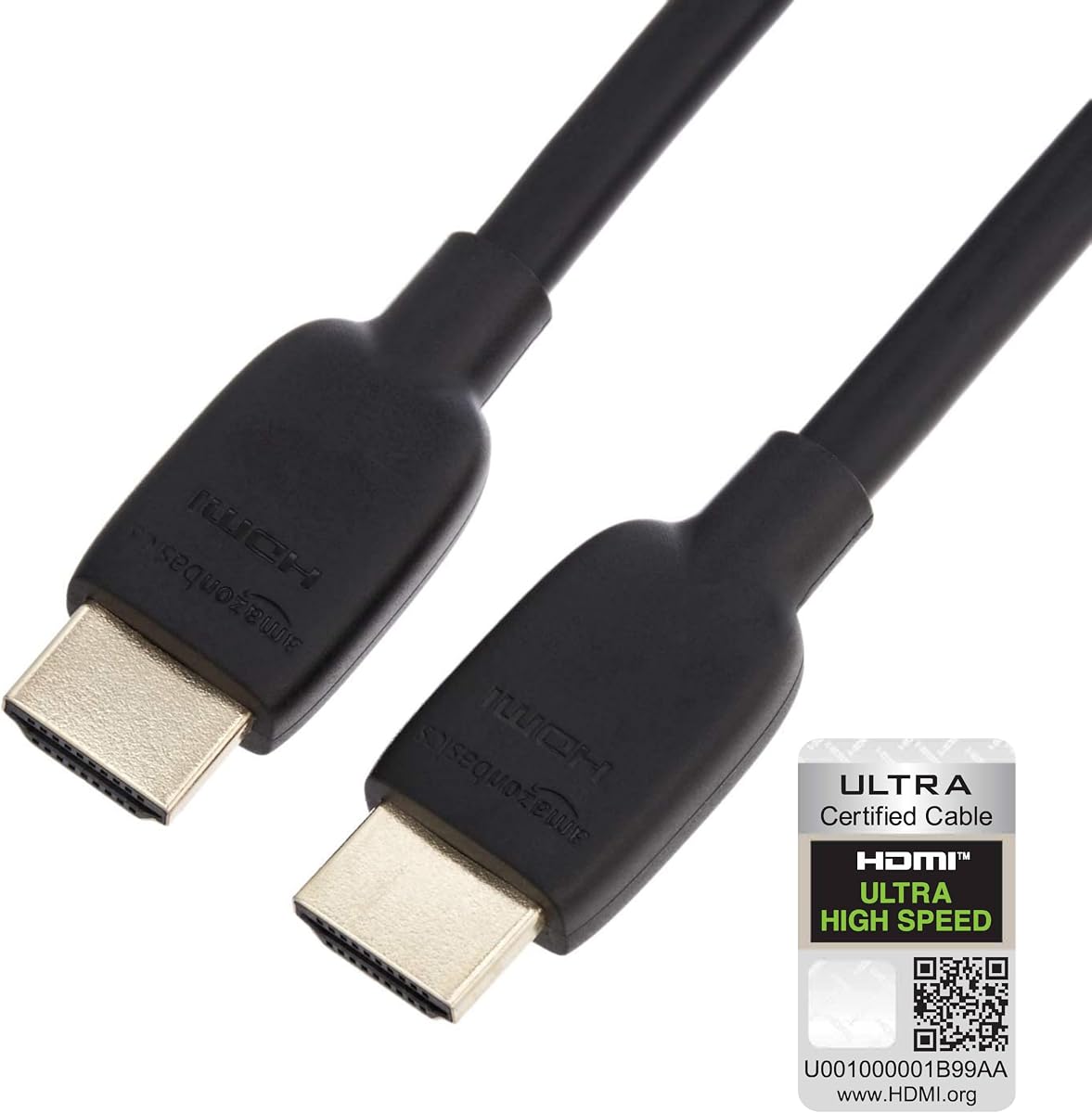
Amazon Basics HDMI 2.1 Cable
4.7Editor score
Supports 8K at 60Hz
Gold-plated connectors for durability
Plug and play design
This guide compares the top HDMI cables for dual monitors in October 2026 to help you find the best speed, durability, and value for your setup.
Finding the right HDMI cable for dual monitors is essential for seamless productivity and entertainment. You need reliable connections that support high resolutions without signal loss or flickering issues.
We compared ten top-rated cables based on speed, durability, and compatibility. Each product was selected for its ability to handle modern displays and gaming consoles effectively.
Each pick shows key specs and real-world performance details. Prices may vary over time, so check current listings before making your final decision for your workspace.
4.7Editor score

4.8Editor score

4.6Editor score
Here is a side-by-side comparison of all ten cables to help you choose the right one for your dual monitor setup.



This UGREEN cable stands out as the top choice for dual monitor setups needing high-speed data. It holds a 4.8 rating and delivers true 8K resolution support.
We may earn a commission when you buy through this link, at no additional cost to you.
The 48Gbps bandwidth ensures smooth gameplay and video streaming without lag. Dynamic HDR and eARC capabilities provide immersive audio and visual quality.
While the price is higher than generic brands, the certification and durability justify the cost. Users appreciate the robust build and reliable signal transmission.
Buyers seeking reliable connections for gaming and productivity will find this cable ideal. It balances performance and longevity better than most competitors.
The 48Gbps bandwidth supports uncompressed 8K video and high refresh rates for gaming.
eARC support delivers full-resolution audio like Dolby Atmos to compatible soundbars.
We may earn a commission when you buy through this link, at no additional cost to you.
Amazon Basics offers a reliable entry-level HDMI 2.1 cable for budget-conscious buyers. It supports 8K at 60Hz and 4K at 120Hz efficiently.
We may earn a commission when you buy through this link, at no additional cost to you.
The gold-plated connectors ensure stable signal transmission and resistance to corrosion. The plug and play design eliminates setup hassles for users.
The short length may limit placement options in larger rooms. The PVC jacket is less flexible than braided nylon for frequent bending.
This cable is perfect for short connections between PCs and monitors. It delivers essential high-speed features without a premium price tag.
Delivers certified 48Gbps speeds for high-resolution video at a low cost.
Requires no drivers or software for immediate connectivity and use.
We may earn a commission when you buy through this link, at no additional cost to you.
Belkin brings premium quality to dual monitor setups with this Ultra HD HDMI 2.1 cable. Its build quality ensures longevity and stable performance.
We may earn a commission when you buy through this link, at no additional cost to you.
The 2-layer shielding protects against interference and physical damage effectively. Dolby Vision support enhances color accuracy for professional and creative work.
The price is notably higher than other options. Some users may find the features available in cheaper certified cables.
Choose this if you prioritize brand trust and build quality. It is ideal for professional studios or high-end home theaters.
Dolby Vision delivers unmatched brightness and contrast for critical viewing.
Optimized for next-gen consoles to maximize bandwidth and speed.
We may earn a commission when you buy through this link, at no additional cost to you.
Highwings provides a practical 2-pack for connecting multiple monitors efficiently. It supports 8K at 60Hz and 4K at 240Hz seamlessly.
We may earn a commission when you buy through this link, at no additional cost to you.
The military-grade tensile nylon material ensures the cables last longer. An anti-bending design protects the tail from wear over time.
While the 2-pack is great, the length is fixed. Verify your cable distances before purchase to avoid issues.
Ideal for home offices needing two cables at once. The price point is competitive for certified performance.
The 2-pack allows immediate connection for dual monitor workstations.
Reinforced tail and aluminum shell prevent accidental damage.
We may earn a commission when you buy through this link, at no additional cost to you.
Silkland stands out with its unique E-Braid technology for enhanced durability. It supports high refresh rates like 144Hz for smooth PC gaming.
We may earn a commission when you buy through this link, at no additional cost to you.
The double-layer fishnet winding ensures consistent signal quality. Users enjoy immersive audio formats thanks to advanced support.
Some users may prefer bigger brands for support. The specific length means it might not fit all desk arrangements.
A strong contender for gamers wanting reliable performance. The certification ensures it meets high industry standards.
Exclusive braiding techniques prevent tangles and signal loss.
Supports 10K and 8K resolutions for next-gen displays.
We may earn a commission when you buy through this link, at no additional cost to you.
Acer brings its tech expertise to this HDMI 2.1 cable for reliable connectivity. It supports 4K at 240Hz and 8K at 60Hz.
We may earn a commission when you buy through this link, at no additional cost to you.
The braided jacket resists daily wear and tear effectively. Dolby Vision support provides rich colors for media consumption.
The price is affordable compared to premium brands. Some users might want more variety in cable lengths.
Ideal for users who trust the Acer brand. It delivers strong performance for gaming and office work.
VRR helps reduce screen tearing for fluid motion.
Dynamic HDR reveals brightness details for cinema.
We may earn a commission when you buy through this link, at no additional cost to you.
UGREEN offers consistent quality with this 2.1 cable. It supports 8K at 60Hz and 4K at 240Hz for sharp visuals.
We may earn a commission when you buy through this link, at no additional cost to you.
Nickel-plated connectors ensure corrosion resistance over time. The high-quality nylon jacket withstands frequent bending.
The price can fluctuate based on demand. Ensure the length suits your setup before buying.
Perfect for reliable home theater connections. It balances speed and build quality well.
Ethernet enabled allows file exchange between devices easily.
Transmits uncompressed video for clear, sharp pictures.
We may earn a commission when you buy through this link, at no additional cost to you.
PowerBear offers a longer 10-foot cable for flexible placement. It supports 4K at 60Hz and 2K for standard HD use.
We may earn a commission when you buy through this link, at no additional cost to you.
The gold-plated connectors resist corrosion and ensure stable signals. The triple tin shielding prevents interference during use.
It does not support 8K resolutions. Users needing higher bandwidth should look elsewhere.
Great for living rooms where distance matters. The braided nylon ensures it lasts longer.
The 10ft length allows placement further from the source.
30AWG copper and gold plating enhance signal integrity.
We may earn a commission when you buy through this link, at no additional cost to you.
AVACON provides a solution for computers with DisplayPort output needing HDMI inputs. It supports up to 4K at 30Hz.
We may earn a commission when you buy through this link, at no additional cost to you.
The gold-plated cord ensures reliable connectivity for workstations. It supports flawless audio pass-thru for multimedia.
It only works from DP to HDMI. Ensure your setup needs this specific conversion.
Ideal for office workstations with mixed ports. It enables flexible monitor connections.
Allows connecting older HDMI displays to new PCs.
Foil and braid shielding minimize signal interference.
We may earn a commission when you buy through this link, at no additional cost to you.
This 2-pack offers a cost-effective solution for dual monitors with DisplayPort. It supports 4K and 1080P for productivity.
We may earn a commission when you buy through this link, at no additional cost to you.
Reinforced strain relief ensures long-lasting use. Multi-layer shielding keeps signals consistent and clear.
It works for basic office tasks better than gaming. The length is fixed at 6.6 feet.
Ideal for home offices needing two cables quickly. It simplifies setup for workstations.
Designed for extended desktop modes and presentations.
Plug and play requires no software installation.
We may earn a commission when you buy through this link, at no additional cost to you.
Choosing the right cable requires considering bandwidth, length, and build quality to match your specific needs.
For dual monitors running 4K or 8K resolutions, you need a cable with at least 48Gbps bandwidth. This ensures smooth video transmission without lag or signal loss during use.
Always select cables that support HDMI 2.1 for future-proofing your setup.
Measure the distance between your devices and monitors before buying. A cable that is too short will limit placement options while one too long creates cable clutter on your desk.
Typical lengths like 3ft, 6ft, or 10ft should match your workspace layout.
Look for cables with braided nylon jackets and aluminum shells. These materials protect against frequent bending and physical wear over time.
High-quality connectors like gold-plated ones resist corrosion and ensure stable connections.
Ensure the cable supports the maximum resolution your monitors can display. HDMI 2.1 cables support 8K at 60Hz and 4K at 120Hz for high-performance visuals.
Mismatched resolution support can result in poor image quality or limited features.
If you use a soundbar or surround sound system, check for eARC support. This enhances audio quality by transmitting high-fidelity formats like Dolby Atmos.
Good audio support makes your dual monitor setup more versatile for media.
Choose cables that are certified for their stated speeds. Certification ensures the product meets industry standards for performance and reliability.
Certified cables reduce the risk of connection issues or signal degradation.
Check that the cable is compatible with your devices like consoles and PCs. Most modern HDMI 2.1 cables are backward compatible with older standards.
Universal compatibility ensures the cable works across different brands and types of hardware.
Compare the price against the features offered. Sometimes paying a bit more for better materials and certification saves money in the long run.
Avoid overly cheap cables that compromise on quality for basic tasks.
Plug the cable firmly into both the source device and monitor ports to ensure a secure connection. Avoid forcing connectors if they do not fit naturally.
Keep the cable away from heat sources and sharp edges to prevent damage. Proper routing along desk edges helps avoid accidental pulls and bends.
Periodically check the connectors for dust and clean them gently if needed. This simple maintenance keeps signal quality high and extends the cable life.
If your monitors run at high resolutions like 4K or 8K with fast refresh rates, HDMI 2.1 is recommended. For standard 1080p or 4K at 60Hz, older versions may suffice.
Yes, HDMI 2.1 cables are ideal for gaming consoles like PS5 and Xbox Series X. They support high refresh rates and features like VRR for smooth gameplay.
Generally, passive HDMI cables work well up to 15 feet without issues. For longer runs, use active cables or fiber optic options to maintain quality.
HDMI is common for TVs and monitors while DisplayPort is often used for PC graphics cards. Both support high resolution but differ in connector shape and features.
A certified high-quality cable ensures your monitors receive the full signal. Cheap or damaged cables can cause flickering, black screens, or reduced resolution.
Braided cables offer better protection against wear and tear. They are ideal for setups where cables are moved frequently or exposed to regular use.
We reviewed ten top HDMI cables covering various needs from budget to premium. Each option offers distinct advantages in speed and durability for dual monitor setups.
Prioritize bandwidth and build quality to ensure stable performance. Choosing the right cable enhances both work productivity and entertainment experiences.
Prices and stock vary so check the links for current deals. Select the option that best fits your specific monitor and computer requirements.