
OREI 4×2 HDMI Matrix Switch 4K
4.1Editor score
4K 60Hz support
Audio extraction via ARC
Compact metal design
Compare the top 10 HDMI Matrix Switch options for 2026. Find the perfect solution for routing multiple 4K sources to displays with audio extraction and control
An HDMI Matrix Switch allows you to connect multiple video sources to multiple displays simultaneously. This flexibility is essential for modern home theaters and professional setups requiring independent signal routing.
We compared ten leading models based on resolution support, audio features, and control options. Each entry offers unique strengths for different budgets and installation needs in 2026.
Each pick highlights key specs and real-world performance traits. Prices and availability change frequently so verify details before purchasing to ensure you get the right fit.
4.1Editor score

4.4Editor score

4.3Editor score
This side-by-side comparison highlights the core specifications and unique capabilities of each model. It helps you identify which switch fits your specific routing and resolution needs.



The OREI 4×2 HDMI Matrix Switch 8K stands out as a top-tier option for users needing next-gen performance. With a strong rating it handles demanding signals with ease. Its standout qualities include true 8K support and advanced audio features like eARC.
We may earn a commission when you buy through this link, at no additional cost to you.
This switch supports resolutions up to 8K@60Hz and includes HDMI 2.1 features like VRR and ALLM. These ensure smooth gaming and high-frame-rate content playback. The audio extraction supports LPCM and Dolby Atmos formats for immersive sound.
While powerful it requires compatible displays and soundbars for full eARC functionality. The downscale feature helps when mixing older and newer displays. This ensures stability without compromising the main output quality.
High-end home theater users and gamers should buy this for its future-proof specs. It is a solid recommendation for anyone needing professional AV routing with 8K readiness. The build quality ensures reliable daily use.
It handles 8K@60Hz 4:2:0 10-bit signals for next-gen gaming and cinema. This ensures your setup stays relevant for years to come.
eARC and Optical outputs let you route sound to external speakers independently. This is ideal for separating audio from video in complex rooms.
We may earn a commission when you buy through this link, at no additional cost to you.
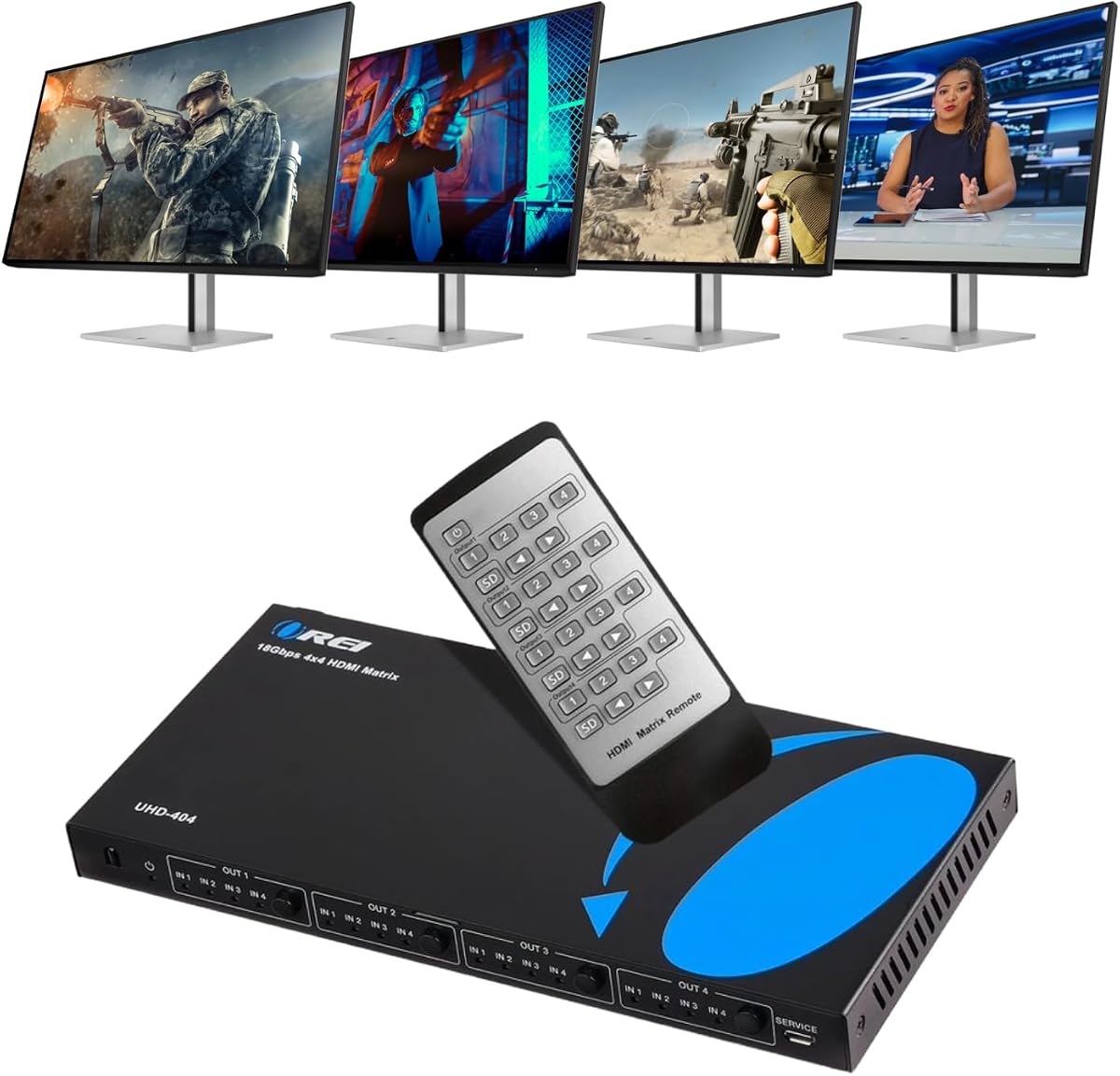
This OREI 4×4 Matrix Switch offers excellent value with a high rating of 4.5 stars. It connects four sources to four displays independently or simultaneously. Its standout qualities include ARC support and solid audio extraction capabilities.
We may earn a commission when you buy through this link, at no additional cost to you.
The switch handles 4K@60Hz with 18Gbps bandwidth and deep color support. It routes audio to Optical or 3.5mm outputs and supports Dolby Digital Plus and DTS-HD Master Audio. The metal enclosure ensures efficient heat dissipation.
It does not support 8K or VRR which limits future gaming needs. The ARC feature works best with compatible TVs. This makes it better for general media setups than hardcore gaming rigs.
Conference rooms and home theaters needing 4K routing should buy this. It balances performance and cost effectively. We recommend it for users needing reliable multi-display control.
You can connect four sources like consoles and players to four displays. Each screen shows different content or mirrors the same feed.
Output A supports ARC to return audio from the TV. This simplifies wiring in standard home theater configurations.
We may earn a commission when you buy through this link, at no additional cost to you.
The OREI 4×4 Matrix Switch is a reliable choice with a 4.3 rating. It supports 4K@60Hz and handles HDR content well. Its standout qualities include independent scaling and international voltage support.
We may earn a commission when you buy through this link, at no additional cost to you.
It downscals 4K to 1080p for mixed displays while maintaining HD quality. The dual voltage power supply makes it suitable for global use. You get support for Dolby Digital and DTS-HD Master Audio.
It lacks advanced network control options like LAN or RS232. This limits remote management in large commercial spaces. But for local use the remote and front buttons work well.
International buyers and classrooms should buy this unit. It offers flexibility for mixed resolution screens without high cost. The warranty adds confidence to your purchase decision.
Each display can show independent content at different resolutions. One can stay 4K while another downscales to 1080p.
A dual voltage power supply ensures operation across regions. An international adapter is included for convenience.
We may earn a commission when you buy through this link, at no additional cost to you.
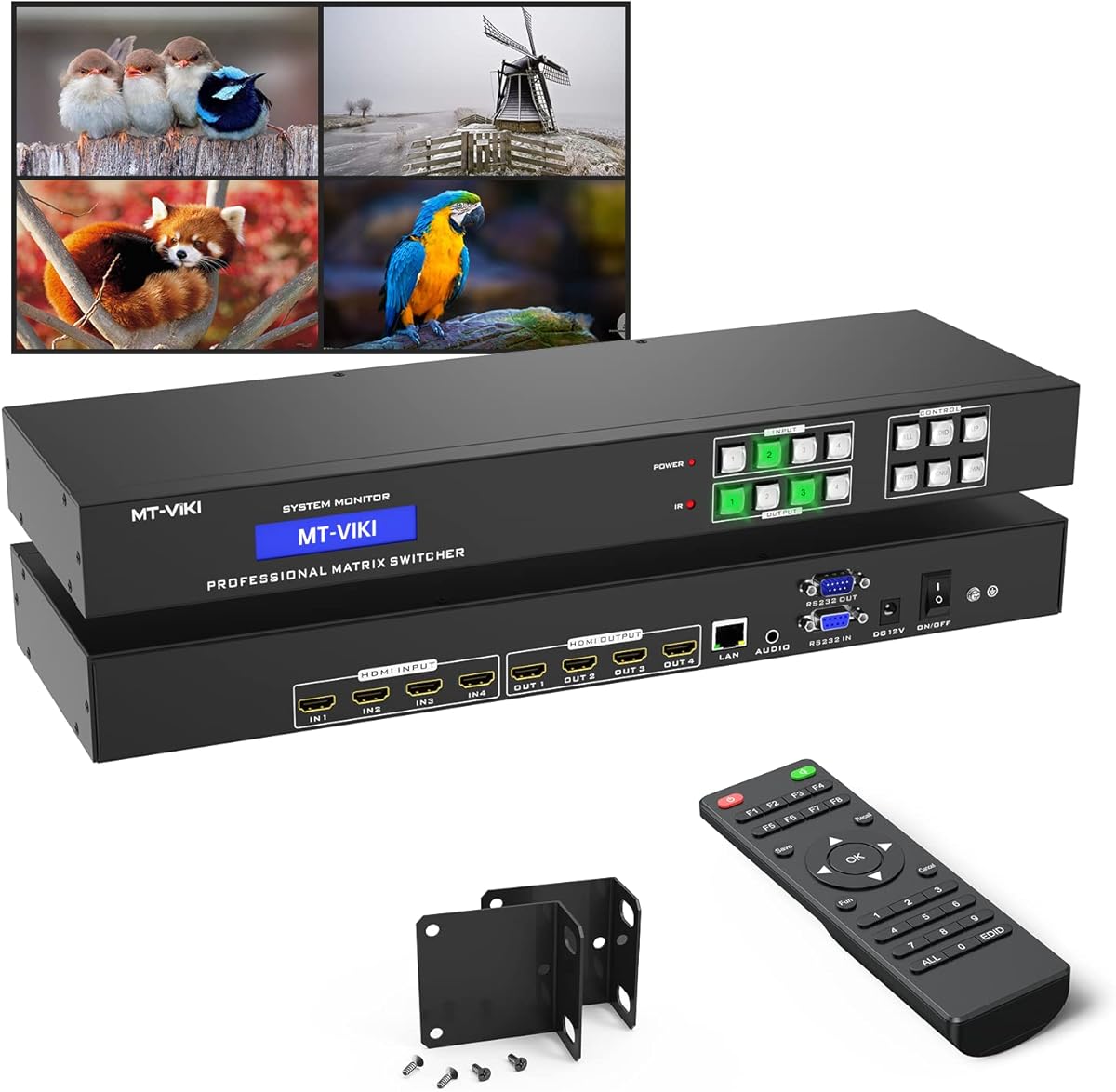
The MT-VIKI Matrix Switch targets professional AV needs with a 4.3 rating. It allows routing four sources to four displays flexibly. Its standout qualities include remote control via Web GUI and RS232.
We may earn a commission when you buy through this link, at no additional cost to you.
You can control this matrix via LAN or a Web browser for easy management. It supports 4Kx2K at 30Hz and provides audio extraction via OUT4. The rack mount feature helps organize servers or AV cabinets.
Audio is only extracted on OUT4 which limits multi-output audio routing. The resolution maxes out at 30Hz meaning no 60Hz support. This is a trade-off for its control features.
Churches and conference rooms needing remote control should buy this. It fits standard 1U racks and supports complex routing logic. The control options make it ideal for tech-savvy installs.
Switch sources via front panel or LAN interface easily. This simplifies management in large presentation spaces.
Mounting ears are included for 1U standard cabinets. This keeps your setup organized and professional.
We may earn a commission when you buy through this link, at no additional cost to you.
The OREI 4×2 Matrix Switch is a budget-friendly pick with a 4.1 rating. It connects four sources to two displays smoothly. Its standout qualities include USB power and ARC support.
We may earn a commission when you buy through this link, at no additional cost to you.
It delivers 4K@60Hz with deep color up to 12-bit. Audio extraction allows HDMI output to send sound via ARC. It works with most Fire Stick and consoles without signal loss.
Build quality is solid but not as robust as premium units. The remote is basic and lacks advanced automation. It suits simple needs rather than complex multi-zone setups.
Small home offices and users on a tight budget should buy this. It offers core features without extra costs. For basic dual-display routing this is a strong entry-level pick.
Power it via USB for clean setups without bulky adapters. This reduces cable clutter in small spaces.
Auto EDID ensures stable handshake with your devices. This prevents black screens or signal issues.
We may earn a commission when you buy through this link, at no additional cost to you.
This 4K Matrix Splitter offers strong audio features with a 4.2 rating. It handles multiple high-definition signals well. Its standout qualities include Optical and 3.5mm audio outputs.
We may earn a commission when you buy through this link, at no additional cost to you.
It supports 4K@60Hz and deep color for sharp visuals. You can set EDID to manage resolution and audio format. The metal shell helps dissipate heat during long runs.
It does not support extended displays and only mirrors content. This limits independent screen use for multi-tasking. Users needing mirrored content will find this adequate.
Schools and hotels needing audio routing should buy this. It works well with projectors and TVs. The audio outputs give flexibility for speakers.
Extract sound via Optical or 3.5mm easily. This avoids needing extra splitters for audio.
Built-in equalization boosts signal quality for long cables. This reduces dropouts in large setups.
We may earn a commission when you buy through this link, at no additional cost to you.
The OREI UHDS-402A Matrix Switch delivers reliable performance with a 4.2 rating. It routes four sources to two displays flexibly. Its standout qualities include ARC and downscaling features.
We may earn a commission when you buy through this link, at no additional cost to you.
It supports HDR10+ and Dolby Vision for vivid picture quality. Audio extraction via Optical and L/R outputs works with external speakers. EDID modes ensure stable connections with various devices.
It caps at 4K@60Hz and lacks gaming features like VRR. This makes it better for media than high-refresh gaming. The design suits standard home theaters well.
Home users needing mixed resolution support should buy this. It allows one 4K screen and one FHD screen simultaneously. The mounting ears help secure it in tight spots.
It handles HDR10+ and Dolby Vision content easily. This ensures rich colors on compatible TVs.
Choose from AUTO COPY or STD to match devices. This prevents handshake errors during use.
We may earn a commission when you buy through this link, at no additional cost to you.
The OREI 8×8 Matrix Switch offers extensive routing with a 4.1 rating. It connects eight sources to eight displays. Its standout qualities include RS-232 and Web GUI control.
We may earn a commission when you buy through this link, at no additional cost to you.
You can manage it via front panel or LAN interface. It handles 4K@30Hz video for signage and meetings. HDCP 2.2 ensures compliance with protected content.
It is expensive and lacks 60Hz support. This makes it less ideal for motion-heavy tasks. However it is perfect for static content environments.
Corporate offices needing large scale routing should buy this. It offers reliable performance for presentations. The control options simplify IT management.
RS-232 allows integration with automation systems. This supports complex control chains in boardrooms.
Handle eight devices without external splitters needed. This reduces cable clutter significantly.
We may earn a commission when you buy through this link, at no additional cost to you.
The OREI Extender Matrix Switch delivers powerful performance with a 4.4 rating. It supports eight sources and sixteen displays. Its standout qualities include CAT6 PoC and true 4K output.
We may earn a commission when you buy through this link, at no additional cost to you.
It extends signals to 230ft without extra adapters. HDR10 and Dolby Vision support ensure vivid visuals. Audio includes 7.1CH and TrueHD for high fidelity.
It needs CAT cabling which may require rewiring. The price is high compared to shorter range units. But the reach and resolution justify the investment.
Large venues and AV integrators should buy this. It handles long runs and high resolutions. The control options make it ideal for complex systems.
Signal extends to 230ft using standard CAT6 cable. This simplifies long-distance runs.
Output uncompressed 4K2K@60Hz video. This ensures sharp visuals on premium displays.
We may earn a commission when you buy through this link, at no additional cost to you.
The OREI 8×8 8K Matrix Switch holds a top rating of 4.7. It combines scale with next-gen HDMI 2.1. Its standout qualities include 8K support and audio extraction.
We may earn a commission when you buy through this link, at no additional cost to you.
It delivers 8K signals across all eight ports. This ensures future-proofing for high-resolution media. Audio extraction allows flexible speaker routing easily.
It is expensive and may be overkill for basic needs. Few reviews exist so rely on brand trust. For pros this is the best choice.
Installers and high-end setups should buy this. It offers unmatched bandwidth and control. The build ensures stability for daily operations.
Supports 8K signals via HDMI 2.1. This meets upcoming display standards.
Built-in extraction simplifies sound setup. Avoid extra hardware for audio routing.
We may earn a commission when you buy through this link, at no additional cost to you.
Choosing the right HDMI Matrix Switch depends on your resolution needs and port count.
Check if the unit supports 4K@60Hz or 8K@60Hz. Higher resolutions require HDMI 2.1 for full features.
Always match the switch to your display capabilities for best visuals.
Determine how many inputs and outputs you need now. Common sizes include 4×4 and 8×8.
Buying extra ports prevents needing to upgrade later.
Look for Optical or 3.5mm outputs if you need external audio. ARC support is vital for soundbars.
Ensure the switch passes 7.1 surround sound for home theaters.
IR remotes work for small spaces but LAN or RS232 suits large venues. Web GUI access helps IT teams.
Choose the interface that fits your daily usage habits.
Standard HDMI switches have cable limits. Extenders allow longer runs over CAT6.
Calculate your cable needs before buying to avoid signal loss.
External power bricks ensure stable signals. USB power is fine for basic units.
Check if the supply supports your local voltage if traveling.
EDID ensures devices negotiate resolution correctly. Copy or Auto modes help stability.
Good EDID handling prevents flickering or black screens.
Look for at least a one-year warranty from the brand. Reliable support helps when issues arise.
Check brand reputation for long-term reliability.
Connect your HDMI sources to the input ports using high-quality cables. Ensure the cables support the bandwidth required for 4K or 8K.
Route signals via the remote or Web interface. Select the input and output pair you need for the moment.
Keep the unit ventilated to prevent overheating. Update firmware if available to maintain compatibility with new devices.
A HDMI Matrix Switch allows you to connect multiple video sources to multiple displays. You can route any source to any screen independently.
For 4K@60Hz you need HDMI 2.0. 8K or 4K@120Hz requires HDMI 2.1. Check your source and display requirements.
Yes most units support consoles. Ensure the switch handles HDR and VRR if you want full gaming features.
This often means an EDID mismatch. Try using the Copy or Auto mode on the matrix to fix handshaking.
Usually yes but some models extract audio separately. Check if Optical or ARC is needed for your speakers.
Yes many units support independent content routing. Look for features like Web GUI for easier multi-screen management.
Standard active cables work up to 50ft. Beyond that you need fiber or extenders for stable transmission.
ARC lets audio return from the TV to the matrix. This simplifies wiring when using external sound systems.
We recommend the OREI 8×8 Extender for large setups and the OREI 4×2 8K for high-end home use. Both offer strong performance and control.
Prioritize resolution and port count based on your needs. Control options like LAN or Web GUI are vital for professional installs.
Prices change often so check current listings before buying. Ensure your cables and sources match the switch specs for best results.