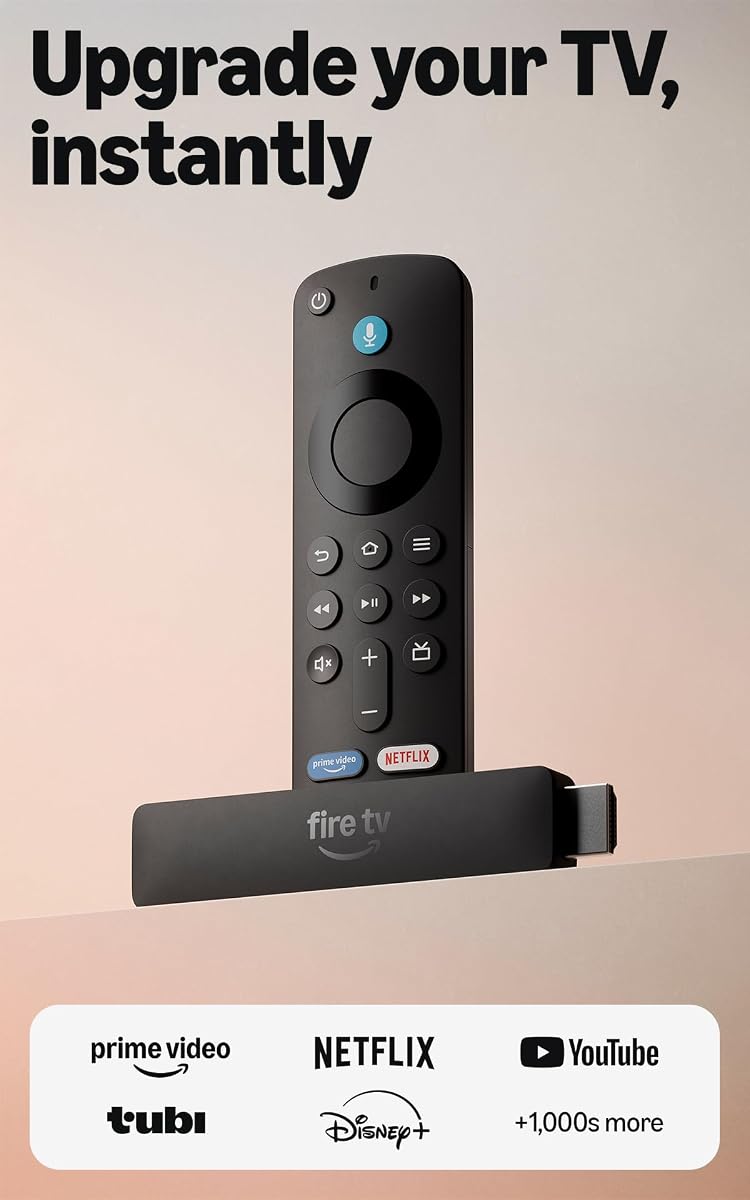
Amazon Fire TV Stick HD
4.1Editor score
Full HD streaming support
Alexa Voice Remote included
Direct power via TV USB
This guide compares the top 10 HDMI streaming devices for October 2026, evaluating performance, features, and value to help you choose the right model.
Finding the right HDMI streaming device can transform your viewing experience significantly. Modern players offer 4K resolution, HDR support, and intuitive interfaces that make accessing your favorite content effortless. Whether you prefer a compact stick or a full-sized box, there are options for every setup and budget today.
We evaluated the leading models available today based on streaming speed, picture quality, and overall user experience. Our analysis focuses on key features like Wi-Fi connectivity, voice control capabilities, and app availability to ensure you get the most reliable performance. We considered both budget-friendly sticks and premium players to cover diverse needs.
Each pick in this list highlights specific strengths and ideal use cases for different viewers. You will find detailed breakdowns of pros and cons to help you make an informed decision quickly. Please note that product availability and pricing can change frequently, so check current listings before purchasing.
4.1Editor score

4.7Editor score

4.4Editor score
The following table provides a side-by-side comparison of all ten selected HDMI streaming devices. We highlight key specifications like resolution support, remote features, and connectivity options to help you identify which model aligns best with your specific home theater requirements and budget constraints.



The Roku Streaming Stick 4K stands out as a top performer in the streaming device market. It delivers stunning 4K resolution with Dolby Vision support, ensuring vibrant colors and sharp details on compatible TVs. Its compact design allows it to hide behind your TV without blocking other ports.
We may earn a commission when you buy through this link, at no additional cost to you.
Users appreciate the seamless streaming experience powered by a long-range Wi-Fi receiver. This feature ensures stable connections even in rooms far from the router. The interface is clean and simple, making it easy to find content across various apps without unnecessary clutter or complex menus.
While it lacks an Ethernet port for wired connections, the Wi-Fi performance generally compensates well for most home setups. The remote is straightforward but lacks some advanced features found on higher-end models like a headphone jack. These trade-offs are acceptable given its competitive price and strong performance.
This device is ideal for anyone seeking a reliable and versatile streaming solution for their living room or bedroom. It balances performance, ease of use, and value exceptionally well. If you want a straightforward way to upgrade your TV capabilities without breaking the bank, this is a solid choice.
The support for HDR10+ and Dolby Vision ensures that content looks its best on compatible displays.
The interface is designed to be simple, allowing you to find shows faster without deep menus.
We may earn a commission when you buy through this link, at no additional cost to you.
The Amazon Fire TV Stick HD offers an incredibly affordable entry point into modern streaming. It supports Full HD resolution and features the latest Fire TV experience with Alexa+ for smarter recommendations. Its ultra-portable design makes it easy to take entertainment on the go.
We may earn a commission when you buy through this link, at no additional cost to you.
This device leverages Wi-Fi 6 support for smoother streaming even when other devices are connected. The Alexa Voice Remote allows you to control power and volume, and search for content using your voice. Setup is effortless, and the new direct power feature eliminates the need for a wall adapter.
The main limitation is that it does not support 4K, which might be a drawback if you have a 4K TV. Additionally, the home screen includes ads which some users may find intrusive. However, the price point makes it a great choice for secondary rooms or budget-conscious buyers.
If you need a simple and inexpensive way to stream content on a standard HD TV, this device is perfect. It provides access to thousands of apps and channels with a familiar and responsive interface. For primary viewing on a 4K TV, you might prefer a higher-end model.
Alexa+ helps you find content across apps and manage your smart home devices with voice commands.
At a low price point, this stick delivers essential streaming features without unnecessary extras.
We may earn a commission when you buy through this link, at no additional cost to you.
The Roku Ultra is designed for those who demand the best performance and features from their streaming device. It is 30% faster than other Roku players, ensuring apps launch instantly and navigation is fluid. The picture quality is cinematic with 4K, HDR10+, and Dolby Vision support alongside Dolby Atmos audio.
We may earn a commission when you buy through this link, at no additional cost to you.
A standout feature is the rechargeable Voice Remote Pro with backlit buttons and a lost remote finder. You can also pair headphones directly to the remote for private listening without disturbing others. The device supports both Wi-Fi 6 and Ethernet for a reliable and fast connection regardless of your network setup.
While it comes at a higher price point than the sticks, the added features justify the cost for serious viewers. The box design takes up more space but includes an Ethernet port that sticks lack. The rechargeable remote eliminates the need to constantly replace batteries which is a welcome upgrade.
This player is ideal for a dedicated home theater or anyone who wants the absolute best streaming experience. If you value speed, connectivity options, and premium audio visual features, this device offers exceptional value. It is a robust choice for primary living room setups where performance matters most.
Dolby Atmos support brings immersive sound to your living room compatible with compatible sound systems.
Wi-Fi 6 and Ethernet ensure your streams remain stable even when multiple devices are online.
We may earn a commission when you buy through this link, at no additional cost to you.
The Roku Ultra LT balances performance and features to deliver a solid streaming experience at a mid-range price. It offers stunning 4K picture quality with HDR support and a fast interface that launches apps quickly. The included Ethernet port ensures a stable connection for reliable streaming quality.
We may earn a commission when you buy through this link, at no additional cost to you.
Its design is compact enough to fit behind your TV but powerful enough to handle demanding content. The included voice remote allows you to control power and volume easily without extra devices. It supports dual-band Wi-Fi to help maintain consistent performance even in congested networks.
The remote does not have a rechargeable battery or headphone jack which are found on the higher-end Ultra. However, the core streaming performance and connectivity options make it a strong contender for many users. It is a great choice if you want reliability and quality without the premium price tag.
This device is well-suited for households looking for a dependable 4K streaming solution. It provides all the essential features needed for high-quality entertainment including strong Wi-Fi and wired options. If you prioritize connection stability and picture quality, the Ultra LT is a highly recommended option.
The Ethernet port provides a stable link for streaming without worrying about wireless interference.
With 4K and HDR support, content looks crisp and colorful on modern high definition televisions.
We may earn a commission when you buy through this link, at no additional cost to you.
The Amazon Fire TV Stick 4K Plus delivers advanced 4K streaming with support for Dolby Vision and Atmos. It features the newest Fire TV experience designed to get you to content faster with dedicated categories and AI-powered search. This makes finding what to watch among hundreds of thousands of options much simpler.
We may earn a commission when you buy through this link, at no additional cost to you.
Wi-Fi 6 support ensures smooth streaming even when other devices are connected to your network. You can also enjoy cloud gaming without a console using services like Xbox Game Pass. The remote includes preset buttons for popular apps and allows you to control TV power and volume.
The experience is polished but includes ads on the home screen which some users may find distracting. The remote uses standard batteries instead of a rechargeable system which may require occasional changes. Despite these minor points, the performance and feature set are impressive for the price.
This stick is an excellent choice for those who want 4K performance and smart features on a budget. It works well as a primary player in a living room or as a secondary device in a bedroom. If you are invested in the Amazon ecosystem, it integrates seamlessly with your existing apps.
AI-powered search helps you find shows faster by understanding natural language queries across apps.
Cloud gaming support lets you play popular titles without needing a dedicated console box.
We may earn a commission when you buy through this link, at no additional cost to you.
The Amazon Fire TV Stick 4K Select provides essential 4K streaming capabilities at a very competitive price point. It supports HDR10+ for better picture quality and includes AI-powered search to help you find content quickly. This makes it a great entry option for upgrading to 4K without a large investment.
We may earn a commission when you buy through this link, at no additional cost to you.
Setup is straightforward and allows you to connect to Wi-Fi for smooth streaming right away. Alexa is integrated to allow voice search and control over your smart home devices. You get access to thousands of apps and free content options without needing multiple subscriptions.
It lacks Wi-Fi 6 support and the remote is basic compared to higher-end models. The remote does not have dedicated volume buttons or a headphone jack for private listening. These compromises keep the price low but might be noticeable for power users seeking advanced features.
If you are looking for a reliable way to stream 4K content on a budget this device is ideal. It covers all the basics you need for daily viewing and performs well for its price. It is particularly suitable for secondary TVs or for users who do not require the latest connectivity specs.
Enjoy 4K Ultra HD content without spending a fortune on a premium streaming player.
Alexa helps you control your home and find shows with simple voice commands anytime.
We may earn a commission when you buy through this link, at no additional cost to you.
The Amazon Fire TV Stick 4K Max offers the best performance in the Fire TV Stick line. It supports Wi-Fi 6E for the fastest possible connection and features a powerful processor for lightning-fast app starts. With 16GB of storage, you can download more apps and games than on other sticks.
We may earn a commission when you buy through this link, at no additional cost to you.
The experience includes Fire TV Ambient Experience to display art and photography when not in use. The upgraded remote includes a recents button and dedicated channel buttons for easier navigation. You also get access to cloud gaming and Alexa+ for enhanced smart home control.
The price is slightly higher than other sticks but the features justify the cost for many users. The remote still uses batteries and the interface has ads which some may prefer to avoid. However, the speed and connectivity make it a top choice for a primary streaming device.
This stick is perfect for those who want the latest tech and fastest performance in a compact stick. It works well as a main player in your living room and handles everything from 4K movies to gaming. If you want a versatile and powerful device, this model delivers on many fronts.
With a fast processor and 16GB storage, you get quick access and room for many apps.
Turn your TV into a digital art frame when not streaming to enhance your room decor.
We may earn a commission when you buy through this link, at no additional cost to you.
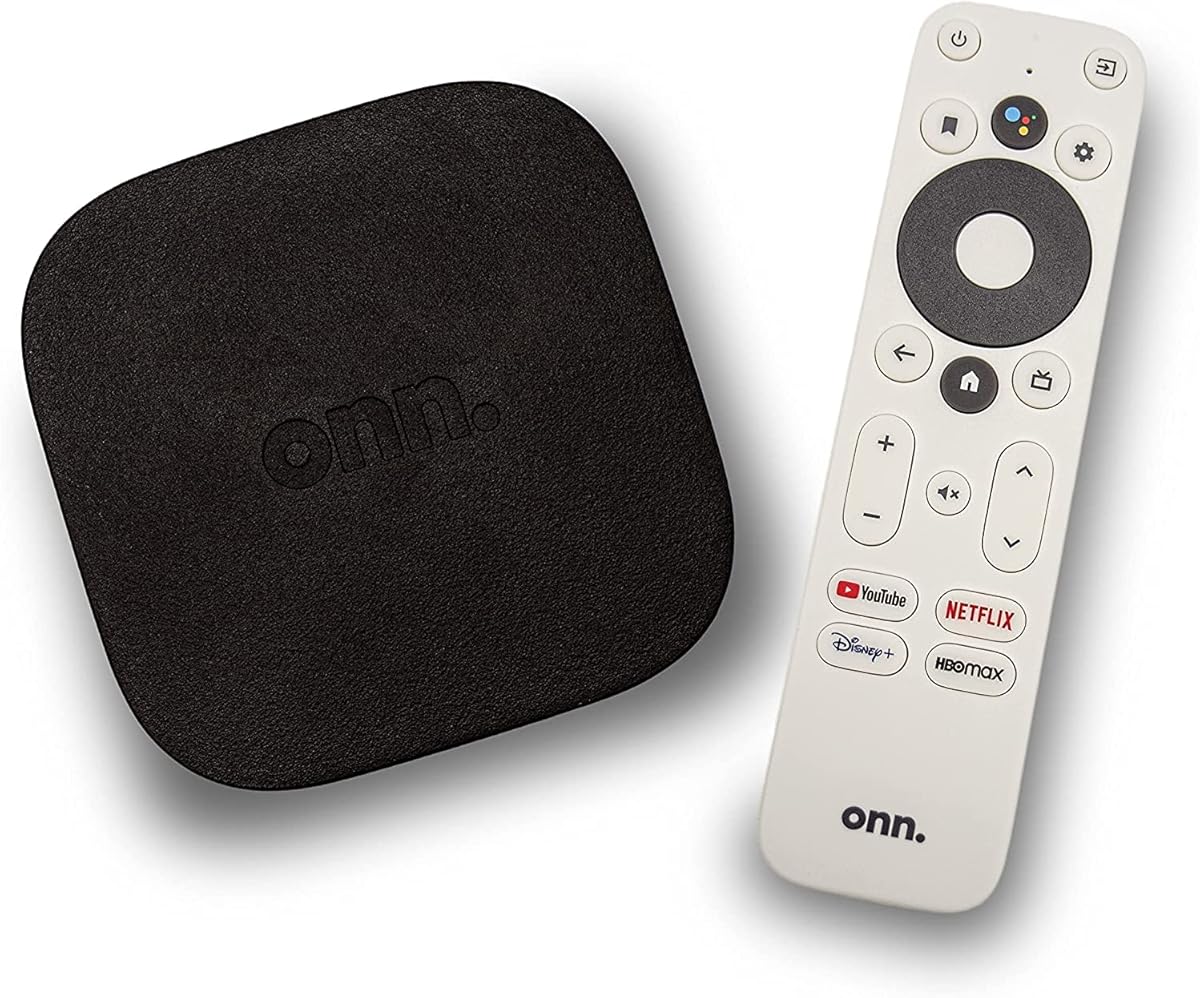
The ONN Android TV 4K streaming device offers a distinct experience with the Android TV operating system. You get access to the vast Google Play Store to download a wide variety of applications and games. It supports 4K resolution and includes high quality audio with enhanced dialogue for better clarity.
We may earn a commission when you buy through this link, at no additional cost to you.
Chromecast built-in allows you to easily cast content from your mobile devices directly to the TV. The voice remote lets you ask Google Assistant to find and control content with simple commands. Setup is easy and it is compatible with most major TV brands out of the box.
The remote is basic and lacks some advanced buttons found on other devices. The interface can sometimes feel slower compared to dedicated streaming boxes like Roku or Fire TV. These are minor issues considering the price and the unique advantages of the Android ecosystem for users.
This device is a great choice for users who prefer Google services and want a wide app selection. It provides a cost-effective way to upgrade your TV with 4K streaming and smart features. If you are already in the Google ecosystem this player integrates well with your existing accounts.
Access thousands of apps on the Google Play Store to customize your streaming experience.
Use Chromecast to mirror your phone screen to the TV instantly with one tap.
We may earn a commission when you buy through this link, at no additional cost to you.
The Roku Ultra LT 2023 model provides a reliable and fast streaming box for your home. It features a quad-core processor that handles navigation and apps smoothly. The device supports 4K and HDR and includes an Ethernet port for a stable wired connection to your network.
We may earn a commission when you buy through this link, at no additional cost to you.
One unique feature is the headphone jack on the remote for private listening without needing Bluetooth headphones. This allows you to control volume and power your TV from the remote itself. The included HDMI cable makes setup quick and easy for most TVs right out of the box.
The remote is functional but basic compared to rechargeable options found on premium players. There is no USB storage support for expanding your app storage if needed. Despite these small limitations, the core streaming performance and reliability make it a solid choice for many households.
If you want a box-style player without paying for premium features this model is excellent. It is ideal for users who appreciate the option for wired connections and private listening. For a reliable daily driver that balances cost and performance this LT model is highly effective.
Ethernet ensures your streams remain smooth even during peak usage times at home.
Plug standard headphones into the remote to listen privately without extra gear.
We may earn a commission when you buy through this link, at no additional cost to you.
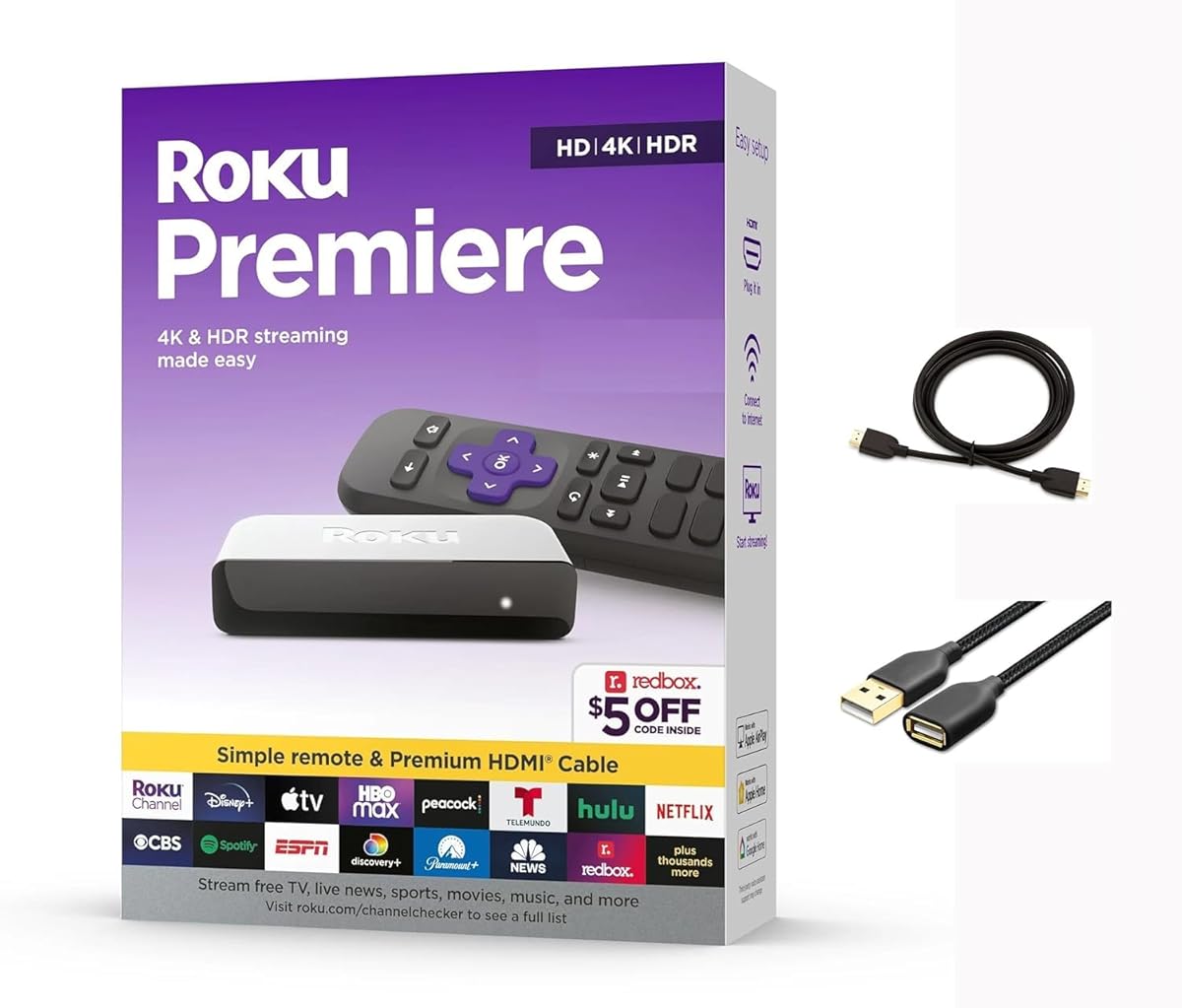
The Roku Premiere offers a classic value option for streaming 4K content with HDR support. It features a simple remote that covers all the basics you need to start streaming immediately. The device automatically updates to keep you on the latest features and channels without effort.
We may earn a commission when you buy through this link, at no additional cost to you.
AirPlay support allows Apple users to share photos, videos, and music from their devices easily. You can also control the device with Siri, Alexa, or Google Assistant from your phone. The included HDMI cable ensures you can connect and start watching right away without buying extra gear.
The remote does not have a dedicated voice button which means you rely on the app for voice control. There is also no Ethernet port so you must depend on Wi-Fi for your connection. These are acceptable trade-offs for the price and the solid performance it delivers overall.
If you want a straightforward streaming box with reliable performance this is a great choice. It is particularly good for Apple users due to AirPlay integration. For everyday streaming with a focus on simplicity and value this model is a strong contender in the market.
Use AirPlay to cast your iPhone or iPad content directly to your TV easily.
Your device stays current with the latest software updates automatically over time.
We may earn a commission when you buy through this link, at no additional cost to you.
Choosing the right HDMI streaming device depends on several factors including your TV capabilities and your needs.
Ensure the device supports your TV's maximum resolution such as 4K or Full HD. Most modern players support 4K but budget options may only offer 1080p which can look soft on larger screens.
Always check the resolution specs to match your display capabilities for the best picture quality.
Look for strong Wi-Fi support like Wi-Fi 6 or 6E for faster speeds and stability. If you need maximum reliability, choose a box with an Ethernet port to avoid wireless interference.
Prioritize models with advanced Wi-Fi or Ethernet for stable streaming performance.
Remotes vary from basic to advanced with voice search or headphone jacks. Consider whether you want dedicated buttons for power or volume control and if rechargeable batteries are important.
Choose a remote that feels comfortable and offers the controls you use most often.
Popular systems include Roku, Fire TV, and Android TV each with unique interfaces and stores. Think about which ecosystem integrates better with your existing apps and services for convenience.
Select an OS that supports the apps you use daily and offers an intuitive interface.
Dolby Vision and Dolby Atmos support enhance your viewing experience with better sound. Check if your speaker system matches the audio capabilities of the streaming device you choose.
Look for HDR and Atmos support if you have a surround sound system for immersion.
Internal storage affects how many apps you can install simultaneously. Higher-end devices often offer more space which allows for more content downloads and apps.
Consider storage if you plan on installing many apps and games regularly.
Streaming devices range from budget-friendly sticks to premium boxes. Decide on a budget that balances the features you need with the cost you are willing to spend.
Weigh the features against the price to find the best value for your specific use case.
Connect the device to your TV via HDMI and power it using the included cable or adapter. Follow the on-screen setup instructions to connect to Wi-Fi and sign into your accounts.
Use the remote to navigate the home screen and launch your favorite streaming apps. Voice commands can help you search for content or control smart home devices if available.
Keep the device in a well-ventilated area to avoid overheating and check for software updates regularly to maintain performance.
Yes, a stable internet connection is required to stream most content. Some devices allow offline downloads but live TV and streaming apps need Wi-Fi or Ethernet to function properly.
Yes as long as your TV has an HDMI port. If your TV is older without HDMI you may need an adapter but most modern TVs work seamlessly with these sticks.
Devices supporting 4K, HDR10+, and Dolby Vision generally offer the best picture quality. The Roku Ultra and Fire TV Stick 4K Max are strong contenders for visual fidelity.
No, many apps like Pluto TV and Tubi offer free ad-supported content. Subscriptions are only needed for premium channels like Netflix or HBO Max.
Most devices update automatically when connected to the internet. You can check for updates in the settings menu manually if needed.
The Fire TV Stick 4K Max and Ultra offer good performance for casual cloud gaming. Dedicated consoles are better for serious gamers but streaming games are possible on these devices.
This guide has highlighted the top ten HDMI streaming devices available in November 2026. Each model offers unique strengths whether you need budget-friendly access or premium performance features.
Consider your specific needs like resolution support, connectivity options, and smart features before buying. The right device will enhance your viewing experience and make accessing content effortless.
Remember to check current prices and availability before purchasing as deals can change. Choose the model that best fits your budget and home setup for long-term satisfaction.