
2×2 4k Video Wall Controller
4.6Editor score
HDMI or DVI input support
180 degree rotation for alignment
IR and RS232 control options
This guide compares the top HDMI Video Wall Controllers for seamless multi-screen setups, evaluating features, resolution support, and control options for
Selecting the right HDMI Video Wall Controller is essential for creating impactful visual displays in commercial or home settings. A quality unit ensures seamless integration across multiple screens, delivering crisp visuals and reliable performance for presentations or entertainment.
We evaluated ten leading HDMI Video Wall Controllers based on resolution support, display modes, connectivity options, and ease of control. Each product offers unique capabilities for splitting sources across screens, with varying levels of audio extraction and bezel management features.
Each pick highlights key strengths like 4K support, rotation options, and compatibility with HDMI or USB-C sources. While specific pricing fluctuates, these models represent top choices for building robust video wall solutions tailored to diverse installation needs and budgets.
4.6Editor score

4.8Editor score

4.2Editor score
The table below provides a detailed side-by-side comparison of all ten HDMI Video Wall Controllers. It highlights key specifications such as input types, resolution capabilities, display modes, and control interfaces to help you identify the best fit for your setup.



The OREI 4K 2×2 HDMI Video Wall Controller stands out as a robust solution for multi-screen displays. With a strong rating, it delivers reliable performance for splitting sources across four screens. Its standout qualities include support for HDMI and USB-C inputs along with versatile display modes.
We may earn a commission when you buy through this link, at no additional cost to you.
Key strengths include flexible configuration options like 2×2, 1×3, and splitter modes. It supports up to 4K 60Hz interlaced input ensuring high-quality visuals. Audio extraction via SPDIF allows seamless integration with external sound systems. The included remote and RS-232 options provide extensive control over setups.
Trade-offs involve lack of HDR10 support limiting advanced visual features. Pure 4K output is limited to 30Hz which may affect high refresh rate needs. However for many commercial setups these limitations are acceptable given the device robust connectivity and control options.
This controller suits users needing reliable video wall solutions with audio extraction. Ideal for retail displays or conference rooms prioritizing flexible input options. Choose it for seamless multi-screen integration without requiring complex matrix configurations or advanced HDR features.
Supports HDMI and USB-C inputs ensuring compatibility with diverse devices like PCs and media players.
Built-in SPDIF optical extraction allows seamless connection to external sound systems without extra hardware.
We may earn a commission when you buy through this link, at no additional cost to you.
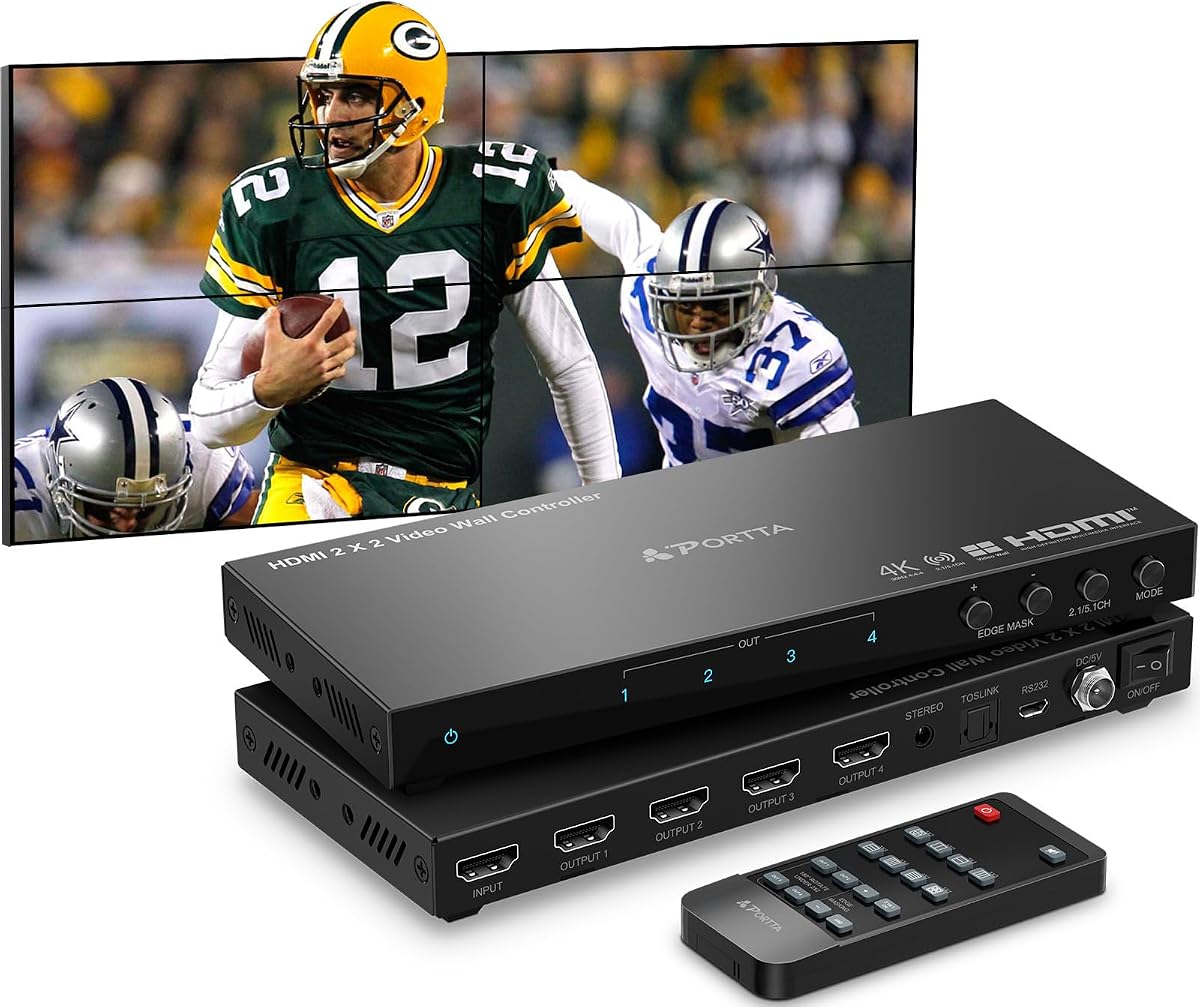
The PORTTA HDMI Video Wall Controller offers excellent value for budget-conscious users needing multi-screen setups. With a solid rating it delivers reliable performance for splitting sources across four screens. Its standout qualities include edge masking and versatile display modes for seamless integration.
We may earn a commission when you buy through this link, at no additional cost to you.
Key strengths include flexible configuration options like 2×2 and 1×4 modes. It supports 4K 30Hz input ensuring high-quality visuals for various applications. Audio extraction via Toslink and analog outputs allows seamless integration with sound systems. The included remote and RS-232 options provide extensive control over setups.
Trade-offs involve fixed 1080p output limiting pure 4K display potential. This may affect setups needing maximum resolution across all screens. However for advertising or information displays these limitations are acceptable given the device robust connectivity and control options.
This controller suits users needing cost-effective video wall solutions with audio extraction. Ideal for retail displays or conference rooms prioritizing flexible input options. Choose it for seamless multi-screen integration without requiring complex matrix configurations or advanced resolution needs.
Adjustable edge masking reduces bezel gaps ensuring visually seamless multi-screen displays without distortion.
Built-in Toslink and analog extraction allows seamless connection to external sound systems without extra hardware.
We may earn a commission when you buy through this link, at no additional cost to you.
The J-Tech Digital HDMI Video Wall Controller delivers exceptional performance for seamless multi-screen displays. With the highest rating it ensures reliable splitting of sources across four screens. Its standout qualities include edge masking and versatile display modes for professional installations.
We may earn a commission when you buy through this link, at no additional cost to you.
Key strengths include flexible configuration options like 2×2 and 1×4 modes. It supports 4K 30Hz input ensuring high-quality visuals for various applications. Audio extraction via SPDIF and analog outputs allows seamless integration with sound systems. The included remote and RS-232 options provide extensive control over setups.
Trade-offs involve fixed 1080p output limiting pure 4K display potential. This may affect setups needing maximum resolution across all screens. However for advertising or information displays these limitations are acceptable given the device robust connectivity and control options.
This controller suits users needing reliable video wall solutions with audio extraction. Ideal for retail displays or conference rooms prioritizing flexible input options. Choose it for seamless multi-screen integration without requiring complex matrix configurations or advanced resolution needs.
Adjustable edge masking reduces bezel gaps ensuring visually seamless multi-screen displays without distortion.
Built-in SPDIF and analog extraction allows seamless connection to external sound systems without extra hardware.
We may earn a commission when you buy through this link, at no additional cost to you.
The OREI 4K Video Wall Controller delivers robust performance for multi-screen installations. It ensures reliable splitting of sources across four screens. Its standout qualities include bezel adjustment and versatile display modes for professional setups.
We may earn a commission when you buy through this link, at no additional cost to you.
Key strengths include flexible configuration options like 2×2 and 1×4 modes. It supports 4K 60Hz input ensuring high-quality visuals for various applications. Audio extraction via optical outputs allows seamless integration with sound systems. The included remote and RS-232 options provide extensive control over setups.
Trade-offs involve fixed 1080p output limiting pure 4K display potential. This may affect setups needing maximum resolution across all screens. However for advertising or information displays these limitations are acceptable given the device robust connectivity and control options.
This controller suits users needing reliable video wall solutions with audio extraction. Ideal for retail displays or conference rooms prioritizing flexible input options. Choose it for seamless multi-screen integration without requiring complex matrix configurations or advanced resolution needs.
Adjustable bezel settings reduce gaps ensuring visually seamless multi-screen displays without distortion.
Built-in optical extraction allows seamless connection to external sound systems without extra hardware.
We may earn a commission when you buy through this link, at no additional cost to you.
The OREI 4K 4×4 Seamless Matrix delivers robust performance for multi-screen installations. It ensures reliable splitting of sources across four screens. Its standout qualities include advanced EDID management and versatile display modes for professional setups.
We may earn a commission when you buy through this link, at no additional cost to you.
Key strengths include flexible configuration options like 2×2 and 1×4 modes. It supports 4K 60Hz input ensuring high-quality visuals for various applications. Audio extraction via optical outputs allows seamless integration with sound systems. The included remote and RS-232 options provide extensive control over setups.
Trade-offs involve limited 2×2 video wall support restricting larger setups. This may affect users needing more than four screens. However for advertising or information displays these limitations are acceptable given the device robust connectivity and control options.
This controller suits users needing reliable video wall solutions with audio extraction. Ideal for retail displays or conference rooms prioritizing flexible input options. Choose it for seamless multi-screen integration without requiring complex matrix configurations or advanced resolution needs.
Advanced EDID management ensures optimal resolution detection and seamless display compatibility across devices.
4×4 matrix allows flexible routing of sources to multiple displays for complex setups.
We may earn a commission when you buy through this link, at no additional cost to you.
The 2×2 4k Video Wall Controller delivers robust performance for multi-screen installations. It ensures reliable splitting of sources across four screens. Its standout qualities include versatile display modes and cost-effective pricing for budget-conscious buyers.
We may earn a commission when you buy through this link, at no additional cost to you.
Key strengths include flexible configuration options like 2×2 and 1×4 modes. It supports 4K 30Hz input ensuring high-quality visuals for various applications. Audio extraction via 3.5mm allows seamless integration with sound systems. The included remote and RS-232 options provide extensive control over setups.
Trade-offs involve fixed 1080p output limiting pure 4K display potential. This may affect setups needing maximum resolution across all screens. However for advertising or information displays these limitations are acceptable given the device robust connectivity and control options.
This controller suits users needing reliable video wall solutions with audio extraction. Ideal for retail displays or conference rooms prioritizing flexible input options. Choose it for seamless multi-screen integration without requiring complex matrix configurations or advanced resolution needs.
11 splicing modes provide flexibility for various display configurations including portrait and landscape modes.
Built-in 3.5mm audio port allows seamless connection to external sound systems without extra hardware.
We may earn a commission when you buy through this link, at no additional cost to you.
The ISEEVY 4K60 Video Wall Controller delivers robust performance for multi-screen installations. It ensures reliable splitting of sources across four screens. Its standout qualities include 4K outputs and versatile display modes for professional setups.
We may earn a commission when you buy through this link, at no additional cost to you.
Key strengths include flexible configuration options like 2×2 and 1×4 modes. It supports 4K 60Hz input ensuring high-quality visuals for various applications. The included remote and button options provide extensive control over setups. It supports HDMI and USB-C inputs for broad compatibility.
Trade-offs involve lack of audio extraction ports requiring external audio solutions. This may affect setups needing integrated audio routing. However for video-only displays these limitations are acceptable given the device robust connectivity and 4K output support.
This controller suits users needing reliable video wall solutions with 4K outputs. Ideal for retail displays or conference rooms prioritizing flexible input options. Choose it for seamless multi-screen integration without requiring complex matrix configurations or advanced resolution needs.
Each HDMI output supports 4K resolution enabling true high definition displays across all screens.
Simple connection setup and remote control make it easy to switch display configurations quickly.
We may earn a commission when you buy through this link, at no additional cost to you.
The J-Tech Digital 4k 2×2 Video Wall Controller delivers advanced performance for professional multi-screen installations. It ensures reliable splitting of sources across four screens. Its standout qualities include web control and versatile display modes for large setups.
We may earn a commission when you buy through this link, at no additional cost to you.
Key strengths include flexible configuration options like 2×2 and 1×4 modes. It supports 4K 60Hz input ensuring high-quality visuals for various applications. The included remote and RS-232 options provide extensive control over setups. It supports HDMI and USB-C inputs for broad compatibility.
Trade-offs involve high price point limiting accessibility for budget setups. This may affect smaller installations prioritizing cost. However for enterprise displays these limitations are acceptable given the device robust connectivity and seamless switching support.
This controller suits users needing reliable video wall solutions with web control. Ideal for retail displays or conference rooms prioritizing flexible input options. Choose it for seamless multi-screen integration without requiring complex matrix configurations or advanced resolution needs.
LAN connectivity enables remote web-based control allowing flexible management of displays across locations.
No switching delay or picture loss ensures smooth transitions between sources for uninterrupted viewing.
We may earn a commission when you buy through this link, at no additional cost to you.
The 4K60 2×2 Video Wall Controller delivers robust performance for multi-screen installations. It ensures reliable splitting of sources across four screens. Its standout qualities include USB auto display and versatile display modes for professional setups.
We may earn a commission when you buy through this link, at no additional cost to you.
Key strengths include flexible configuration options like 2×2 and 1×4 modes. It supports 4K 60Hz input ensuring high-quality visuals for various applications. The included remote and RS-232 options provide extensive control over setups. It supports HDMI and USB-C inputs for broad compatibility.
Trade-offs involve limited USB file formats requiring specific file types for playback. This may affect setups needing diverse media support. However for advertising or information displays these limitations are acceptable given the device robust connectivity and control options.
This controller suits users needing reliable video wall solutions with USB playback. Ideal for retail displays or conference rooms prioritizing flexible input options. Choose it for seamless multi-screen integration without requiring complex matrix configurations or advanced resolution needs.
USB auto display feature enables playback of media files directly from USB drives without external players.
Built-in SPDIF and analog extraction allows seamless connection to external sound systems without extra hardware.
We may earn a commission when you buy through this link, at no additional cost to you.
The ISEEVY 4K60 Video Wall Controller 2X3 delivers advanced performance for large multi-screen installations. It ensures reliable splitting of sources across six screens. Its standout qualities include 6 HDMI outputs and versatile display modes for expansive setups.
We may earn a commission when you buy through this link, at no additional cost to you.
Key strengths include flexible configuration options like 2×3 and 3×2 modes. It supports 4K 60Hz input ensuring high-quality visuals for various applications. The included remote and button options provide extensive control over setups. It supports HDMI and USB-C inputs for broad compatibility.
Trade-offs involve limited audio options requiring external sound systems for immersive experiences. This may affect setups needing integrated audio routing. However for video-only displays these limitations are acceptable given the device robust connectivity and 4K output support.
This controller suits users needing reliable video wall solutions with 6 outputs. Ideal for retail displays or conference rooms prioritizing flexible input options. Choose it for seamless multi-screen integration without requiring complex matrix configurations or advanced resolution needs.
6 HDMI outputs enable larger video walls supporting up to six 4K displays in a single setup.
180 degree rotation per port accommodates varied TV orientations for seamless visual alignment across screens.
We may earn a commission when you buy through this link, at no additional cost to you.
Choosing the right HDMI Video Wall Controller requires evaluating resolution support, display modes, connectivity, and control options to match your setup needs.
Ensure the controller supports the resolution of your source device and displays. 4K inputs require controllers with sufficient bandwidth. Mismatched resolutions can lead to scaling issues or poor visuals.
Prioritize controllers supporting 4K input and output if high fidelity is needed.
Controllers should support modes like 2×2, 1×4, or splitter modes for flexible layouts. Check if bezel adjustment or rotation options are included for seamless alignment.
Select a model offering modes matching your screen configuration and display preferences.
Verify HDMI, USB-C, or DVI inputs align with your source devices. Ensure enough output ports for all displays. Some models support multiple inputs for source switching.
Choose controllers with ports matching your devices and future expansion plans.
Look for remote, RS-232, or web control interfaces. Remote options suit quick adjustments while RS-232 offers automation. Web control enables remote management for enterprise setups.
Opt for control methods fitting your operational workflow and technical expertise.
Controllers with SPDIF or analog outputs allow seamless audio routing. This avoids needing extra splitters for audio. Check formats like LPCM or Dolby support.
Prioritize models with audio extraction if sound integration is needed without external hardware.
Edge masking reduces bezel gaps visually. Rotation ensures correct orientation for mounted displays. These features enhance display quality without custom tools.
Select controllers with masking and rotation for seamless multi-screen alignment.
Consider controllers supporting larger output counts like 6 outputs for expanding setups. Some offer matrix capabilities for routing multiple sources. Scalability avoids future hardware changes.
Choose scalable models if you plan to add more screens later.
Verify warranty terms and technical support availability. Lifelong support ensures troubleshooting help. Local support teams may provide faster assistance.
Prioritize models with solid warranty and accessible support for reliability.
Connect the source device to the controller HDMI or USB-C input using certified cables. Connect the controller outputs to your displays ensuring proper resolution settings. Power on the devices and allow detection for optimal handshake.
Use the included remote or software interface to select display modes like 2×2 or 1×4. Adjust bezel settings or rotation as needed using the menu options. Configure audio outputs if extraction is required for external systems.
Periodically update firmware via manufacturer tools if supported. Keep the controller in a ventilated area to prevent overheating. Check cable connections regularly to avoid signal loss or flickering issues.
An HDMI Video Wall Controller splits a single video source across multiple displays to create a unified large screen. It is commonly used in retail, corporate presentations, or entertainment settings for impactful visuals.
No, many budget models support 1080p outputs even with 4K input. Check specifications for 4K input and output support to ensure high resolution displays. Some units support 4K 30Hz only.
Some controllers support single input while others offer matrix capabilities with multiple inputs. Verify product specs for multi-source support. Matrix controllers allow seamless source switching across displays.
Edge masking adjusts output images to compensate for bezel gaps between screens. It trims edges visually to reduce distortion and create seamless multi-screen displays. Not all models include this feature.
Yes, most controllers support 180 degree rotation per output port. This allows correct orientation for mounted displays or portrait setups. Check specific mode requirements for rotation availability.
Controllers with SPDIF or analog outputs handle audio extraction without extra hardware. Those without ports may need external audio splitters. Verify audio options in product specs.
Settings are controlled via remote, buttons, RS-232, or web interfaces. Remotes suit quick adjustments. RS-232 or web control enables automation. Check supported methods in the product details.
Most brands offer limited warranties and technical support. Check product pages for details on support duration and access. Some provide lifetime support for setup help.
The OREI 4K 2×2 HDMI Controller, PORTTA HDMI Video Wall Controller, and J-Tech Digital HDMI Video Wall Controller stand out as top choices. They offer reliable performance, diverse display modes, and essential features like audio extraction.
When selecting a controller prioritize resolution support, control options, and scalability for your needs. Consider factors like edge masking and audio routing to ensure seamless integration across all displays.
Always verify current availability and pricing before purchase as these fluctuate based on demand. Review product specifications carefully to match your setup requirements and ensure optimal performance.