
CENMATE Aluminum 4 Bay Hard Drive Enclosure
4.3Editor score
4 Bay SATA Support
USB 3.0 Speed
Aluminum Cooling Design
This guide compares the top JBOD enclosures for expanding storage with multiple drives, evaluating speed, capacity, and reliability for various user needs.
Finding the right JBOD enclosure helps you expand storage without complex RAID setups. These devices connect multiple hard drives directly to your computer for flexible capacity and independent drive access.
We compared ten top models based on connectivity, drive support, cooling, and build quality. Our analysis highlights key features like USB speeds, hot swappable bays, and compatibility across different operating systems.
Each pick shows real performance specs and practical use cases for your workflow. Prices and availability change often so check current listings before buying to ensure you get the best value for your specific storage needs.
4.3Editor score

4.2Editor score
4.1Editor score
This side-by-side comparison shows key specs for all ten JBOD enclosures. Review drive bay counts, interface speeds, max capacity, and special features to find the right fit.




The TERRAMASTER D4-320 leads our list with USB 3.2 Gen2 speeds reaching up to 10Gbps. Its 4-bay design supports up to 120TB total and offers plug-and-play ease without RAID complexity.
We may earn a commission when you buy through this link, at no additional cost to you.
Hot swappable tool-free trays make drive management fast. The intelligent fan keeps noise under 21dB in standby. Push-lock mechanisms secure drives firmly during operation and transport.
Lack of native RAID means software management for redundancy. External power adds to cable clutter. Still these factors are acceptable for users prioritizing raw speed and simplicity over redundancy.
Buyers needing fast direct attached storage for backups or media workflows will appreciate this enclosure. It balances performance and quiet operation well for desktop or office use.
With USB 3.2 Gen2 you get 10Gbps speeds matching modern SSD performance across all four bays.
Sound-absorbing panels and vibration damping reduce noise levels significantly compared to previous generations.
We may earn a commission when you buy through this link, at no additional cost to you.
CENMATE offers a strong entry-level option at a competitive price. It supports four drives up to 80TB total with USB 3.0 speeds. Plug-and-play compatibility works across Windows Mac and Linux.
We may earn a commission when you buy through this link, at no additional cost to you.
The aluminum alloy build helps dissipate heat efficiently during heavy use. Tool-free bays allow quick drive swaps without tools. A built-in fan provides cooling though noise can be noticeable.
Fan noise may distract in quiet offices. USB 3.0 limits transfers to 5Gbps. For budget-conscious users needing reliable capacity these trade-offs are reasonable for the price.
Ideal for personal storage or small business backups where cost matters most. It delivers solid functionality without unnecessary extra features.
Aluminum construction provides durability while keeping costs lower than higher-end models.
Each bay holds drives up to 20TB enabling flexible total storage configurations.
We may earn a commission when you buy through this link, at no additional cost to you.
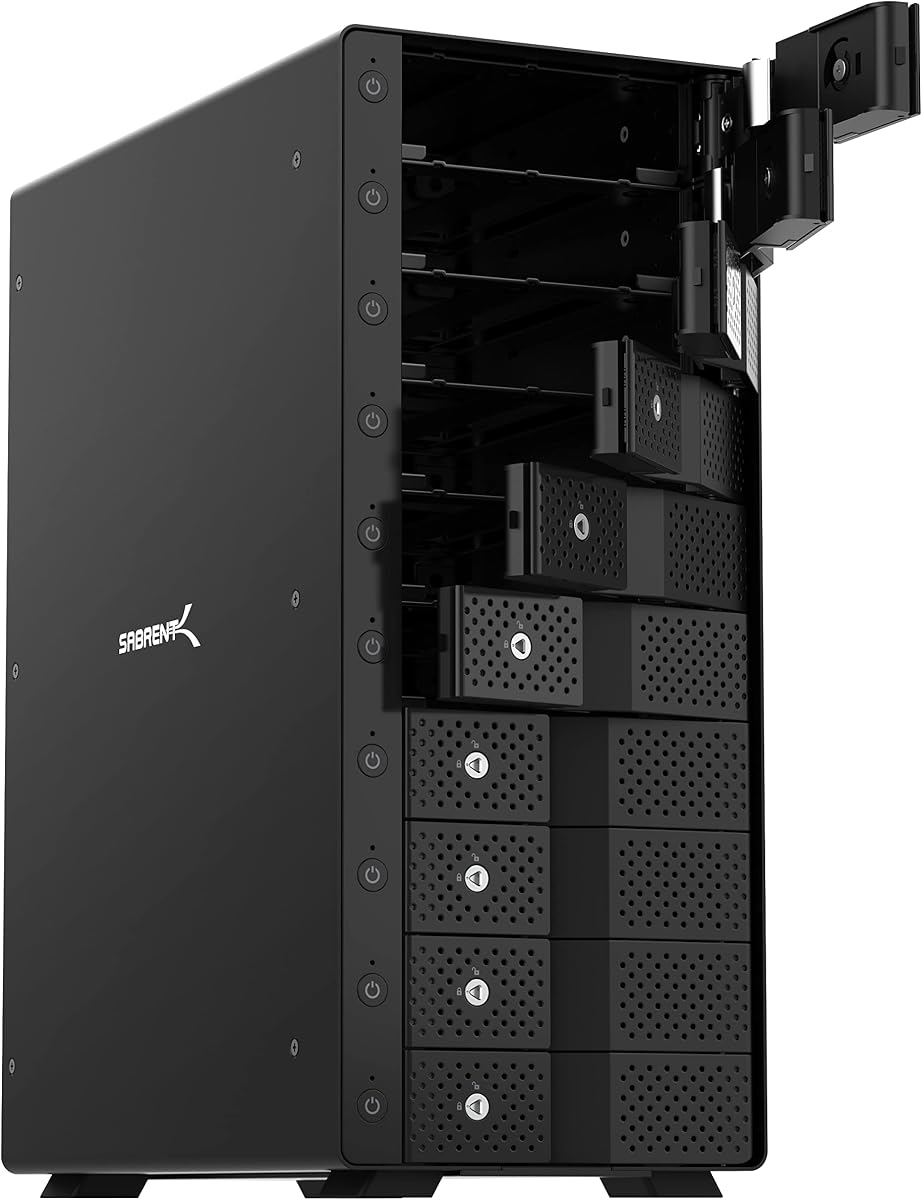
SABRENT delivers massive capacity with ten 3.5-inch drive bays. Each drive connects independently with individual power switches and status LEDs. USB-C provides 10Gbps speeds for fast backups.
We may earn a commission when you buy through this link, at no additional cost to you.
Tray-less design allows direct drive insertion without tools. Dual 120mm fans maintain stable temperatures under load. Locking key and Kensington slot enhance security for high-value hardware.
Limited to 3.5-inch drives means 2.5-inch SSDs need adapters. Premium price may not suit casual users. Professionals requiring huge storage will find these constraints acceptable.
Best for media servers or IT workflows needing expandable storage. The control and flexibility make it a top-tier option.
Ten bays support up to 200TB total allowing significant future growth.
Independent switches let you power only needed drives saving energy and heat.
We may earn a commission when you buy through this link, at no additional cost to you.
IO CREST provides eight independent drive bays supporting up to 192TB total. Each drive has its own power switch enabling flexible operation. Smart fan adjusts speed based on thermal sensors.
We may earn a commission when you buy through this link, at no additional cost to you.
USB 3.0 supports SATA I II III compatibility for older drives. Steel housing offers durability but adds weight. Heat dissipation works well under moderate loads.
Lack of USB-C limits modern connectivity options. Fan control is basic compared to advanced models. Still it offers reliable multi-drive access for varied needs.
Suitable for users needing many drives without RAID complexity. Independent control adds operational flexibility for daily workflows.
Eight bays allow mixing drive types and capacities for custom setups.
Thermal sensors adjust fan speed automatically to balance cooling and noise.
We may earn a commission when you buy through this link, at no additional cost to you.
QNAP TR-004 blends JBOD flexibility with optional hardware RAID. It connects via USB-C and works as external storage or QNAP NAS expansion. Lockable bays secure drives physically.
We may earn a commission when you buy through this link, at no additional cost to you.
RAID 0 1 5 and JBOD modes supported via hardware switches. Ideal for users wanting redundancy without full NAS complexity. Compatibility restricted to specific QNAP models.
Cannot install NAS apps on device itself. Drives migrate only between TR-004 units or compatible NAS. These limitations suit specific workflows not general-purpose users.
Best for QNAP owners needing extra storage or simple RAID. It offers hardware RAID benefits in a compact enclosure form.
Hardware switches enable quick configuration changes without software setup.
Integrates with compatible QNAP NAS to extend existing storage pools.
We may earn a commission when you buy through this link, at no additional cost to you.
QNAP TL-R1200C-RP offers enterprise-grade storage expansion with twelve 3.5-inch bays. Rackmount design fits server racks. Redundant power supply ensures uptime during power issues.
We may earn a commission when you buy through this link, at no additional cost to you.
USB 3.2 Gen2 Type-C provides 10Gbps connectivity. Expands QNAP NAS or supports Windows servers. Ideal for data centers or office server rooms.
Requires rackmount infrastructure and professional installation. Higher power needs compared to desktop units. Suited for environments needing reliable expansion.
Best for businesses or data centers requiring scalable storage. Redundant power and 12 bays deliver robust performance.
Redundant power supplies prevent data loss during power outages.
Designed to fit standard 19-inch racks for organized server rooms.
We may earn a commission when you buy through this link, at no additional cost to you.
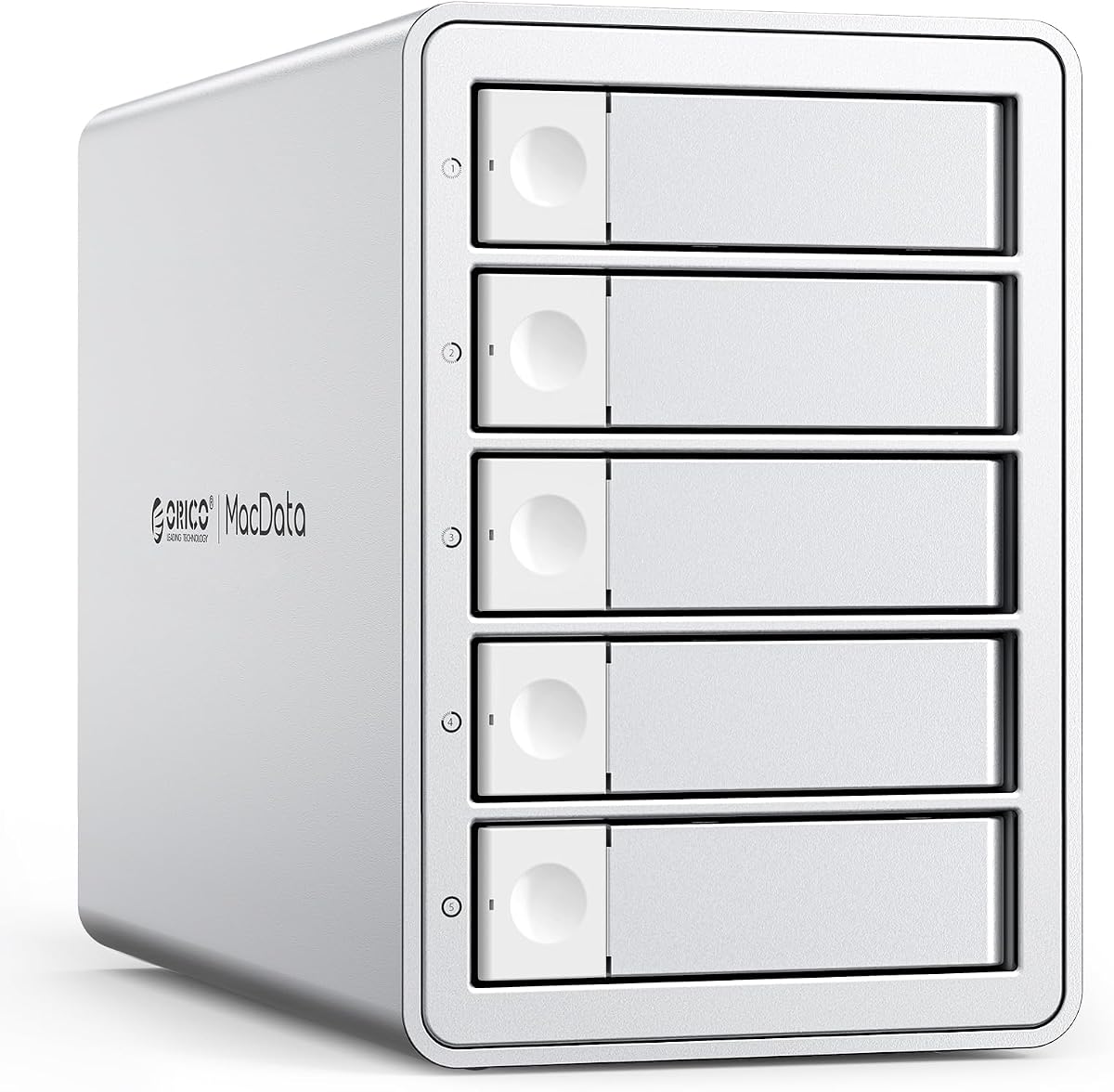
ORICO 5 Bay RAID supports multiple RAID modes via hardware switches. Five bays reach up to 110TB total. Built-in power supply simplifies cabling. Aluminum shell resists heat.
We may earn a commission when you buy through this link, at no additional cost to you.
Silent cooling fan prevents overheating under load. Supports 2.5 and 3.5 drives. USB 3.0 transfers data up to 230MB/s. Good balance of RAID and JBOD modes.
No USB-C means slower connectivity. External power increases cable count. For users wanting RAID flexibility without software setup this fits well.
Ideal for creative studios or backups needing redundancy. High rating reflects reliable performance across common use cases.
Hardware switches let you switch RAID 0 1 3 5 10 JBOD and more easily.
Built-in 150W power supply keeps drives stable during heavy multi-disk use.
We may earn a commission when you buy through this link, at no additional cost to you.
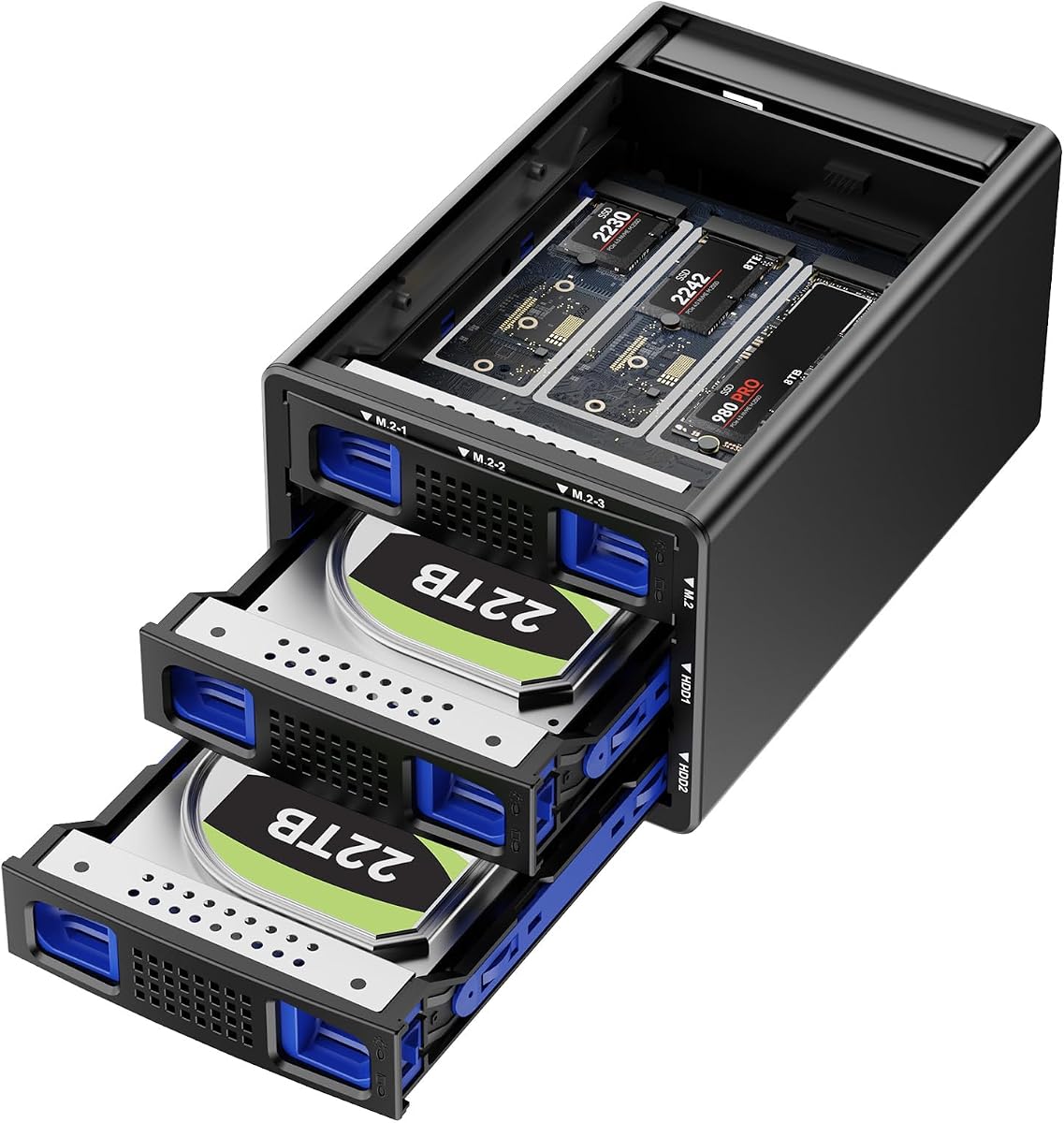
Unique hybrid enclosure holds two SATA drives and three M.2 NVMe SSDs. USB 3.2 Gen2 offers 10Gbps speeds. Supports RAID 0 1 JBOD and Normal modes for flexibility.
We may earn a commission when you buy through this link, at no additional cost to you.
Aluminum build aids heat dissipation. Silent fans cool drives continuously. Tool-free trays make installation simple. Combines HDD capacity with NVMe speed for mixed workflows.
Fan noise may be audible in quiet spaces. RAID setup requires holding reset button for configuration. Learning curve exists for hybrid setups.
Best for users needing both large storage and fast cache. It merges SSD speed with HDD capacity in one device.
Mix NVMe SSDs for speed with SATA HDDs for capacity.
Supports 4 RAID modes including JBOD for flexible drive access.
We may earn a commission when you buy through this link, at no additional cost to you.
ORICO 4 Bay RAID supports 8 RAID modes via hardware switches. Up to 88TB total storage. Built-in power avoids extra adapters. Aluminum housing resists heat and physical damage.
We may earn a commission when you buy through this link, at no additional cost to you.
Safety locks prevent accidental ejection. Silent cooling fan keeps temps stable. USB 3.0 supports up to 235MB/s. Good for backups needing redundancy.
Lacks USB-C and modern interface options. Fan adds some noise. For users wanting RAID and JBOD flexibility in one device this works well.
Ideal for home offices or creative professionals. Balance of capacity speed and RAID options makes it versatile.
Eight modes allow tailored redundancy or speed for different projects.
Safety lock prevents unexpected removal protecting data during operation.
We may earn a commission when you buy through this link, at no additional cost to you.
OWC Mercury Elite Pro Quad offers USB-C 10Gb/s performance reaching 947MB/s. Four universal bays support 2.5 and 3.5 drives. Compatible with Mac and Windows PCs.
We may earn a commission when you buy through this link, at no additional cost to you.
Thunderbolt 3 support ensures fast connectivity. Compact design fits desktops. No Softraid included means software RAID required. Lower rating reflects software dependency.
Requires OS-specific tools for RAID setup. Not as flexible as hardware RAID models. For speed-focused users this delivers raw throughput.
Best for Mac users needing fast external storage. It offers reliable connectivity though software RAID may limit usability.
USB-C 10Gb/s delivers near internal drive performance for external tasks.
Universal bays fit both 2.5 and 3.5 drives easily.
We may earn a commission when you buy through this link, at no additional cost to you.
Choosing a JBOD enclosure requires understanding your storage needs connection types and budget. Use these factors to narrow down options quickly.
Determine how many drives you need now and may add later. Four to six bays cover most users. Ten or twelve bays suit enterprise or large backups.
More bays increase flexibility but add cost. Choose a count matching current needs plus room to grow.
USB 3.0 at 5Gbps works for most backups. USB 3.2 Gen2 or 10Gbps speeds help large video transfers. USB-C is standard for modern computers.
Match interface to host port speed. Avoid slow interfaces when large file transfers are common.
Check total TB capacity and per-drive limits. Modern enclosures support up to 20TB per drive. Ensure your drives fit within stated limits.
Calculate total capacity needed for files and future growth. Buy enclosure with headroom for new drives.
JBOD lets drives work independently. RAID offers redundancy or speed through mirroring or striping. Some models support both modes.
Choose RAID only if you need redundancy. For simple backup and flexibility JBOD is easier.
Fans prevent overheating during continuous use. Silent fans reduce noise in offices. Aluminum housings dissipate heat well.
Look for thermal sensors and adjustable fans. Quiet cooling matters for quiet workspaces.
Hot swap allows drive removal without powering off. This enables quick replacements. Check model supports hot swap.
Choose hot swap for servers or frequent drive changes. It reduces downtime during maintenance.
External adapters add cable clutter. Built-in power simplifies setup. Ensure wattage supports all drives.
Built-in power reduces cables but adds weight. Choose based on workspace needs.
Ensure support for Windows Mac and Linux. Plug-and-play avoids driver installs. Check Mac RAID software limits.
Universal compatibility saves setup time. Avoid models limited to one OS only.
Connect drives to bays before attaching USB. Align connectors carefully and close trays securely. This prevents damage during power cycles.
Power on enclosure before computer for best detection. Use provided cables. Avoid disconnecting USB during file transfers to prevent data loss.
Clean vents regularly with compressed air. Keep in cool dry place. Monitor temperatures during heavy use to extend drive life.
JBOD means Just a Bunch of Drives. It connects multiple drives without RAID configuration. Each drive appears separately to your computer for flexible use and simple setup.
Most enclosures need external power supplies for multiple 3.5-inch drives. Some smaller models may power from USB. Always check power requirements for your setup.
Yes JBOD works well for backups since drives are independent. You can target specific drives for backup software. It offers simple expansion without RAID complexity.
JBOD enclosures support SATA 2.5 and 3.5 drives and often SSDs. Check drive size and capacity limits. Most work with mixed drive sizes.
Enclosures with fans stay cooler under load. Aluminum housings help dissipate heat. Monitor temperatures and ensure vents stay clear for best drive health.
Hot swapping allows safe drive removal if supported. Safely eject drives via OS first. Always use models with hot swap features to avoid data loss.
The TERRAMASTER D4-320 and CENMATE and SABRENT models lead for different needs. Choose based on speed capacity and budget for your storage goals.
Prioritize interface speed and cooling for heavy use. For simplicity JBOD beats complex RAID. Consider future expansion when selecting bays.
Prices change frequently so verify current listings. Check compatibility before buying to ensure your drives fit the enclosure properly.