
Canon imageCLASS LBP6030w
3.8Editor score
Compact design saves space
Wireless connectivity included
19 pages per minute speed
Discover the best laser printer with cheap toner options for home and office use, comparing features, speed, and long-term costs to find the right fit.
Finding a reliable laser printer with affordable consumables is crucial for home offices and small businesses. High initial costs often hide expensive ongoing expenses, making total cost of ownership a key factor in your decision-making process today.
We evaluated ten top-rated models based on print quality, connectivity, speed, and toner availability. This guide highlights machines designed to deliver consistent performance while minimizing the financial burden of regular ink or toner replacements over time.
Each selection includes detailed specifications and real-world insights to help you choose wisely. Note that availability and specific bundle offers may change frequently, so verify current details before finalizing your purchase to ensure you get the best value available now.
3.8Editor score

4.1Editor score

4.3Editor score
This side-by-side comparison outlines the core capabilities of each selected model to help you quickly identify which device aligns with your specific printing requirements and budget constraints for optimal efficiency.





The Brother HL-L2405W stands out as a top contender for those seeking a laser printer with cheap toner. With a solid 4.1 rating, it delivers sharp monochrome prints at speeds up to thirty pages per minute, making it ideal for busy home offices that need quick output without breaking the bank.
We may earn a commission when you buy through this link, at no additional cost to you.
Its standout feature is the compatibility with Brother Genuine Toner options, including subscription services that can significantly reduce long-term costs. The dual-band wireless connectivity ensures stable connections across various devices, while the Brother Mobile Connect app allows for seamless management of supplies and print jobs from anywhere.
While it lacks automatic duplex printing, which might be a drawback for heavy document users, the manual feed slot offers flexibility for specialty papers. The trade-off is acceptable for most users prioritizing speed and cost efficiency over advanced paper handling features found in pricier models.
If you are looking for a balance between performance and affordability, this model is a strong recommendation. It suits individuals or small teams needing reliable daily printing with accessible supply options, ensuring you maintain productivity without worrying about running out of toner unexpectedly.
The available subscription service helps track usage and delivers supplies automatically, preventing interruptions and potentially saving up to half on standard toner costs over time.
Users can manage print jobs remotely using the dedicated app, which simplifies tasks like checking ink levels or sending documents from a phone without needing a PC connection.
We may earn a commission when you buy through this link, at no additional cost to you.
The Canon imageCLASS LBP6030w is an excellent entry-level option for those prioritizing budget without sacrificing essential laser quality. With a 3.8 rating, it offers basic wireless printing capabilities that suit small home environments where space is limited and printing needs are moderate rather than high-volume.
We may earn a commission when you buy through this link, at no additional cost to you.
This model focuses on simplicity, offering a straightforward interface that makes it easy to set up and maintain. Its compact design fits easily into tight spaces, and the ability to connect wirelessly means you can print from laptops or phones without cluttering your workspace with cables.
However, the slower print speed of nineteen pages per minute and smaller paper tray may limit productivity if you have large documents or frequent printing demands. These constraints are generally acceptable for occasional users who value low upfront costs and minimal maintenance over speed and capacity.
Ideal for students or light home users, this printer provides a reliable solution for essential documents without the complexity of multifunction features. It ensures you get consistent black and white results while keeping both the purchase price and ongoing supply expenses manageable for tighter budgets.
Its small profile allows it to sit unobtrusively on shelves or desks, making it perfect for apartments or shared workspaces where room is at a premium.
The printer consumes less than two watts in sleep mode, helping to reduce electricity usage and align with eco-friendly practices without impacting performance.
We may earn a commission when you buy through this link, at no additional cost to you.
The Brother MFC-L2820DW delivers premium features tailored for small offices needing robust printing, scanning, and copying capabilities. With a strong 4.3 rating, it combines speed and versatility, offering thirty-six pages per minute output and an automatic document feeder that streamlines multi-page tasks efficiently for professional environments.
We may earn a commission when you buy through this link, at no additional cost to you.
Its intuitive touchscreen simplifies navigation, allowing users to connect directly to cloud services like Google Drive or Dropbox for seamless workflow integration. The inclusion of duplex printing and fax capabilities further enhances productivity, making it a comprehensive solution that reduces the need for multiple devices in your workspace.
While the higher price point and larger footprint might not suit every budget or small desk, the long-term value through time savings and reduced paper waste is significant. These trade-offs are acceptable for businesses or power users who require advanced features and high-volume reliability over basic printing tasks.
For those seeking a top-tier all-in-one solution, this printer is highly recommended. It ensures you can handle diverse document needs without compromise, backed by Brother's reliable support and toner subscription options that keep operational costs predictable and manageable over time.
Direct cloud scanning and printing allow you to manage documents without a PC, enhancing flexibility for remote work or quick access to shared files.
With fast print speeds and a fifty-page auto feeder, it handles large batches quickly, reducing wait times and keeping projects moving forward efficiently.
We may earn a commission when you buy through this link, at no additional cost to you.
The Canon imageCLASS MF3010 VP offers a practical solution for users who prefer a stable wired connection over wireless flexibility. With a 4.2 rating, it delivers basic multifunction capabilities including scanning and copying, making it suitable for small setups where reliability and simplicity are prioritized over advanced connectivity options.
We may earn a commission when you buy through this link, at no additional cost to you.
A key advantage is the inclusion of a high-yield toner cartridge in the box, which helps extend the time before you need to purchase replacements. The ID card copy feature adds convenience for creating quick copies of identification documents, enhancing its utility in shared or multi-user environments without requiring extra steps.
The lack of wireless support limits remote printing capabilities, meaning devices must be physically connected via USB. While this might be a drawback for mobile users, it ensures a secure and consistent connection that avoids potential network interruptions, making it ideal for dedicated stationary setups where internet stability is a concern.
If you value straightforward operation and lower initial complexity, this model is a solid choice. It provides essential tools for document management without unnecessary features, ensuring you get reliable performance and cost-effective supplies while maintaining a clean and organized workspace setup.
This feature simplifies the process of copying identification cards by allowing you to scan and print both sides in one easy operation without manual intervention.
Starting with a generous toner supply reduces immediate costs, offering a head start for new users and ensuring you can print confidently from day one.
We may earn a commission when you buy through this link, at no additional cost to you.
The Brother HL-L2460DW is designed for efficiency, offering fast print speeds and automatic duplex capabilities that save both time and paper. With a 4.0 rating, it serves well as a dedicated printer for teams or individuals who need quick output without the complexity of multifunction units in a compact space.
We may earn a commission when you buy through this link, at no additional cost to you.
Its dual-band wireless and Ethernet options ensure flexible connectivity, allowing easy integration into various network setups. The large 250-sheet paper tray reduces refill frequency, making it practical for moderate-volume environments where consistency and uptime are crucial for maintaining productivity throughout the day.
While it does not include scanning or copying functions, the focus on high-speed printing makes it an ideal companion for a scanner or multifunction device. This trade-off is acceptable for users who prioritize rapid document production and paper-saving features over all-in-one convenience in their daily workflow.
For those needing a robust standalone printer, this model offers strong value. It ensures you can handle frequent printing tasks smoothly while keeping supply costs manageable through Brother's toner subscription options, helping you stay productive without worrying about paper jams or empty cartridges.
The ability to print on both sides of the paper automatically reduces paper waste by half, making it an eco-friendly choice for regular document production.
With a 250-sheet capacity, you can print for longer periods without interruption, ensuring smooth workflow during busy times or large project deadlines.
We may earn a commission when you buy through this link, at no additional cost to you.
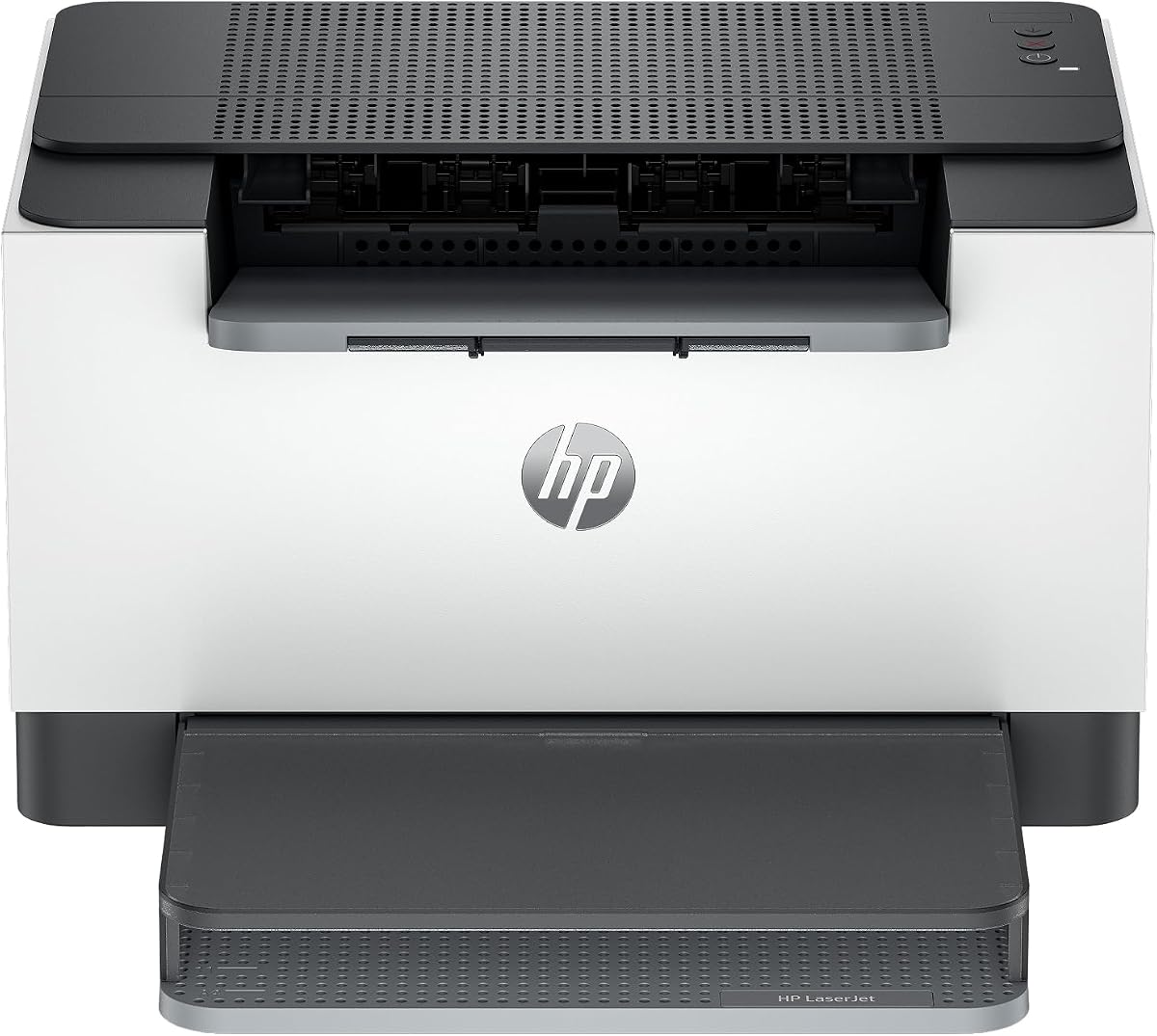
The HP LaserJet M110w is a compact solution tailored for small teams or individuals needing reliable wireless printing without occupying much desk space. With a 3.9 rating, it emphasizes ease of use, offering straightforward setup and connectivity options that simplify the printing experience for users with varying technical expertise.
We may earn a commission when you buy through this link, at no additional cost to you.
Features like the self-reset Wi-Fi and HP Smart app enhance usability by ensuring consistent connections and allowing you to manage print jobs from smartphones or tablets. This flexibility is particularly valuable in dynamic environments where quick document handling and remote access are essential for maintaining efficient daily workflows.
However, HP's policy on non-HP cartridges may limit toner options for those seeking cheaper third-party supplies. This restriction is a trade-off for security and performance assurance, making it more suitable for users who prefer genuine supplies to avoid potential firmware blocks or maintenance issues over time.
If you prioritize convenience and connectivity over cost-saving supply alternatives, this printer is a good fit. It ensures you get consistent performance and reliable wireless operation while keeping the device small enough to fit into tight home office setups without compromising on core printing functions.
The HP Smart app streamlines tasks like printing, scanning, and managing supplies directly from your phone, reducing the need for a computer connection.
Built-in features detect and resolve network issues automatically, ensuring you spend less time troubleshooting and more time focused on your work.
We may earn a commission when you buy through this link, at no additional cost to you.
The HP LaserJet M209dw offers fast performance with thirty pages per minute speeds, making it well-suited for small teams needing quick and reliable document production. With a 4.2 rating, it combines speed with smart features like auto two-sided printing and dual-band Wi-Fi to enhance efficiency and reduce paper waste effectively.
We may earn a commission when you buy through this link, at no additional cost to you.
A key selling point is its eligibility for HP Instant Ink, a service that can simplify supply management by delivering cartridges based on usage. This helps maintain consistent workflow without manual tracking, though users should evaluate if the subscription model aligns with their printing volume and cost preferences before committing.
Security features help protect your printer from potential network attacks, which is crucial for businesses handling sensitive data. While the toner yield might be modest compared to other models, the convenience and reliability it offers make it a practical choice for users prioritizing performance and security over bulk toner options.
For those who value speed and modern connectivity, this printer is a strong contender. It ensures you can handle daily tasks efficiently while keeping supply management simple, making it a reliable option for home offices or small teams looking for a hassle-free printing experience.
The subscription service automatically tracks usage and ships supplies when low, ensuring you never run out of toner during critical work moments.
Protective measures secure your device against unauthorized access, giving you peace of mind when printing sensitive documents over a network.
We may earn a commission when you buy through this link, at no additional cost to you.
The Canon imageCLASS LBP122dw combines speed and space-saving design in a compact wireless unit ideal for home offices. With a 3.9 rating, it delivers thirty pages per minute speeds with automatic duplex capabilities, ensuring efficient document production without taking up excessive space on your desk or work area.
We may earn a commission when you buy through this link, at no additional cost to you.
Connectivity is straightforward with wireless options and the Canon PRINT app, allowing seamless printing from various devices. This flexibility is essential for modern workflows where mobile printing is common, ensuring you can quickly output documents from laptops or smartphones without complex setup procedures or cable management.
While the paper capacity is somewhat limited compared to larger models, its compact footprint makes it perfect for tight spaces. The trade-off is acceptable for users who prioritize space efficiency and print speed over heavy-volume paper handling, making it a practical choice for individual or light business use.
If you need a reliable printer that balances speed and size, this model fits well. It ensures you get consistent output and modern connectivity features while keeping your workspace organized, helping you stay productive without compromising on essential printing quality or ease of use.
Automatic two-sided printing reduces paper usage and speeds up document creation, supporting eco-friendly practices while maintaining high-speed performance.
The Canon PRINT app simplifies sending documents from mobile devices, ensuring you can print quickly and efficiently from anywhere within your network.
We may earn a commission when you buy through this link, at no additional cost to you.
The HP LaserJet MFP M235sdw provides comprehensive printing, scanning, and copying features in a single unit suitable for office environments. With a 4.0 rating, it offers fast two-sided printing and dual-band connectivity, ensuring you can handle various document tasks efficiently without needing multiple devices to complete your daily workflow.
We may earn a commission when you buy through this link, at no additional cost to you.
Its self-reset Wi-Fi and Ethernet options ensure stable connections regardless of network changes, while built-in security features protect sensitive data during transmission. These capabilities make it a robust choice for businesses that require reliability, safety, and seamless integration into existing network setups without manual intervention.
The device size and cost are higher than basic models, but the multifunctionality justifies the investment for teams needing scan and copy capabilities. This trade-off is acceptable for users who value convenience and comprehensive features over compact design, ensuring you get all essential tools in one reliable package.
For offices needing an all-in-one solution, this printer is highly recommended. It ensures you can manage diverse document needs efficiently while keeping supply costs manageable through HP's reliable options, helping you maintain productivity and security without compromising on performance or operational efficiency.
Printing, scanning, and copying in one device reduces clutter and saves money, offering a complete solution for typical office document management tasks.
Built-in security helps safeguard documents during transmission, ensuring sensitive business information remains protected from potential external threats or unauthorized access.
We may earn a commission when you buy through this link, at no additional cost to you.
The Brother HL-L2480DW offers a high-performance multi-function solution with impressive speed and quality for home offices. With a 4.5 rating, it combines print, scan, and copy features in a compact design, ensuring you can handle diverse document needs efficiently without requiring multiple separate devices for different tasks.
We may earn a commission when you buy through this link, at no additional cost to you.
Its touchscreen interface simplifies navigation, while dual-band wireless and Ethernet ensure stable connections across devices. The 250-sheet paper tray and duplex printing reduce manual refills and paper waste, making it ideal for users who value efficiency and productivity in a single integrated package for daily workflow.
Although it lacks fax capability, the inclusion of a flatbed scanner enhances flexibility for scanning larger documents like books or photos. This trade-off is acceptable for most home users who prioritize scanning quality and speed, ensuring you get comprehensive functionality without sacrificing print performance or connectivity options.
For those seeking a reliable and versatile printer, this model is an excellent choice. It ensures you can manage document production smoothly while keeping supply costs manageable through Brother's toner subscription options, helping you maintain productivity and convenience without unnecessary operational interruptions or hassles.
The flatbed scanner allows scanning of larger or fragile documents, offering more flexibility than automatic feeders for handling diverse materials easily.
An intuitive display simplifies accessing features and managing settings, reducing learning curves and ensuring all users can operate the printer efficiently.
We may earn a commission when you buy through this link, at no additional cost to you.
Choosing the right printer involves evaluating several critical factors to ensure long-term value and performance that aligns with your specific needs and workflow requirements.
Look beyond the initial purchase price to consider the cost and yield of toner cartridges over time. Some printers use high-yield cartridges that cost more upfront but save money in the long run compared to standard options.
Prioritize models with affordable, accessible toner options to avoid high recurring costs that can negate initial savings from a cheaper device.
Speed matters for productivity, especially if you frequently print large documents or have multiple users sharing the device. Higher pages per minute ratings ensure your tasks complete faster.
Choose a speed that matches your workload; home users may find 19-21 ppm sufficient while office environments benefit from 30+ ppm rates.
Modern printers should offer flexible connection methods like wireless, Ethernet, or USB to accommodate different devices and network setups efficiently.
Ensure the model supports wireless printing and mobile apps if you need to print from smartphones or laptops without physical cable connections.
A larger paper tray reduces the frequency of refills, which is essential for high-volume users or shared environments where downtime is undesirable.
Select a model with at least 250 sheets if you print frequently to maintain uninterrupted workflow and minimize manual intervention.
All-in-one units that include scanning and copying can save desk space and reduce the need for multiple devices in your workspace setup.
Consider whether you need these features; if not, a dedicated printer may offer better value and lower complexity for simple printing tasks.
Automatic duplex printing allows two-sided documents, which saves paper and reduces waste, aligning with eco-friendly practices and lower supply needs.
This feature is crucial for reducing material costs and should be a priority for users producing many reports or long documents regularly.
For business or sensitive personal use, built-in security features help protect data from unauthorized access or network-based threats during transmission.
Look for models with encryption and secure connection options to ensure your documents remain private and safe from potential vulnerabilities.
Reliable customer support and warranty coverage provide peace of mind and protection against potential defects or technical issues over the product's life.
Choose brands known for responsive assistance to ensure any problems are resolved quickly without disrupting your daily work or productivity.
Start by installing the printer software and drivers provided by the manufacturer on your computer before connecting any cables. Follow the on-screen prompts to ensure the device is recognized and ready to send print jobs efficiently without technical errors or configuration issues.
Regularly update the printer firmware to maintain optimal performance, fix bugs, and ensure compatibility with the latest operating systems and mobile apps. This helps prevent connectivity issues and ensures you receive all available features and security patches from the manufacturer.
Keep the printer in a cool, dry place away from direct sunlight and dust to maintain mechanical integrity. Clean the paper path occasionally with a dry cloth to prevent jams, ensuring smooth operation and prolonging the device's lifespan without unnecessary maintenance.
It refers to a laser printer where the cost per page is low due to high-yield or affordable toner cartridges. This means you spend less over time compared to printers using expensive ink or lower-capacity toner options for regular printing tasks.
Many third-party toners are safe and compatible, but some manufacturers may void warranties or block them via firmware updates. Check the printer's policy and read user reviews to ensure reliable performance before purchasing non-genuine options.
Look for energy-saving features like sleep modes that reduce power consumption when idle. Certifications like ENERGY STAR indicate the device meets strict guidelines for efficiency, helping lower electricity costs while reducing environmental impact.
Automatic duplex prints on both sides of the paper, reducing paper waste by half and lowering supply costs. It also speeds up document production for reports or multi-page files without requiring manual flipping of sheets during printing.
Most modern wireless printers support mobile printing via apps or AirPrint, but some may require specific network configurations. Verify compatibility with your device type and ensure the printer has the necessary apps enabled for seamless mobile output.
Faster print speeds reduce wait times for large documents, improving overall workflow and productivity. For shared home offices or users with frequent printing needs, higher pages per minute ensure tasks complete quickly without unnecessary delays.
While some laser printers handle basic graphics well, they are not ideal for high-quality photo printing compared to inkjet models. For occasional needs, they may suffice, but specialized photo inkjets offer better color accuracy and detail for images.
Replacement depends on your monthly print volume and the cartridge's page yield. Most standard cartridges last a few months for home users, while high-yield options can last longer. Check the printer's display for usage tracking to know when to replace.
We have reviewed ten top models offering reliable performance and affordable toner options to suit various budgets and needs. From the Canon imageCLASS LBP6030w for budget-conscious users to the Brother MFC-L2820DW for advanced needs, each offers unique benefits for specific scenarios.
Prioritize factors like total cost of ownership, speed, and connectivity to ensure the device matches your workflow. Consider whether you need multifunction capabilities or simple printing, as this choice significantly impacts both price and operational convenience over time.
Remember to verify current prices and availability before purchasing since market conditions change frequently. By choosing carefully based on your specific requirements, you can enjoy efficient printing and long-term savings without unnecessary expenses or operational hassles in your workspace.