
ThinkPad P14s AMD Ryzen AI 7 Pro 450
5.0Editor score
ISV Certified For Professionals
AMD Ryzen AI 7 Pro
32GB RAM and 1TB SSD
Lenovo Thinkpad laptops have long been the gold standard for business computing, offering legendary durability and reliable performance. These machines are designed to handle demanding professional workflows while maintaining a sleek and portable form factor suitable for travel.
We have carefully evaluated ten current Thinkpad models ranging from entry-level options to high-performance workstations. Each device was assessed based on processor power, memory capacity, display quality, connectivity options, and overall build quality to ensure a comprehensive comparison.
Every pick in this list highlights specific strengths such as battery life, AI capabilities, or port selection. Please note that availability and specific configurations may vary by region and retailer, so checking current stock is recommended before purchasing any model.
5.0Editor score

4.4Editor score

3.9Editor score
As an Amazon Associate we earn from qualifying purchases.
The following table provides a side-by-side comparison of all ten Lenovo Thinkpad laptop models selected for this guide. It highlights key specifications to help you quickly identify the device that matches your specific workflow requirements and budget constraints.






This Lenovo ThinkPad E16 model stands out as a balanced choice for professionals seeking robust performance without breaking the bank. It combines a powerful AMD Ryzen 7 processor with modern DDR5 memory to handle multitasking efficiently.
We may earn a commission when you buy through this link, at no additional cost to you.
The system delivers exceptional value through its large 16-inch display and ample storage options. Users will appreciate the inclusion of a 5-in-1 Hub which simplifies connectivity immediately upon unboxing. The anti-glare screen ensures visibility in bright office environments.
While the color gamut is standard, the display remains sharp and suitable for business documents and spreadsheets. The laptop includes Windows 11 Pro which offers advanced management features needed by corporate users. Privacy features like the shutter are welcome additions.
This device is ideal for general business tasks, data analysis, and daily productivity workflows. Its durability and performance profile make it a reliable tool for employees who need a machine that works hard every day.
The 8-core Ryzen 7 7735HS provides significant headroom for demanding applications and virtual machines.
Included hub ensures you have multiple ports available right away without needing extra dongles.
We may earn a commission when you buy through this link, at no additional cost to you.
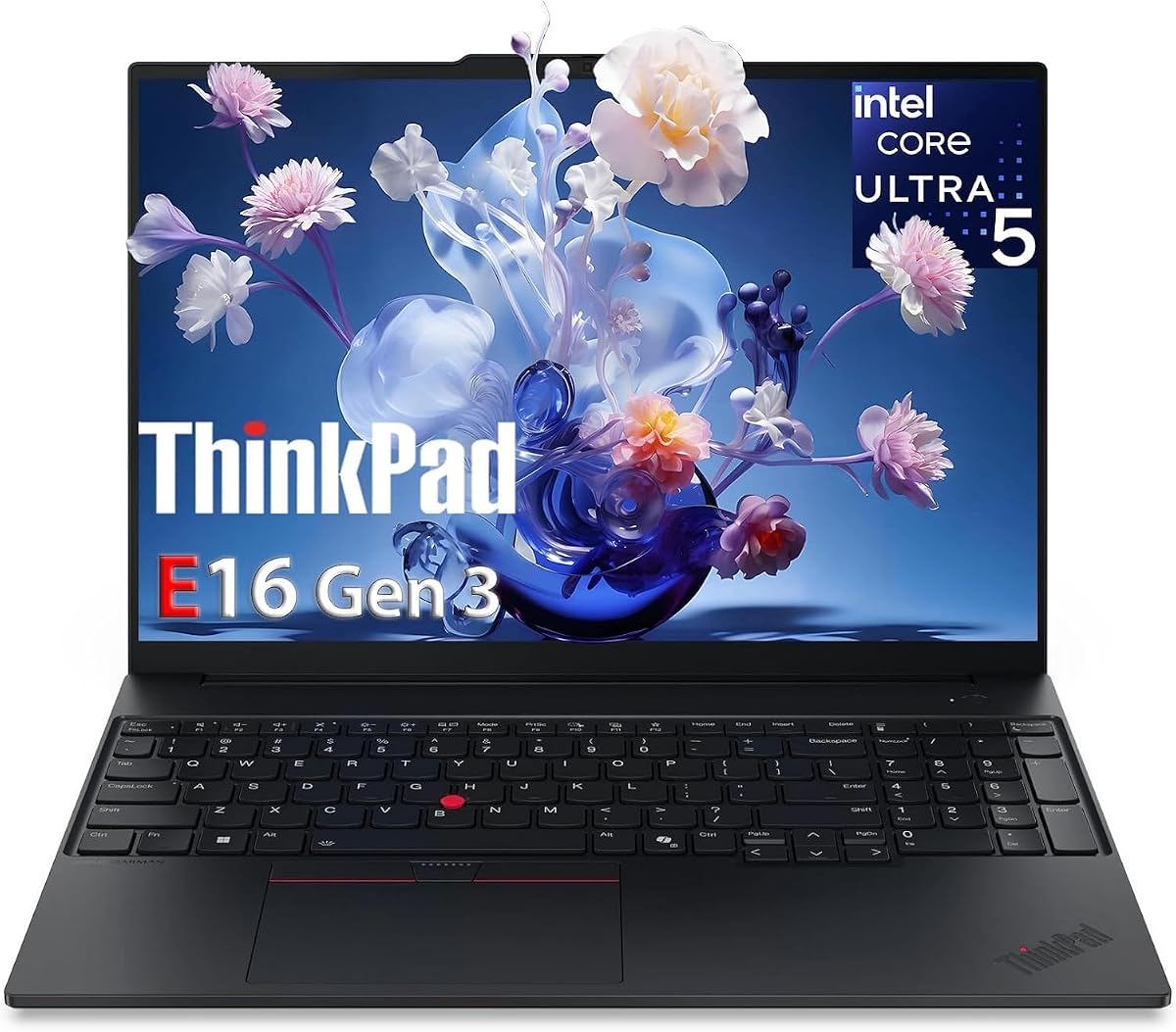
The third generation of the ThinkPad E16 brings the latest Intel Ultra processors to the mix. This model focuses heavily on AI-enhanced productivity workflows which are becoming essential in modern business environments.
We may earn a commission when you buy through this link, at no additional cost to you.
The 14-core processor handles complex multitasking with ease while the integrated NPU offloads AI tasks. Security is a major focus with fingerprint readers and TPM chips ensuring data protection. The keyboard is backlit for typing in dim lighting.
Connectivity is robust with Ethernet and HDMI 2.1 ports included for versatile docking options. While it is not a gaming laptop, it handles presentations and light CAD work effectively. The enterprise grade build quality is evident in the chassis.
This laptop is perfect for executives and analysts who need secure and fast computing. It balances performance and security well making it a top choice for corporate deployments requiring reliable daily drivers.
Integrated AI Boost NPU delivers 13 TOPS for efficient local AI processing.
Fingerprint reader and privacy shutter ensure sensitive data stays protected.
We may earn a commission when you buy through this link, at no additional cost to you.
The ThinkPad L16 offers a premium experience that bridges the gap between the E series and the flagship T series. It is engineered for professionals who need extra memory and storage for heavy workloads without compromising reliability.
We may earn a commission when you buy through this link, at no additional cost to you.
With 32GB of DDR5 RAM this laptop handles multiple virtual machines and large datasets smoothly. The 1TB SSD provides ample space for extensive file libraries. Thunderbolt 4 ports allow for fast data transfer and external display support.
The rapid charging capability means you can get significant power in a short time during busy days. The numeric keypad is a boon for financial professionals and data entry tasks. It meets MIL-STD durability standards.
This model is ideal for users who need a desktop replacement with mobile capabilities. The large screen and high memory make it suitable for programming and content creation tasks alongside standard office work.
32GB RAM ensures smooth performance even with dozens of browser tabs and apps.
Get 80% charge in just one hour to minimize downtime on the road.
We may earn a commission when you buy through this link, at no additional cost to you.
This budget friendly Lenovo laptop comes packaged with a one year Microsoft 365 subscription making it highly attractive for students. It focuses on providing essential productivity tools out of the box without extra costs.
We may earn a commission when you buy through this link, at no additional cost to you.
The Intel N150 processor handles web browsing and document editing comfortably. The lightweight chassis makes it easy to carry to lectures or study groups. Storage is modest but adequate for cloud based workflows and light local files.
Eye strain reduction features like the blue light filter are included for long study sessions. The fingerprint security ensures that personal data remains safe even in shared environments. It is a solid entry point for first time buyers.
It is best suited for students and home users who prioritize portability and software bundles. While not meant for heavy tasks it covers daily computing needs effectively for those on a strict budget.
Included Office 365 saves money on software subscriptions immediately after purchase.
Low blue light software helps reduce fatigue during extended reading periods.
We may earn a commission when you buy through this link, at no additional cost to you.
This variant of the ThinkPad E16 emphasizes reliability and consistent performance for daily business use. It features the latest Intel Ultra 5 processor which provides a good balance of speed and efficiency.
We may earn a commission when you buy through this link, at no additional cost to you.
The backlit keyboard is a standard feature that aids productivity in low light situations. Security is handled through biometric login options that streamline the daily sign in process. Battery life is designed to last a full work shift.
While it does not push the boundaries of performance it offers a stable platform for corporate applications. The build quality ensures that the device withstands daily travel and handling without issues. It is a workhorse laptop.
Professionals who need a dependable machine for video calls and email will find this model suitable. It avoids unnecessary extras to focus on core business needs and longevity in a corporate environment.
Fingerprint reader integrated into the power button speeds up secure access.
Quick charging technology ensures you are ready to work when you need to be.
We may earn a commission when you buy through this link, at no additional cost to you.
This configuration of the E16 Gen 3 offers a significant upgrade in memory and storage over base models. It is designed for power users who need to run many applications simultaneously without slowdowns.
We may earn a commission when you buy through this link, at no additional cost to you.
The 14-core processor and 32GB RAM handle virtual meetings and complex spreadsheets with ease. Triple display output allows for a multi-monitor setup that boosts productivity significantly. The keyboard includes a numeric keypad for efficiency.
Connectivity options are extensive including Thunderbolt 4 for high speed peripherals. Security features like the TPM chip and fingerprint reader protect sensitive enterprise data effectively. The build quality feels solid and professional.
This laptop is perfect for analysts and developers who need a powerful local workstation. It serves as an excellent primary machine for those who rely on multitasking and large data sets daily.
Memory can be expanded further to handle even more intensive workloads.
Connect up to three external 4K displays for maximum screen real estate.
We may earn a commission when you buy through this link, at no additional cost to you.
The 2026 edition of this Lenovo laptop is designed for basic tasks and high portability. It weighs very little making it ideal for carrying around campus or during daily commutes.
We may earn a commission when you buy through this link, at no additional cost to you.
The Intel N150 processor is sufficient for web browsing and streaming media. A bonus external hard drive is included to compensate for the small internal storage capacity. The screen has a high screen to body ratio for a modern look.
Dolby Audio speakers provide clear sound for media consumption and video calls. The camera includes a privacy shutter for peace of mind when not in use. It is an affordable option for casual computing.
This model is best for users who primarily use cloud services and browsers. It covers the basics of computing well without requiring a large investment from the buyer.
Bundled external drive expands your storage capacity for files and media.
Dolby enhanced speakers deliver rich audio for entertainment and calls.
We may earn a commission when you buy through this link, at no additional cost to you.
The ThinkPad P14s is a powerhouse designed specifically for multi-discipline professionals. It includes ISV certifications which ensure compatibility with specialized engineering and design software.
We may earn a commission when you buy through this link, at no additional cost to you.
The Ryzen AI 7 Pro processor includes a dedicated NPU for local Copilot workflows. The display covers 100% sRGB which is crucial for accurate color work. Security is layered with ThinkShield and Pluton protections.
Connectivity is future proof with WiFi 7 and Bluetooth 5.4 for stable connections. The chassis meets military standards for durability and resistance to harsh conditions. It is built for sustained professional use.
Architects and engineers will find this model essential for running CAD tools on the go. It combines power with portability making it a top choice for high end business professionals.
Validated for SOLIDWORKS and AutoCAD for reliable professional workflows.
WiFi 7 ensures fast and stable wireless connections in modern offices.
We may earn a commission when you buy through this link, at no additional cost to you.
This renewed ThinkPad L14 offers a cost effective way to access business grade hardware. It features a Ryzen 5 processor that provides good performance for general productivity tasks.
We may earn a commission when you buy through this link, at no additional cost to you.
The 16GB of RAM ensures that multitasking is smooth for daily applications. It includes Windows 11 Professional which allows for domain joining and remote desktop features. The classic TrackPoint nub is available for precision cursor control.
Buying renewed allows you to save money while still getting a durable machine. The condition is certified to ensure it works well for its intended purpose. Ports are plentiful for legacy and modern peripherals.
This is an excellent choice for schools or small businesses needing multiple devices. It balances cost with functionality making it a smart buy for budget conscious buyers.
Certified refurbishment offers significant savings compared to new units.
Traditional TrackPoint allows for precise cursor control without removing hands from keyboard.
We may earn a commission when you buy through this link, at no additional cost to you.
The T14s Gen 1 represents the classic slim and light ThinkPad design. Even though it is an older model it remains a capable machine for standard business tasks.
We may earn a commission when you buy through this link, at no additional cost to you.
The 10th Gen Intel processor handles daily office applications smoothly. It is one of the lightest options in this list making it very travel friendly. The 512GB SSD provides decent storage for documents and files.
The backlit keyboard ensures usability in dark conference rooms or on planes. It runs Windows 11 Pro which keeps it compatible with modern security standards. This model is a great budget option for travel.
It is suitable for business travelers who need a lightweight device for email and reports. The durability of the T series ensures it can handle frequent packing and transport well.
Slim and light design makes it easy to slip into a carry-on bag.
T series build quality ensures long life even in used condition.
We may earn a commission when you buy through this link, at no additional cost to you.
Selecting the right Lenovo Thinkpad depends on your specific workflow needs and budget constraints. This section breaks down the key factors to consider before making a purchase.
Modern Thinkpads offer both Intel Ultra and AMD Ryzen AI processors. For most business users an Intel Ultra 5 or AMD Ryzen 5 is sufficient. Power users working with large datasets should look for Ultra 7 or Ryzen 7 options.
Choose a processor that matches your workload intensity to avoid overspending on unnecessary speed.
Most models now come with DDR5 RAM which provides faster speeds. Aim for at least 16GB of memory for smooth multitasking. Storage should ideally be an SSD with at least 512GB of capacity.
Prioritize expandable memory if you plan to run virtual machines or heavy software suites.
Thinkpads typically offer 14 to 16 inch displays. Look for IPS panels to ensure good viewing angles. A 1920×1200 resolution provides a bit more vertical space than standard 1080p.
Select a matte anti-glare finish to reduce eye strain in bright office environments.
Check for Thunderbolt 4 ports if you use high speed docks or external drives. HDMI 2.1 is useful for connecting to modern monitors without adapters. Ethernet ports are rare in modern units so bring an adapter if needed.
Ensure the port selection matches your existing peripheral setup to avoid dongle clutter.
The ThinkPad keyboard is renowned for its tactile feedback and travel. A backlit keyboard is a standard feature on most business models. The TrackPoint nub is unique to ThinkPads and useful for cursor control.
Test the keyboard feel if possible as you will spend most of your time typing.
Battery life varies by screen size and processor efficiency. Expect anywhere from 8 to 12 hours on modern models with fast charging support. Look for Rapid Charge technology to get back to work quickly.
Prioritize battery capacity if you travel frequently and lack easy access to outlets.
Look for features like fingerprint readers and IR cameras for Windows Hello. TPM chips are essential for encrypting business data. A physical privacy shutter on the webcam is also a valuable security tool.
Ensure the device supports enterprise security tools if you are buying for a company.
Most ThinkPads meet MIL-STD-810H standards for durability. The chassis should feel solid and not flex under pressure. Carbon fiber reinforced plastics are common in higher end models.
Consider a model with robust build quality if you plan to transport it daily.
To maintain optimal performance keep the laptop in a temperature controlled environment. Avoid exposing it to extreme heat or cold which can degrade the battery and screen.
Clean the screen with a microfiber cloth and avoid harsh chemicals. Keep the vents clear of dust to ensure proper airflow and cooling during operation.
Update drivers regularly via the Lenovo Vantage app to get the latest features. Using a surge protector for charging can help extend the lifespan of the power adapter.
The E series is designed for value and general business use. The L series offers mid range performance and durability. The P series is a mobile workstation built for intensive engineering and design tasks.
Yes most ThinkPad models undergo MIL-STD-810H testing to ensure they can withstand drops and extreme conditions. They are renowned for their long lifespan in enterprise environments.
Many models support dual or even triple external displays via Thunderbolt and HDMI ports. You may need to check the specific model specs to confirm maximum resolution and count.
Most business focused models in this list come with Windows 11 Pro. This version includes advanced security features and remote management tools suitable for corporate use.
Some models allow for RAM upgrades while others have soldered memory. It is best to check the technical specifications for the specific model you are considering before purchasing.
Battery life ranges from 8 to 14 hours depending on the model and usage. Larger screens and more powerful processors may reduce runtime slightly compared to ultrabook configurations.
We have explored ten distinct Lenovo Thinkpad options ranging from budget friendly renewed units to high performance workstations. Each model offers unique strengths suited to different professional needs and requirements.
When choosing prioritize the performance specs that match your daily tasks. Consider how much storage and memory you need now versus later to avoid outgrowing your device quickly.
Remember that availability and specific configurations can change over time. Always check the latest product pages for current details before finalizing your purchase decision.