
Redragon K618 PRO
4.1Editor score
Tri-mode connectivity
Macro keys included
Slim low profile design
This guide compares the best low profile mechanical keyboards for typing and gaming, evaluating switch feel, connectivity, build quality, and ergonomics to
Low profile mechanical keyboards offer a unique blend of slim design and tactile feedback. They reduce hand strain while maintaining the precision of traditional switches. Whether you game or type daily, finding the right fit matters for comfort and performance.
We analyzed top models based on switch type, connectivity options, and build quality. Each product was evaluated for ergonomic design, key travel distance, and overall value. Our goal is to help you find a keyboard that matches your specific workflow needs.
Each pick highlights standout features like wireless connectivity, customizable lighting, or unique form factors. Prices and availability change frequently so always check the latest listings before purchasing. Read on to discover which model suits your desk setup best.
4.1Editor score

4.6Editor score

4.7Editor score
This side-by-side comparison covers all ten selected keyboards. We highlight key specs like layout size, switch type, and connectivity to help you quickly identify the right model for your needs.




The Redragon K618 PRO stands out as an affordable entry into low profile mechanical keyboards. With a 4.1 rating, it offers solid performance for budget-conscious users. Its tri-mode connectivity and dedicated macro zone make it versatile for both work and gaming.
We may earn a commission when you buy through this link, at no additional cost to you.
Key strengths include its zero-lag wireless performance and smooth linear switches. The ability to toggle between Windows and Mac systems instantly adds convenience. Users appreciate the slim design that reduces wrist strain during long sessions.
While the build is primarily plastic, it remains sturdy enough for daily use. The software is functional but lacks advanced customization options compared to premium models. These trade-offs are acceptable given the competitive price point.
This keyboard is ideal for students or casual gamers seeking value without sacrificing key features. Its compact form factor fits well on smaller desks. We recommend it for those prioritizing functionality over premium materials.
Tri-mode connectivity ensures seamless switching between devices without re-pairing. This feature is crucial for multitasking across laptops and tablets.
The dedicated macro zone allows quick recording of command combinations. This enhances productivity for complex workflows or gaming setups.
We may earn a commission when you buy through this link, at no additional cost to you.
The Keychron K3 Version 2 is designed for users seeking deep customization. Its QMK firmware and open-source nature allow endless key remapping possibilities. The compact 75% layout saves desk space while keeping essential keys accessible.
We may earn a commission when you buy through this link, at no additional cost to you.
Its unique Mac layout with included keycaps ensures compatibility across systems. The Broadcom Bluetooth 5.1 chipset provides stable connections for up to three devices. Aluminum reinforcement adds durability to this slim mechanical keyboard.
New users might find the QMK learning curve steep initially. The web app simplifies this but requires browser access. Backlighting is functional but not as customizable as RGB alternatives.
We recommend this keyboard for developers and power users who value flexibility. Its balance of portability and performance makes it a top contender for workstations.
Open-source QMK firmware enables custom layers and macros without proprietary software. This appeals to tech-savvy users who want full control.
Built-in Mac keys ensure native functionality on Apple devices. This eliminates the need for third-party drivers or remapping tools.
We may earn a commission when you buy through this link, at no additional cost to you.
The Cherry MX 10.0N delivers high performance with its dedicated Speed switches. These linear switches offer rapid actuation ideal for competitive gaming. The aluminum housing provides a premium feel and ensures long-term durability.
We may earn a commission when you buy through this link, at no additional cost to you.
RGB customization allows personalized illumination for your setup. The slim profile reduces typing fatigue while maintaining mechanical precision. Integrated stand supports ergonomic positioning for extended gaming sessions.
The main drawback is the higher cost compared to other options. Switches are not hot-swappable, limiting customization. However, the reliability of Cherry switches justifies the investment for serious gamers.
We recommend this keyboard for those prioritizing speed and build quality. Its full-size layout makes it suitable for both gaming and professional work environments.
MX Low Profile Speed switches minimize actuation distance for faster response. This ensures your keystrokes register instantly during intense gameplay.
The integrated aluminum stand allows for optimal wrist positioning. This feature helps prevent strain during long use periods.
We may earn a commission when you buy through this link, at no additional cost to you.
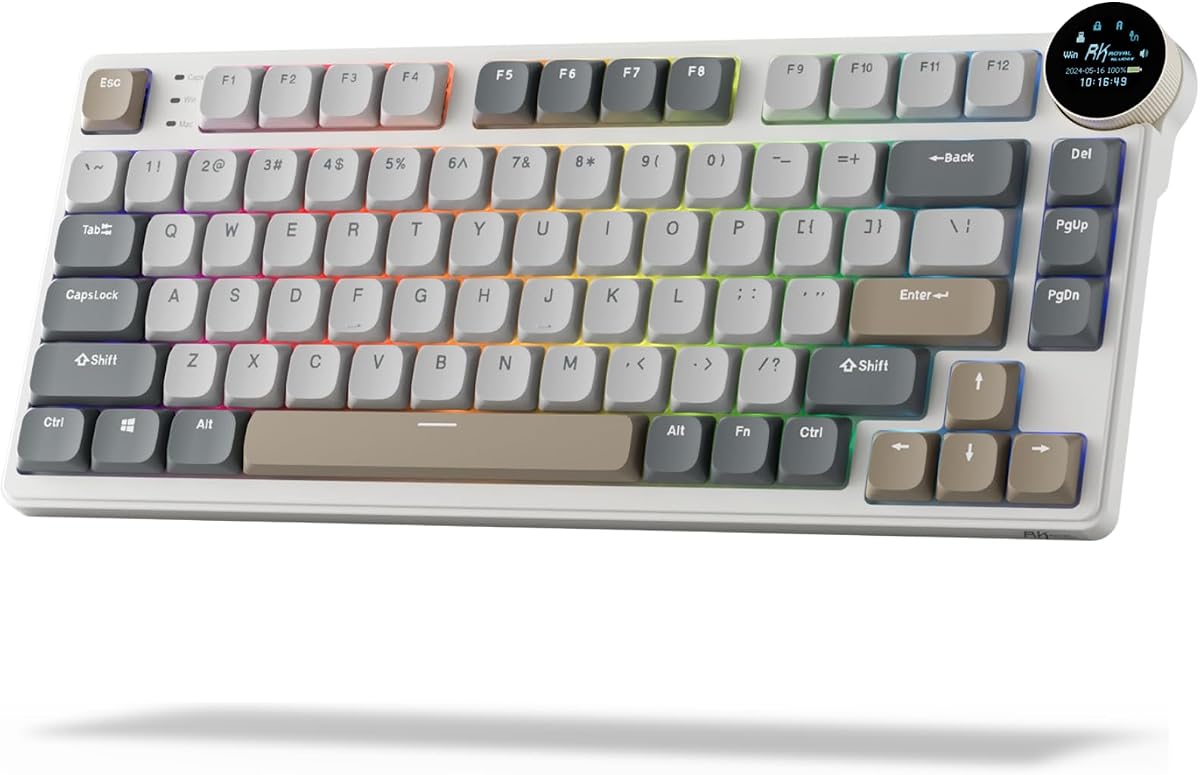
The RK N80 introduces a smart screen that displays connection modes and status. This innovative feature adds a modern touch to the standard mechanical keyboard. Tri-mode connectivity ensures flexibility across all your devices.
We may earn a commission when you buy through this link, at no additional cost to you.
A twist knob simplifies volume and RGB adjustments. The sound-absorbing layers reduce hollow sounds for a premium acoustic experience. The heavy-duty base eliminates wobble during intense typing or gaming.
Users report occasional connectivity drops when switching modes. Customization software may need updates to match all features. However, the unique design elements outweigh these minor issues.
We recommend this keyboard for enthusiasts wanting tech-forward features. Its combination of utility and style makes it a standout on any desk.
The screen visualizes connection status and battery life instantly. This removes the need for guesswork during device switching.
Triple sound-absorbing layers minimize noise and resonance. This creates a quieter typing environment for shared spaces.
We may earn a commission when you buy through this link, at no additional cost to you.
The Flow Lite 84 focuses heavily on ergonomics and comfort. Its gasket mount design provides a cushioned typing experience that reduces finger fatigue. Specter linear switches lower operating force significantly for easier typing.
We may earn a commission when you buy through this link, at no additional cost to you.
The low front height promotes a natural wrist position. PBT keycaps ensure longevity and a pleasant texture. Battery life extends up to 80 hours, making it reliable for travel.
The ABS body is durable but adds weight. While functional, the brand lacks some advanced features found in competitors. Yet, the typing comfort justifies the investment for heavy typists.
We recommend this keyboard for users with wrist sensitivity issues. Its design prioritizes health without compromising on modern connectivity features.
Operating force drops to 40gf reducing finger joint fatigue. This makes long typing sessions significantly less taxing on hands.
The gasket system absorbs shock for a softer feel. This design choice enhances the overall typing experience.
We may earn a commission when you buy through this link, at no additional cost to you.
The Keychron K1 Ultra sets a new standard with 8K polling rate. This ensures near-instant responsiveness ideal for competitive gaming. Premium materials like hardwood panels give it a luxurious look and feel.
We may earn a commission when you buy through this link, at no additional cost to you.
ZMK firmware and AI assistance streamline complex customization tasks. Sound-dampening layers ensure a satisfying acoustic profile. The programmable knob adds intuitive control for media and brightness.
Setup requires time to master advanced features. The high price point may deter budget buyers. However, for enthusiasts, this keyboard delivers top-tier performance and aesthetics.
We recommend this keyboard for users seeking the ultimate typing experience. Its blend of innovation and build quality makes it our top pick overall.
Wireless polling reaches speeds previously only possible with cables. This eliminates lag for responsive gameplay in wireless mode.
Hardwood side panels and double-shot keycaps enhance durability. These materials resist wear and maintain a premium feel over time.
We may earn a commission when you buy through this link, at no additional cost to you.
The Keychron K17 Max offers a 96% layout that retains number keys in a slim design. Gateron Brown switches provide a tactile bump without loud noise. This balance suits office environments well.
We may earn a commission when you buy through this link, at no additional cost to you.
QMK firmware ensures transparency and security for data handling. The aluminum frame keeps the weight low while maintaining rigidity. Connectivity options include 2.4GHz and Bluetooth for versatile setups.
The narrow spacing might feel cramped for larger hands. The price reflects premium build quality but exceeds budget ranges. Yet, it remains a top choice for those needing numpad functionality.
We recommend this keyboard for professionals needing compact efficiency. Its design maximizes desk real estate without sacrificing key functionality.
The 96% layout saves space while keeping essential keys. This reduces mouse movement for better ergonomics.
Brown switches offer tactile feedback without noise pollution. This ensures a pleasant experience for shared office spaces.
We may earn a commission when you buy through this link, at no additional cost to you.
The Flow Lite 100 boasts an impressive 3000mAh battery for up to 100 hours of use. This endurance makes it perfect for travelers who cannot charge daily. Its linear switches offer smooth keystrokes for extended sessions.
We may earn a commission when you buy through this link, at no additional cost to you.
PBT keycaps provide durability and resistance to shine. The volume wheel allows quick adjustments without function keys. The gasket mount design ensures consistent sound across all keys.
The larger footprint may not suit small desks. Weight is significant due to the larger battery. However, the convenience of long battery life is a major plus.
We recommend this keyboard for frequent travelers. Its reliability ensures you won't run out of power during trips or long workdays.
A 3000mAh battery supports up to 100 hours of use. This eliminates daily charging anxiety for mobile workers.
An aluminum volume wheel offers intuitive control. This adds convenience without cluttering the keyboard surface.
We may earn a commission when you buy through this link, at no additional cost to you.
The Keychron K3 Max SE is our top wireless option due to its stability. Acoustic foam layers dampen noise for a quiet environment. Its hot-swappable design allows easy switch customization without tools.
We may earn a commission when you buy through this link, at no additional cost to you.
Bluetooth 5.2 ensures seamless switching between three devices. Mac users appreciate the included layout support. The 1000Hz polling rate maintains responsiveness during gaming.
The higher price reflects its premium materials and features. Customization requires some technical knowledge. Yet, the quality justifies the cost for serious professionals.
We recommend this keyboard for remote workers. Its reliability and comfort make it a solid daily driver for productivity.
Advanced foam layers minimize noise for quiet environments. This makes it suitable for libraries or shared offices.
Hot-swappable sockets allow easy switch replacement. This extends keyboard life and lets users personalize feel.
We may earn a commission when you buy through this link, at no additional cost to you.
The Razer Ornata V3 uses Mecha-Membrane switches for a unique feel. This hybrid approach offers tactile feedback with the quietness of membranes. UV-coated keycaps resist fading and wear over time.
We may earn a commission when you buy through this link, at no additional cost to you.
A magnetic wrist rest enhances comfort during long gaming sessions. Dedicated media keys simplify volume control without shortcuts. The slim design allows for natural hand positioning.
Traditionalists might miss the distinct click of true mechanical switches. The build is solid but uses plastic materials. However, it delivers excellent value for gamers on a budget.
We recommend this keyboard for casual gamers. Its hybrid switches offer a good balance between comfort and feedback without noise.
Mecha-Membrane switches combine mechanical feedback with membrane quietness. This ensures a satisfying click without loud noise.
A magnetic wrist rest supports wrists during extended play. This reduces strain and improves comfort significantly.
We may earn a commission when you buy through this link, at no additional cost to you.
Choosing the right keyboard involves evaluating several factors to match your workflow.
Switch type determines tactile feedback and sound. Linear switches offer smooth keystrokes ideal for gaming. Tactile switches provide a bump for typing precision.
Select switches based on your preference for noise and feel.
Layouts range from 60% to full size. Compact layouts save desk space but reduce function keys. Full-size layouts retain number pads for data entry.
Choose a layout that fits your workspace and usage needs.
Connectivity options include wired, Bluetooth, and 2.4GHz wireless. Wired connections ensure zero latency for competitive gaming. Wireless offers freedom for clean desk setups.
Prioritize stability if you game frequently or value cable management.
Build quality affects durability and typing feel. Aluminum frames offer stability and a premium look. Plastic frames are lighter but may flex.
Look for reinforced frames if you type heavily daily.
Ergonomics impact wrist health over time. Low profiles reduce finger strain by minimizing travel distance. Kickstands adjust the angle to suit your posture.
Ensure the keyboard has adjustable feet for comfort.
Customization allows key remapping and lighting changes. QMK firmware offers open-source flexibility for advanced users. Proprietary software may be easier but limited.
Select a keyboard with software that fits your technical skill.
Battery life determines usage time between charges. Look for models offering 50+ hours of continuous use. Fast charging via USB-C is essential for mobile workers.
Choose a battery life that matches your charging routine.
Price often reflects build quality and features. Higher-end models offer hot-swap sockets and premium materials. Budget models sacrifice some durability for affordability.
Balance your budget with the features you genuinely need.
Connect your keyboard via Bluetooth or USB-C. Install any necessary software for customization if required.
Clean the keys regularly with compressed air to remove dust. Wipe the surface with a dry cloth to avoid damage.
Store in a dry place to prevent moisture damage. If traveling, remove the keycaps to protect the switches.
Yes, modern low profile keyboards often use durable materials like aluminum. They are designed for daily use and offer similar lifespans to standard keyboards.
Most models include multi-system support with dedicated function keys. Check product details for specific layout compatibility before purchasing.
They are excellent for reducing finger fatigue due to shorter travel distances. This makes them ideal for users with wrist issues.
Many models offer silent switches or dampening layers. This makes them suitable for quiet offices and home environments.
Yes, many offer high polling rates and anti-ghosting features. These ensure responsive performance for competitive gaming.
Hot-swappable models allow switch replacement without tools. Verify this feature if customization is important to you.
Our top picks highlight diverse options for every user type. From budget-friendly models to premium choices, there is something for everyone.
Prioritize ergonomics and connectivity features based on your daily needs. Comfort and reliability should guide your final selection.
Remember to check current prices and availability before buying. Technology evolves quickly so staying updated ensures you get the best value.