
ProElife 2-Pack Anti Glare
4.6Editor score
Matte Anti Glare Finish
Anti-Fingerprint Coating
Easy Bubble Removal
This expert guide compares the top 10 MacBook Neo screen protectors for 2026, evaluating privacy, clarity, durability, and ease of installation to help you
Protecting your new MacBook Neo display is essential for maintaining its pristine condition. A high-quality screen protector guards against scratches, fingerprints, and glare while preserving visual clarity for daily tasks.
We evaluated ten leading options based on material quality, installation ease, and specific features like privacy filtering or anti-glare coatings. Each product was assessed for compatibility with the 2026 A18 Pro chip model.
This guide details the strengths and weaknesses of every pick to help you find the right fit. Note that availability and pricing can change frequently, so verify current details before purchasing.
4.6Editor score

4.2Editor score

4.2Editor score
The following table provides a side-by-side comparison of all ten top-rated protectors. Review the key specifications and unique features to determine which option aligns best with your specific needs.


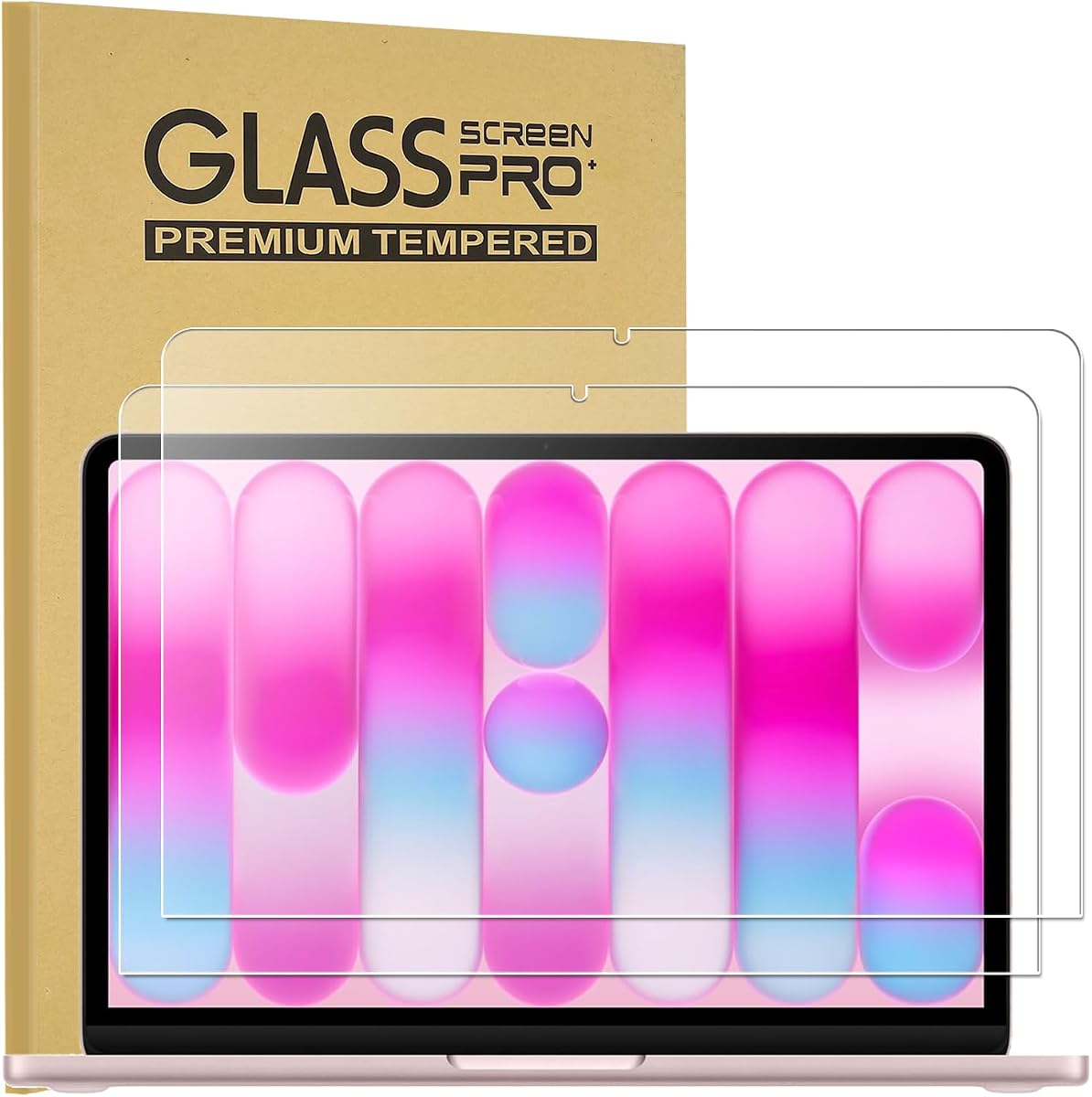

The ProCase 2 Pack stands out as a top choice for users prioritizing clarity and durability. With a 4.2 rating and tempered glass construction, it offers robust protection without compromising the Retina display's visual integrity.
We may earn a commission when you buy through this link, at no additional cost to you.
Its 9H hardness rating ensures resistance against daily abrasions from keys and pens. The static-cling adhesive layer allows for a bubble-free installation process, making it accessible even for first-time users.
While the glass provides excellent clarity, it lacks an anti-glare coating which might be a downside in bright environments. Additionally, the smooth surface can attract fingerprints more than matte alternatives.
This protector is ideal for home or office use where lighting is controlled. It provides reliable protection for your investment while maintaining the crisp look of your new MacBook Neo.
Maintains high light transmittance for true-to-life colors and crisp text on your display.
Premium tempered glass ensures long-lasting protection against keys, pens, and daily wear.
We may earn a commission when you buy through this link, at no additional cost to you.
The ProElife 2-Pack offers an excellent balance of affordability and performance with a high 4.6 rating. Its matte finish is specifically designed to reduce reflections, making it a favorite for frequent travelers.
We may earn a commission when you buy through this link, at no additional cost to you.
The anti-fingerprint coating keeps the screen looking clean longer, reducing the need for constant wiping. Installation is straightforward, with a hard card included to help push out minor air bubbles effectively.
While it uses PET film rather than glass, which offers slightly less scratch resistance, it remains a cost-effective solution. Users should note there might be a minor trade-off in screen sharpness compared to clear glass.
This protector is perfect for users working in bright environments or those who frequently handle their device. It provides solid protection while maintaining comfort during long work sessions.
Filters reduce glare and reflections to enhance contrast and protect your eyes from strain.
Align and apply easily with the included hard card for a seamless, residue-free fit.
We may earn a commission when you buy through this link, at no additional cost to you.
Supershieldz provides a practical solution with three protectors included in the package. This is ideal for those who prefer to swap films periodically or have multiple devices to protect simultaneously.
We may earn a commission when you buy through this link, at no additional cost to you.
The Japanese PET film ensures high-definition transparency and true-to-life colors. A major advantage is that it leaves no residue when removed, allowing you to apply a fresh film easily without cleaning the screen thoroughly.
While PET material is durable against daily dust and scrapes, it lacks the hardness of tempered glass. It offers a natural touch sensitivity which maintains the responsiveness of the Retina display.
For users looking for a convenient, no-fuss option that preserves screen sensitivity, this is a strong contender. It offers reliable protection against daily wear at a reasonable cost.
Transparency film ensures maximum resolution and true-to-life color representation on your screen.
Made from high-quality PET film that can be removed easily without leaving any residue.
We may earn a commission when you buy through this link, at no additional cost to you.
KEANBOLL offers a 3-pack of anti-glare protectors, giving you ample supply for replacements. The matte finish is effective at reducing glare, making it suitable for outdoor use or brightly lit offices.
We may earn a commission when you buy through this link, at no additional cost to you.
The anti-fingerprint coating helps keep the screen looking clean, which is often a pain point with clear protectors. Installation is straightforward, though precision is key to avoid misalignment during application.
A potential downside is the slight dulling of colors which can occur with matte films. However, for users prioritizing comfort over color vibrancy, this trade-off is often acceptable.
This option is best for students or professionals who need a reliable matte screen for extended periods. It provides a comfortable viewing experience and protection against daily wear and tear.
Matte finish reduces glare and reflections for improved visibility in various lighting conditions.
Coating helps keep the screen clean and smudge-free for a clearer viewing experience.
We may earn a commission when you buy through this link, at no additional cost to you.
This Magnetic Privacy Screen Protector offers top-tier security for sensitive data with advanced privacy technology. It blocks side views beyond ±30°, ensuring that only the user directly in front can see the display content.
We may earn a commission when you buy through this link, at no additional cost to you.
The strong magnetic attachment enables one-second installation without adhesive residue. This design preserves the original anti-reflective coating and allows for easy removal when privacy is not needed.
While it costs more than standard protectors, the added privacy benefits justify the investment for business travelers. It also features anti-blue light technology to relieve eye strain during long usage sessions.
Ideal for consultants or anyone working in public spaces like cafes, this protector keeps your information secure. It combines functionality with convenience in a lightweight and portable design.
Blocks side views beyond ±30° ensuring clear visibility only from the front to safeguard your data.
Anti-glare and blue light blocking technology relieves eye strain and visual discomfort.
We may earn a commission when you buy through this link, at no additional cost to you.
This privacy screen provides strong protection for your data with a multi-layered filter that limits viewing angles to +/- 30 degrees. It ensures information remains private from prying eyes at the side.
We may earn a commission when you buy through this link, at no additional cost to you.
The anti-blue light coating helps reduce UV radiation and minimizes eye strain during long work hours. The magnetic design ensures it attaches securely and can be removed easily when not needed.
Users should be aware that the finish softens the sharpness and vibrancy of the screen slightly. Additionally, it does not block visibility directly behind you, only from the sides.
Despite these minor trade-offs, it is a reliable choice for students and travelers working in public spaces. It offers a good balance of privacy and eye protection for daily use.
Limits viewing angle to +/- 30 degrees to keep data private from side viewers.
Includes anti-blue light coating that reduces UV radiation and minimizes eye strain.
We may earn a commission when you buy through this link, at no additional cost to you.
Peslv focuses on high definition while delivering privacy, ensuring your screen looks clear when viewing from the front. The 1:1 restoration guarantees a perfect match for the MacBook Neo display dimensions.
We may earn a commission when you buy through this link, at no additional cost to you.
It features an advanced material layer that has a high light transmission rate for superior image quality. The magnetic strip ensures it sticks tightly without gaps or misalignment issues.
With 95% blue light reduction, it is an excellent choice for users concerned about eye health. However, the higher price reflects the advanced materials and precision engineering involved.
This option is best for those who prioritize visual quality alongside privacy. It offers a seamless and reliable solution for professionals and students alike.
Modeled in accordance with real screen size for 1:1 restoration and perfect match.
Advanced material layer provides high transparency for super high definition picture quality.
We may earn a commission when you buy through this link, at no additional cost to you.
IPROKKO is designed specifically for eye health, filtering up to 99% of harmful blue light without causing discoloration. Unlike traditional filters, it maintains a true-to-original color experience for your display.
We may earn a commission when you buy through this link, at no additional cost to you.
The ultra-slim 0.05mm profile ensures it does not interfere with laptop closure. This precision engineering makes it a comfortable addition to your daily workflow.
While it offers excellent eye protection, it does not reduce glare as effectively as matte options. Users sensitive to bright lights might still need external lighting adjustments.
This protector is ideal for students and professionals spending long hours in front of their screens. It provides a safe and comfortable viewing environment backed by a warranty.
Filters harmful blue light and UV light with up to 99% efficiency to reduce strain.
Ultra-slim 0.05mm profile ensures the laptop lid closes properly without interference.
We may earn a commission when you buy through this link, at no additional cost to you.
KEANBOLL's tempered glass option delivers high clarity with a 9H hardness rating. It is designed to withstand scratches and impacts effectively while maintaining the original look of your MacBook Neo screen.
We may earn a commission when you buy through this link, at no additional cost to you.
The ultra-clear transparency ensures an optimal viewing experience without color distortion. Installation is generally bubble-free, making it a reliable choice for those who want a clear shield.
As with most glass options, it may be prone to fingerprints if the surface is not wiped regularly. However, the durability provided by the glass material is a significant advantage.
This protector is perfect for users who want a natural feel and clear view without matte interference. It is a solid investment for long-term screen protection.
Offers crystal clear transparency for optimal viewing experience and true colors.
Ultra-tough surface ensures long-lasting protection against daily wear and tear.
We may earn a commission when you buy through this link, at no additional cost to you.
SightPro offers a patented removable privacy screen that attaches instantly via magnets along the top bezel. It is designed for seamless integration and easy removal when you are done with your task.
We may earn a commission when you buy through this link, at no additional cost to you.
The screen blocks side views while maintaining crystal clear visibility straight-on. It also reduces glare and protects your eyes from harmful UV and blue light.
Note that the screen prevents the laptop lid from closing completely, so it is best used when working at a desk. This trade-off ensures maximum security for your data during active use.
Ideal for mobile workers and healthcare providers, this screen keeps corporate information safe. It is a premium solution for those who value privacy above all else.
Simply place the privacy screen along the top of your MacBook and let the magnets attach.
Multi-layered film filter blacks out your screen when viewing from the side.
We may earn a commission when you buy through this link, at no additional cost to you.
Selecting the right screen protector depends on your specific usage habits and priorities. This guide outlines key factors to consider before making your purchase.
The most common materials are tempered glass and PET film. Tempered glass offers superior scratch resistance with a 9H hardness rating and a natural feel, while PET film is lighter, less prone to cracking, and often more affordable.
Choose tempered glass for durability and tactile feel or PET for lightweight flexibility and cost savings.
Clear protectors maintain the vibrant colors and sharpness of your Retina display but can show glare in bright environments. Anti-glare (matte) protectors diffuse light to reduce reflections but may slightly soften image clarity.
Select clear for color accuracy or matte for comfort in bright offices and outdoor settings.
Privacy screens use micro-louver technology to block side views. They are essential for handling sensitive data in public spaces but typically reduce brightness and may prevent the laptop lid from closing fully.
Opt for privacy screens if you frequently work in cafes or shared offices and prioritize data security.
Some protectors include filters to reduce blue light emissions which can help reduce eye strain and improve sleep. Look for claims of filtering specific wavelengths to ensure effectiveness.
Prioritize blue light protection if you spend many hours daily on your device and experience eye fatigue.
Adhesive protectors offer a permanent bond but can be harder to remove or replace. Magnetic protectors allow for easy attachment and removal without residue but might be bulkier.
Choose adhesive for a clean look or magnetic for flexibility if you need to attach and detach frequently.
A good package includes cleaning wipes, dust removal stickers, and installation guides. Some brands offer multi-packs which provide value if you plan to replace protectors regularly.
Ensure your package has all necessary tools for a dust-free application to avoid bubbles.
Verify that the protector matches your specific model (e.g., 2026 MacBook Neo 13-inch A3404). Incorrect dimensions can interfere with cameras or touch bars.
Always double-check your device model number to ensure full edge-to-edge coverage and functionality.
Prices vary based on material and features. Higher-end options often come with longer warranties or replacement guarantees which can add value over time.
Compare the cost per unit in multi-packs and check for warranty support before buying.
Before applying your screen protector, power off your MacBook and clean the screen thoroughly with the included microfiber cloth. Use the cleaning wipes to remove oils and dust, then apply dust removal stickers to lift any lingering particles.
Align the protector carefully with the edges of the screen before letting it touch the surface. If bubbles appear, use a hard card to push them toward the nearest edge slowly for a smooth finish.
To clean your protector during use, gently wipe with a dry microfiber cloth. Avoid harsh chemicals or abrasive materials that could scratch the surface or degrade coatings like anti-glare or privacy filters.
High-quality protectors like those in this guide are designed to maintain display clarity. Glass protectors usually have minimal impact, while matte protectors may slightly reduce sharpness to lower glare.
Most slim protectors work fine with cases. However, thicker privacy screens might prevent the lid from closing fully so check the product specs for case compatibility.
Replace it when it accumulates deep scratches, bubbles, or dust that cannot be cleaned. Regular replacement ensures optimal protection and clarity for your device.
Yes, all products listed in this guide are specifically designed for the 2026 MacBook Neo 13-inch model with A18 Pro chip and model number A3404.
Use the included hard card or credit card to gently push bubbles to the edge. For stubborn bubbles, lift the corner slightly and clean the area before reseating.
Most modern protectors use low-residue adhesive that does not damage the screen. Always remove slowly and use a microfiber cloth to wipe away any remaining residue.
Whether you need crystal clear glass or privacy filters, this guide has highlighted the top options available. The ProCase and ProElife protectors offer excellent value while the privacy options provide unmatched security for travelers.
Prioritize the features that matter most to your daily workflow such as glare reduction or eye protection. Investing in the right shield ensures your MacBook Neo screen remains pristine for years.
Keep in mind that pricing and availability can fluctuate. Check the latest details and confirm compatibility before making your final decision to ensure the best fit for your device.