
EurekaMind AI Voice Recorder
4.4Editor score
Unlimited transcription included
Ultra-slim credit card design
Built-in web search for insights
This guide compares the top 10 AI Lapel Devices for transcription and summarization to help you choose the right tool for productivity and meeting accuracy.
AI Lapel Devices are transforming how professionals capture conversations by combining hardware recording with intelligent software processing. These sleek wearable tools listen to meetings calls and lectures then automatically generate transcripts summaries and actionable notes. They eliminate the need for manual typing so users can focus on the conversation rather than taking notes by hand.
We evaluated the leading models based on audio quality transcription accuracy battery life and privacy features. Our comparison includes devices from established brands and innovative startups offering various form factors like clip-on recorders badges and pocket-sized assistants. Each product was analyzed for its ability to handle real-world noise and support multiple languages effectively.
Each pick below highlights specific strengths such as unlimited cloud storage advanced speaker recognition or offline capabilities. Prices and availability can change so check the current listing details before purchasing. We aim to provide a clear view of what each device offers so you can find the perfect match for your workflow needs.
4.4Editor score

4.5Editor score

4.8Editor score
The following table provides a side-by-side comparison of key specifications across all ten devices to help you quickly identify the best fit for your specific recording needs and budget constraints.




The Plaud Note Pro stands out as the top choice for professionals needing a reliable AI lapel device that goes beyond simple recording. With a 4.5 rating it combines a slim design with powerful multimodal inputs that allow users to snap photos or type notes while recording audio for richer context.
We may earn a commission when you buy through this link, at no additional cost to you.
Its standout feature is the ability to chat with recordings using Ask Plaud which extracts key points and drafts emails based on the audio. The directional audio and real-time spatial awareness ensure crystal clear voice capture even in noisy environments while the battery lasts up to 50 hours in endurance mode.
While it offers a free starter plan with transcription minutes users may find the unlimited plan necessary for heavy usage which adds to the cost. The need to upload data for processing might concern privacy focused users despite the robust encryption standards provided by the device manufacturer.
This device is ideal for lawyers doctors and executives who need accurate transcripts and actionable insights from meetings. If you value context rich recording and strong privacy compliance the Plaud Note Pro is a strong recommendation for your workflow.
You can press a button to highlight moments while snapping photos of documents so the AI has visual context for summaries.
Built with ISO 27001 and HIPAA compliance it ensures your data is encrypted locally and processed only with your permission.
We may earn a commission when you buy through this link, at no additional cost to you.
The Pocket AI Voice Recorder delivers a premium experience by integrating directly with your iPhone via MagSafe for effortless hands-free recording. Its 4.6 rating reflects strong user satisfaction with its ability to turn conversations into structured maps and key action items instantly without manual effort.
We may earn a commission when you buy through this link, at no additional cost to you.
You can capture meetings and calls with a simple tap and then ask the AI about specific details later using Ask Pocket. The four-day battery life makes it perfect for trips or busy workweeks where charging is inconvenient and the organization features help you find info fast.
While the core features are great users should note that premium tools require an optional subscription which might be a downside for budget-conscious buyers. It also relies heavily on iPhone integration which limits its utility for Android users looking for a similar wearable solution.
Ideal for iPhone users who want a seamless workflow this device turns your pocket into an AI assistant. If you value convenience and organized summaries the Pocket AI Voice Recorder is a top tier choice for modern productivity.
The magnetic attachment keeps the device secure on your phone so you never miss a moment during critical conversations on the go.
It generates conversation maps that let you see the flow of discussion so you can review what matters without digging through audio.
We may earn a commission when you buy through this link, at no additional cost to you.
The EurekaMind AI Voice Recorder is an excellent choice for those seeking powerful features without a high upfront cost or expensive subscription fees. With a 4.4 rating it offers unlimited transcription in its starter plan which is rare in this category and makes it accessible for students and professionals alike.
We may earn a commission when you buy through this link, at no additional cost to you.
Its unique Ask AI feature lets you search the web using your recordings to find deeper context and answers beyond just the transcript. The credit card sized design means it slips easily into wallets or pockets and the ISO certified security ensures your data remains protected during processing.
While it lacks some of the advanced audio hardware found in premium models it still performs well for clear indoor meetings. Users might find the lack of advanced noise reduction noticeable in very noisy environments but the value proposition remains strong for general use cases.
This device is perfect for anyone who needs unlimited transcription and smart search capabilities on a budget. If you want a cost-effective tool that delivers solid AI summaries and secure storage the EurekaMind is a smart buy.
The free starter plan includes unlimited transcription so you can record as much as you want without worrying about hitting a monthly limit.
You can ask the AI to search the web based on your audio so you get answers that connect meeting notes to outside information.
We may earn a commission when you buy through this link, at no additional cost to you.
The Comulytic Note Pro distinguishes itself with a unique fast Wi-Fi sync feature that transfers recordings up to ten times faster than standard Bluetooth methods. Rated 4.4 by users it is designed for professionals like real estate agents and attorneys who need quick access to transcripts without waiting for slow syncs.
We may earn a commission when you buy through this link, at no additional cost to you.
It features a triple-mic array that handles noise cancellation effectively ensuring clear audio even in crowded rooms. The device includes a free starter plan that gives unlimited transcription for life which is a huge benefit for those who want to avoid recurring fees or subscription traps.
Some users may find the premium plan required for advanced insights like deep dive analysis adds complexity to the experience. The battery life is excellent at 45 hours so it handles long workdays easily but the reliance on Wi-Fi for fast sync means Bluetooth might be slower for backup.
Ideal for office professionals who want speed and reliability this device offers a practical mix of hardware and smart software. If fast sync and free transcription are your priorities the Comulytic Note Pro is a reliable option for daily tasks.
The Wi-Fi sync pushes recordings to the cloud while you talk so you get real-time backup without interrupting the flow of conversation.
It includes vertical knowledge bases for fields like real estate and law so it captures industry terms with higher accuracy.
We may earn a commission when you buy through this link, at no additional cost to you.
The Comu Action Pro is a powerhouse for productivity with a 4.8 rating that reflects its ability to turn conversations into editable documents like slides and emails instantly. It features an adaptive six-mic setup that captures sound clearly even in group settings making it versatile for meetings and interviews.
We may earn a commission when you buy through this link, at no additional cost to you.
Its standout capability is the dedicated AI button that lets you ask for follow-up emails or reminders without manual searching through notes. The battery life is exceptional at over 70 hours so you can use it for extended periods without worrying about charging your device during busy weeks.
While it offers high value users might find the array of AI options overwhelming if they just need basic transcription. The device also leans towards professionals who need document output which might not be necessary for casual users seeking simple notes or summaries.
Best for busy executives who need ready-to-use documents from meetings this device automates much of the follow-up work. If you want to save time on drafting emails and slides the Comu Action Pro delivers strong results for your needs.
It turns audio into editable presentation slides and email drafts so you spend less time typing and more time reviewing content.
With over 70 hours of battery life you can rely on it for long projects or multiple days of meetings without recharging.
We may earn a commission when you buy through this link, at no additional cost to you.
The Plaud NotePin S offers a discreet and versatile way to capture audio with a design that can be worn as a pin or necklace. With a 4.4 rating it appeals to users who want a device that blends into their daily outfit without looking like a bulky recorder in the pocket.
We may earn a commission when you buy through this link, at no additional cost to you.
It includes four accessories like clips and lanyards so you can adapt it to your workflow easily while the physical record button gives precise tactile control. The device stores up to 64GB locally ensuring you keep insights even if you do not have an internet connection during recording sessions.
Battery life is decent at 20 hours but not as long as some other devices on this list for multi-day events. While it shares strong privacy compliance with the Note Pro the need for an app subscription for full AI capabilities may be a consideration for budget users.
Ideal for professionals who need a discrete recording tool this pin allows for easy access to intelligence without drawing attention. If you value a lightweight wearable with strong privacy the Plaud NotePin S is a great choice for daily wear.
Wear it as a pin or necklace so you can capture notes without holding a phone or bulky device in meetings.
Local storage keeps audio safe offline so you can capture moments anywhere without needing a Wi-Fi connection to save data.
We may earn a commission when you buy through this link, at no additional cost to you.
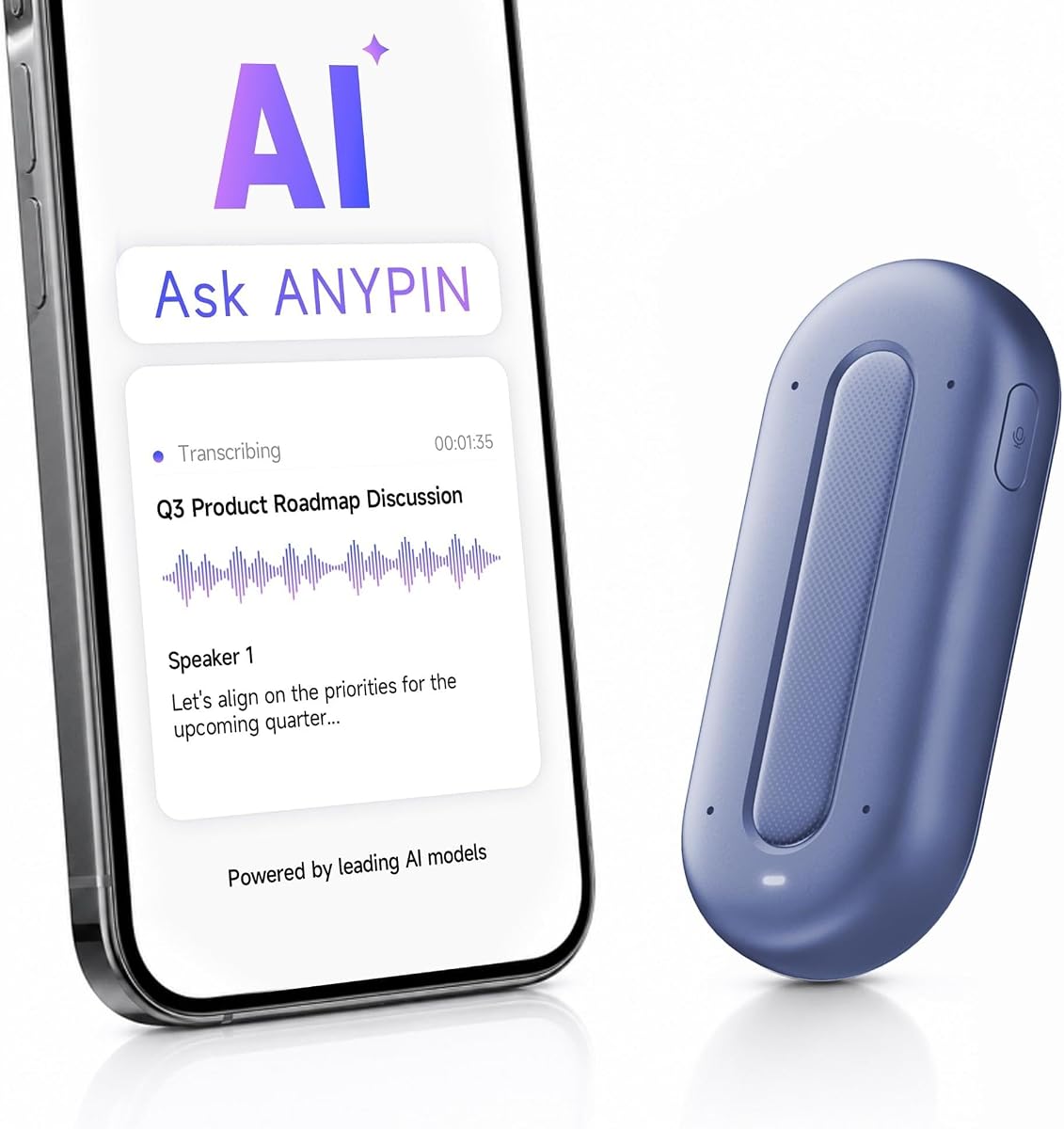
The ANYPIN Note Pod P1 offers a unique value proposition with a full year of unlimited transcription included free without any mandatory subscription fees. With a 3.9 rating users appreciate the privacy features that keep recordings encrypted on-device until you decide to sync them to the app.
We may earn a commission when you buy through this link, at no additional cost to you.
It is designed to be wearable with a clip or magnetic backplate so you can record hands-free while working or walking. The four-mic array helps separate speakers clearly and you can set geo-fenced private zones to auto-pause recording in sensitive areas for better security.
After the first year the service moves to a free tier which means advanced features might be restricted unless you pay. Some users have reported occasional connectivity issues but the privacy focus makes it a strong option for those concerned about cloud storage of sensitive data.
Best for privacy-conscious users who want a year of unlimited features this device balances cost and control well. If you value data encryption and no initial fees the ANYPIN Note Pod P1 is worth considering for secure note taking.
You can set geo-fenced zones where recording pauses automatically so you control when the device listens to your conversations.
There are no monthly fees to start using the device and you get a year of unlimited transcription to try it out.
We may earn a commission when you buy through this link, at no additional cost to you.
The Z01 PRO Companion Badge is a unique device that prioritizes privacy by processing all data locally on the device without uploading to the cloud. With a 4.2 rating it appeals to users who want an AI assistant that keeps personal queries and conversations secure and stored only on the unit.
We may earn a commission when you buy through this link, at no additional cost to you.
It features a touch screen and Bluetooth 6.0 connection so you can interact with it easily and pair it with your phone for tasks. The customization options allow you to upload your own photos for wallpapers making it a stylish accessory as well as a tool for daily tasks.
While it offers translation and personal tools it lacks the unlimited transcription capabilities of other models on this list. This makes it better suited for general assistance rather than heavy meeting documentation users might find the features limited compared to dedicated note takers.
Ideal for users who want a private pocket AI assistant this badge keeps your data safe and local. If you value personalization and privacy above heavy transcription this is a solid option for general use.
All processing happens on the device so your personal data and secrets are stored locally with no cloud uploads for security.
You can upload your own photos to create unique wallpapers so the badge reflects your individuality and style preferences.
We may earn a commission when you buy through this link, at no additional cost to you.
The Z02 Wearable AI Companion Badge offers an all-in-one solution that combines recording with multi-language translation in a compact form factor. With a perfect 5.0 rating it is highly praised for its ability to help users break language barriers while capturing key conversation points on the go.
We may earn a commission when you buy through this link, at no additional cost to you.
It supports multi-speaker capture so meetings can be recorded with clear distinction between speakers and you can customize the wallpaper to match your style. The device is designed for daily use with simple gestures to start recording or ask the AI questions without complex menus.
While it is great for travelers and casual users the full features require downloading an app and connecting to a network which limits offline use. Users looking for heavy transcription might find it less robust than dedicated models but the versatility is a strong plus.
Best for travelers who need translation and recording in one device this badge makes language barriers easier to overcome. If you want a stylish and multi-functional companion the Z02 is an excellent choice for daily adventures.
It helps break language barriers by translating conversations so you can communicate confidently with speakers of different languages.
Use simple gestures like double tap to record or swipe to wake the AI so operation is easy and intuitive for everyone.
We may earn a commission when you buy through this link, at no additional cost to you.
The SYNCO AI Mini Wireless is a specialized lavalier microphone designed specifically for Android USB-C creators who need AI enhanced audio quality. With a 4.2 rating it stands out by offering noise reduction and voice leveling features that help produce clean audio in noisy environments like cafés or classrooms.
We may earn a commission when you buy through this link, at no additional cost to you.
It includes lifetime free AI tools like summaries and mind maps so creators can organize ideas without paying extra fees or subscriptions. The auto voice leveling feature balances volume automatically when you move so recordings stay consistent without manual editing later.
This device is not a standalone recorder but works with the SYNCO AI app so it requires your phone to handle processing. Android users might find this integration seamless but iOS users or those needing a standalone unit will need to look elsewhere for similar functionality.
Best for Android creators who need a portable AI mic this tool simplifies content production and organization. If you want to save time on editing and planning this is a smart upgrade for your mobile setup.
Designed for Android users this mic ensures that your content production workflow stays smooth without needing expensive editing tools.
You get AI summaries and mind maps for free forever so you can organize ideas without worrying about trial periods or fees.
We may earn a commission when you buy through this link, at no additional cost to you.
Choosing the right AI Lapel Device depends on your specific workflow needs and how you plan to use it for recording and summarizing conversations.
Look for devices that offer accurate transcription in multiple languages and the ability to generate summaries or action items. Some models provide basic free plans while others require subscriptions for advanced tools like document generation or chat with recordings.
Prioritize models that match your need for features like unlimited transcription or free starter plans to ensure long-term usability without extra costs.
Devices with multiple microphones or advanced noise reduction will capture clearer audio in noisy environments like conferences or offices. Check for features like directional mics or adaptive setups that adjust to different recording modes automatically.
Ensure the device can capture voice clearly from the typical distance you stand during meetings to avoid missing important details.
If you handle sensitive information check that the device offers encryption and compliance with standards like HIPAA or SOC 2. Some models process data locally on the device while others upload to the cloud which can impact your data security.
Choose devices that allow you to control when data is synced and how it is stored to keep your conversations private.
For long workdays or travel consider devices with battery life lasting at least 20 hours or more to avoid frequent charging interruptions. Check if the device uses Wi-Fi or Bluetooth for syncing as this affects speed and convenience.
Prioritize models with reliable connectivity options that fit your existing phone or computer ecosystem for seamless integration.
Decide whether you prefer a clip-on recorder a pin or a badge style that integrates with your phone like MagSafe. The device should be light and comfortable to wear for long periods without drawing too much attention.
Look for accessories like magnetic cases or lanyards that make it easy to carry and attach the device wherever you need it.
Ensure the device supports your phone's operating system as some models are optimized for iOS while others work with Android USB-C devices. This affects how you sync data and use companion apps for managing recordings.
Select devices that offer broad compatibility if you use multiple devices across different platforms for work or personal use.
Evaluate the upfront cost of the device and any ongoing subscription fees required for full features or unlimited transcription. Some models include free basic plans while others have premium tiers for advanced tools.
Choose a model that fits your budget both now and in the long run to avoid unexpected costs for essential features.
If you work with international teams or travel look for devices that support a wide range of languages and offer real-time translation. This can help you communicate better and understand notes from multilingual meetings.
Ensure the translation features are accurate enough for your needs especially for professional or critical conversations.
To get started with your device read the quick start guide and connect it to your phone via the companion app or Bluetooth. Make sure to update the firmware and set your privacy preferences like sync settings and notification alerts.
When recording simply press the dedicated button or use the touch interface to start capturing audio and let the device sync to the cloud or local storage. Remember to check battery levels regularly and charge the device before long events to avoid interruptions.
To maintain the device store it in a cool dry place and clean the microphone area with a soft cloth to keep sound quality high. Avoid exposing it to extreme temperatures or water unless it has a specific waterproof rating.
Many devices can record locally without Wi-Fi but you usually need a connection to sync recordings for AI processing. Some models store audio on the device so you can sync later when you have access to the internet.
Some devices include free starter plans with basic features while others require a subscription for unlimited transcription or advanced tools. Check the specific plan details before buying to avoid unexpected costs later.
Most models are designed for in-person meetings and external calls but some have specific call recording modes that integrate with your phone system. Check the product specs to see if it supports direct call recording.
Look for devices that offer encryption and local processing to keep your data secure. You can also control sync settings to ensure recordings are only processed with your permission.
Yes but some models are optimized for iOS while others support Android USB-C. Check the compatibility details to ensure it works with your specific phone model.
Battery life varies from 20 hours to over 70 hours depending on the model and usage. For most devices a single charge lasts a full workday or more.
Many models are designed to be wearable with clips pins or magnetic attachments that blend with clothing. This makes them suitable for professional settings where discretion is important.
We have highlighted the top 10 AI Lapel Devices ranging from the privacy-focused Comu Action Pro to the affordable EurekaMind recorder. Each model offers unique strengths whether you need unlimited transcription or fast sync or a discreet wearable form factor.
When selecting a device consider your primary use case such as meeting documentation or language translation to find the right fit. Prioritize features like battery life and data security that align with your daily workflow needs.
Please remember to check current prices and availability on the product pages as these may vary over time. We hope this guide helps you choose a reliable tool that enhances your productivity and simplifies note taking.